What kills the ChatGPT chat box is the "mouse".
In 1968 in San Francisco, computer scientist Douglas Engelbart took out a small wooden box with two metal wheels at a press conference later known as "The Mother of All Demos" and introduced a new species to the world: the mouse.
That was the first time humans publicly used a mouse in their hands to move the digital cursor on the screen. In the following decades, this little arrow was almost everywhere. It passed through office software, game interfaces, browser windows, and countless spreadsheets, becoming the most familiar and silent guide when humans enter the digital world.
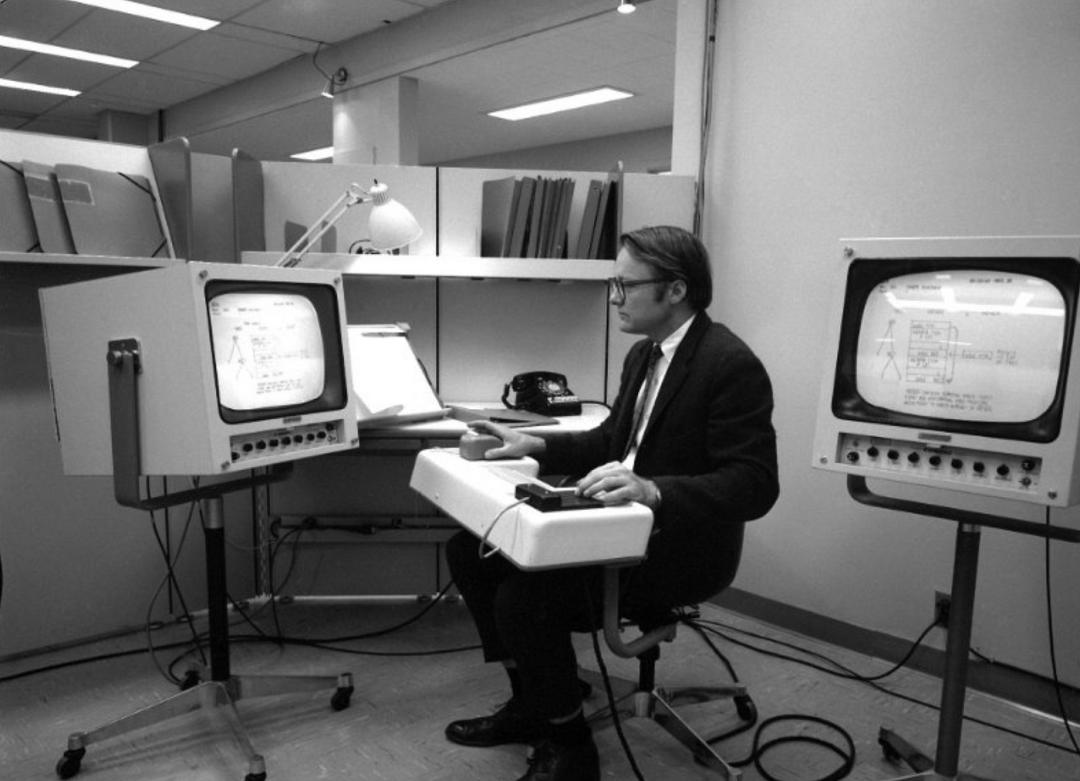
However, in the past half - century, the computing power, form, and application scenarios of computers have almost changed completely, but the essence of the mouse cursor has hardly changed: it knows which coordinates it is on the screen, knows X and Y, but doesn't know whether you are pointing at a line of code, an invoice, or a landscape photo.
Facing the constantly flickering pixels in front of it, what it can do is still quite simple: click, drag, and wait for the next click.
Today, Google is going to reinvent the mouse cursor with Gemini.

At the just - concluded Android Show, Google almost laid out its plans around Android, AI, and the hardware ecosystem on the table. Among them, a new feature called "Magic Pointer" has equipped the ancient mouse cursor with "eyes" and a "brain."
Google's intention is obvious. Future AI interactions should not rely on long prompts. Just like in real life, point at the screen and say, "Move this there." So the question is, when the mouse cursor finally learns to "understand" the screen, where exactly will it take human - computer interaction?
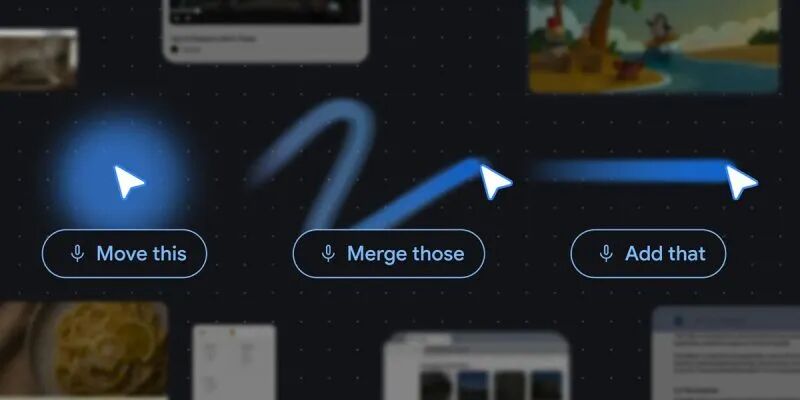
What on earth can this AI arrow with opened eyes do?
To understand the significance of this technology, we must first see the most awkward aspect of current AI tools: interaction cost.
In the past few years, the capabilities of large - language models have skyrocketed, but the usage threshold remains high. To make AI accurately understand intentions, users are forced to learn a complex "prompt engineering": setting roles, supplementing backgrounds, and limiting output formats. Writing a few hundred words for a simple requirement is a common occurrence.
Moreover, typical AI tools usually run in independent web pages or application windows, frequently interrupting the user's workflow. For example, when you want AI to summarize a chart while reading a 50 - page PDF, you usually have to go through: taking a screenshot -> saving it -> opening the browser -> entering the AI web page -> uploading the picture -> entering the prompt.

Google calls this kind of cumbersome cross - application operation "AI detours." This kind of jumping is not only inefficient but also easily interrupts people's state of concentration at work, that is, the so - called "flow state."
Therefore, the first interaction principle proposed by Google is to "maintain the flow state." In the experimental AI cursor prototype they demonstrated, the capabilities of AI are no longer limited to a specific app or web page but are attached to the mouse cursor, ready at any time.
The triggering method is also as restrained as possible: there is no need to remember any shortcuts. Just gently "shake" the mouse, and the AI interface will automatically appear based on the currently hovered content, providing highly context - aware operation suggestions. When you select an image, it will ask if you want to "compare"; when you hover over a paragraph, it will actively provide a polishing plan.
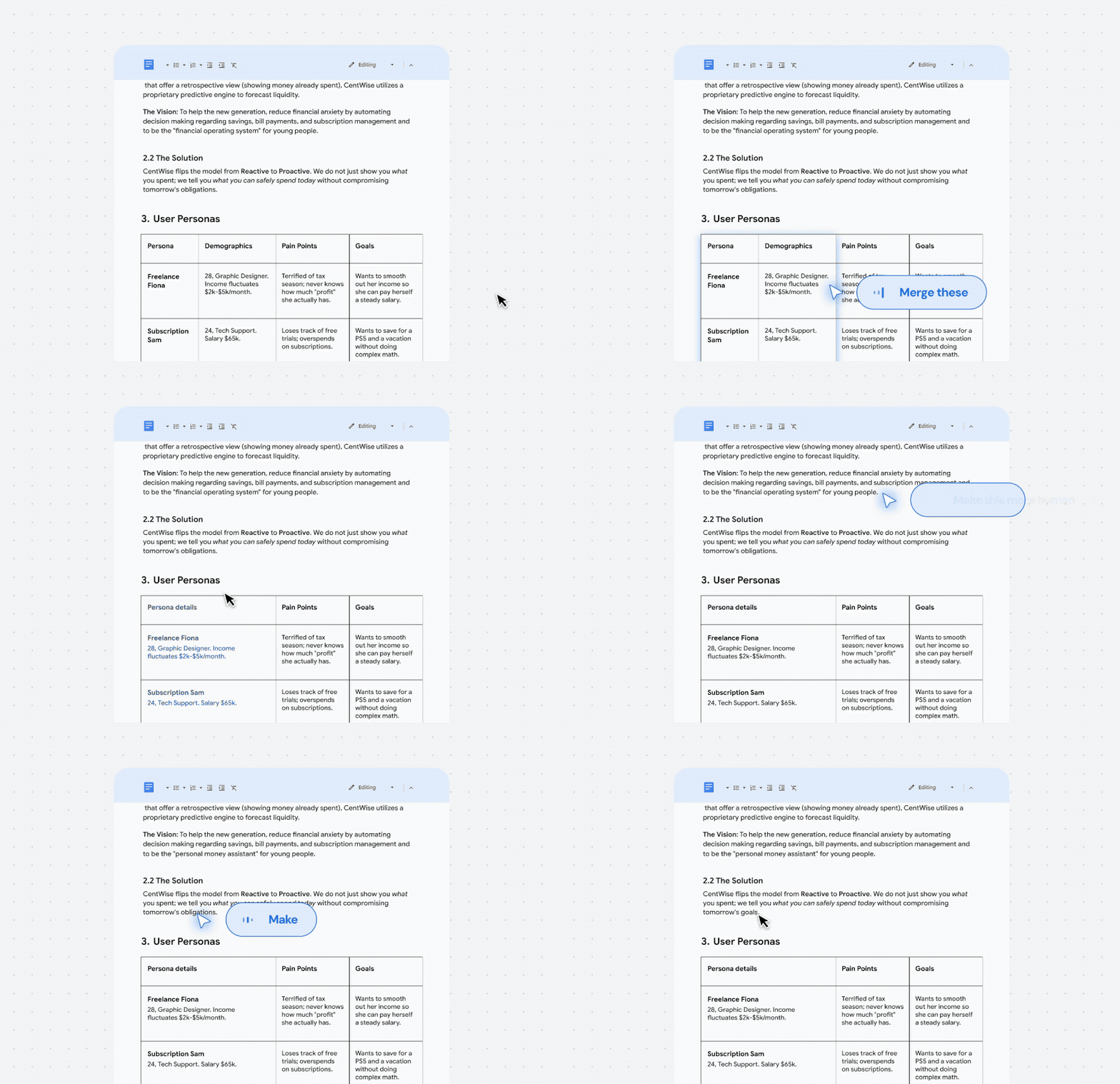
The whole process doesn't require any instructions to learn and completely follows intuition. Let's look at a few extremely intuitive scenarios:
First, the ultimate form of describing pictures.
When you are browsing a cartoon city landscape photo, the traditional mouse can only click on the picture to zoom in. But now, you just need to hover the AI cursor over a building in the photo background and then say into the microphone, "Move the elements of the picture here."
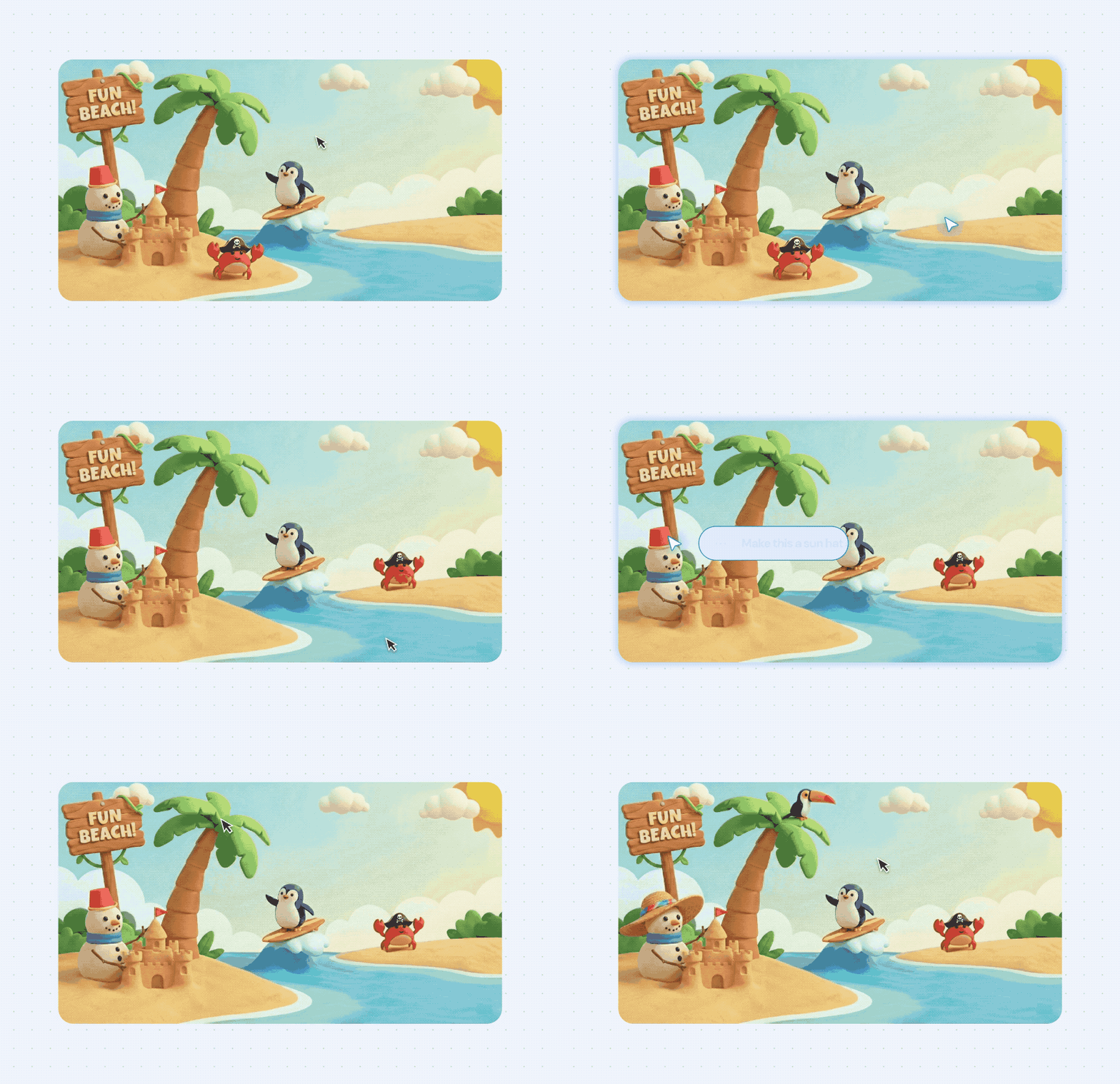
There is no need to explain what "here" is, nor to describe the appearance of the building. The AI cursor will directly understand the pixels you are pointing at, identify the corresponding elements, and move them successfully.
In the past, the mouse could only tell the system "where I clicked"; now, it starts to tell the system "what I'm pointing at."
Second, write fewer prompts and use more natural references.
When you see an extremely complex baking recipe on a web page, you don't need to copy and paste, nor write a written statement like "Please double the quantity of all ingredients in the following recipe." You just need to highlight that text with the cursor and then casually say, "Double the quantity of 'these'."
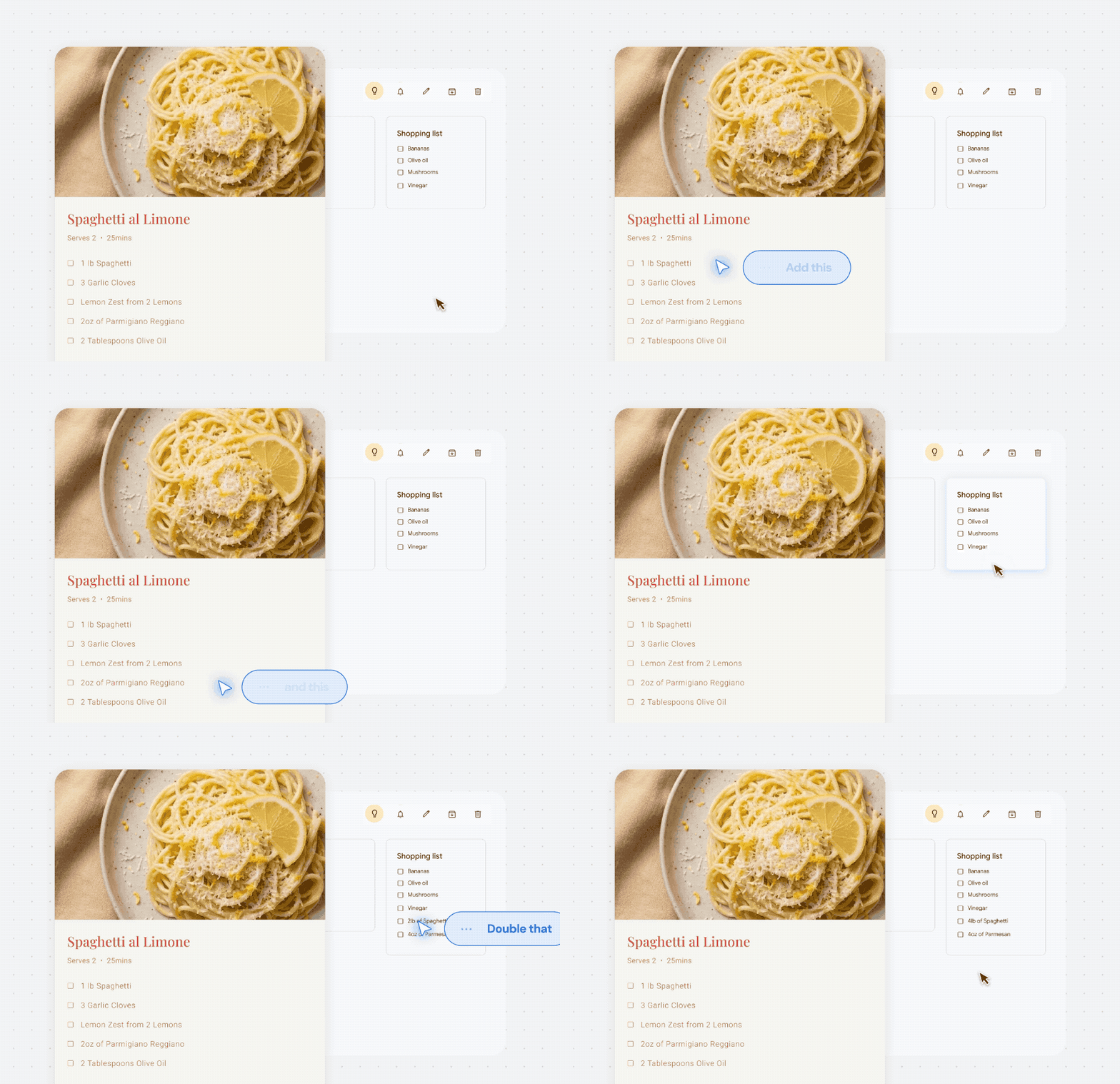
In a flash, AI directly rewrites a new recipe in place.
Third, convert pixels into interactive entities.
In the eyes of a computer, the screen is just millions of glowing pixels. But the AI cursor can convert rigid pixels into living entities.
For example, you are watching a travel Vlog, and a great - looking restaurant flashes by in the video. You press pause and point the cursor at it. The once - dull video screen instantly turns into a real, interactive location, and a reservation link for this restaurant pops up directly beside it.
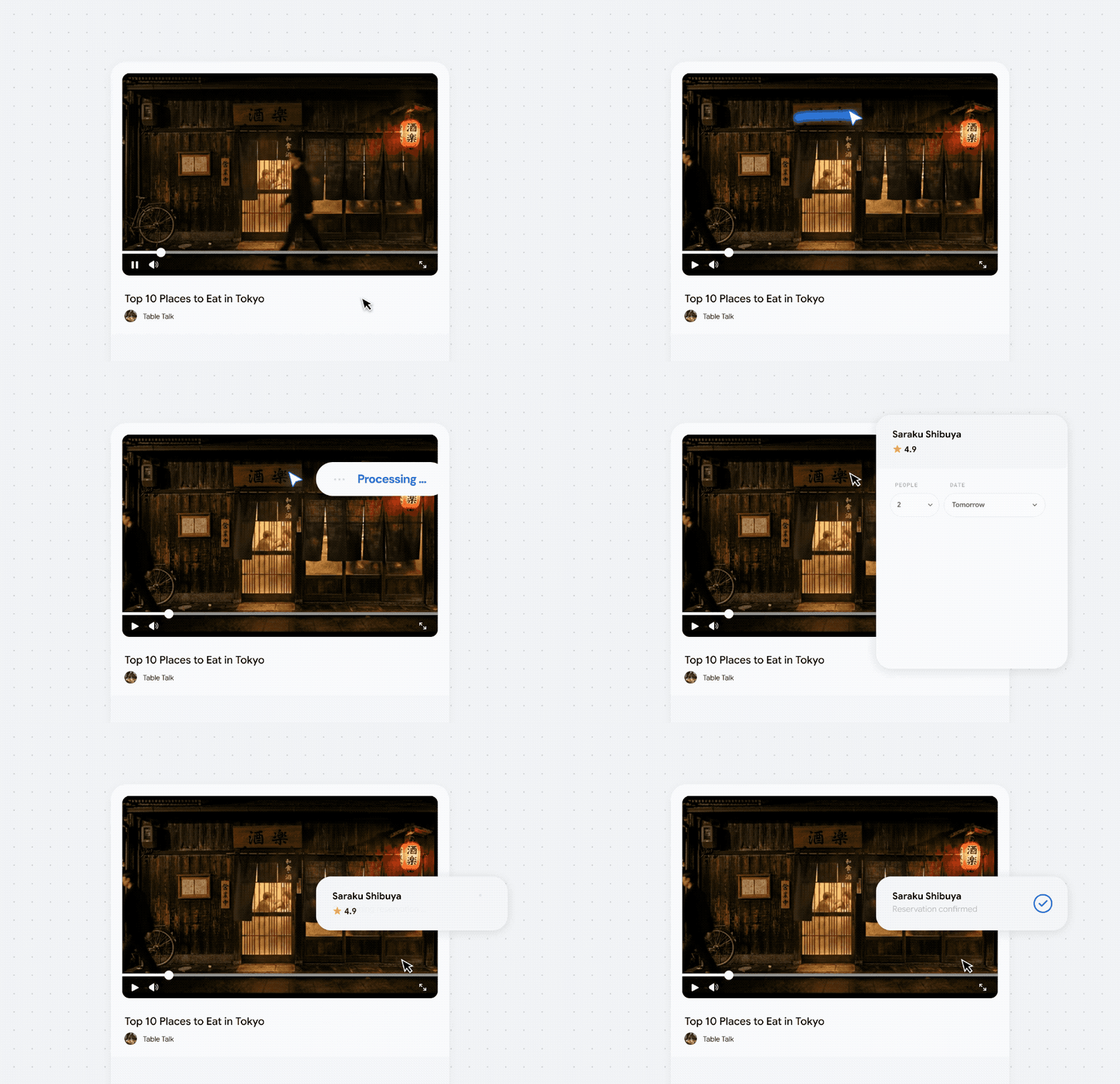
Another example is that you take a photo of a sticky note full of scribbles. With a mouse point, the ink marks directly turn into a checkable To - Do List. Have you noticed? In the past, you went to find AI; now, AI comes to your fingertips obediently along your mouse.
Kill AI prompts and return to human intuition
Think carefully. The most powerful communication tool for humans is actually pronouns.
When you and your colleagues are sitting in front of the screen modifying a design draft, you will never say in a proper way, "Please move the blue rectangle at the coordinates (X:120, Y:350) in the upper - left corner of the screen 50 pixels to the right." You will only point at the screen and say:
"Move this a little to the right and make it a little lighter."
"That restaurant looks good. How can I get there?"
"What does this error in this piece of code mean?"
In daily life, we rely extremely on "this" and "that." Gestures combined with minimalist spoken language are the most efficient communication code for humans. The reason is that we are in the same physical space and share the same set of visual context.
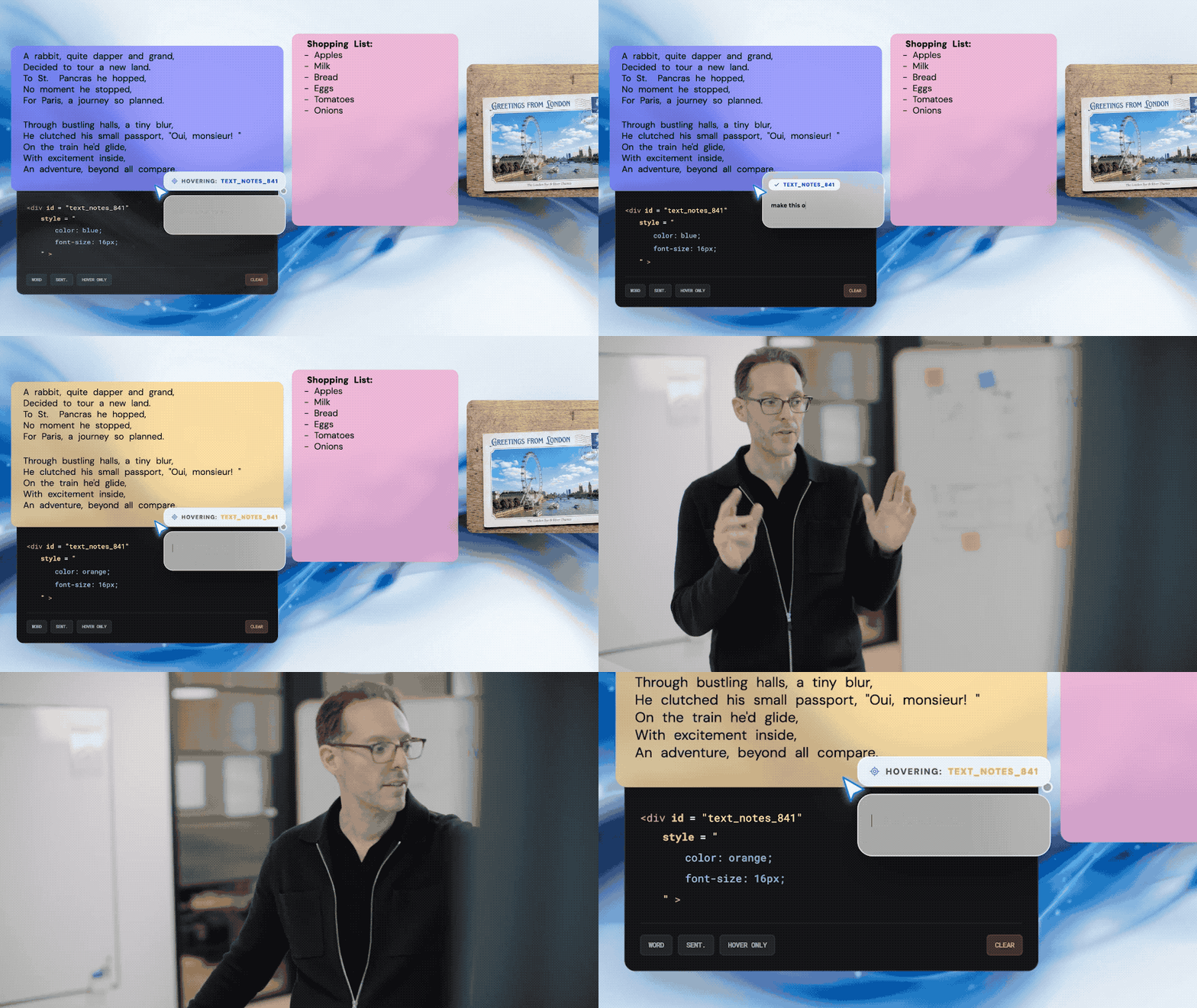
Google has keenly grasped this point and refined it into a product principle: Embrace the power of "This and That."
Rather than forcing humans to learn a complex prompt framework, it's better to do the opposite, stripping the dirty and tiring work of expressing intentions from us, letting the machine adapt to our laziest and most instinctive "pointing and gesturing."
The good news is that this interaction method has begun to be implemented. Gemini in the Chrome browser supports it first starting today; the newly launched Googlebook laptop product line by Google has directly built "Magic Pointer" into the operating system level, covering all applications.
Googlebook's ambition is not limited to the mouse. Google defines this product line as the "perfect companion for Android phones."
Similar to Apple's iPhone mirroring, users can seamlessly project Android applications onto the Googlebook desktop, run them in the native scale, and freely shuttle across devices in the file manager, completely breaking the ecological barriers between mobile phones, tablets, and laptops. In addition, Gemini can also generate exclusive dynamic Widgets on the desktop according to your needs (such as real - time flight cards for travelers).
In terms of hardware design, all Googlebook models will integrate a "Glowbar" light strip on the body, allowing you to easily distinguish it from traditional Chromebooks or Windows laptops at a glance.
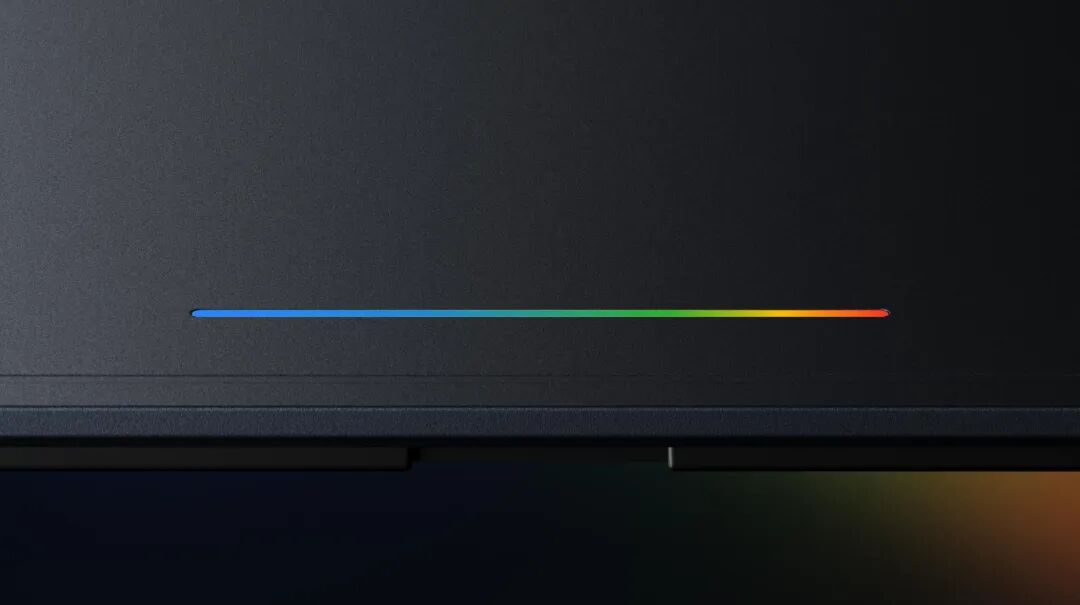
The first batch of Googlebooks will be manufactured by Acer, Asus, Dell, HP, and Lenovo and are expected to be on the market this autumn.
Interestingly, Samsung is absent from this list. Recent news shows that Samsung may be preparing a Galaxy laptop equipped with Google's new system, and its next Unpacked press conference is rumored to be scheduled for July 22.
As for the underlying driving core, although Google doesn't name it directly, the entire text emphasizes the "modern operating system born for intelligence" and the deep integration of Android and ChromeOS. All signs point to the long - rumored "Aluminum" system.
This means that AI has begun to become an infrastructure at the operating system level. And when AI truly becomes your mouse cursor, it has the permission to intervene in everything — what you see is what you get, and what you point at is what you control.
AI human - computer interaction reaches a crossroads
Looking back at 1968, the first - generation mouse that amazed the world had extremely simple functions: tracking positions. In the past 50 - odd years, the mouse has added a scroll wheel, side buttons, and even a fan and a counterweight, but its essence remains blank: it accurately marks the coordinates but can never understand the meaning behind the coordinates.
Google's AI cursor has completed a rare evolution in the history of interaction: it not only knows where you are but also knows what that is.
In the past year, countless startups that have received financing have rushed to create the next "super - entry in the AI era." Everyone is frantically competing for the realism of dialog boxes and the complex workflow of agents. But Google has given the entire industry a solid lesson this time:
What is the best technology? It is to be unobtrusive. The chatbox has never been the final form of AI; it is just a compromise in the transitional period. The best AI should stay in the background and become an infrastructure attached to your daily actions, rather than just an application that needs to be opened separately.
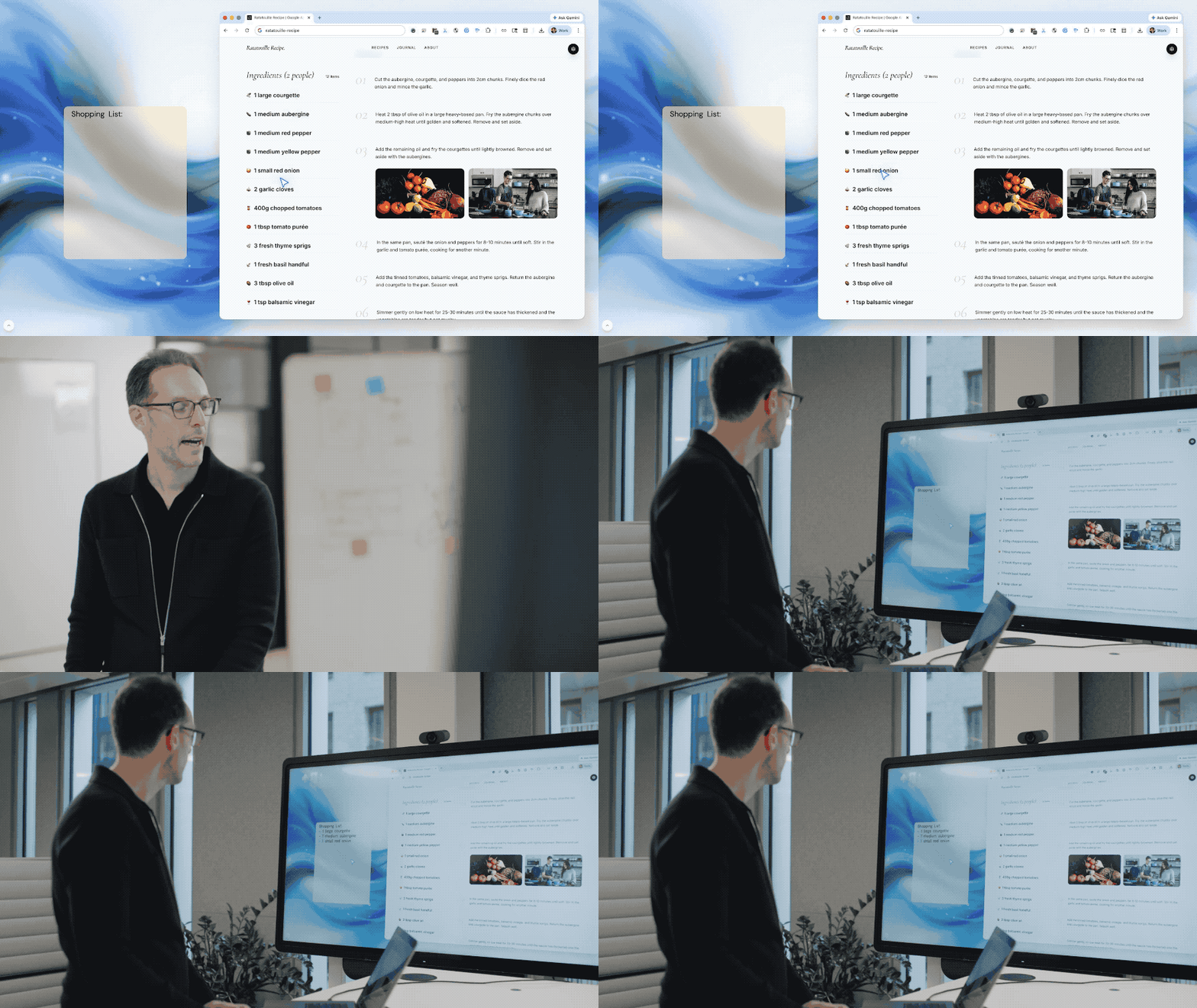
From the command - line interface (CLI) with a black background and white characters, to the mouse - click graphical user interface (GUI), and then to the touch - screen sliding in the mobile era (NUI). In the past few years, large - language models have made us briefly return to the era of typing communication, causing countless people to suffer from Prompt anxiety.
But after today, we know that it was just a detour before dawn. Truly useful AI must ultimately learn to think like a human: understand every look in your eyes and every "Move this there" you say.
58 years ago, when Douglas Engelbart held that simple wooden mouse, his ultimate dream was to "enhance human intelligence."
58 years later, when AI attaches to this ancient pointer, the machine finally begins to truly "understand" the world. The era of prompt engineers will eventually come to an end, and the ultimate closed - loop of human - computer interaction will also take a historic step forward in the ambiguous "this" and "that."
Attached experience addresses:
https://aistudio.google.com/apps/bundled/ai-pointer-create?showPreview=true&showAssistant=true&fullscreenApplet=true
https://aistudio.google.com/apps/bundled/ai-pointer-find?showPreview=true&showAssistant=true&fullscreenApplet=true
This article is from the WeChat official account "APPSO", author: Discovering Tomorrow's