The most useful AI hardware is the most "useless" key on the keyboard.
Smartphones have dominated the digital ecosystem in the past decade. They are a black hole for our attention and our most private companions. However, smartphones were designed from the start for "people to stare at them" - all their logic ends at the screen.
The requirements of AI, on the other hand, are exactly the opposite: it needs to continuously perceive the physical world - see what you see, hear what you hear, and be present at all times, rather than waking up only when you unlock the screen.
When AI truly becomes a fundamental ability, it will inevitably break free from the screen and find its own form. This will be a long process of exploration and evolution.
The "AI Artifacts Chronicles" column comes from this idea. Ifanr wants to observe with you: how AI changes hardware design, how it reshapes human-computer interaction, and more importantly - in what form will AI enter our daily lives?
This is the 12th article in the "AI Artifacts Chronicles".
When you open your MacBook Pro and carefully examine the keyboard area, you'll notice an interesting physical phenomenon:
The plastic surface polishing phenomenon, commonly known as "oiliness", is mainly distributed in the QWERTY letter area, as well as the most frequently used keys such as the space bar, enter key, and arrow keys.
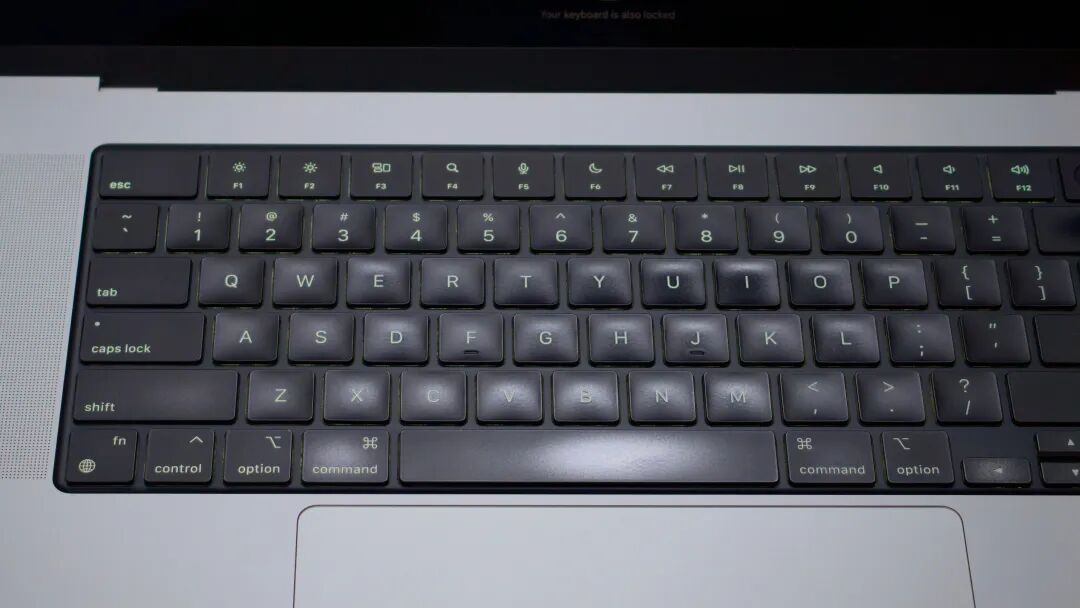
In contrast, the F function key area at the top of the keyboard, as well as the Fn, Alt/Option, and Win keys in the lower left and lower right corners, often retain the delicate matte finish of a "brand-new" product.
This visual contrast forms a "heat map" of human-computer interaction methods, becoming an interesting data visualization.
In fact, in the decades since the advent of "small computers", although network technology and storage methods have changed rapidly, the most mainstream interaction method has remained the same: the keyboard.
During the command-line interface (CLI) era before the emergence of the graphical user interface (GUI), the keyboard was the core of human-computer interaction.
Even today, with the emergence of newer interaction methods such as the mouse, touch screen, and graphics tablet, the keyboard remains the backbone of human-computer interaction.
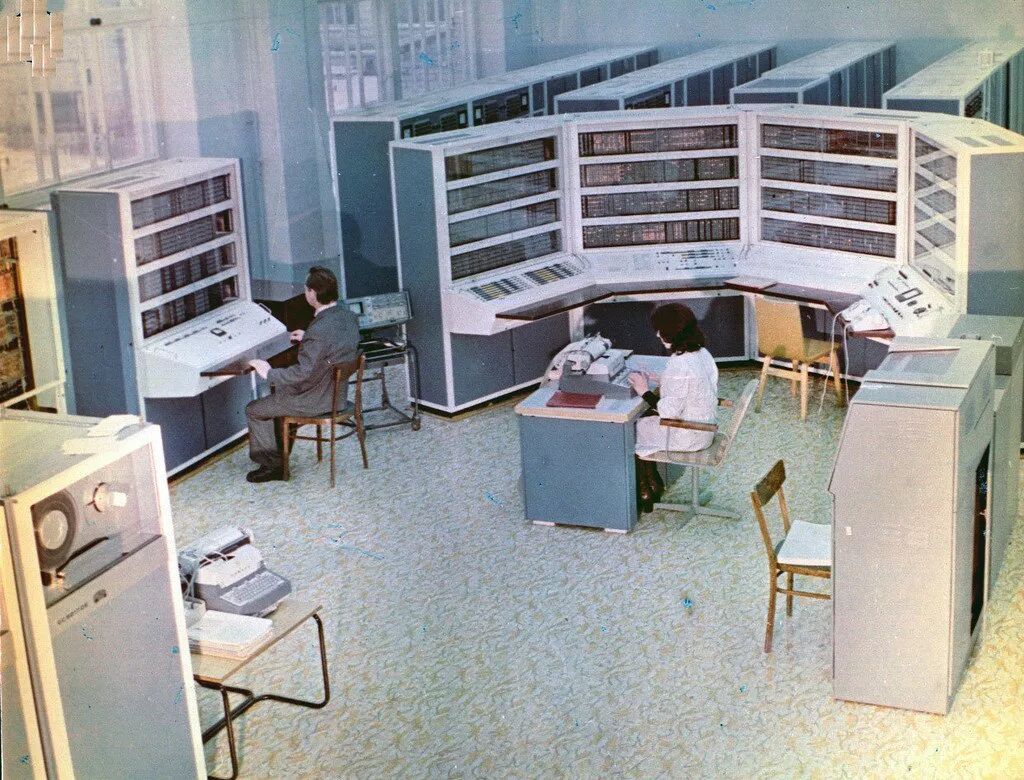
Image | X @HumanoidHistory
When the AI wave brings the latest "one-stop service" of "voice input - content organization - summary", although keyboard typing has been slightly affected, its importance remains -
However, the core of this importance is no longer the QWERTY area.
The Pioneering Movement at the Keyboard Edge
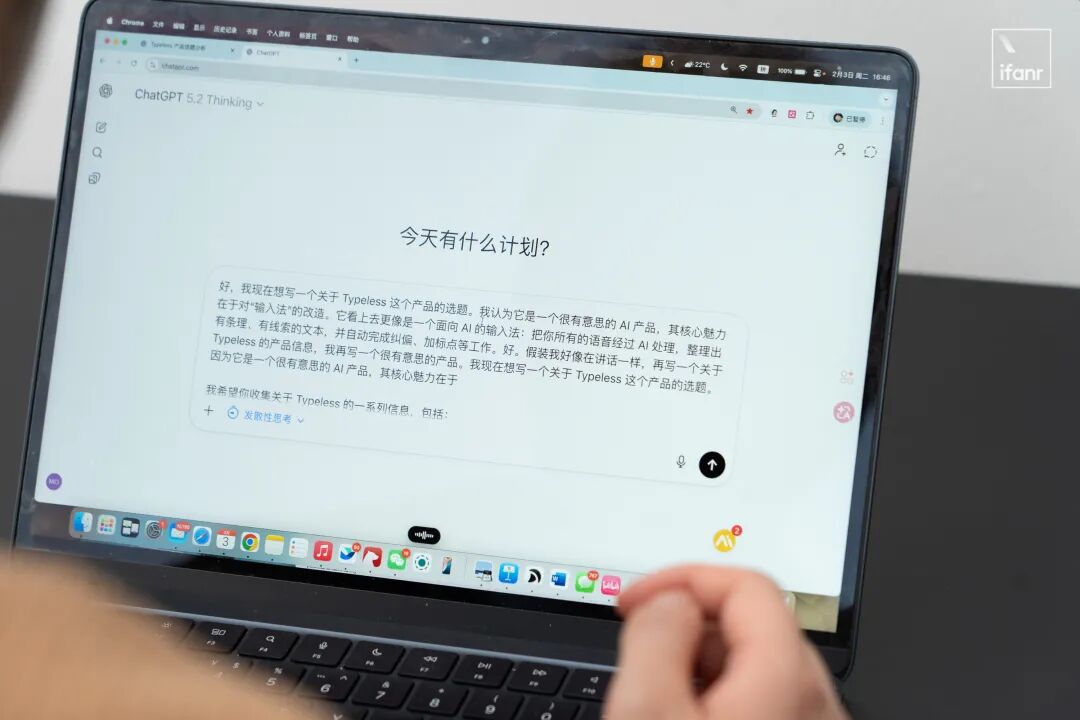
If you are using an AI voice input tool like Typeless and have also updated the latest macOS version of WeChat, you'll notice something very funny -
Since the default recording switch for both is the Fn key, if you want to use Typeless in WeChat, your Fn key will be "intercepted" by WeChat for its own voice input function:
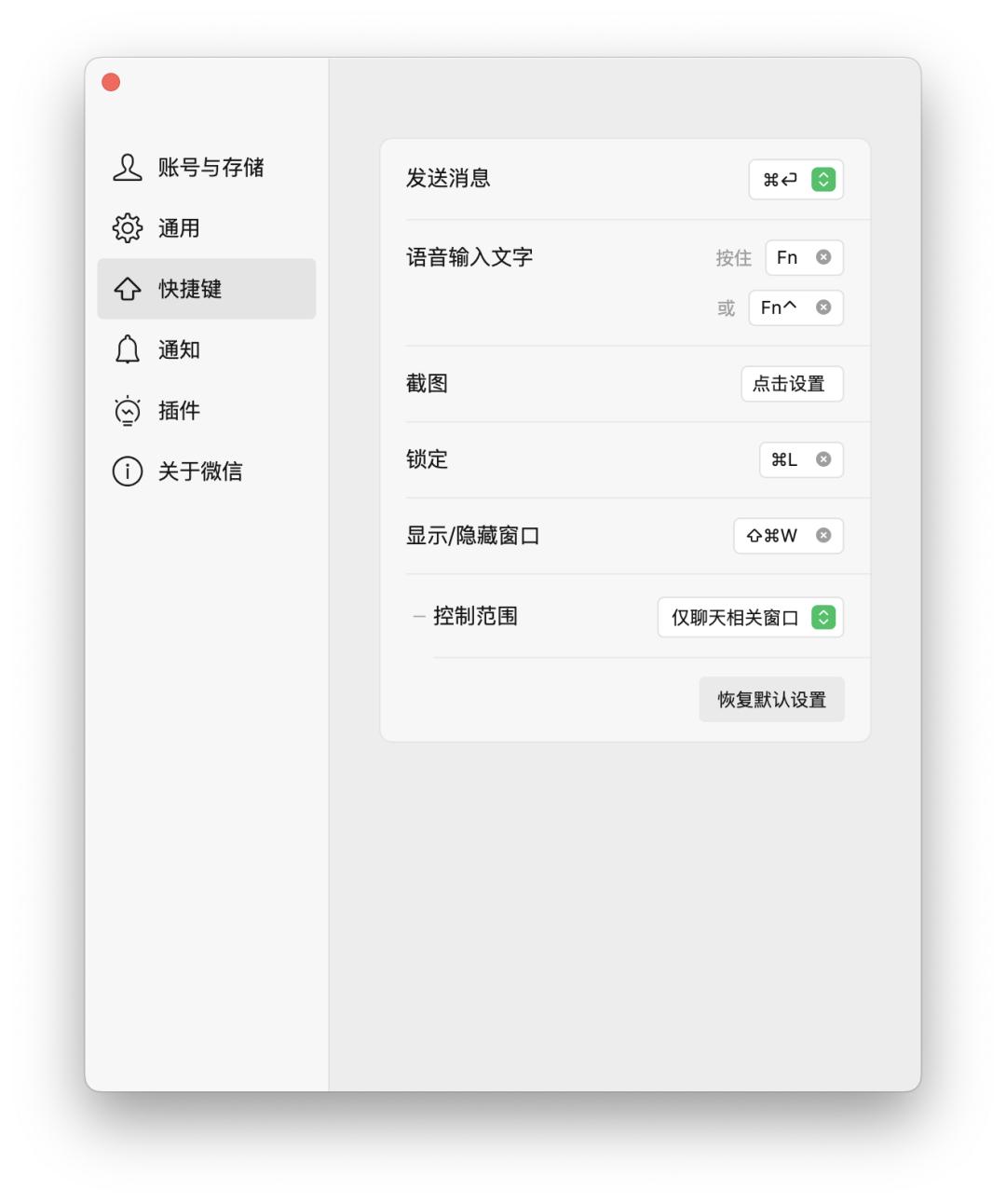
Putting aside the conflict between Typeless and WeChat's hotkeys, "using the Fn key as a voice input key" is actually a quite good design.
Not only because most Windows computers and laptops don't have a "dictation key" like macOS, and the shortcut key for voice input is Win + H - I believe many people have never heard of it.
In addition, setting the Fn key, which is not used as frequently, as the dictation key not only doesn't affect its original function but is also much more reasonably located than the F5 key on Mac. You can press it without raising your hand:
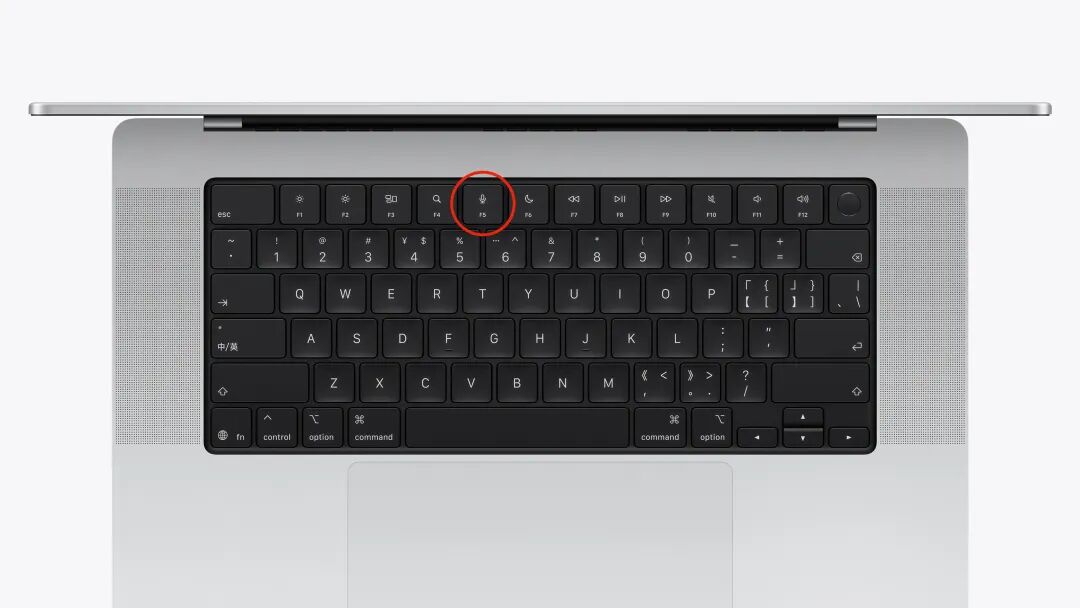
The most important thing is: Having a dedicated key to execute AI functions provides a very smooth experience and is easy to develop muscle memory.
Compared with the cumbersome process of traditional voice input, which requires "clicking on the input box, switching the input method, and clicking the voice button", the Fn key integrates it into an instinctive reaction.
On the other side of the keyboard, the "Copilot key" that Microsoft has made a big deal about at the original position of the right Alt key hasn't fared so well.
Compared with the well-known Win menu key, the Copilot key on the right not only takes up the original position of the Win key but is also often criticized as one of the most embarrassing changes in hardware design history.
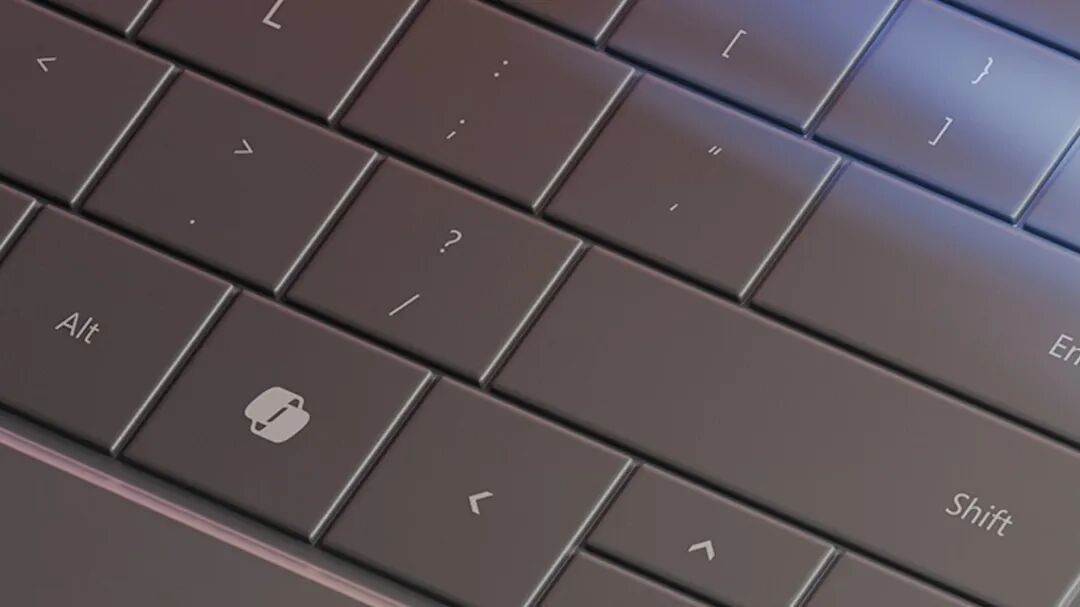
Image | PCMag
The reason boils down to Copilot's own lack of capabilities.
By forcing an AI key into the keyboard, Microsoft is trying to repeat the glory of the Win key. However, this not only disrupts the muscle memory of a large number of users but also seems like a forced advertising space.
Ultimately, the Copilot key only provides a shortcut to launch the Copilot dialog box and cannot participate in software interaction or action delegation.
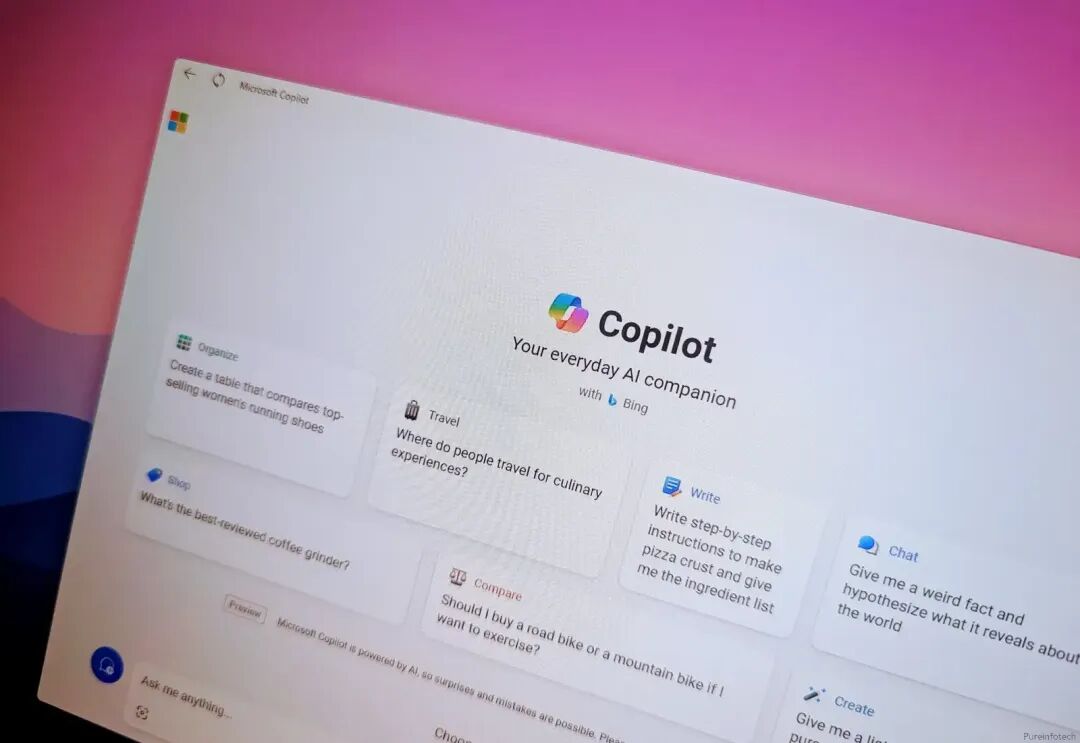
Image | Pureinfotech
The "recycling" of the Fn key by Typeless and WeChat is more in line with the user's logic of "letting AI do a task for me directly" when inputting content.
Coincidentally, this competition for the "forgotten keys" in the standard keyboard layout that have not been used for a long time or have lost their main functions with system updates is becoming a vigorous "western redevelopment" movement among AI manufacturers.
For example, last week Google updated a version of its Windows desktop search program and set the default shortcut key to open AI search as Alt + Space - which was once the window menu combination key:
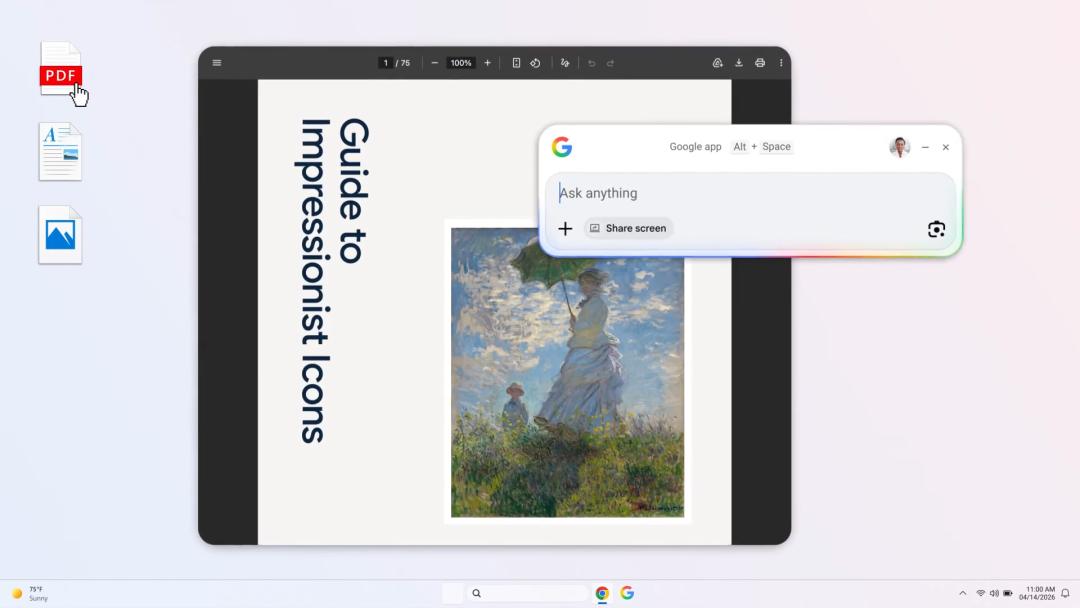
Image | Google
This phenomenon is not isolated or accidental. On the contrary, due to the complexity and generalization of AI functions, we are approaching a turning point in the transformation of human-computer interaction logic.
In the past few decades, we have been accustomed to using combination keys to activate specific functions because users need to actively tell the computer "what to do": the tool for inputting characters has evolved into the keyboard, and the tool for indicating coordinates has become the mouse.
However, in the AI era, this operation logic that was originally entirely user-driven is changing - the computer's function has advanced from "receiving and executing instructions" to "intention recognition".

Image | Mashable
This transformation from "combination" to "direct access" is essentially a manifestation of our desire to further reduce the resistance in human-computer communication - the most typical example is Claude users.
As the user dependence on Claude Code increases, there have been many tutorials on how to set up keyboard macros or mouse macros to bind certain commonly used instructions to specific keys.
On this basis, some netizens have created small keyboards specifically customized for Claude Code, referring to the logic of the live streaming console (Stream Dock). These keyboards can input commonly used instructions such as "Go read the instructions", "Stop apologizing", "Fix it directly", and "Execute the code" with a single key press:
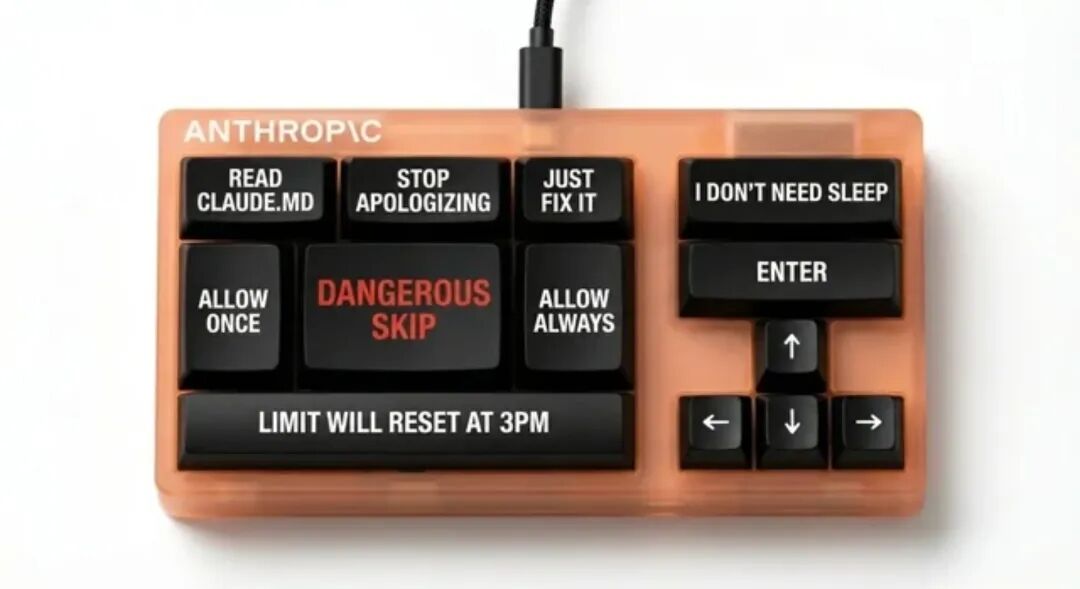
Image | Reddit
For some "deep AI programmers", such a keyboard is often enough to replace the conventional 108-key keyboard - and setting up a dedicated Typeless voice input key will complete the loop.
The "Input Revolution" Is Near
If we look back at the evolution history of computer input interfaces, we'll find that the keyboard layout has never been absolute truth but rather the result of a series of compromises and evolutions.
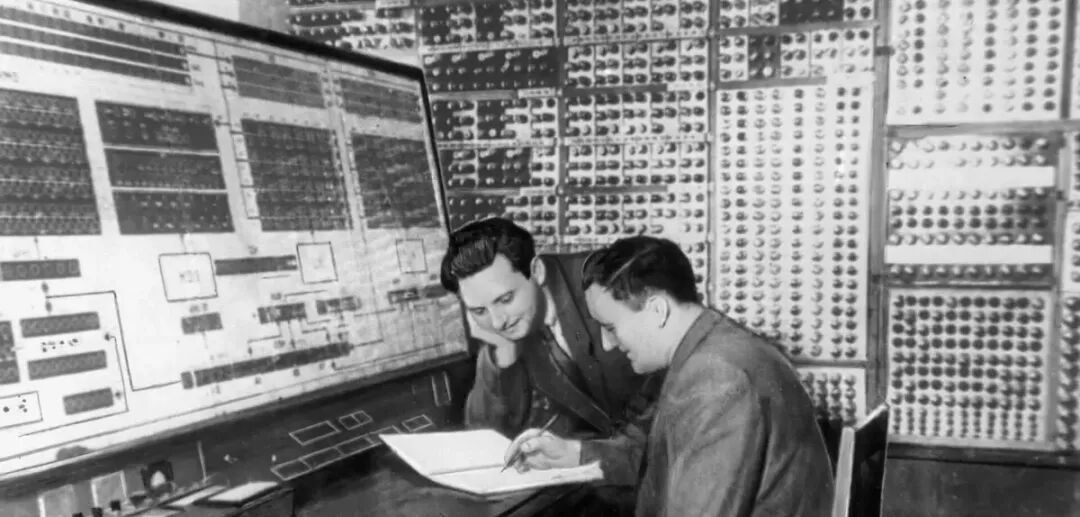
Image | IT Museum DataArt
From the earliest bulky mechanical typewriters and teletypewriters to the Apple II that pioneered the personal computer era, every character and function key on the keyboard has undergone significant changes.
During the CLI era, the keyboard was mainly used to solve the problem of "how to input characters into the computer". Even the inverted T-shaped arrow keys that we are most familiar with today didn't exist and were scattered in the corners of the QWERTY area:
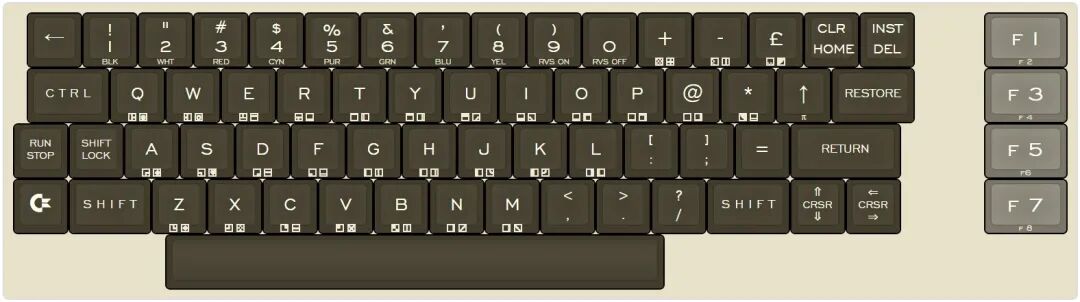
The layout of the Commodore C64. Moving the cursor requires using combination keys | Github
Later, with the promotion of the GUI by Xerox and Apple, and the rise of various touch interfaces today, we have witnessed drastic changes in the keyboard layout -
The computer keyboard layout is not unshakable. The arrangement we are familiar with now is only the optimal solution for the specific historical stage of "text + graphical interface".
With the strengthening and popularization of large language models (LLMs), the demand for a "separate AI entrance" is increasing irreversibly, just like the AI keys that have reappeared on mobile phones:
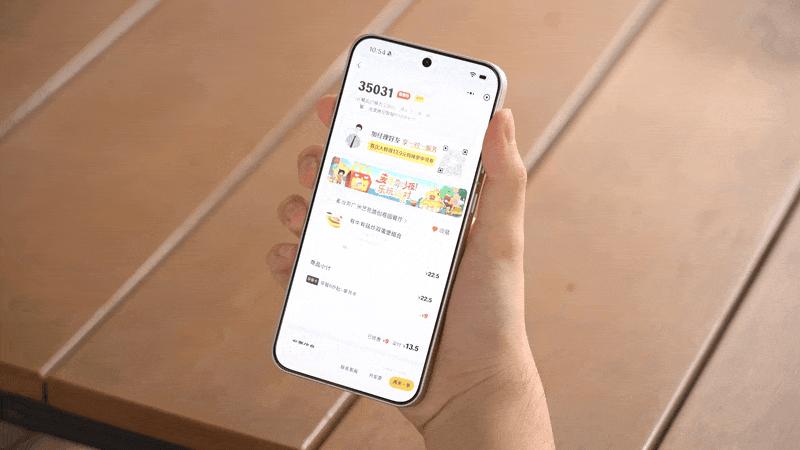
This demand for "one-key direct access to the function execution layer" also exists on PCs.
In the foreseeable future, we are very likely to see a brand-new keyboard layout specification that will completely break the old logic of the existing 104, 87, or 68-key keyboards.
Of course, this change doesn't mean that we will abandon the muscle memory of the past decade. The QWERTY letter area will remain the same in the future, but outside the letter area, the original function key group will gradually be replaced by an "intention area" specifically designed for AI function interaction -
This replacement may be as simple as putting the icons of Doubao, Gemini, or Claude on the Alt key, or it may be a reconstruction of the interaction logic, just like the former TouchBar:
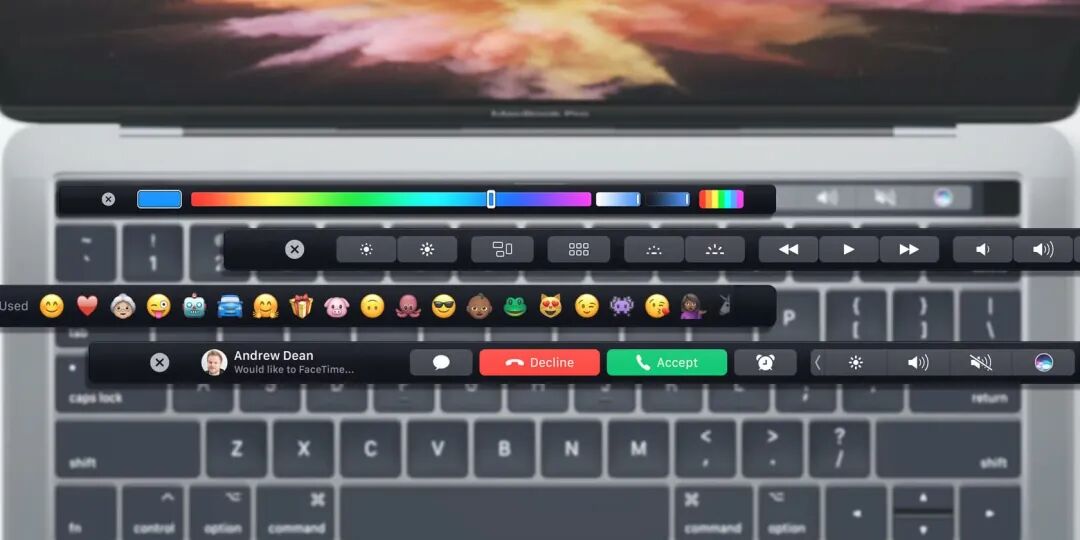
Image | MakeUseOf
In other words, in the future, this "AI key area" will not be a fragmented collection of independent function keys but is more likely to be an integrated intelligent key area that can sense pressure and may even have a miniature display screen.
After all, we are just in the early stages of the generative AI era, and the explosion of AI functions has already changed the structure of human input on the keyboard -
People no longer need to type for long periods and with high intensity. Instead, they are more likely to ask heuristic questions, provide outline guidance, and make fine adjustments to the content generated by AI.
