For just 128 yuan, can you transform an old phone into a CarPlay car infotainment system and turn an old car into a "smart cockpit" in an instant?
As an important component of the intelligent cockpit, in the past two years, domestic consumers' expectations for "in - car intelligent systems" have long exceeded the former "map + music" model. New demands such as AI conversations, travel planning, videos, and games have emerged one after another. Some brands have even directly added "office components" to the in - car system. Even if you're stuck on the highway during holidays, it won't affect your ability to join video conferences or write PPTs.
However, if you're driving an "old - fashioned fuel - powered car" or a car from an automaker that doesn't pay much attention to in - car system development, it's a different story. Even in 2026, there are still automakers that can make the in - car interaction powered by the 8155 chip as basic as a "feature phone".
In addition, some new - force automakers, due to certain internal reasons, are also reluctant to provide a user - friendly mobile phone interconnection function. For example, Tesla, which is jokingly called the "Apple car", still doesn't support Apple CarPlay to this day.
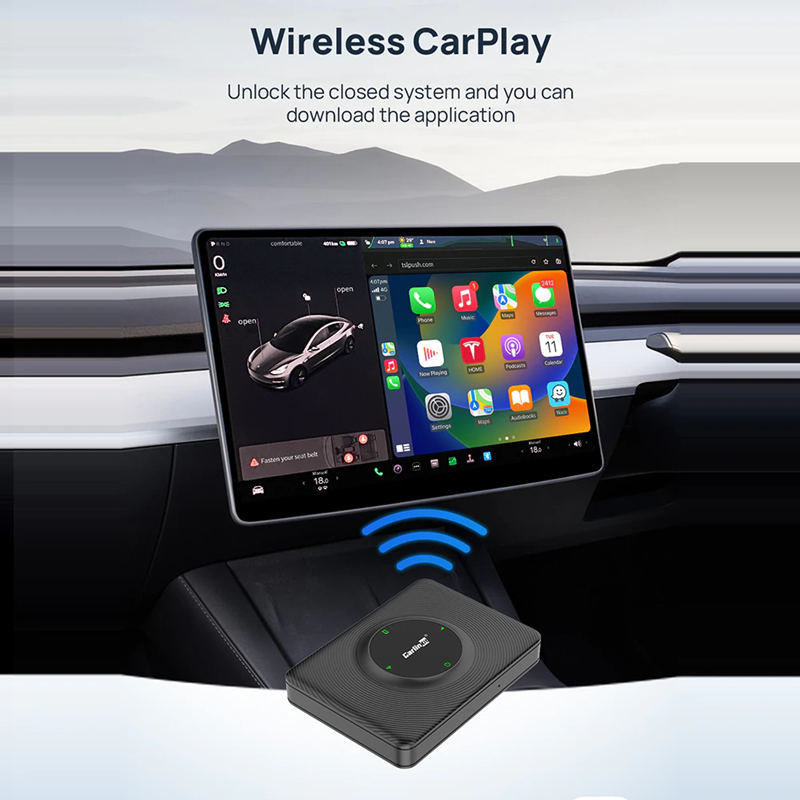
Tesla still needs a "CarPlay box" to implement the CarPlay function. Image source: teslaacessories.com
So, if your beloved car doesn't have a user - friendly in - car system due to its "old age" or you haven't subscribed to a membership, and you need the support of "foreign help" like Apple CarPlay, but the in - car system itself doesn't have the CarPlay function, what should you do?
It's very simple. Just buy an additional CarPlay screen.
The essence of CarPlay is mobile phone screen mirroring
On e - commerce platforms such as Taobao and JD.com, we can find a large number of products for "installing an additional CarPlay screen". Different from the aftermarket in - car systems that used to replace the entire in - car system, these additional CarPlay screens are more like mobile phones in terms of form: a "strip - shaped" screen, a sticky base, a power cord, along with customized hardware and system. Then, an aftermarket CarPlay screen that can make an old - fashioned fuel - powered car "come back to life" is completed.
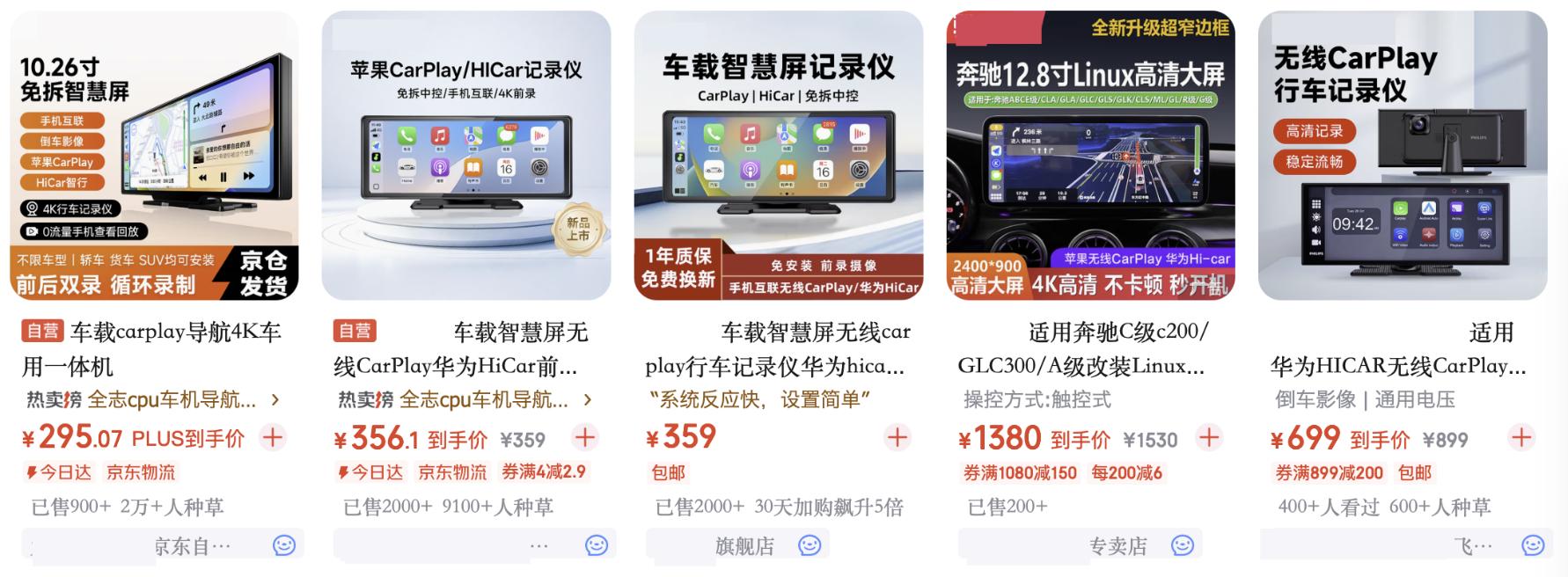
Image source: JD.com
On second - hand platforms such as Xianyu, we can even find some CarPlay screens transformed from old mobile phones by players. So, does this mean that we can use our own old mobile phones to "DIY" a CarPlay screen?
After a simple study, Xiaolei found that this method is indeed feasible.
Many people may think that CarPlay is an independent in - car system, but this statement is actually inaccurate. Except for the very few models that can use CarPlay Ultra, most CarPlay systems are actually just a "base software" installed in the original in - car system to receive the wired or wireless screen - mirrored images from the iPhone.
Yes, the CarPlay images are calculated in the iPhone. It's just that models that are not certified by Apple cannot complete the CarPlay protocol handshake and cannot activate the CarPlay mode of the iPhone.
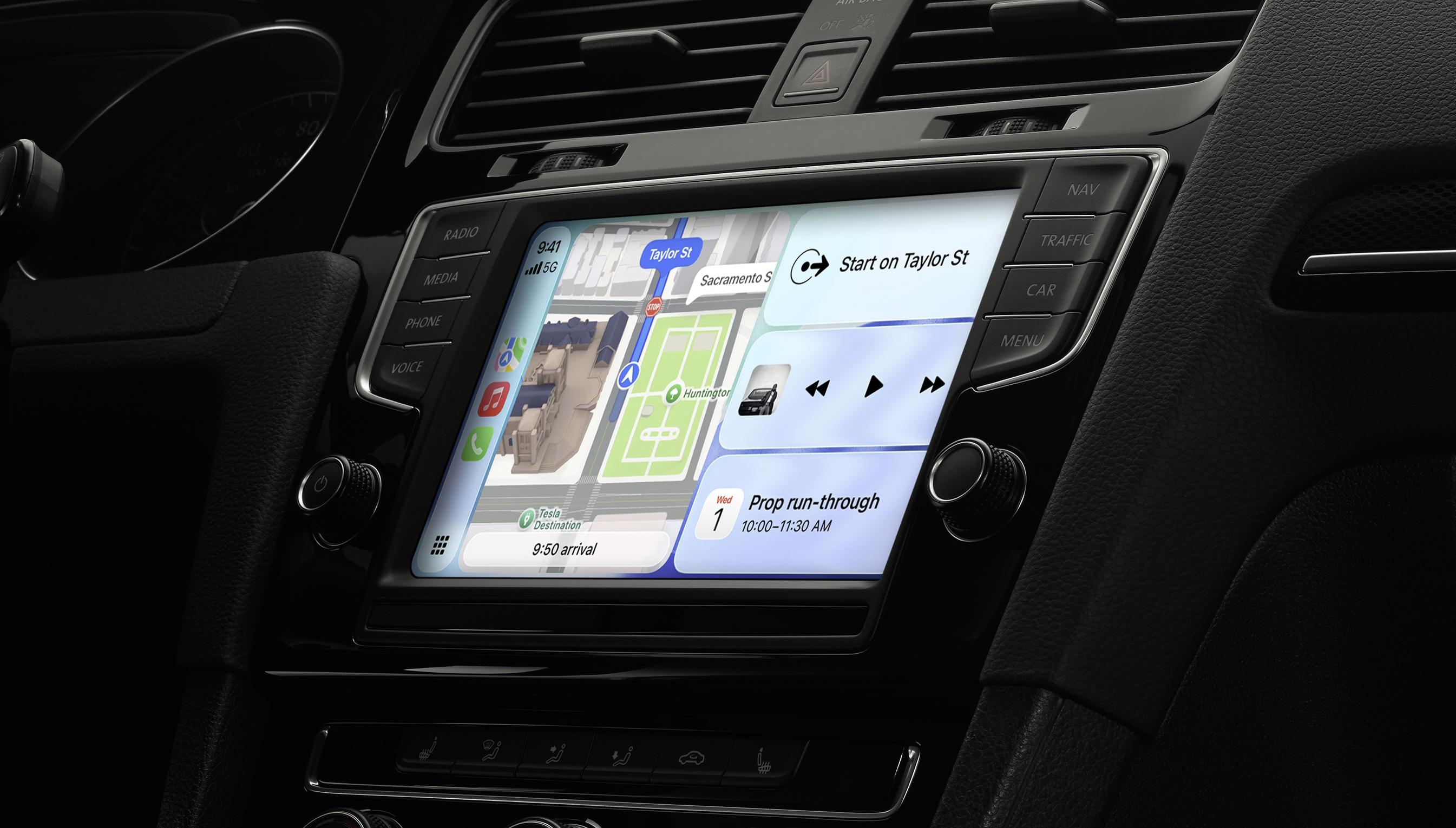
Image source: Apple
Normally, the original CarPlay certification requires a very troublesome process. Only after meeting Apple's strict requirements (and paying fees) in terms of indicators such as latency, connection speed, and stability can a model obtain Apple's CarPlay certification. However, if not restricted by the original factory, developers can still activate the CarPlay mode as long as they design a "deceptive" certification for the iPhone. It can still activate the CarPlay mode.
In fact, many so - called "CarPlay boxes" on the market use this technical approach - the box is responsible for deception, the in - car software is responsible for screen mirroring, and the iPhone is responsible for rendering the CarPlay interface.
Let the old mobile phone shine again
If you want to modify an old mobile phone into a CarPlay screen, the primary task is naturally to find a CarPlay underlying software that can run on the Android system. Here, Leikeji uses "Fruit Connect", which is quite popular on platforms such as Xiaohongshu. Of course, there are many such software on the market. But Fruit Connect has the advantage of a long - term free trial, which is more in line with the theme of our low - cost self - made CarPlay screen.
Now that we have the software, the next step is to find an old mobile phone. According to the "money - saving" plan, Xiaolei originally planned to use his idle Samsung S23+. But just after installing the app and getting ready to install it in the car, I found that the battery of this "long - serving" Samsung S23+ had swollen.
Considering that this "self - made CarPlay screen" will be plugged in, the screen will be on, and it will be exposed to the scorching sun in front of the car in Guangzhou for a long time. To reduce the risk of vehicle self - ignition, I gave up the S23+ and used the OPPO Find X9 Pro as the CarPlay phone instead.
Here, Leikeji also reminds everyone: For situations where the device needs to work under the sun for a long time, it's best not to use an overly old mobile phone. Remember to take the phone away from the front windshield after parking to avoid the phone being "slow - roasted at a low temperature" in the car for a long time. You also need to regularly check the battery health of the phone and deal with the swollen battery as soon as possible to avoid greater losses.
If you, like Xiaolei, use both an iPhone and an Android phone. Since you can't play with your phone while driving anyway, you can actually directly use this Android main phone as a CarPlay screen.
Let's get back to Xiaolei's X9 Pro. Set up the network information of Fruit Connect, let the iPhone connect to the hotspot and Bluetooth of the X9 Pro. Without any accidents, the iPhone will pop up a prompt for the CarPlay protocol handshake. After authorizing all the way, you can see the main interface of CarPlay. Stick the magnetic phone base, attach the phone, plug in the power, and we can set off directly.
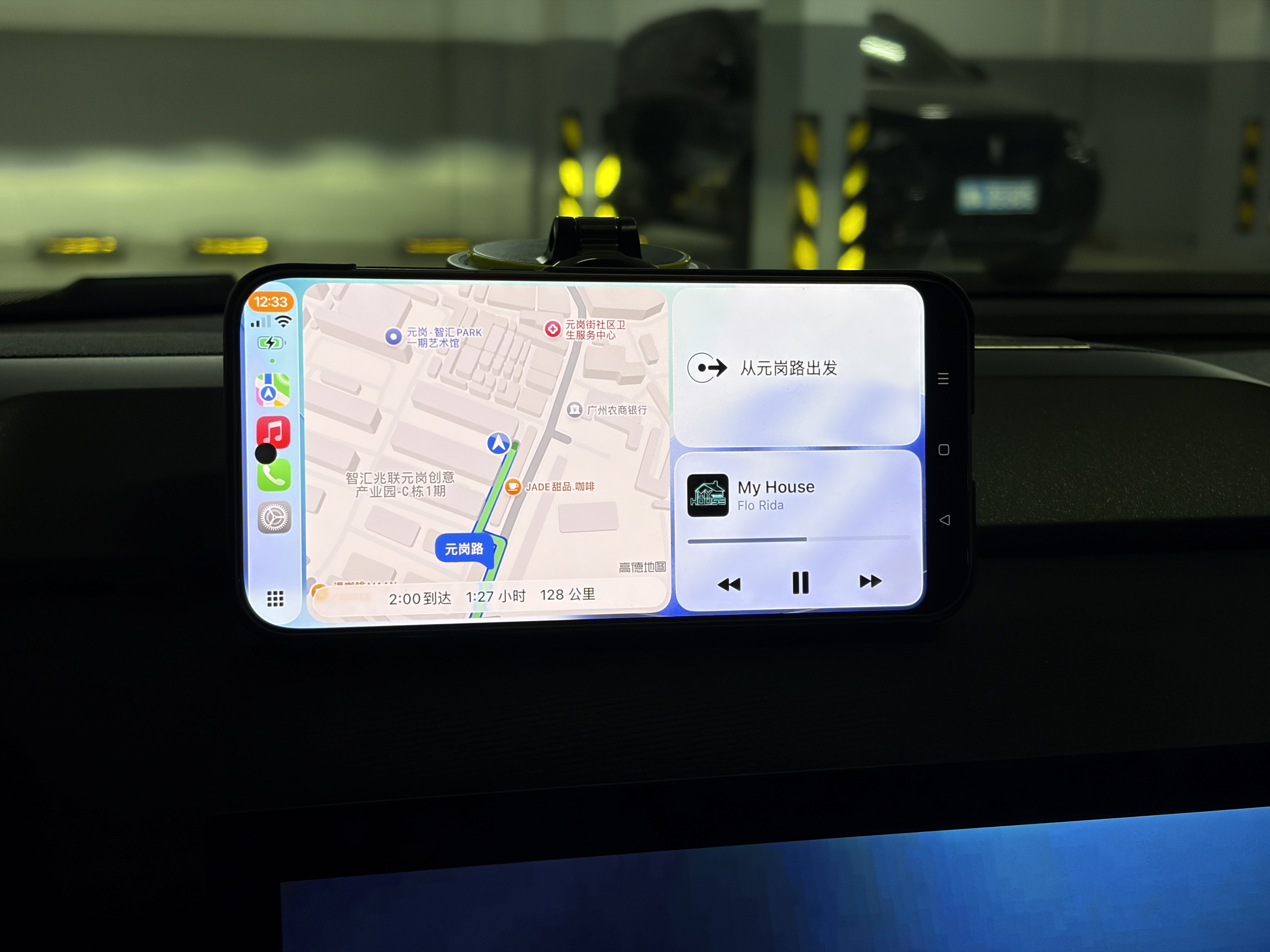
Image source: Leikeji
In terms of experience, I think this self - made CarPlay screen "roundabout" solution provides a very good experience. Except for the loss of display area caused by the front - facing camera and the rounded corners of the phone screen, this self - made CarPlay screen has no difference in function from other CarPlay screens: Software such as Apple Music and Gaode Map can work normally.
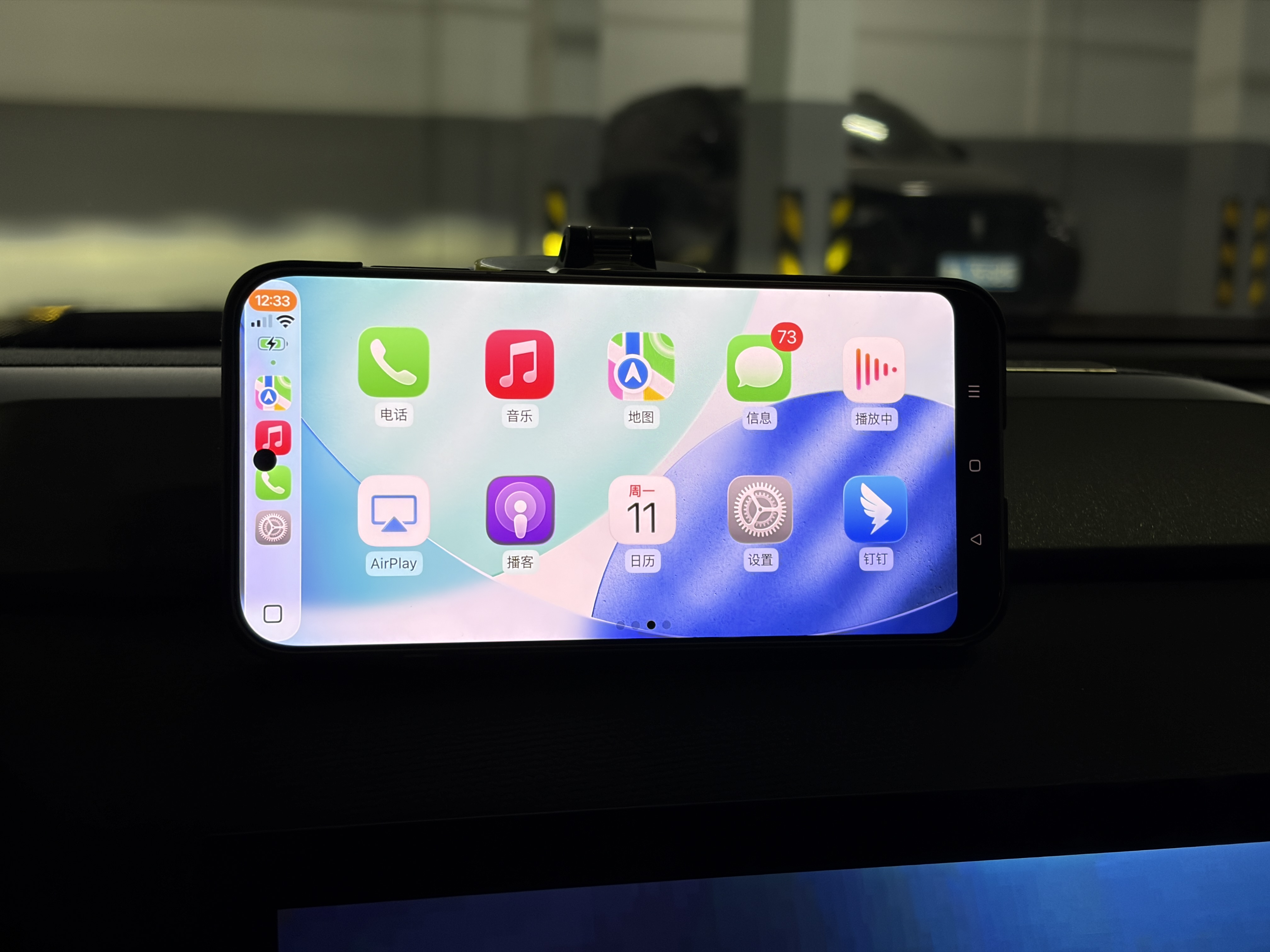
Image source: Leikeji
In the settings of the Fruit Connect app, we can even choose whether to use the data of the iPhone or the Android phone in CarPlay mode. In the future, we don't have to worry about the iPhone "losing network and drifting" when passing through long tunnels.
It's undeniable that using an Android phone as a CarPlay screen does result in a much smaller display area compared to the CarPlay screens sold on e - commerce platforms. But looking at the bright side, if this CarPlay solution works on Android phones, it will naturally work on Android tablets as well.
As long as you spend a few hundred yuan to buy a second - hand Android tablet (the system version only needs to be above Android 9), you can equip your old - fashioned fuel - powered car with a CarPlay in - car system that has a computing chip that updates along with the iPhone and hardly ever lags. In Leikeji's view, this is obviously much more cost - effective than replacing the entire in - car system.
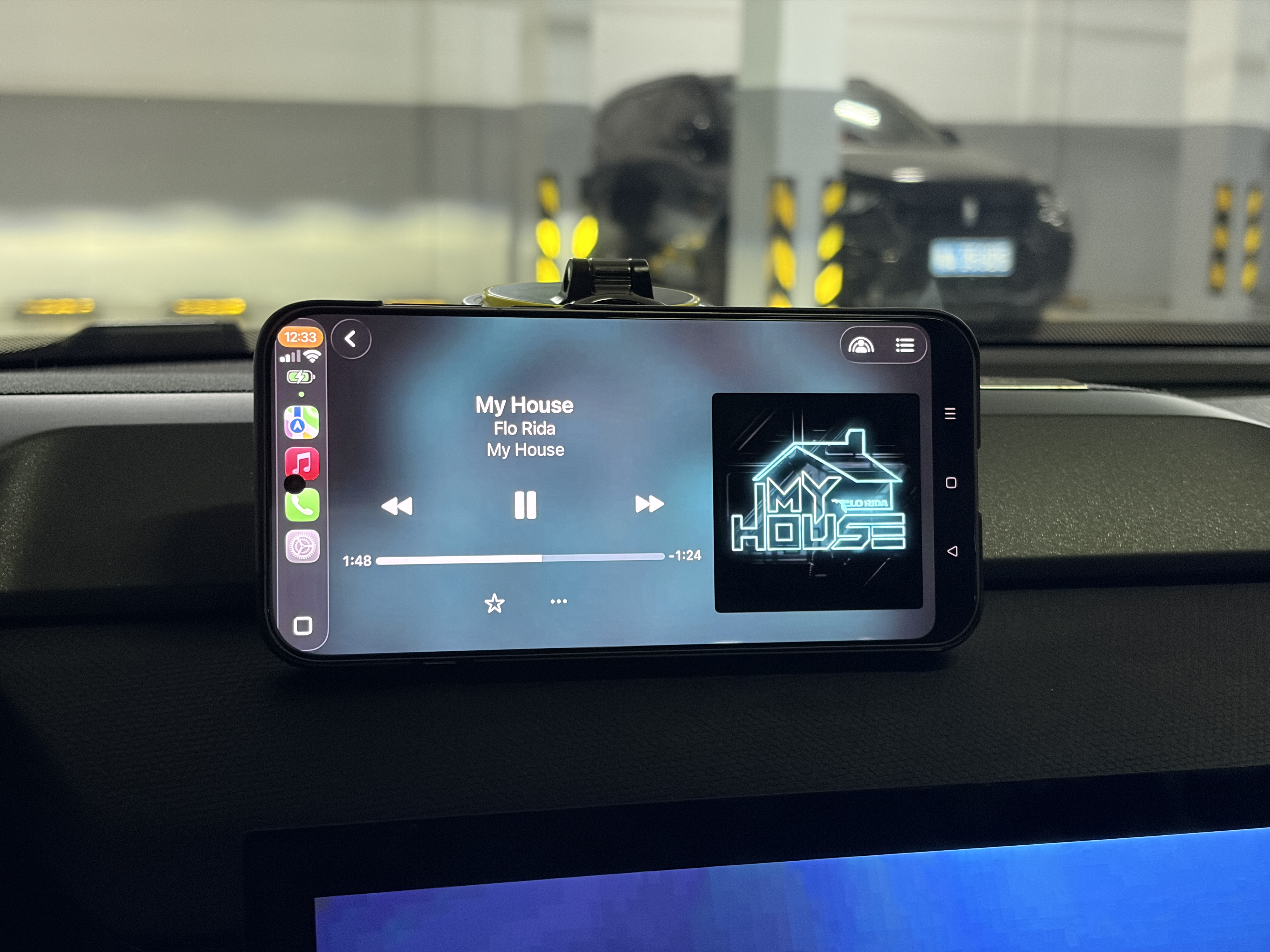
Image source: Leikeji
It's worth mentioning that based on the dual - Bluetooth connection technology, this self - made CarPlay can also relay the Bluetooth music from the iPhone. As long as you connect in the mode of "iPhone - Android - in - car Bluetooth", you can directly play the audio from the iPhone through the car's built - in speakers.
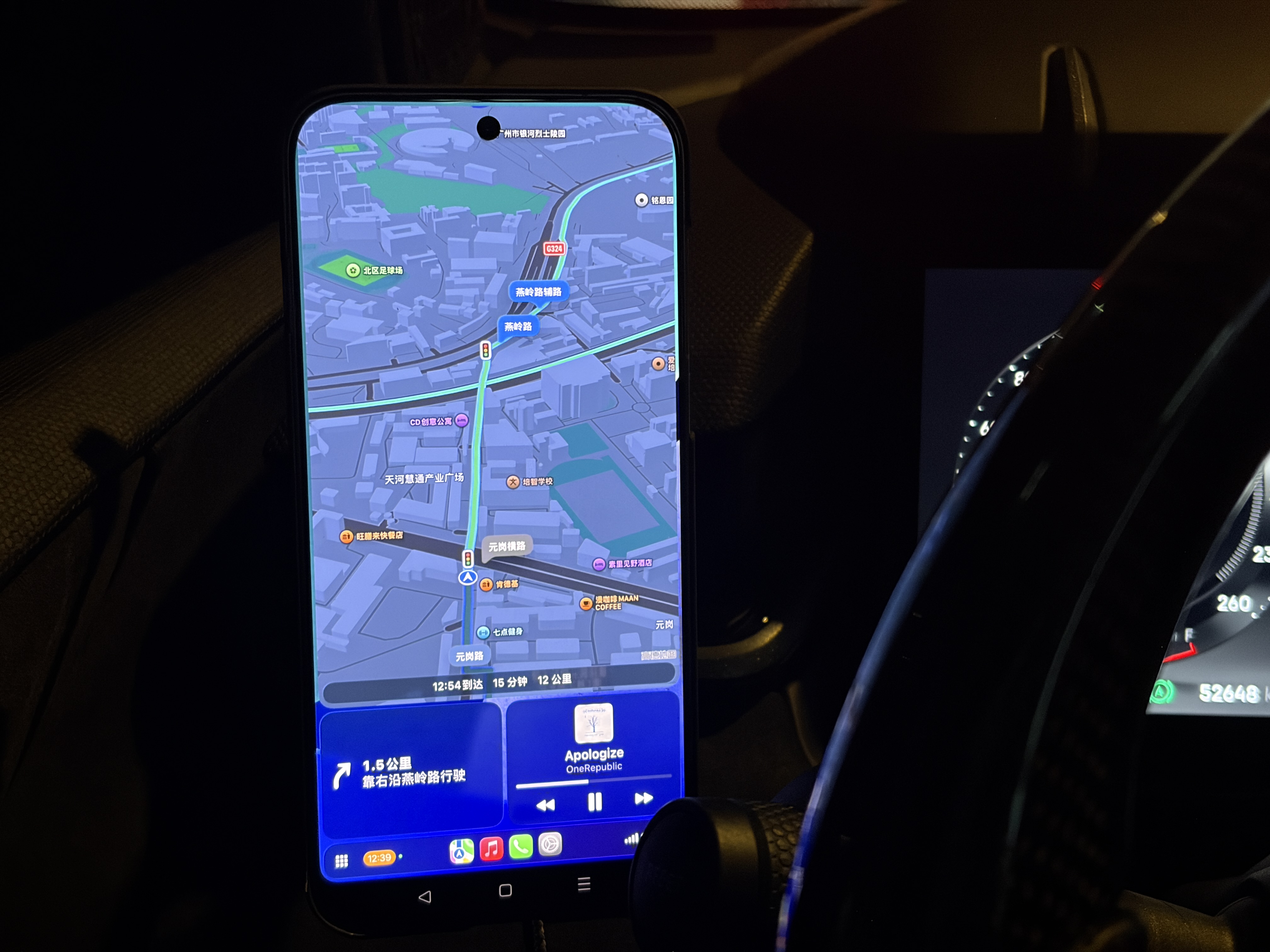
Image source: Leikeji
In addition, Xiaolei also tried the "portrait - mode CarPlay" mode: Technically, both CarPlay and Fruit Connect support portrait - mode display. But in terms of experience, displaying the CarPlay navigation interface in portrait mode on a phone screen, how is it different from directly fixing the iPhone with a phone holder?
In the era of intelligent in - car systems, why do some people still "obsess" over CarPlay?
But then again, the in - car systems of domestic automakers are already very mature. Except for a very small number of automakers that are reluctant to improve their in - car systems due to product planning, most Android in - car systems are already smooth enough. Why, to this day, do some people still "stick to" CarPlay?
As the owner of several old - fashioned fuel - powered cars and an iPhone user, Xiaolei believes that the advantage of the CarPlay in - car system lies in the continuity of the software ecosystem.
Yes, Android in - car systems can directly install APKs. Xiaolei did install Spotify and Apple Music on the in - car system before. However, the display effect of un - DPI - adapted mobile software on the in - car system (tablet) is indeed not as good as that in the CarPlay mode of the phone. In addition, the network connection of overseas media services such as Spotify and YouTube Music is also a big problem.
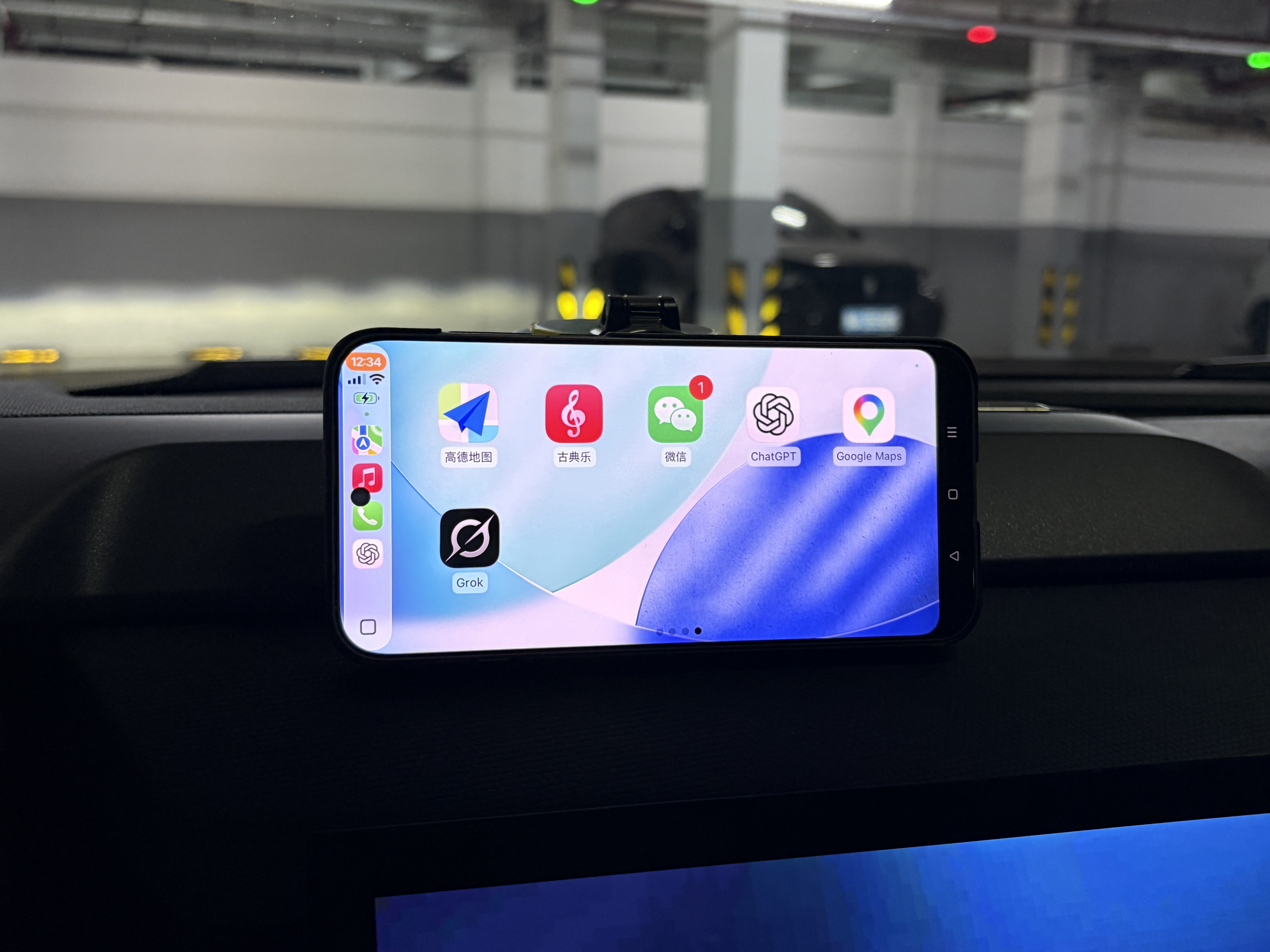
Image source: Leikeji
During the days of using an Android phone as a CarPlay screen, xAI's Grok also updated its CarPlay mode adaptation. In Leikeji's experience, this kind of cutting - edge AI LLM dialogue robot is indeed much smarter than the in - car assistant built into Xiaolei's car, which is connected to DeepSeek - R1, in terms of response speed and knowledge breadth. Of course, like the CarPlay mode of other AI assistants, to ensure driving safety, Grok can only interact through voice and cannot be input by typing.
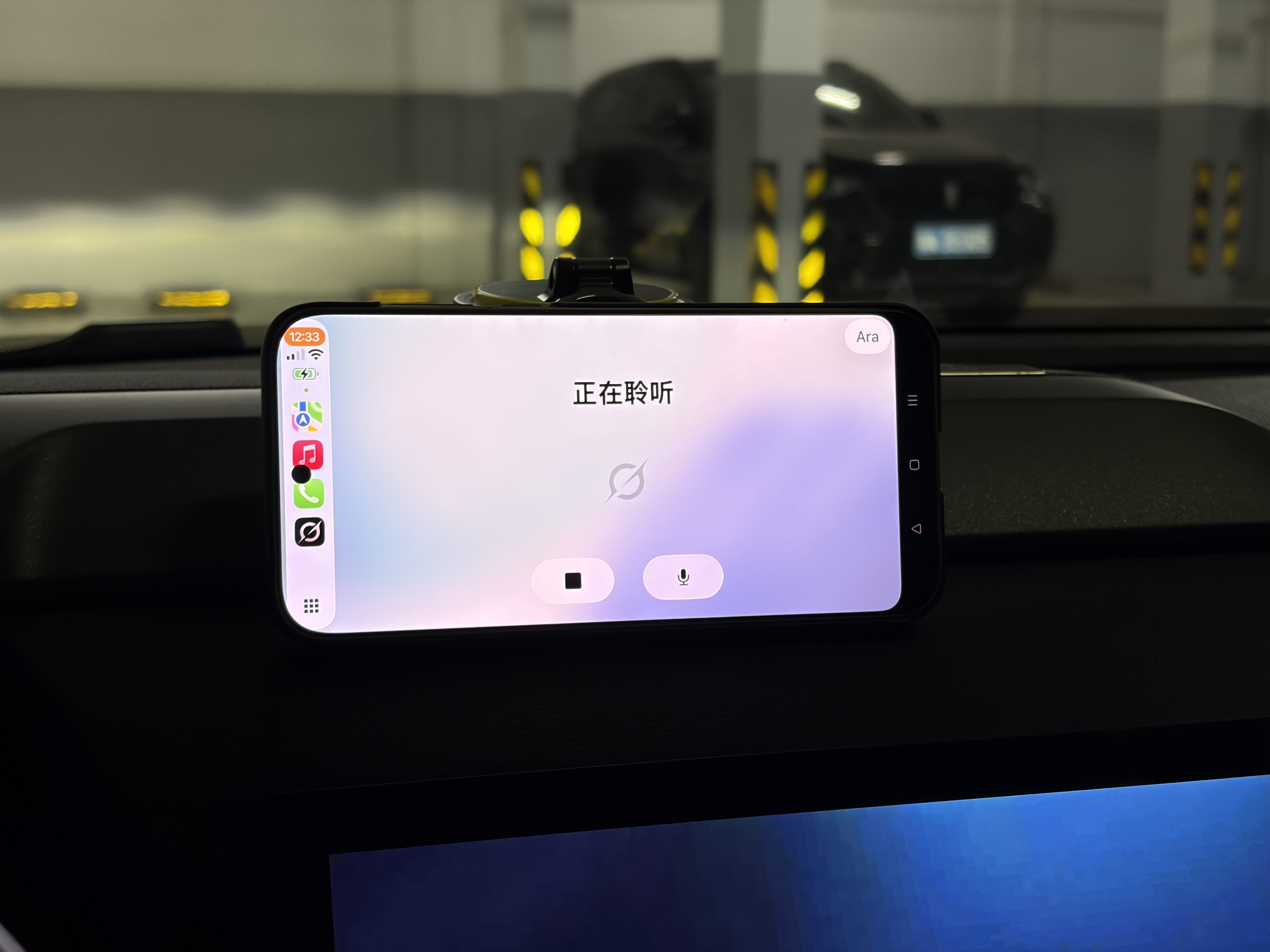
Image source: Leikeji
But more importantly, CarPlay decouples the performance of the in - car entertainment screen from the in - car hardware. In - car chips such as 820a and 8155 may not lag now. But as the functions of the in - car system become more abundant, they will definitely lag in three to five years. Even if automakers provide in - car system upgrade services, the cost is generally around 2000 yuan.
However, the computing core of CarPlay is the user's iPhone. As long as the user replaces with a newer iPhone, CarPlay will not lag. For users who plan to keep a car for a long time, this "computing power add - on" solution is the best way to solve the problem of in - car hardware aging.
Although it's a "roundabout" solution, the phone holder is more practical
In any case, considering that the total cost of this "self - made CarPlay screen" is only 128 yuan (the fee for removing ads from Fruit Connect), if your car is too old and you happen to have a need for using CarPlay, this roundabout solution still has certain value in Leikeji's view.
However, if your in - car system is already an Android large - screen, Leikeji still recommends directly installing this kind of CarPlay interconnection software on the in - car system - the in - car screen is larger and doesn't block the view while driving. You should know that in some areas, this "iPhone - Android" nesting behavior will be regarded as "using a mobile phone while driving", which has certain legal risks.
