Qianwen launches voice input method on the desktop version — Why are large model companies competing for this entry point?
I recently bought a keyboard like this --
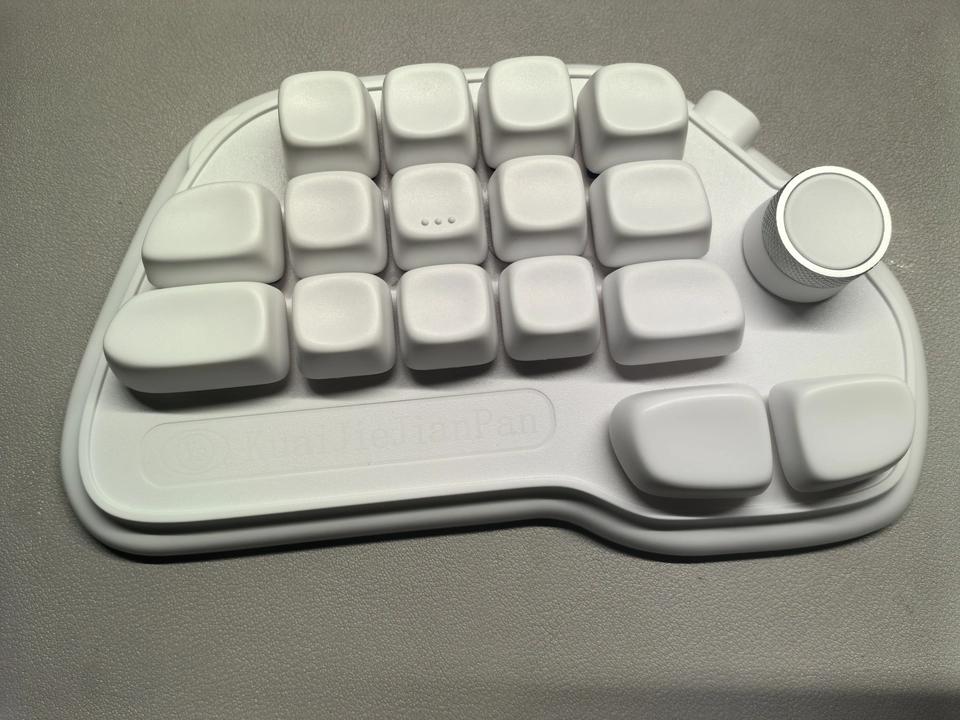
Why did I buy this keyboard?
The reason is that there are simply too many shortcut keys for various AIs nowadays, and the combination keys on the original keyboard are not enough.
With this thing, I can set up shortcuts freely.
For example, I can set different keys to accept once, accept all, and reject in Claude Code.
The most frequently used key is still the voice input key.
In the past six months, I've been renewing my subscription to the voice input product Typeless every month.
Its monthly subscription fee is $30, which is actually $10 more expensive than my ChatGPT Plus package.
Is it outrageous for an input method to have such a price?
Although it hurts my wallet, it's really useful.
I was recommended Typeless in a podcast by Dai Yusen from ZhenFund and got hooked after just one listen.
As a freelance writer who works from home, it's truly a magical input tool.
The amazing thing about Typeless is that it doesn't just convert voice to text directly. It removes filler words and intelligently adjusts the text for you.
I'm not very good at speaking spontaneously, and I sometimes get stuck.
But after Typeless processes my words, they become clean and tidy, and can be used in any application with a seamless experience.
The only problem -- it's expensive.
The free version only has a limit of 4000 words per week, which I can use up in one day. The Pro version costs $30 per month, which hurts my wallet, but I can't find a substitute.
1
Some people may say that I'm being picky and ask why I don't use Doubao Input Method or WeChat Input Method.
Indeed, the voice recognition capabilities of these two input methods are actually quite good.
Especially Doubao Input Method, which relies on ByteDance's voice technology. Its recognition accuracy is quite high, and it also supports dialects well.
Needless to say, WeChat Input Method has many well - polished details.
But the problem for me is that they don't go far enough. They only do the recognition part and don't do any rewriting.
Or rather, they only remove filler words like "um", "oh", "that", and don't do any structural rewriting.
Simply put, they're not smart enough, so they're not as easy to use.
So the question is -- is there a free voice input tool that has AI rewriting capabilities and is friendly to Chinese?
2
Surprisingly, there is.
Recently, a new function was launched on the desktop version of Qianwen -- Qianwen Voice Input Method.
I tried it out right away, and my conclusion is: it exceeded my expectations. I'm almost certain that I can cancel my Typeless subscription.
Put simply, with the support of Qianwen Voice Input Method, the desktop version of Qianwen becomes an all - around assistant that can arrange for AI to do tasks just by speaking.
You don't need to type. You can just speak to assign tasks, such as writing articles, researching information, creating PPTs, and handling miscellaneous tasks, with ease.
In addition, Qianwen Voice Input Method also achieves a point that I care about a lot -- intelligent semantic optimization.
Besides recognizing what you say, it's more important that it understands what you want to say and then helps you reorganize your language.
Its most basic ability is to automatically filter out filler words and correct slip - of - the - tongue. It erases all filler words and automatically recognizes mistakes.
Enough talk. Let's take a direct look --
For example, if I want to write a prompt for AI to generate a video and have a picture in my mind but haven't organized my language yet.
I can just double - click the Command key on my Mac laptop and speak directly into the microphone:
"Help me generate an AI video of the scenario in The Three - Body Problem, the guzheng operation, where the nanowires cut the ship. Well, I want a long - shot view, of the huge ship on the Panama Canal, the Judgment Day. No, it's the Doomsday. It seems normal at first, and then suddenly the ship starts to fall apart piece by piece, like cutting tofu. Yes, there should be a sense of contrast, quiet and calm but also terrifying." (Original version)
A recognition progress bar will appear at the bottom of the screen. After I finish speaking, I click the Command key again, and Qianwen will immediately organize and output the following:
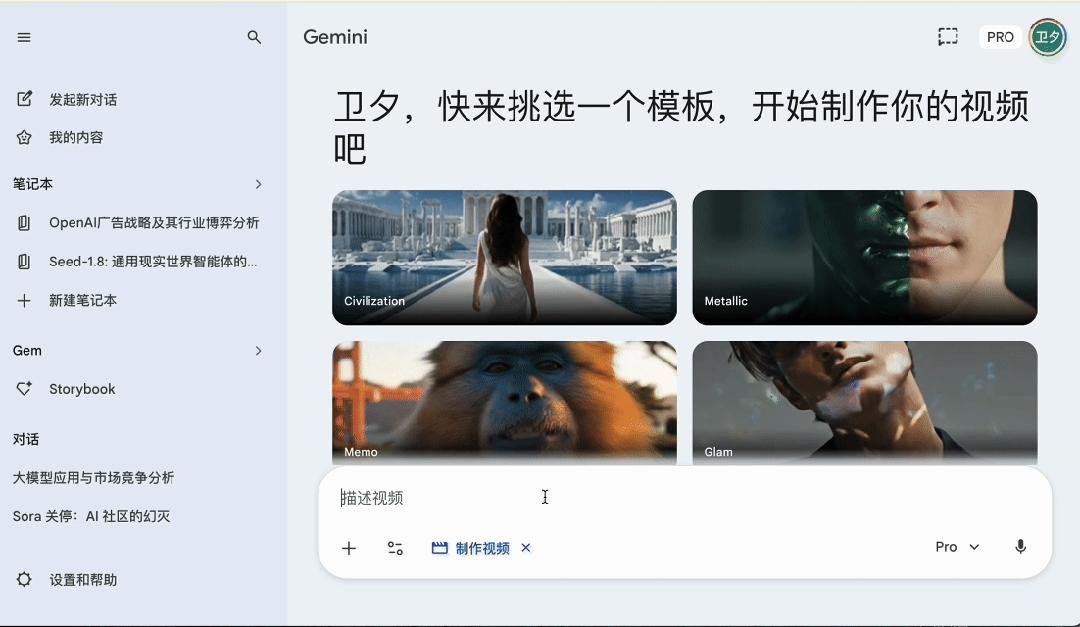
You can see that the words "that is", "um", "yes" I said are all removed.
The mistake of "Judgment Day" is corrected and re - inserted into a smooth sentence. Finally, it also refines my feelings into a style requirement.
Note that the key to start voice input can be customized.
I set it to the Command key. By default, you hold the key to speak and release it to start recognition. You can also set it to press once to speak and press again to recognize.
These two methods accommodate different users' usage habits and are simple and intuitive.
The voice input on the desktop version of Qianwen also handles mixed Chinese - English input very well.
I often need to mix Chinese and English when writing technology reviews. Words like "Vibe Coding" and "AI Native", Qianwen can accurately recognize and keep the original English without forcing a translation into Chinese.
Qianwen's voice input method also has a special feature -- scene awareness.
Qianwen can recognize which application you're currently using. After enabling the permission, it can read the screen content and make the AI output automatically match the tone of the scene.
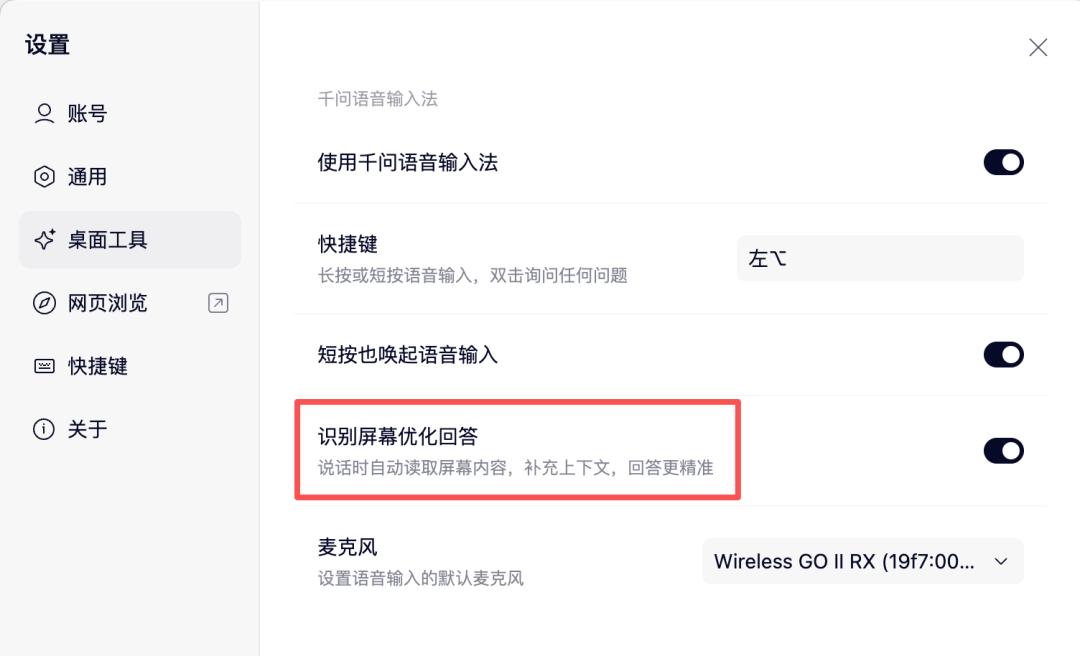
Let me give an example.
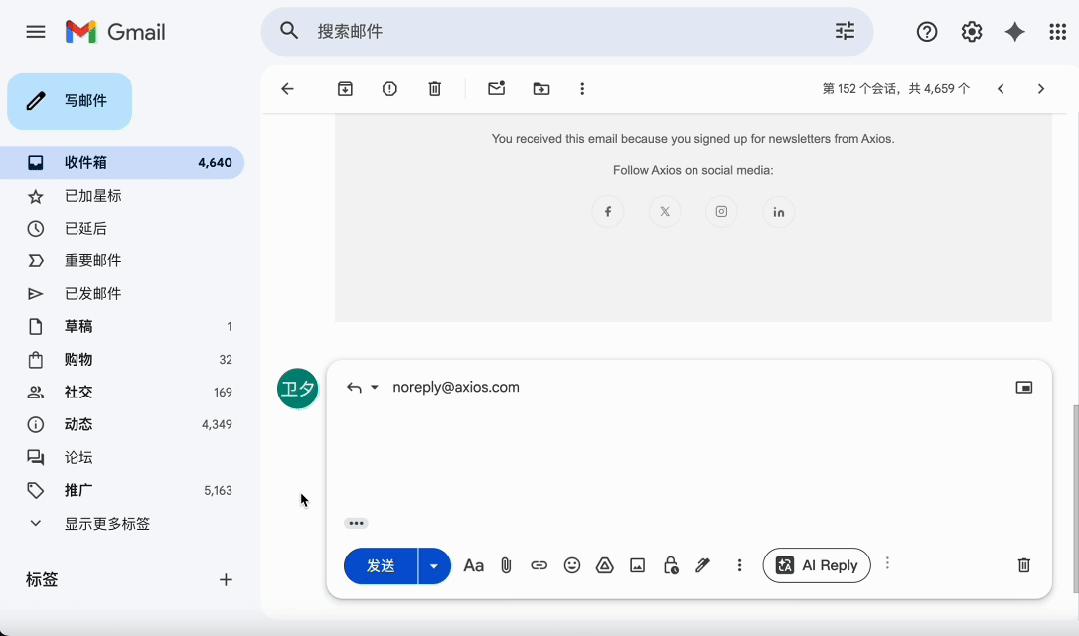
I don't really want to reply to a business email. I speak into the microphone:
"Well, I think the timing for this cooperation may not be right at the moment because I'm really busy recently. I'm pushing forward several projects at the same time. How about we talk about it in June? I'll contact you then." (Original version)
After Qianwen organizes it:
"Thank you for your invitation to cooperate. The current timing may not be appropriate as I have multiple projects in progress simultaneously and my energy is limited. How about we reconnect in June? I'll reach out to you then."
Obviously, its response is more business - like in tone.
There's another scenario worth mentioning separately.
When your cursor is not in any input box, for example, when you're browsing a web page, if you press the set key and speak, Qianwen will pop up three options: copy to clipboard, save as a note, or directly ask Qianwen.
I tried saying --
"I suddenly thought of a topic, which is to compare the advertising strategies of major global AI companies. OpenAI has started doing it, Google will definitely do it too, and Anthropic says it won't. Comparing the approaches of these three companies should be quite interesting."
If I choose to save it as a note, this passage will be organized into a structured form and saved completely.
This is quite important for content creators. After all, inspiration will slip away if you don't record it.
3
Qianwen Voice Input Method also has a very practical mode -- voice commands.
Double - click the set shortcut key, and you can issue commands.
In this mode, what you say won't be treated as input content but as a command.
Qianwen will understand your intention and directly perform the operation and paste the result at the cursor position.
For example, in the past, when I wanted to search for information, I had to open ChatGPT and type to search.
Now I just need to double - click the shortcut key and say:
"Help me analyze in detail how Hermes Agent's memory system works?"
Qianwen will directly output the answer, saving the process of searching in a specific AI.
Another example is that if you select a paragraph of text in any input box and then double - click the shortcut key and say: "Help me make this paragraph more concise", Qianwen will return the revised version and directly replace it.
It can do far more than I expected.
For example, when I saw the news that OpenAI and Microsoft renewed their agreement today, I immediately issued the following voice command to Qianwen:
"In April 2026, OpenAI and Microsoft signed a cooperation agreement, which marked a major rift between them. Please help me create a web page showing the progress of the relationship between OpenAI and Microsoft from the beginning to now."
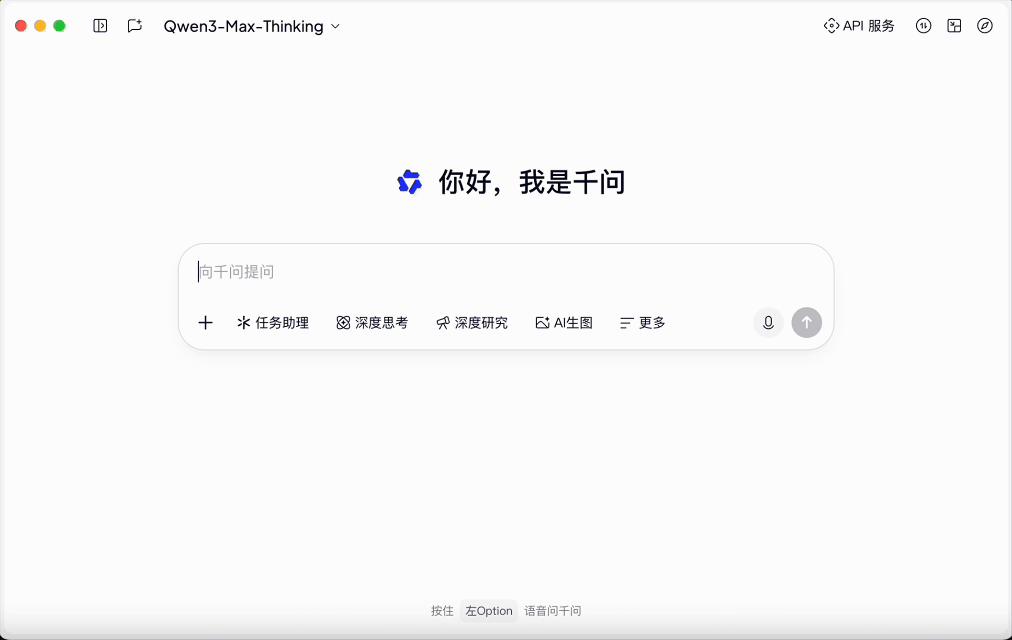
You can see that after receiving the command, the desktop version of Qianwen immediately starts working.
One minute later, a concise and clear web page showing the relationship progress is created.
Another example is that I'm going to give a popular science lecture on AI to the elderly in Wenquan Town again recently.
I can immediately issue a voice command to Qianwen: Help me create a PPT for popularizing AI knowledge to the elderly.
The PPT is completed in three minutes, and I can further expand it on this basis.
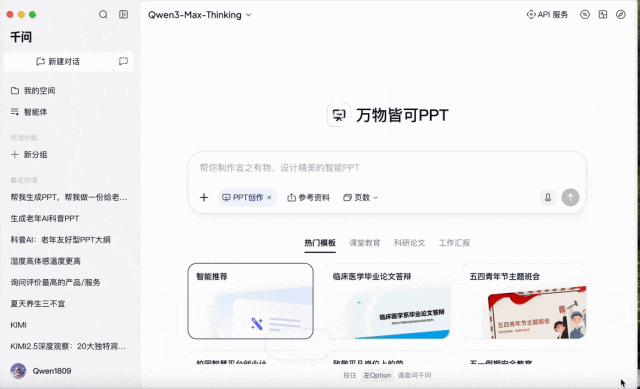
In fact, I can also command it through voice to make corresponding modifications.
This has actually gone beyond a voice input method. It's an AI assistant embedded at the operating system level, and its wake - up method is voice.
4
From an experiential perspective, the response speed of Qianwen Voice Input Method is impressive.
In my actual experience, Qianwen responds very quickly.
The overall delay is very low. There may be occasional freezes of a fraction of a second, but the experience is very smooth, and it can be used frequently without any problems.
The second experience is that Qianwen's rewriting is more radical than Typeless.
Typeless tends to preserve your original expression and only makes minimal modifications -- removing filler words, correcting slip - of - the - tongue and repetitions, and organizing the text structurally.
Qianwen, on the other hand, is more proactive in restructuring sentences, adjusting wording, and even adding linking words.
This is a matter of personal preference.
Some people like minor adjustments to keep the original flavor, while others like more extensive changes to save the effort of secondary editing.
Personally, I think Qianwen's degree of rewriting is just right -- anyway, I'll always take a look before sending the final version.
If I'm not satisfied with a certain change, I can just modify it, which is much more efficient than rewriting from scratch.
5
After talking about the product experience, I'd like to step back and discuss a bigger topic:
Why has voice input suddenly become a hotly contested area in the AI industry recently?
Besides the Doubao Voice Input Method that made efforts last year and the voice function of WeChat Input Method, let's first see what happened this year --
On March 3rd, Anthropic added a voice mode to Claude Code, allowing developers to directly issue programming commands by voice in the terminal.
OpenAI's CodeX also didn't want to be left behind. In its desktop app, CodeX launched global voice input.
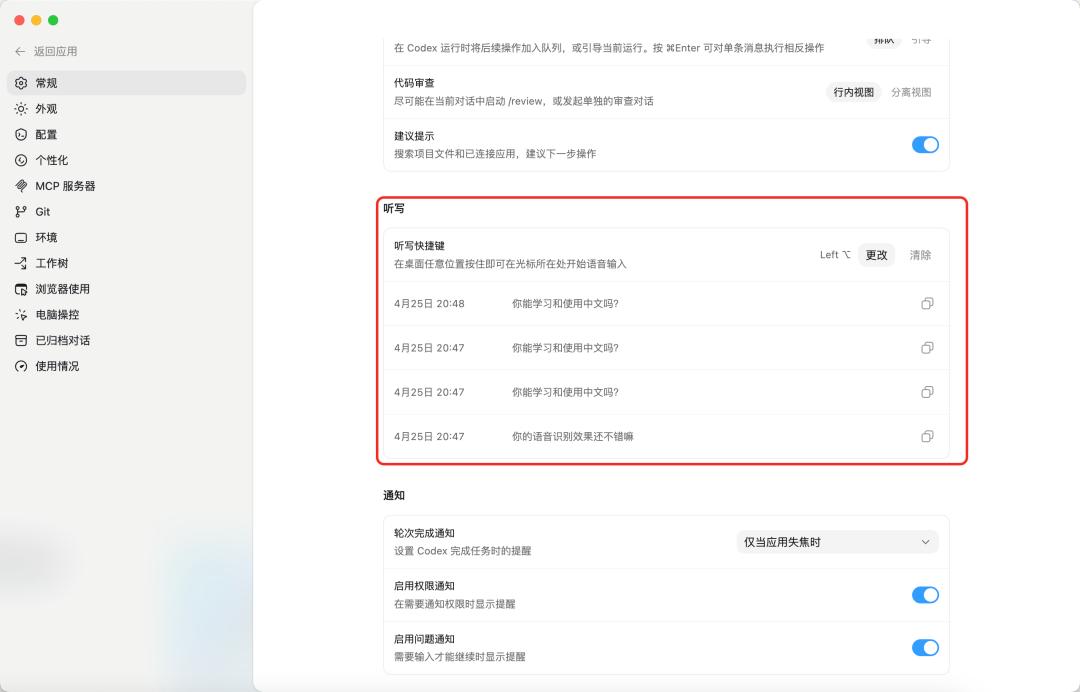
CodeX's global voice function
More abstractly, there's also progress at the hardware level.
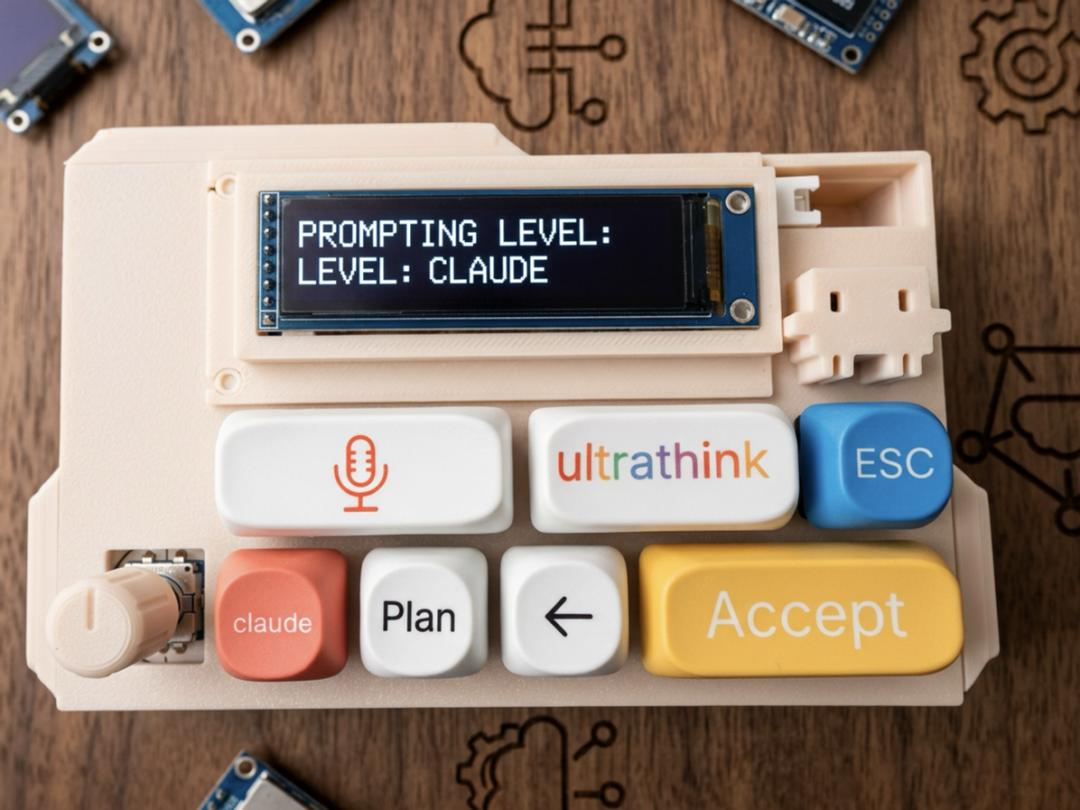
Some geeks abroad have created a 6 - key Bluetooth mechanical keyboard called VibeKeys, specifically designed for AI programming.
The six keys correspond to: Yes, No, Stop, Full output, Dictate, and a custom key. You can complete all AI interaction actions with one hand.
The most abstract one is the foot pedal -- some developers have mapped a USB foot pedal to the Tab key and use their feet to confirm Copilot's code completion suggestions.
You don't need to take your hands off the keyboard at all. The blogger Napolux recorded this solution in detail on his technology blog.
People in my feed are specifically researching which microphone is the best for Vibe Coding?
Insta360 has launched a Wave desktop microphone, whose selling point is AI noise reduction -- it claims to filter out the sound of mechanical keyboard typing and only capture human voices.

You'll notice a trend: When AI can write code, humans' role has changed from code - writers to requirement - describers.
And what's the fastest way to describe requirements?
It's speaking.
6
I have a bold statement: