Claude Code has just unleashed a major move, but in the blink of an eye, it has been ridiculed for being "unaffordable." OpenAI has taken the opportunity to launch the most insidious plugin, directly stealing the spotlight.
While major tech companies are intensively competing in the developer tools ecosystem, Anthropic has also been frequently launching new tools.
Last night, Beijing time, Anthropic announced the introduction of a groundbreaking capability, "Computer Use", into its development tool, Claude Code. This feature is currently available in a research preview on the macOS platform, allowing Claude to directly control the user's computer through the command - line interface (CLI), achieving a complete closed - loop from code writing to application verification.
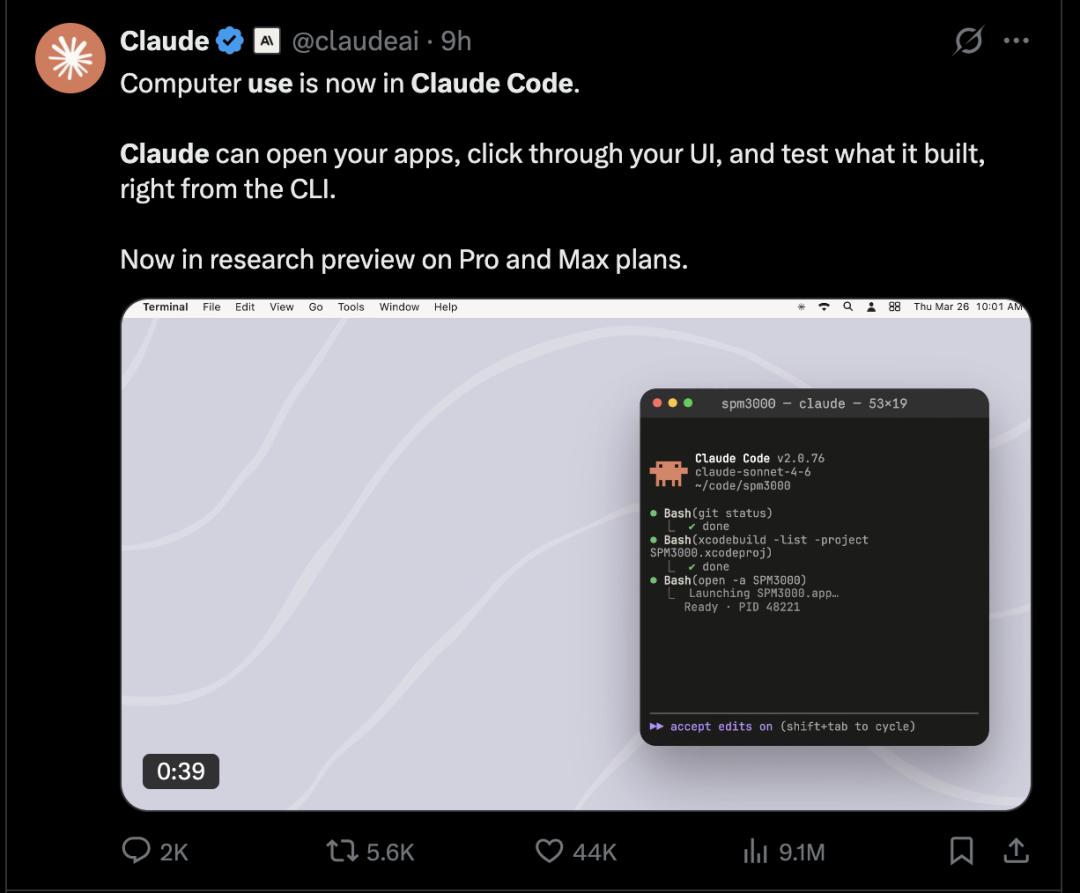
Computer Use is Officially Available
Traditional AI coding tools, whether it's GitHub Copilot or the early version of Claude Code, essentially remain in the category of "code generation" - developers need to manually complete steps such as compilation, running, debugging, and verification. The emergence of the "Computer Use" capability has completely changed this process.
According to the technical documentation released by Anthropic, Computer Use can handle any tasks that you usually need to complete manually outside the terminal, for example:
- Build and Validate Native Applications: Ask Claude to build a macOS menu bar application. Claude will write Swift code, compile and launch it, and click each control one by one for verification before you open the application to ensure it works properly.
- End - to - End UI Testing: Let Claude open a local Electron application and tell it to "test the user onboarding process". Claude will open the application, click the registration button, and take screenshots of each step. No Playwright configuration or testing framework is required.
- Debug Visual and Layout Issues: Tell Claude that "the modal box is not fully displayed in a small window". Claude will adjust the window size, reproduce the problem, take a screenshot, modify the CSS, and verify the fix. Claude sees the same problem as you do.
- Tools with Only GUI Support: Interact with design tools, hardware control panels, iOS simulators, or proprietary applications without a CLI or API.
This means that developers can complete complex processes that previously required the collaboration of multiple tools such as IDEs, browsers, and simulators without leaving the terminal. More importantly, this capability is not limited to the CLI environment but covers all scenarios that require GUI interaction, for example:
- Native macOS applications (such as SwiftUI)
- Electron desktop applications
- Proprietary software without a CLI or API
- iOS simulators, design tools, etc.
In other words, Claude not only "knows how to write code" but also "knows how to use a computer".
Technical Implementation: Based on Agent Loop and MCP
From a technical perspective, "Computer Use" is not a simple automated script but is built on a complete agent execution framework.
This capability is implemented through a built - in MCP (Model Context Protocol) server called computer - use. MCP is an interface standard that Anthropic has been focusing on in recent years, used to unify the interaction methods between models and external tools and data sources.
In this architecture: Claude serves as the decision - making core (model), the CLI serves as the interaction entry, the MCP server serves as the tool scheduling layer, and the local system serves as the execution environment. Claude will automatically select the most appropriate execution path based on the task:

This "hierarchical decision - making" mechanism is essentially an optimization of cost and efficiency: GUI operations are the most general but also the slowest and least precise way, so they are only used as a fallback option.
After the introduction of the "computer - use" capability, Claude's way of calling local applications is not completely open but is based on a permission control mechanism centered around "sessions". The core goal of this mechanism is to ensure that users have a clear and controllable boundary for system access while enhancing automation capabilities.
First of all, enabling the computer - use server does not mean allowing Claude to directly access all applications on the user's computer. The system adopts an on - demand authorization strategy by default: only when Claude tries to call a specific application for the first time during the execution of the current task will the permission request process be triggered.
During this process, the terminal will pop up a prompt message, clearly showing the user several key pieces of information: first, the name of the specific application that Claude currently wants to control; second, whether this operation involves additional permission requests, such as accessing sensitive resources like the clipboard; third, whether other running applications will be affected during the execution of relevant tasks by Claude, such as being hidden or temporarily invisible.
The user needs to make a decision based on this information, choosing "Allow" or "Deny". This authorization behavior has a strict scope of action - all approvals are only valid during the current session. Once the session ends, the relevant permissions will automatically expire and will not be retained for a long time or inherited across sessions. This design effectively reduces the risk of long - term permission abuse.
In addition, when Claude needs to access multiple applications at the same time, the system supports users to perform batch authorization, thereby reducing the operational burden caused by frequent confirmations. This design is particularly crucial in multi - step tasks or complex workflows, as it can strike a balance between efficiency and security.
Community Feedback is Polarized
In the Reddit community, this new feature has quickly sparked extensive and intense discussions.
Interestingly, users' emotions are clearly divided: on the one hand, they recognize the technical value of the feature itself; on the other hand, they express strong dissatisfaction with its practical usability.
Some users think that the feature is "cool in concept" but has little practical meaning under the current usage restrictions.
Some comments bluntly state that such releases "seem inappropriate", and even a sarcastic consensus has formed in the community - "Cool, but who cares?" The highly - upvoted comments mainly criticize Anthropic's product strategy, arguing that the basic experience of paying users has not been guaranteed, let alone trying this new high - token - consuming capability. In their view, there are obvious deviations in resource allocation and priority judgment.
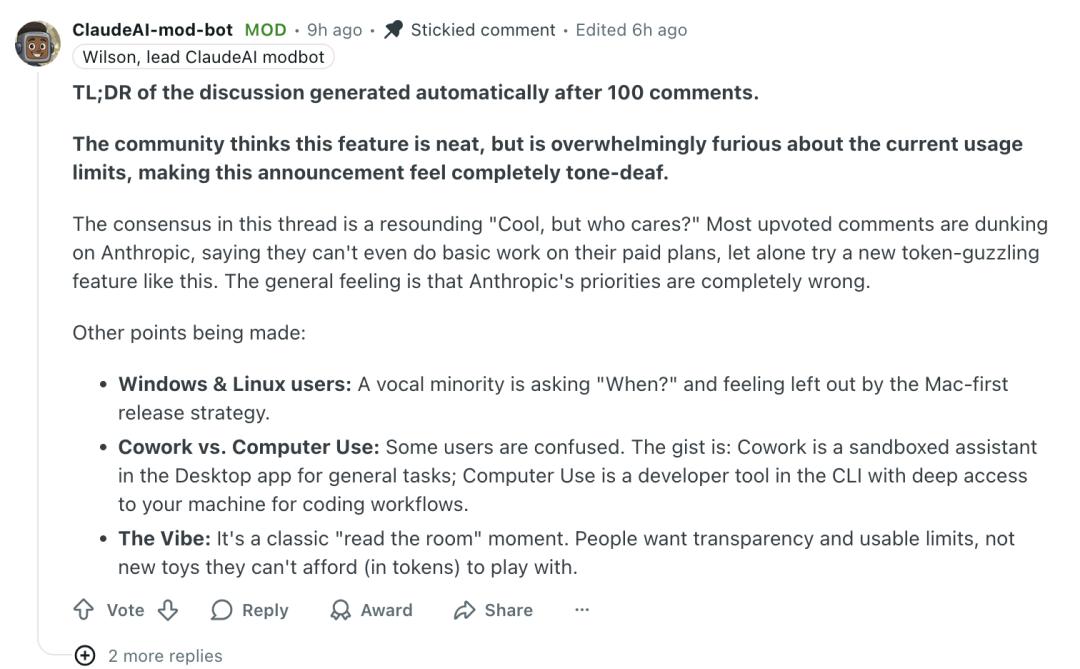
Meanwhile, some specific issues have also been repeatedly mentioned. For example, Windows and Linux users are dissatisfied that the feature has not been available for them for a long time, believing that the Mac - first release path ignores a wider range of developers. In addition, these users also express confusion about the positioning of different product forms. A relatively consistent explanation in the community is that "Cowork" is more like a desktop sandbox assistant for handling routine tasks, while "Computer Use" is a command - line tool for developers with deeper system access capabilities, mainly serving code - related workflows.
Some other users have further extended the discussion to cost and business model issues.
Some users point out that the current pricing system is essentially "subsidized". Once the unit economic model stabilizes, the price structure is likely to change significantly, such as more strict tiered packages, lower usage limits, and high - price subscriptions for heavy users (from $50 to $100 per month or even higher). The basis for this judgment is that ordinary users can now complete work that might have cost tens of thousands of dollars in outsourcing costs in the past with only $20 per month.
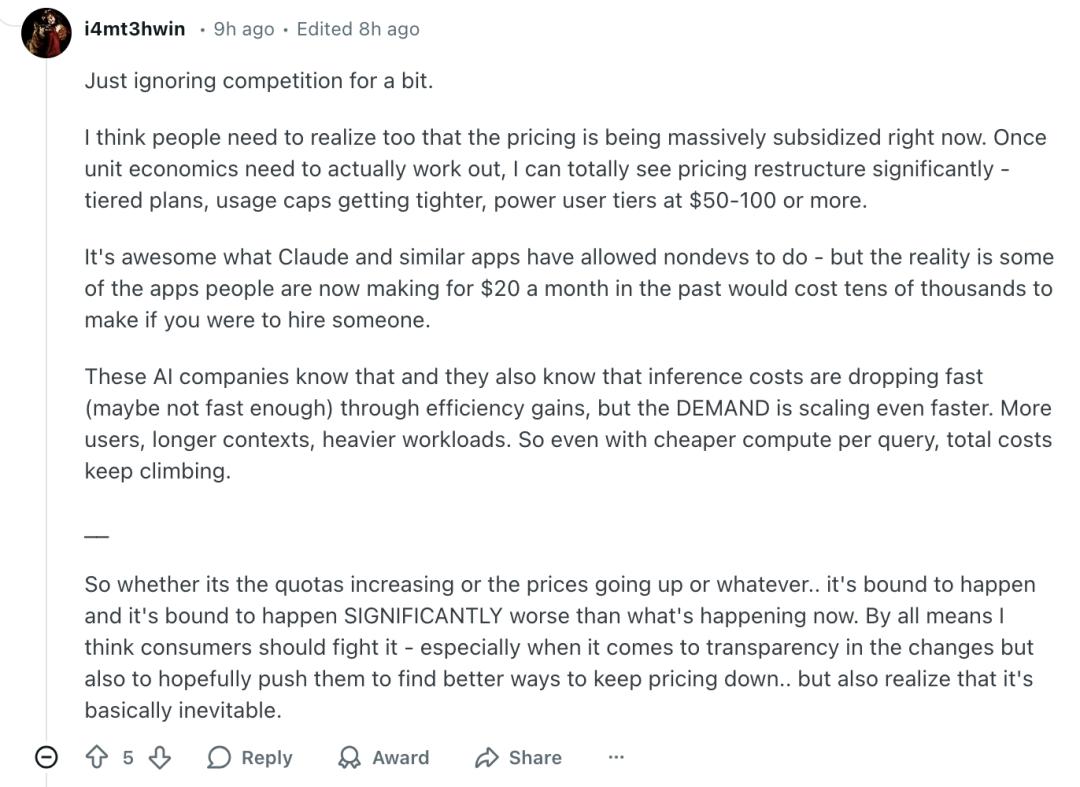
Under this logic, even if the model inference cost is decreasing, the overall expenditure may still continue to rise - because the expansion of the user base, the increase in context length, and the improvement in task complexity will all continuously drive up the overall computing power consumption. Therefore, in the view of some users, it is almost an "inevitable" trend to increase prices, tighten quotas, or introduce more restrictions.
Of course, some voices have expressed the current usage difficulties in a more intuitive way. Some users joked that perhaps one day in the future, they will be able to save enough tokens to at least try this feature once without consuming an entire week's quota.

OpenAI Releases a New Plugin on the Same Day, Reaching into the Claude Ecosystem
Notably, OpenAI also released a new plugin, codex - plugin - cc, last night, which allows developers to directly call Codex in Claude Code for code review, adversarial review, and even hand over the entire task to Codex for execution.
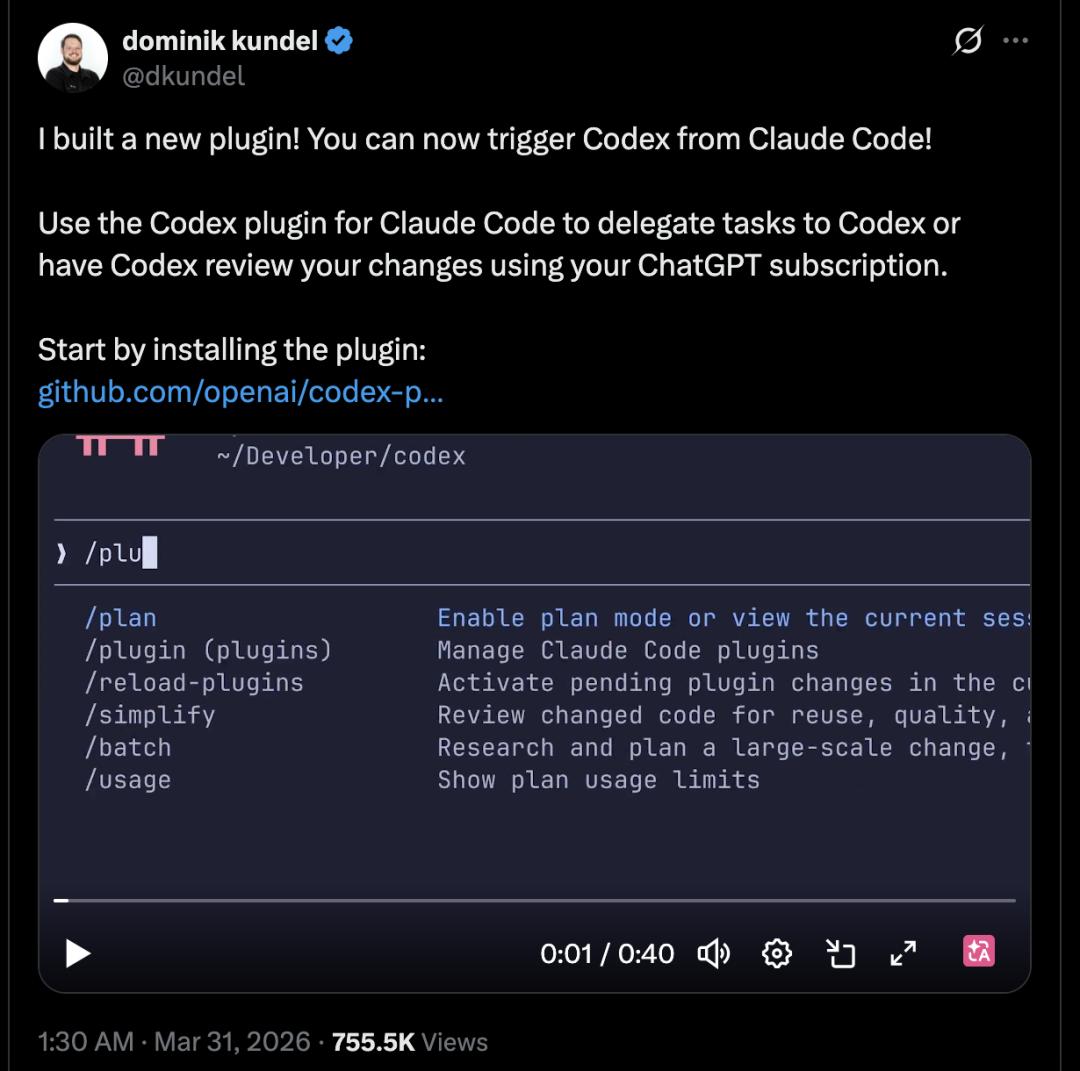
From a product strategy perspective, this is not simply about compatibility or adaptation but more like a "reverse penetration": Claude Code has already formed its own plugin ecosystem, and OpenAI has chosen to enter the scene officially, positioning Codex as a "second - opinion system" in the workflow. It does not directly take over the main process but provides independent judgments at key nodes, forming an adversarial collaborative relationship.
This plugin (codex - plugin - cc) is very conservatively designed, with only three core types of commands but covering the most critical risk points in the development process.
First is /codex:review, used for standard read - only code review. This mode does not modify the code but focuses on identifying common problems, such as code quality, structural defects, or potential errors.
Second is /codex:adversarial - review, which is a more distinctive feature of the plugin. It is not satisfied with surface - level checks but actively challenges the "hidden assumptions" in the existing implementation, such as boundary conditions, permission logic, or system coupling points. This type of review is particularly suitable for high - risk scenarios, such as system migrations, authentication mechanism adjustments, or infrastructure script changes. In essence, it is using another set of model thinking to conduct a "stress test" on the existing solution.
The third command, /codex:rescue, goes a step further - it allows developers to directly hand over control to Codex when a task is stuck, and let Codex re - plan and execute.
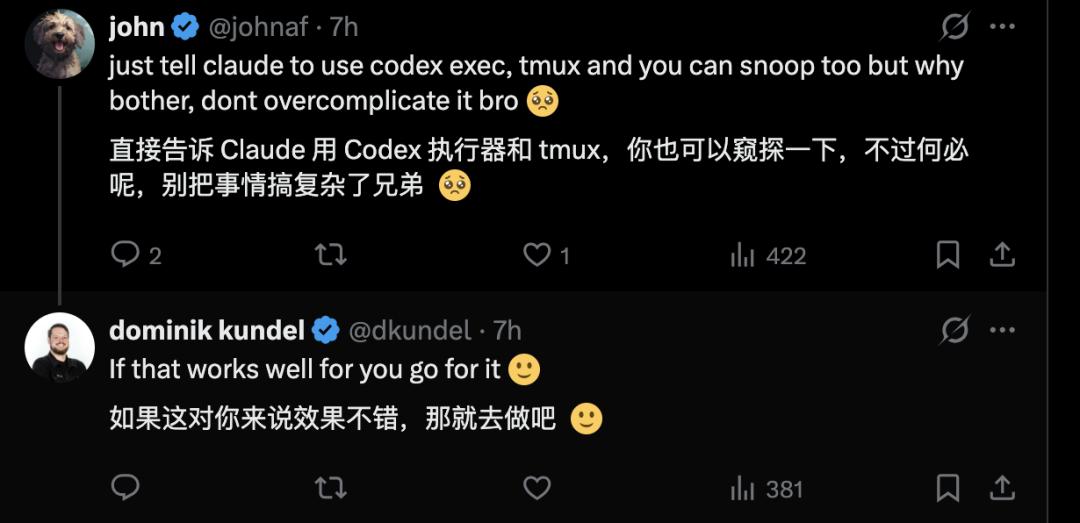
The new plugin launched by OpenAI has sparked extensive discussions among users on X. Some users said, "You can also achieve this effect by directly telling Claude to use the Codex executor and tmux. Why go through the extra trouble?"
But Dominik Kundel, a member of the OpenAI Codex team, replied to this user below, suggesting that the user try the above - mentioned method. Perhaps what Dominik meant is: if it can be done this way, why would we develop a new plugin!
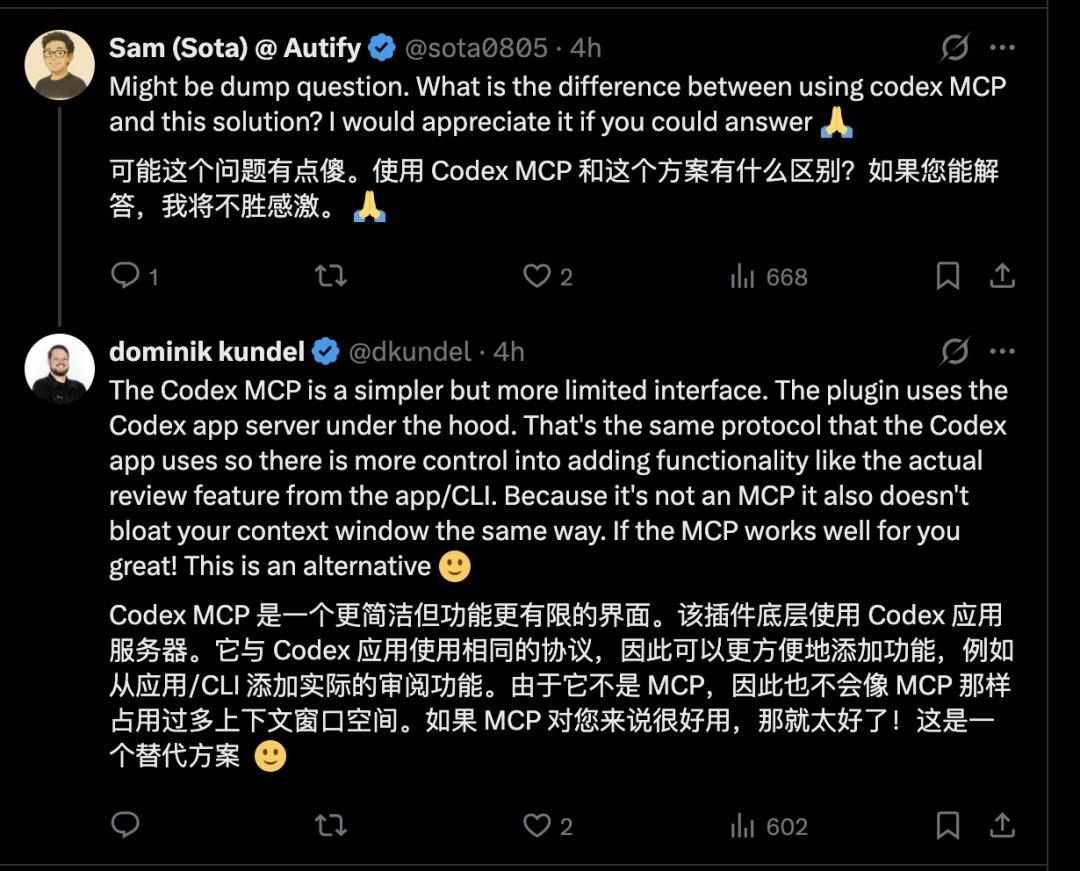
Some users also raised the question of what the difference is between using Codex MCP and this new plugin.
Dominik replied to this user in the comment section, explaining, "Codex MCP is a more concise but less feature - rich interface. This plugin uses the Codex application server at the bottom. It uses the same protocol as the Codex application, so it is more convenient to add features, such as adding actual review functions from the application/CLI. Since it is not MCP, it also does not take up as much context window space as MCP. If MCP works well for you, that's great! This is an alternative."
Reference Links:
https://code.claude.com/docs/en/computer-use
https://x.com/search?q=Claude%20code%20compute%20use%20&src=typed_query
https://x.com/sota0805/status/2038750897984204929
This article is from the WeChat official account "AI Frontline", author: Dongmei. It is published by 36Kr with authorization.