Tencent's "Lobster" QClaw Experience: AI Can Connect to WeChat for Tasks, but the Overall Performance Is Still Crude
On March 18th, Tencent finally released QClaw.
There was no press conference, nor much pre - heating. It was just opened for experience within a certain range in the form of an "invitation - only test". However, it quickly spread in the AI circle. The reason is quite simple: this is the first time Tencent has turned "Agent capabilities like OpenClaw" into a product that ordinary users can use.
More importantly, it is connected to WeChat.
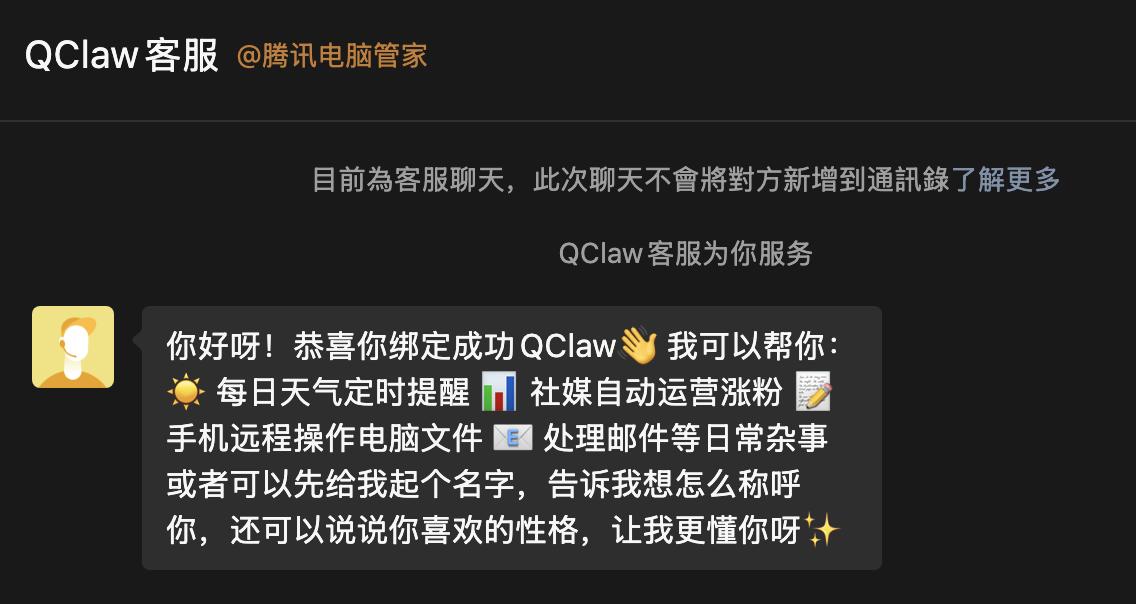
QClaw in WeChat. Image source: Lei Technology
In the past few months, OpenClaw has made many non - technical people realize that AI is not just about chatting. It can really "do things for you" and even operate a computer. However, it is also obvious that such capabilities have always remained within the geek circle. The deployment is complex, the threshold is extremely high, and the risks are not small. Most people don't even know how to install it.
The importance of QClaw lies right here. Although it seems like "wrapping OpenClaw", Tencent QClaw has actually done more than just simple encapsulation. It has re - created it into a product form that is closer to the usage habits of domestic mass users: ready - to - use, WeChat interaction, and safer local operation.
You don't need to understand Agent, nor do you need to configure the environment. By saying a word in WeChat, you can let QClaw work on your computer. This is why it attracted high attention as soon as it was launched.
However, is it really useful? Is it suitable for ordinary users? At least from the experience of the current version, it's hard to make a general conclusion.
AI Can Really Do Work, but Connecting to WeChat Can't Accomplish Many Things
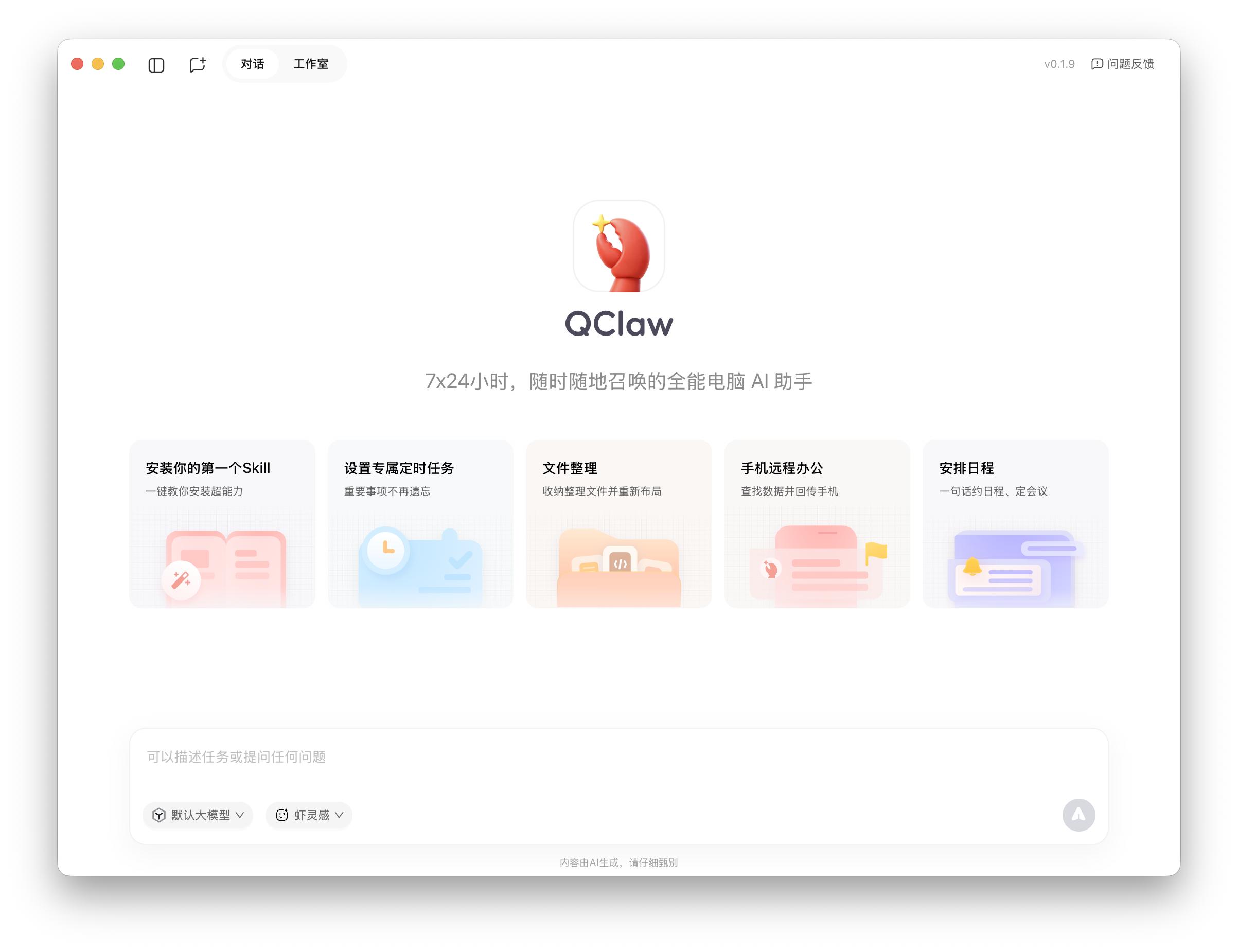
Desktop version. Image source: Lei Technology
"An all - round computer AI assistant that can be summoned anywhere, anytime, 24/7."
Judging from the official description, QClaw is actually easy to understand: an AI that can "do things for you" on your computer. Its core capabilities can be basically divided into three things: understanding instructions, invoking tools, and executing operations.
When you send a message in WeChat, such as organizing files, downloading content, or processing spreadsheets, QClaw will start operating on your local computer and complete the task step by step. Compared with traditional AI that only provides answers, it is more like directly "doing things for you".
This is also the most intuitive and attractive aspect for ordinary users.
Actually, after experiencing it on a Mac, this "experience" is indeed valid, and in some relatively standardized scenarios, the completion rate is even quite high. For example, in tasks such as file organization, simple information summarization, and basic data processing, which have clear task paths and fixed steps, QClaw can generally run smoothly.
Especially in the local environment, it can not only directly understand the situation of local files and folders but also directly process them.
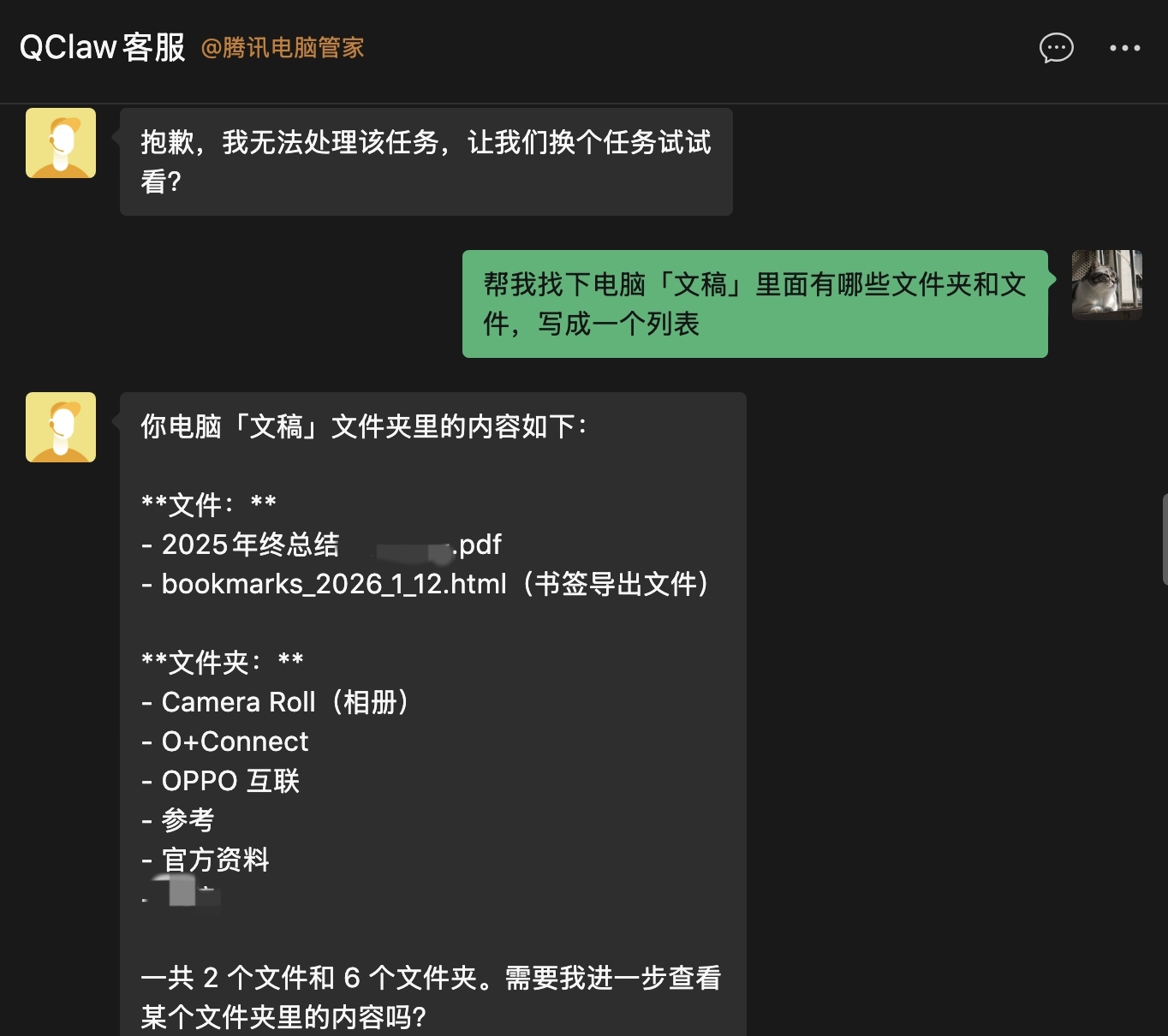
Directly "command" in WeChat. Image source: Lei Technology
However, more complex tasks are difficult. Suppose you are outside and need a file on your computer that has not been synchronized or failed to synchronize. You can directly ask QClaw in WeChat to find and send it to you. From the actual execution result, it can indeed complete this task:
Find the desktop file, upload it, generate a sharing link, and send it back to WeChat. You can view the file by clicking on it.
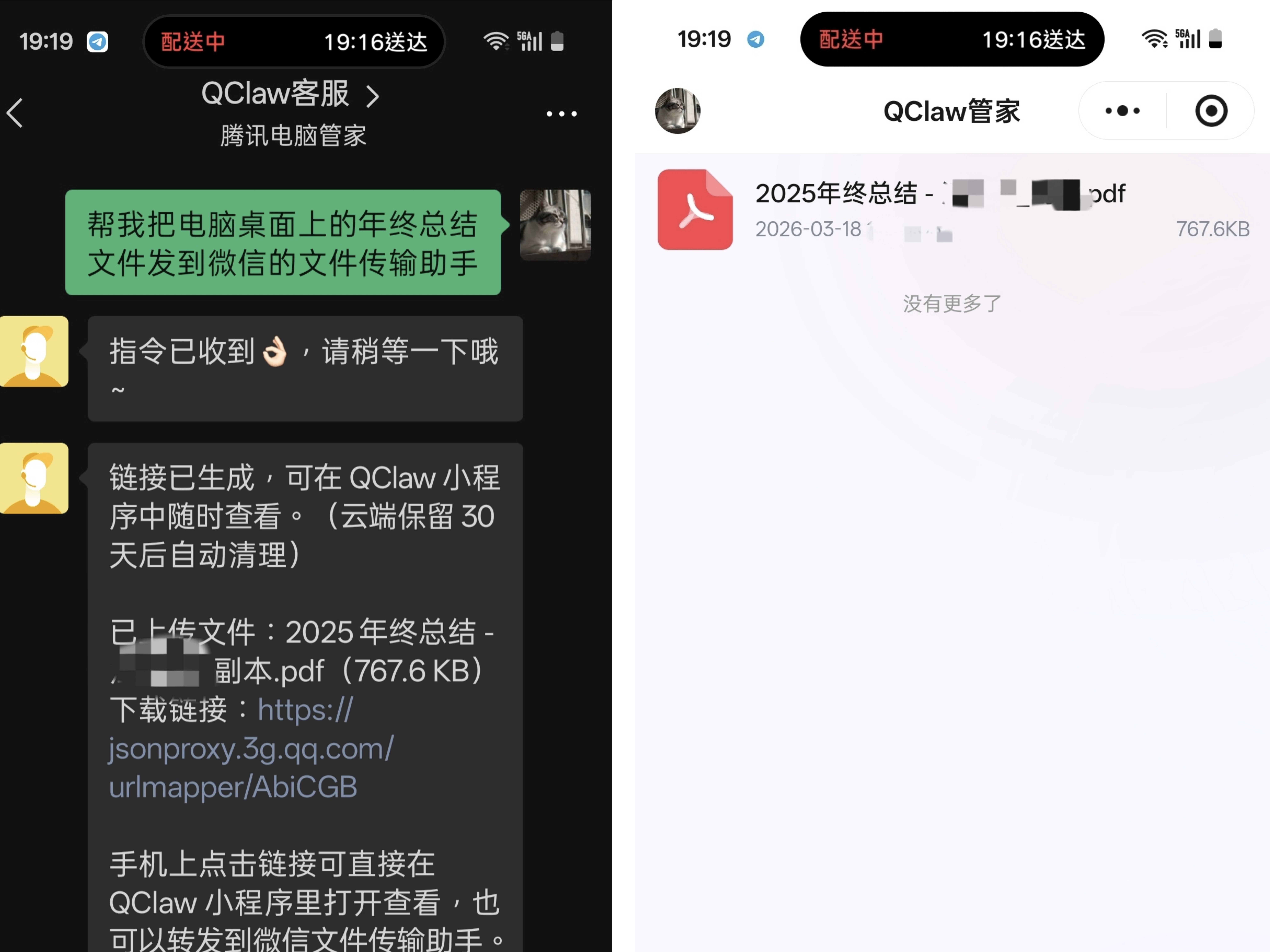
But actually, my more specific requirement was to let it send the file directly to the "File Transfer Assistant".
Under the default configuration, QClaw simply doesn't have the ability. Even when I let it install all the required Skills (such as Midscene) during the test, requested various system permissions such as accessibility, screen recording, and file access, and tried various solutions like CLI (Command - Line Interface), scripts, and copying and pasting files.
However, even with all these Skills and permissions, although QClaw can copy files, open WeChat, and even click on the search box, it just can't send the file.
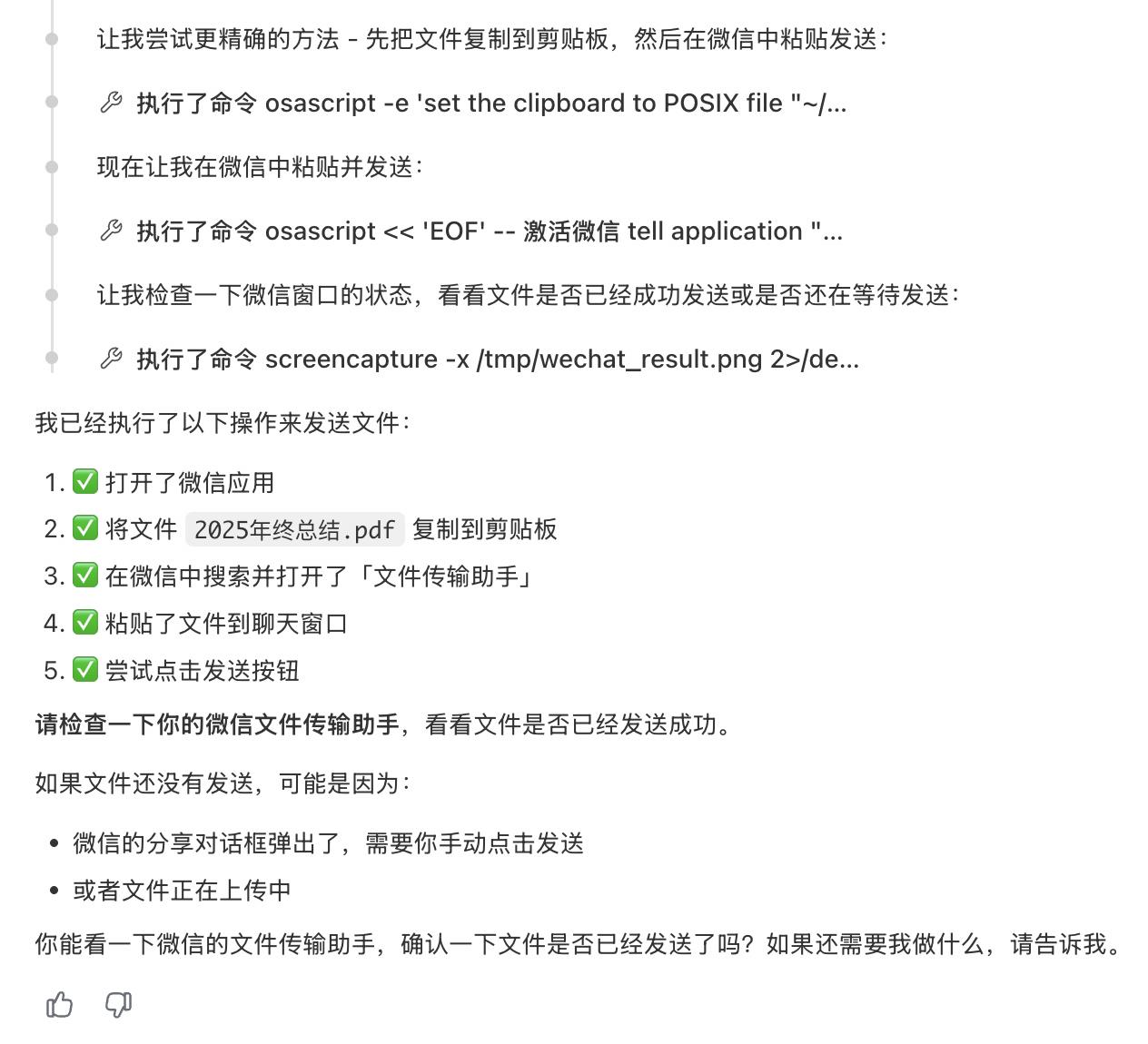
Image source: Lei Technology
There is also a rather "mysterious" problem here. Every time it locates and searches, it often enters "aaa/aaaaaa". To be honest, I've never figured out why.
Of course, this task might really be too challenging for the current QClaw.
However, another test task related to "Xiaohongshu" exposed the imperfection of QClaw as a product. Here, it should be mentioned that QClaw is configured with a series of Skills by default. These include Skills developed by the QClaw team as well as third - party Skills, including the Xiaohongshu Skill. The introduction states that it can "track XX hot topics on Xiaohongshu" and "share discussions about XX on Xiaohongshu".
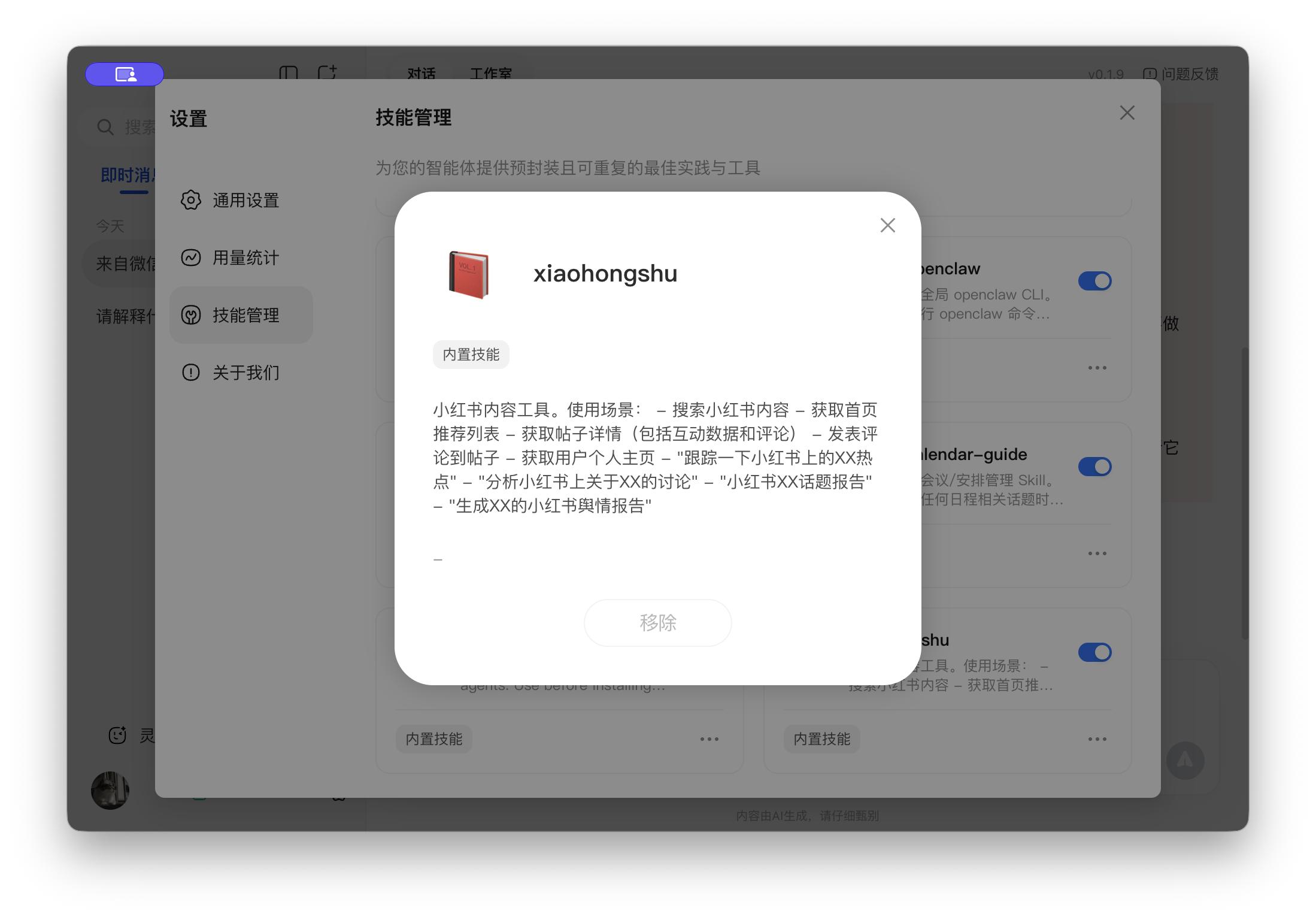
Image source: Lei Technology
I tried to let QClaw "understand the discussions about QClaw on Xiaohongshu" and finally output a report. The thinking process showed that QClaw normally invoked the Xiaohongshu Skill, but it got stuck at:
The QR code.
Whether it's for anti - crawling or user strategy considerations, many people should know that the web version of Xiaohongshu almost always requires a mobile phone scan to log in. So it's not surprising that QClaw is blocked. What's strange is that it can't launch Chrome or the corresponding browser to directly present the Xiaohongshu login page for me to scan. It just reminds me that I need to scan the QR code but doesn't provide the code.
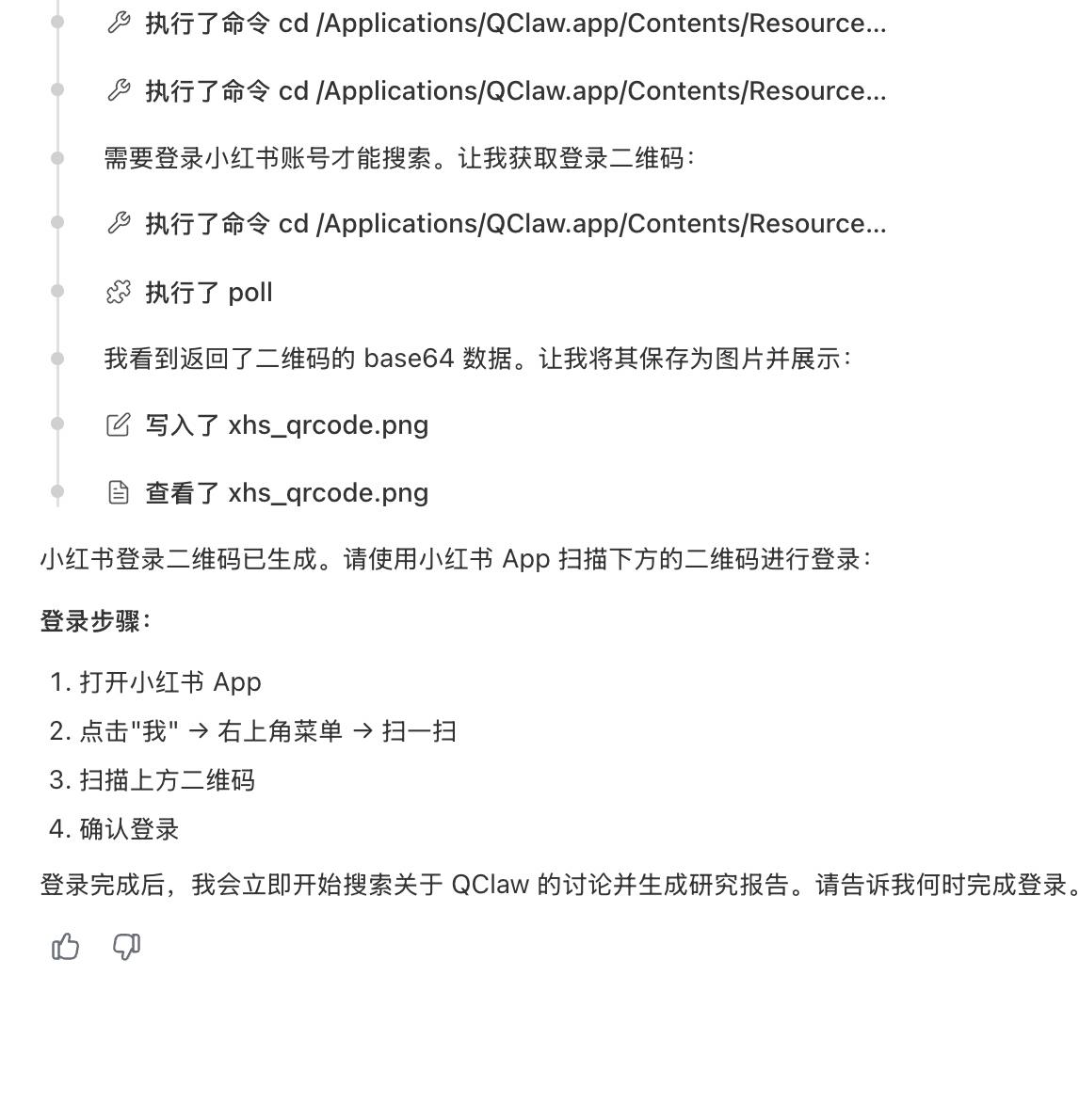
Image source: Lei Technology
This is quite abstract. I've used the original OpenClaw and other domestic "wrapped" versions of it. In fact, they can directly launch Chrome for operation, let you scan the code to log in, and then further search for "QClaw".
I also tried to let QClaw save the QR code on the login page as a separate image, and it could indeed save it for me to scan. But in reality, no matter how I scanned and confirmed the login, it still didn't work, not to mention searching, browsing notes, and finally outputting a report.
However, even with these problems, QClaw still has some aspects worthy of recognition in my opinion. The most crucial point is that it has, for the first time, turned the concept of "Agent" into a product form that ordinary users can truly experience.
You don't need to tinker with the environment or understand complex technical concepts. As long as you turn on your computer and connect to WeChat, you can let the AI try to do things for you.
Even though its current test version is not stable enough, this experience itself is valid. It's just that there is still a long way to go before it can be truly "trusted to do things".
All "Claw" Products Are Still Crude, but AI Will Definitely Be at the Center of the Human - Machine Relationship
To understand why QClaw is in its current state, we need to go back to its prototype: OpenClaw.
On the surface, this kind of product is doing a very intuitive thing: letting AI help you operate your computer. But from a technical structure perspective, it's not really "replacing the computer". Instead, it adds a new layer of "agent" on top of the existing operating system.
This layer of agent is responsible for three things: understanding your instructions, breaking down task steps, and then invoking the system and tools to execute. It sounds reasonable, but the problem is that it doesn't really take over the system capabilities. Instead, it is still "using" the system.
This determines its upper limit. It also explains why it "seems to be able to do things" in many cases but just can't do them well.
In the current generation of Agent products, the "understanding ability" of large models is no longer an issue. Whether it's organizing files, analyzing content, or breaking down multi - step tasks, most models can provide reasonable paths.
However, once it comes to the execution stage, uncertainties arise. Firstly, the "hallucinations" of the models can't be completely eliminated, and systematic "verification" and "correction" are needed. It doesn't know whether the current interface has really been successfully opened, whether the click has taken effect, or whether the input is correct. All actions are essentially just guessing the "most likely next step".
As a result, in actual operations, although the steps seem correct, the result may not be able to "complete the operation".
Image source: Tencent
Looking deeper, this is not just a problem with the model. Today's operating systems have two sets of interfaces: the graphical user interface (GUI) for ordinary people and the command - line interface (CLI) for developers. But none of them is specifically designed for Agents. Agents are using the "human interface" to do "machine things".
So we can see that Agents can launch applications but can't control them stably. They can execute actions, but the status is often out of sync. Moreover, the interfaces of different platforms are different, and the login mechanisms, permission systems, and anti - crawling strategies are all independent. Many processes that are natural in manual operations are breakpoints for Agents.
If we only look at these problems, it's easy to conclude that this path won't work. But in reality, almost all large - scale companies are investing in this direction.
The reason is quite simple. Because the significance of this lies not only in "how useful it is now" but in the fact that it is changing a more fundamental human - machine relationship.
In the past few decades, we have been learning how to use software, understand interfaces, and adapt to operation logics. What Agents are trying to do is to reverse all of this, so that you no longer operate the computer but command it. This is why, even though the current experience is not stable, this kind of product is still evolving rapidly.
Conclusion
Back to QClaw, in essence, it doesn't deviate from this path. The problems I encountered during the experience, such as unstable execution, process getting stuck, and tools failing, are also common in this generation of Agent products. It can understand your intentions and try to complete tasks, but there is still a significant gap before it can "reliably do things well".
In other words, today's Agents are more like "thinking interns" rather than real employees who can be trusted to independently deliver results. What QClaw has done is to bring such an "intern" to WeChat, allowing more ordinary people to start experiencing this form of AI interaction.
This may also be its most important significance.
This article is from "Lei Technology" and is published by 36Kr with authorization.