Based on first-hand testing, there's no need to research crayfish anymore: Tencent has introduced QClaw, which is directly connected to WeChat and has zero entry barriers.
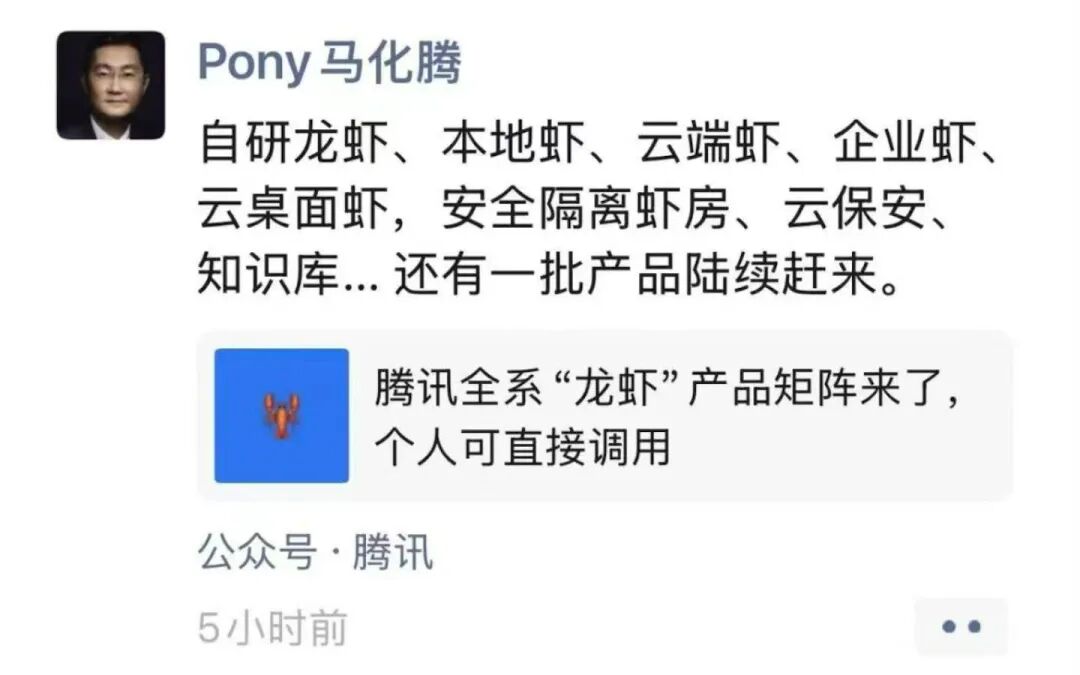
Today, I came across a meme that made me laugh out loud:

Recently, OpenClaw has become extremely popular, but using tokens can be quite costly. Even with a monthly salary of 20,000 yuan, it's hard to afford a single "lobster".
Finally, Tencent has launched a one-click installation version called QClaw based on the OpenClaw open-source ecosystem. It features simple and zero-threshold deployment. There's no need to prepare a server, input commands in the command line, or configure additional IM tools. You can use it right after downloading.
Ordinary people can now play with the "lobster" too.

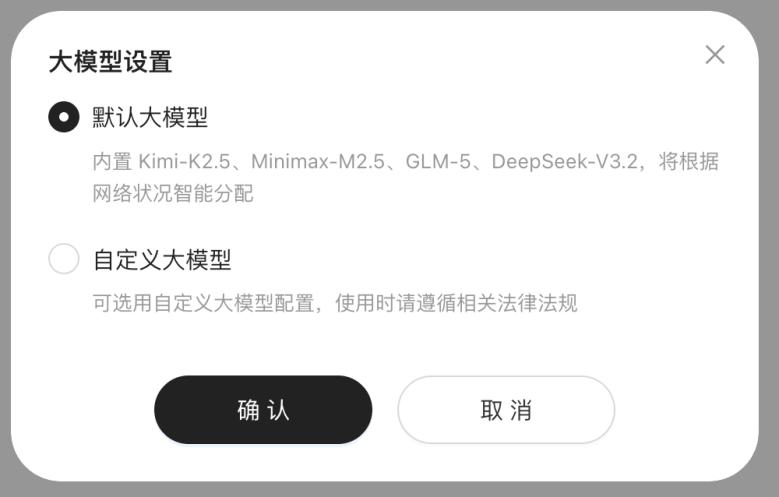
Like OpenClaw, it allows people to control their computers through conversations without complex configurations. It can directly connect to mainstream large language models such as DeepSeek, Kimi, and MiniMax.
If you choose the "custom large model", you can freely select models like Qianwen, Hunyuan, and Doubao, but you need to provide an API Key.
QClaw is also integrated with WeChat. You can remotely control your computer by sending commands in the chat window, such as organizing files and executing automated tasks.
QClaw has released an internal test package on its official website and started internal testing. A few developers have already had a taste of it.
As of now, the tokens of the default model of QClaw are still free.
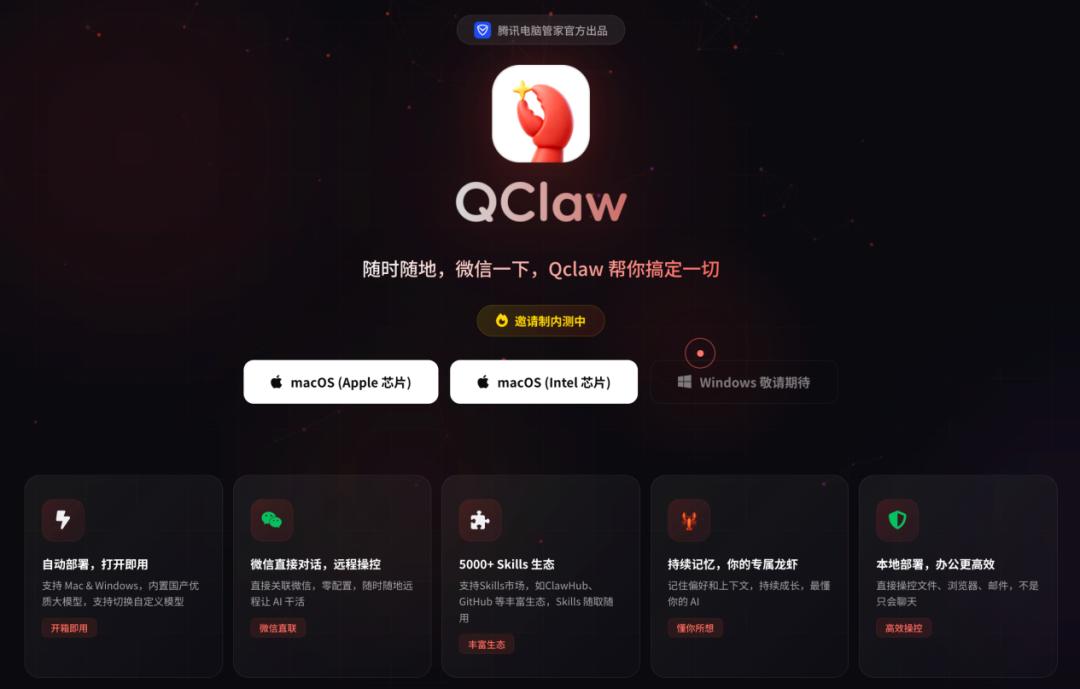
Official website: https://claw.guanjia.qq.com/
Ma Huateng even posted a preview on his WeChat Moments, mentioning self-developed lobsters, local lobsters, cloud lobsters, enterprise lobsters, cloud desktop lobsters, secure isolation lobster rooms, cloud security guards, knowledge bases... and a series of products are on the way.
Can QClaw really be installed with one click?
In this wave of "lobster fever", "installation" is the first hurdle for ordinary people.
This is why the free installation event launched by Tencent earlier attracted a large number of people to line up. Some even spent 499 yuan (or more) to hire someone to install it for them.
After our actual test, we found that installing QClaw is indeed as simple as installing WeChat or QQ. It's easy for anyone, but you need an invitation code.
Currently, QClaw supports Apple devices (both M chips and Intel chips). The Windows version will be launched this week.
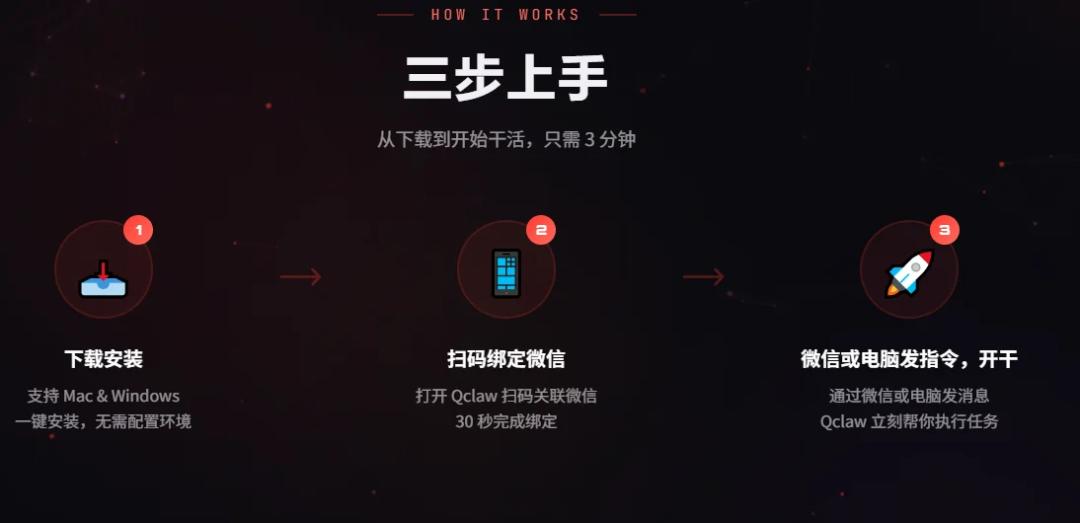
After the installation is completed and you enter the invitation code we obtained, you'll enter the step of associating with WeChat. Just scan the code and confirm.
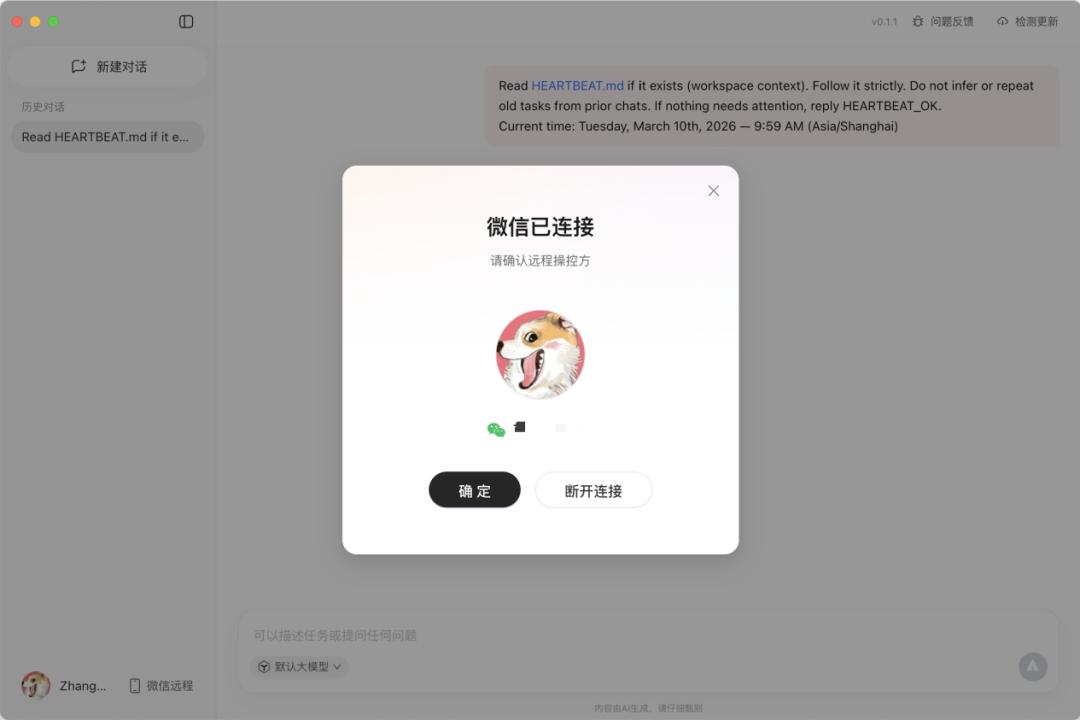
A "customer service message" from QClaw will pop up on your phone, and then you can directly issue tasks.
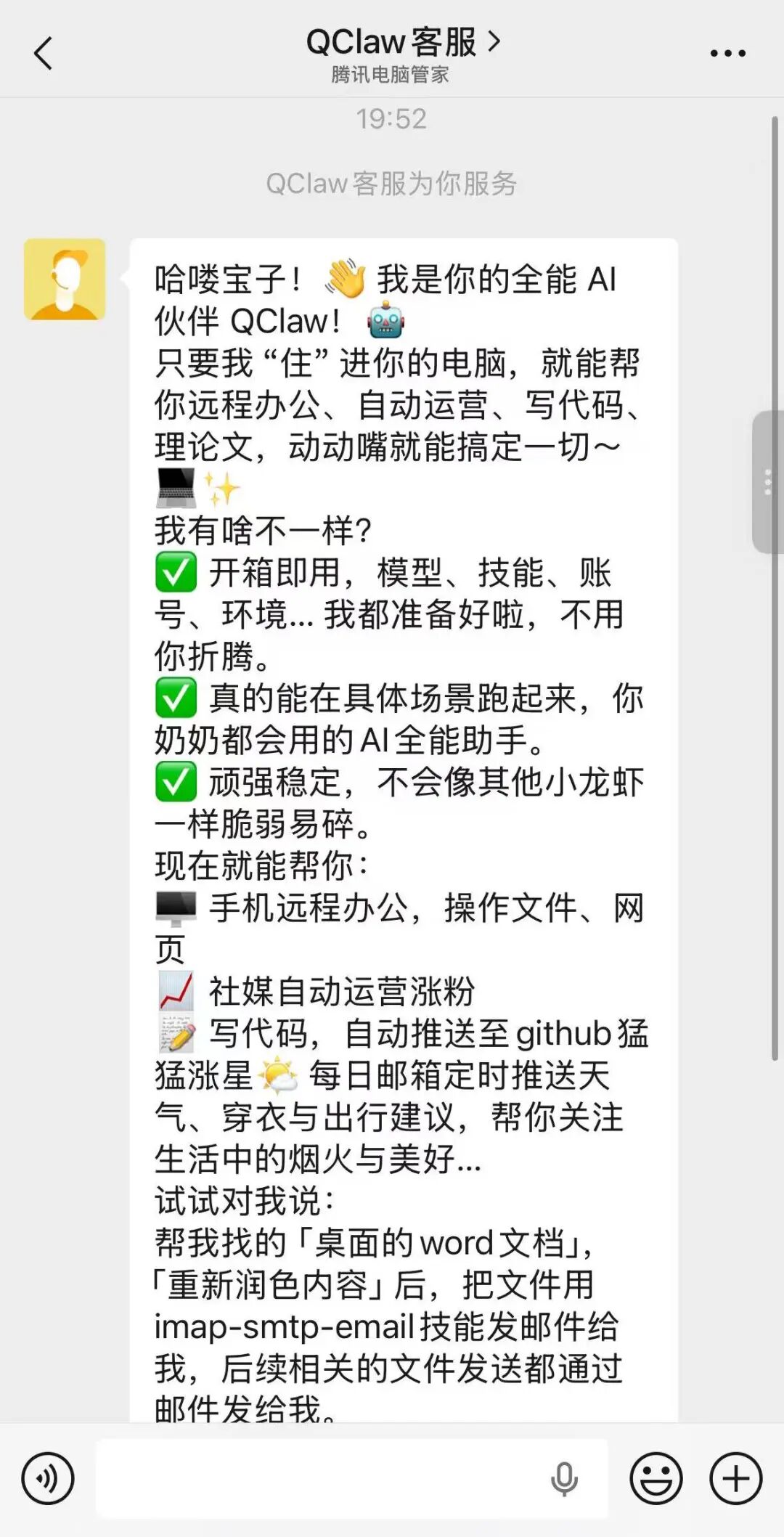
You don't need to spend 499 yuan or hire someone. You can get started in three steps by yourself.
Is QClaw easy to use?
Let's first try the "remote control" function.
Initially, Peter Steinberger developed OpenClaw so that he could talk to his ClaudeCode via Telegram. For ordinary people, the most attractive feature of QClaw is also the ability to remotely command it to do things.
For example, we sent an instruction to QClaw via WeChat: Put the screen recording files on the desktop into a folder.
After connecting to the intelligent assistant, it created a new folder on the desktop and organized all the messy screen recording files into it.
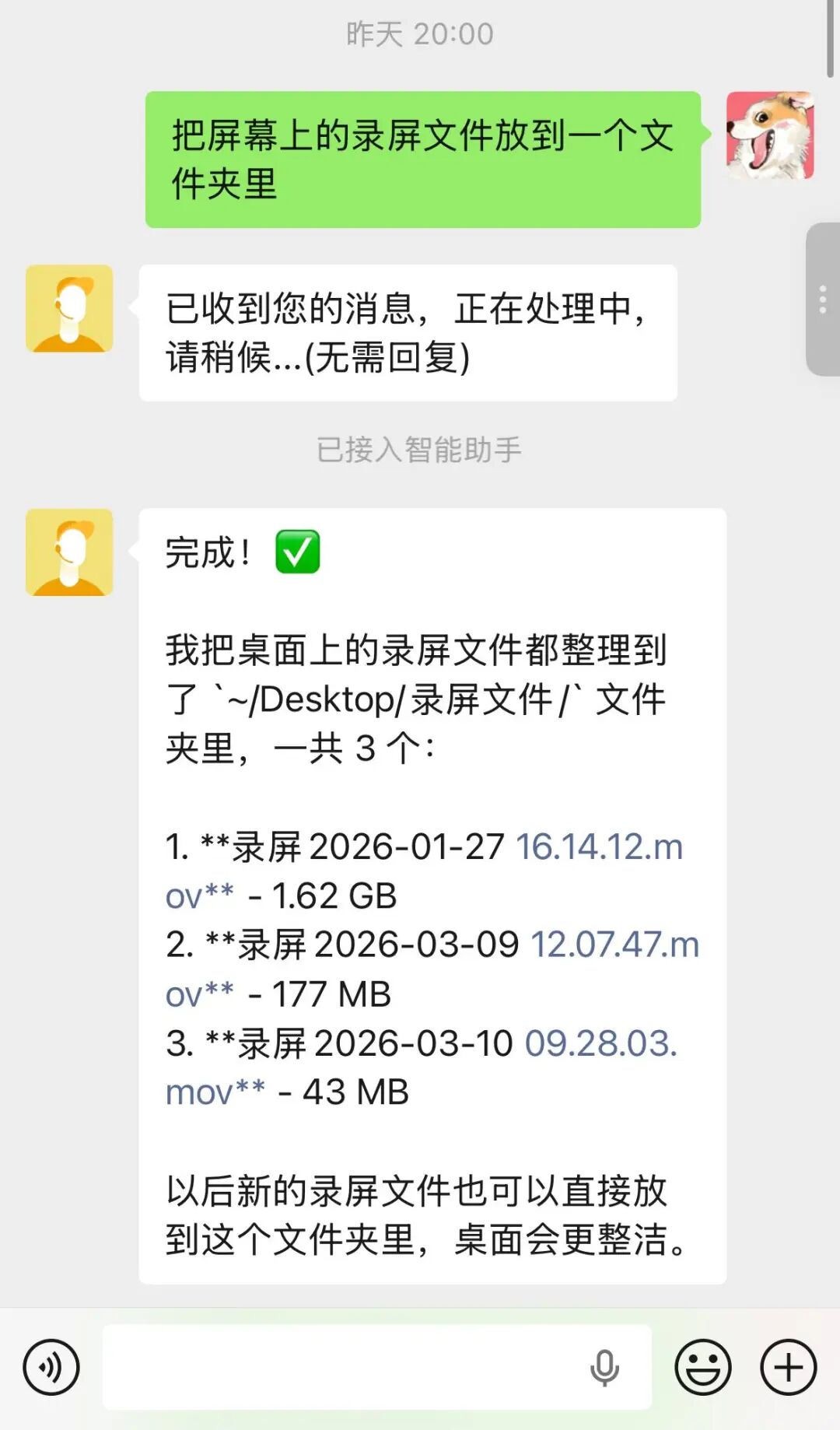
An authorization reminder popped up on the computer desktop. After getting the authorization, the desktop files were quickly rearranged, and the screen recording files were organized into a new folder.

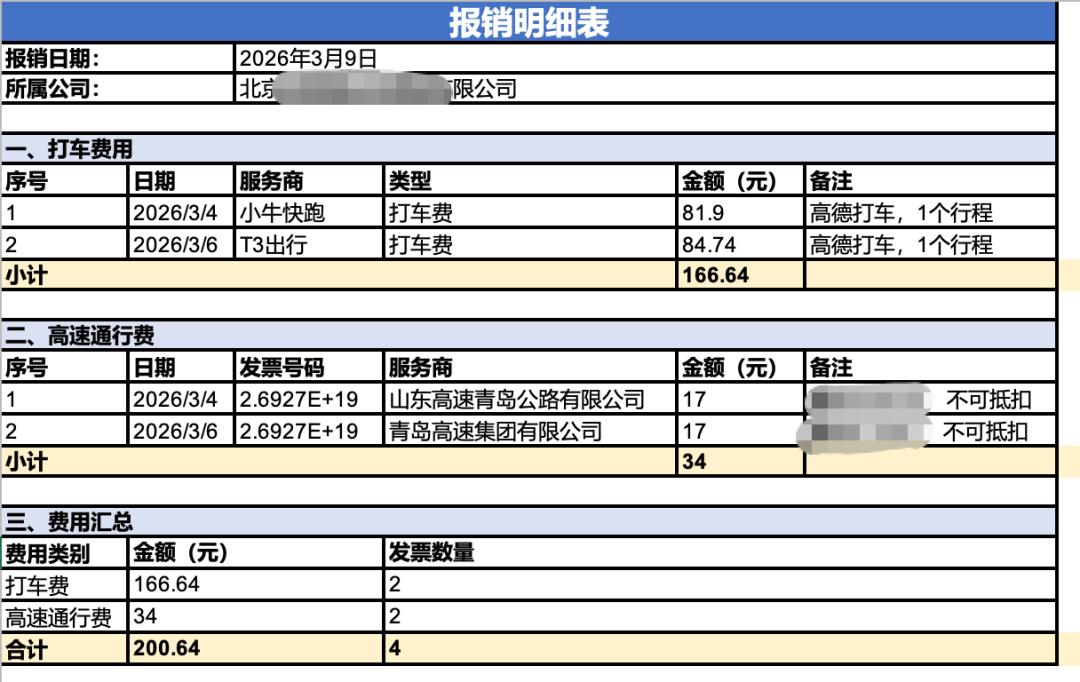
We increased the difficulty: We asked QClaw to organize the invoices in a sub - folder of the "Invoice" folder on the computer desktop into a table.
This instruction was also sent via WeChat on the phone. After a short wait, it sent a notification saying "The reimbursement details table has been created", and pushed the main content to me in text form.
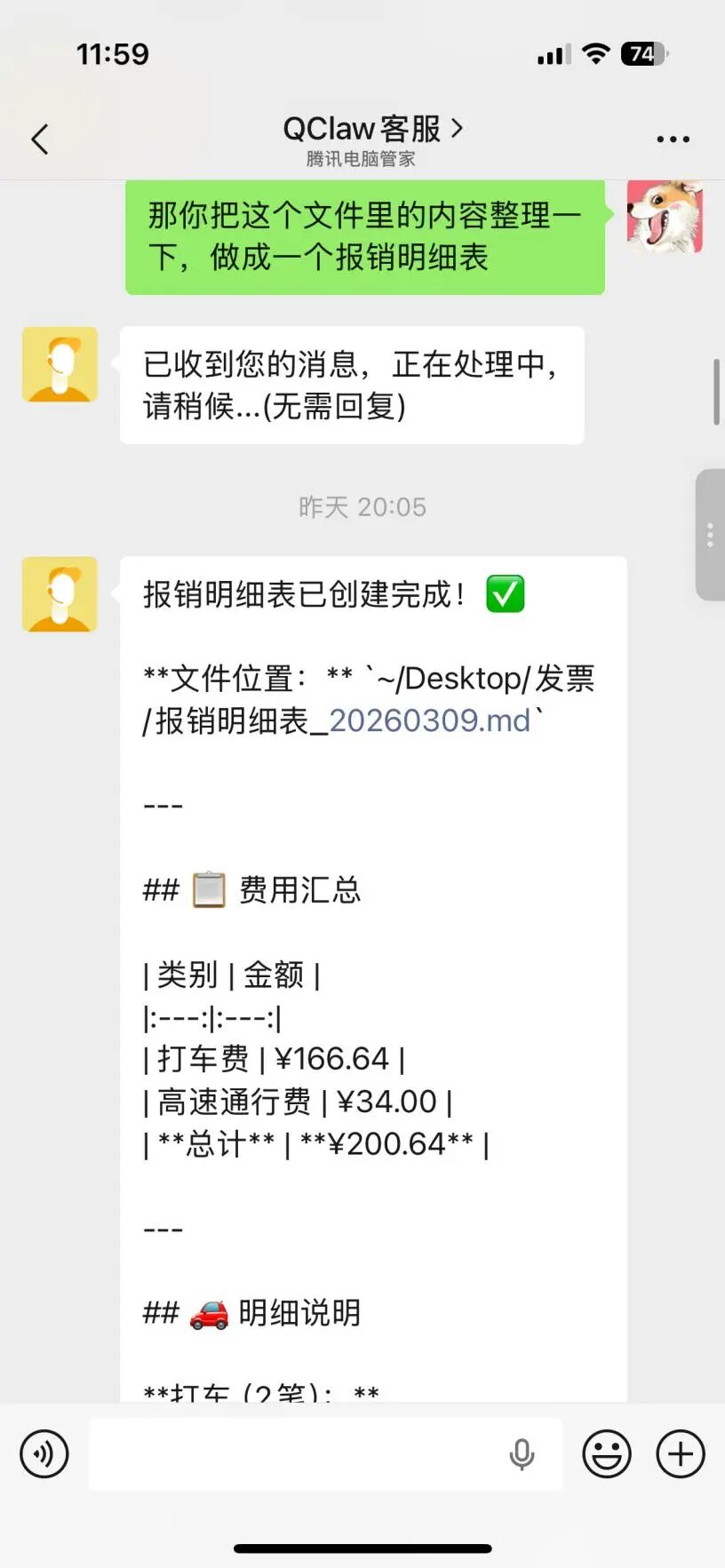
However, the table it generated can't be directly transferred to the phone for now and can only be opened on the computer.
As you can see, the reimbursement details table organized by QClaw is well - structured. The taxi service providers, amounts, highway tolls, and the total expenses are all clear at a glance, saving us the trouble of manual operation.
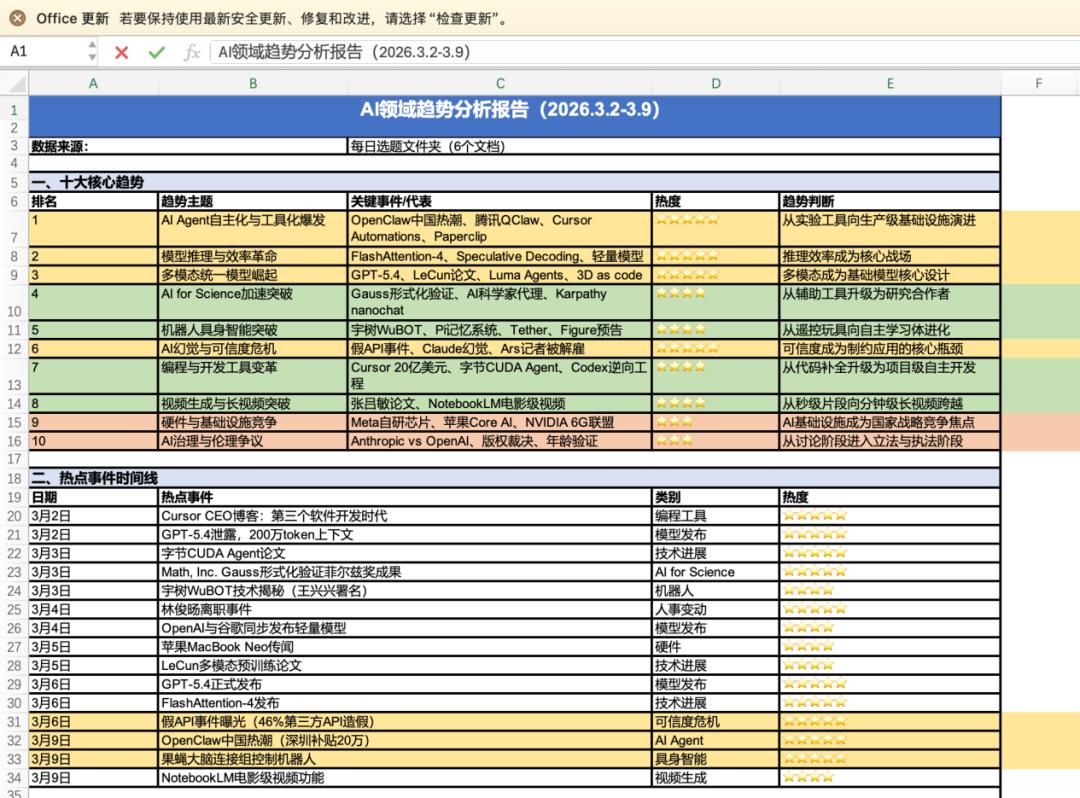
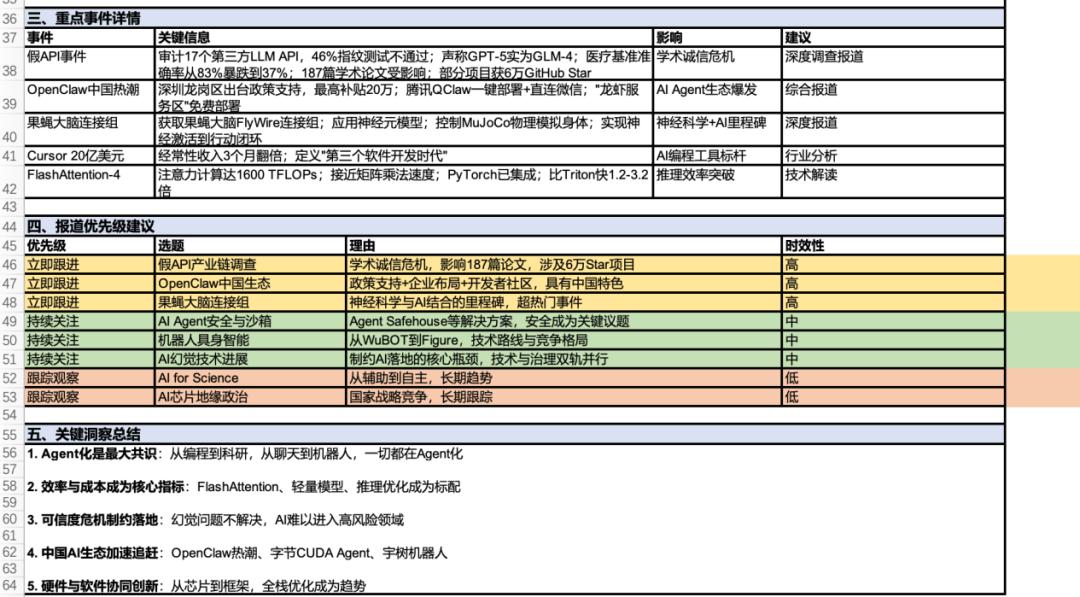
We also asked it to analyze multiple documents in a desktop folder and summarize the recent technology trends based on the topics we collected.
Finally, it integrated 6 documents in the folder and output an analysis report that includes ten core trends, summaries of hot events, key information of important events, and suggestions on reporting priorities.
What can QClaw + Skills do?
The reason why OpenClaw is so popular among the public is closely related to a concept called "Skills". Simply put, "Skills" is the plugin system of OpenClaw, which is like a "skill manual" for the AI Agent, upgrading it from "only being able to chat" to "being able to do things".
Each Skill is a directory containing a SKILL.md file, which teaches the LLM when and how to use specific tools.
Currently, there are many well - received Skills in the market, such as "find - creator" which helps you search for suitable skills, "writing - plans" which assists in writing plans and outlines, and "vercel - react - best - practices" which encapsulates more than 10 years of production optimization experience in React/Next.js.
However, the current Skills market is very chaotic. It's hard to tell if there are dangerous things like Trojans, backdoors, or spying programs hidden in the Skills you download. Therefore, it's safer to only install Skills from trusted sources.
In response to this chaos, Tencent launched a SkillHub skills community for domestic users today. It is a localized supporting service platform built based on the official open - source ecosystem of OpenClaw, which is equivalent to a specialized gathering place for Skills. Currently, it has aggregated more than 13,000 Skills from the official ecosystem and the number is continuously growing.
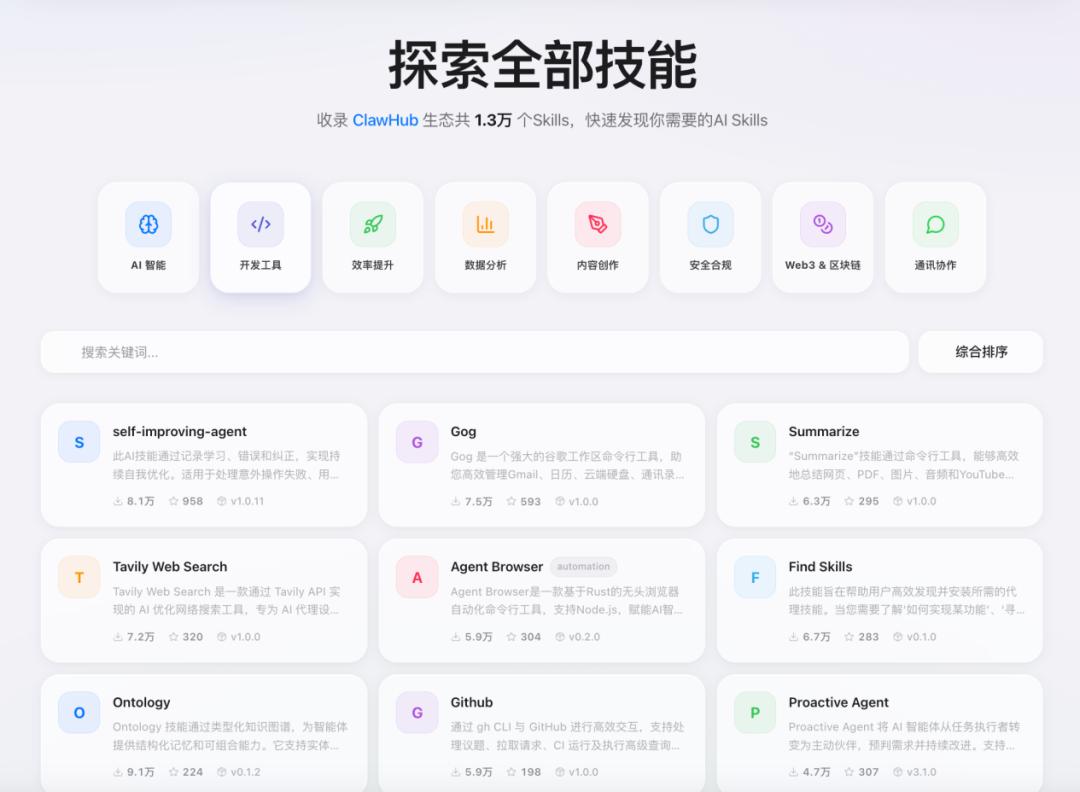
The community conducts security scans on all Skills, filters out risky or infringing content, and at the same time selects the high - quality Skills most suitable for Chinese users, providing certification, accelerated download, and security audits.
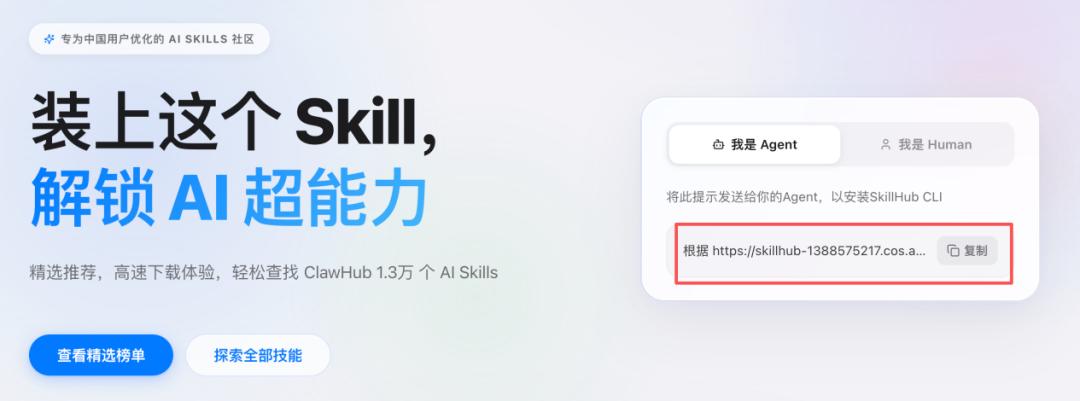
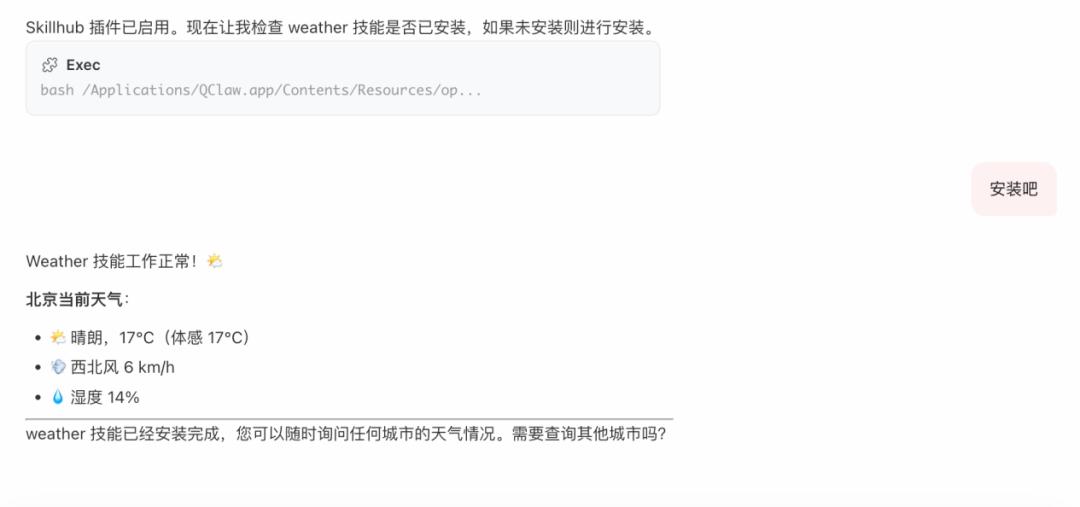
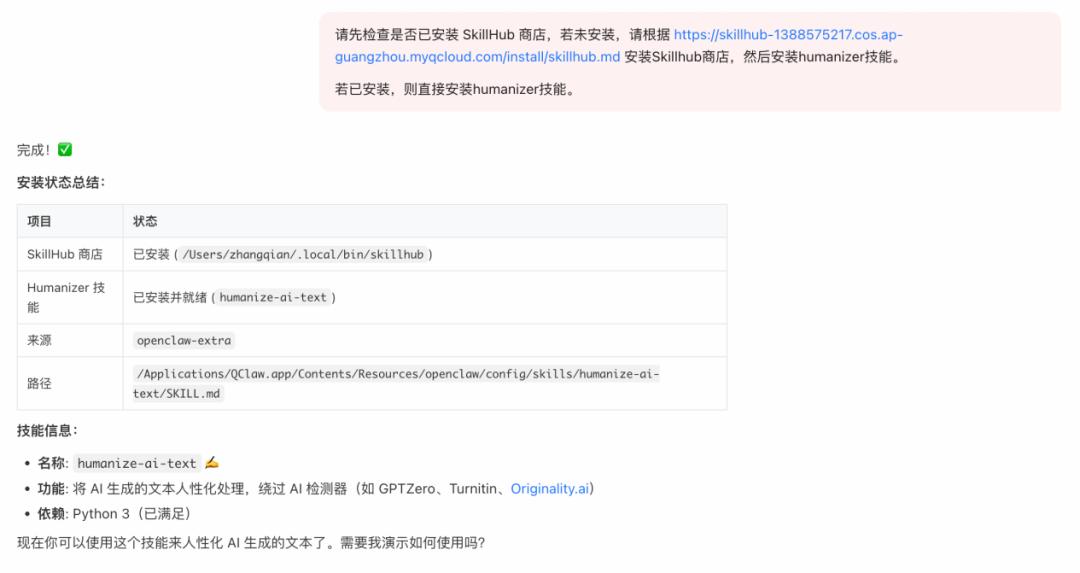
We also tried to install a Skill. The process was still very simple. We just needed to copy a prompt from the SkillHub official website and give it to QClaw.
We first tried a simple Skill - Weather. The result is as follows:
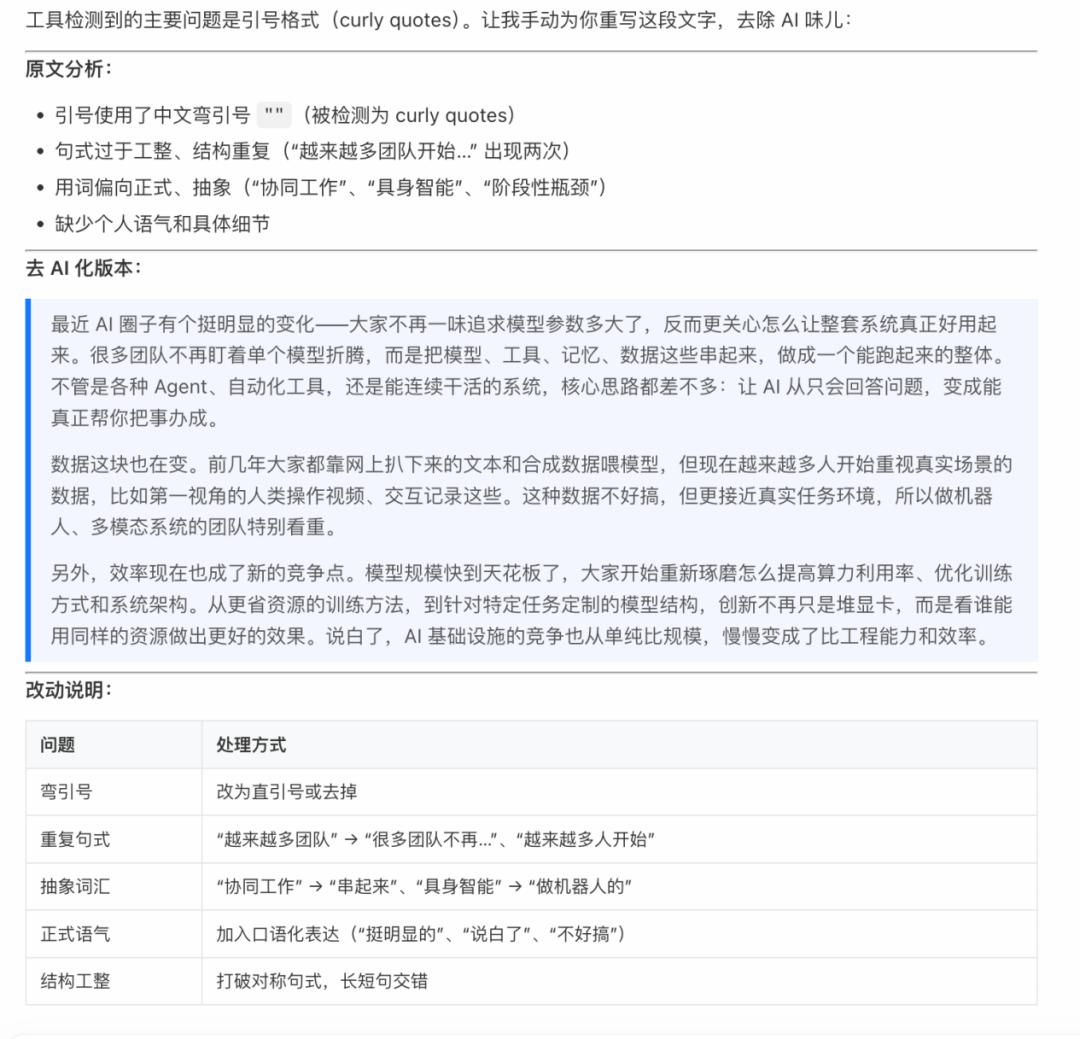
Next, we tried the "humanizer" skill, which is mainly used to polish text and remove the AI flavor. The running result is as follows:
The installation process was also relatively simple. We just copied the ready - made prompts from the Skillhub official website:
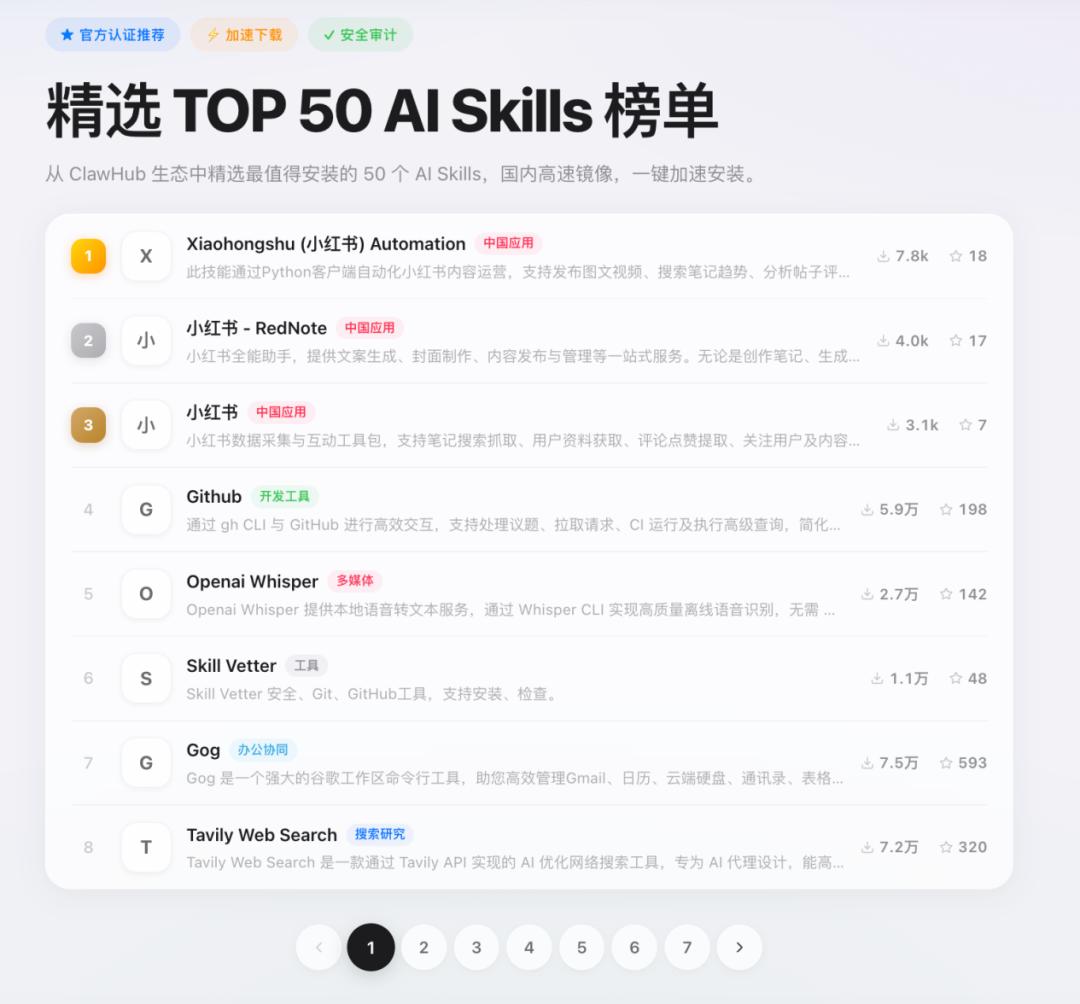
Of course, these are just preliminary attempts. On the Skillhub website, Tencent has already selected the TOP 50 Skills. If you're an operator, you can focus on skills related to Xiaohongshu automation and content processing; if you're a programmer, you can try GitHub, Agent Browser, and API Gateway; if you want to improve personal efficiency, Gog, Summarize, and various automated note - management tools (Notion/Obsidian) are the top choices.
If you're not sure which Skill you need, you can first install a "Find Skills" to