MacBook Neo First Review: Small, but Enough to Revolutionize the Industry
Preface: The Most Affordable MacBook with Built - in iPhone Chip is Here
On the evening of March 5, 2026, when Apple wrapped up its three - day "Spring New Product Launch Season" with an event, they saved the MacBook Neo for the grand finale.
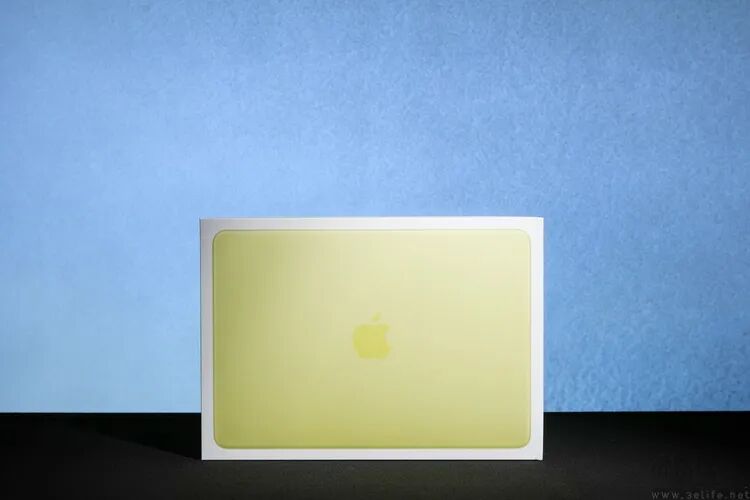
Whether judged by price or hardware configuration, the MacBook Neo, starting at 4,599 yuan (excluding various discounts and subsidies) and equipped with the A18 Pro chip, is clearly not the most expensive in this round of new products.
Meanwhile, at this special juncture when the prices of PC market components have risen significantly, the MacBook Neo, which costs only about the price of two high - end DDR5 memory modules and is clearly targeted at students and entrepreneurs, has undoubtedly attracted a great deal of attention.
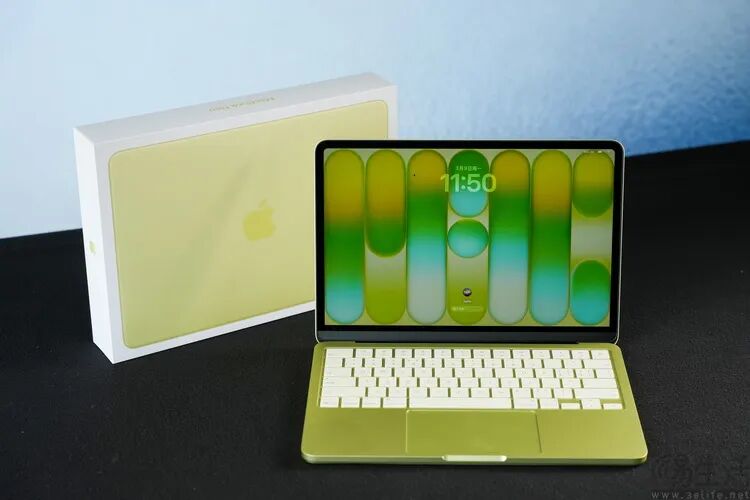
So, what's the actual experience of using this so - far most "affordable" MacBook? In particular, is the performance of the "iPhone - same model" A18 Pro chip really sufficient when used in a laptop?
With these questions in mind, we at 3eLife conducted a detailed series of tests on the MacBook Neo.
Overall Appearance: Significantly Younger Color Scheme, but No Compromise on Materials
Before the release of the MacBook Neo, Apple's laptop product line had been mainly composed of the MacBook Pro and the MacBook Air for a long time.
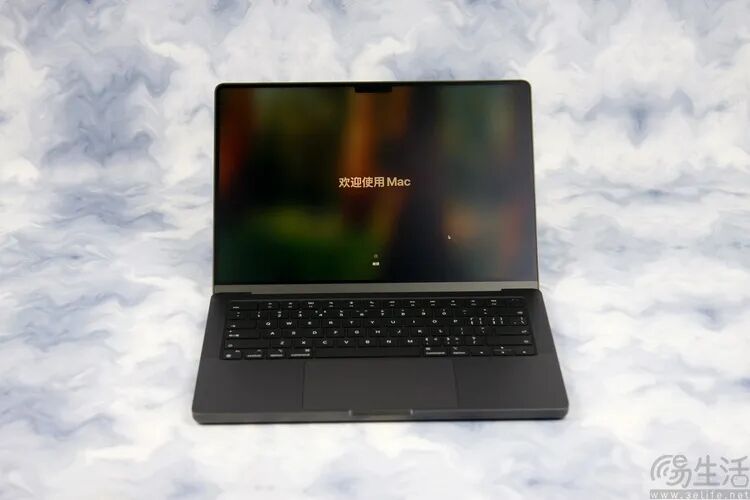
The M4 version of the MacBook Pro we tested before
As can be seen from the names, the former emphasizes "professional" productivity and high - performance attributes, while the latter features "lightness and thinness" as its most prominent selling point. In terms of appearance design, they also have different styles. The Pro has a square shape and is only available in black and silver color schemes; the Air adopts a thin wedge - shaped industrial design and has a light - colored metal appearance as its main impression.
To be honest, whether it's the MacBook Pro or the MacBook Air, their appearance styles are actually relatively "business - like". Especially when compared with the MacBook Neo, the latter can really give people a "younger" first impression from its appearance.
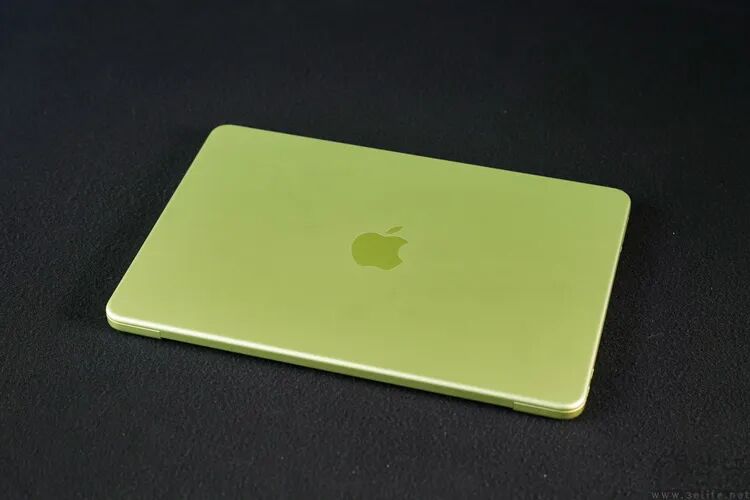
The MacBook Neo we got this time is the 8GB + 256GB version in citrus yellow. Although the official calls this color "citrus yellow", it actually looks like a color between yellow and green. It's more like the fluorescent yellow in watercolor pens than "citrus".
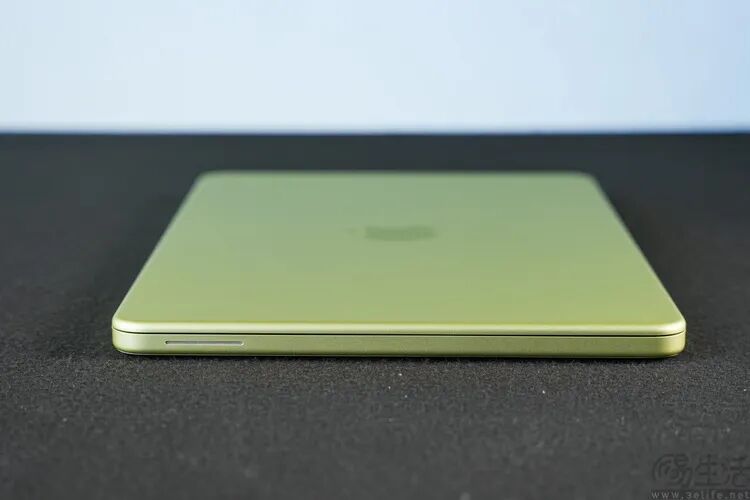
In terms of the body material, although it's the entry - level model in the current MacBook product line, the MacBook Neo also uses a thick and sturdy aluminum alloy body. Its A, C, and D surfaces are all made of a single piece of aluminum alloy.
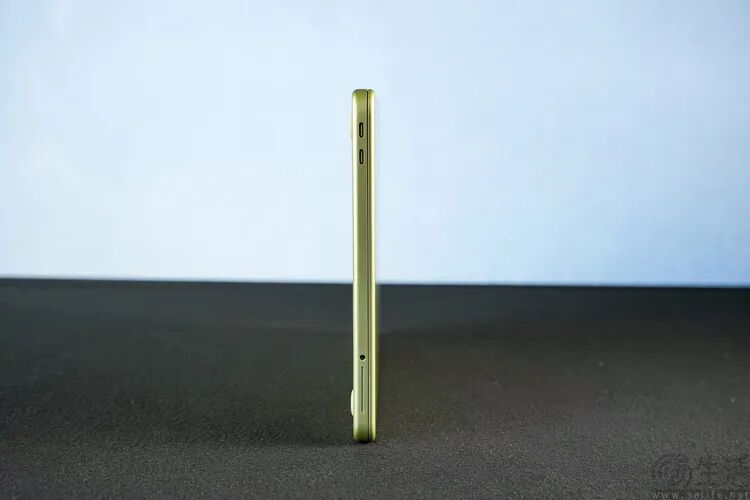
As for the overall size and weight of the MacBook Neo, its length and width are 29.75 cm and 20.64 cm respectively. The thickness when the lid is closed is only 1.27 cm, and the total weight is only 1.23 kg.
Detail Analysis: 13 - inch Small Screen with a Large - area Keyboard, and the Speaker Has a Secret
As soon as you open the hinge, you'll notice that, perhaps intentionally to increase the "durability" for school and corporate environments, the hinge of the MacBook Neo feels more solid than many Windows laptops in the same price range. It can be easily opened and closed with one hand, and there is no play or shaking.
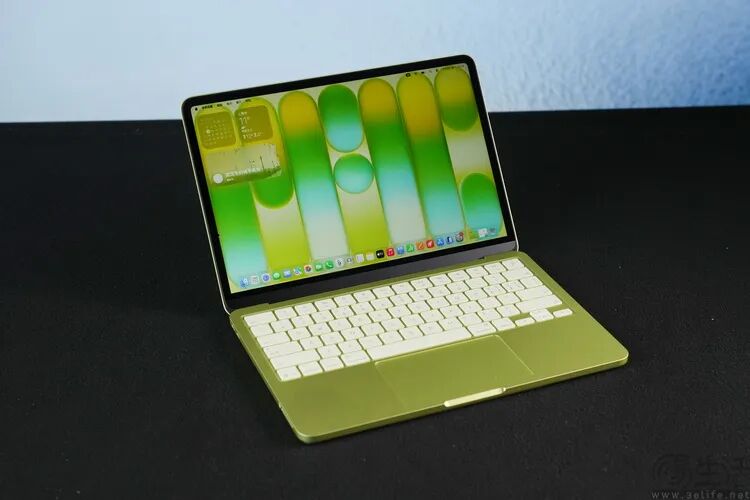
Meanwhile, the screen panel of the MacBook Neo is not exposed but has an additional surface protection layer. So, you don't have to worry about minor bumps or wipes damaging the screen during daily use.
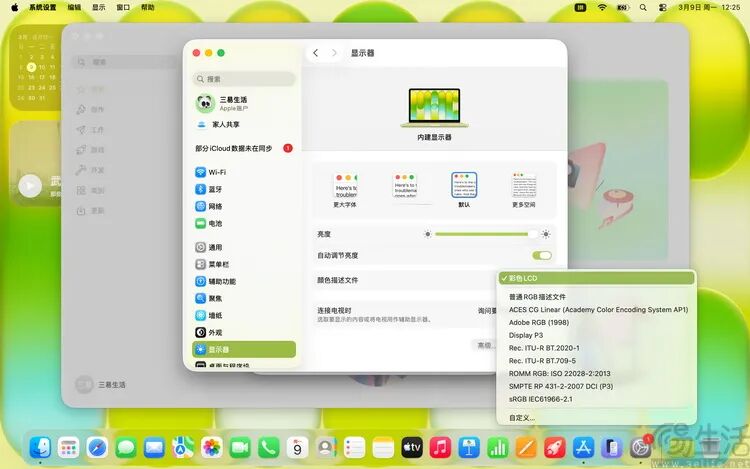
The MacBook Neo also provides multiple factory color - calibration files for this screen
Speaking of this screen, the MacBook Neo uses a 13 - inch IPS LCD screen with a resolution of 2408*1506 (14.3:9), a refresh rate of 60Hz, support for 1 billion - color display, and a peak brightness of 500 nits.
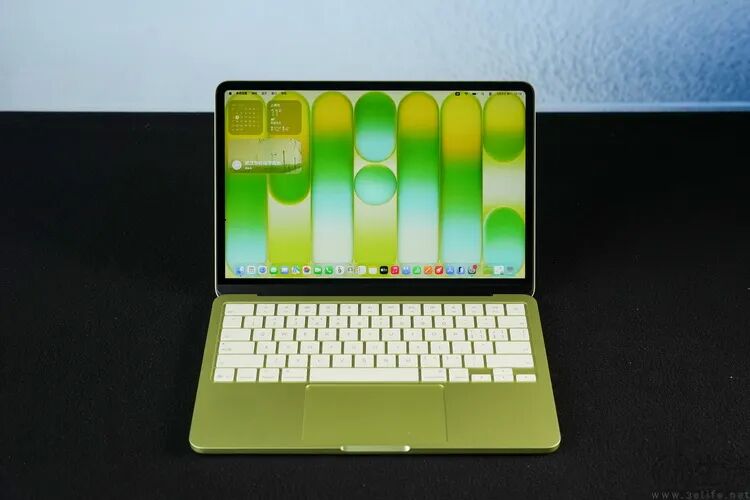
Above the screen, the MacBook Neo still has a 1080P FaceTime camera. It's worth mentioning that the dual - microphone array of the MacBook Neo adopts a hidden design and doesn't have holes above the display panel like most laptops.
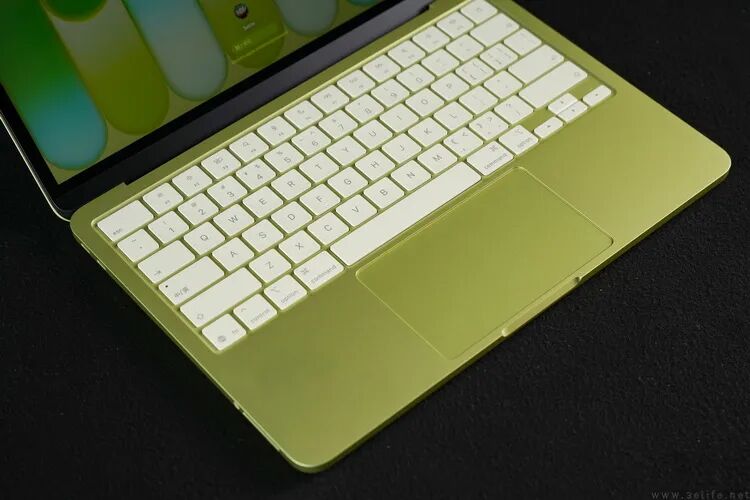
On the C - side, the layout of the MacBook Neo still features familiar elements: an island - style keyboard with large - sized keys and a relatively large full - area trackpad. Compared with our old - model MacBook Air, the keyboard of the MacBook Neo even has a longer key travel, and the rebound when typing is more obvious.
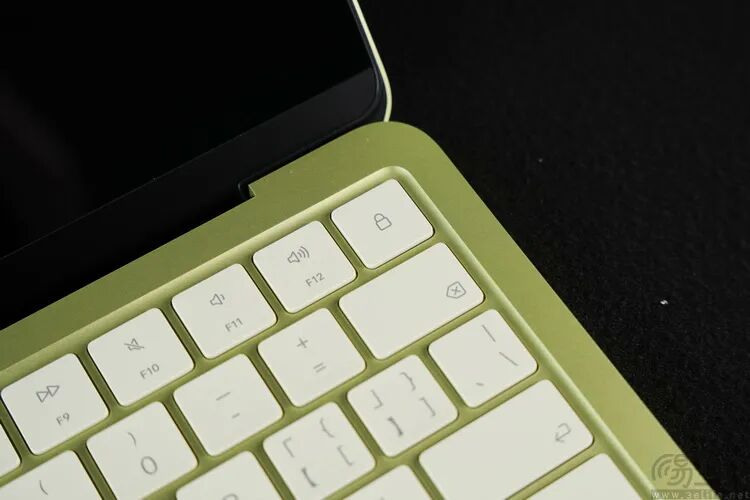
It should be noted that there is a physical "lock key" in the upper - right corner of the MacBook Neo keyboard. Pressing it on any interface can lock the device with one click. If it's the high - end 512GB version, the lock key even has a Touch ID fingerprint recognition module. It can be said that this is a very thoughtful little feature for both students and entrepreneurs.
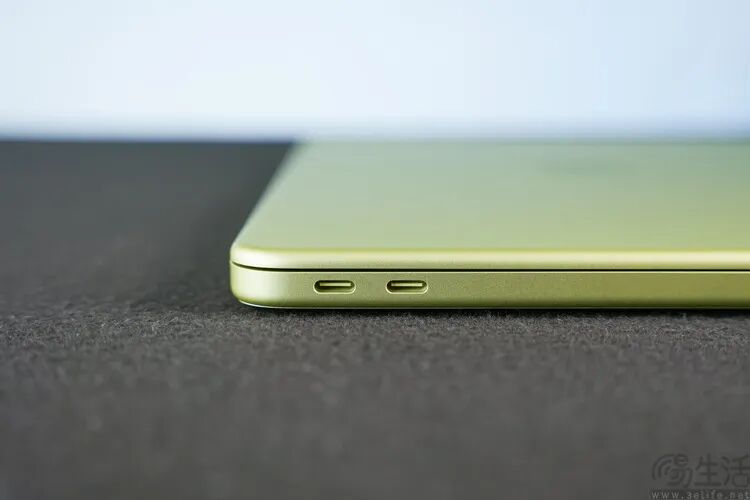
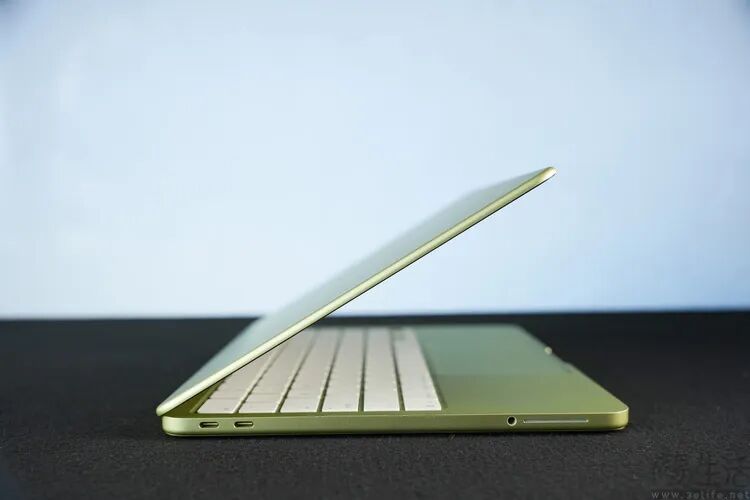
Next, let's shift our attention to the side of the body. Judging from its shape, the MacBook Neo is not really "ultra - thin", which theoretically gives it better anti - bending and impact - resistant performance than the MacBook Air.
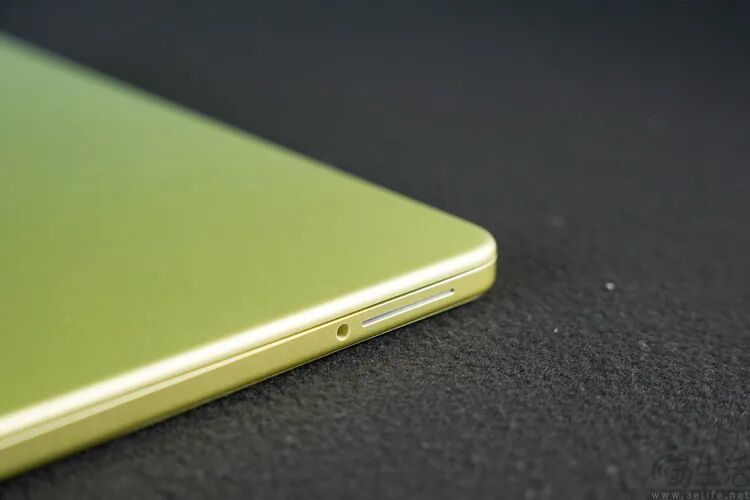
Meanwhile, the MacBook Neo provides a total of three I/O interfaces: a USB3 Type - C (10Gbps, supporting DP1.4 video output) at the upper - left corner of the body, a USB2 Type - C below it, and a 3.5mm headphone jack.
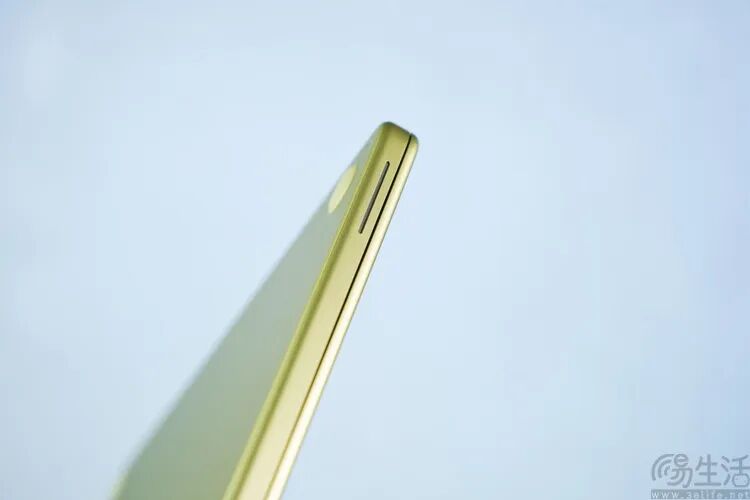
Next to the headphone jack is one of the most recognizable features of the MacBook Neo: the side - mounted speaker holes.
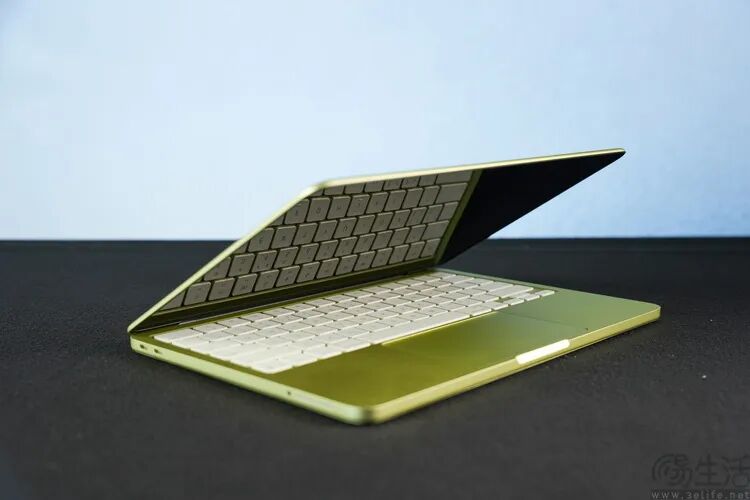
Why move the speaker holes from the sides of the keyboard to the side of the body? Apple says it can enhance the surround effect of Dolby Atmos. In our view at 3eLife, besides the size limitation of the body, removing the speaker holes on the keyboard surface also has the potential benefit of enhancing the dust - proof ability of the whole machine for "students".
Performance: Is the A18 Pro Sufficient? Strong Single - core, and the GPU is Not Weak Either
Regarding the performance of the MacBook Neo, the biggest "question" surely comes from the A18 Pro chip.
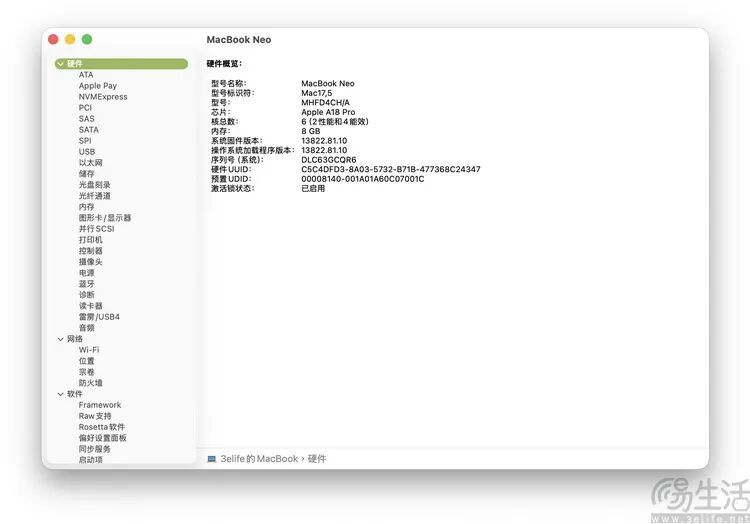
Nominaly, the A18 Pro is indeed the "same model" as that in the iPhone 16 series Pro models. But you should also know that Apple had already integrated the architectures of the A - series and M - series chips as early as the A17/M3 era.
That is to say, the CPU and GPU architectures in the A18 Pro are actually exactly the same as those in the M4. The differences lie only in the number of cores, the size of the cache, and the peak frequency.
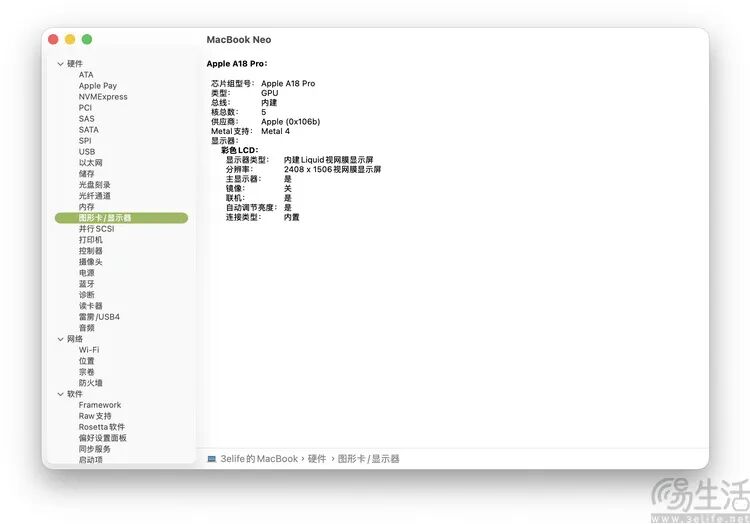
So, although on the surface, the MacBook Neo uses the A18 Pro with 2 performance cores + 4 efficiency cores and a 5 - core GPU, it can actually be understood as a kind of "M4 lite" in a sense. After all, at the instruction - set level, it is completely compatible with the M4, and there is no need to re - adapt the software.
So, what's the actual performance of this A18 Pro on the MacBook Neo?
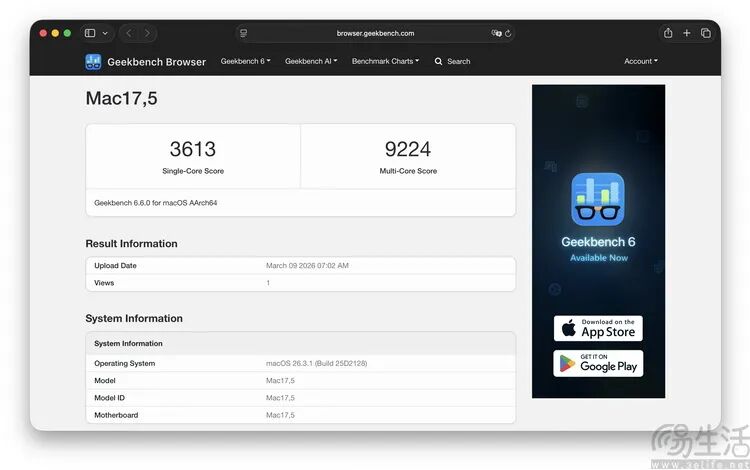
First, we conducted a test with GeekBench 6.6. When connected to the power supply and at room temperature, it scored 3613 in the single - core test and 9224 in the multi - core test.
What does this mean? By analogy with x86 processors, the single - core score of the MacBook Neo even exceeds that of the Core Ultra 9 275HX (a little over 3000 points), while the multi - core score is roughly equivalent to that of the Core i7 13700H (6P + 8E). Nevertheless, considering that Apple only has a "2P + 4E" CPU layout, this efficiency is already extremely impressive.