Without writing a single line of code, the lobster army works day and night to earn money for me.
Can it be used like this??
Matthew Berman, a practical Agent expert and a tech blogger on YouTube, shared his experience of using OpenClaw with zero - coding. It really blew my mind.
In this highly competitive era, there are actually people who can "earn money while lying down".

This shrimp farmer's digital employee has mastered the art of working.
It can help him handle business emails, collect customer information, decide whether to cooperate, reply to work emails, monitor project progress and send reminders... It can even identify and make up for its deficiencies to become more versatile.
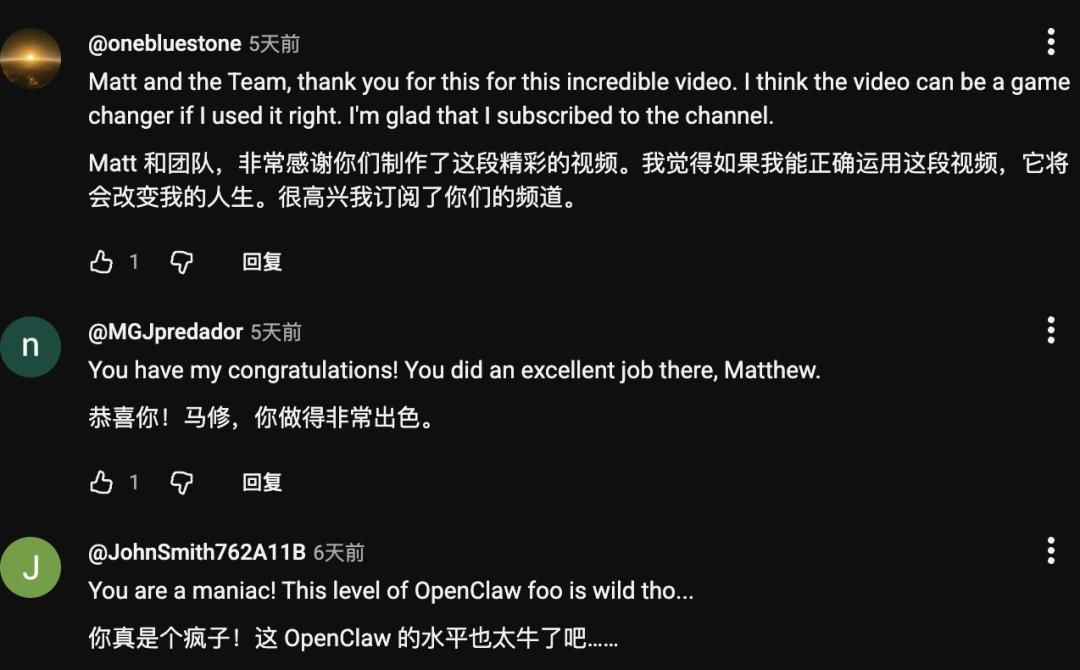
After watching the video, Matthew's fans also said one after another: "That man is back again (hhh)."
Matthew said that the secret of his ability to earn money while lying down lies in —
Prompts + Vibe Coding.
Now, let's take a look at how Matthew developed the secrets of making the lobster work with 5 billion tokens.
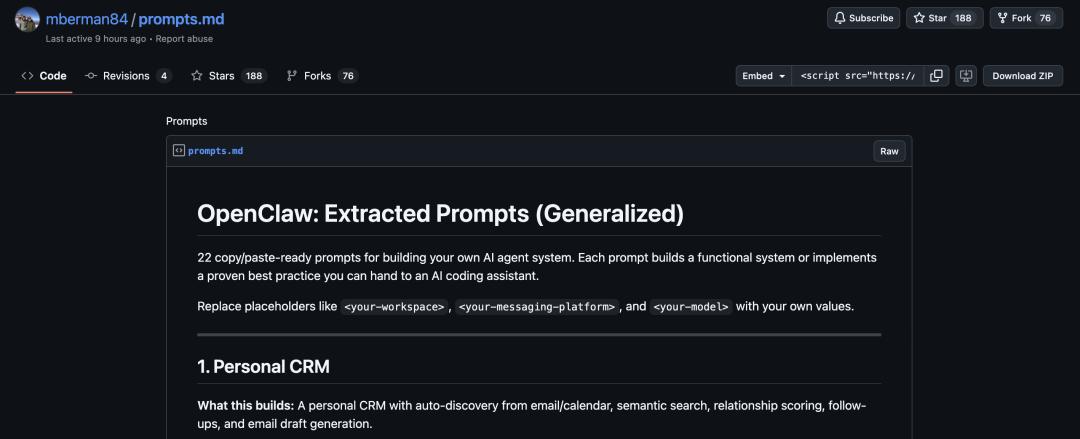
Matthew has made his prompts public, so even beginners can copy them.

Onboarding
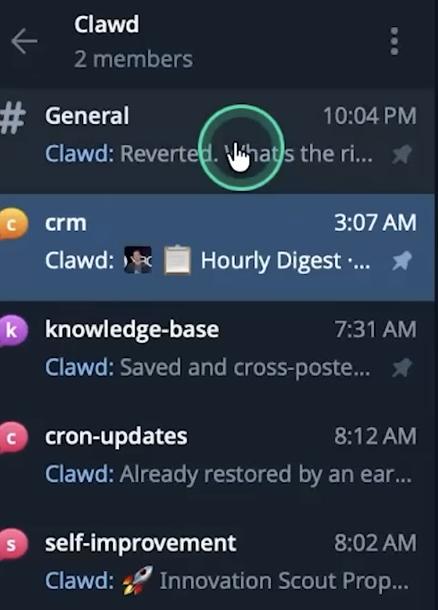
To make this lobster useful, the first step is to complete a formal onboarding process for it —
A name, a dedicated corporate email, and a full set of Google Workspace accounts.
In the team's contact list, the lobster has become a real colleague (doge), and it has even been added to the company's business email group.
After onboarding, to prevent it from randomly replying to customers after reading emails, Matthew created a set of email scoring criteria for it in pure natural language.
The evaluation content of this set of criteria includes: Is the customer a good match for cooperation? Does the customer have a sufficient budget? Is the customer sincere about cooperation? What is the final probability of closing the deal?
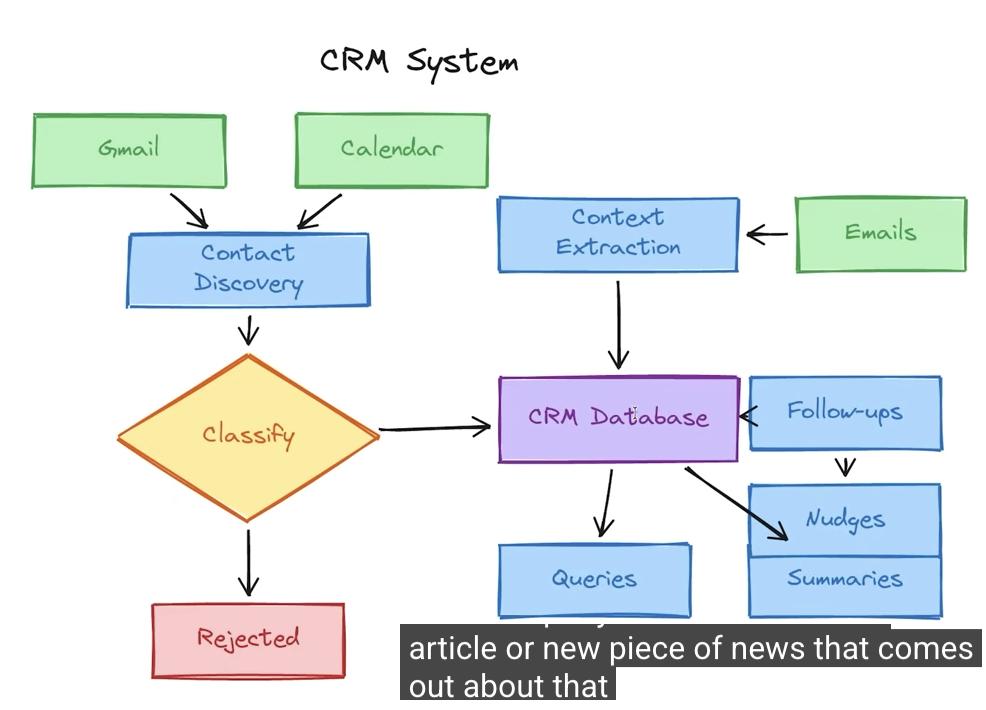
Now, whenever a business email comes in, the lobster will automatically activate the "full - network background check mode". It will browse the customer's official website, check product reviews, investigate the financing background, and even check on social media to see if the company is a shell company.
After a series of operations, OpenClaw can generate a scoring report within a few minutes. When it encounters a top - notch customer with a score of over 80, it will directly @ everyone in Slack and say, "Come quickly! A big client!"
When it comes to those mass - sent spam emails, it simply ignores them.
The most interesting thing is that it can also use "human language" to draft replies, with the tone perfectly grasped.
By deeply integrating with Gmail, HubSpot CRM, and Telegram, it can even automatically advance the transaction progress in the system after the deal is made, and send a short report to the boss on Telegram.
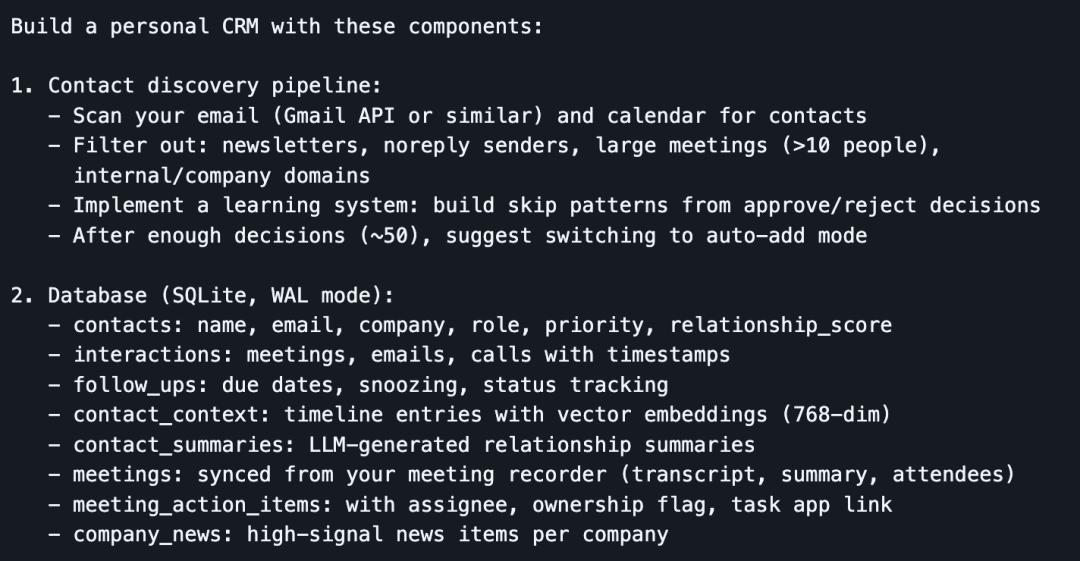
Where can you find an employee like this who is on standby 24/7 and doesn't need to eat?
A Seasoned Workplace Veteran
Getting the system up and running is just the appetizer. To ensure that the lobster doesn't make mistakes in the complex workplace environment, a series of hardcore anti - pitfall guides are needed.
First of all, there is the security issue. Nowadays, some people always try to use prompt injection through emails to plunder the backend. So Matthew built a three - layer security protection for the lobster.
The first layer is code cleaning to filter out malicious instructions; the second layer isolates and observes the emails in a sandbox; the third layer uses the most powerful AI model for advanced scanning. Only when all layers pass the check can the email be allowed through.
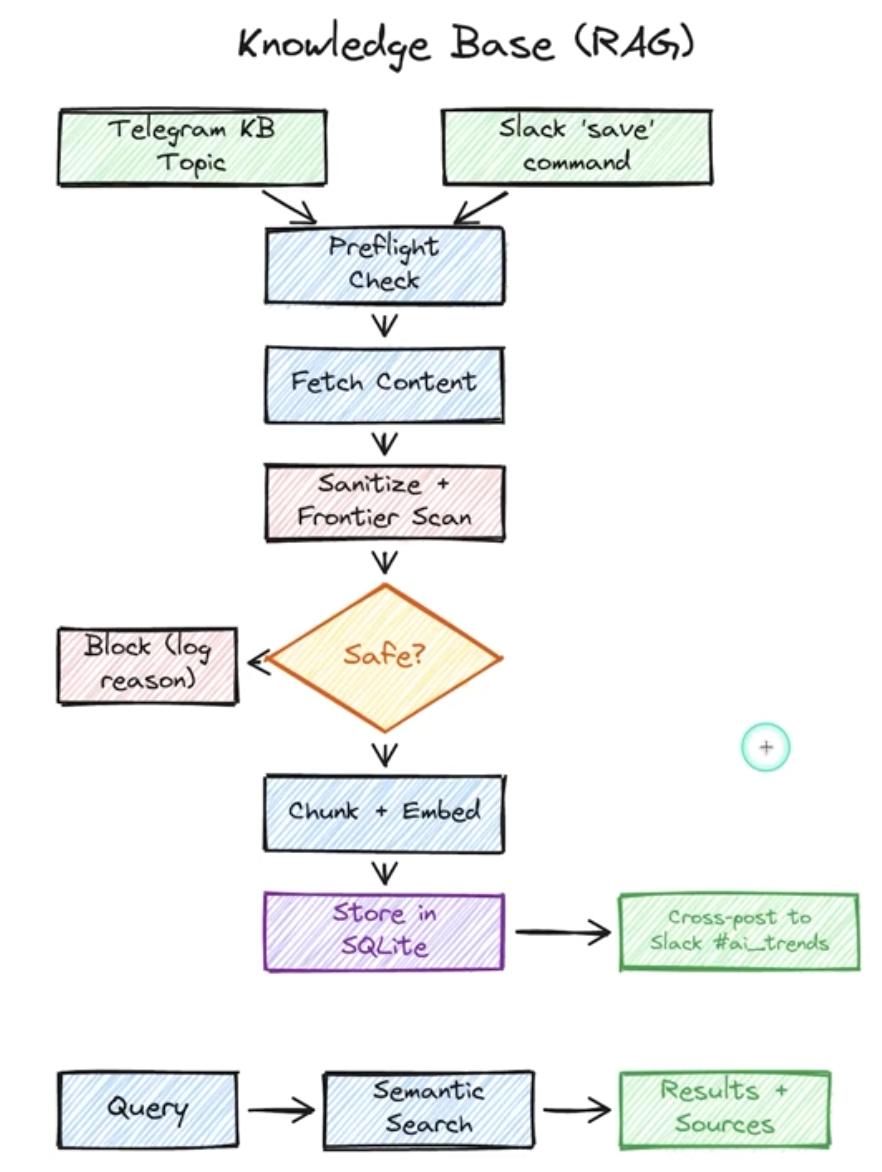
To improve efficiency, Matthew also created a double - prompt stack.
This is mainly because of the personality differences among AIs. For example, Claude prefers more natural expressions, while GPT responds better to strong instructions. So he prepared a separate employee handbook in Markdown format for each model.
To prevent prompt drift, he split the code of conduct into several files. agents.md manages the execution process, soul.md defines the personality, and user.md records the boss's various preferences.
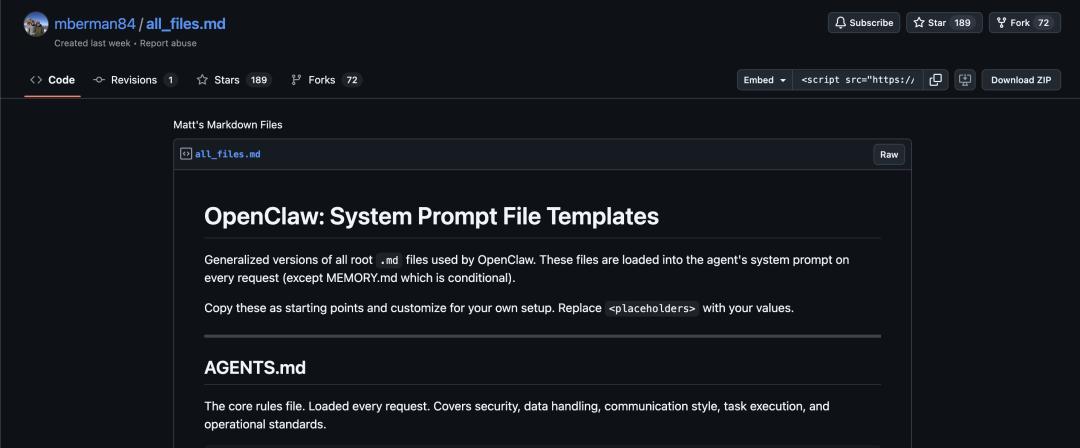
At the same time, to prevent logical deviations from occurring between the two sets of instructions during rapid iteration, he set up a nightly synchronization and review mechanism. This allows the AI to automatically proofread all instruction files at night to ensure the consistency of core business facts.
When a deviation is detected, it will remind the author via Telegram. The author only needs to say "Fix it", and the AI will automatically repair it.
To prevent it from spamming in Telegram, he also installed a message filter. Ordinary trivial matters are summarized every few hours, and only urgent matters will pop up immediately.
To further reduce costs, Matthew also introduced local resource optimization.
He used the Nomic model on his MacBook to perform local embedding tasks, achieving zero - cost data vectorization.
Finally, there is the self - repair function.
Matthew let OpenClaw record the trajectory and error information of each call through the event log.js system.
Every morning, he only needs to let the AI review the error logs from the previous night. The AI will independently locate logical loopholes, repair the code, and store the learned experience in the learnings.md file to prevent making the same mistakes again.
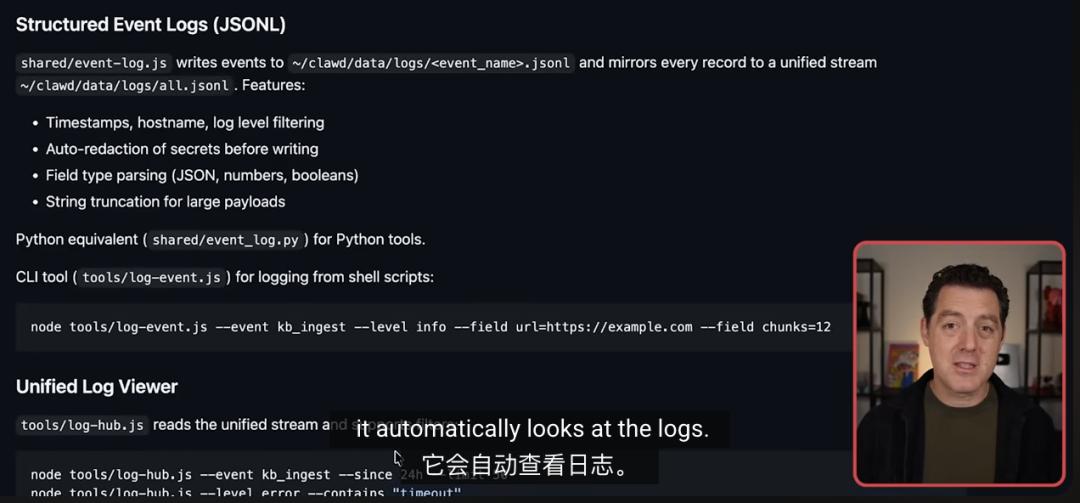
It has to be said that the boss really knows how to get the most out of the employees.
Useful OpenClaw Examples
Matthew Berman is a well - known tech critic on YouTube, and the AI practical tutorials he publishes always contain a lot of information.
In addition to the above fully automated workflow, Matthew Berman has recently shared several ways to use the lobster.
It covers various aspects, including essential core skills and exclusive practical tips.
For example, he has extended his reach to knowledge management and content creation.
Now, when he sends an article, a YouTube link, or an X post to Telegram, OpenClaw will automatically extract the full text (including external links in X threads) and vectorize it for storage. It also supports sharing with the team on Slack.
When making videos, he triggers the creative pipeline on Slack. The AI will conduct research across the network, analyze trends, and generate task cards in Asana that include title suggestions, cover design suggestions, and script outlines.
Every morning, the performance data from YouTube and TikTok are already in his database.
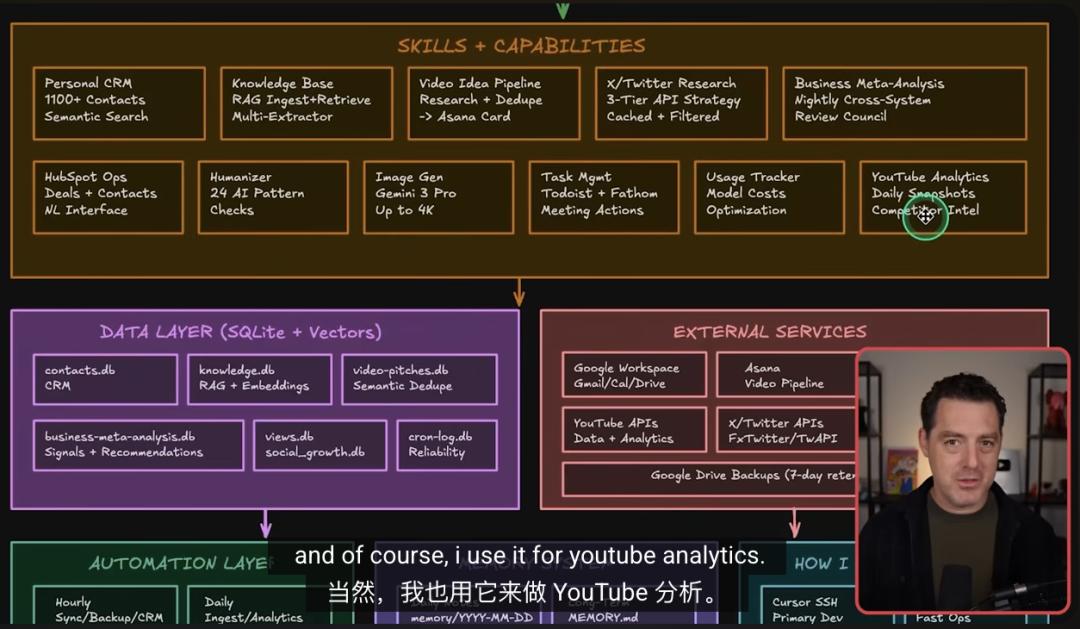
He even formed an 8 - person AI business advisory team. Financial and marketing experts each have their own responsibilities. Every night, they analyze 14 business data sources in parallel and send optimization suggestions via Telegram before he wakes up.
Every morning, a morning briefing that includes the schedule, email summaries, and social media performance is delivered on time.
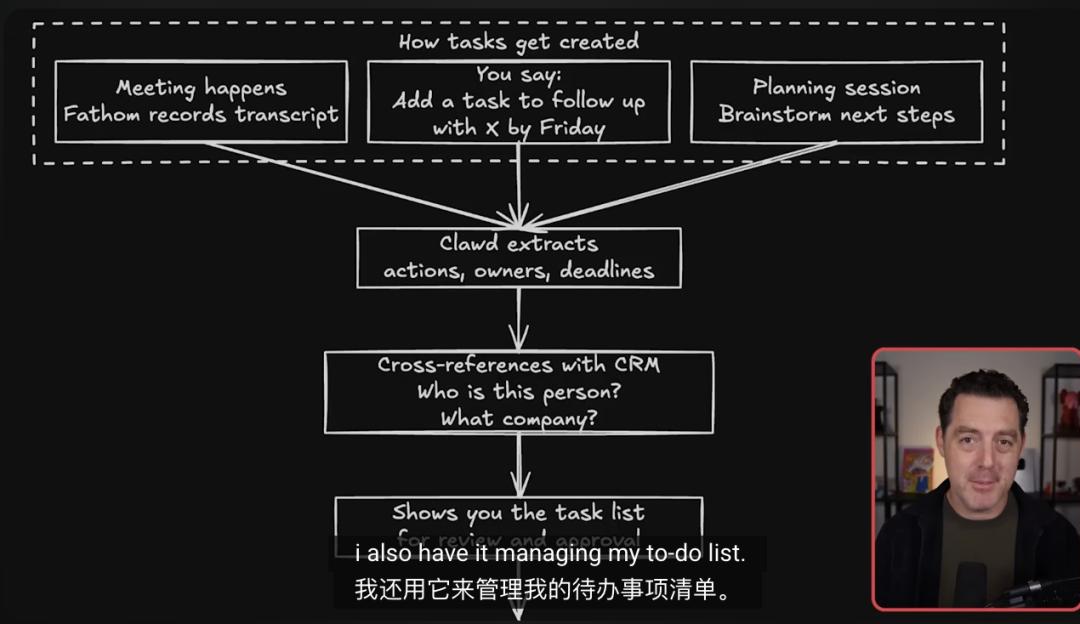
It doesn't stop there. His lobster integrates multi - modal APIs such as V3 and Nano Banana.
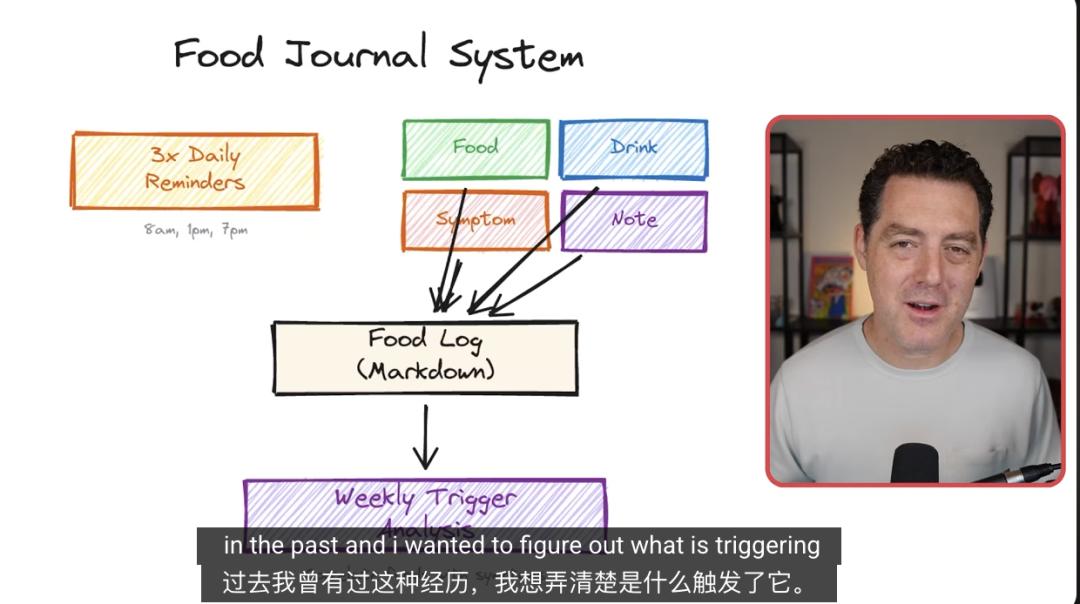
He uses OpenClaw as a diet manager. By taking a photo of the food and recording his physical symptoms, the AI can help him identify potential allergens that cause stomach discomfort.
By entering a text command in Telegram, images can be generated, and short videos can also be created. Social media materials can be easily prepared.
Every night, it will automatically check for platform updates and report the change log to ensure that the system is always up - to - date.
He also established an AI expert committee that integrates video data, meeting records, and financial information. It automatically generates business optimization reports every morning at midnight.
This system can even update prompts and fix bugs by itself. With the Humanizer skill, it can reduce the AI - like feeling and become smarter with use.
Matthew has made all the prompts public. There are so many valuable insights.
By the way, do you guys have any other advanced ways to use the lobster?
Reference links:
[1]https://www.youtube.com/watch?v=3110hx3ygp0
[2]https://gist.github.com/mberman84/885c972f4216747abfb421bfbddb4eba
[3]https://gist.github.com/mberman84/663a7eba2450afb06d3667b8c284515b
This article is from the WeChat official account "QbitAI", author: Wen Le. It is published by 36Kr with permission.