After looking at all the "AI PCs", it turns out that the Mac has always been here.
At the beginning of the year, the Mac Mini was out of stock for a while, and the waiting time was even as long as one and a half months.
Everyone has always known that the Mac mini is a great product. The price in the domestic market is quite reasonable, and the M-chip offers excellent performance. You can get the entry-level configuration for less than 3,000 RMB, making it a great choice as the primary machine for novice creators.
However, the recent popularity of the Mac mini has little to do with creation or daily use.
Friends who follow tech news should know what's going on: OpenClaw (formerly known as Clawdbot) suddenly became popular.
OpenClaw can be deployed in various ways: You can install it on your own computer, or allocate a dedicated computer for it; deploying it in a cloud-based virtual machine/sandbox environment is also an option. Later, some mainstream AI services also introduced alternative solutions for one-click cloud deployment, significantly lowering the threshold for novice users.
But in the early days, the most popular deployment option was to buy a dedicated Mac mini.
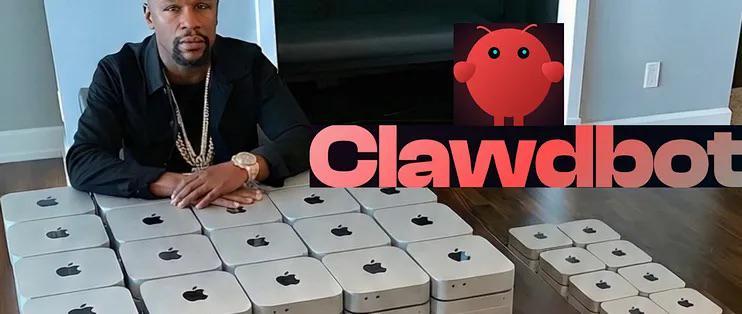
The reason is not that it's cheap. More importantly, for OpenClaw to be useful, it needs a "physical body" to access files and operate software.
Cloud servers can run OpenClaw, but they are not your personal computer. They don't have your files, software, or the various accounts logged in on your browser. There's no so-called "context." A Mac mini can be placed on your desk, running 24/7 without the need to shut down. You don't even need a dedicated monitor if you control it remotely via a chatbot.
The only significant cost of providing OpenClaw with its own computer is the token fee for accessing the large model API at the backend. Many early users have learned this the hard way. But if you buy a Mac mini with a high enough configuration and download a large enough model to run locally, aside from electricity and internet fees, it's almost like having a free labor force...
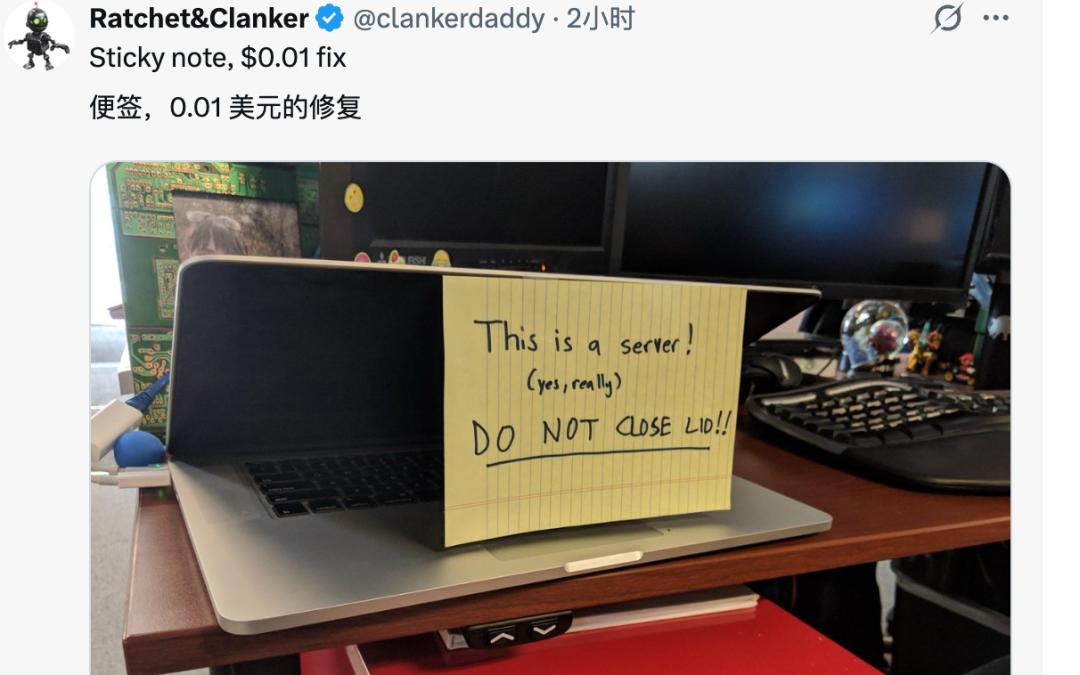
A MacBook also works, but...
According to reports from media such as Tom's Hardware and TechRadar, after OpenClaw became popular, the waiting time for Mac mini configurations with 24GB and 32GB of memory extended from 6 days to 6 weeks. For the more powerful Mac Studio, the delivery time increased from two weeks to nearly two months.
These waiting times are votes cast by early OpenClaw users through their actual purchases.
(Note: The shortage of some models is also related to Apple's recent release of new Mac desktop computers. In the past, old models would sell out as new models were about to be launched. The popularity of OpenClaw is not the only reason.)
Somehow, the Mac has become the preferred "AI PC" in 2026. On the contrary, the Windows PC industry, which has been hyping the concept of "AI PC" for several years, hasn't caught a break.
Chip manufacturers such as Intel, AMD, and Qualcomm, as well as mainstream PC brands, have been promoting the concept of "AI PC" since 2023. Among the latest Windows computers, many are certified as Copilot+ PCs. Their GPU and NPU performance is not bad, and some of the whole machines are much cheaper than their Mac counterparts.
But the question is, why do people still flock to Macs?
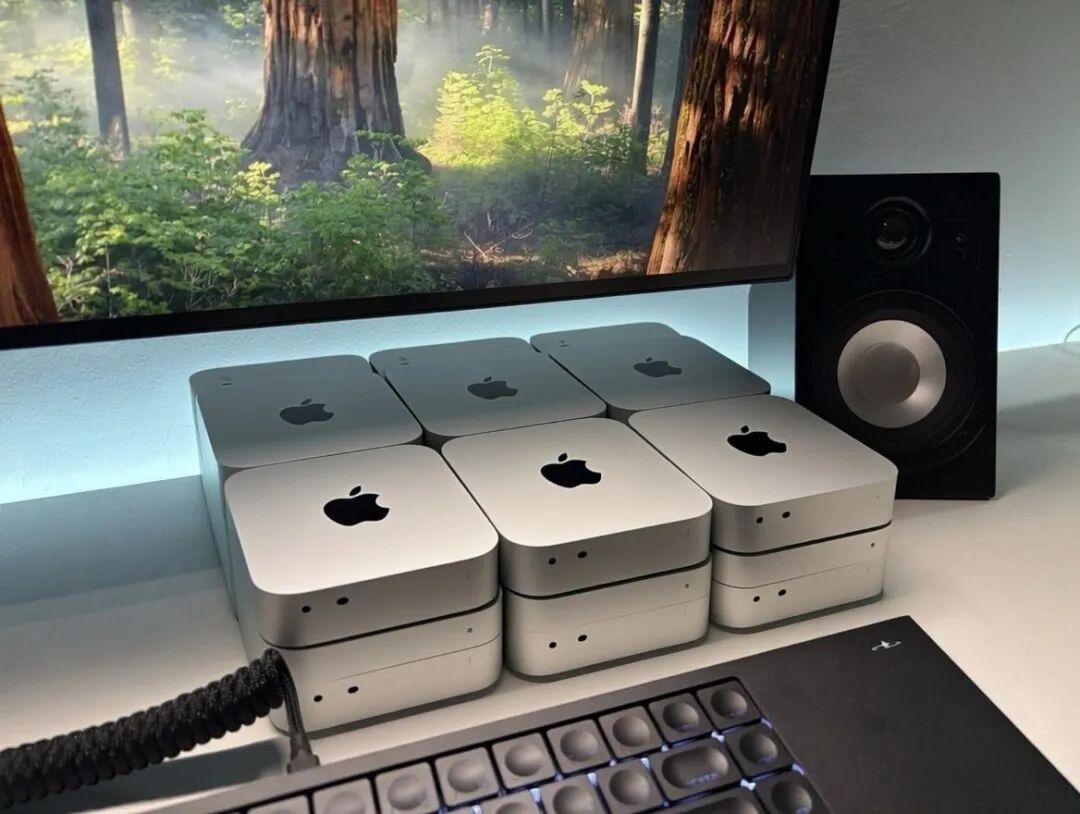
Why the Mac?
The debate over whether Windows PCs or Macs are better will never have a definite answer. But when it comes to AI development, the Mac has become an obvious choice.
Although the "brains" of large models are on cloud servers, developers' hands are on Macs. This has little to do with the Mac's appearance and operating experience: the fact that macOS has UNIX in its DNA is the key.
The core tasks of an AI Agent include operating files, invoking command-line tools, scheduling APIs, and even controlling graphical interfaces. More simply put, an Agent is an intelligent and automated "script engineer," with scripts generated in real-time by large language models. And macOS is a UNIX-like system, with excellent native support for bash and zsh commands.
This solves the most basic environment setup in AI development. On Windows, you may have to install the WSL2 virtual machine first. But on a Mac, from the Python environment to complex C++ compilation toolchains, they are basically ready to use out of the box. Package managers like Homebrew make it possible to install various tools and dependencies with just one command.
In addition, macOS complies with the POSIX standard, offering higher reliability when handling file paths, multi-threaded tasks, and network protocols. Agents often need to read and write data frequently and invoke APIs. The system-level efficient scheduling allows agents to work more efficiently on Macs.
This native feel and stability enable developers and early adopters to get started more quickly and spend more time on actual agent orchestration.
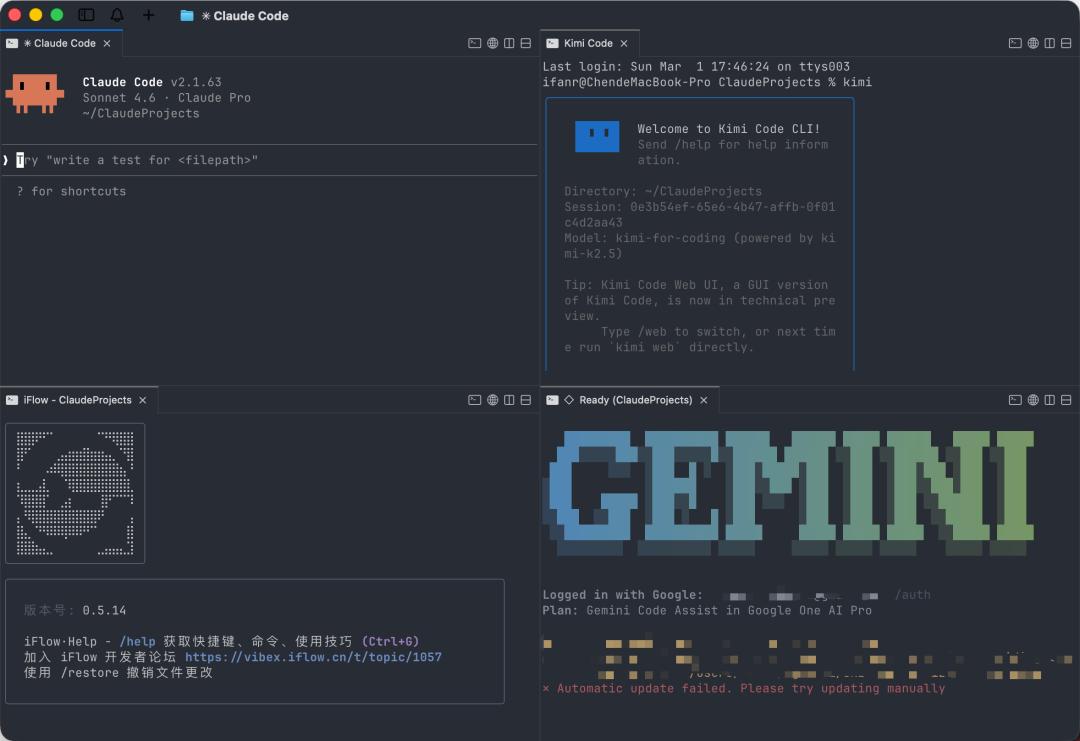
Windows has WSL and PowerShell, which can cover most functions. However, WSL is a compatibility layer on top of Windows, with legacy issues such as path conventions, registry mechanisms, and permission models. There is indeed more friction when running AI models and agent projects on Windows.
Take Ollama and LM Studio as examples. These two tools make running large models on the edge as simple as "download, install, and run." The Windows version of Ollama was released six months later than the macOS version. Although LM Studio has supported both platforms from the start, the Mac version has always had a better reputation in the community. The same goes for OpenClaw.
Digging deeper into the hardware level, memory is the lifeline for large language model inference.
Taking OpenClaw as an example again, users can access cloud models by paying for tokens, but its strength lies in edge model inference. Through extensive research, to make OpenClaw work as intelligently as a human, the minimum number of parameters for the backend model should be around 7 billion, and it usually needs to reach at least 32 billion parameters to work stably.
Even after 4-bit quantization, such a large model still requires about 20GB of memory (with some reserved for the context window).
At this point, the architecture of Windows PCs becomes inadequate. There is a physical separation between CPU memory and video memory, and data is transferred via the PCIe bus, which is affected by bandwidth limitations. Frequent data transfer will affect the inference speed.
Not to mention that large models generally rely on GPU acceleration for inference, and the video memory needs to be large enough to hold the model. Among NVIDIA's consumer-grade graphics cards, only the 24GB video memory of models with the "90" suffix meets the configuration requirements. But the total cost of a complete machine (considering only new machines) is at least 10,000 RMB, and it can reach 40,000 - 50,000 RMB if using new cards.

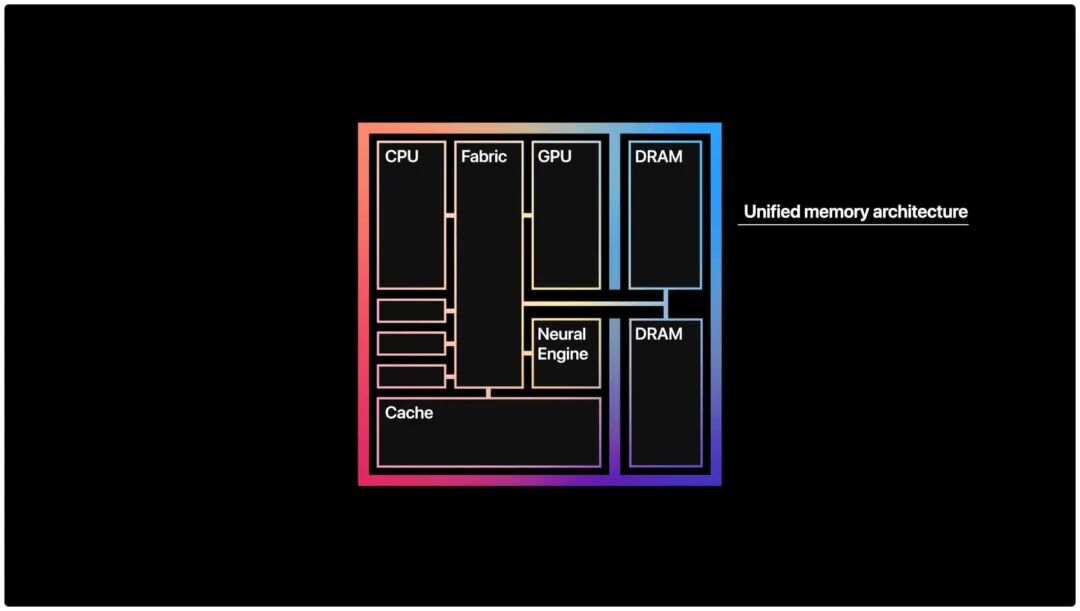
Apple's Unified Memory Architecture allows Macs with M-series chips to handle larger-scale model inference on the edge with ease.
Simply put, the Unified Memory Architecture enables the CPU, GPU, and Neural Engine to share the same memory pool, eliminating the loss of physical bus transfer. This gives Macs extremely high memory bandwidth and better scalability for multi-machine connections.
Taking the Mac mini as an example, choosing the more powerful M4 Pro processor with 48GB of memory and other basic configurations, the total price of the machine is around 13,000 RMB, which meets the configuration requirements for the 32-billion-parameter model commonly recommended by the OpenClaw community.
Of course, this is just a professional configuration for those who require high token throughput. If you're an enthusiast or just want to try OpenClaw, a Mac with a regular M4 chip and 32GB of memory can also run it.
Of course, this cost comparison has a premise: it's for edge inference/running OpenClaw, not as a primary machine. Windows PCs at the same price can also be used for gaming and video editing, offering greater versatility.
Moreover, Apple's unified memory is not the same as the video memory of a dedicated graphics card on a PC. The unified memory is shared between the system and the model. On a Mac mini with 32GB of memory, the macOS system and other software still occupy several gigabytes. In contrast, the video memory of an RTX 3090 is independent, and the model can fully utilize it. It can even run larger quantized models in combination with CPU memory.
If you only use cloud APIs for OpenClaw and don't consider edge deployment, the Mac's ease-of-use advantage still exists.
In addition, although CUDA provides a unified memory programming interface, the CPU memory and GPU video memory are still physically separated, and the problems of data transfer and bandwidth limitations remain.
Now let's look at power consumption.
Agents work in a continuous cycle: task triggering, thinking and reasoning, execution, waiting, and then triggering again. The Windows PC with the aforementioned configuration will consume around 300 - 400W (for local deployment), and the heat dissipation noise and electricity cost are not negligible.
The Mac mini usually has a stable power consumption of around 10 - 40W, with a peak power of 65W (M4) or 155W (M4 Pro). The heat dissipation is controllable, and there is almost no fan noise, making it run more quietly. This low-latency, low-power continuous working mode creates a subtle difference in user experience.
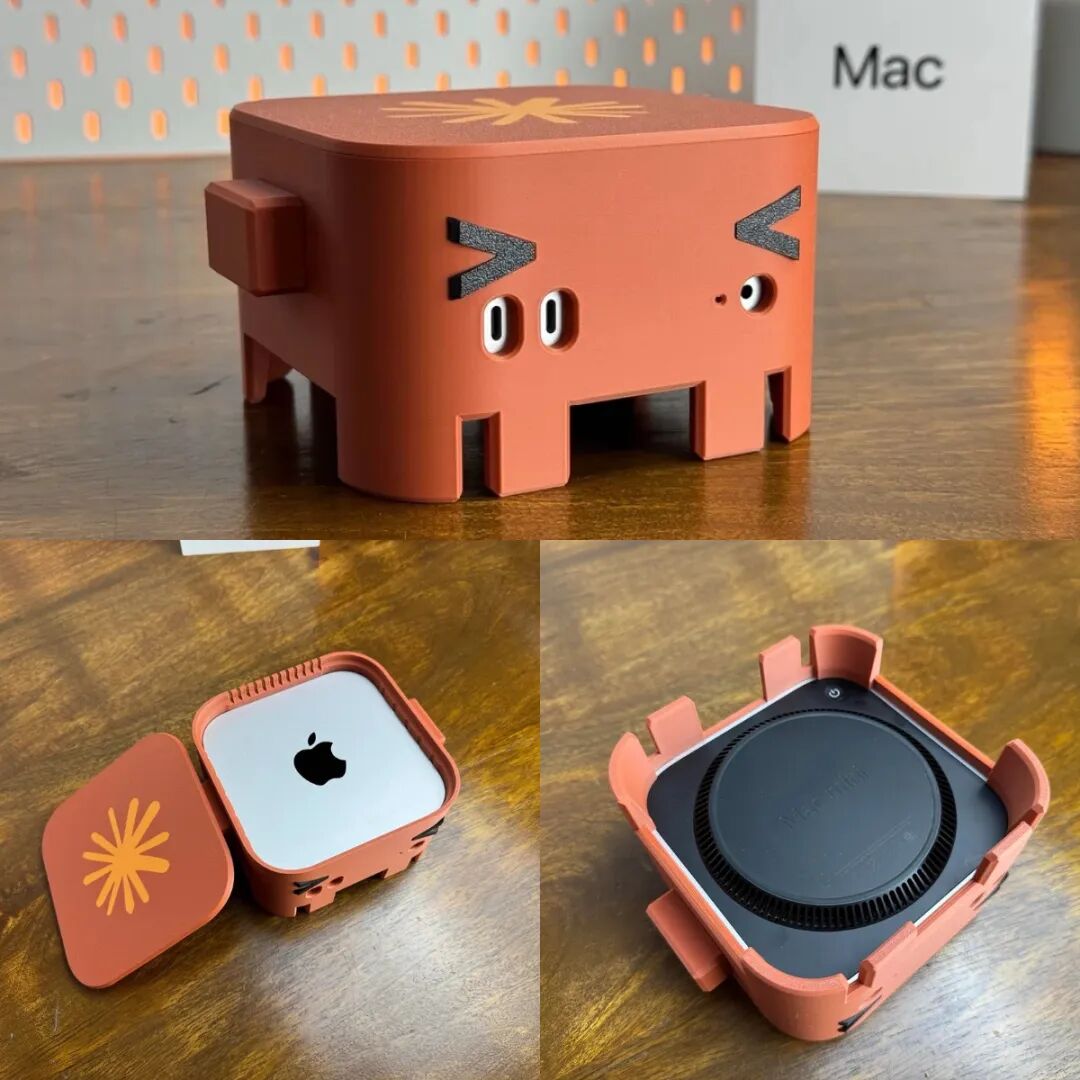
The 3D-printed kit "Clawy MacOpenClawface" by netizens
Of course, our discussion mainly focuses on the inference scenario of OpenClaw. If your work involves local fine-tuning and you pursue efficiency, you usually need a Mac Studio or at least a top-of-the-line MacBook Pro on the macOS platform to meet the requirements.
Meanwhile, the fact that Macs don't support CUDA may never change. However, the real battlefield for CUDA is model training, and the inference scenario depends much less on it. After all, Apple has the MLX as its ace in the hole for inference (which will be detailed later).
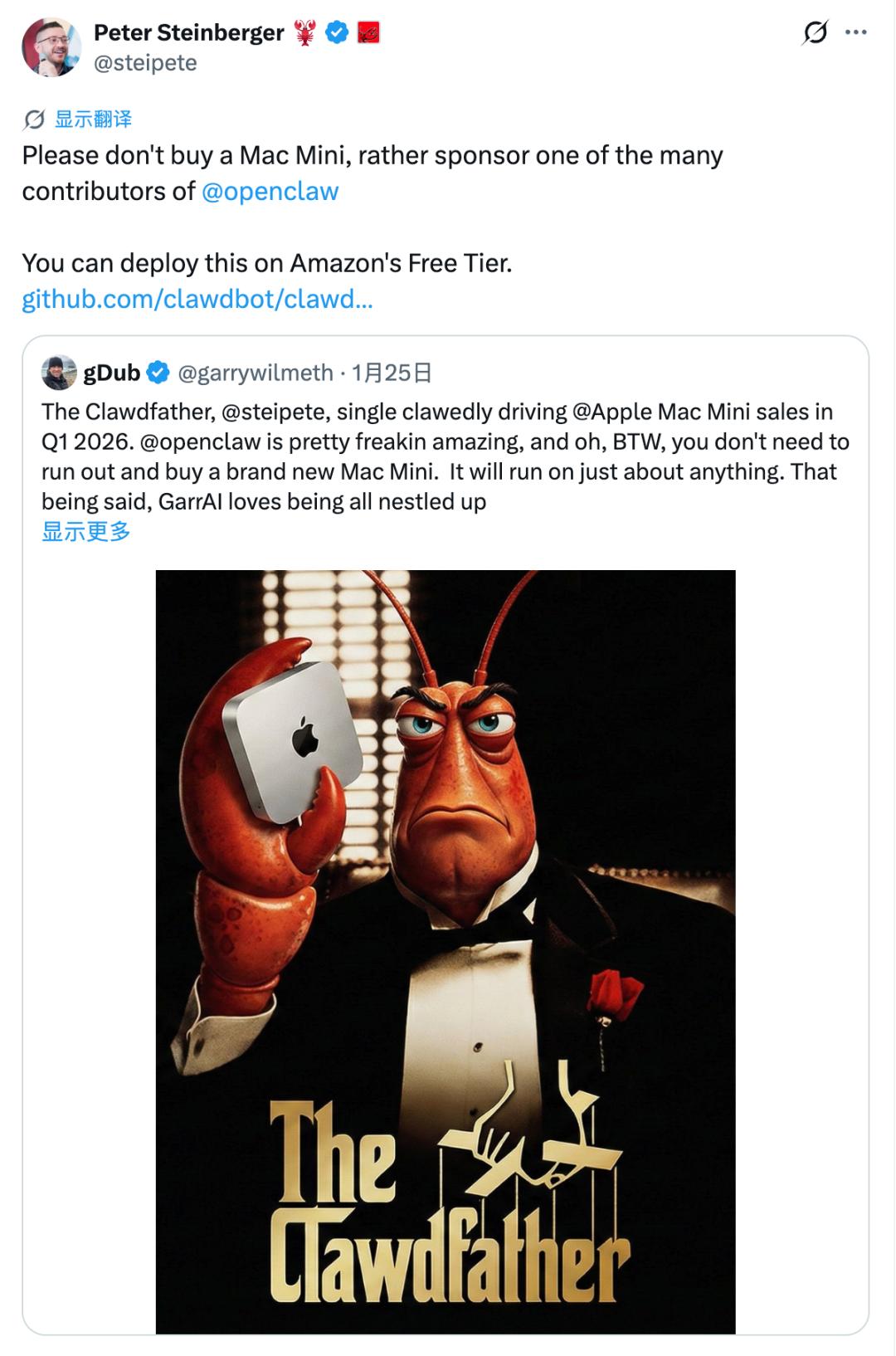
Back to OpenClaw: Its creator, Peter Steinberger, once publicly stated that he likes Windows and thinks it has more powerful functions. He said in the Lex Fridman podcast that the Mac mini is not the only "physical body" option, and running OpenClaw via WSL2 is already very mature. He even publicly criticized Apple for "messing up" in the AI field and was dissatisfied with the closed nature of the Apple ecosystem.
Objectively speaking, for novice users, the Mac mini is indeed the most worry-free and easy-to-use deployment option. The main reasons are its low power consumption, quiet operation, and small size. It's like a "server node" that can be plugged into a corner, run 24/7, and requires no maintenance.
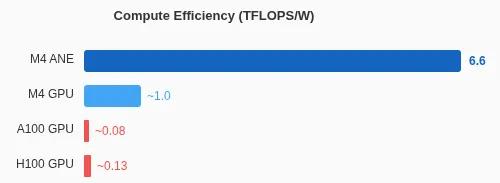
Here's another example related to power consumption: A few days ago, an engineer named Manjeet Singh successfully reverse-engineered the "Neural Engine" (ANE) on the M4 processor and found that the ANE has extremely high power efficiency, reaching up to 6.6 TOPS/W when running at full capacity.
In comparison, the M4 GPU of Apple has an efficiency of about 1 TOPS/W, while the NVIDIA H100 is about 0.13 TOPS/W, and the A100 is 0.08 TOPS/W.
Calculated, the throughput performance of a single A100 card is 50 times that of the M4 ANE, but the power efficiency of the M4 ANE is 80 times that of the A100. The original author wrote in the article that the ANE's performance is very good for edge inference.
From the Neural Engine
In 2011, Apple first implemented functions such as real-time face detection, which were later regarded as AI tasks, through hard coding in the Image Signal Processor (ISP) of the A5 processor.
In 2014, Apple acquired the PrimeSense company and began developing a new co-processor specifically for neural network computing. This work was introduced on the iPhone X three years later: the A11 Bionic processor incorporated the aforementioned Neural Engine ANE, with a computing power of only 0.6 TOPS, used to drive Face ID and the portrait mode in photography.
At that time, AI was not in the era of large models, and mainly various machine learning algorithms were running. The market didn't have a special reaction to Apple's launch of this co-processor. However, Apple never gave up and continued to invest.
Three years later, the M1 was released, along with the Unified Memory Architecture, and the ANE also made its way to the Mac. With a larger power budget on the desktop platform, the computing power of the ANE jumped to 11