In - depth analysis of Google's version of the "Doubao Phone": What game is the ruler of Android playing?
When AI starts to find its own form, some choices are unexpected.
AI has given birth to an independent button on smartphones, seemingly reigniting the long - lost evolutionary impetus for smartphones. Glasses, with their natural access to vision and hearing, are faintly taking on the shape of the next - generation personal terminal. Some small and specialized devices seem more reliable than all - in - one devices at certain moments. Meanwhile, those radical attempts to replace mobile phones all at once have encountered a cold shoulder in reality.
The implementation of technology is never just about the stacking of functions. It is more about people's habits, the fit of scenarios, and the redefinition of "usability".
ifanr has launched the "AI Artefact Chronicles" column. We want to observe with you: how AI changes hardware design, how it reshapes human - machine interaction, and more importantly - in what form will AI enter our daily lives?
Originally, it was thought that the Samsung Galaxy S26 series had already been fully exposed, and the press conference would just be a formality. Unexpectedly, Samsung and Google still had a surprise up their sleeves.
The two companies jointly demonstrated the new Gemini agent capabilities on the S26: just give a verbal command, and Gemini can book a taxi on Uber or order takeout on DoorDash for you.
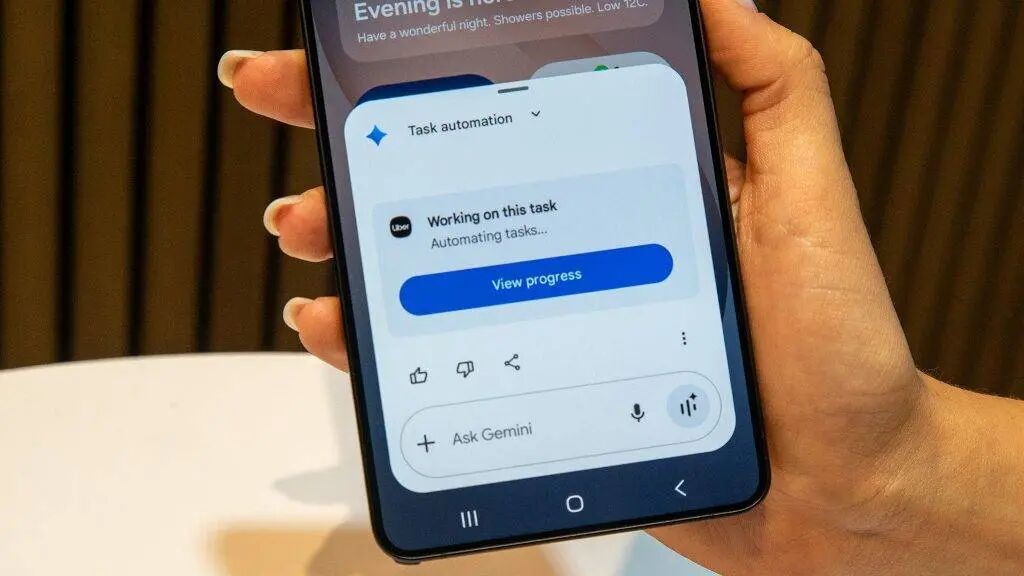
Image source: Android Central
This feature is currently in the early preview stage and is only available in the United States and South Korea.
You can think of it as Google and Samsung joining hands to create a global version of the "Doubao Phone" (to be precise, the Doubao Phone Assistant). The Galaxy S26 series is just the beginning. These capabilities will be rolled out to Google Pixel 10 phones and more Android 17 devices later.
After experiencing many mobile/computer system - level AI agents and using the "Doubao Phone" in - depth, when looking at the Gemini agent this time, I think the discussion about it shouldn't stop at just a "new feature".
It's true that this isn't the first time the underlying framework of the Android operating system has been deeply customized to accommodate agents. Many manufacturers, including OPPO, Honor, and Huawei, have already made quite a few early attempts.
But this is Google, the absolute owner of the Android operating system.
If ByteDance, as an "outsider", made attempts that offended the national - level apps, Google doing this is of completely different significance.
But don't rush. Let's first see what this "Doubao Phone" jointly made by Google and Samsung is all about.
How does Samsung's "Doubao Phone" perform?
The "Gemini Automated Tasks" capability demonstrated by Samsung and Google can mimic human operations on the phone to automate tasks. The underlying implementation idea is a dual - path approach of AI screen - reading understanding and system - level/application - level APIs.
It should be noted that the "Doubao Phone" jointly developed by ByteDance and Nubia heavily relies on system - level permissions and screen - reading, rather than APIs. You can think of it as the "Doubao Phone" mainly taking an "aggressive" approach without properly communicating with app developers (at least not with mainstream national - level apps), which also gave national - level apps a reason to block and resist it.
The Gemini agent on the Samsung Galaxy S26 series has both advantages. According to information revealed by Samsung, the top 200 apps in its app store can be supported (but the usage effects can only be guaranteed for specific apps, which will be detailed later) - indicating that Samsung and Google have at least generally communicated with these app developers.
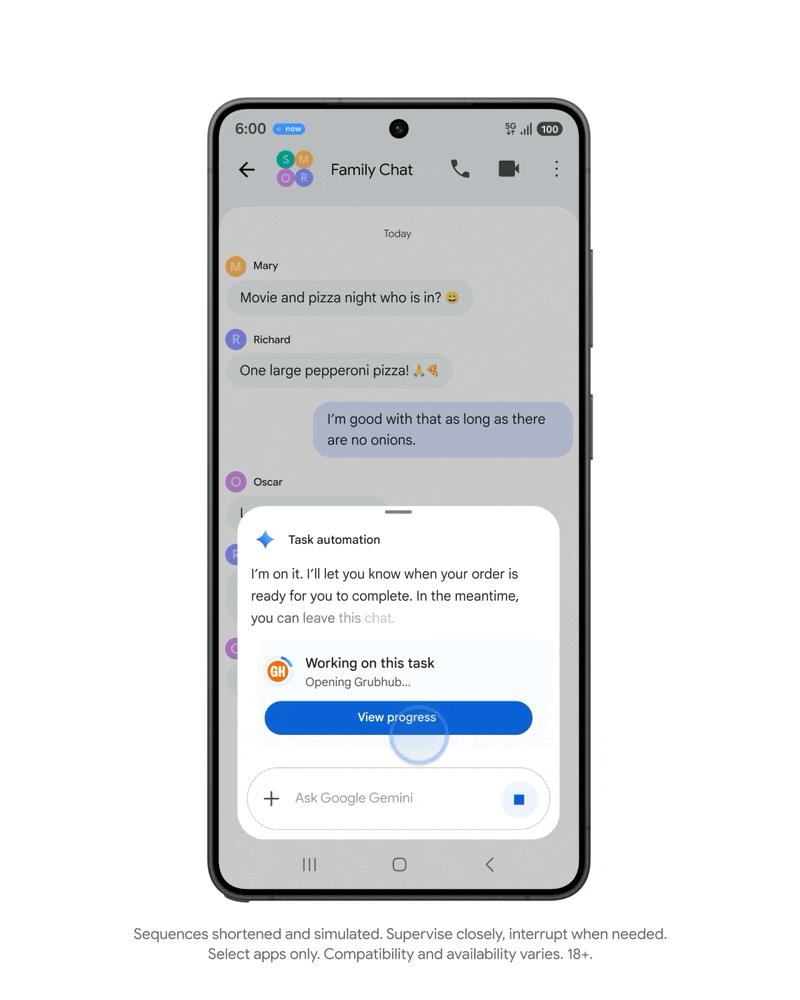
Let's look at the experience reported by Wired magazine: directly summon Gemini and tell it you want to go to the airport. The Gemini app will open Uber in a "virtual window" and start executing the action in the background. Users can click at any time to check Gemini's execution progress.
Since there are several different airports in the area, Gemini quickly reminds the user to select the appropriate destination. When placing an order, Gemini also pushes the interface in front of the user for easy selection of the appropriate vehicle and payment.
The "virtual window" of Gemini can be understood as a sandboxed "virtual machine", which is Google's consideration for user privacy protection. In the past, Gemini ran within the Android system, but when the new Gemini agent operates apps this time, it only works within this sandbox and won't touch other parts of the device.
One more thing: if you've used intelligent agent products with cloud - computer/cloud - phone capabilities, such as Manus, Yue'an's Kimi computer, and Zhipu AutoGLM, you should easily understand the logic of this Gemini virtual machine.
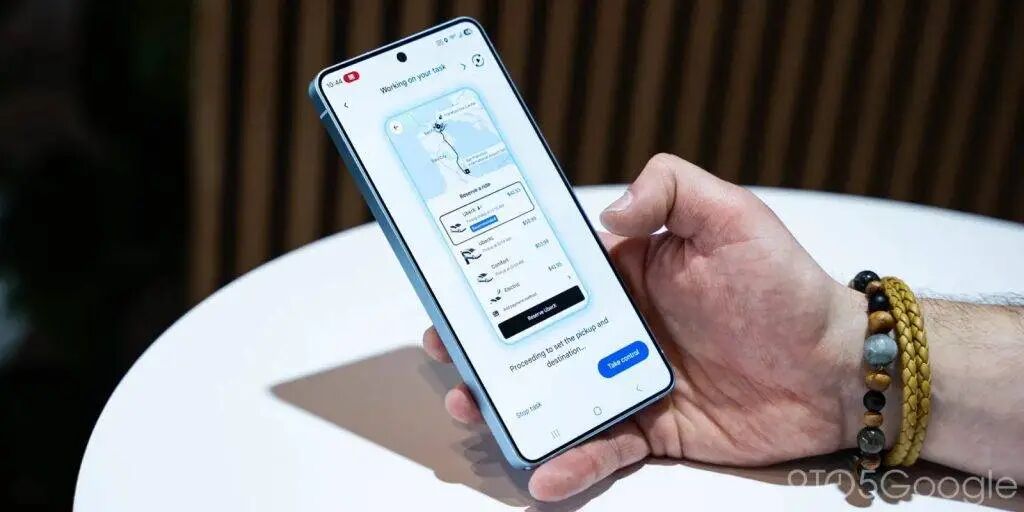
Image source: 9To5Google
This is a relatively simple task. Many domestic AI phone assistants had already mastered such scenarios a year ago.
The more killer feature of Gemini is its combination with the long - term - laid - out screen - reading and information - capturing features.
For example, when a user is chatting with a friend about ordering pizza for a party, the user can directly summon Gemini and say "figure out the order". Gemini can directly capture the pizza shop mentioned in the chat, and even specific pizza types, and organize everyone's needs.
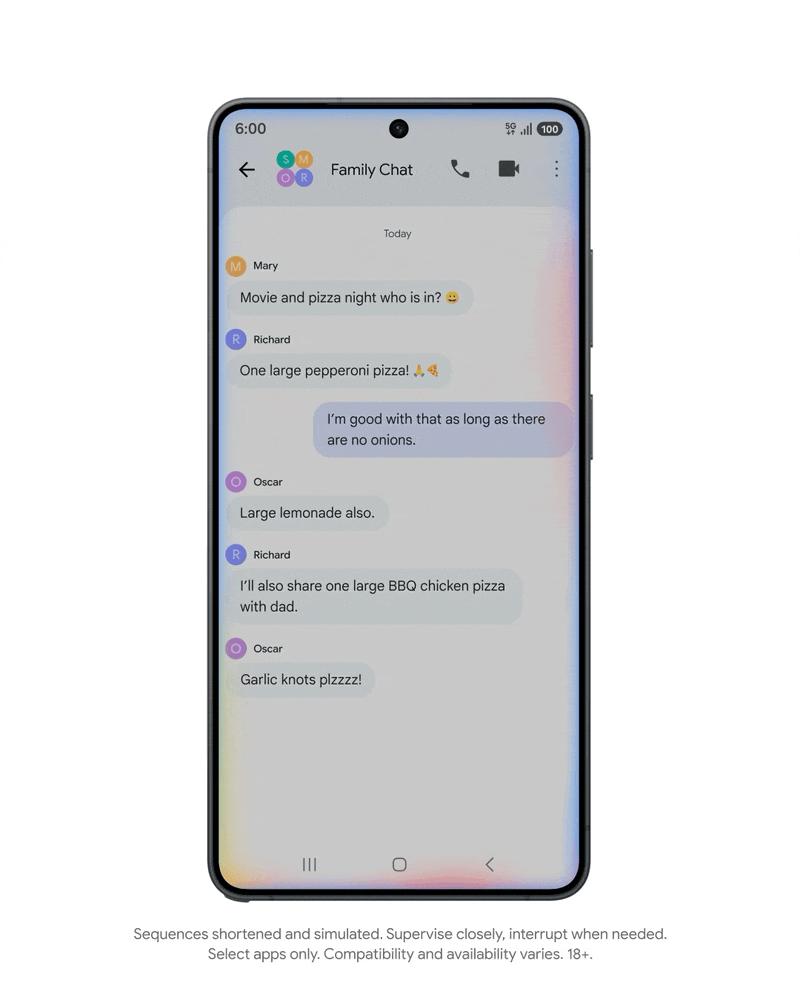
Subsequently, the user can directly ask Gemini to order takeout on the Grubhub platform. The AI will automatically add all the food to the shopping cart in the background according to the sorted - out order requirements and present it to the user for confirmation and ordering.
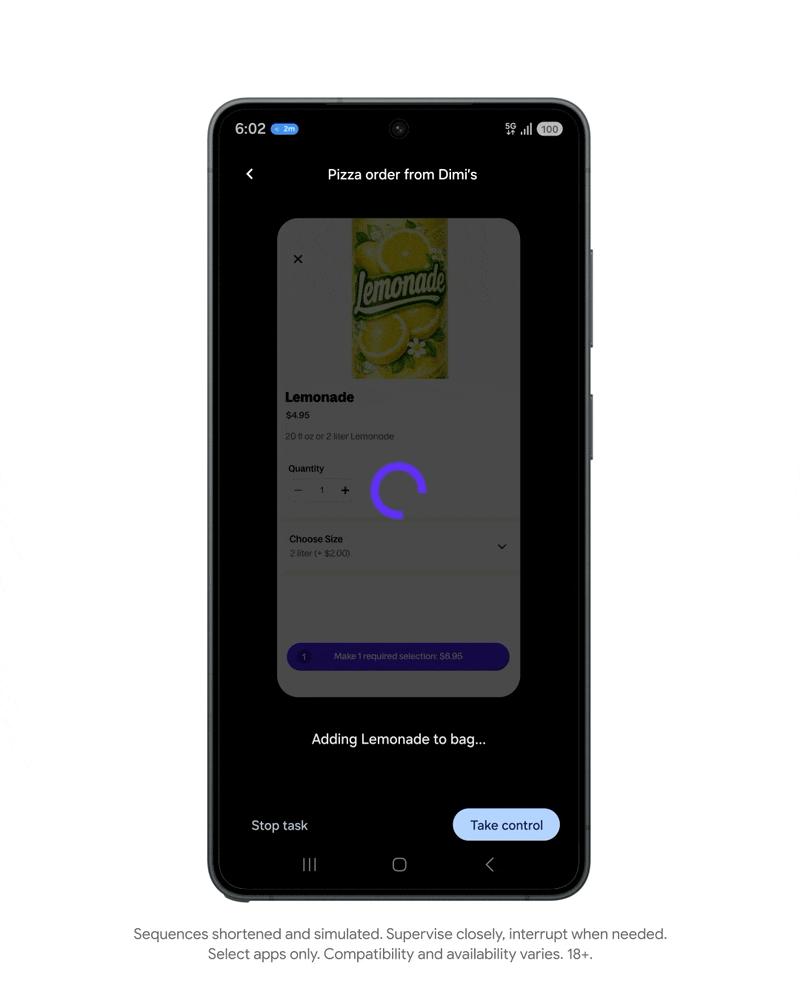
Sometimes, the food - ordering process may not go smoothly. Gemini will also try to solve the unexpected situation on its own and provide solutions to the user. Once, when the pizza shop limited the order quantity of large - sized pizzas during peak hours, Gemini would ask if two medium - sized pizzas could be ordered instead.
Another example: a user listed the attendance list for a barbecue party in Google Keep notes and marked the vegetarians. Gemini can first calculate how many hot dogs and buns are needed for the whole party and then go to purchase the ingredients. A few minutes later, all the items are in the shopping cart on the DoorDash platform.
Sammer Samat, the president of the Google Android ecosystem, revealed that Gemini doesn't "memorize" the operation steps and routes of these platforms in advance. Instead, it really uses reasoning ability to mimic humans in looking at the screen and performing the next operation, which means Gemini has the potential to play a role in more scenarios in the future.
Here you can see that Gemini's first - batch of main scenarios are ordering food and calling taxis, which is a bit similar to what Qianwen did before the Spring Festival.
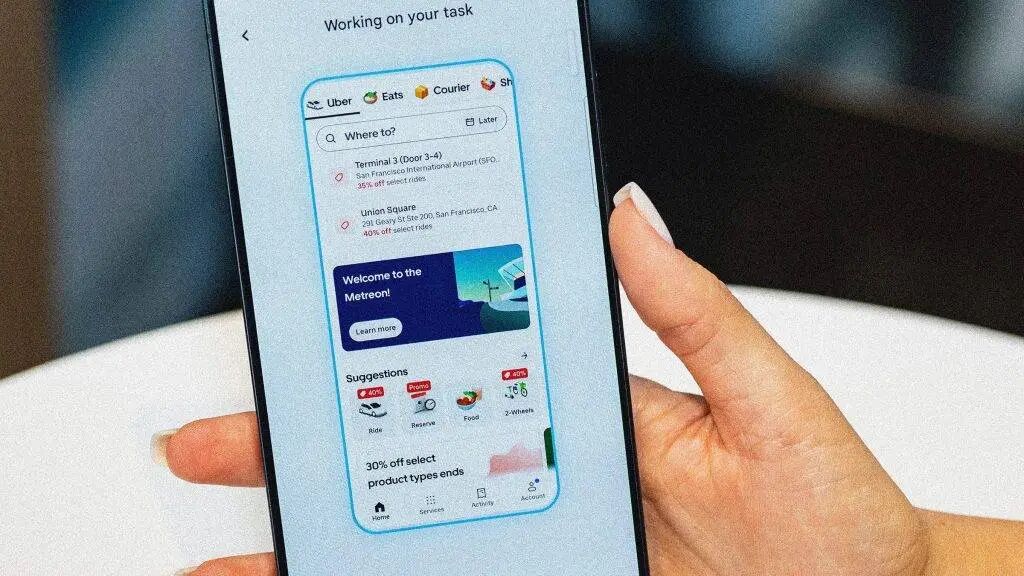
Image source: Wired
Another "Doubao Phone", from the Android official
Compared with the truly "all - around" Doubao Phone Assistant that could even help find WeChat favorites (at least before being resisted), Gemini's current capabilities are still quite limited, focusing on daily scenarios such as taking taxis, ordering takeout, and grocery shopping. Although its underlying technical capabilities are stronger, the actual usage experience for users is not much different from domestic phone AI assistants like HarmonyOS's Xiaoyi and Honor's YOYO.
However, as mentioned at the beginning of the article, Google has an entire Android ecosystem in its hands, with absolute influence and control.
With the release of Gemini's automation capabilities, Google has also publicly detailed the underlying layout and future plans of the Android system. There are two directions. Simply put, it's both "Apple - like" and "Doubao - like".
First, Google released a framework called "AppFunctions" last year, which allows developers to expose specific function and feature entrances of apps for AI assistants to call.
Google compares AppFunctions to Android's "Model Context Protocol" (MCP), which can be simply understood as a conversation standard to help third - party apps connect with AI models.
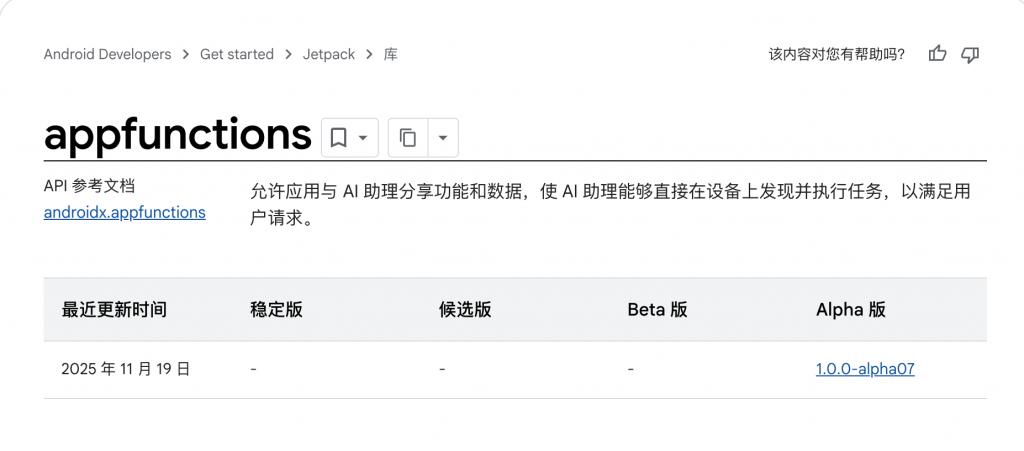
This framework is similar to Apple's App Intents. In Apple's concept, users can ask Siri to operate various apps to achieve functions, and the underlying implementation method is through App Intents. Given that the new - generation Siri has been slow to be launched, App Intents can still provide good results.
The same goes for Google's AppFunctions.
For example, if a user gives an instruction to find a recipe from a friend's email and add the relevant ingredients to the shopping list. The AI, upon receiving the command, first calls the "search" function entrance of the email app to retrieve and extract relevant content, and then calls the "shopping list" entrance of the memo app to fill in and organize the data.
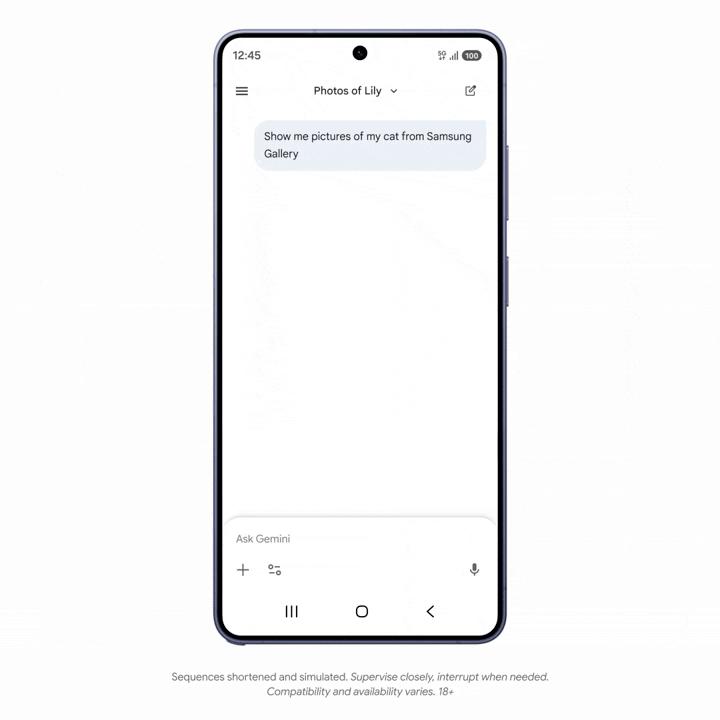
Some AppFunction features have been implemented in the Samsung Galaxy S26 and One UI 8.5 system. For example, users can give instructions to Gemini to find specific photos in the photo album and send them to friends via text message.
It should be noted that during the whole process, Gemini doesn't need to open the photo album and text - message apps, and doesn't even leave the Gemini app. Instead, through AppFunctions, it captures the corresponding entrances into Gemini for operation, which is more efficient.
In essence, the implementation method based on AppFunctions has the same logic as the past API path. This is a problem - solving idea of "communicating in advance".
However, not all apps are ready for relevant adaptation. It doesn't matter. Google has made another preparation.
In an article published on the Android Developers Blog yesterday, Google clearly stated that the company is also developing a UI automation framework that allows AI assistants and third - party apps to mimic humans and directly open apps for step - by - step operations.
