Clawdbot, "the greatest AI application to date," may not be suitable for you.
In the just-passed 48 hours of the weekend, if you were still immersed in all the skills of Claude Code, you might have accidentally missed a phenomenal AI Agent product - Clawdbot. Countless overseas AI bloggers have called it:
"The greatest AI application to date."
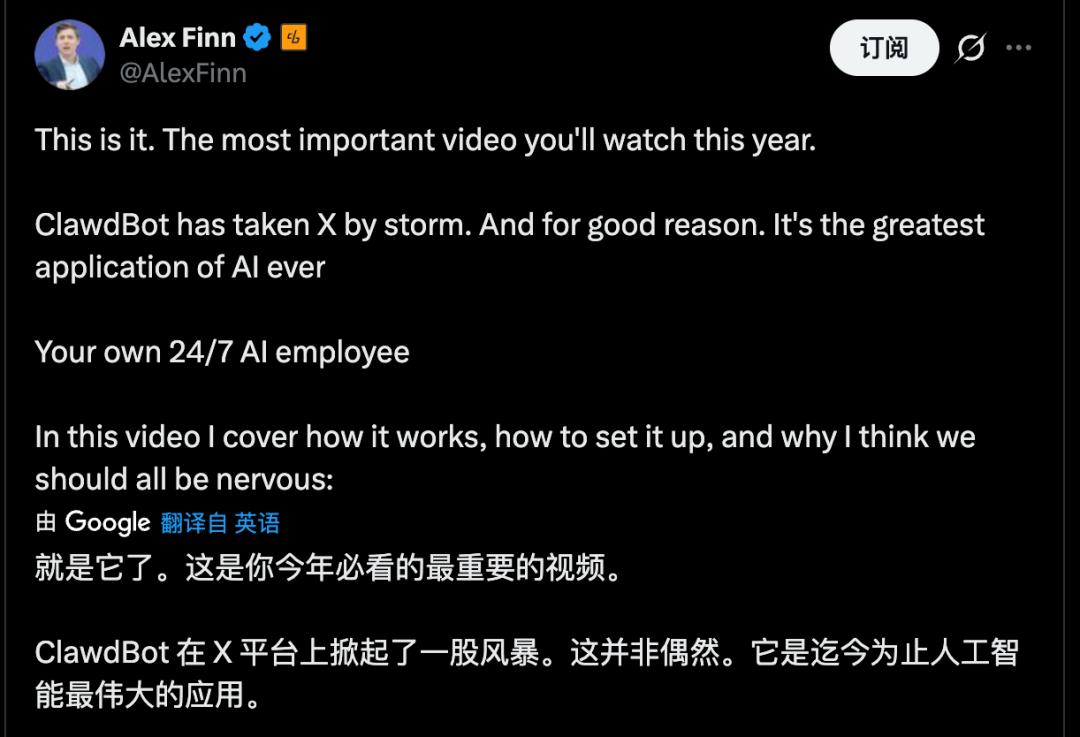
Clawdbot truly deserves to be called a phenomenal product. Numerous business leaders from competing companies have recommended it, and some have even specifically purchased Mac minis for it, including the product leader of Google AI Studio. Since its sudden rise in popularity, Clawdbot has been highly associated with the Mac mini hardware, becoming an eye - catching combination.

The fact that the product leader of Google AI Studio actively "recommends" Apple products shows the charm of Clawdbot | Image source: X
But don't misunderstand. This article is not trying to recommend this product to you. On the contrary, it aims to relieve some of your anxiety: you haven't missed out on much, because at this stage, Clawdbot is just a "geek toy."
01
What is Clawdbot?
Clawdbot is an open - source local AI agent project developed by Peter Steinberger and the community. Its mascot is a lobster.
Compared with previous local open - source AI projects, Clawdbot has done two things:
Firstly, it provides you with a set of "actionable" tools - browser control, Shell, file reading and writing, scheduled tasks, canvas, etc. - enabling the model's output to directly translate into actions.
Secondly, it has created a gateway to connect chat channels such as WhatsApp, Slack, Discord, Signal, iMessage, and Teams. You can remotely control your computer through any familiar chat window.
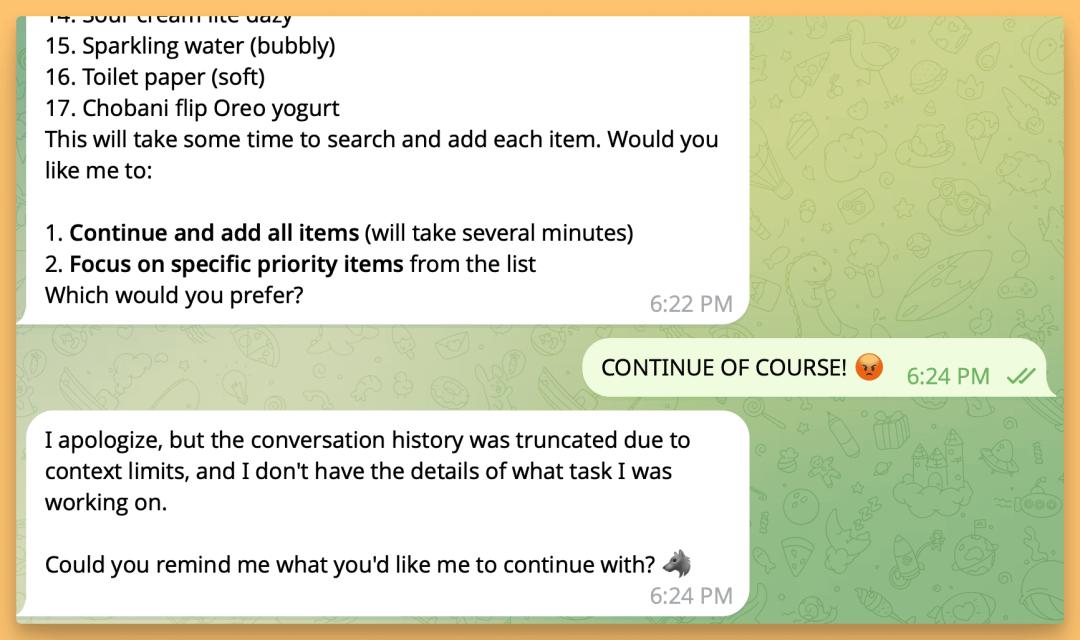
Controlling a device with high - level permissions through dialogue to complete almost all tasks is the main selling point of Clawdbot | Image source: X
The concept of Clawdbot is not actually complicated, but the real key requirement lies in the hardware: it needs a place to run 24/7. It can run on macOS, Linux, and Windows (through WSL2). The core idea is simple: the configuration and memory remain on your own hard drive, and model calls occur when inference is needed.
Put simply, it is an "AI agent resident on your computer + a switchboard for chat entrances." This also explains why it has suddenly gone viral: the Jarvis fantasy in people's minds has become something that can be downloaded, run, and tinkered with.
02
What can it do?
I also had a hands - on experience with Clawdbot over the weekend. After a relatively simple installation, the truly complex part was configuring it to suit my own needs. At the same time, it is true that Clawdbot requires extremely high system permissions, which directly means it cannot be used on a personal data computer.
However, if you grant it the corresponding permissions, it can indeed make the user experience seem like science fiction: for example, you can ask it to automatically modify your home router configuration, install a synchronization service, set up a short - link, or even hand over your desktop folder to it to modify a website. The entire process can be completed in a chat window, and the experience is like assigning tasks to a remote "AI employee."
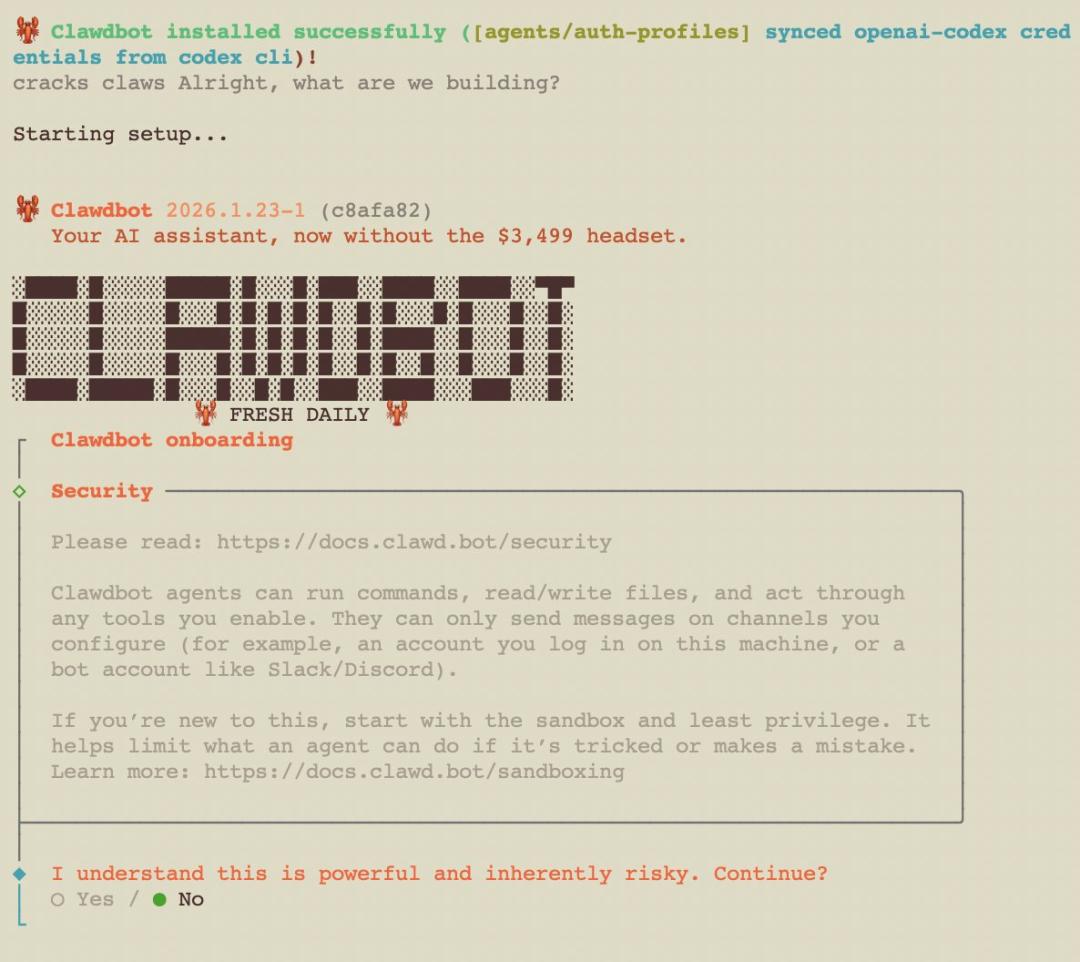
High - level "delegation of power" also means that users have to hand over more personal information and device permissions | Image source: X
The reason why its experience is so different from previous AI Agent products mainly lies in the fact that most AI tools help you answer questions, while Clawdbot truly works for you like an employee, even if it doesn't always do a perfect job.
Clawdbot has built - in tools such as browser control, Canvas, and scheduled tasks. It can help you browse the web, fill out forms, read and write files, and run Shell commands. More importantly, it supports multi - channel access - you can connect WhatsApp, Slack, Discord, Signal, iMessage, and Teams, and remotely control your computer through these chat applications.
Once this "actionable" ability is combined, there are many ways to use it, for example:
Send a message saying "Extract all the dates from that contract and make a table," and it will find the file, read the content, organize it, and send it to you.
Send a message saying "Run the tests on this code and fix it if there are errors," and it can pull the code, open the editor, run commands, modify the code, and run the tests again.
Send a message saying "After writing and sending this week's weekly report, create a review project in Todoist," and it will automatically write scripts, configure cron, and complete the process.
Each step is not mysterious on its own. But the mystery lies in how it connects the command line, browser, folders, and chat window into a pipeline. Your cost shifts from "operation" to "description."
You give instructions through chat, and it reads and writes files, opens the browser, runs commands, and automates tasks on your computer. You send a message on your phone, and it will complete the task for you like a remote desktop, with a thinking model in between.
03
Why is everyone buying Mac minis?
Many people deploy Clawdbot on a dedicated Mac mini, treating it as an "AI assistant that never rests."
The reason for choosing the Mac mini is that the GUI operation of Clawdbot can currently only be implemented on macOS.
Some people say they use Clawdbot to monitor Claude coding sessions, allowing it to automatically pull code, open VS Code, run tests, generate fixes, and automatically commit. Others say they "rebuilt an entire website through dialogue while lying in bed watching TV."
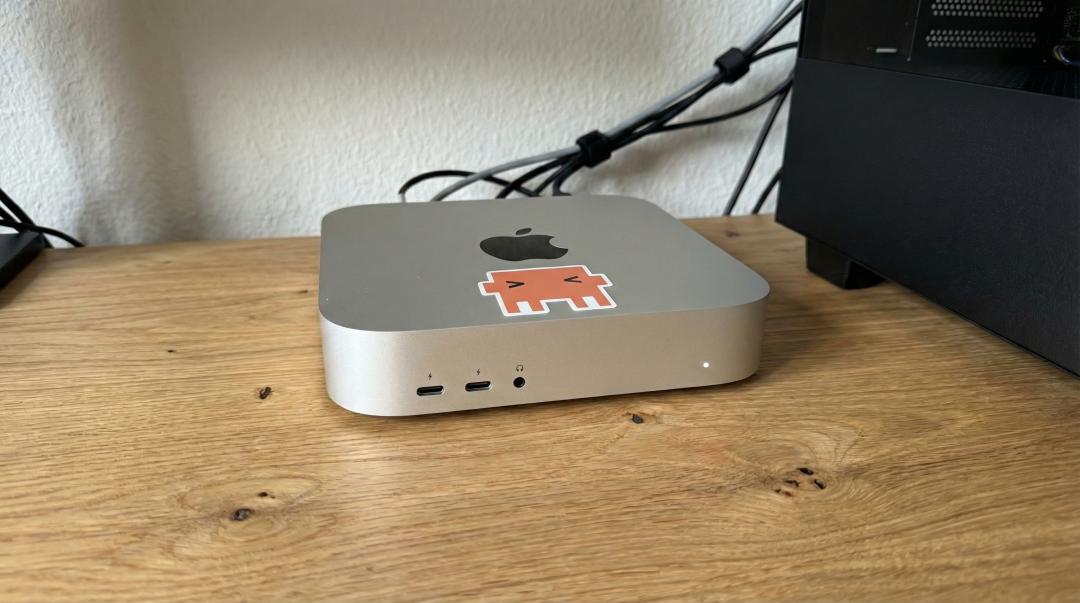
Clawdbot has made the Mac mini a new trend in the AI Agent field | Image source: X
The logic behind this is actually not hard to understand: this thing needs to be online all the time, and the Mac mini is cheap, quiet, and has low power consumption, making it suitable as a home server.
Moreover, it requires extremely high permissions. Mixing it with personal daily data poses a great risk. Therefore, many leaders buy a separate machine, effectively isolating the risk in a controllable "box."
It can automate almost everything you can do on a computer. The more it can do, the more it needs to be isolated.
Of course, some people go overboard: stacking several Mac minis on the table and connecting numerous Raspberry Pis, making it seem like they are building a data center. So, more sensible advice in the community is usually that an idle computer or even a VPS costing a few dollars a month can run it.
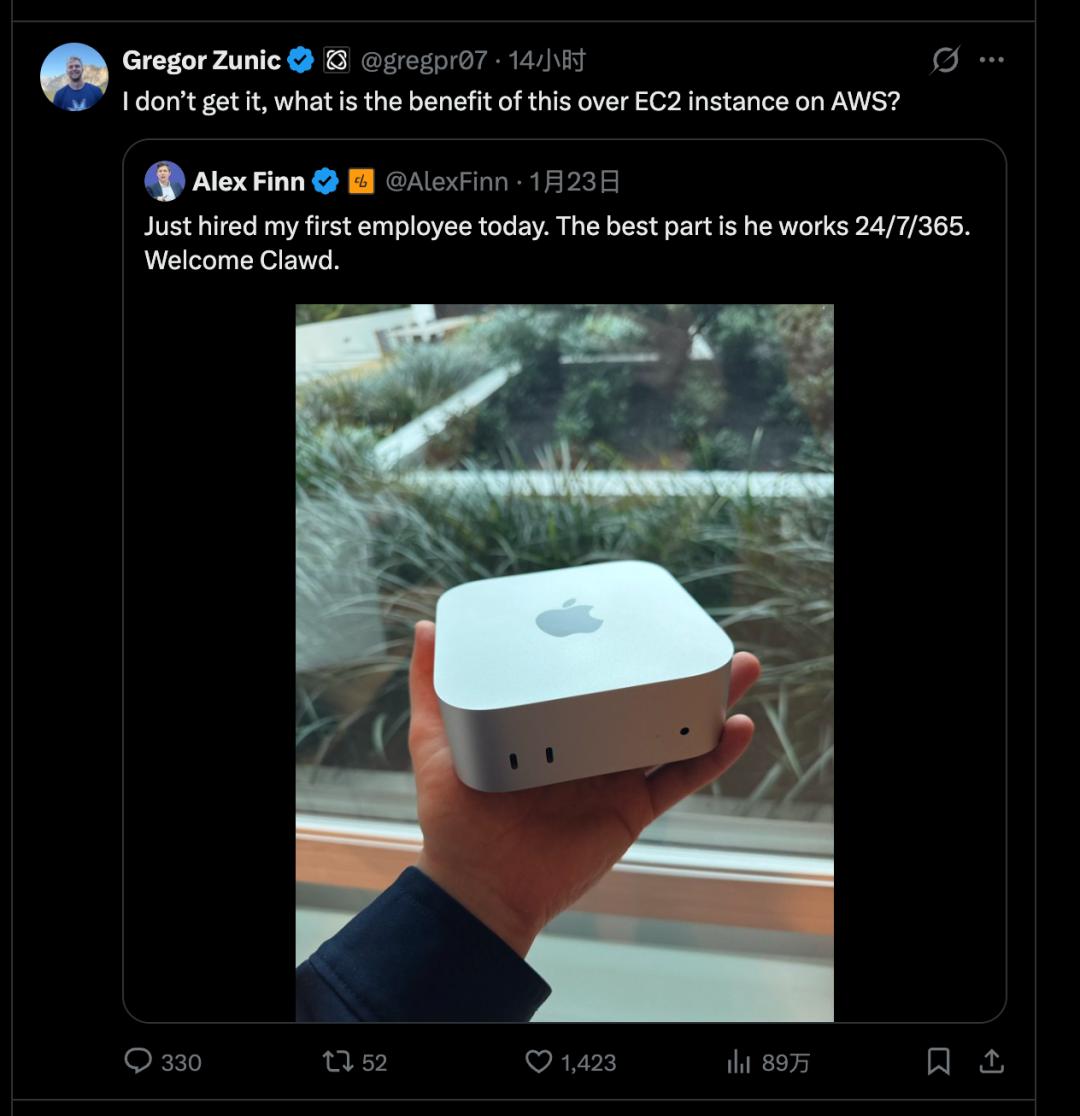
Many users have now realized that renting a server might be a better option for Clawdbot | Image source: X
In other words, the Mac mini is not an entry ticket. Whether to buy a machine depends on where you are willing to place the "highest permissions."
However, in the end, the Mac mini is just the mainstream choice among hardcore players in the community. The official strongly recommends using an Anthropic Pro/Max subscription with Claude Opus 4.5 to get better long - context capabilities and protection against prompt injection. But Anthropic has recently changed the permissions of Claude Code OAuth tokens, restricting them to be used only within Claude Code and not for external API calls. So now, you need to separately configure an Anthropic API key to use it properly.
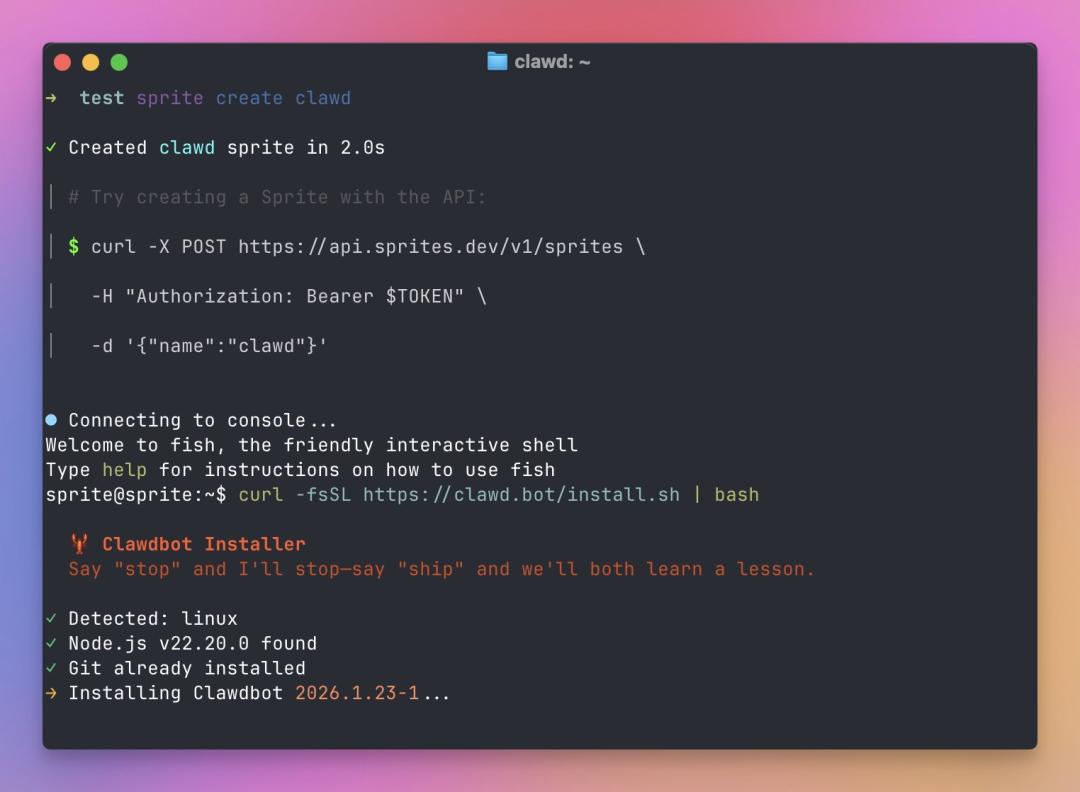
Using dialogue as the main interaction method is both a major selling point and potentially risky | Image source: X
04
With great power comes great responsibility
But the more important "precautions" are actually written in the product form.
Clawdbot's capabilities are based on permissions. It can help you send emails, modify configurations, and run scripts, which also means that if it misinterprets instructions, is induced by prompts, or is misled by web content, the consequence is not just giving a wrong answer but doing something wrong. It's hard to reduce this risk by simply saying "I'll be careful" because the problem stems from the system structure:
It needs to read context to be smarter; the more context, the more potential sensitive information. Some users have even complained that Clawdbot deleted all the key photos on their computers.
It needs to execute tools to be more useful; the more powerful the tools, the greater the potential damage from misoperations, which may include risks such as password leakage. At the same time, it needs to be connected to the Internet to complete the workflow; the more it is connected, the more entry points there are for injection and induction.
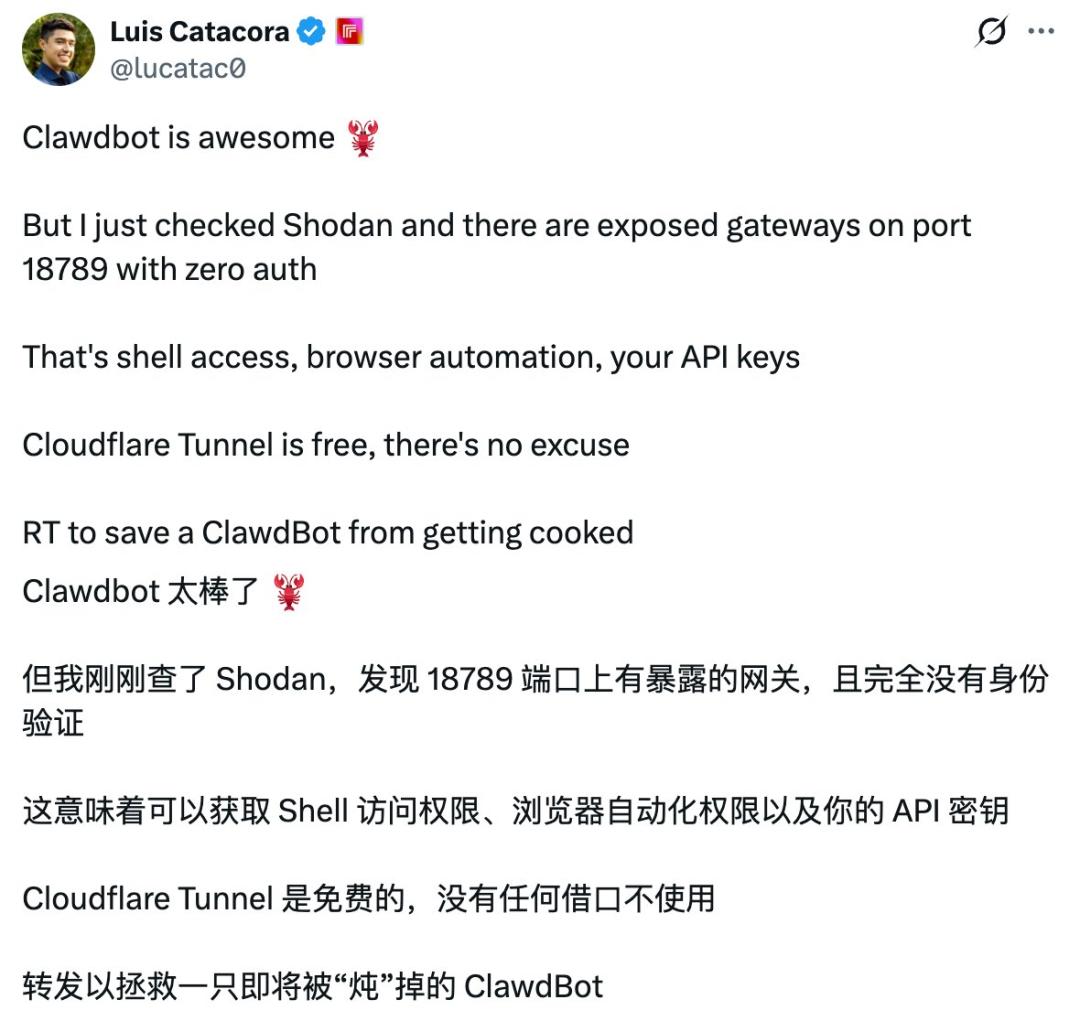
As more users conduct in - depth research, the vulnerabilities of Clawdbot are being discovered | Image source: X
This is why even in the trial - use stage, suggestions such as "dedicated machine deployment," "minimum permissions," "secondary confirmation for sensitive operations," and "using one - time credentials for account passwords" appear very frequently in the Clawdbot community.
Therefore, if you've recently seen many people talking about it, my advice is: don't follow the trend to install it, and don't be anxious about missing out. The reason is simple: it can indeed be amazing, but it also clearly presents risks.
For most people, the real need has not reached the level of "handing over an entire computer to a model."
It is indeed cool, cool enough to make you re - evaluate how "automation" can be done. But it is also indeed dangerous, so dangerous that I would never recommend deploying it on any production - environment device.
In theory, it is not impossible to connect Feishu at this point. When a system can already connect to iMessage, Slack, and Teams, it's only a matter of time before it connects to an office communication tool like Feishu, which is familiar to domestic users. The real question is never "can it connect," but "who will be responsible after it is connected": issues such as permissions, compliance, auditing, and data boundaries in an organization will instantly elevate a personal toy to the complexity of an enterprise system.
You may think this wave of enthusiasm came suddenly, but the rhythm is familiar.
At the beginning of last year, Manus also "burst onto the scene" around the same time - with demo videos going viral, narratives like "I've handed my work over to AI," and a sudden surge in tutorials and group chats.
The difference is that Clawdbot has moved the battlefield from the cloud product page to your own computer;
Memory is no longer just the conversation history of an account, but more often a collection of local files, Markdown logs, and transferable configurations.
Execution no longer depends on "actions provided by the platform," but more often on the toolchain on your machine.
The entrance is no longer just in the web page; chat software has become the remote control.
A successful experience no longer comes from a single demo, but from the moment you gradually integrate your life and work processes into it.
That's why Clawdbot is more likely to get you hooked than Manus: it is closer to your system, closer to your data, and closer to your permissions - perhaps too close.
After a 48 - hour experience, I think if you regard it as a consumer product that can immediately boost productivity after installation, you'll probably be disappointed: the configuration threshold, permission anxiety, model costs, and error costs will quickly dampen your enthusiasm.
If you view it as a trend sample to observe, the value of Clawdbot is undeniable: personal AI is moving from "answering questions" to "executing tasks," from "occasional use" to "continuous online," and from "applications" to "systems."
In the future, personal computing devices may increasingly resemble "home servers" that can be awakened by messages at any time, and the interface between you and it may be the chat window you use every day.
You can, of course, wait. Wait until the installation process becomes more user - friendly, the permission model is more perfect, security measures in the middle layer become standard for such applications, and the community writes the best practices as clearly as an operation manual. Only then will Clawdbot transform from a geek toy into a mass - market tool.
Until then, it's more appropriate to think of it as a capable but trouble - prone lobster: it can do the work and amaze you, but it's best to keep it in a "box" where you're willing to bear the consequences.