Does Android support AirDrop? This article details how Google can truly "be compatible with Apple".
This is what we call
Compatibility
As the year 2025 draws to a close, if there's one buzzword that has persisted throughout the tech circle, "strong compatibility with Apple" surely ranks among them.
However, behind this somewhat off - putting marketing term lies a rather absurd fact:
Most of what various mobile phone manufacturers refer to as "compatibility with Apple" is achieved through their respective connectivity apps, enabling quick forwarding of information and data.
If this is what "compatibility" means, then we've long since achieved compatibility between iOS and Android, Windows and macOS, and Linux with everything else.
That compatibility tool is called WeChat...

▲ Image | Bloomberg
In contrast, Google, as the true "originator" of Android, remained inactive during the compatibility wave in the first half of this year. However, it recently dropped a bombshell:
The Pixel 10 series of devices now supports AirDrop.
The solution is also extremely elegant:
No need for a separate "Google File Transfer" app
No need to log in with the same Google account
Not even necessary for the two devices to be connected to the same (internet - connected) Wi - Fi...
The Pixel 10 uses Quick Share, a feature built into Android 16, which is perfectly compatible with the two - way sending and receiving in AirDrop's "Everyone for 10 minutes" mode.
On an iPhone, the experience of using AirDrop with a Pixel phone is indistinguishable from using it with another iPhone—you might not even realize the other device isn't an iPhone...
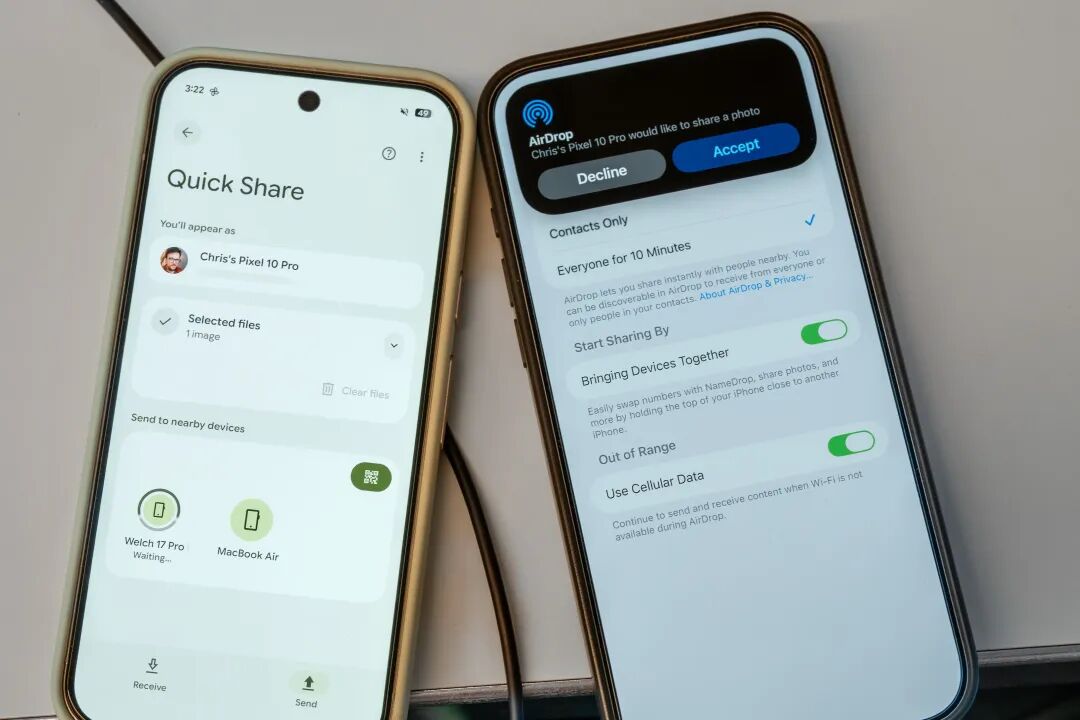
▲ Image | Bloomberg
It's important to note that prior to this, AirDrop was an exclusive feature with a registered trademark owned by Apple, and there had never been a precedent of opening it to third - party manufacturers.
Even within iOS, AirDrop could only be accessed through the sharing menu. Now, Google has easily bypassed this restriction using Apple's own forte: "combining hardware and software."
What is forced compatibility? This is forced compatibility.

▲ Current Google CEO Sundar Pichai | Business Insider
The Principle of AirDrop
While the Pixel 10 has achieved compatibility with AirDrop in an innovative way, we can't help but wonder: How exactly did Google break through Apple's blockade on AirDrop? Is it possible for this feature to be extended to other Pixel models and even other Android devices?
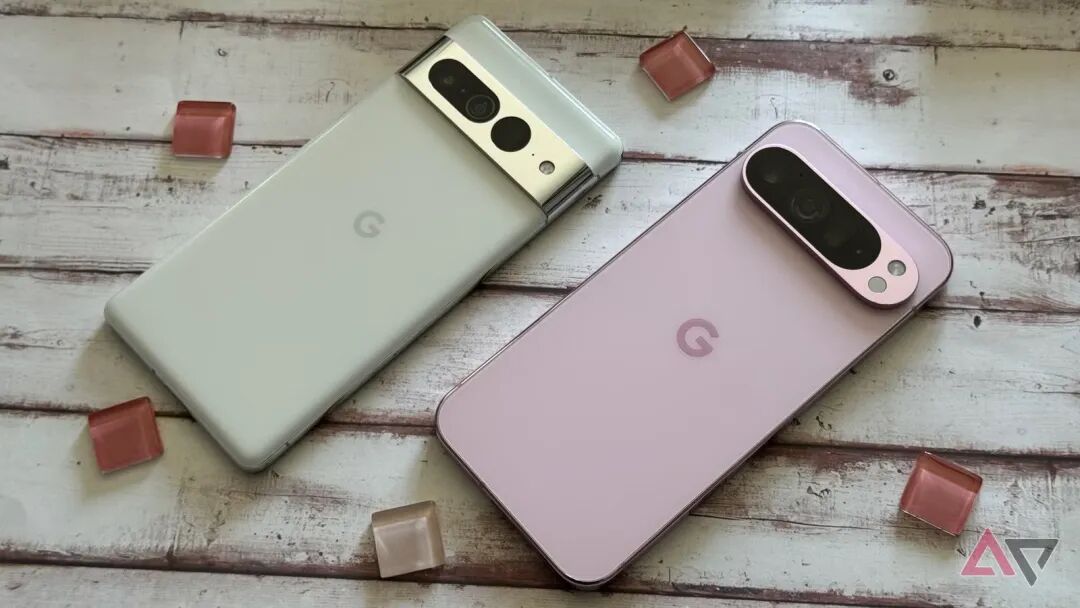
▲ Image | Android Police
Regarding the latter question, we can find some indirect answers in Google's blog post about the December Pixel Feature Drop and the feature introduction of Quick Share on Google's security blog.
In both materials, Google used phrases like "will be first applied to the Pixel 10 series of devices," indicating that there is a good chance this feature will be extended to previous generations of Pixel devices.
As for other Android devices, it depends on whether manufacturers will promptly follow up with the patches released by Google. The hope is quite high, as no Android manufacturers are more obsessed with "compatibility with Apple" than Chinese phone manufacturers.
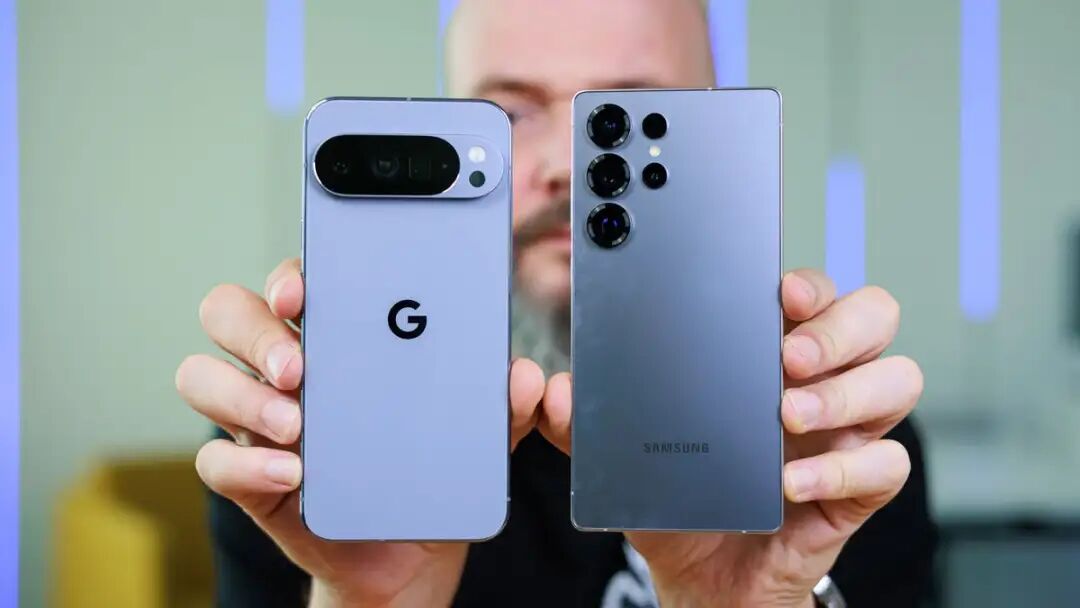
▲ Image | PhoneArena
To understand how Google cracked the moat of AirDrop and reached the core of Apple's defense, we first need to understand how AirDrop works between Apple devices.
The working process of AirDrop between Apple devices can be simplified into the following basic steps:
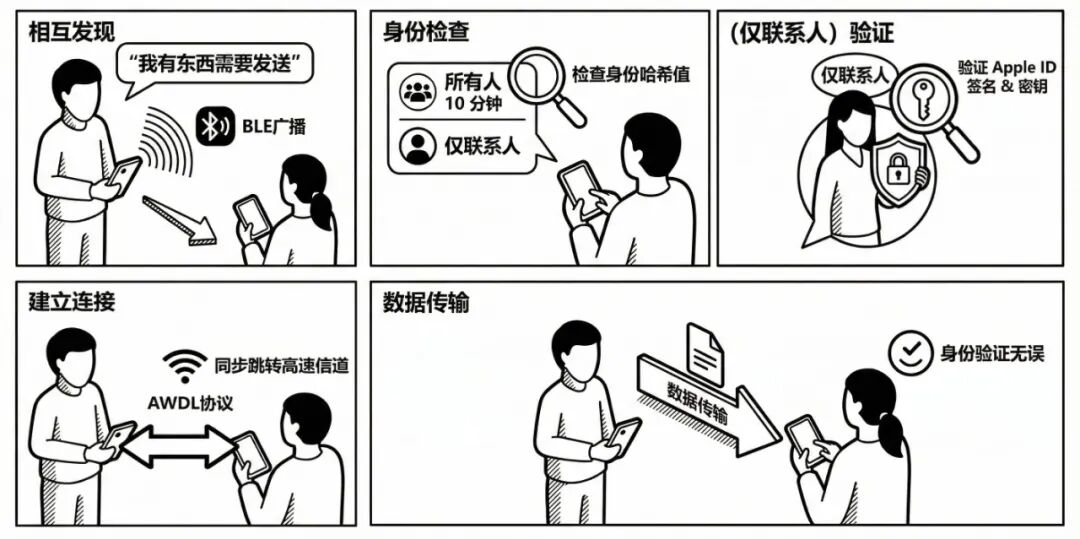
Use Bluetooth Low Energy (BLE) to broadcast "I have something to send" for device discovery
The receiver checks the sender's identity hash value according to the mode (Everyone for 10 minutes/Contacts only)
Confirm the connection and synchronously switch to a high - speed channel based on the AWDL protocol
(Contacts only mode) Further verify the Apple ID signature and key to confirm the authenticity of the Apple ID
After successful identity verification, start data transmission
As one of Apple's private - feature moats, the key to AirDrop lies in the special AWDL protocol.
The full name of the AWDL protocol is Apple Wireless Direct Link. As a symbol of Apple's departure from the early limitation of AirDrop to local - area network sharing, AWDL is the cornerstone for all Apple products to participate in AirDrop today: It allows devices to establish a high - bandwidth direct connection between devices while maintaining an internet connection.
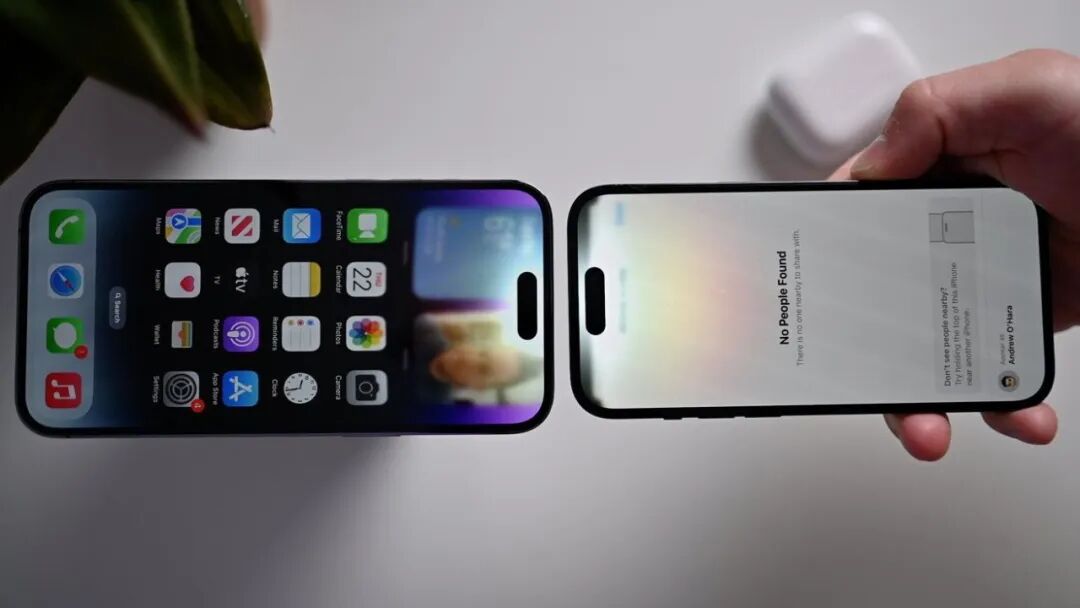
▲ The latest form of AirDrop is NameDrop "Tap to Share" | AppleInsider
Although the network foundation and transmission protocol of AWDL are not complex, being common IPv6 TCP/UDP transmissions, the real technical barrier lies in the aforementioned "simultaneity"—how to make the sending and receiving devices enter the high - speed transmission channel simultaneously.
To solve this problem, Apple adopted a very ingenious "high - speed frequency hopping" scheme in AWDL.
Take the iPhone as an example. An iPhone usually has only one Wi - Fi radio frequency front - end, which is used to handle the basic network connection for normal internet access (referred to as Infrastructure in network engineering).
However, the AirDrop service does not use the channel of the above - mentioned basic network. Instead, it selects some special, low - interference "social channels" according to national and regional laws to handle high - speed data transmission between nearby devices, such as channel 6 in the 2.4GHz band and channels 11 and 149 in the 5GHz band.
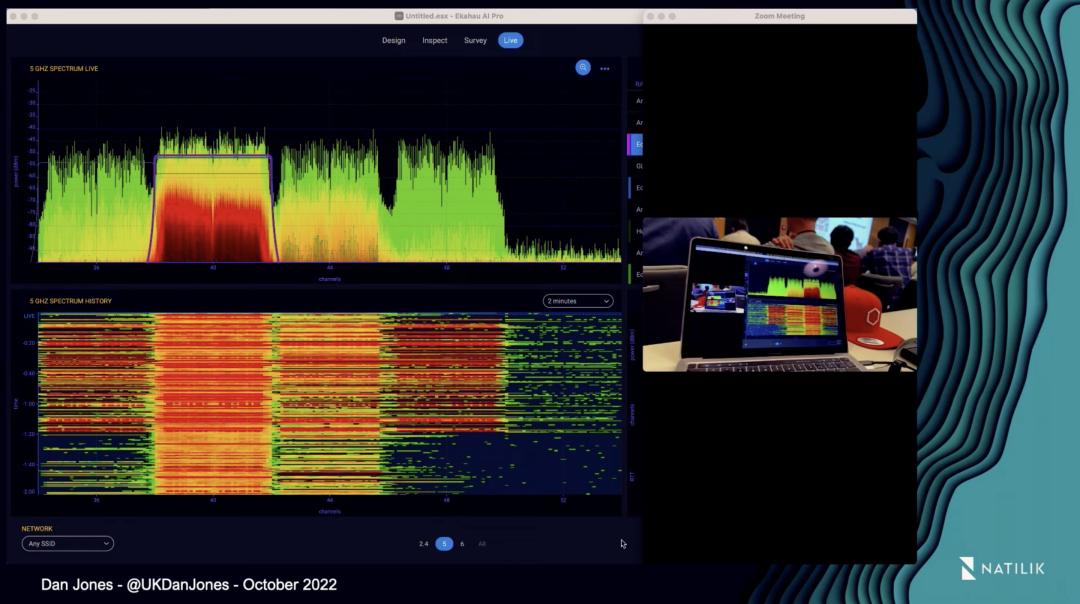
▲ "Continuity Camera" also uses AWDL | Youtube @Wireless Lan Professionals
In this way, the AirDrop service only intermittently occupies a small part of the working time of the device's Wi - Fi chip, ensuring smooth device search, fast file transfer, and not consuming too many background network resources.
Meanwhile, AWDL also pre - sets a hidden "heartbeat" for all Apple devices, which enables all Apple devices within a certain range to simultaneously switch to the social channel at an extremely precise rhythm (for example, 16ms out of every 100ms) for signature verification and data transmission.
To keep the clocks of all new and old devices in the AWDL cluster synchronized within milliseconds, Apple developed a special clock algorithm. It selects a master node based on comprehensive indicators such as MAC address, battery level, and performance—usually a Mac or iPad Pro—as the standard for the local clock.
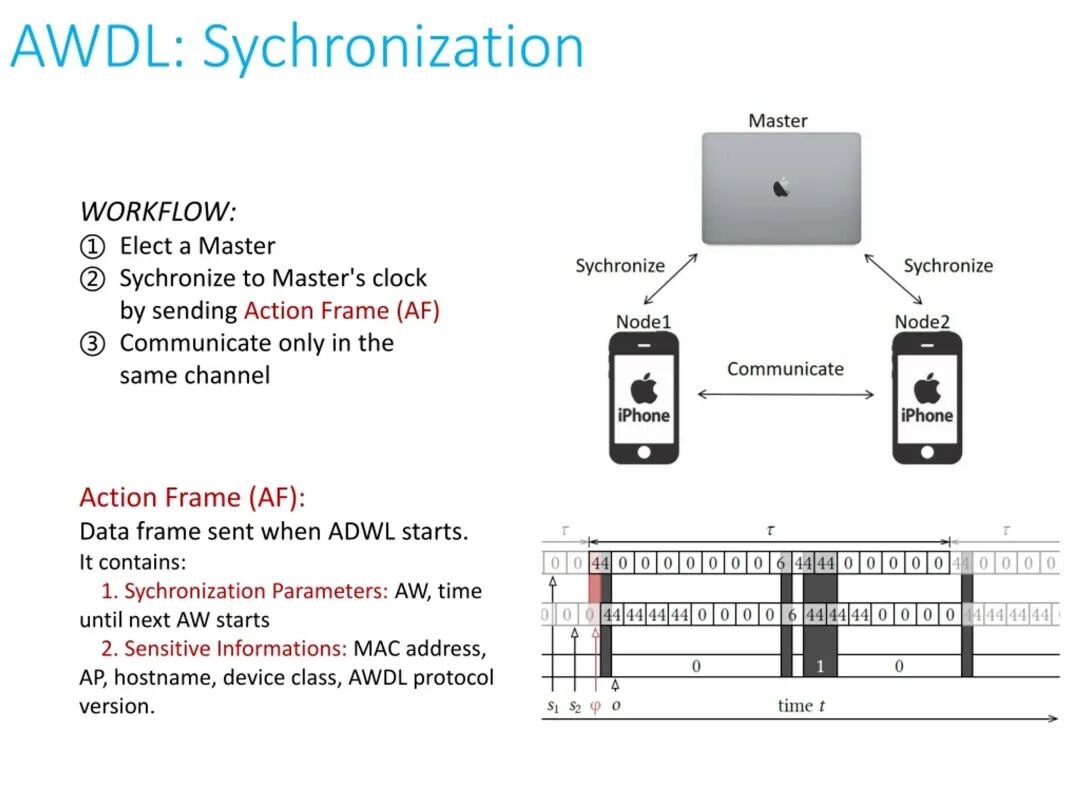
In addition to providing basic clock synchronization, the master node also periodically broadcasts PSF frames, which contain the current timestamp and the offset of the next available window. It's like constantly broadcasting to the surrounding devices:
It's currently local time XX:XX:XX:XX. In 27 milliseconds, we'll all switch to social channel 149, align the granularity, find the right enabling measures, and achieve a closed - loop iOS ecosystem... If you need to use AirDrop, make a call on channel 149.
Moreover, since AirDrop needs to distinguish between the "Everyone for 10 minutes" and "Contacts only" modes, relying solely on BLE discovery, listening to the AWDL frequency, and synchronously switching to the social channel is still lacking in terms of security.
In fact, after two Apple devices synchronize their frequencies to the same social channel following the "heartbeat" of AWDL, they won't immediately start transferring files. Instead, they will "exchange business cards" and transmit their respective Apple ID Validation Records.
This is a digital certificate issued by Apple's root certificate authority (Apple Root CA), which contains encrypted Apple ID information using the private key of this authority. It's also the principle behind AirDrop's ability to display the other party's name and the core of its security.
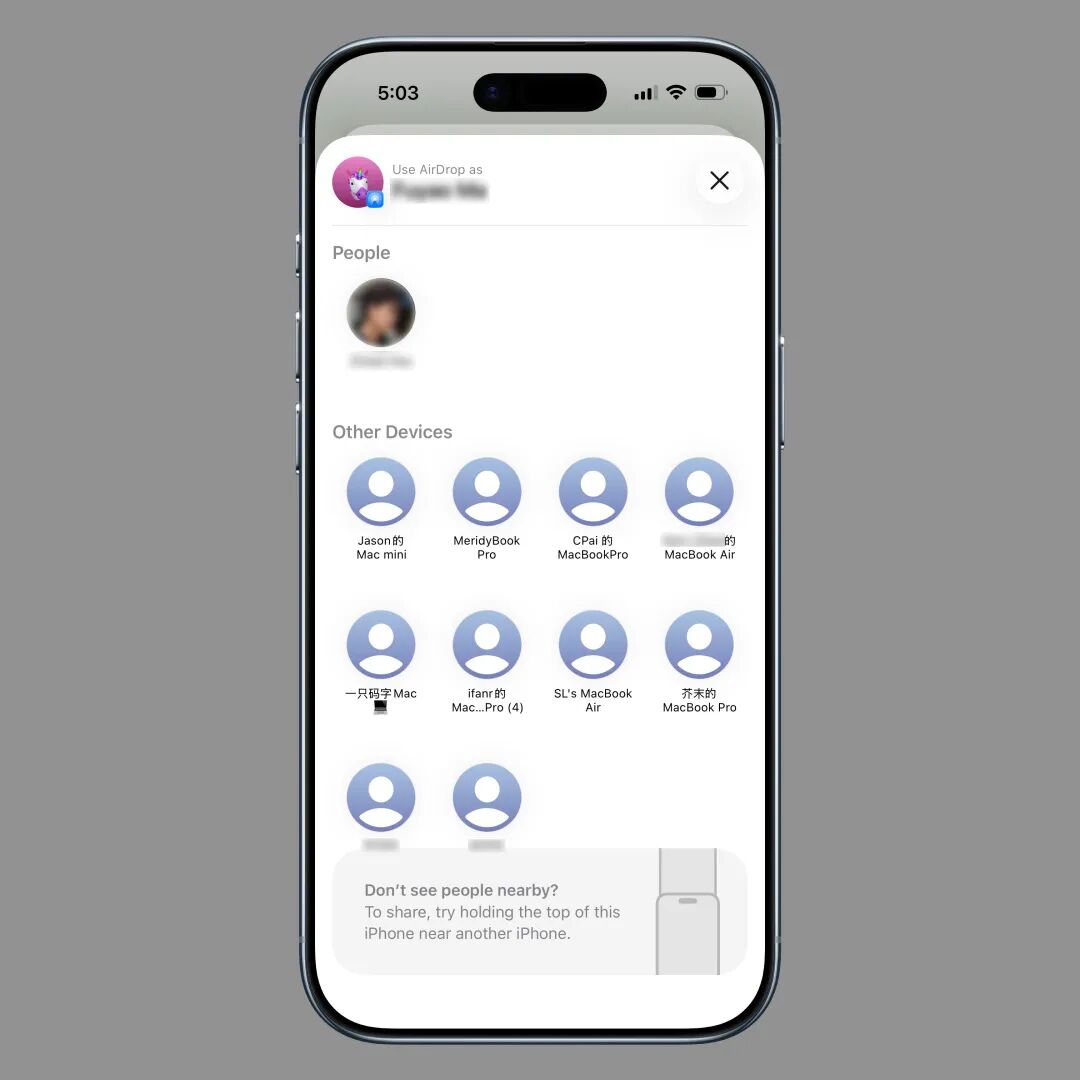
▲ These device names are transmitted through the Apple ID Validation Record
When an iPhone receives the Apple ID Validation Record, it uses the system - built public key to decrypt the certificate and compares the decoded Apple ID contact information with your address book. Only when it matches a contact will the AirDrop reception pop - up window appear:
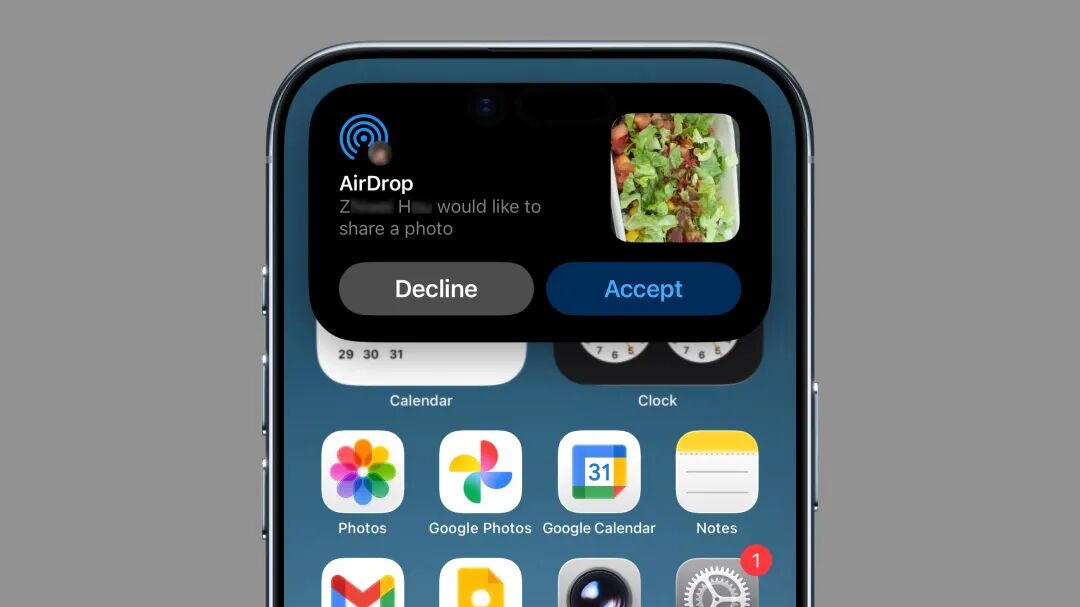
▲ Transfer from a known contact
If the decoded Apple ID information doesn't match any contacts in the iPhone's address book, it will be regarded as "noise," and the iPhone won't display anything. Only when the receiver enables the "Everyone for 10 minutes" mode will AirDrop requests from strangers be displayed:
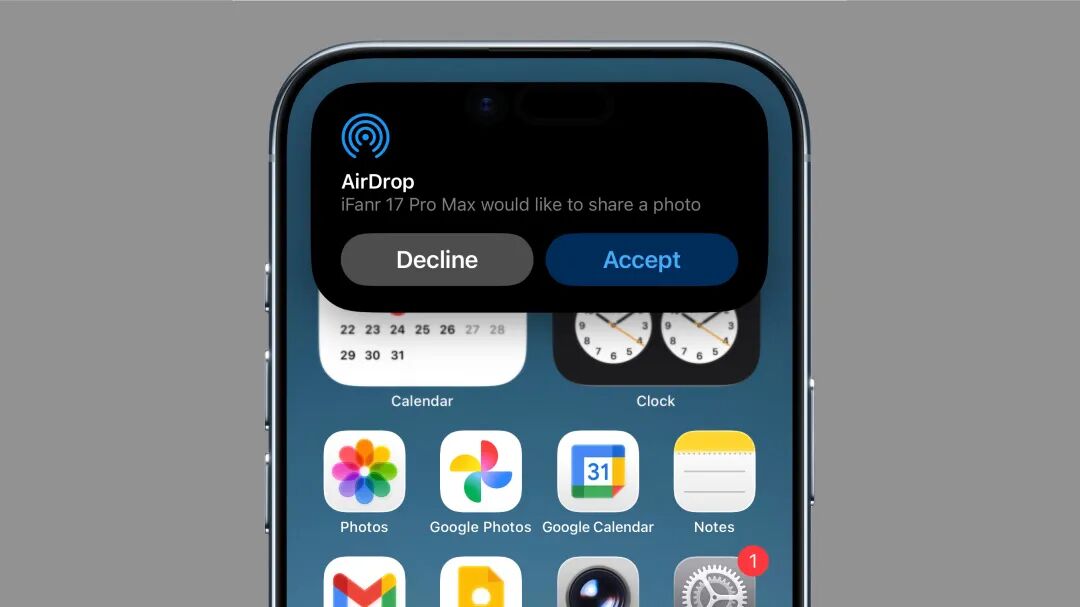
▲ Transfer from a stranger (preview won't even be displayed)
After the user clicks to confirm acceptance, the two iPhones that have synchronized on the social channel will officially start high - speed TCP/UDP transmission and begin to exchange photos, videos, or file data.
Actually, the Apple ID Validation Record mentioned above might also be one of the reasons why AirDrop has been so difficult to use in recent years. After all, every time AirDrop is launched, it needs to be signed by Apple's server. Once the root certificate signing server is overloaded, AirDrop will naturally become congested.
How did Google "sneak attack the veteran"?
After understanding how AirDrop originally works, we can start to analyze how Google managed to insert itself into the AirDrop process.
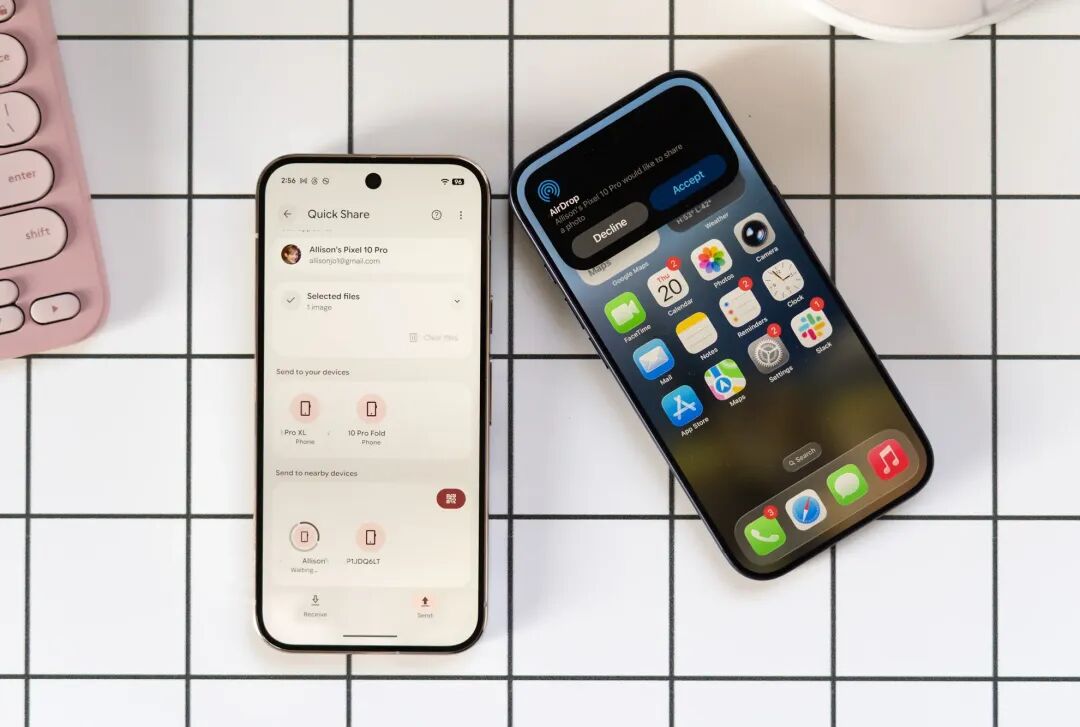
▲ Image | TheVerge
First, look at the infrastructure: Bluetooth Low Energy (BLE) broadcasting, generating a hash value of a blank Apple ID, establishing TCP/UDP transmission, etc. These are all very basic functions, and most of them are already built into the Android 16 system.
For an Android device to "interfere" with AirDrop, the main difficulties lie in two aspects: