Once again, it's an alumnus of Zhejiang University. With the AI glasses, you can perform the "snatch objects from afar" feat. Just put them on, and you can freely select any object in the real world.
Interacting with AI glasses just by speaking is indeed a bit inconvenient.
Now, a new way of playing has arrived! The Digital Doppelgänger helps you "grasp objects from afar", and the mixed reality instantly selects objects in the real world as context.
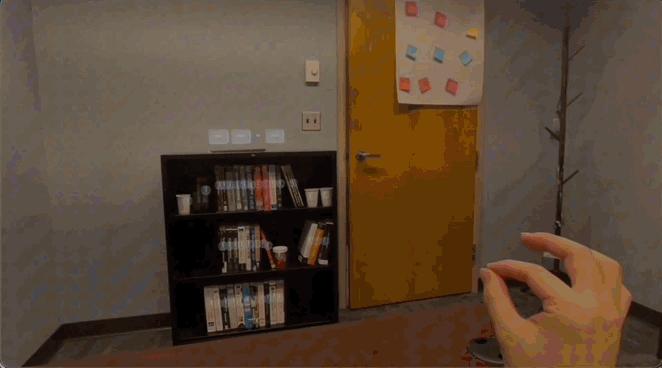
Book retrieval, easily achieved~
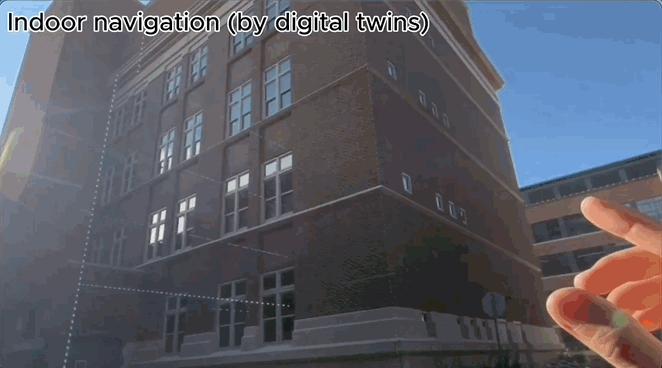
Building navigation? A piece of cake.
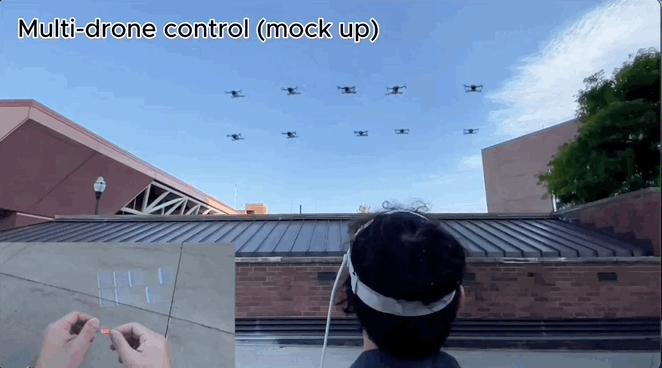
Multi - drone collaboration? It's also outstanding.
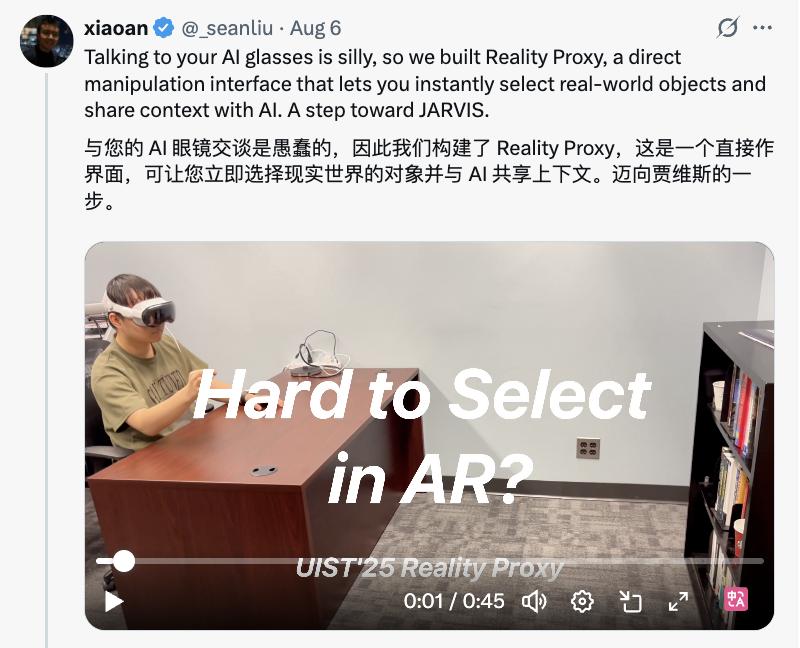
This technology is called Reality Proxy —— a direct manipulation interface that allows you to instantly select objects in the real world.
Researcher Xiaoan Liu even said that this brings us one step closer to Jarvis.
Reality Proxy Breaks Physical Condition Constraints
Mixed reality (XR) is reshaping the boundaries of human - computer interaction. Through head - mounted devices, it is expected to fuse the physical world with the digital world, allowing users to manipulate both real and virtual objects simultaneously.
However, traditional XR devices usually select objects through light projection. Due to reasons such as the small size of the target in the field of view, unstable line of sight, and hand tremors, this process is often error - prone.
Therefore, the research team proposed Reality Proxy —— an abstract digital representation of real objects.
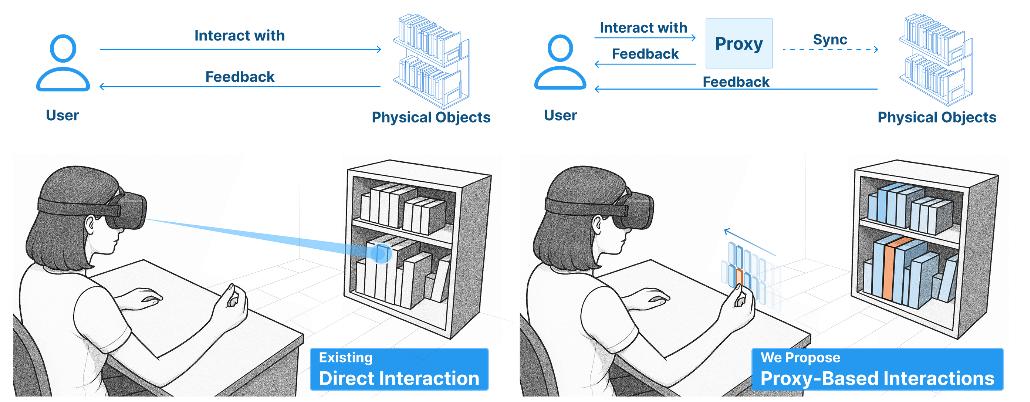
They seamlessly transfer the interaction target from the object to its proxy. Selecting the proxy is equivalent to selecting the actual object, which enables users to get rid of restrictions such as distance or size and easily select objects.

As shown above, the Reality Proxy process includes three main steps:
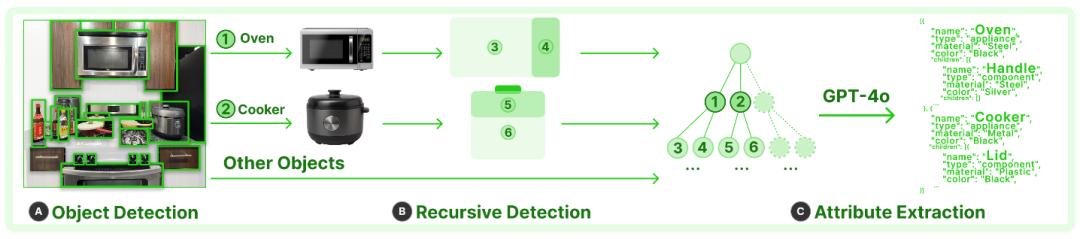
Activate the Proxy: Capture Hierarchical and Semantic Scene Structures
When the user pinches to confirm the selection, it automatically detects real - world objects within the user's line of sight and abstracts them as interaction proxies for the hand.
If the user successfully selects the target object (the object the user's line of sight is aimed at by default), they can continue to perform the expected operation; otherwise, they can use the nearby proxy to optimize the selection.
Generate the Proxy: Preserve Spatial Relationships
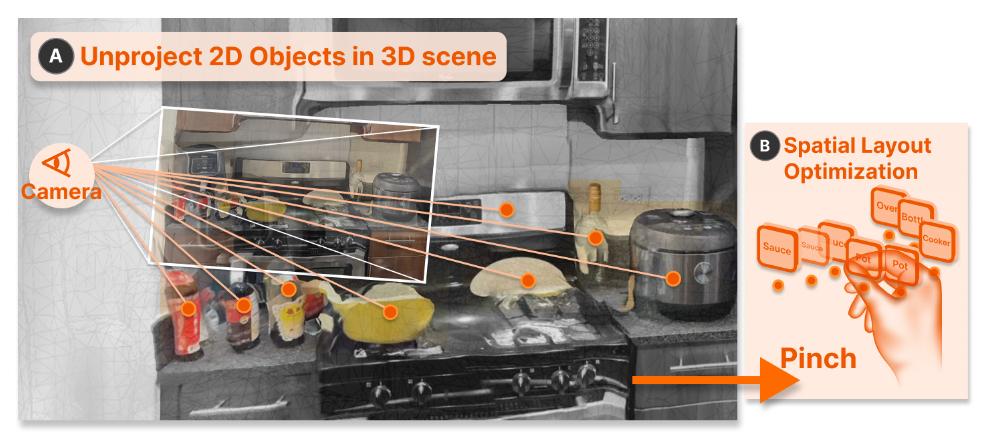
In this step, the system can convert the hierarchical and semantic representation of the scene in the previous step into a proxy —— an object that the user can operate.
By default, the system only generates proxies for level - 1 objects within the user's line of sight. These proxies preserve their relative spatial relationships with each other.
Each proxy can be operated through standard gestures such as long - pressing and two - hand scaling, and it remains in place even after the user releases the pinch.
Since the proxy is only an abstract representation of the interaction, its physical size is not critical. Therefore, in the implementation process, each proxy is represented as a rectangular 3D object of a fixed size.
Interact with the Proxy: Keep Focus on the Real World
To enable users to mainly focus on real objects, Reality Proxy directly displays key visual feedback on physical objects when interacting with the proxy.
For example, when an object is selected, it is highlighted in a bright color, and the corresponding proxy is also highlighted, providing double feedback.
To ensure that the proxy is easily accessible and does not require continuous visual attention, the research applies a "delayed following" mechanism, placing the proxy near the user's hand.
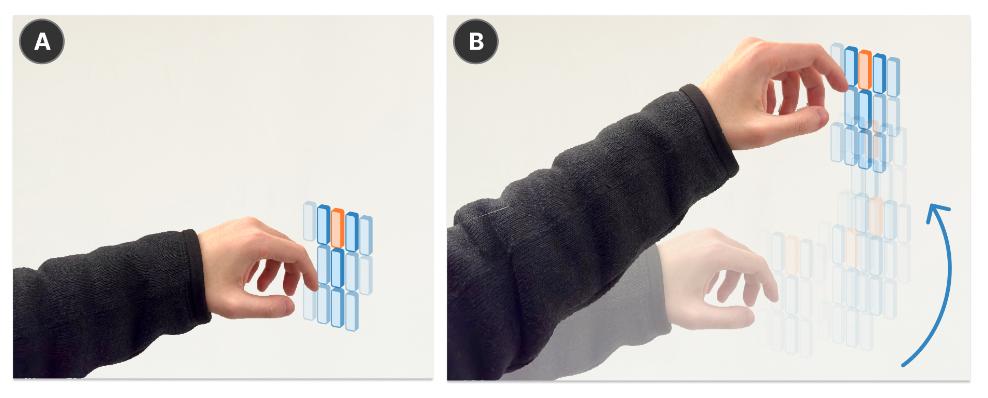
When the hand stays within a specific threshold, the proxy remains stationary; if the hand moves beyond that range, the proxy follows smoothly —— keeping it within reach without reacting to slight hand tremors.
This design reduces the user's need to look down to find the proxy and enables a smooth switch between focusing on the real world and quickly viewing proxy information.
In addition, Reality Proxy also supports a variety of interaction functions, making the interaction between users and real objects more flexible.
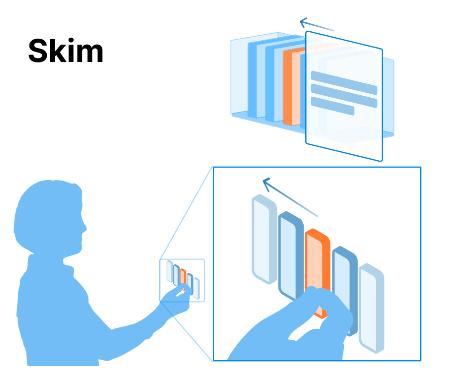
1. Browse and Preview Objects: Users can quickly browse object information by sliding their fingers across multiple proxies, such as quickly viewing the contents of multiple books.
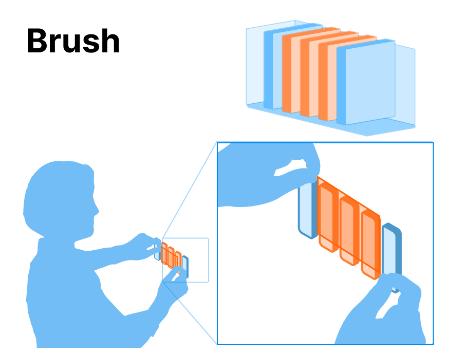
2. Multi - Object Brush Selection: Use the two - hand pinch gesture to define an area, and you can select real objects corresponding to multiple proxies.
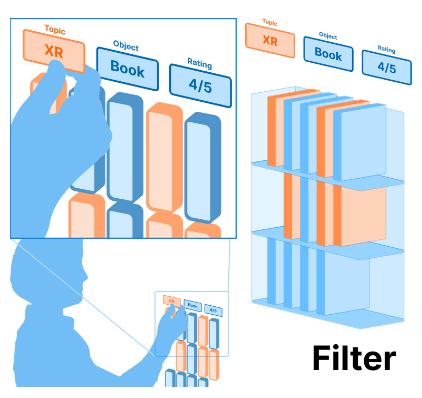
3. Filter Objects by Attributes: Long - press the proxy of an object to bring up the attribute panel. Slide your finger to the proxy of a certain attribute, and you can select all objects with the same attribute, such as filtering out all red cups.
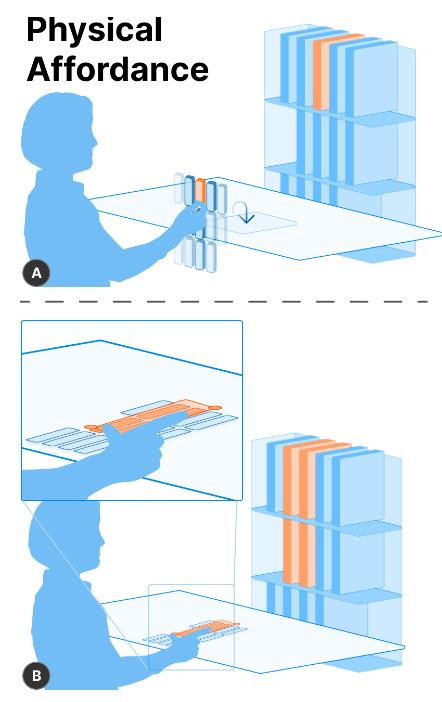
4. Interaction with Physical Features: The proxy can combine the physical functions of the real world to promote intuitive interaction.
For example, a proxy placed on a physical surface (such as a table) can convert these surfaces into natural touchpads.
Users can use familiar touch - device gestures to interact with real - world objects, such as dragging a finger on the surface to select multiple objects, spreading fingers to expand the selection range, or backtracking the path to adjust the selection.
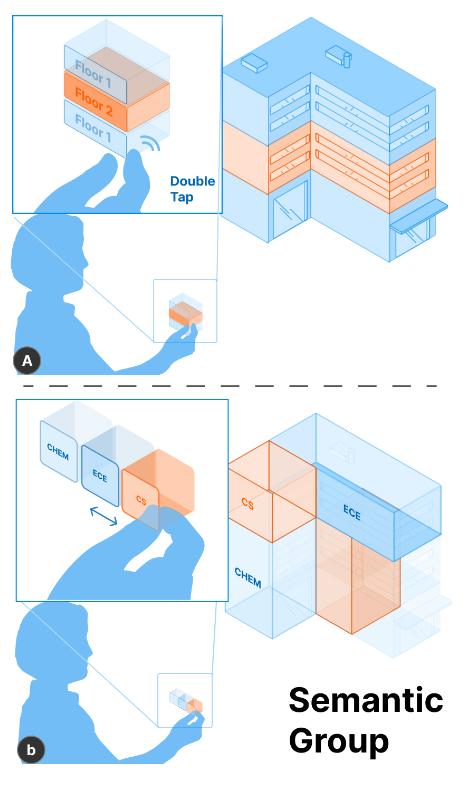
5. Semantic Grouping: Double - click a proxy to group objects with the same attributes together.
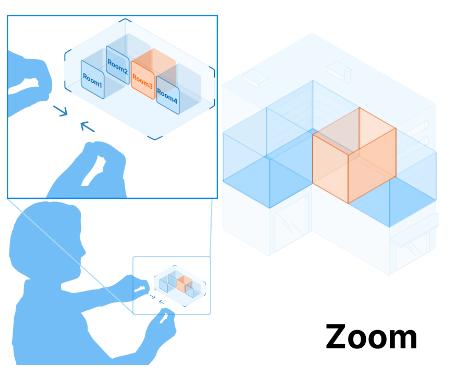
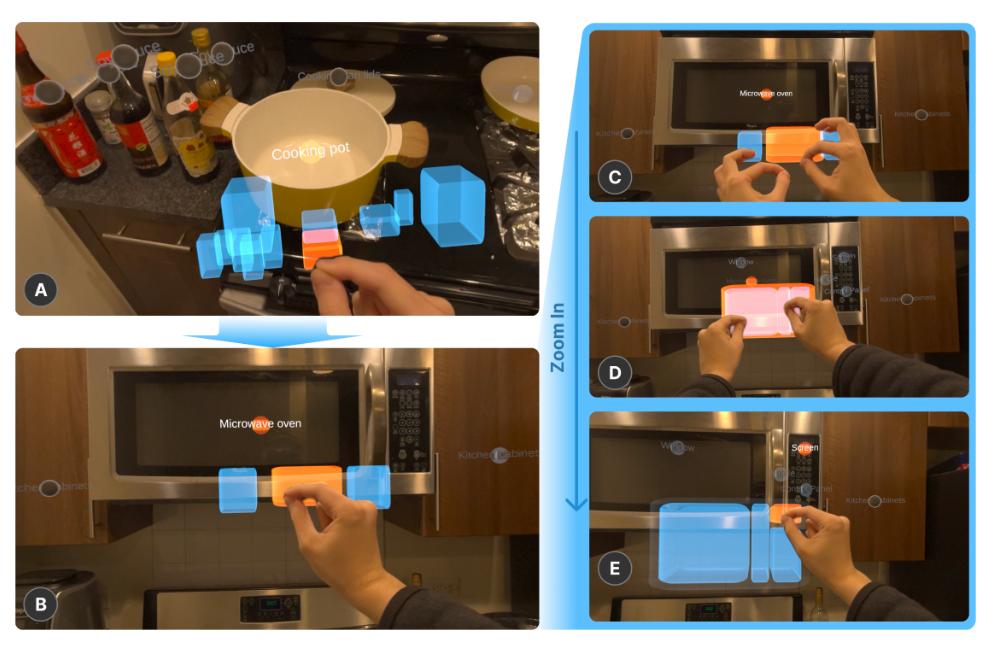
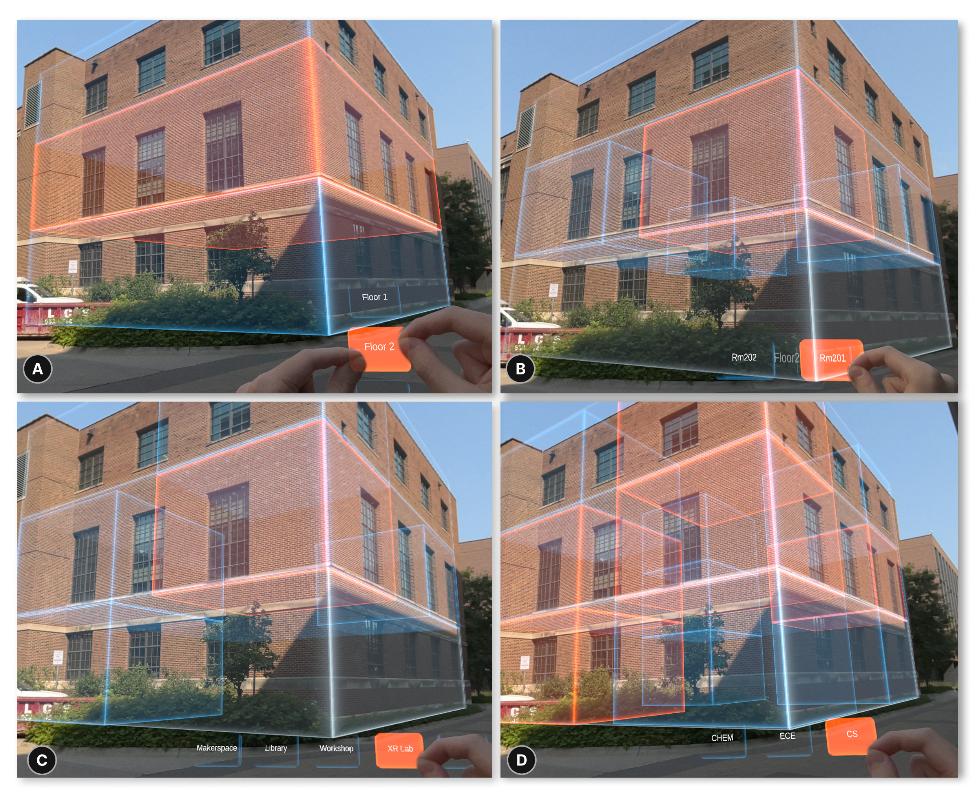
6. Spatial Scaling Grouping: Use the two - hand scaling gesture to navigate in the hierarchical structure, such as zooming from viewing an entire building to viewing the rooms on a certain floor.
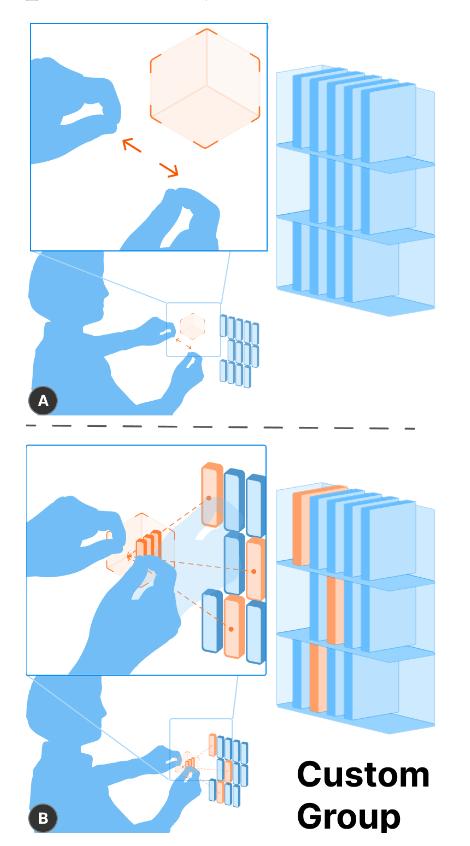
7. Custom Grouping: Draw a cube container with a brush - selection gesture in an empty space and put the selected proxies into it to create a custom group, which is convenient for overall operations, such as calculating the total price of a group of books.
In addition, the researchers also demonstrated the practicality of this technology through several scenarios.
Daily Information Retrieval
In the office, teachers can use it to quickly find specific books and calculate the total price of the books.
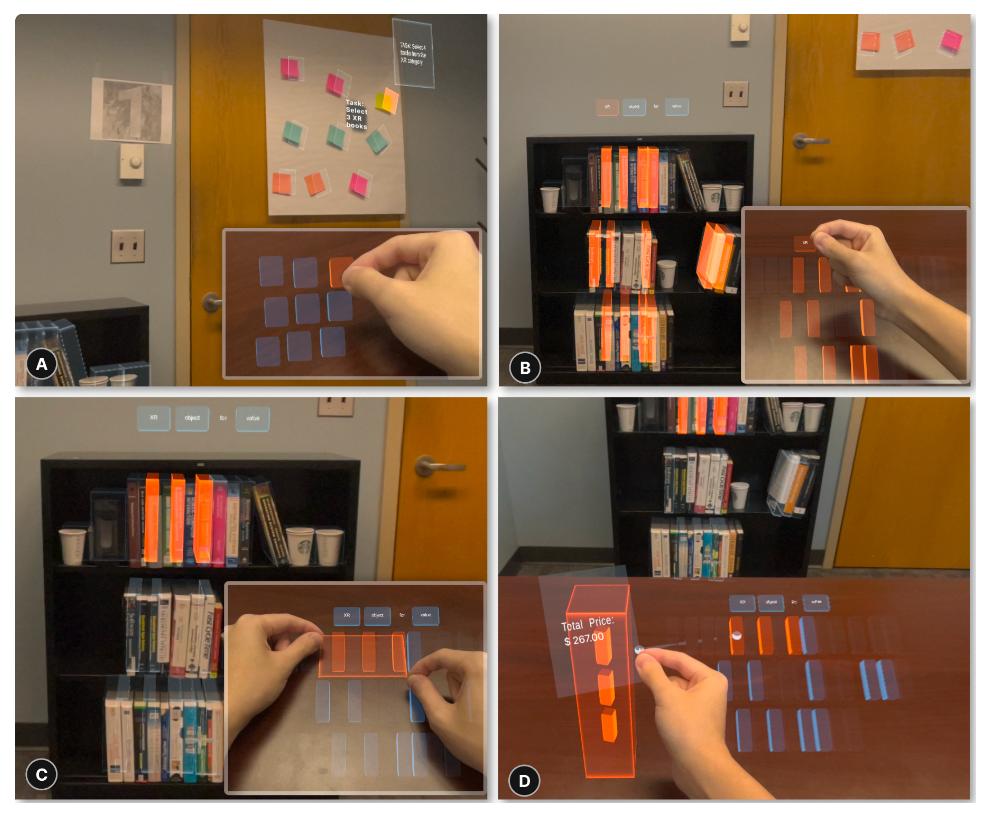
In the kitchen, interaction with objects at different granularity levels can also be achieved, such as selecting different parts of a microwave oven.
Building Navigation
Reality Proxy makes efficient navigation and interaction in large buildings possible.
Drone Control
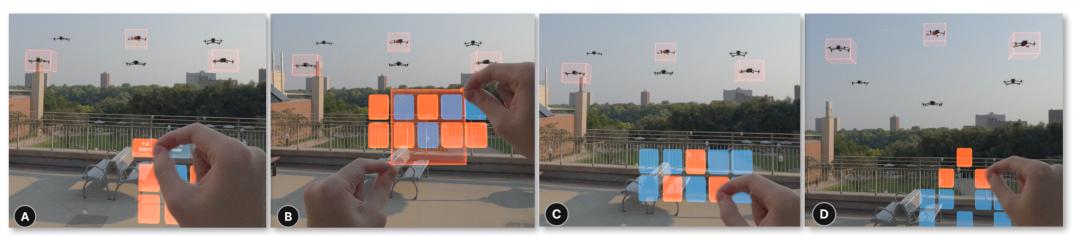
Reality Proxy also allows the control of dynamic real - world objects.
To demonstrate this, the researchers developed a mixed - reality - based drone control application, which uses trackers embedded in drones instead of the AI scene understanding component.
This study recruited 12 experienced XR developers and researchers (7 males and 5 females, aged between 18 and 38).
Since two participants participated in the pre - test session to improve the research plan, they were excluded from the ratings reported below.
The evaluation results show that this system is generally positively evaluated in terms of practicality, learnability, and ease of use.