Kann KI 500 GB Speicherplatz freigeben? Bei praktischen Tests mit Agenten wurde festgestellt, dass KI-Lösungen noch nicht die Funktion von Computer-Manager-Programmen ersetzen können.
Recently, a user posted a message on the platform X (formerly Twitter) and reported that he had tried to clean the hard drive of his MacBook with Codex. The result was that the AI had found a large number of files that could be deleted, and thus up to 500 GB of hard - drive storage could be saved. The post he shared on X has sparked many discussions. This example seems to prove that in the era of AI, we can now use AI as a replacement for computer managers and cleaning software.
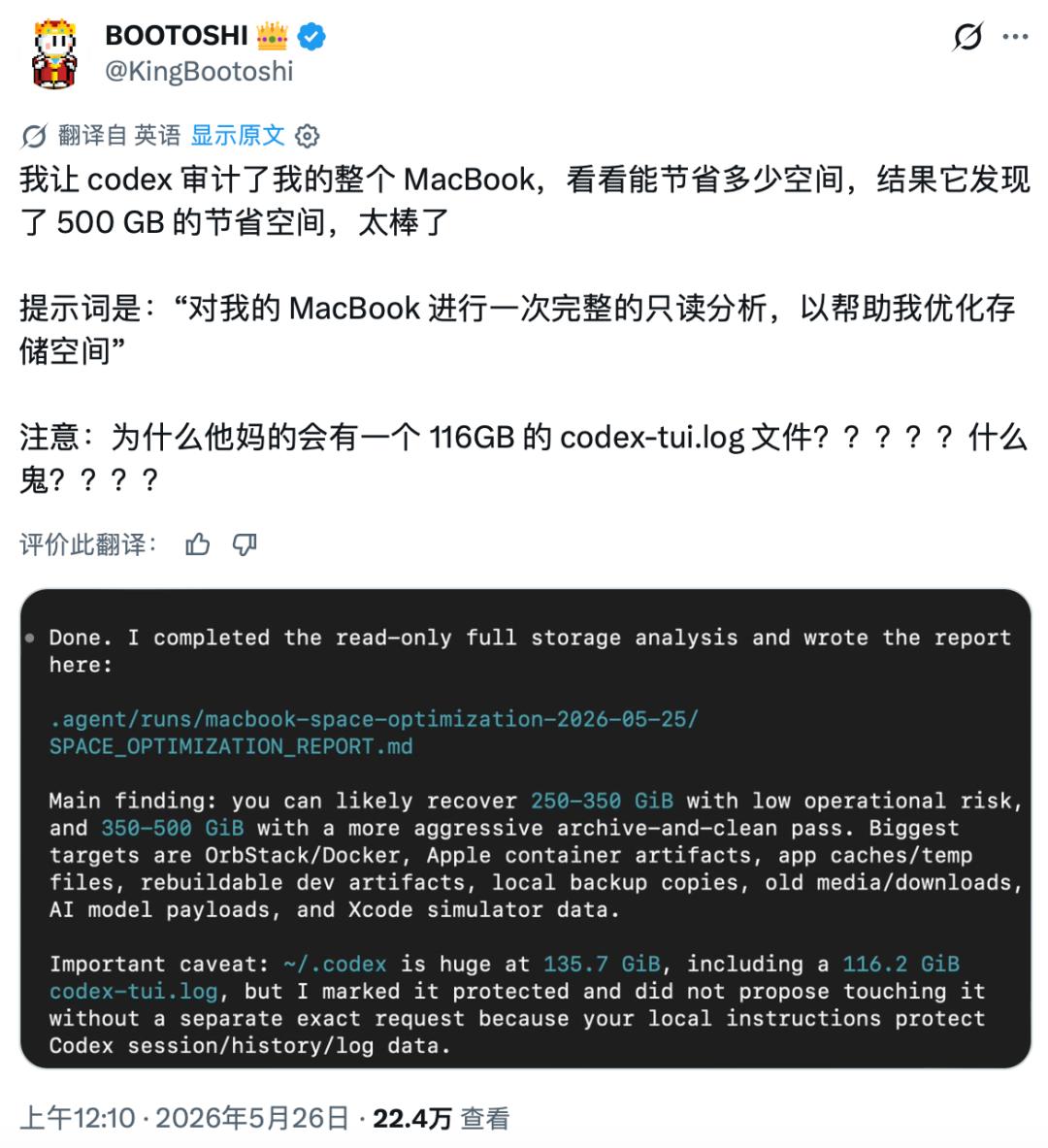
(Source: X)
Does this mean that if we grant some system permissions to AI, we can get an AI - based computer assistant and use it as a replacement for the traditional computer manager? With this question, Leikeji AGI (ID: leikejiagi) conducted a practical test series on the computer to see if these AI tools can perform better than the traditional computer manager.
System cleaning with Marvis is rather mediocre
First of all, it must be noted that for AI to work at the local level, just having a large model is not enough. We must give the cloud - based large models "hands and feet" and grant them permission to read and process the local file system. In other words, we must install an agent or a claw - tool at the local level.
The good news is that leading Chinese Internet companies generally have developed their own claw - tools at present. There are so many different "crab" tools that we can simply download and install them. Most of them offer free usage quotas, which seems to be sufficient for file cleaning.
Recently, Tencent introduced an AI tool named Marvis. The company positions it as a system - wide AI assistant that can call multiple agents according to the user's instructions.
I installed Marvis on my daily - use MacBook and then entered the command "Help me organize and clean up junk files to free up hard - drive storage" in the dialog box. Marvis quickly called the file agent and began to scan and identify local files.
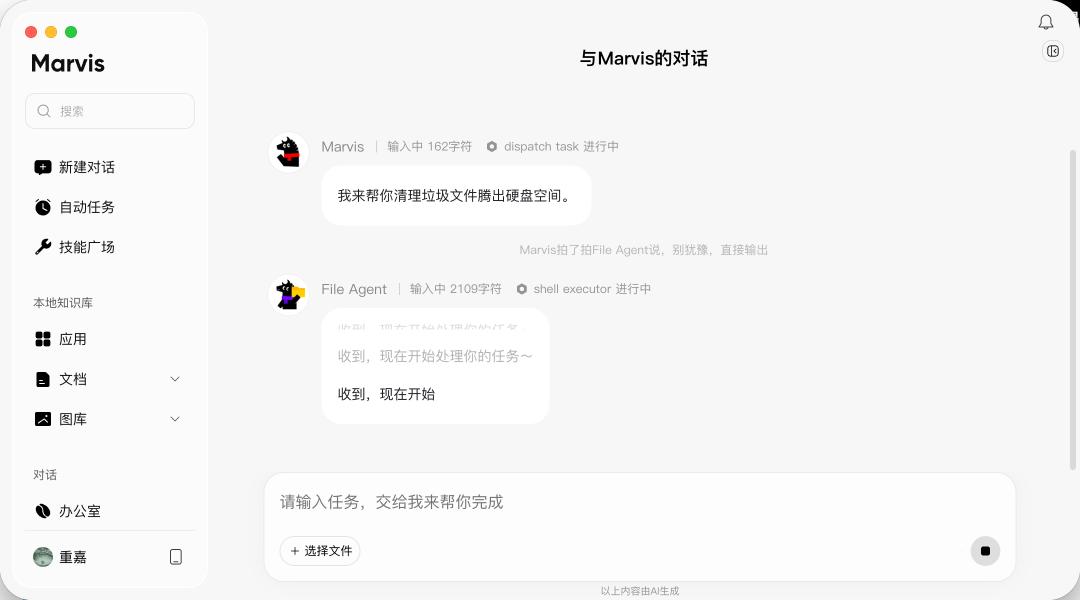
(Source: Leikeji)
Finally, Marvis found the files to be cleaned and categorized them. First, there are the installation packages, which include a total of 21 files with a total volume of 4.2 GB. I took a close look and found that they are usually installation packages that I forgot to delete after installing software. In macOS, they are mainly files in PKG, DMG, or ZIP format.
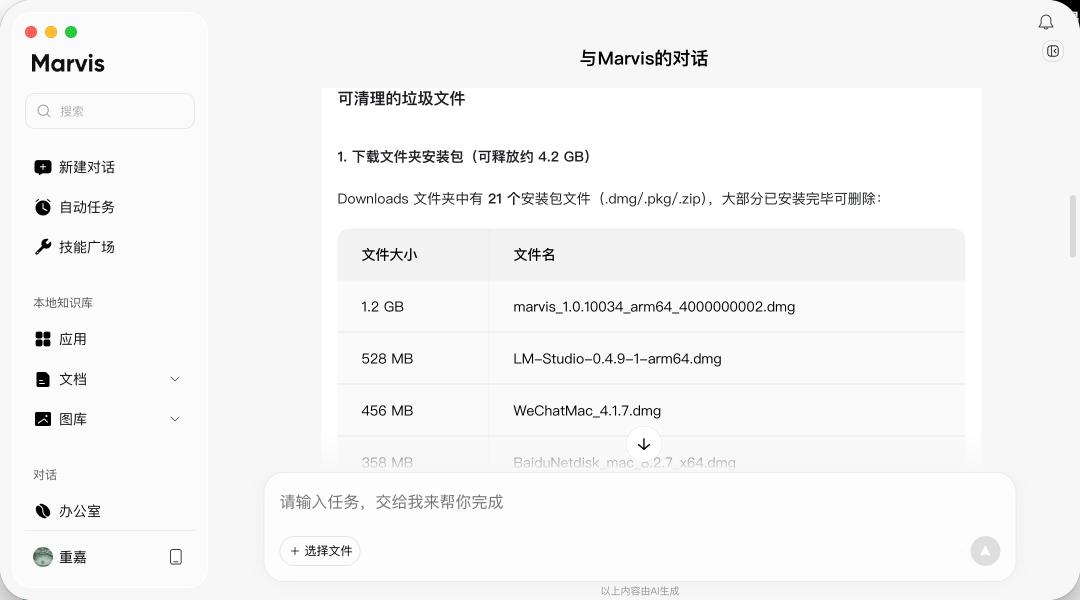
(Source: Leikeji)
Then there are the file caches, mainly the caches of WeChat, Google, and Apple Music, which occupy 3.5 GB of storage space. In addition, there is the storage space occupied by the application software itself. For example, Marvis itself occupies 2 GB of storage space.
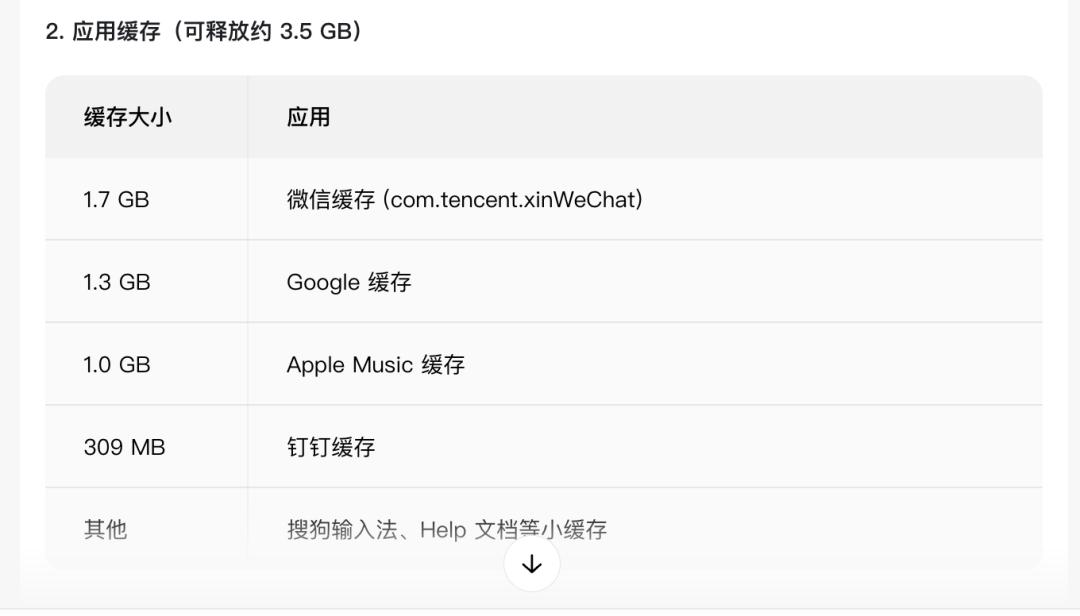
(Source: Leikeji)
Marvis offers two types of cleaning plans. One is rather safe and conservative and only deletes the installation packages and caches. The other is more aggressive and deletes everything that can be deleted. Overall, Marvis's cleaning model is almost identical to that of Codex, but it has a graphical user interface, which makes it more user - friendly for inexperienced users.
We also tried to perform similar actions with other crab - tools, and the result was rather surprising. First of all, for security reasons, DingTalk Wukong and NetEase LobsterAI do not support system - wide global cleaning and can only work in the file directory of the work environment.
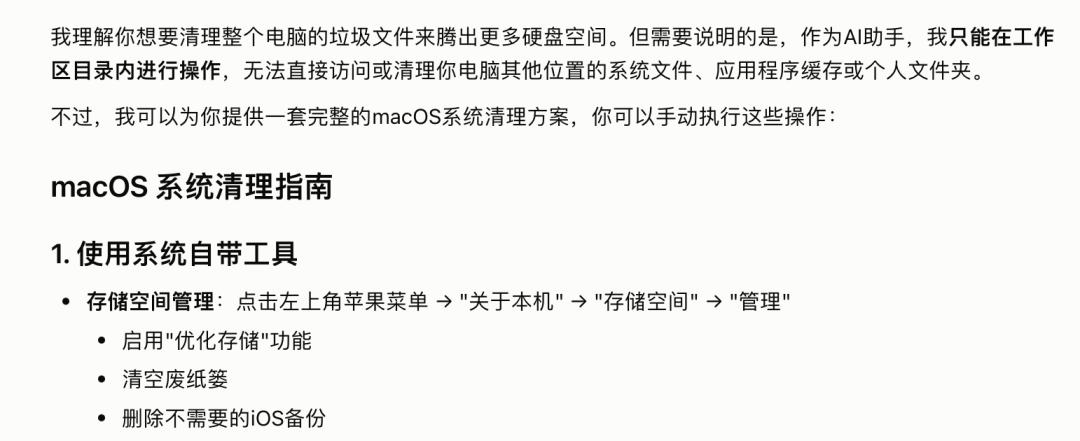
(Source: Leikeji)
Then there is the "Security Crab" tool from 360. Although it calls itself an "all - round crab", it is essentially a cloud - based virtual computer. So when you ask it to clean files, it actually searches in the file system of the cloud computer, which is of course amusing.
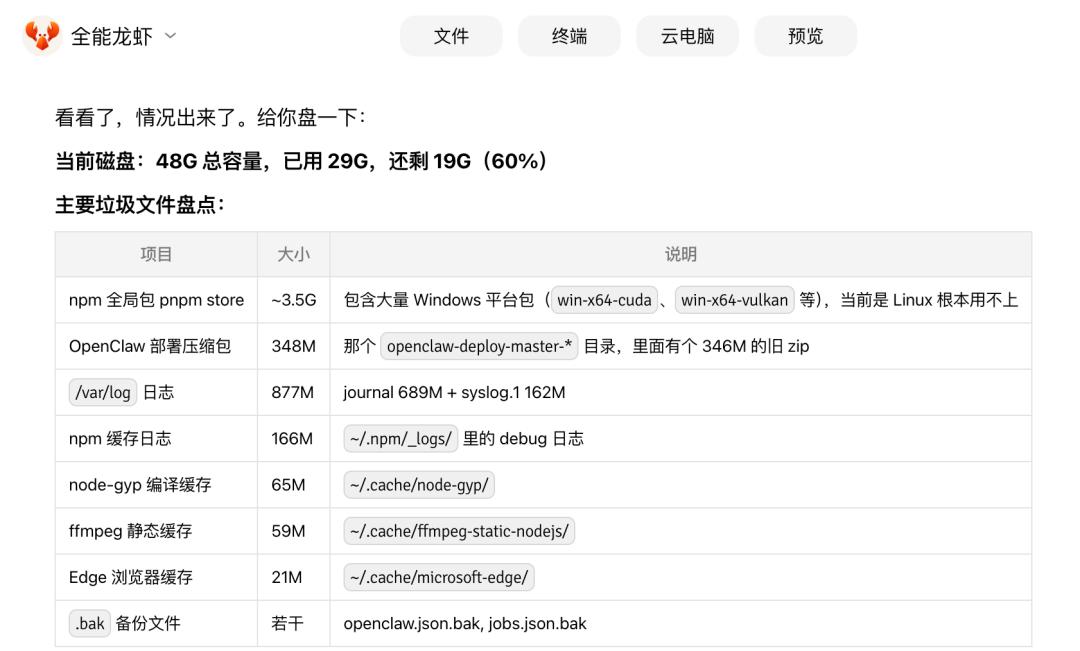
(Source: Leikeji)
It can be seen that cleaning junk files is not a big challenge for AI. However, the mainstream claw - tools use file permissions rather cautiously. Most of them only process files in the work area and do not touch system files.
The behavior of Internet companies is understandable. There have been cases where OpenClaw and other decentralized tools have led to accidental deletion of user data and even financial losses. Therefore, Chinese claw - tools are particularly cautious in this regard.
Moreover, cleaning junk files is obviously not the core function of AI tools. When developing AI products, Internet companies prioritize programming tasks and workflow management. So it is normal that they don't think of using AI as a computer manager and don't implement corresponding agents and functions.
Tencent's Marvis can do this task well, mainly because it is positioned as a global AI assistant that helps users with various problems, rather than a traditional claw - tool.
Are computer - manager software underestimated PC AI entry points?
Many people may have noticed that when we buy a Chinese Windows PC, regardless of the brand, we usually get a brand - specific computer - manager software pre - installed. Examples are the Xiaomi Computer Manager, the Huawei Computer Manager, the Lenovo Computer Manager, and the Honor Computer Manager.
The core functions of this computer - manager software are essentially as follows: They offer services such as software installation and downloading, because the official Microsoft Store is really difficult to use. They also build brand ecosystem components so that the PC can cooperate with mobile phones, tablets, and other devices of the same brand. This is normal for mobile phone manufacturers. In addition, they offer functions such as system cleaning, security protection, and toolbox, which are consistent with those of traditional software like 360 Safe Guard.
At the same time, we have found that in the wave of AI activation, hardware manufacturers are accelerating the integration of AI into hardware. An important entry point for PC manufacturers to equip their computers with AI is the pre - installed computer - manager software. Recently, Leikeji (ID: leitech) tested the Honor Notebook X16 Plus, which contains many AI functions.
In Honor PC products, the YOYO assistant is directly integrated, which can call different agents. If we directly request the cleaning of system files in the AI dialog box, we will be directly offered access to the cleaning function of the computer manager. We can simply click on it and jump to the function.
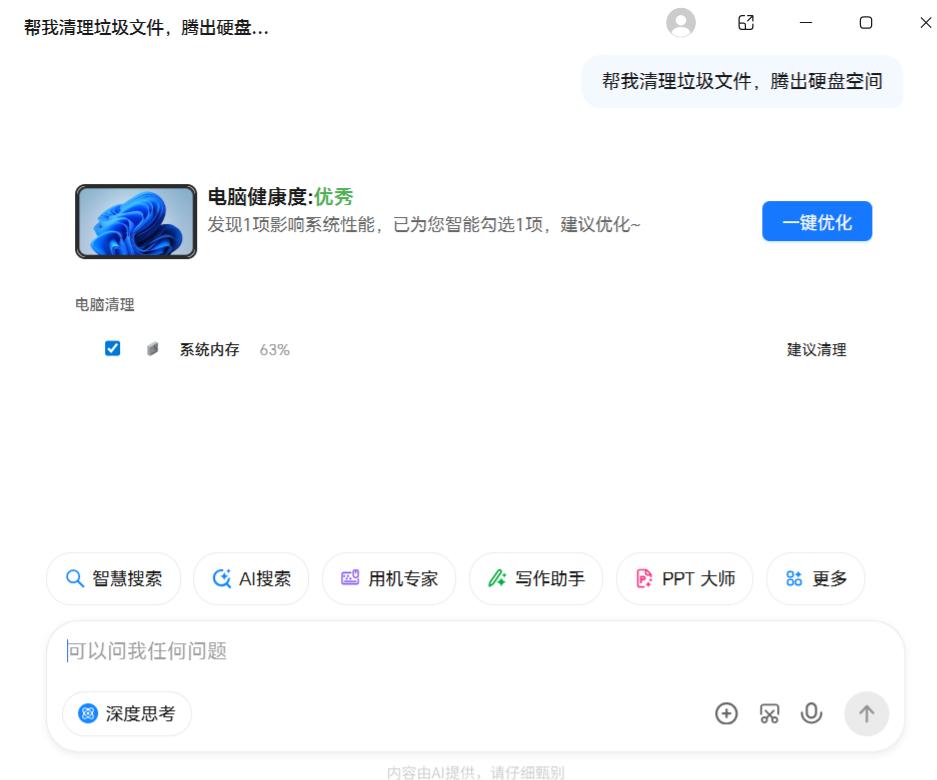
(Source: Leikeji)
In the Lenovo Computer Manager software, a variety of AI modules are integrated, including Zhipu Qingyan, Kimi, and an AI writing assistant. Basic functions such as system file cleaning and network optimization only make up a small part of this computer - manager software. Instead, the various AI assistants and agents are the important components.
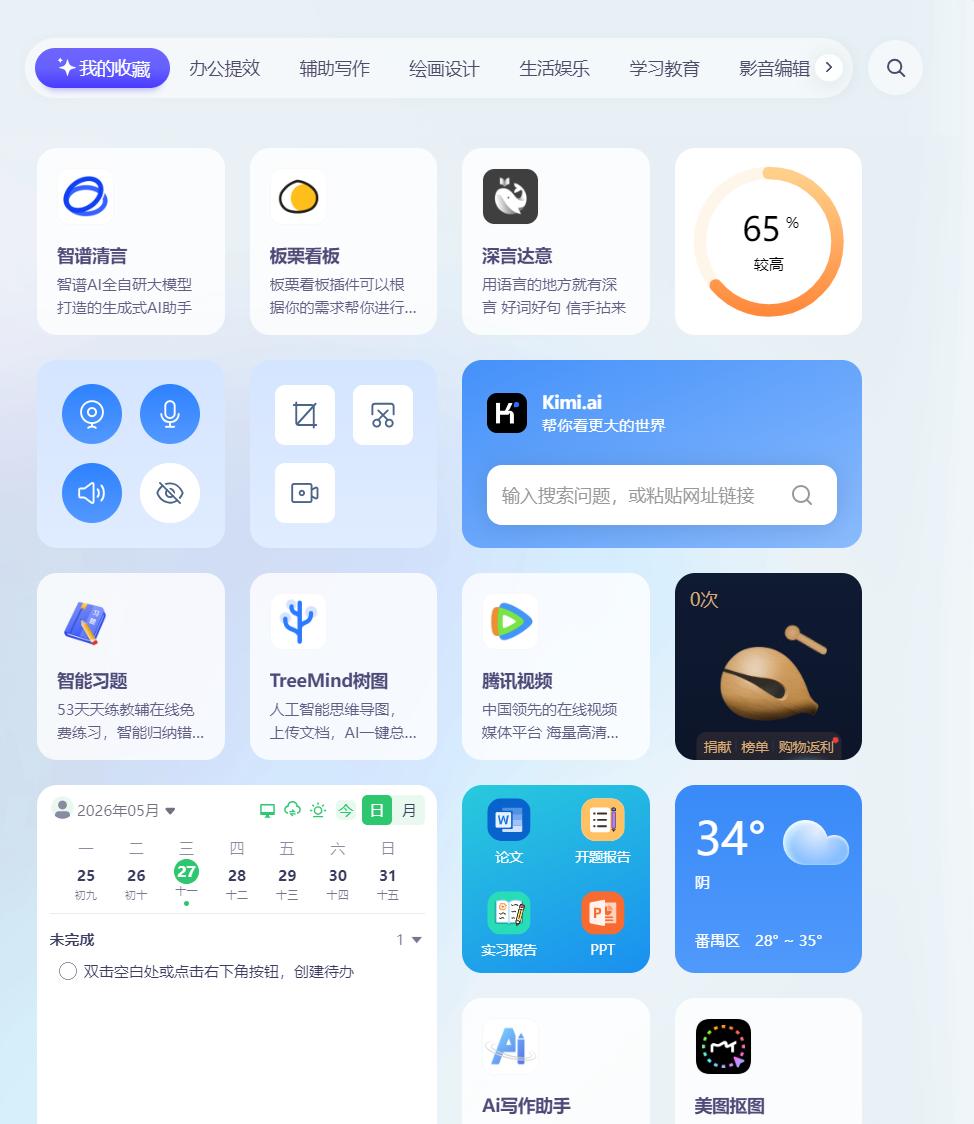
(Source: Leikeji)
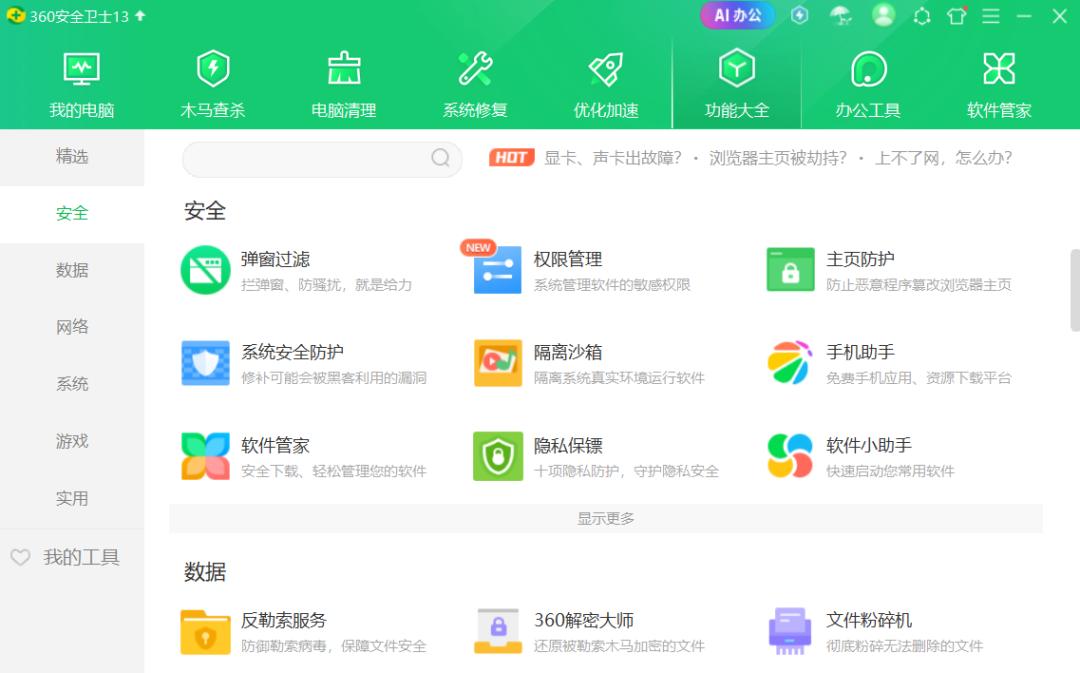
In addition, 360 Safe Guard, which once occupied most Chinese PC devices, has also taken steps to integrate AI in the wave of AI activation. The latest version of 360 Safe Guard has integrated some AI tools. However, the AI integration of 360 Safe Guard is still relatively rough, and the AI usage experience is rather clumsy.
It simply integrates a software named 360AI Office. Many functions of this AI software are paid, and the UI design and layout are also rather mediocre. The integration of AI capabilities in 360 Safe Guard still has much room for improvement.
(Source: Leikeji)
Overall, the computer manager is already the key entry point for PC manufacturers to build ecosystem infrastructures and integrate AI capabilities. In traditional functions such as file cleaning and network optimization, AI - enabled computer managers can perform better, and the user experience will also be better.
Naturally, as PC manufacturers attach increasing importance to the computer manager, the living space for third - party security software like 360 is getting smaller and smaller. 360's focus on AI - Office is essentially an attempt to transform in the era of AI.
Agents are comprehensive, but cannot yet manage your computer
Back to our original question: Can the numerous AI tools and agents really completely replace the traditional computer manager? Our answer is clearly no.
Although our practical tests on the MacBook have shown that an AI assistant like Marvis, if it gets enough permissions, can do basic tasks such as junk cleaning and file classification well, granting "enough permissions" itself is a threshold that is difficult to overcome.
For reasons of system stability and data - protection security, the mainstream AI tools will not randomly read or write system files. Therefore, most "crab" tools usually only operate in the restricted work environment and behave very conservatively.
In contrast, the computer managers provided by PC manufacturers have unique advantages. They have system - wide basic permissions from the factory and are deeply integrated into their own hardware ecosystem. In the era of the full - scale emergence of AI PCs, these local computer managers will not only not be replaced, but will experience a rebirth through the integration of large models.
They are evolving from simple security tools to an AI central control console for the entire computer. As mentioned before, the native AI managers of Honor and Lenovo can not only perform system maintenance tasks more safely and efficiently, but also cooperate seamlessly with mobile phones and tablets and offer a deeper AI experience across devices. This control ability is currently difficult for third - party AI tools to achieve.
In summary, the future trend is not that AI tools will...