Just now, GPT Images 2.6 was suddenly released, and the big chubby blue fish has gained full freedom in GIF meme creation.
Totally out of the blue.
Just now, OpenAI officially released the new-generation image generation model Images 2.6, and rolled it out to ChatGPT, Codex and API at the same time.
This upgrade brings several key changes.
First, the image generation speed is increased by 50%. Second, it supports generating GIF animations via text prompts. Third, it further improves the consistency of multi-round editing, making AI image generation gradually get closer to the production requirements of professional design assets.
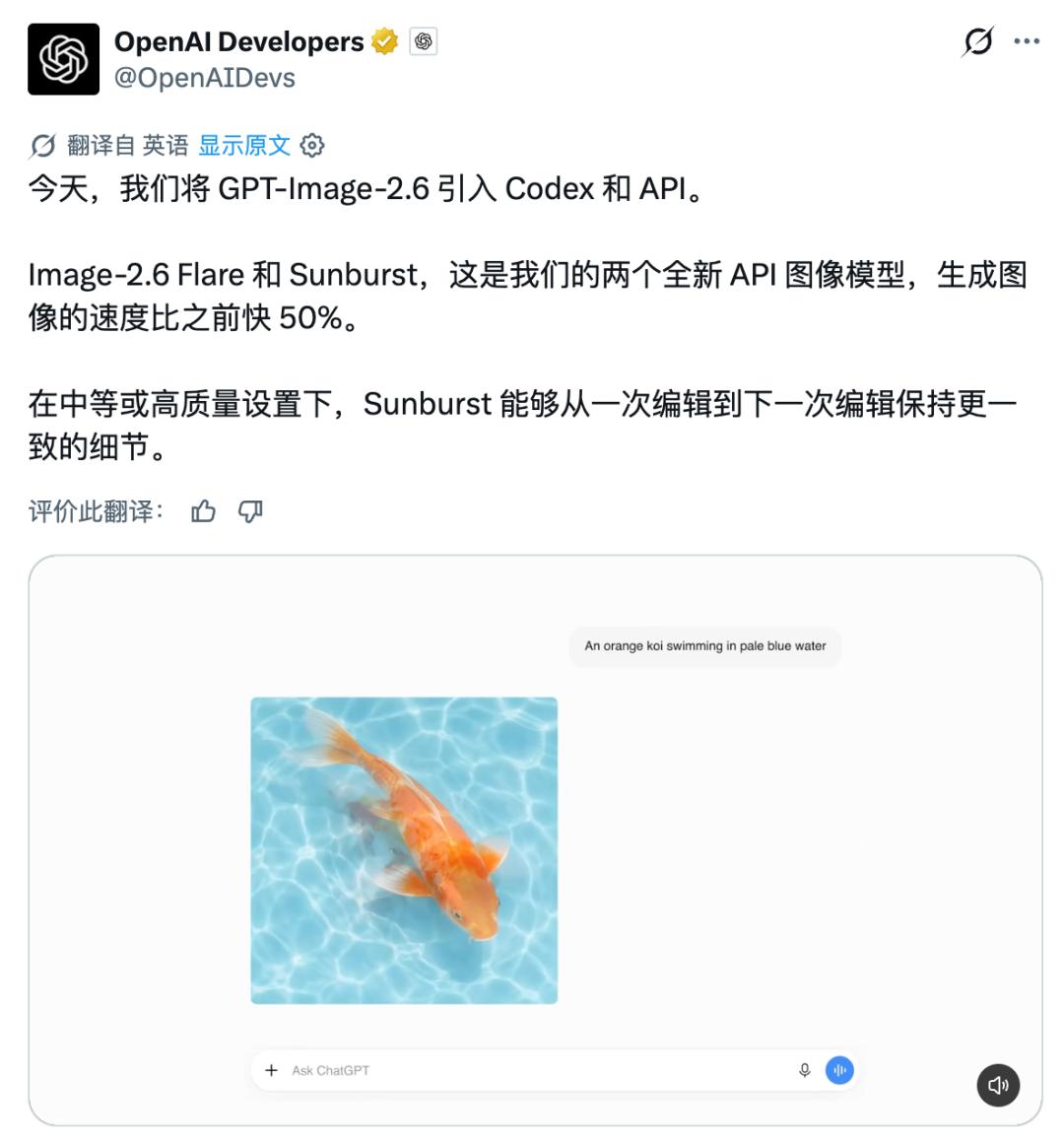
Figure |🔗 https://openai.com/index/introducing-images-2-6/
The official OpenAI Developers account also announced the launch of two models for developers, GPT-Image-2.6 Flare and Sunburst, which focus on fast generation and high-quality image editing respectively.
What draws more attention is that OpenAI disclosed a set of usage data in its official blog.
At present, global users create 4 billion images per week through ChatGPT, Codex and API, with an average of more than 500 million images per day. When AI image generation has reached such a scale, the core demands of the industry have gradually shifted from basic generation to the pursuit of more refined modification.
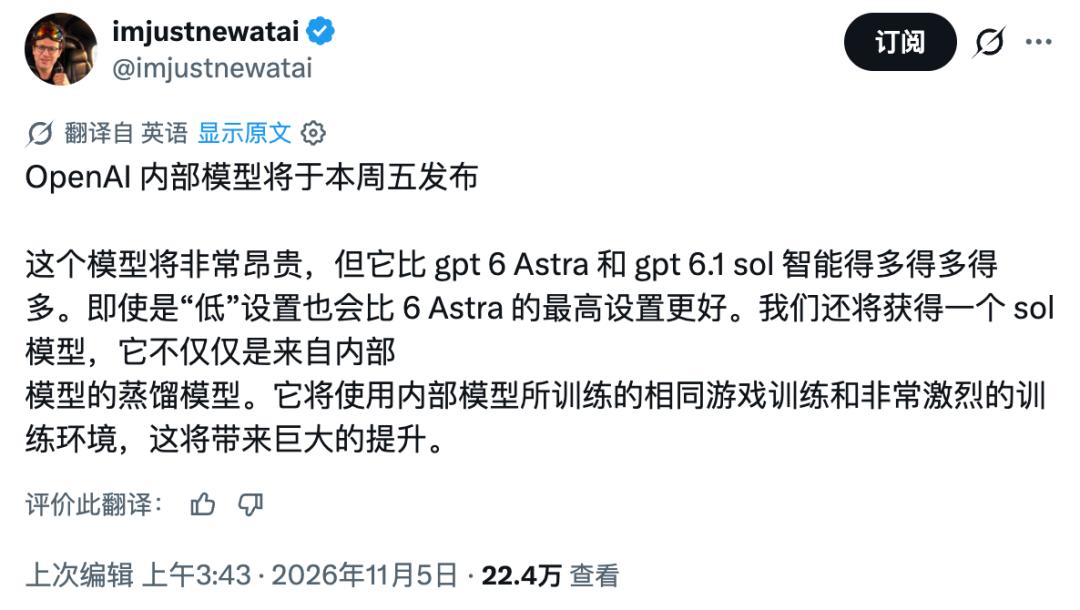
At the same time, according to people familiar with the matter cited by The Information, OpenAI may launch a new batch of models as early as this Friday local time, including the new-generation Astra, Sol and models focused on cybersecurity, though the specific release time is still subject to adjustment.
GPT Images 2.6 Launches, Balancing Speed and Quality
According to OpenAI, the image generation speed of Images 2.6 is 50% higher than the previous version, which means users can get results in a shorter time, and adjust prompts and modify images repeatedly more frequently.
On the API side, OpenAI provides two image models with different positioning this time.
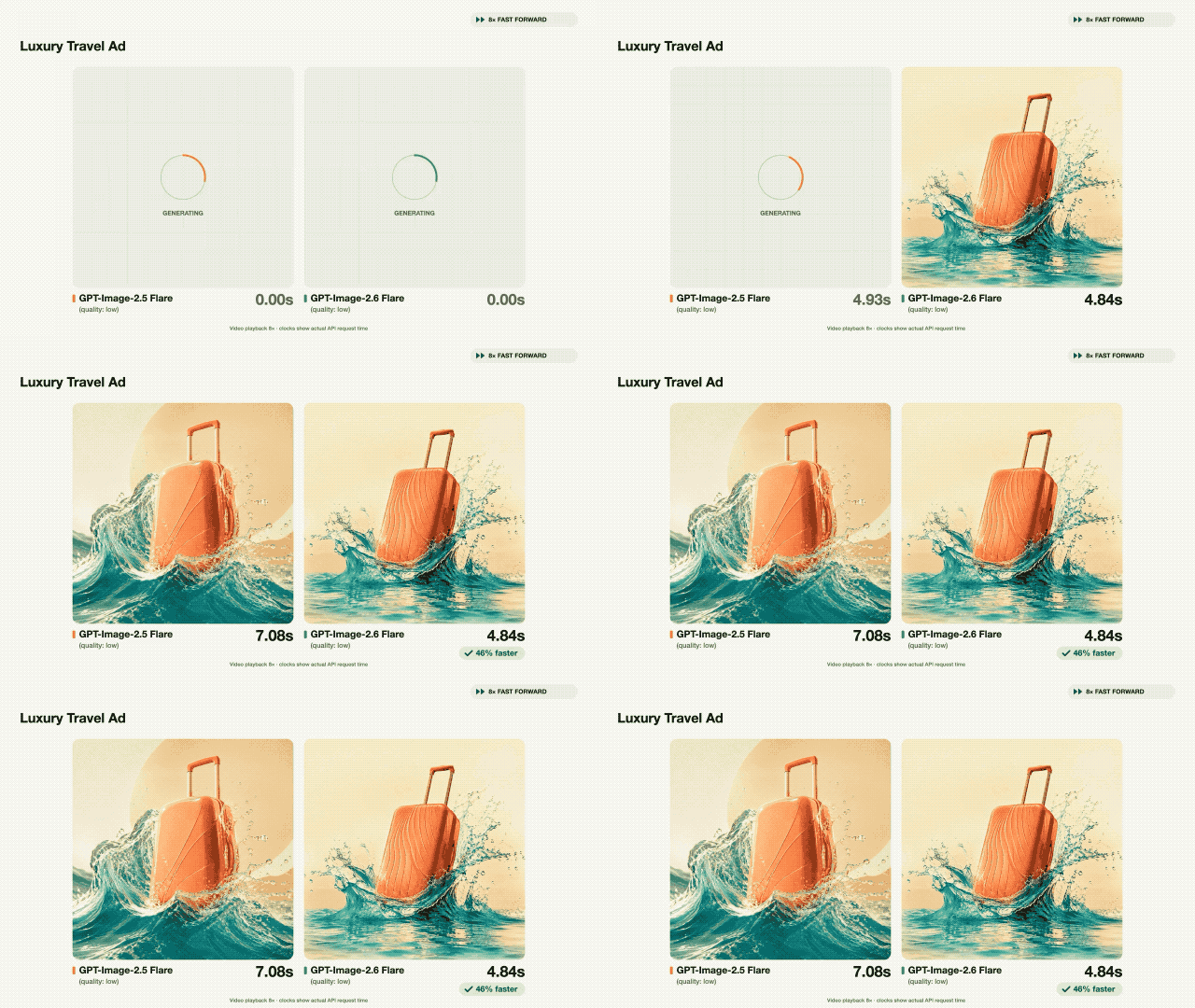
Among them, GPT-Image-2.6 Flare focuses on speed and daily creation.
Under the low-quality setting, Flare can generate an image in as fast as 6 seconds. Apart from higher speed, it also improves the layout quality of professional visual content such as posters and product display images, making the model more stable when processing composition and element arrangement.
The other model, GPT-Image-2.6 Sunburst, puts more emphasis on image quality, details and consistency in multi-round editing.
According to OpenAI, under medium and high quality settings, Sunburst can not only deliver better image quality, but also retain characters, product and brand details more stably during continuous modification.
This actually corresponds to the most common pain point in the actual use of AI image generation.
In most cases, users do not finish the work after generating only one image, but need to continue modifying the background, adjusting actions, changing copywriting, and replacing some elements. If the model changes the character's appearance, clothing or product appearance together when making edits, the previous work will basically have to be redone.
What Sunburst aims to solve is exactly this problem that users can only redraw the whole image and can hardly make fine adjustments.
For teams that need to produce series posters, advertising materials or brand visual content, this consistency is often more important than whether a single image is stunning, because what really affects work efficiency is never the first draft, but the subsequent series of modifications.
Every designer who has stayed up until 3 a.m. dealing with revisions must have a deep understanding of this point.
Generate GIF with One Sentence, Bring Static Images to Life
The most intuitive new capability of Images 2.6 this time, is the official support for GIF animation creation.
According to the cases demonstrated by OpenAI, users can directly describe character actions and change processes in natural language, and let the model generate looped GIFs for social media emojis, brand character animations, marketing content and even early storyboard exploration.
For example, OpenAI showed two sets of cases from OpenArt. One set is a chibi office worker crying in despair when the stock price falls.
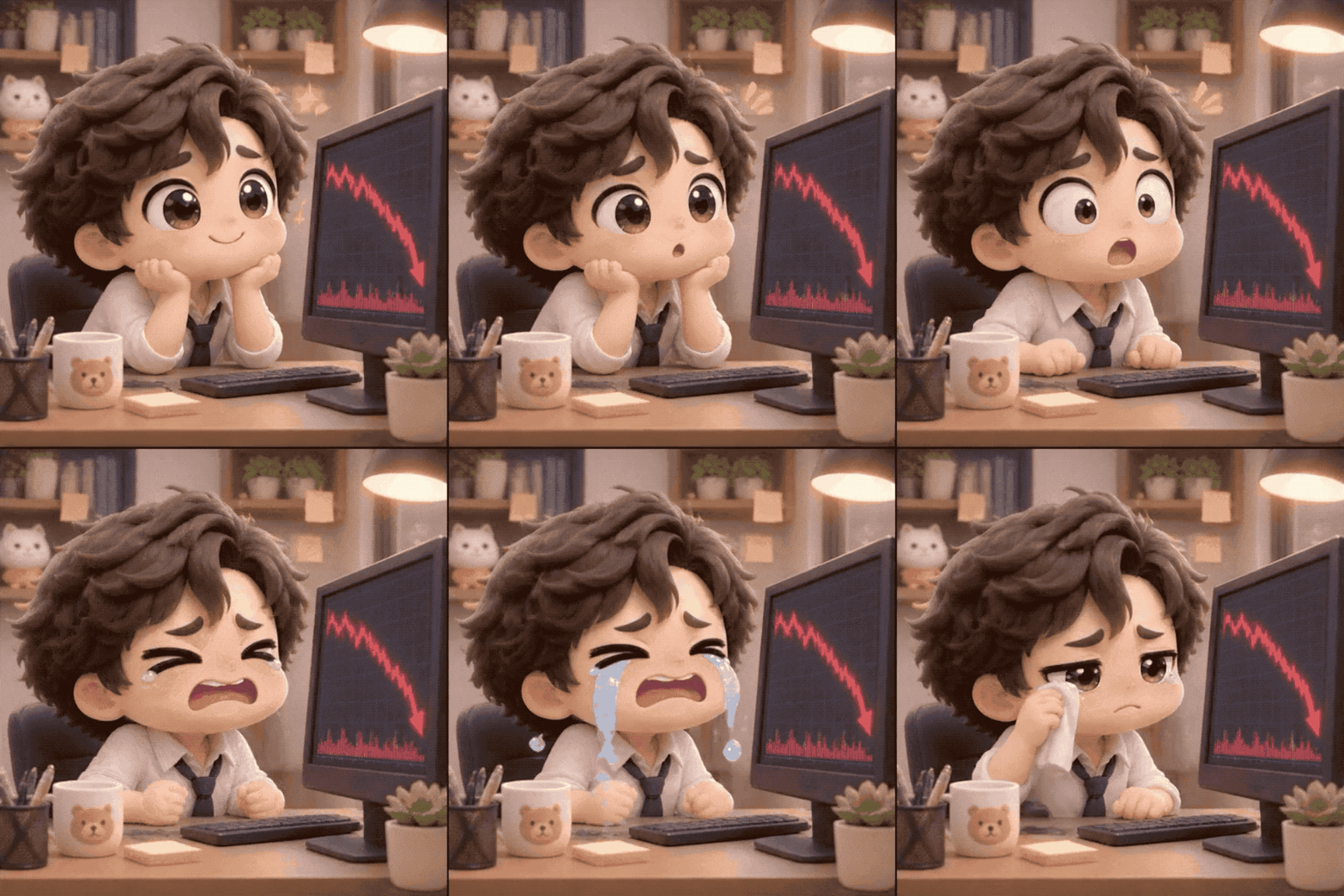
The other set is the character animation of celebrating excitedly after the stock price rises. Both pieces of content adopt 6 consecutive frames, and complete full emotional expression through subtle action changes on the premise of keeping the character, camera and background consistent.
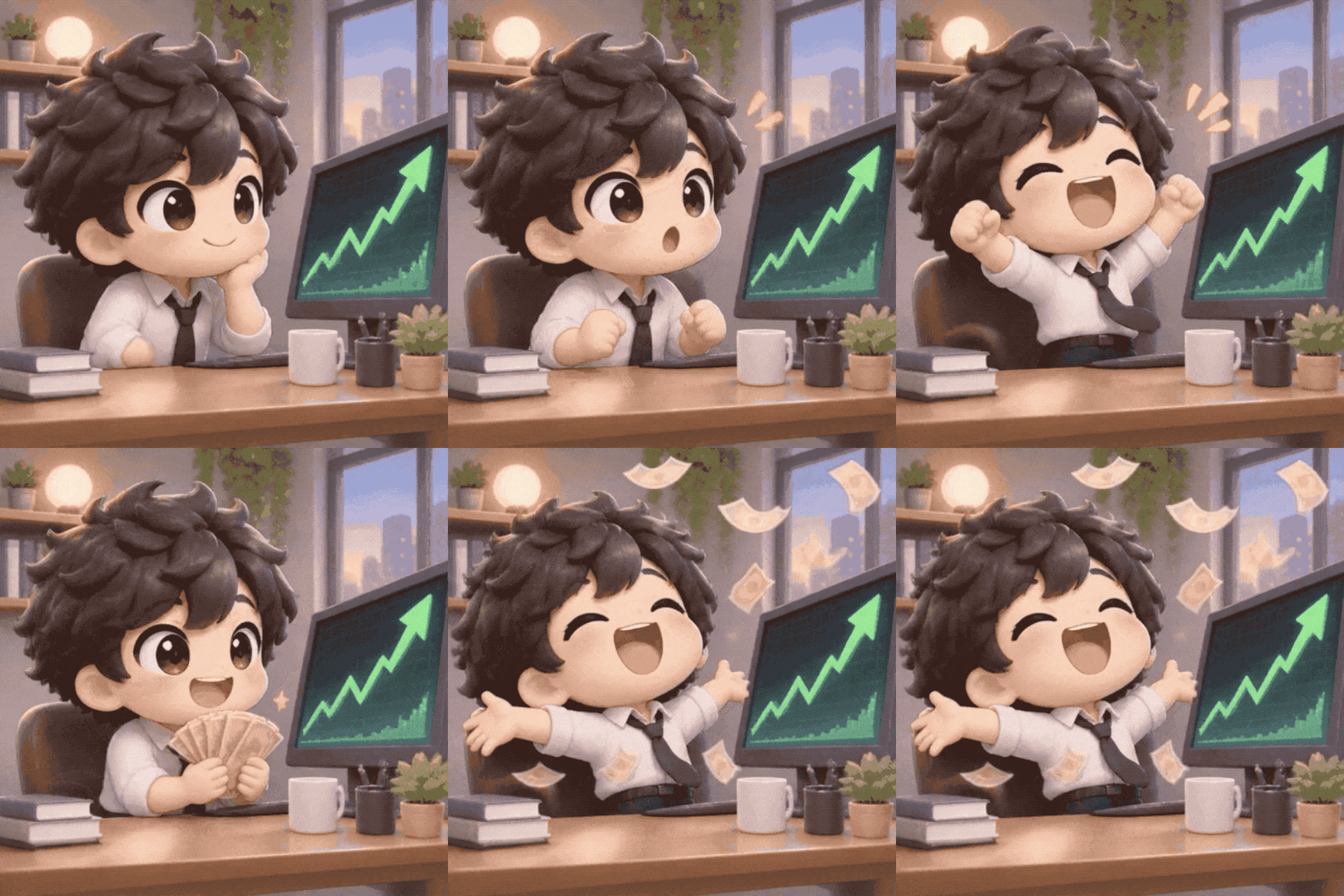
Judging from the prompts demonstrated by the official, while generating animations, Images 2.6 can understand a complete set of continuous action logic. For example, it needs to handle character setting, fixed camera, frame structure, front-back connection, and natural transition during loop playback at the same time, which means the model has begun to have a certain degree of "animation orchestration" capability.
OpenAI also demonstrated another more representative direction, which is to directly convert simple sketches into dynamic characters. For example, in the official case, a hand-drawn owl drawn on lined paper is converted into a movable animated character.
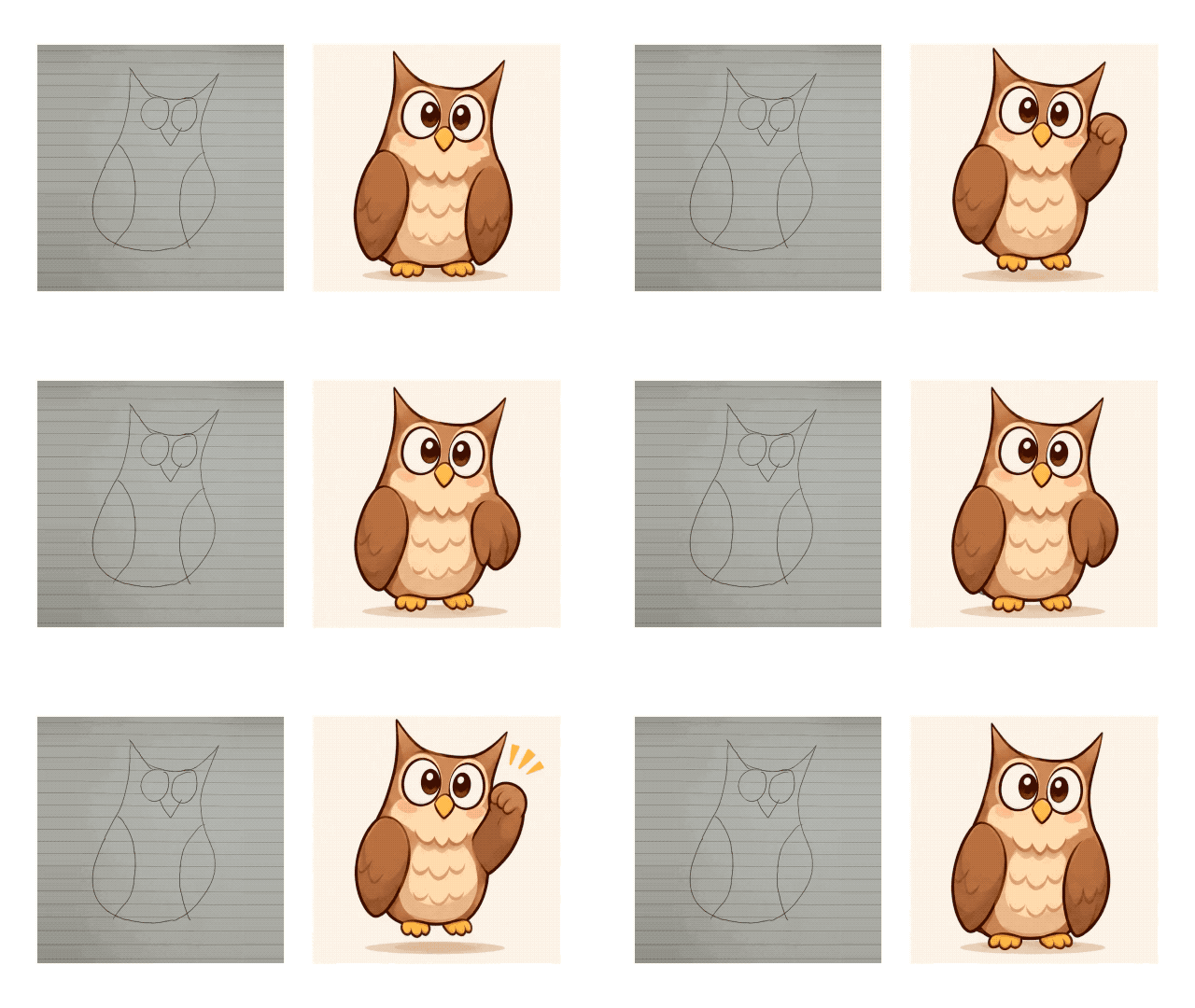
We also got hands-on experience with this function as soon as possible.
Recently, the big blue fat fish of DeepSeek has gone viral all over the network, and many people must have seen its various emojis in WeChat groups and comment sections.
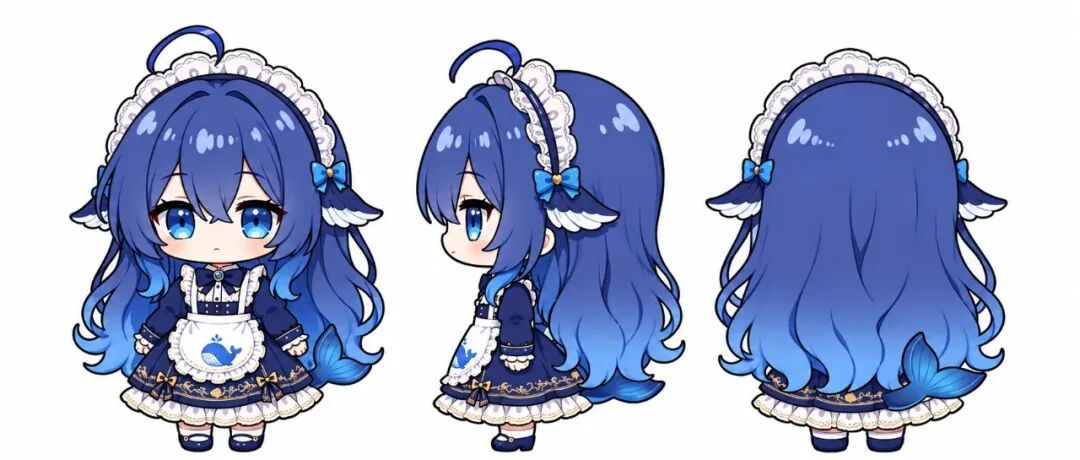
Image source: Blogger ZipZipPipe
With GPT Images 2.6, as long as you have enough creativity, ordinary users can customize emojis for their favorite characters at any time.
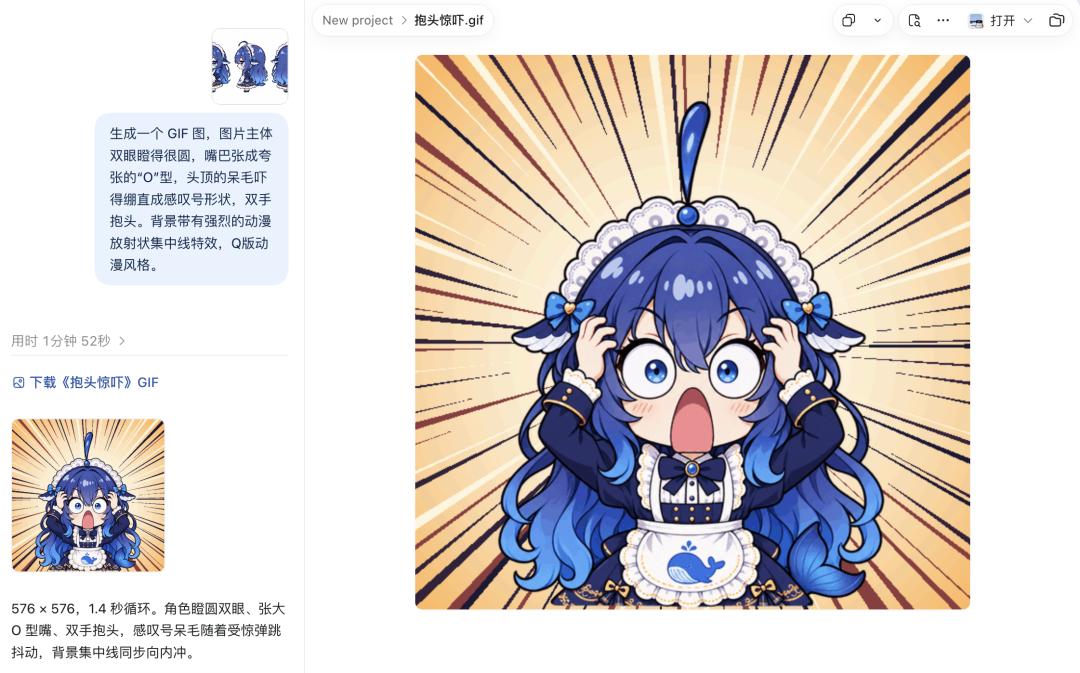
For example, the "shocked" version of the big blue fat fish.

The "playful thumbs-up" version of the big blue fat fish.

And the classic "eating plain rice" version of the big blue fat fish.

Compared with the past when you needed to search for suitable emojis all over the Internet, now you only need to describe the character, action and emotion to customize chat materials according to your own ideas, and even make a full set of emojis around the same character.
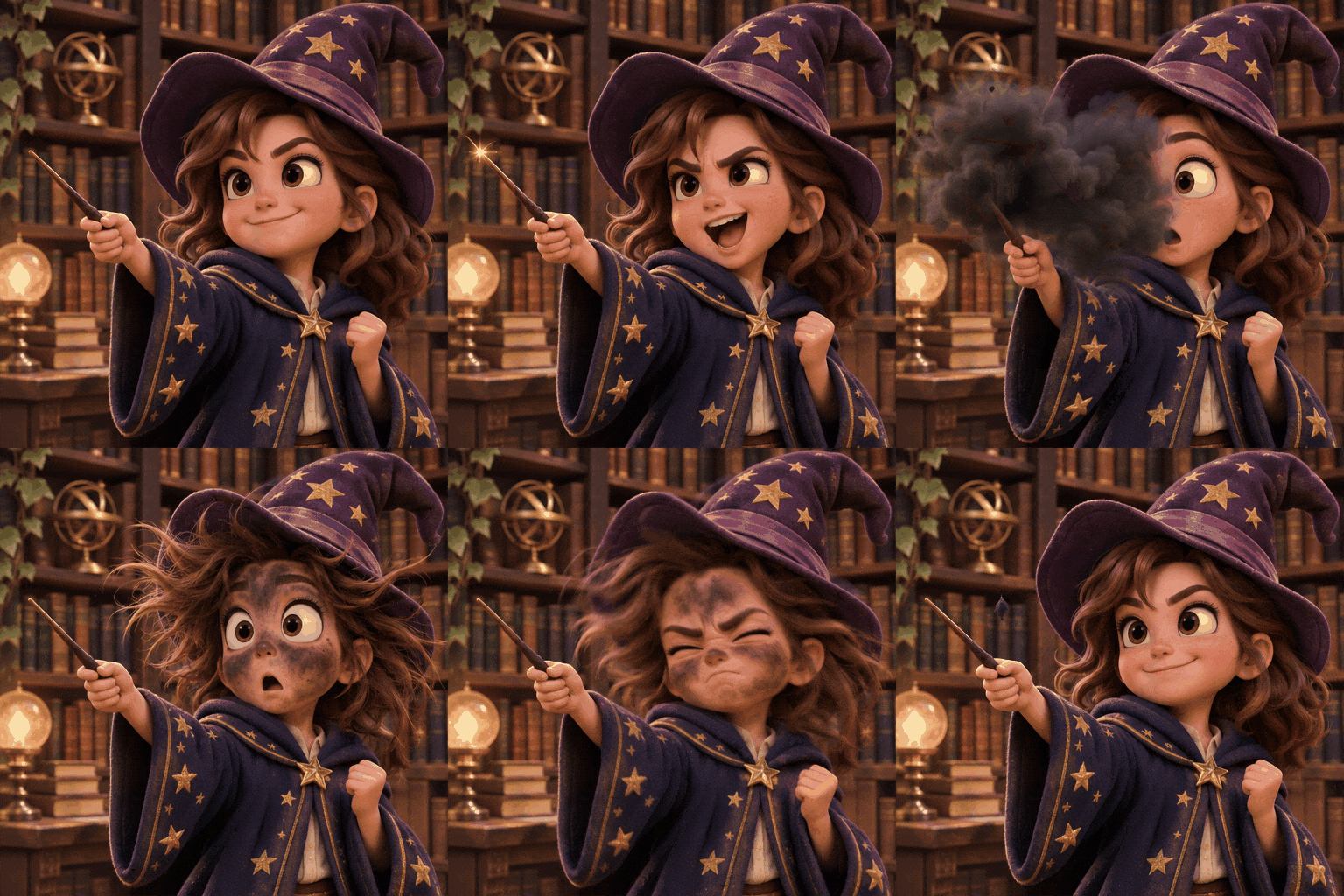
In actual tests, we also tried to make the model generate a 6-frame looped chibi magic apprentice GIF, where the character waves the wand to cast a spell, the spell gets out of control and his face is smoked black, then he shakes off the black ash and returns to the starting action, the whole action chain can be presented relatively completely according to the prompt.
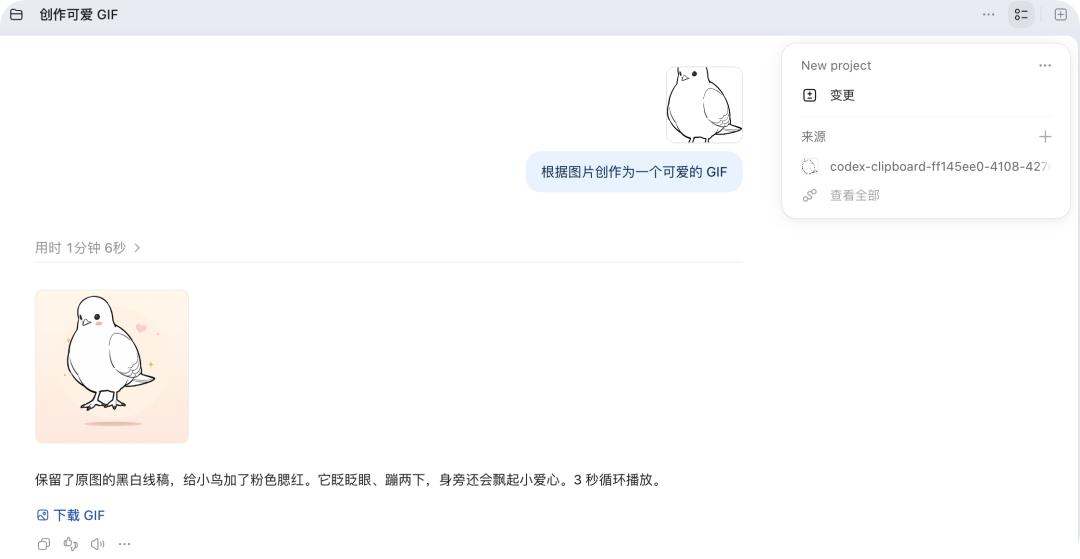
Another set of tests is to directly generate a cute style GIF based on a black and white line drawing of a bird. The model retains the original line style, only adds pink blush, and makes the bird complete the looped actions of blinking, hopping and floating hearts. The whole process takes about 1 minute and 6 seconds.
We also tested a set of 6-frame GIF of an anthropomorphic orange cat kneading dough. The model basically restores the continuous actions of kneading dough, sneezing, getting the dough stuck on its nose and then licking it off, and the overall style and warm bakery background also maintain good consistency.

Of course, judging from the current capability boundaries demonstrated by OpenAI, Images 2.6 is more suitable for this kind of short, looped, small-movement GIF generation, which is still not the same product line as generation models for long videos, complex camera movements or stronger narrative performance.
However, for emoji, brand mascot, product interactive motion effect and social content creation, this is already practical enough.
OpenAI also mentioned in the article that Town, a startup of AI office assistant, uses Images 2.6 to make dynamic effects for the virtual character Monty in its product, so that it appears above the input box in the form of animation when users wait for the AI to reply.
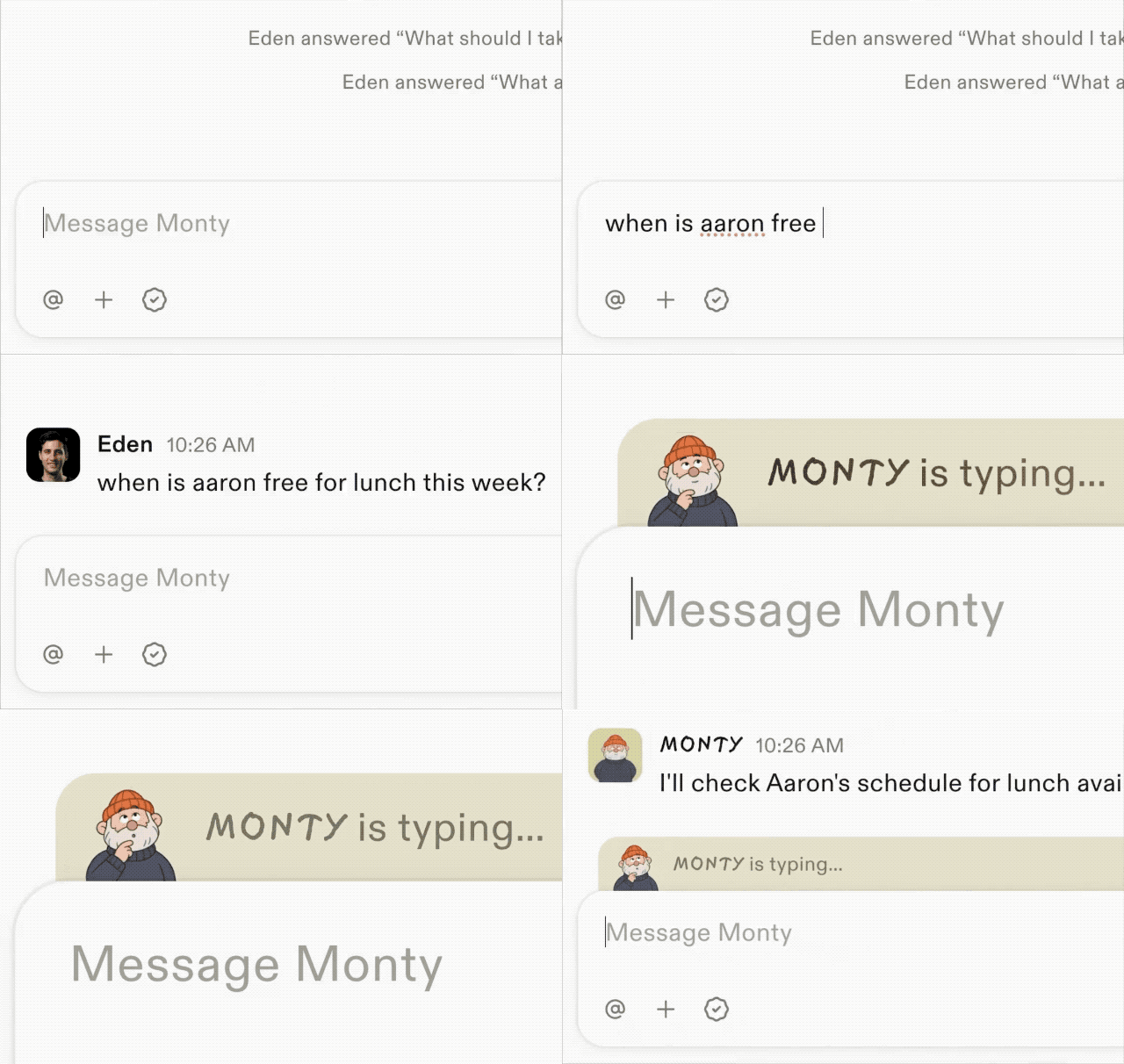
Compared with traditional loading icons or beating dots, this dynamic character with more personality and recognition is obviously easier to become part of the product experience.
Support SVG Export, Bringing More Control Options for AI Image Editing
In addition to GIF, the more important update of Images 2.6 this time actually lies in the editing and workflow level.
First of all, OpenAI brings the image marking function previously available in ChatGPT to the API, which means developers and teams can tell the model more clearly which part of the content exactly needs to be modified, so as to reduce the situation where you only want to make minor adjustments but the whole image goes off track.
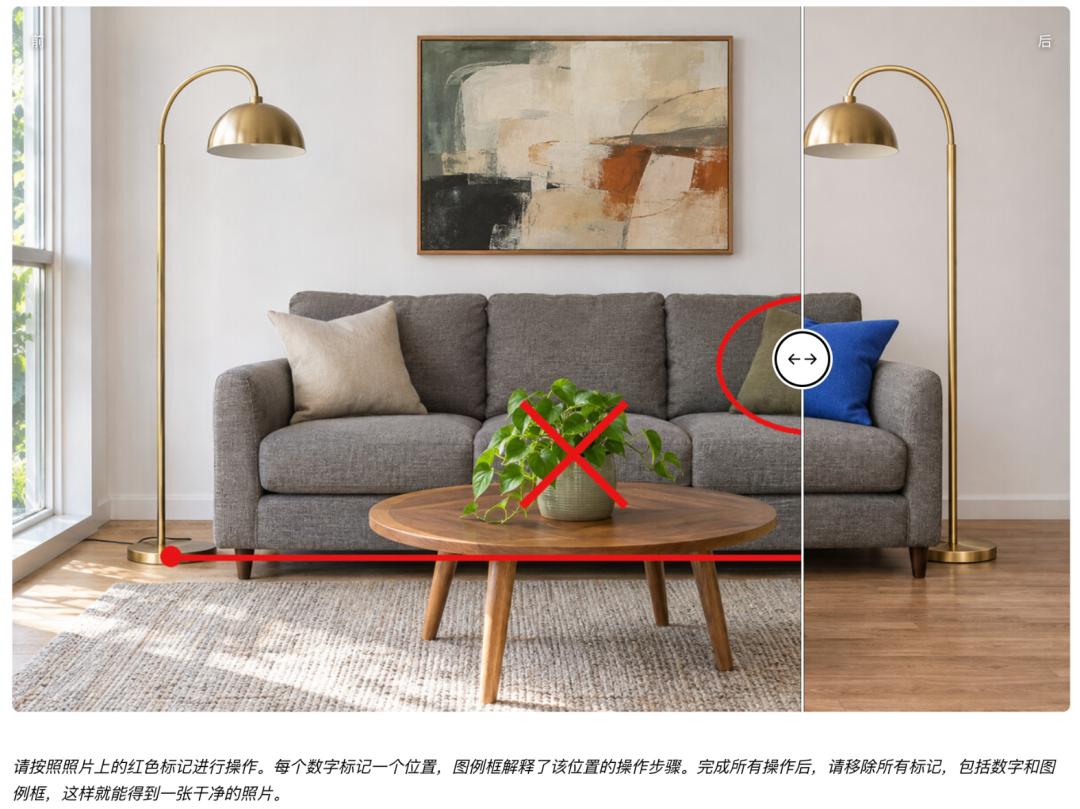
At the same time, Images 2.6 also supports SVG export, which makes it convenient to directly apply the generated results to scenarios such as websites, apps and printing.
OpenAI also adds a new complexity parameter, allowing developers to control how much planning work the model puts in when fulfilling the request. According to the official explanation, the image quality parameter determines the details and fidelity of the picture, while complexity determines to what extent the model will carry out scene planning and organization to meet the requirements of the prompt.
For simple tasks such as changing the background and adjusting a single element, OpenAI recommends using a lower complexity to get faster editing speed. For scenarios with a large number of elements, complex relationships or strict composition requirements, you can try medium and high complexity, so that the model can invest more processing power in understanding and organizing the picture.
In terms of availability, Images 2.6 has been opened to global ChatGPT and Codex users today, covering all subscription tiers, supporting desktop, mobile and web terminals. Developers can use the two models Flare and Sunburst through API.
In terms of pricing, Flare and Sunburst adopt the same API pricing, which is consistent with the previous generation Images 2.5.