This billion-yuan market for AI browsers – has no one truly taken a bite?
If there's one universally recognized failure in AI application entrepreneurship over the past three years, it has to be the AI browser.
When large language models first exploded in popularity back in 2023, browsers were seen as the most critical gateway to capture in the AI era. Disrupting Chrome with AI was a multi-billion-dollar entrepreneurial opportunity that everyone could clearly envision.
The simple truth is that this gateway is far too massive. There are already 6 billion internet users worldwide, with Chrome alone boasting over 3 billion users; Safari holds a billion-device foothold through iPhone, iPad, and Mac, while Edge is backed by the Windows ecosystem and Microsoft account system. In China, the number of internet users exceeds 1.1 billion, and browsers and search portals like 360 and Quark each command hundreds of millions of users.
It's also clear that AI browsers aren't just competing for a single tool—they're vying to become the default entry point for everything users do online every day, from browsing web pages to searching, checking emails, and using other daily products. Taking the 360 AI Browser as an example: if it had succeeded, it wouldn't just have upended Baidu's dominance in the search era, it would have instantly ushered 200 million existing 360 Browser users into the AI era, with extremely clear and viable monetization models.
This is exactly why AI browsers sparked a major entrepreneurial boom at one point. Domestically, there were products like 360 AI Browser, Doubao AI Browser, the AI-upgraded QQ Browser, Meituan's Tabbit, and startups' offerings including Fellou AI and ZERO AI. Internationally, Arc, Comet, and OpenAI's Atlas were some of the most prominent products that rose to fame quickly.
I once discussed this exact direction with an entrepreneur who previously held a senior executive role at a major tech company, and his conclusion was straightforward: AI browsers are a domain that major tech giants will inevitably fight over, so startups should be very cautious entering the space. Looking back now, it's true that entering the browser market requires careful consideration. Which of those AI browsers mentioned above are you still using today? Even products from major corporations have very few active users left.
Over the past three years, AI browsers have consistently failed to convince users to replace their Chrome, Safari, and other traditional browsers. Where exactly did things go wrong?
01
The First Wave of Hype Started with Sidebars
From 2023 to early 2024, the most common form of AI browser was a traditional browser with an added AI assistant. Previously, users had to manually copy web content into ChatGPT or extract subtitles separately, but these actions could now be done directly within the browser interface.
The 360 AI Browser was a very typical product of this wave. Around the end of February 2024, it officially launched, focusing on AI-powered search, an AI reading assistant, and an AI video assistant. Its features included summarizing web pages, PDFs, and long texts, extracting video subtitles and key highlights, audio transcription, mind map generation, follow-up questioning, translation, and writing assistance—truly a vast array of functions. I still remember that, following the example of 360 AI Browser, many other AI browsers at the time added small niche features like AI watermark removal, AI image collage, and AI knowledge bases to attract users.
This product became a massive hit almost immediately after its launch. According to AIwatch.ai's "Global AI Product Growth Dark Horse List" in April 2024, two of 360's AI products ranked in the top ten. 360 AI Search took the top spot, with its March traffic surging 1677% month-over-month. This data at least confirms that AI browsers were genuinely popular in their early days, and users were eager to try out the new technology.
However, at that time, users' core concern remained the quality of the answers generated by AI search. Perplexity won over a large user base precisely because it delivered better-quality responses, while China's Meta-insight was a comparable follower. But back then, domestic products like 360 AI Browser and Meta-insight only had AI response capabilities that barely passed the basic threshold, far from being outstanding.
The limitations weren't just due to model capabilities—Baidu and WeChat Search had access to the highest-quality data resources. This meant that most AI browser projects lacked their own proprietary models and unique data resources, failing to sufficiently satisfy users in the fundamental task of "answering questions well with AI." All the other supplementary small AI features also couldn't convince users to fully switch over.
Around 2025, Arc Max took things a step further.
It didn't just summarize web pages to generate answers—it also supported "Ask on Page," link previews, tab organization, and direct ChatGPT access from the command bar. It proved that AI could participate in the very act of "browsing" itself. However, its subsequent pivot to Dia also demonstrated that new browser interaction patterns are extremely difficult to popularize among ordinary users.
It was at this point that a truly practical use case for AI browsers finally landed: highlighted-section search. This meant the AI browser could see what content the user was viewing and allow them to ask questions about it at any time, eliminating the need for users to copy and paste web addresses and specific content—an action that previously was no different from opening a chatbot and typing in a query. Ironically, the feature that Arc Browser made popular wasn't even an AI function at all—it was the sidebar tab organization bar.
Moreover, international AI browsers began to evolve from "understanding the current web page" to "understanding the entire task the user is working on."
Dia can read across multiple tabs and integrate with Google Workspace, Slack, GitHub, and Notion. Because it supports asking questions about and organizing content from multiple tabs, many users ended up treating it purely as an AI reading tool.

Image source: @iDemoChen
Comet can connect to Gmail and Google Calendar after authorization, helping users organize emails, schedules, and browsing history.
ChatGPT's Atlas can remember web pages users have viewed, allowing them to easily retrieve things like "the job listing I looked at last week" or "the research materials I reviewed earlier." This step was far more significant than the sidebar AI feature, representing a major leap forward in AI-assisted content consumption.
These flagship capabilities of AI browsers, like cross-tab processing and user behavior memory, started to show real potential around this time.
02
The Key New Development: AI Browser + Agent
Just as AI browsers seemed poised for major breakthroughs, they completely vanished from the public discourse in 2026.
This was largely because starting in 2025, AI browsers entered a new phase: shifting from "answering questions" to "performing operations on behalf of users," with Agents becoming the central theme of the space.
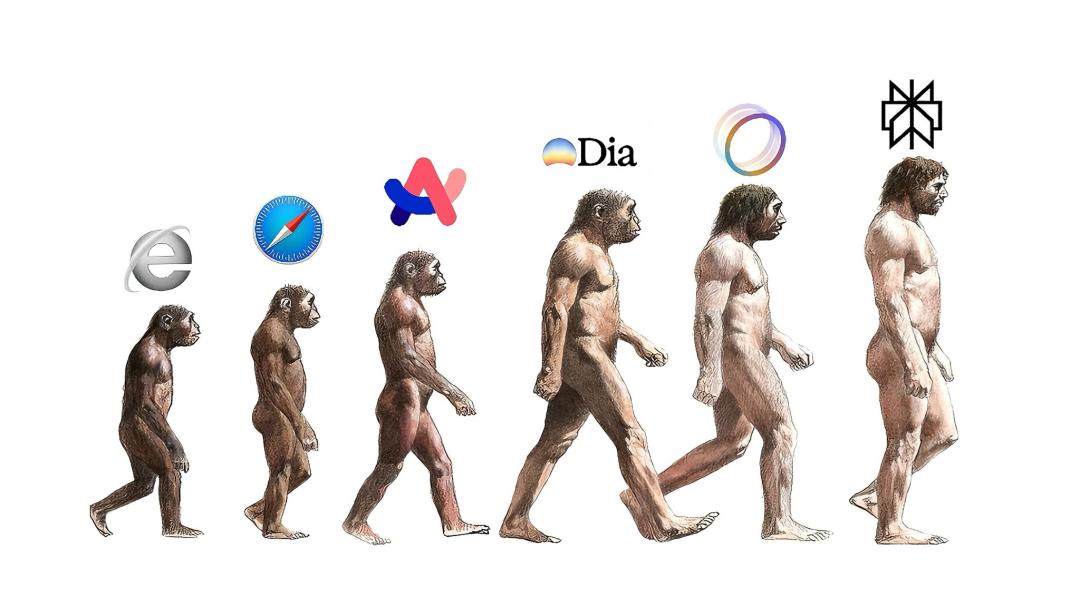
But the best vehicle for Agents is no longer the browser itself.
Leaving aside how much user attention has been captured by products that combine browser capabilities and agent features, like Doubao and Qianwen, new tools such as Lobster, Claude Code, and Codex are so impressively capable that working on a standalone AI browser now feels completely outdated.
Of course, AI browsers didn't just wait passively for failure. The original 360 AI Browser was later renamed Nano AI, and the entire category began to evolve toward the "browser agent" direction. Nano AI prioritized features like PPT and report generation, plus a digital AI assistant. It even launched an AI comic drama workflow, expanding into vertical industry use cases.
Super Search Agent, a concept proposed mid-2025 by Liang Zhihui, the product lead for Nano AI, was never implemented with enough full commitment.
In this direction, Fellou once conducted much deeper exploration. It focused on Deep Search and Deep Action: the former could access sites where the user was already logged in to generate cited reports from multiple sources, while the latter could continue executing tasks across websites, collecting information, organizing tables, syncing to Notion, generating reports, creating PPTs, and even running scheduled tasks.
Fellou later ran into financing difficulties and could no longer sustain its operations. The general-purpose Nano AI Browser is still active, but to survive, it has gradually shifted its focus to more niche, segmented use cases.
Most surprisingly, after the hype around AI browsers had mostly died down, Meituan's Tabbit entered the market.
It didn't just add another AI sidebar—it made the concept of "Agent in the browser" much more concrete. Shortly after launch, Tabbit was embroiled in controversy over alleged plagiarism of the open-source Read Frog project. The two sides later issued a joint statement, clarifying that the issue was not caused by malicious intent, but by misunderstandings over the open-source agreement and internal procedural negligence. Setting this episode aside, let's look at the strengths of the product:
Tabbit has built-in support for models including LongCat, DeepSeek, GLM, and Kimi, allowing users to switch between models and compare outputs from multiple options. Users can reference the current web page, screenshots, bookmarks, and local files to ask questions, and the tool can execute tasks spanning multiple web pages and external software.
Most notably, it has a standout feature called "Smart Moves." Tabbit allows users to save common workflows—like organizing industry news, conducting competitor analysis, filtering job candidates, collecting research materials, and generating PPTs—as fixed, reusable actions. It also incorporates long-term memory to record user preferences and frequent requirements. Overall, it's a well-executed product, even introducing the concept of Skills, but all of this simply came far too late.
Today, Tabbit's competitors have become products like Doubao Professional Edition and Workbuddy, which offer far stronger capabilities for complex tasks. To compete, Tabbit's browser has become increasingly bloated. While being tied to a browser gives it a base of existing browser users, it cannot match the upper ceiling of dedicated client products like Doubao Professional Edition and Workbuddy—creating a genuine dilemma for its development.
Earlier today, I used two AI browsers to generate PDFs summarizing a recent in-depth article from 36Kr. Doubao Professional Edition called on its visualization capabilities, and the final result was displayed in the Doubao browser after processing on the desktop. On the right is the PDF summary of the same article generated by Tabbit—its visual presentation is slightly less polished, but the actual user experience is very smooth.

The red box on the left shows Doubao Professional Edition, the red box on the right shows Tabbit
At the same time, international AI browser explorations also encountered missteps.
Comet and Atlas both moved toward the operation layer. Comet's use cases include organizing emails, scheduling meetings, planning travel, comparing products, and handling parts of the shopping process. Atlas's agent mode can continue completing research, making reservations, and organizing event plans on sites where users are logged in. But OpenAI also added restrictions to Atlas: sensitive websites will trigger a confirmation pause, and the agent cannot download files, install extensions, or access the local file system.
This demonstrates that the more an AI browser behaves like a full Agent, the closer it gets to critical permission and trust issues, with non-technical challenges becoming increasingly difficult to overcome.
Over the past three years, AI browsers have explored almost every possible use case, yet they never achieved mainstream adoption. Even the most ambitious project, Atlas, hasn't received an update for a full year. I personally uninstalled it reluctantly after two months of use, while Comet quietly faded away during its extended beta testing phase.
03
Browsers Are Too Bloated—Agents Are Starting to Go Around Them
In the AI browser battlefield, no one ever truly identified what the core competitive advantage should be: was it AI search response quality, an integrated AI account system, or an AI task assistant?
Today, AI search queries from AI browsers are clearly split into two categories. Informational search queries still go to Baidu, which combines AI responses with information feed recommendations—the native content in these feeds is the fundamental solution to eliminating model hallucinations. Most knowledge-based queries, meanwhile, are now handled by chatbots like Doubao.
The second major issue—unifying and managing website account systems through AI—sounds like a great concept, but privacy authorization has become the biggest roadblock.
Many features aren't technically impossible to implement with AI, but users are often unwilling to grant such extensive permissions. For an AI to truly understand "the entire task I'm working on," users would have to authorize cross-tab website accounts, email access, calendar data, browsing history, local files, screenshots, and even payment information and account statuses.
Chrome has struck a good balance in privacy protection: it offers sync, bookmarks, passwords, history, payment info, passkeys, multiple profiles, work accounts, client accounts, and internal system login states, but none of this data is uniformly uploaded to the cloud for AI processing. While AI browsers can import all this data at once, it's extremely difficult for users to grant full authorization across all their devices—phones, work computers, and other environments.
Users will never agree to grant AI such extensive management permissions, and most websites are unwilling to let AI browsers take control of their user data.
Browser extensions present similar problems. Many AI browsers are built on Chromium, so theoretically they can support Chrome extensions, but compatibility never delivers an identical user experience. More awkwardly, almost all the unique features of most AI browsers can be replicated using existing Chrome extensions.
Turning to scenarios like AI task assistants: functions like summarizing web content, generating mind maps, or even calling an Agent to create a PPT presentation aren't without demand. But AI browsers perform worse than dedicated professional tools at these tasks, and are less user-friendly than mainstream chatbots like Doubao and ChatGPT.
As a result, standalone AI browsers face pressure from two directions. On one side, Chrome, Edge, and Safari are integrating AI features directly into their existing browsers, causing minimal disruption to long-established user habits. As shown in the example of Chrome+AI below, users can directly call Gemini to query web content, and Chrome has quietly introduced a simple Skills mode that only uses prompts, without relying on .MD configuration files.

On the other side, Agents like Codex and Claude Code are increasingly treating the browser as just one tool that they can call on demand.
To elaborate: in the old model of AI browsers, users would first open a dedicated AI browser, then ask the Agent inside it to perform tasks. Today, products like Codex and Claude only call on a browser when executing complex tasks. For example, when an Agent needs to find trending content on Douyin for research, it opens a browser on its own and uses Bower use to retrieve web page information. When it needs to verify a coding project on a web page, it opens a built-in browser for previewing.
The key point isn't that "Codex is more advanced than AI browsers"—it's that the complexity of tasks has grown significantly. As tasks become more demanding, an Agent running inside a browser struggles to simultaneously handle code repositories, terminals, local files, page debugging, and permission confirmations. It's far more effective for work-focused Agents like Codex and Claude Code to call a browser as needed, treating it purely as a research gateway and verification tool.
Conversely, for very lightweight tasks