After wearing the Thunderbird V4 for a few days, I realized that the real shortcoming of AI glasses is no longer the hardware, but the AI.
In the past year, AI glasses have been in a stage similar to what smartphones experienced more than a decade ago. Almost every month, new products are released, and each manufacturer emphasizes that AI glasses represent the future of human - machine interaction. As it is destined that AI will become the core of the next - generation computing platform, glasses are the most suitable hardware carriers for AI.
This logic is not difficult to understand. Glasses are naturally close to the eyes and ears. They are equipped with cameras, microphones, and speakers for sensory perception and do not need to be actively taken out like mobile phones. Theoretically, they do have the opportunity to become one of the most natural hardware entrances for AI.
However, when many people actually wear AI glasses, the most prominent feeling is not how powerful the AI is. Compared with the grand visions presented at product launches, users first face more specific questions: How long can it be worn? How long can it be used? Will it make me want to wear it all the time?
If a pair of glasses is uncomfortable to wear, has poor sound quality, or has insufficient battery life, even the most powerful AI capabilities will be difficult to utilize in the long term. With these questions in mind, I started to experience the Thunderbird V4 and found many improvements as well as some issues with it.
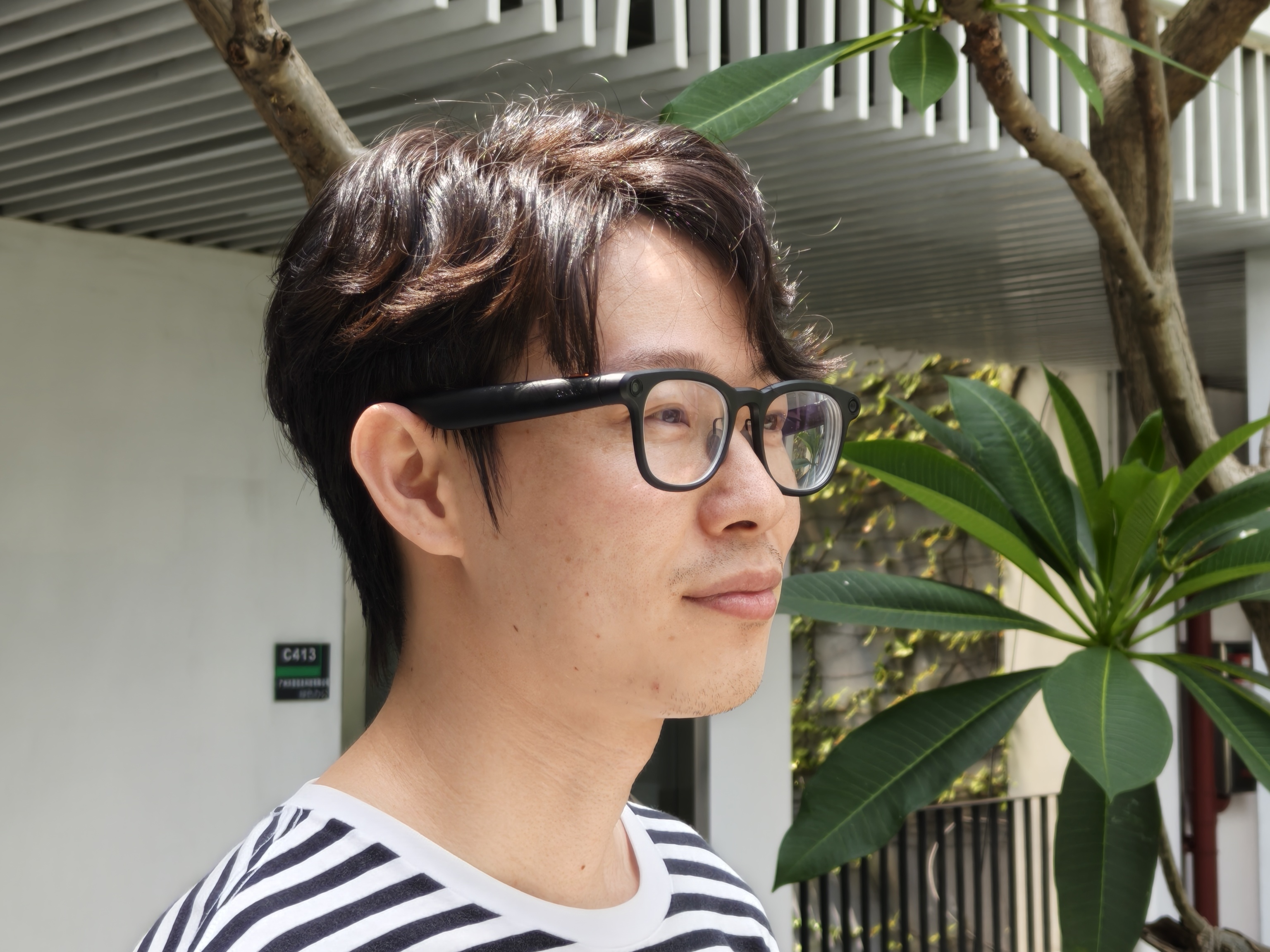
Image source: Lei Technology
(Note: The following content does not include professional tests or any form of advertising. It is only the subjective experience of Xiaolei.)
Thunderbird V4: It looks like what an AI glasses should be
The first impression I got when wearing the Thunderbird V4 was its lightness. Here, "lightness" is relative to other AI glasses. If compared with ordinary glasses, you can still feel the additional weight, but the overall experience is quite good.
In terms of data, the factory - weight of the Thunderbird V4 is 38g (the previous generation was 39g). After replacing it with myopia lenses (over 400 degrees, 1.60 refractive index), the measured weight is 49g. In contrast, the measured weight of my regular myopia glasses is 24g.
As a long - term user of myopia glasses, I can wear the Thunderbird V4 continuously for four or five hours without feeling much extra burden. However, if I wear it for eight or nine hours, it will be a bit more tiring than regular myopia glasses, mainly due to the pressure on the temples.
In comparison, the nose feels more comfortable. In addition to the weight, the design of the air nose pads may also play a significant role. Compared with the relatively hard regular nose pads, the air nose pads can better distribute the pressure of the glasses on the bridge of the nose. The pressure on the nose during long - term wearing is not significantly different from that of regular glasses.
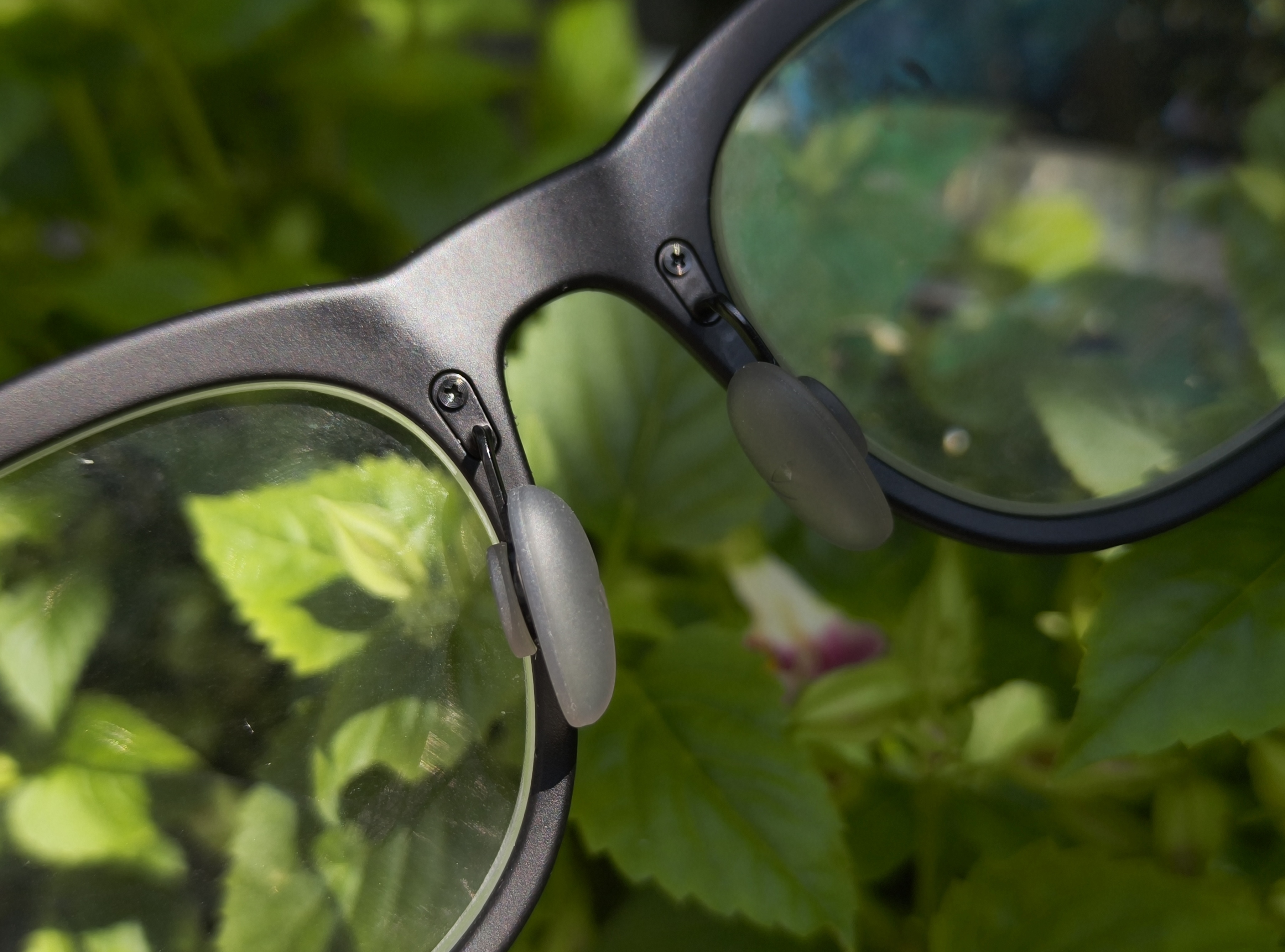
Image source: Lei Technology
For a product that is heavier than ordinary glasses and is designed for all - day wear, these seemingly insignificant details actually have no less value than simply reducing a few grams of weight.
As for the appearance, the Thunderbird V4 looks like a non - rigid traditional pair of glasses and does not stand out in a crowd. It is not easy to achieve this. From weight and volume to the design of the temples, every gram and every inch of streamlining requires a large investment and restraint in product design.
However, there are still some issues with the texture. The damping feeling when opening and closing the temples is not smooth enough. Although it does not affect normal use, there is still room for improvement at this price point.
It must also be mentioned that many people may overlook the changes brought about by the Thunderbird V4's support for IP67 dust and water resistance. This is not a function that users can easily perceive actively, but it makes me more confident in using the V4 as an ordinary pair of glasses. When sweating, in light rain, or in a slightly more complex environment, I don't have to worry about the device getting water - damaged.
For a product that needs to be worn on the face for a long time, reducing this psychological burden is an important part of the daily experience.
As for the open - audio feature of AI glasses, the advantages and disadvantages are still very obvious. Specifically for the Thunderbird V4, in a quiet environment, when listening to music or podcasts, the V4's sound field performance is quite good, with a certain sense of stereoscopy and deep bass. However, in the subway, shopping malls, or on the roadside, the biggest advantage and disadvantage of open - audio come into play: it does not isolate environmental sounds.
Safety and comfort are advantages, but environmental noise can easily drown out the sound from the speakers. Moreover, compared with ear - clip headphones like Huawei FreeClip and ear - hook TWS headphones like Doubao Ola Friend, the sound - emitting unit of glasses is farther from the ear canal, and the problem is more obvious. Of course, there are solutions. For example, the all - in - one set of the Thunderbird V4 comes with a sound - guiding fin, which can optimize sound leakage and improve the sound clarity in a noisy environment to some extent.
There is also a detail that I didn't understand at first, which is the dual indicator lights inside and outside.
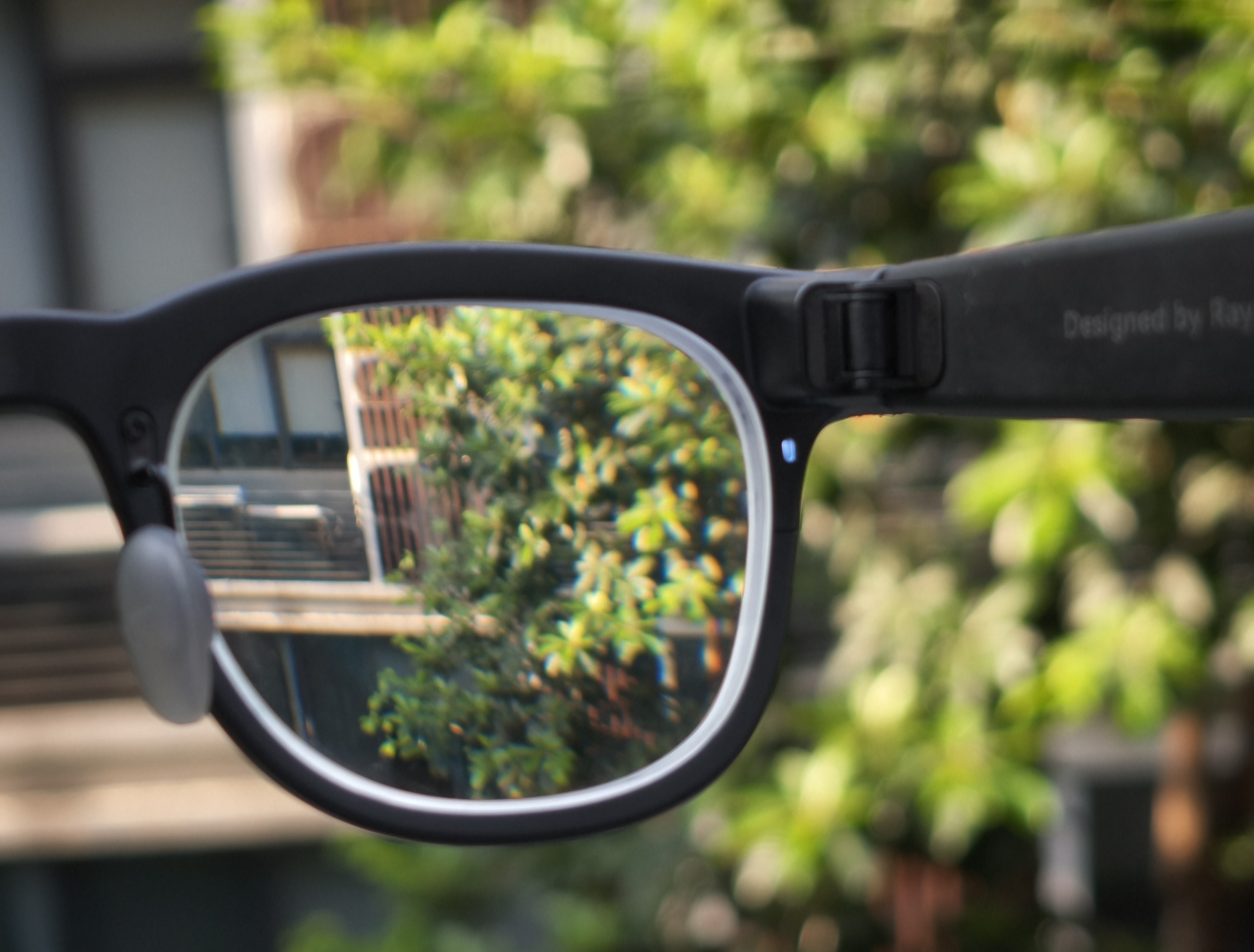
The status indicator light on the inside. Image source: Lei Technology
The Thunderbird V4 continues this design from the V3. When taking photos or recording videos, not only does the privacy indicator light on the outside of the frame light up, but there is also an indicator light on the inside of the frame facing the wearer. In contrast, many AI glasses only have an outside indicator light to remind people around that the camera is working.
At first, I thought this inside indicator light was a bit "redundant". The reason is that it is basically invisible outdoors during the day, and it can only be seen indoors most of the time. At night, it is a bit glaring. Meanwhile, there is a relatively clear prompt sound, which theoretically should be enough to tell users whether photo - taking or video - recording has started.
However, after using it for some time, I realized its value. In noisy environments such as the subway and shopping malls, the auditory prompt is not reliable. Environmental sounds can easily drown out the prompt sound of the glasses. At this time, the inside indicator light becomes the most intuitive status feedback. You can clearly know whether the glasses are taking photos or recording videos just by seeing the light out of the corner of your eye.
It can be said that I am quite satisfied with the industrial design of the Thunderbird V4. But how about it as a pair of shooting glasses?
The shooting quality is good, and smooth interaction is the biggest highlight
When talking about the Thunderbird V4, shooting is an inevitable topic.
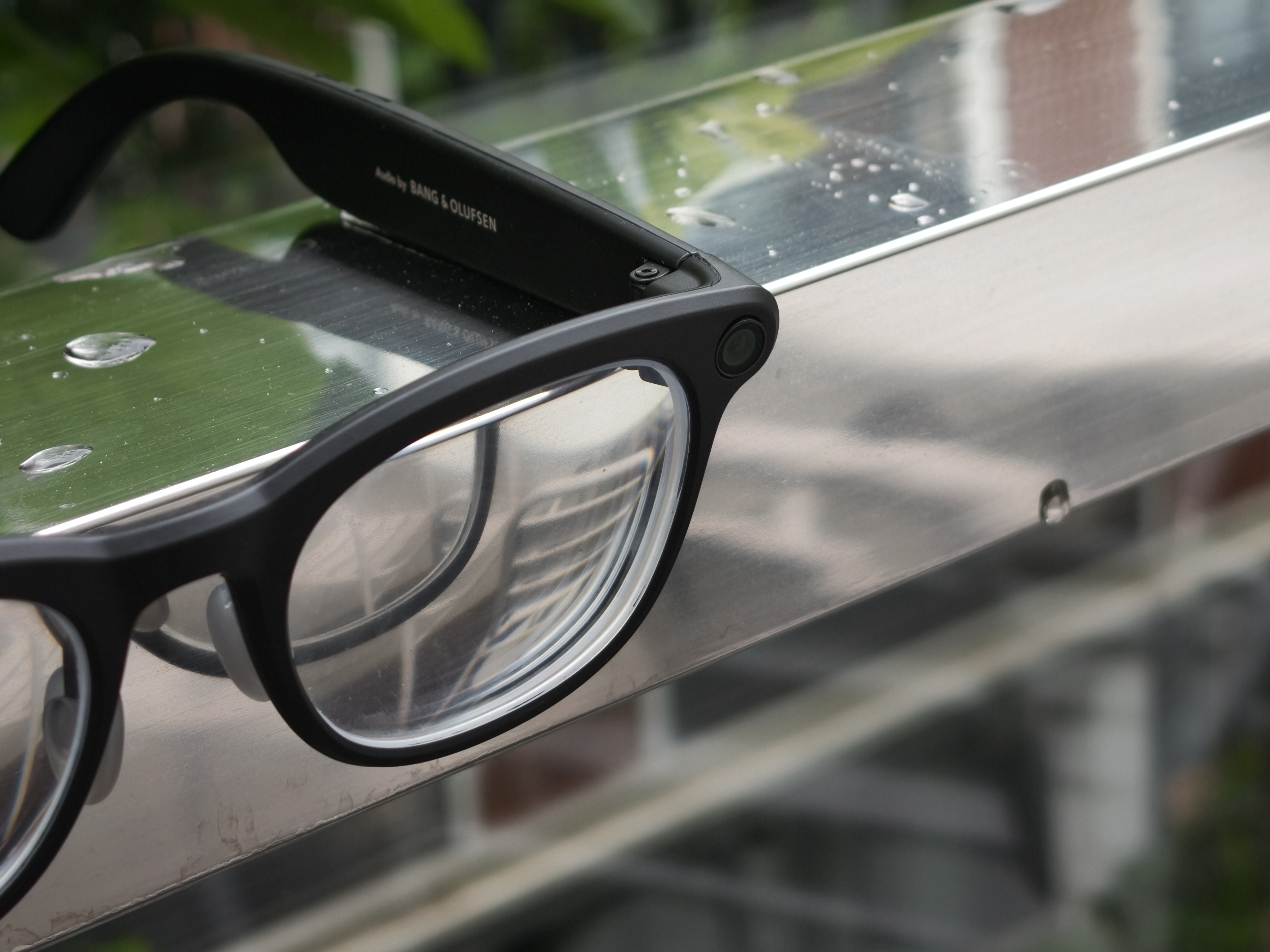
The camera on the left side of the glasses. Image source: Lei Technology
The imaging hardware is the key upgrade of this generation of V4. According to official information, it uses the Omnivision OG09B, with a sensor size of 1/2.9 inches, 9 million pixels, a single - pixel area of 2.09μm², and is paired with a 5P lens with an equivalent focal length of 17mm and an aperture of F2.2. It supports up to 2.5K video recording.
Compared with other AI glasses, it can indeed be regarded as having a large sensor. But what's more interesting than the large sensor is that this sensor uses a 1:1 square design.
Glasses are always fixed on the face and cannot switch between landscape and portrait modes by rotating the device like a mobile phone. The square sensor can first record a more complete picture and then crop it into landscape or portrait according to the publishing scenario. Theoretically, it can reduce the loss of field of view and image quality caused by cropping different aspect ratios.
However, it is a pity that the Thunderbird V4 currently does not provide an option to output original 1:1 ratio photos. Users can only first get 4:3 or 3:4 photos and then crop a square image from them.
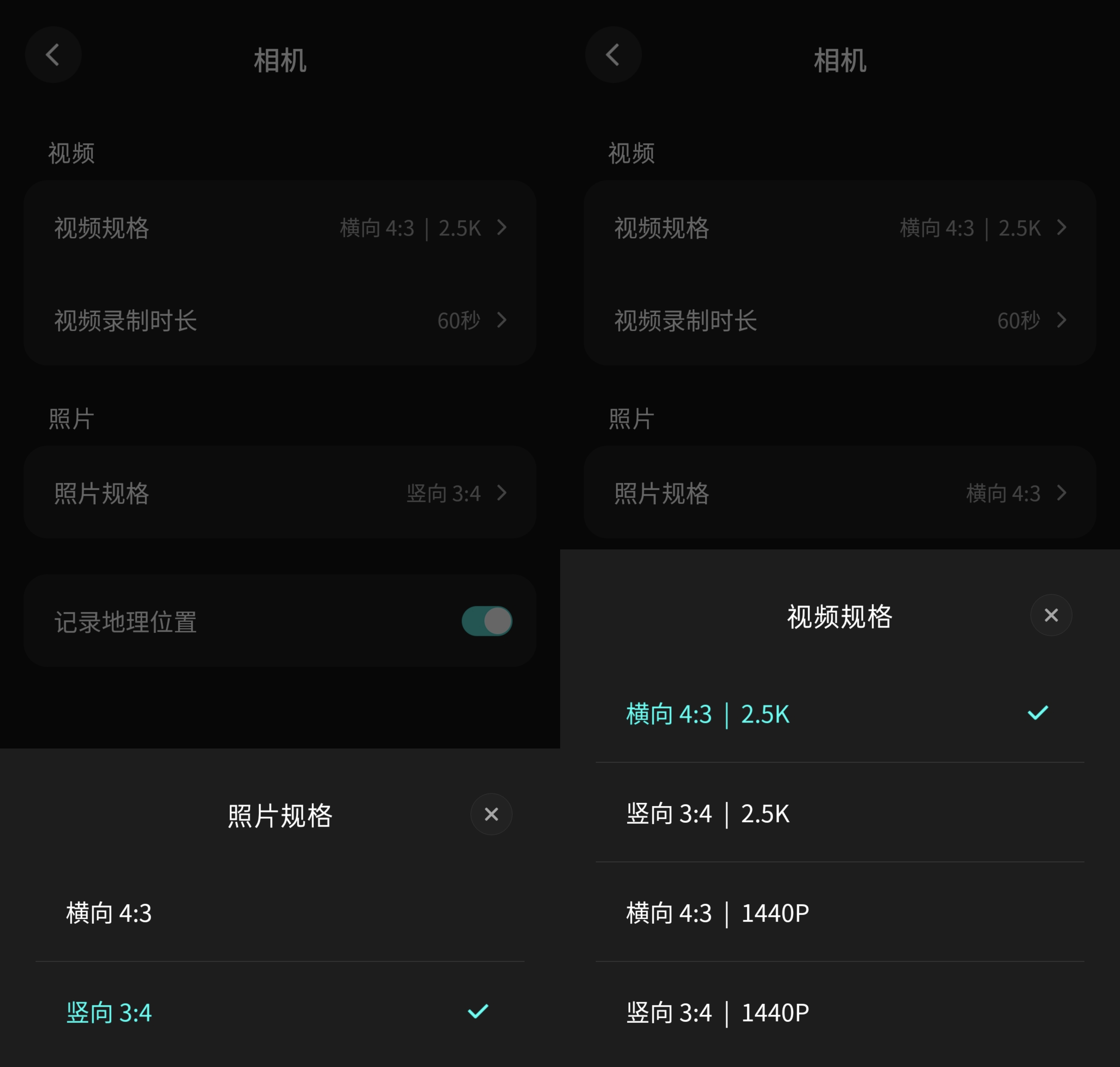
Image source: Lei Technology
In other words, this square sensor does provide more processing space for horizontal and vertical shooting, but users cannot directly obtain the complete 1:1 original picture for now, so it is difficult to make the most of the sensor area.
As for the actual sample photos, the gap between the Thunderbird V4 and flagship mobile phones is quite obvious. After all, in terms of lens volume, sensor specifications, and computing power, they are not on the same level. It is unrealistic to expect a pair of glasses to directly challenge the imaging capabilities of mobile phones.
However, if it is just used to record daily life, the V4 is usable enough.
The ultra - wide - angle lens also makes first - person shooting more immersive. The picture can accommodate more of the surrounding environment. At the same time, the V4 controls the common edge distortion of wide - angle lenses quite well. Coupled with the automatic horizon correction during editing, most of the photos taken casually can be used directly.
The color is more realistic. It doesn't deliberately increase the saturation to be appealing at first glance, and color overflow rarely occurs. The levels between different colors are relatively clear, and the transition between light and shadow is relatively natural. It doesn't have a strong algorithmic style like some mobile phone imaging, but it is more in line with the positioning of first - person recording.
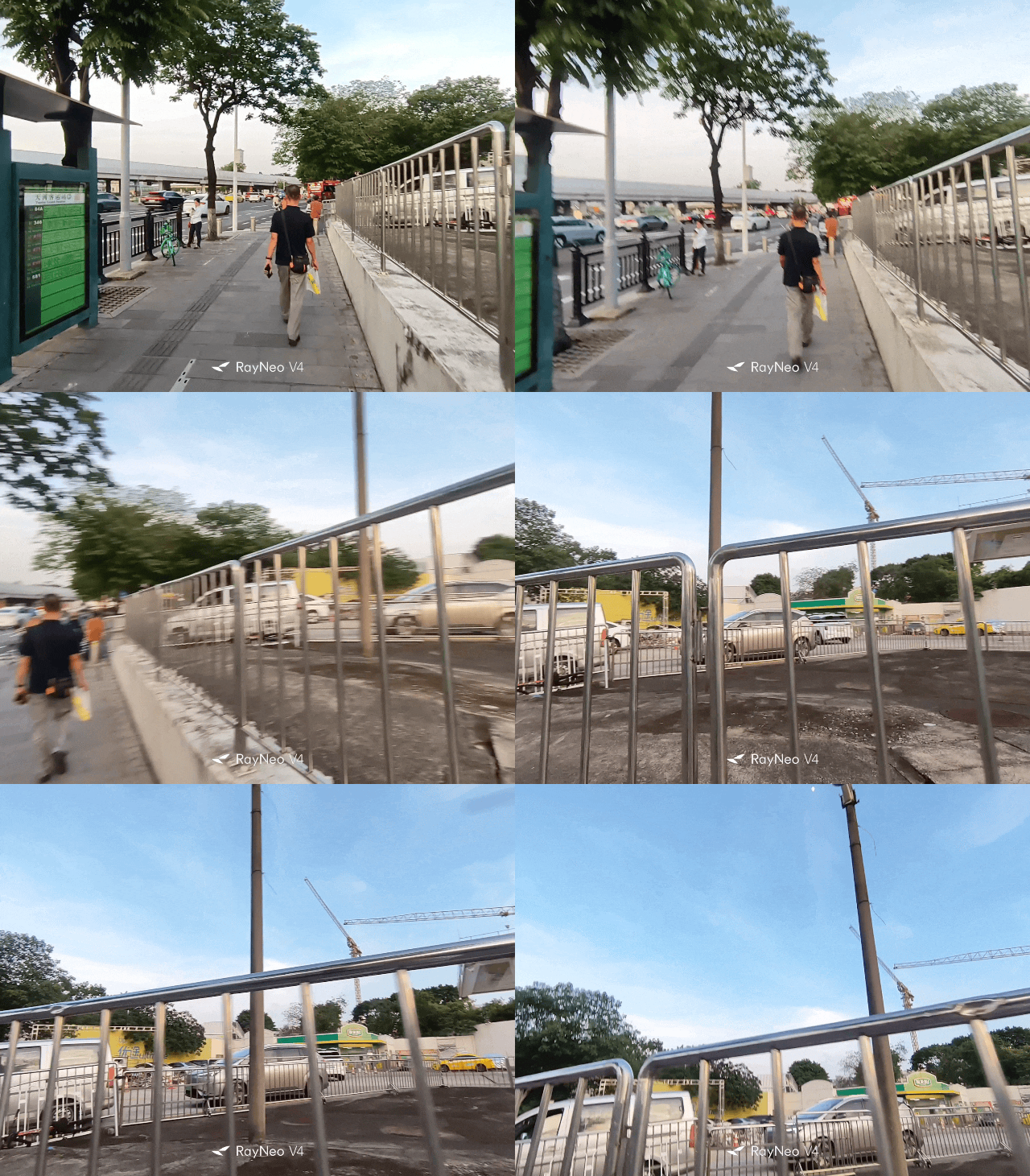
Image source: Lei Technology
The video recording also has a good anti - shake effect. The up - and - down vibration during walking becomes smooth enough to ensure the final recording effect.
Generally speaking, in sufficient daylight, the V4 can retain relatively rich environmental details and spatial levels, and the smudging effect is controlled within an acceptable range. In high - contrast areas such as tree branches and building edges, purple fringing may still occur occasionally, but it does not significantly affect the viewing experience.
Now let's talk about the interaction experience. Taking photos or recording videos through buttons or the AI assistant's voice is a standard design for today's AI glasses. The Thunderbird V4 also supports short - pressing to take photos and long - pressing to record videos. The whole process is straightforward and there isn't much to say.
The difference lies more in the process after taking the photo. After all, from the moment the glasses finish shooting to the moment you see the sample photo on your phone, complete the editing, and finally share it on social media, there are actually many easily overlooked details in between.
For example, the Thunderbird V4 adds "horizon correction" by default in the editing section of the mobile app. This is a very suitable function for AI glasses. Many people unconsciously tilt their heads to one side when standing, walking, or even taking photos in daily life. The tilt may be very slight and difficult to notice, but in photos, the slightly skewed horizon becomes very obvious.
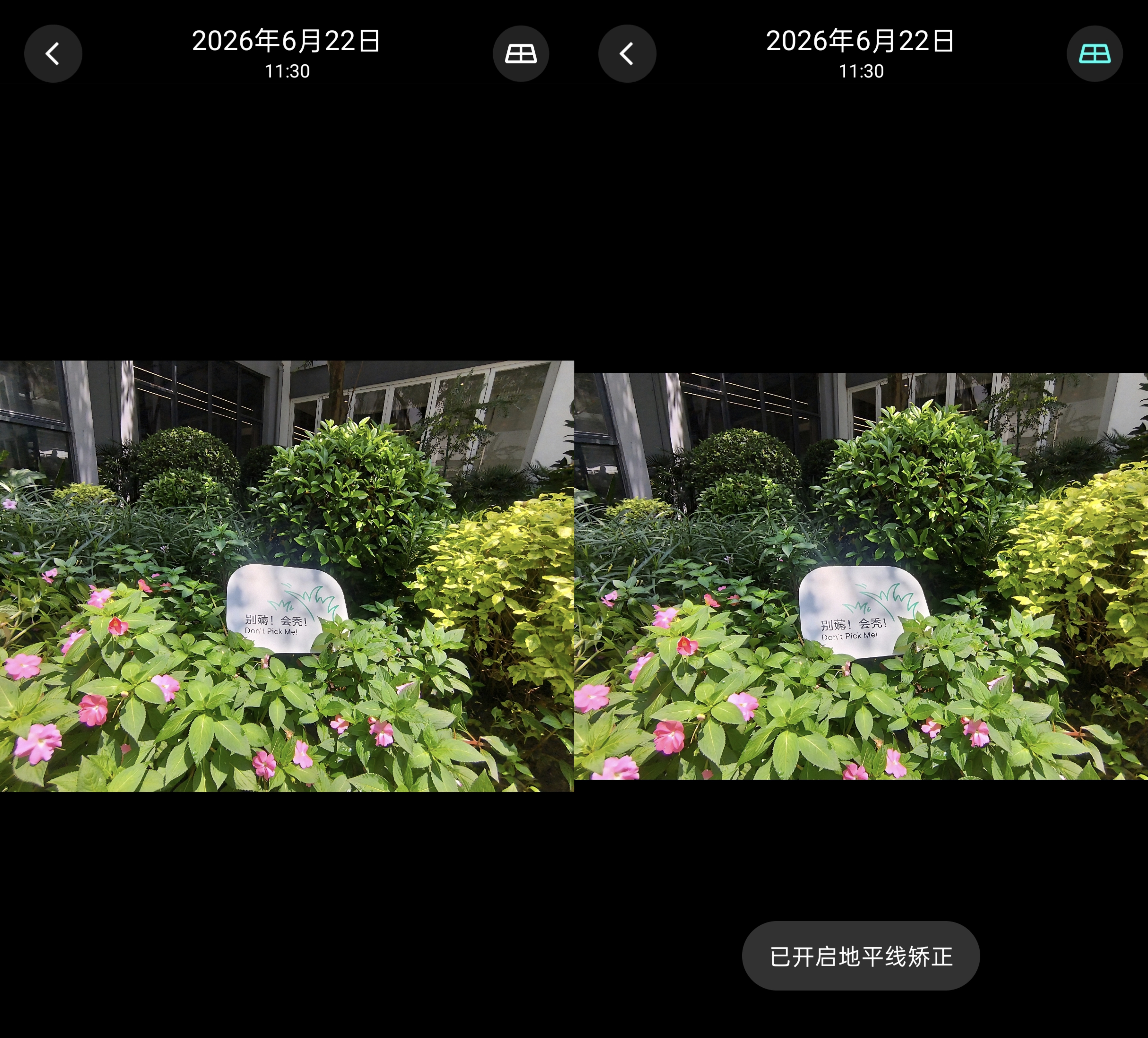
Image source: Lei Technology
When taking photos with a mobile phone, users can actively adjust the composition through the viewfinder. AI shooting glasses do not have real - time viewfinder previews, so users can only roughly judge the camera's orientation when shooting. Automatic correction is equivalent to correcting the composition for users after shooting, which significantly improves the actual photo - taking success rate and reduces the friction in the actual experience.
Speaking of which, the Thunderbird app also provides relatively complete editing functions to further adjust the aspect ratio and the picture.
Therefore, what really deserves recognition in the shooting experience of the Thunderbird V4 is not only the larger square sensor that can better record daily life, but also the details such as interaction feedback, pre - processing, and editing, which make the shooting experience smoother.
It can last for a full day on a single charge, and the battery life is the biggest surprise
To be honest, after using the Thunderbird V4 for a few days, the most amazing experience for me is probably its battery life performance.
I activated the device around 11 a.m. one day, and the battery level was about 95%. By 9:20 a.m. the next day, the device still had 46% of its battery remaining. During this period, I recorded several ten - minute audio clips and listened to music intermittently throughout the day, including during my lunch break and while working in the afternoon.
Although the usage intensity on the first day was not particularly high, the fact that it could still retain nearly half of the battery after almost a full day is sufficient to illustrate the point. As expected in the following days, even if I increased the usage intensity by using more AI voice interaction and taking more photos, it could basically match the battery life of a mobile phone and achieve the level of one - day - one - charge.
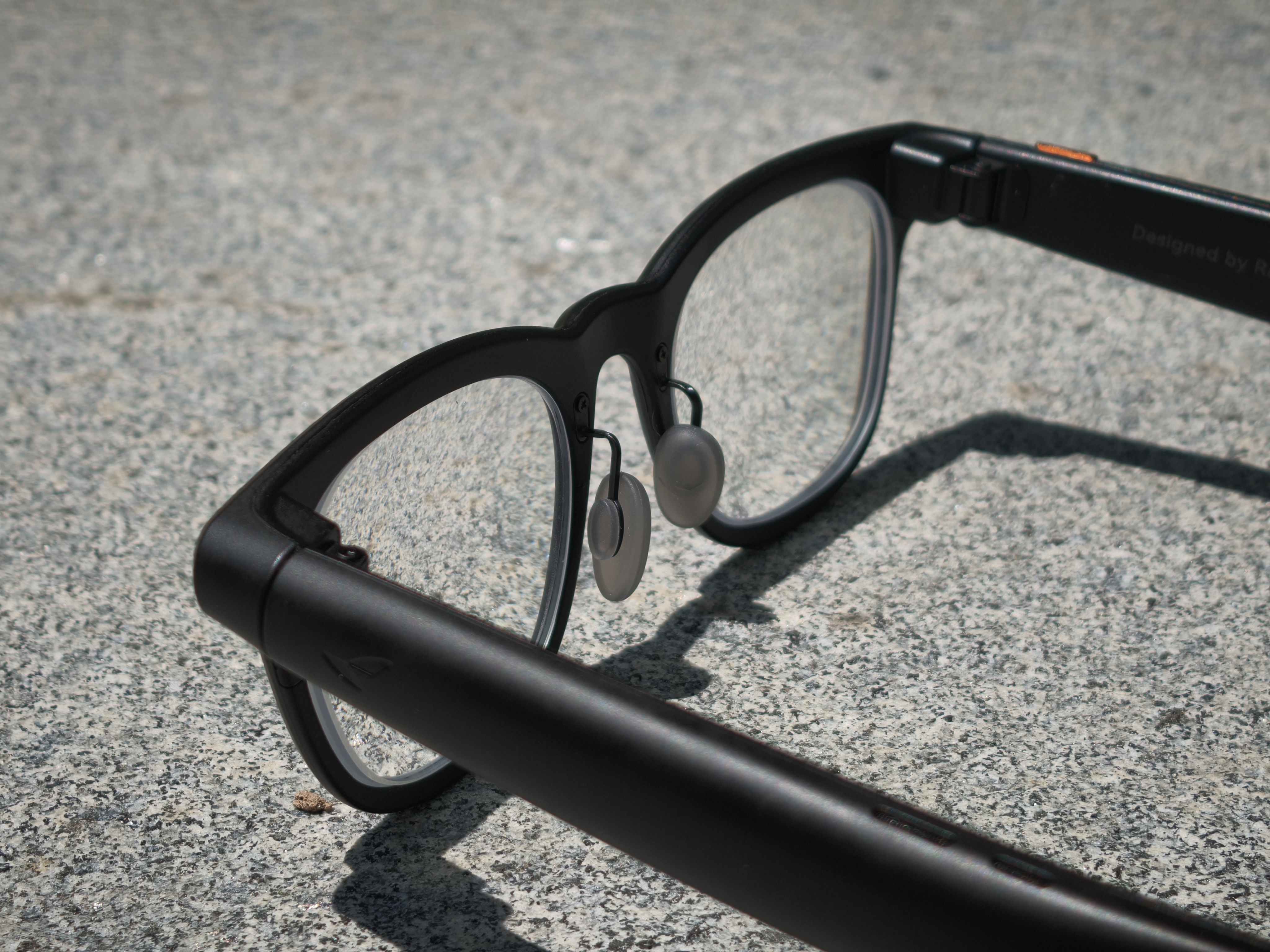
Image source: Lei Technology
In fact, the biggest regret of Lei Technology editor @Tianxing for the