Don't be afraid of messing up Excel formulas. Claude has entered the Microsoft suite, and you can complete tasks in four Office applications with just one sentence.
Imagine such a scenario: An email arrives.
You open Outlook and ask Claude to sort your inbox. It tells you which emails you need to reply to personally, which ones it can draft a response for you, and which ones are noise and can be ignored.
Among them, there is an email with an attachment. The sender requests a project review material. After Claude reads the email body, it already knows what the other party wants.
At this time, you open the attachment in Word. This Word document is already formatted with the company template. Claude can draft a memo according to the existing title styles, numbering rules, and formatting requirements. All changes are presented in tracked changes mode, and you just need to confirm them one by one.
There are several numbers in the memo that need to be supported by a model. You then switch to Excel and ask Claude to build a model. The formula relationships between multiple sheets are fully preserved.
After the numbers are calculated, you switch to PowerPoint. Claude generates a deck according to the company template you have opened.
Then you go back to Outlook to draft a review invitation. Claude will check the availability of the participants' calendars within the scope you have access to, generate a meeting invitation, and open it in the new event interface of Outlook's calendar. You need to review it and click send before the invitation is sent.
From receiving the email to sending the meeting invitation, Claude seamlessly switches between four Office applications, and you don't have to explain "what this project is" repeatedly throughout the process.
This scenario is not a mere imagination. The newly launched functions of Claude have made it a reality.
On May 7th, Anthropic officially announced that Claude for Excel, PowerPoint, and Word are fully launched, and Claude for Outlook is in public beta.
The coverage includes all paid plans, including Pro, Max, Team, and Enterprise.

This upgrade is not just about Claude having a few more Office plugins. It's a transformation of its identity - turning Claude from a Q&A tool in the web chat box into an intelligent agent that follows your file flow and embeds itself into the entire workflow.
One email in, four Office apps completed
Most people's experience of using AI office tools is like this: First, copy the file content into the chat box, ask questions, and then copy the answers back to the file.
When switching between multiple Office applications, you have to explain the background again each time. This is exactly what Claude for Microsoft 365 aims to solve.
https://claude.com/claude-for-microsoft-365
Previously, if you used an AI assistant to modify an Excel model and then asked it to generate a PPT, you had to say again in the second step, "This is a financial model of XXX, with assumptions of XXX."
With Claude for Microsoft 365, you don't need to do that.
The official says that when the relevant files are open and the cross - application function is enabled, Claude can write the latest data from Excel into PowerPoint charts or Word memos.
Claude can retain the task context in the current cross - application session. When you switch from Word to Excel and then to PowerPoint, you don't need to re - explain the project background.
https://claude.com/blog/collaborate-with-claude-across-excel-powerpoint-word-and-outlook
It should be clear that Claude can only read and write currently open files. It doesn't have the ability to actively create, open, or switch between files. "Fully automatic linkage update" depends on you opening all the relevant files first. This limitation also makes the AI focus on what it should do and is less likely to overstep its bounds.
Shifting from "generating content" to "maintaining consistency between files", the difficulty and significance of these two things are not on the same level.
Claude aims to turn Office into an intelligent agent capable of handling the entire delivery process, rather than just a tool for assisting writing.
Deeply embedded in the Office workflow
Most AI tools can generate text. But the real threshold is: Can they integrate into the Office workflow?
For example, can they integrate into an Excel financial model with thirty sheets and nested reference relationships? Can they integrate into a Word document with comment threads, revision history, and style specifications? Can they integrate into a PPT with theme templates, color palettes, and chart formats? Can they integrate into the Outlook writing window...
Anthropic has made great efforts in this regard in this update.
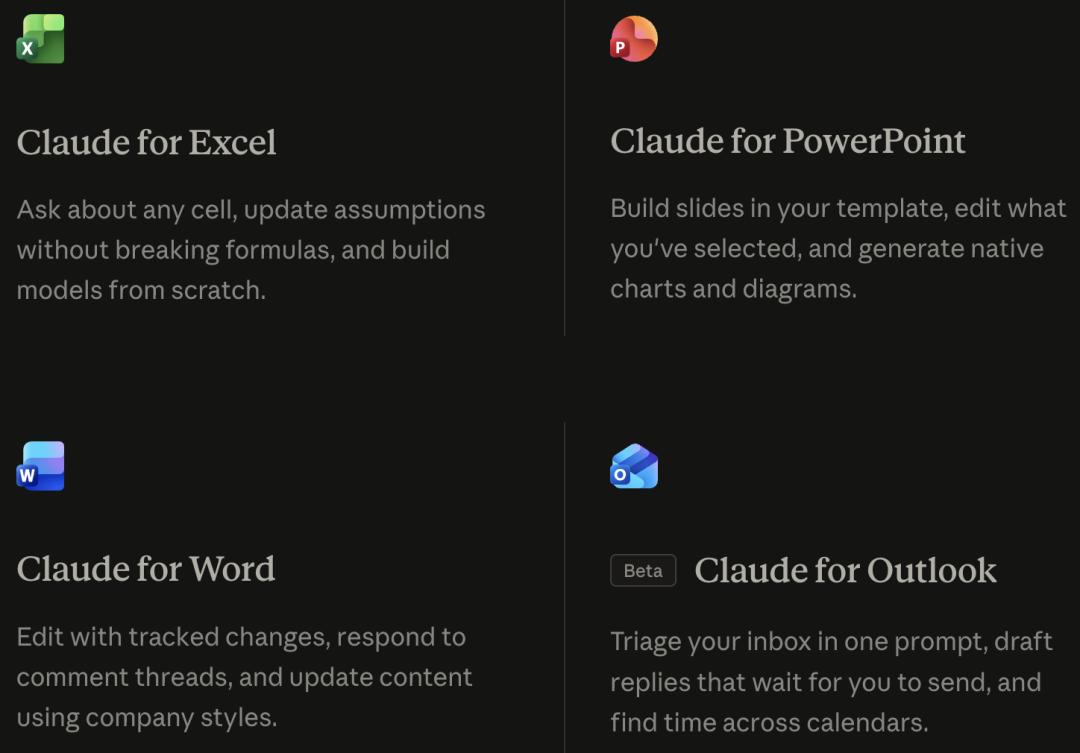
The core capabilities of Claude for Excel, PowerPoint, Word, and Outlook. Outlook is marked as Beta, and the other three are officially launched.
In Excel, Claude can inquire about the content of any cell, update assumptions without breaking formulas, and build models between multiple sheets.
The ability to "not break formulas" is very important for anyone who has used Excel.
The formula relationships in a financial model are often interconnected. If an AI tool modifies a cell it shouldn't, it will cause more trouble than not having it.
In PowerPoint, the charts generated by Claude are native editable elements, not screenshots or images, but real chart objects in PowerPoint.
The slides will be generated according to your template, following your rules for title styles, color palettes, and placeholders.
In Word, it supports tracked changes mode, responding to comment threads, and modifying content according to company styles. This means that Claude's changes can be reviewed, and the original text won't be overwritten directly.
This is a basic requirement for document scenarios that require multi - person review and compliance checks.
In Outlook (Beta version), Claude can sort the inbox and classify emails into "need your reply", "can draft for you", and "noise".
Emails and meeting invitations won't be sent automatically. Claude just fills in the recipients, subject, body, and meeting time for you and opens it in Outlook. You still need to confirm and click send.
It should be noted that the Outlook plugin currently has some limitations: It requires Microsoft cloud service Exchange Online and a Microsoft 365 subscription. It doesn't support iOS and Android versions of Outlook, and users with locally deployed Exchange mail servers can't use it for now.
Who will use it first
The answer is the four major professional scenarios of finance, consulting, law, and project management.
They have a common feature: Their work requires frequent "jumping" between Excel, Word, PPT, and email application windows, converting information into files and files into decisions.
For example, an investment banking analyst receives a client brief. They need to understand the requirements in Word, build a model in Excel, create a presentation in PPT, and then go back to Outlook to send a review invitation.
Each switch between steps incurs the cost of picking up the context again. If there is a handover to another person in the middle, the cost doubles.
Claude for Microsoft 365 aims to eliminate this context - switching cost.
"One conversation, across four apps" is a statement from Anthropic's official.
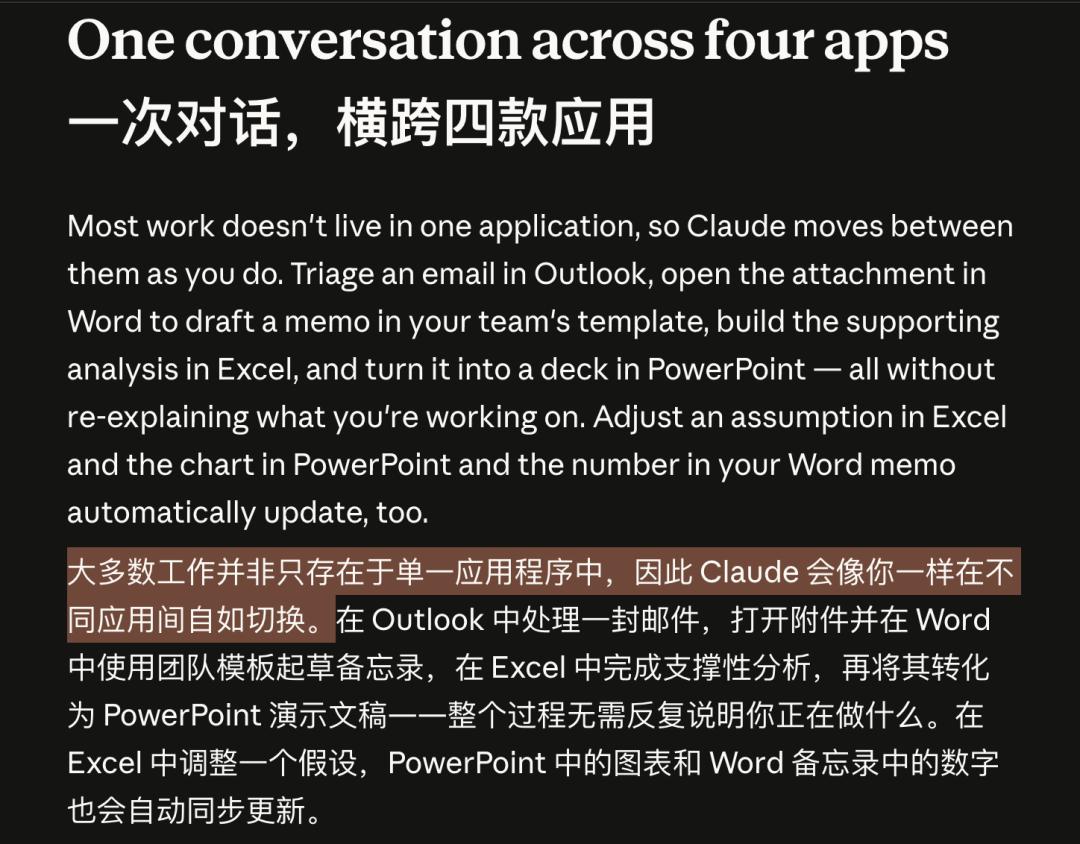
Starting from the Outlook inbox, going through Word, Excel, and PPT, and then back to Outlook to send a review invitation, the context is retained throughout.
For people who create decks, build models, and reply to emails every day, this workflow is tailor - made for them.
More importantly, when Claude builds an Excel model, it doesn't just generate a description. It actually opens Excel, takes numbers from the Word document, and builds formulas in multiple sheets.
In legal and compliance scenarios, the tracked changes mode and comment threads in Word allow Claude's participation to be fully reviewed. What changes it has made are clear in the review mode.
This transparency is a prerequisite for corporate legal processes to accept AI intervention.
Individuals can use it
Teams can also promote it
Individual users can install it directly.
For administrators to promote it at the team level, Excel, PowerPoint, and Word share one AppSource entry, and Outlook has a separate one. They can all be deployed directly from the Microsoft admin center, supporting full - organization deployment, specified users, or specified groups. It takes up to 24 hours to take effect.

Claude for Microsoft 365 provides two independent installation entries: One for Excel, PowerPoint, and Word, and one for Outlook. https://claude.com/claude-for-microsoft-365
There are two ways to access credentials: Log in with a Claude account or route through the enterprise's existing LLM gateway. It supports routing the Claude model through Amazon Bedrock, Google Cloud Vertex AI, Azure AI Foundry / Microsoft Foundry, or the enterprise's own LLM gateway.
Enterprises with existing cloud infrastructure don't need to start from scratch.
The Outlook plugin has an additional requirement: A Microsoft global administrator needs to complete a tenant - level authorization for Microsoft Graph.
The Microsoft Graph delegated permissions listed by the official include Mail.ReadWrite, Calendars.Read, People.Read, User.Read, and offline_access. These permissions require a Global Administrator to do a tenant - level authorization.
Even if ordinary users have a paid account, they can't use the Outlook plugin if the administrator hasn't completed this step.
In terms of security auditing, enterprise administrators can connect Claude's usage records to their own monitoring systems. For example, what prompts Claude received, which tools it called, and which documents it referenced can all be sent back to the enterprise's own data collection end through the open observability standard protocol.
Anthropic also provides an Analytics API to facilitate enterprises to view usage by organization.
The last mile
Is being completed
Currently, for Claude for Microsoft 365, Outlook is still in the beta stage. It doesn't support iOS and Android, and users with locally deployed Exchange mail servers can't use it for now. The entire set of capabilities is currently only available to Pro, Max, Team, and Enterprise paid plans, and free users can't access it.
The official has clearly described the ability to synchronize Excel data changes to PPT charts. However, there is currently no large - scale third - party actual measurement data on its stability in complex file, multi - person collaboration, and long - process scenarios.
The prerequisite for cross - application linkage is that "the relevant files are already open". It doesn't have the ability to actively find and open files. Therefore, the upper limit of "full automation" is full automation after you have arranged several windows.
But these limitations are being gradually overcome. Excel, PowerPoint, and Word are fully launched, and Outlook has moved from "planned" to public beta. Anthropic shows no sign of slowing down.
The boundary of "linkage only when files are open" is not a technical ceiling but a security design at this stage: to let users maintain control and prevent the AI from modifying files without their knowledge.
As the capabilities of the intelligent agent mature, active file management is not impossible, but it will require stronger reliability to support it.
Reference materials:
https://claude.com/claude-for-microsoft-365
https://claude.com/blog/collaborate-with-claude-across-excel-powerpoint-word-and-outlook
This article is from the WeChat official account "New Intelligence Yuan", author: New Intelligence Yuan, editor: Yuan Yu. It is published by 36Kr with authorization.