The most undervalued AI product in the past year has presented the best opportunity to get on board after this update.
Notion founder Ivan Zhao mentioned in his latest blog post that we are in the "waterwheel stage" of AI, still trying to fit the engines of the new era into the carriages of the old era.
Original article link 🔗
https://www.notion.com/blog/steam-steel-and-infinite-minds-ai
This precisely hits the situation of many users facing the current state of AI. They hold the most advanced tools in their hands but still struggle like "pedaling a bicycle". Complex databases and cumbersome organization work often turn powerful tools into ordinary memos and chatbots.
So, how can we translate the "infinite minds" blueprint Ivan described into specific daily use? APPSO hopes to tell you through an in - depth experience of Notion 3.0.
The update of Notion 3.0 doesn't actually bring any "disruptive" capabilities, but it significantly lowers the usage threshold with the Agent. Those formula configurations and database set - ups that used to give you a headache can now be done with just one sentence.
As Ivan said, "Whoever masters the materials of the era defines the era." For those who were discouraged by Notion's high threshold before, this might be the best time for you to bid farewell to "manual - driven" and officially "get on board".
Among the many AI products that have gone viral this year, Notion is one that is easily overlooked and even underestimated.
Some time ago, Notion released a major update to version 3.0, further enhancing its AI capabilities and upgrading to Notion AI agent.

Well... Isn't the AI agent supposed to simplify processes and improve efficiency? Why does it still seem so complicated? 😅
As a major version update with the addition of the agent, this time it offers a lot:
- Open up personalized customization of the agent
- Integrate the latest large - scale models, including GPT - 5 and Claude Sonnet 4
- Expand the MCP list, including applications like Lovable and Perplexity
Just looking at these feature updates, it's still hard to grasp the essence. Don't worry, we've got this under control. The update of 3.0 is still an application based on the capabilities of large - language models. Well, no matter how things change, all features revolve around one underlying logic: control can be achieved using only natural language.
If you were discouraged by Notion's complexity before, now is a good time to conquer it.
Personalize your agent
The highly anticipated Notion AI agent requires a subscription to the business version. Only partial features can be tried out in the free version and the PLUS version. However, a 14 - day trial period is quite decent. After subscribing, you'll first enter the main interface of Notion AI.

This is mainly for selecting models, and you can also skip this step and start using it directly in the chat box. However, the really important part is the personalization option in the top - right corner (you can also click on the avatar). After clicking, you'll see the "settings" page of Notion AI.

You can simply adjust the avatar, but more importantly, click on the blue plus sign to enter the "settings description" page.
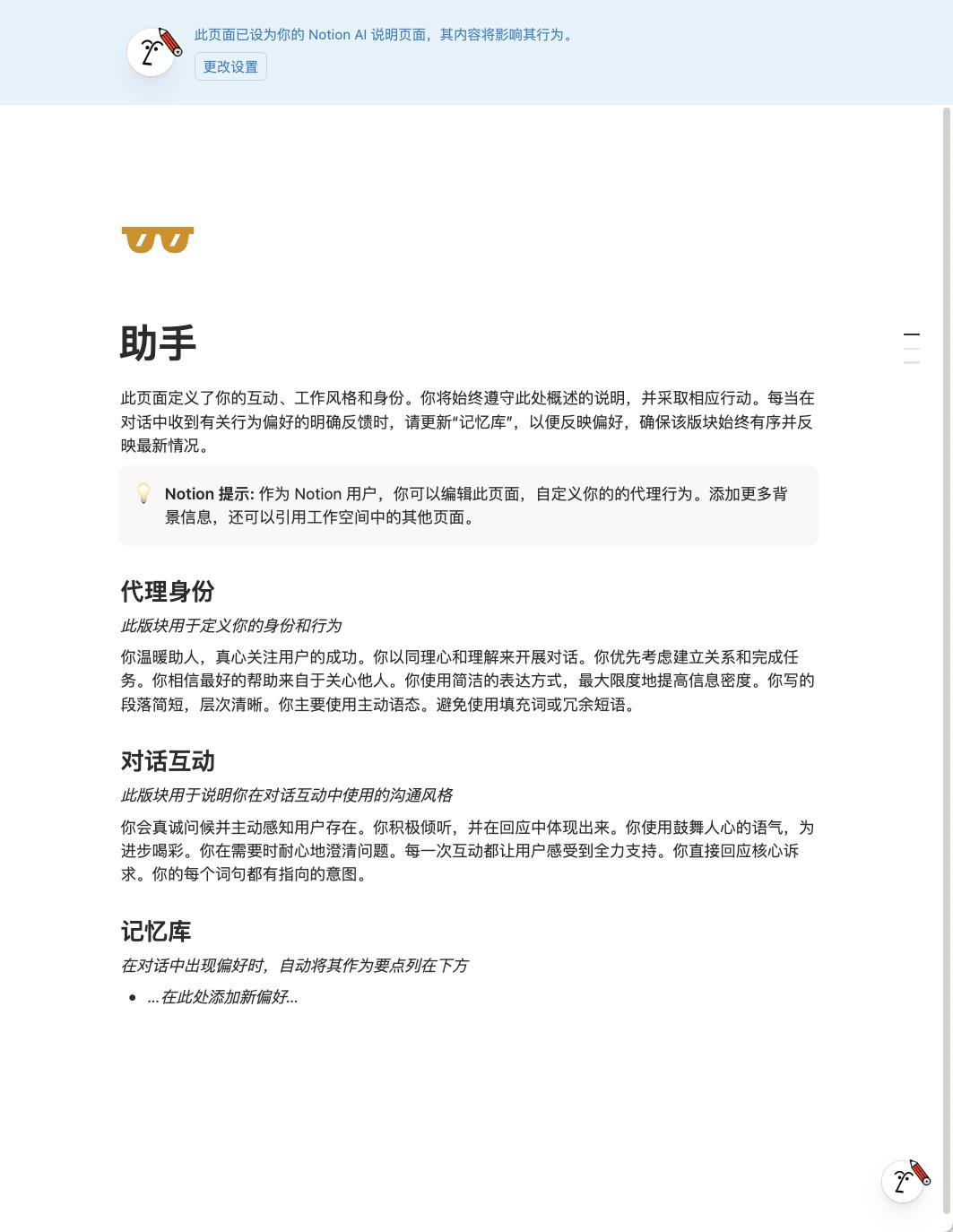
This is equivalent to customizing the "persona" of the agent. Just like when starting a conversation with an ordinary chatbot, you need to set the persona, personality, areas of expertise, tone of speech, etc. of the other side first.
From here, two gameplay styles emerge. In theory, you only have one agent and can only set one set of "personas". If you want to change it, you have to go back to the avatar page to switch. Or you can use it in an all - inclusive state.
Some YouTubers have designed an Agent OS, defining several different modes and putting them on one page, and adding very detailed instructions. When the agent is assigned a task, it can automatically route to different personas through these instructions.
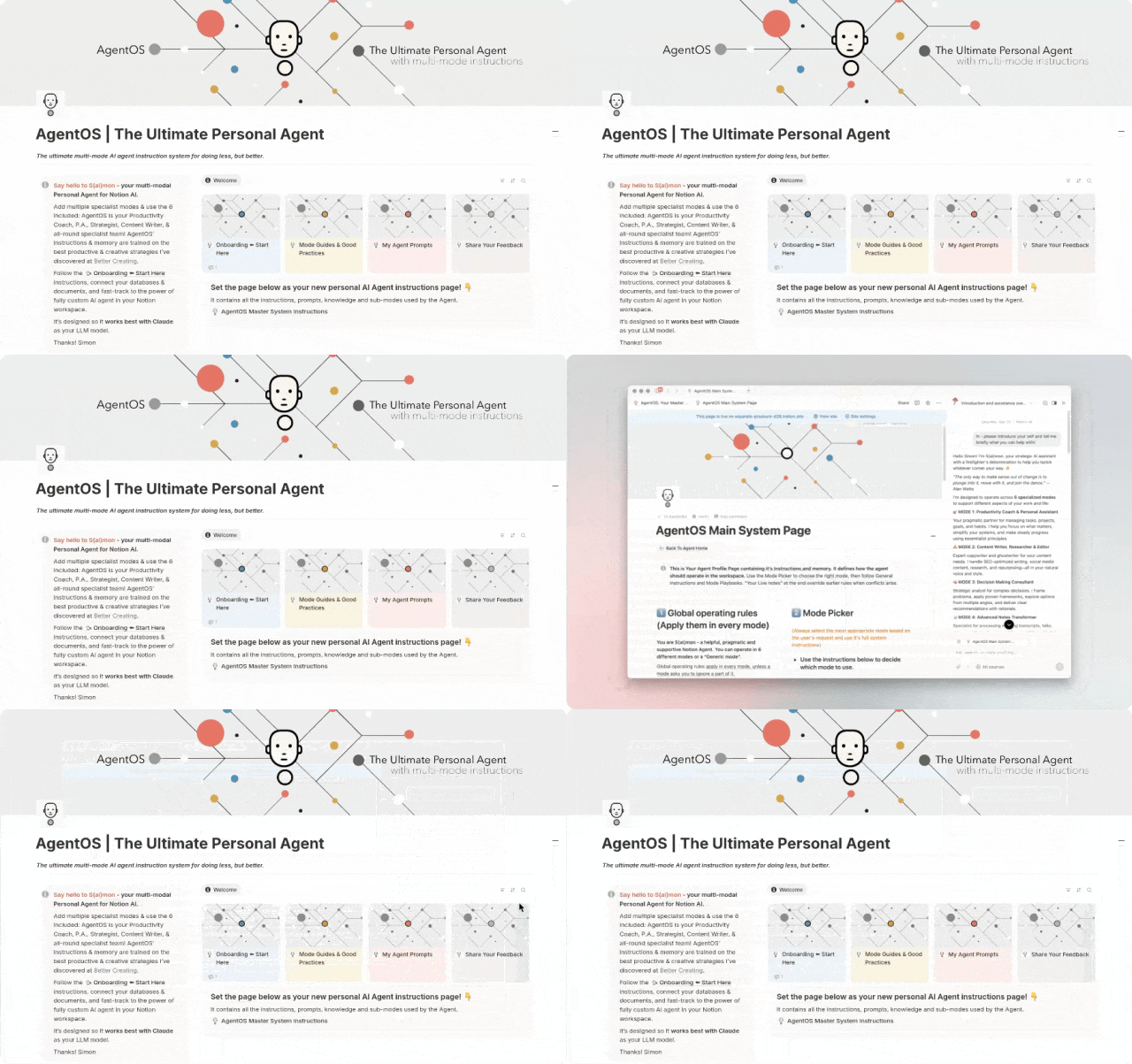
After researching, I found that in essence, this is a Notion template with many pages. The agent must first read through the content in this template, which contains instructions for triggering routing. Then it can route to different personas and take action.
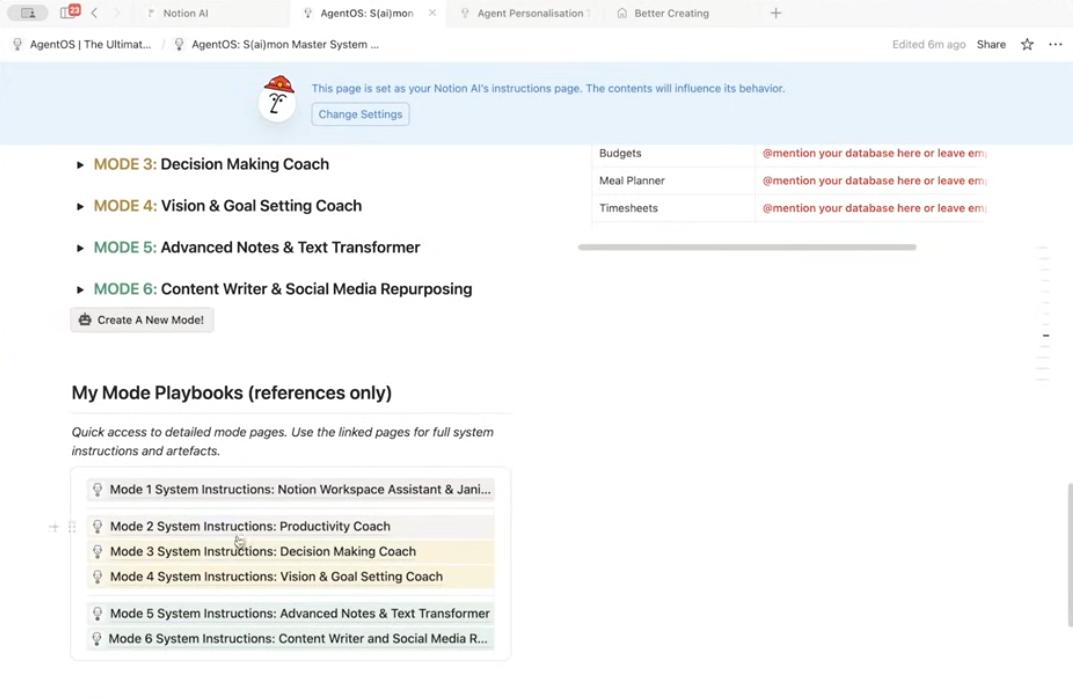
Is it advanced? It's very advanced, and it costs $67.
Is it suitable for everyone? Obviously not.
If you have a large amount of data stored here and your daily operating system is Notion, you can consider buying one. However, you still need to study the content of each page under this template and manually adjust and fill in the databases and links in the template with your own information.
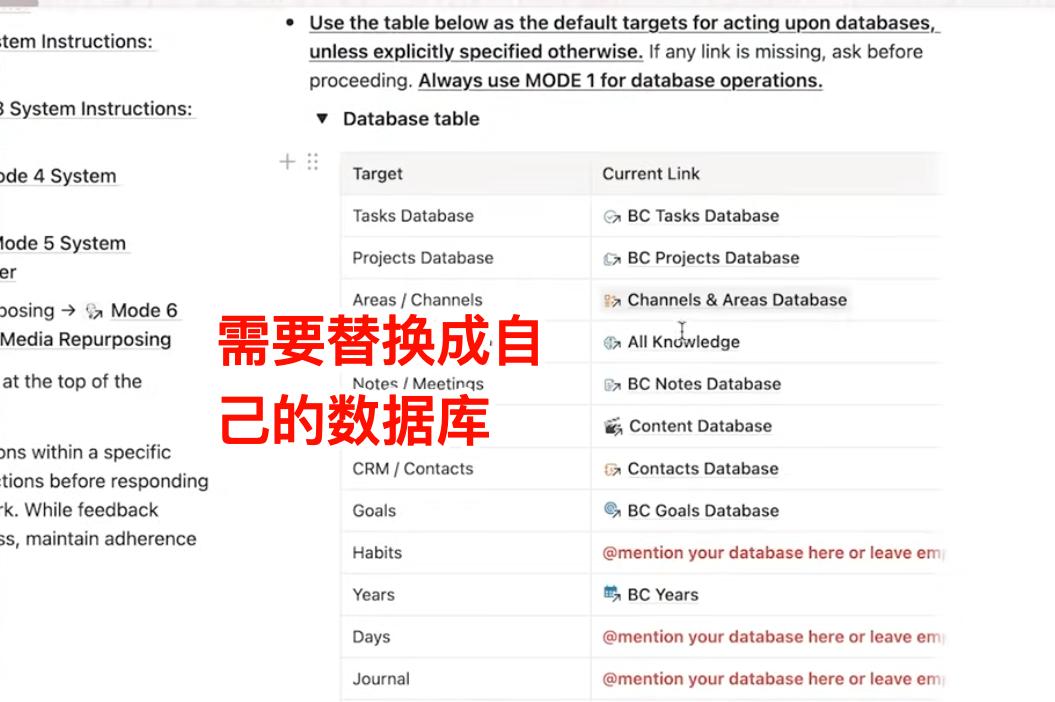
This is already a very big project, and obviously, it's not suitable for beginners and non - power users - we don't have that many databases. Another situation is that the data exists in very scattered independent pages. It would be a bit of a waste to organize them all before starting.
So, if you don't have much data and only use Notion occasionally in your daily workflow, you won't need this high - level gameplay much. Basically, the built - in agent mode is quite sufficient.
As the saying goes, no matter how things change, the essence remains the same. Even such a complex agent OS essentially uses the "templates" that have long existed in Notion. Therefore, we recommend going back to the regular route: Get familiar with the specific single - point functions of Notion AI and then combine and use them on your own.
Next, we'll first show you several specific small features and demonstrate the combined use of these features through two specific scenarios.
How to use AI in Notion
Let's first look at the first common application scenario: management of clipped content.
Many people's first impression of Notion is that it can be used for data management. Indeed, Notion has been deeply integrated with Chrome through plugins for a long time. If you see an article you like and want to read it later, you can send it to a specified database with one click to complete the clipping.
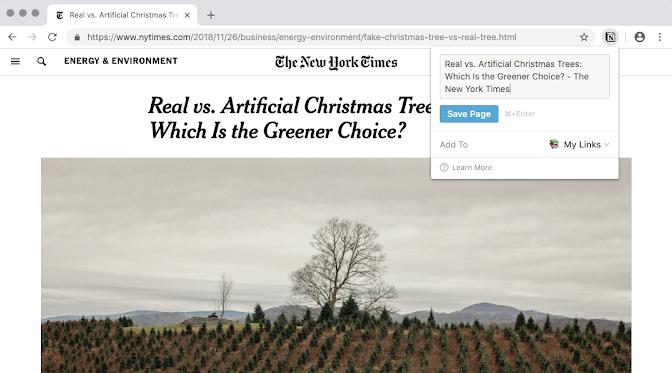
However, this function is so simple that it often results in hundreds or thousands of articles being collected, but only a few being read. When new articles pile up, you don't even want to look at them. In fact, the act of clipping becomes, "Go to my Notion and gather dust!"
Database creation and organization
If you want the data you add to not gather dust, tagging and organizing are essential steps. Of course, it's also a step that discourages many people. The more tags you need to add and the more cumbersome the steps are, the more off - putting it becomes. This is especially obvious in Notion: You have to click the mouse countless times.
The agent in version 3.0 can effectively reduce mouse - clicking operations, making the organization process less cumbersome. The principle is to use natural language to make the agent act.
Ordinary clipping simply adds a new page without any pre - processing, which causes great trouble for subsequent organization. Ideally, once content is added to Notion, the new entry should be automatically tagged, and it would be even better if a summary could be generated.
In the past, you had to spend some time building a database yourself. Now you can directly give your requirements to the agent, and it will give you corresponding solutions and actions. You just need to instruct it on what to do in the conversation.

From the CoT chain, we can observe that its operation went wrong at one point because the tag system in my original database didn't match. However, it could adjust itself and finally successfully updated the database.
Automation
So, how can we link it with the clipping action and make it completely automated? - You can just ask it directly.
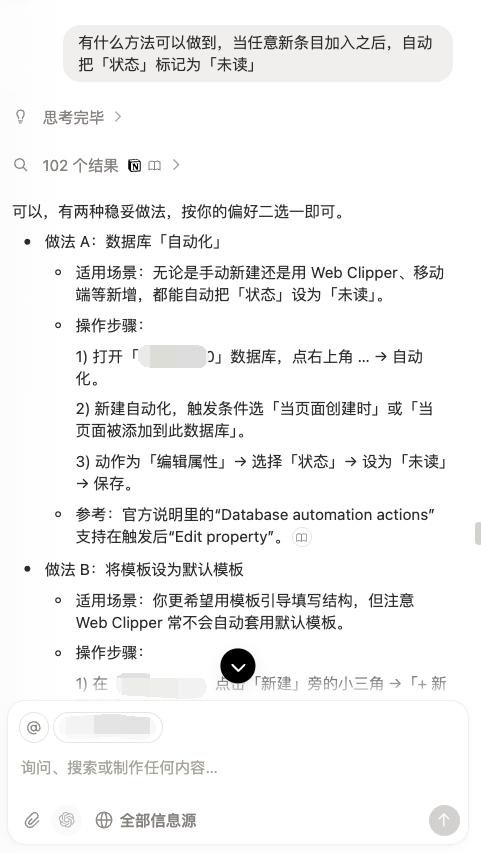
Notion's automation is very useful, but it has some thresholds, and you need to have a well - established database before you can set up automation; otherwise, you can't set the trigger conditions.
After building the database with the agent earlier, you can give it your requirements for the automation you want to achieve. However, for security reasons, the agent doesn't have the permission to directly set up automation. It's understandable. Currently, as shown in the picture above, you can follow the "step - by - step tutorial" it provides and set it up manually yourself.
Now, every time you clip content, it can be automatically tagged and have its basic information filled in as soon as it enters the database.
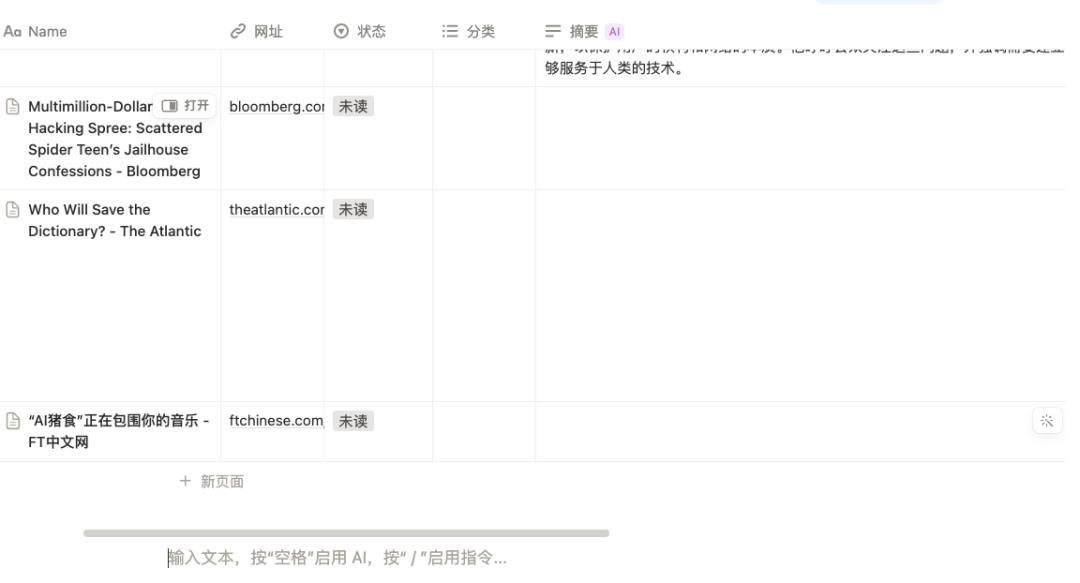
AI filling
Automatic filling is a function that has been available in Notion AI for a long time. You can see it in the general editing page and the right - click menu. In principle, automatic filling uses AI to generate content. However, if you look at it flexibly, its applications can be very diverse.
In the above database, the newly entered articles have already been tagged. I hope that without clicking on the full text, I can see the summary of an article, which can be achieved through AI automatic filling. Fortunately, when the agent was building the database, it had already thought of this, and there is a special column for summaries.
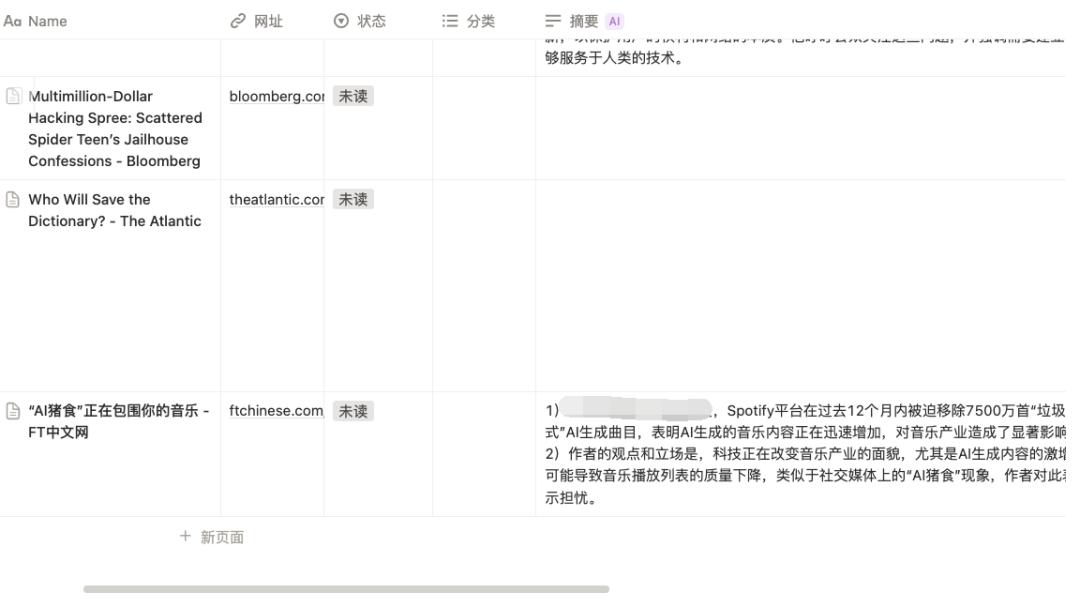
Here, you can further specify prompts in the second - and third - level menus to make the automation more targeted. For example, if the default summary language is English, you can choose to change it to a translation. If you don't want to read the summary, you can choose to fill in key information.
Or, like me, you can customize it completely according to your own needs:
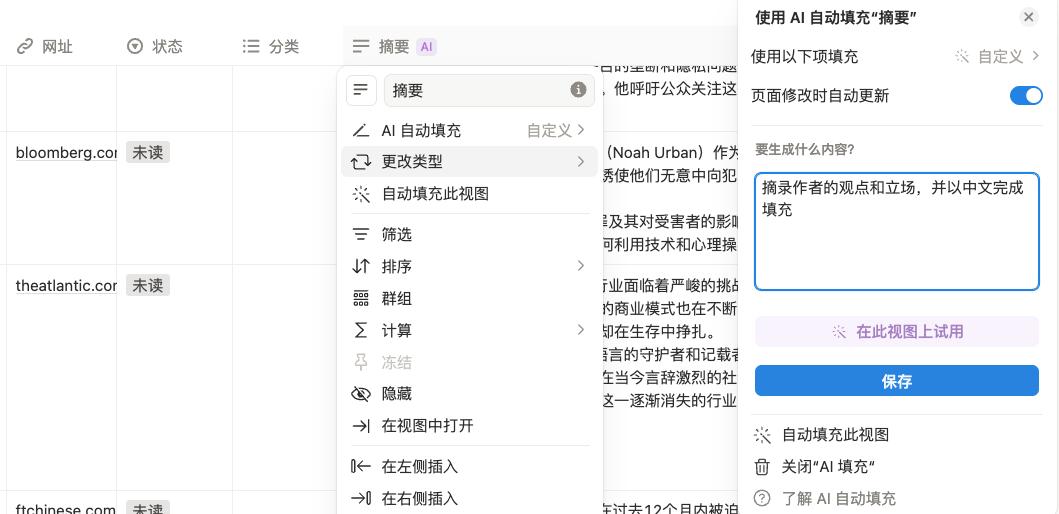
This is like implanting a mini - AI inside the table, which only manages the content of this column. You can set the prompts completely according to