The official DeepSeek agent tutorial is here: you can create a plugin with just one sentence, and 7 sets of prompts are publicly available for free.
Stop installing plugins one after another, DeepSeek now directly teaches you to "handcraft plugins"!!!
Just now, the official DeepSeek Harness suddenly released a "Creator Mode" gameplay guide, which is all about ——
You only need to input a sentence of natural language, and the AI can write code by itself, make plugins, and even install new functions directly into its own working interface.
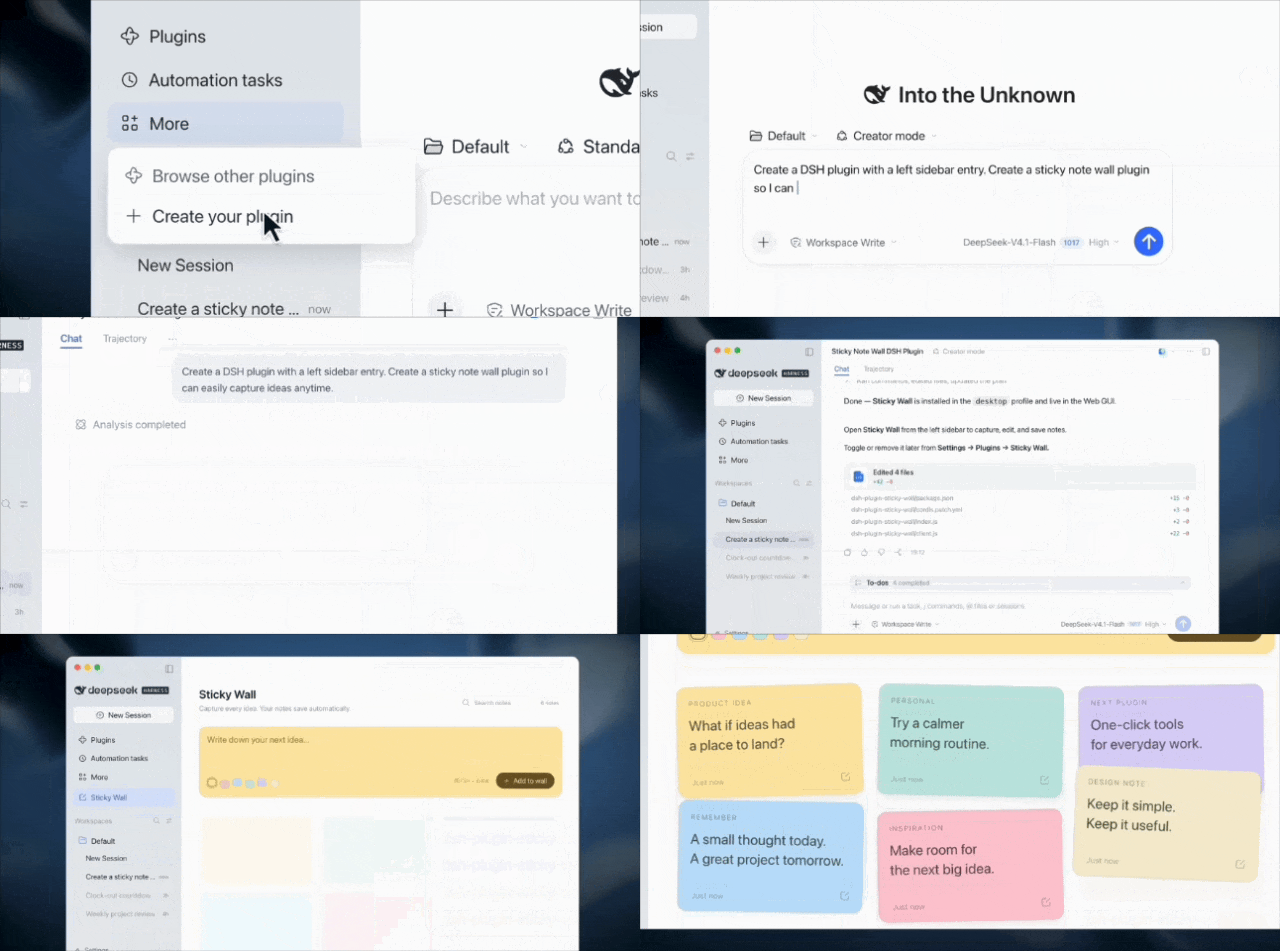
Want to DIY a dedicated interface and handcraft 3D games? Just tell the AI with one sentence, and you can start making it right away:
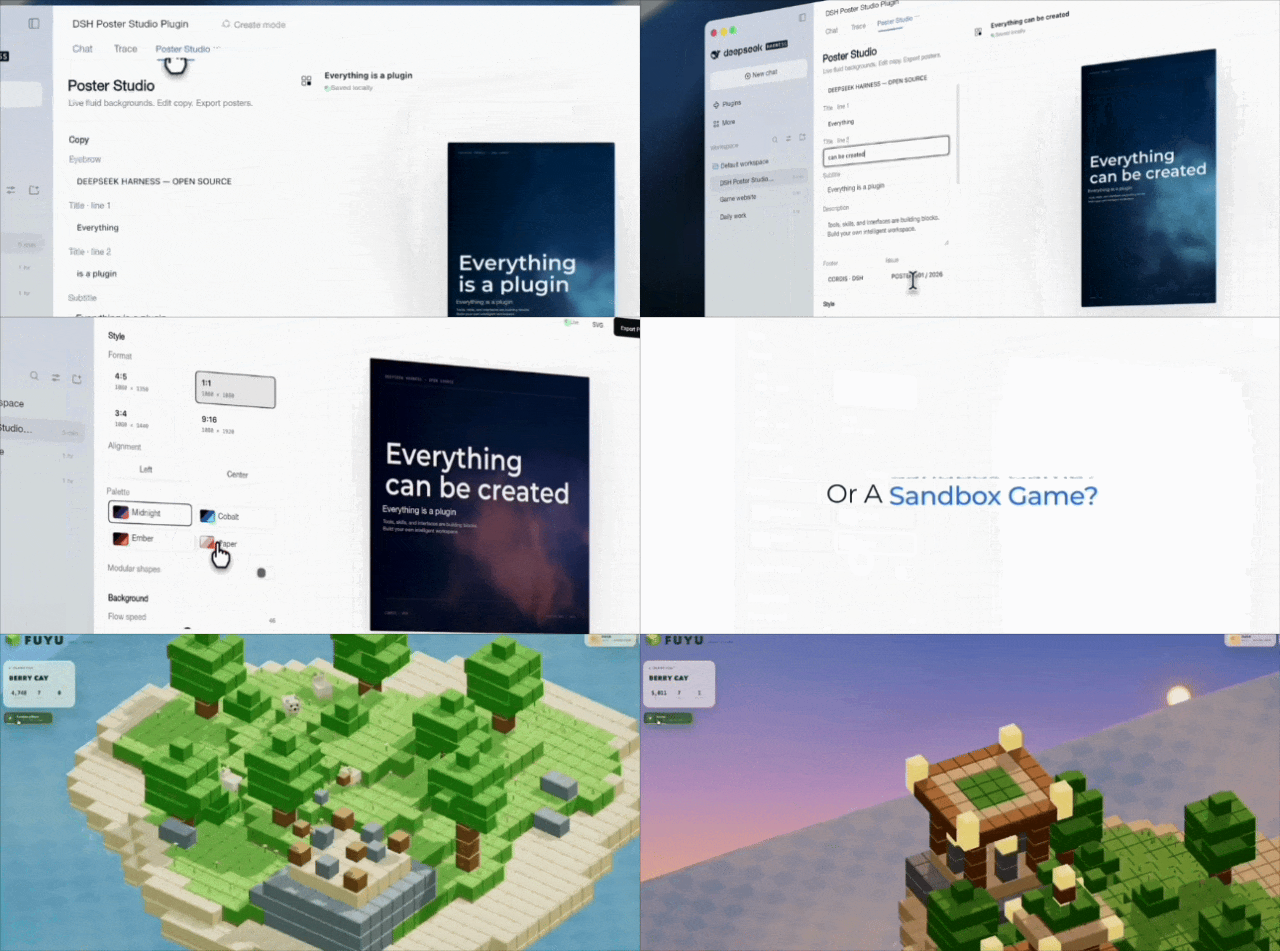
Want to make posters and edit videos? You can also handcraft a dedicated workbench directly, like:
Afraid that everyone won't know how to play? The thoughtful DeepSeek this time also released N sets of official sample Prompts at one go ——
From 3D building exhibition halls, interactive games to video editing tools, all of them can be directly used as reference.
It's truly handcraft everything, self-reliance, and what you see is what you get.

DeepSeek Teaches You to Build Everything! 3D Games and Editing Software Can All Be Handcrafted by Yourself
The protagonist this time is no stranger to everyone, it is DeepSeek Harness from DeepSeek.
But! The "Creator Mode" that the official strongly recommends this time has taken the gameplay a step further ——
If you want to add any new function to the AI, just put forward your requirements in the chat box, and it can write code by itself, make plugins, and even install them for itself on the spot.
DeepSeek has also specially released several sets of sample Prompts, from 3D modeling to video editing, each of which is very practical!!!

First, let's talk about the super, super, super, super popular 3D modeling recently.
Forget about Blender or Three.js, this time we can directly ask the AI to help handcraft it ~
You only need to describe your requirements, and the AI can generate a plugin that can be opened from the sidebar, and you can easily generate 3D models such as the Eiffel Tower and the Great Wall:
Prompt: Create a DeepSeek Harness plugin with a left sidebar entry that renders 3D models of the Eiffel Tower in Paris, the Great Wall of China, the Forbidden City, and one more famous building of your choice.
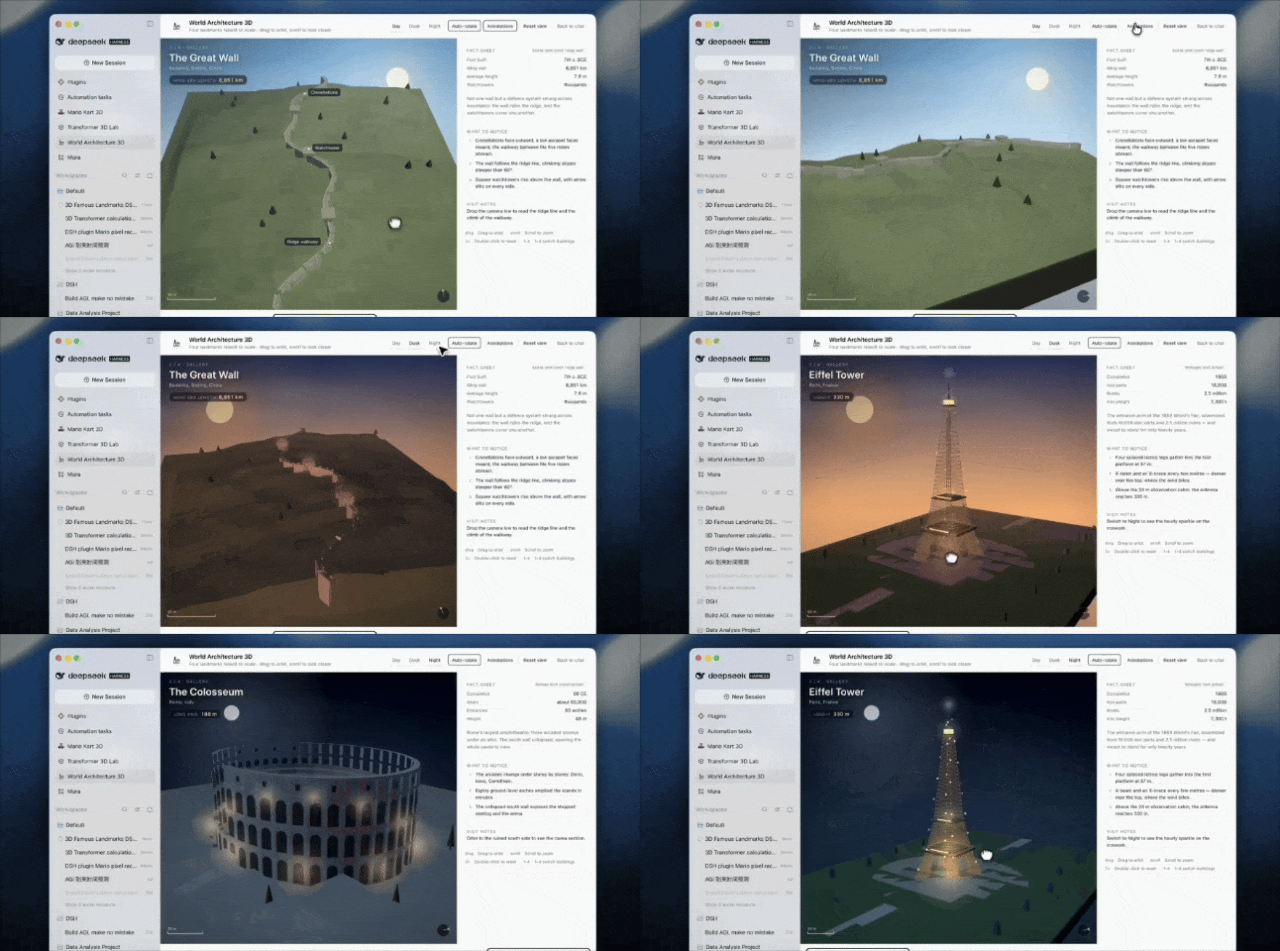
emm… Some users may think 3D buildings are not interesting enough, the official also provides a more complex gameplay ——
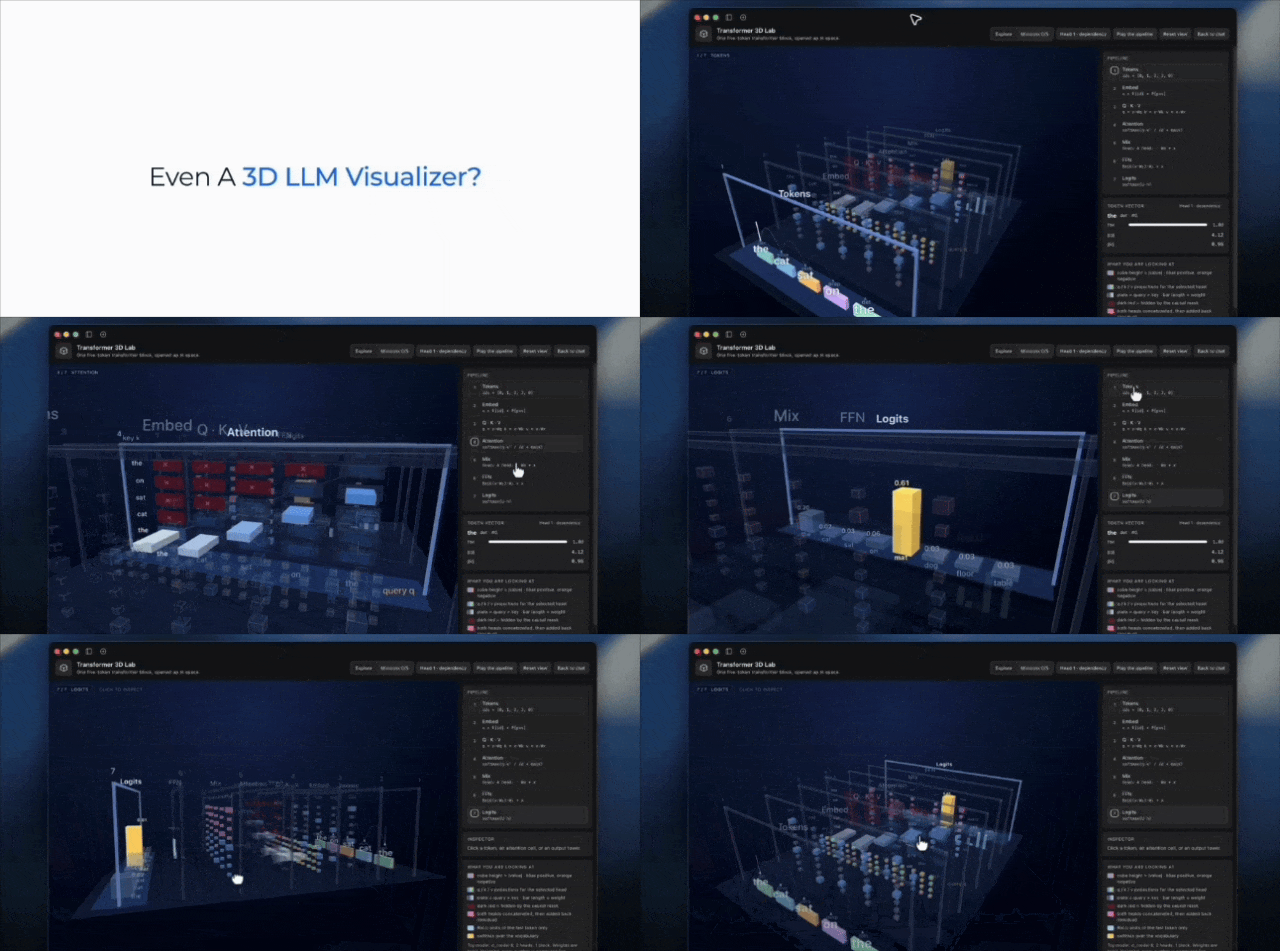
We can directly make an interactive 3D game to visually explain the Transformer calculation process of large language models!!
For example, how the data inside Transformer flows and how the attention mechanism is calculated.
These things that were originally hidden in the formulas and architecture diagrams of papers can now be turned into a 3D game that can be operated by hand.
Prompt: Create a DeepSeek Harness plugin with a left sidebar entry: an interactive 3D demonstration game that helps me understand the computation inside a Transformer. Keep the panel title and toolbar clear of the native macOS window buttons so they do not overlap.
Of course, it's not just for entertainment, DeepSeek even extends its capabilities to professional productivity software.
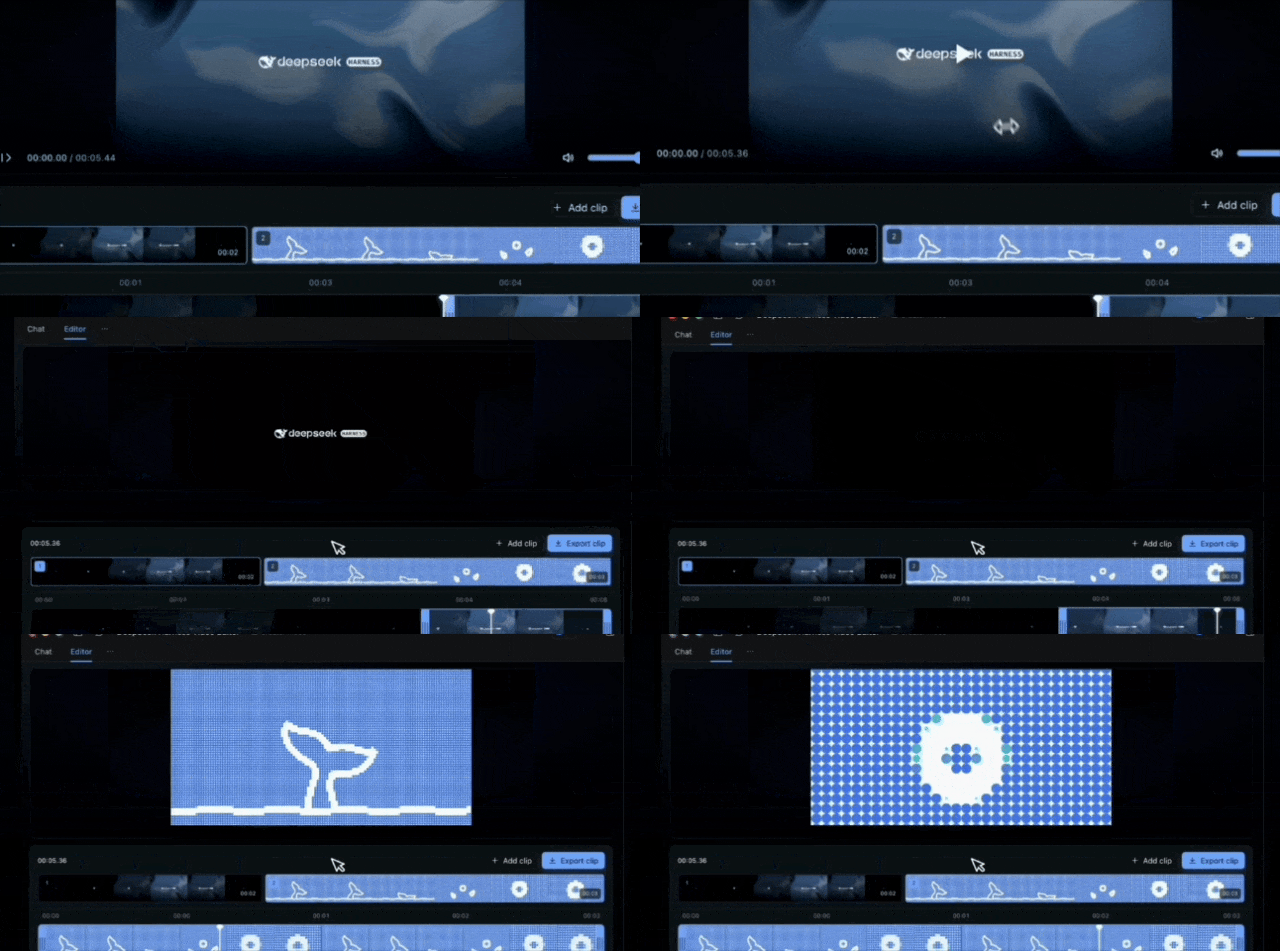
Want to edit videos? Just ask the AI to develop a set of editing workbench for you on the spot.
Upload videos, preview frames, drag the timeline, edit and export, all functions are fully arranged.
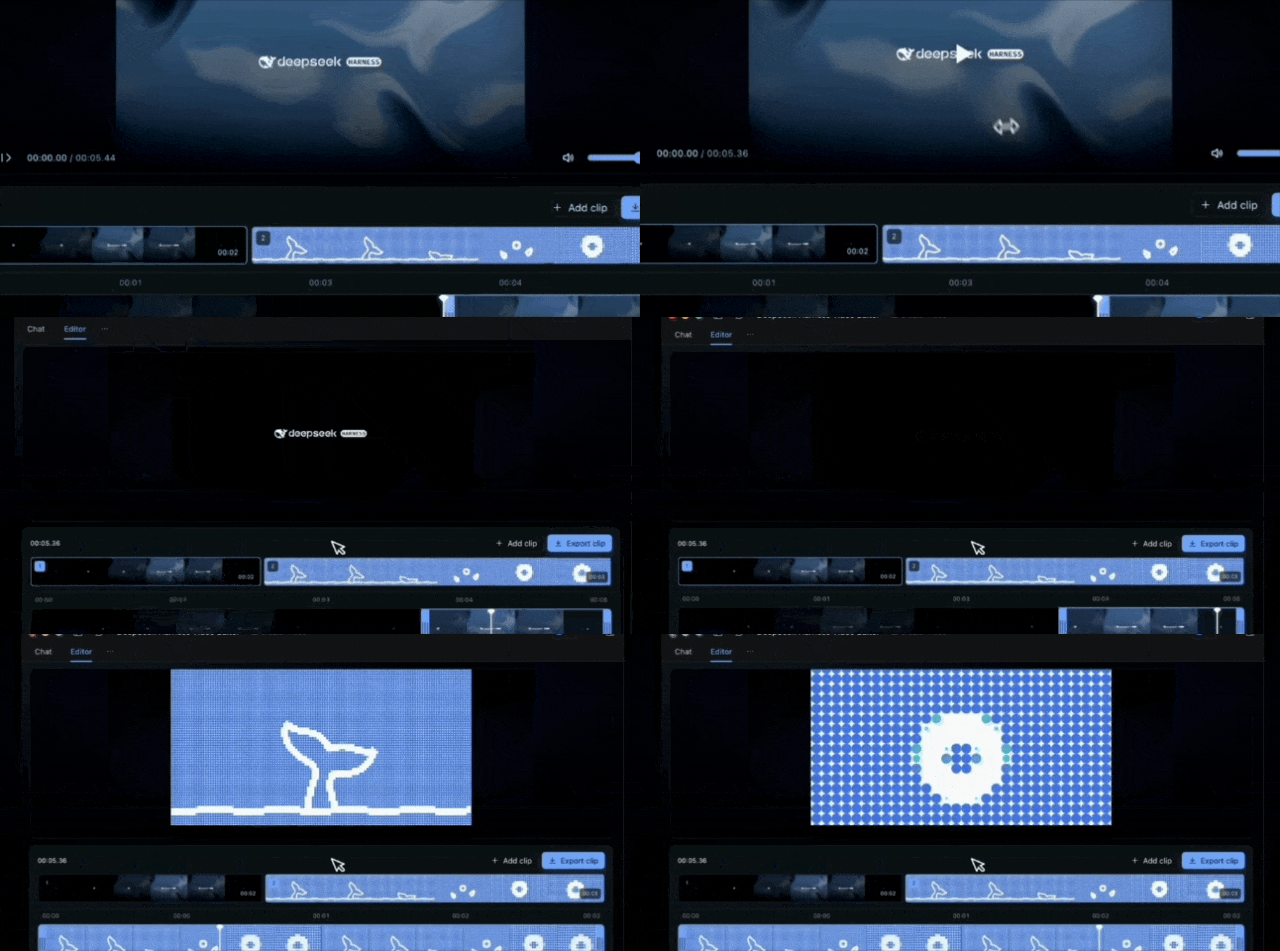
We can also directly use natural language commands in the chat box to edit, let the AI import materials and modify videos as required, saving a lot of manual operations:
Prompt: Create a video editing workbench accessible from the conversation, using the dark interface and familiar interactions of established video editors. Support uploading multiple videos, editing, and exporting. Place a large preview at the top and a timeline below for importing and editing clips. Also let me import and edit videos through natural-language requests in the conversation.
Now that video editing is available, poster design is of course also supported.
DeepSeek has also prepared a set of poster design workbench Prompts, which allows the AI to create a exclusive design tool for itself.
It even supports the dynamic background texture and English fonts on the official DeepSeek Harness website, and provides custom options such as title, copy, and background color.
In this way, daily poster modification can be completed directly in the workbench ~
Prompt: Create a poster design workbench plugin accessible from the conversation. Use the shader background pattern and English font from the DeepSeek Harness website. Let me customize the poster title, text, and shader colors. Keep the default page minimal, with no unnecessary subheadings or information. Set the default poster title to "Everything is a plugin".

The following feature is estimated to be very popular among researchers and students.
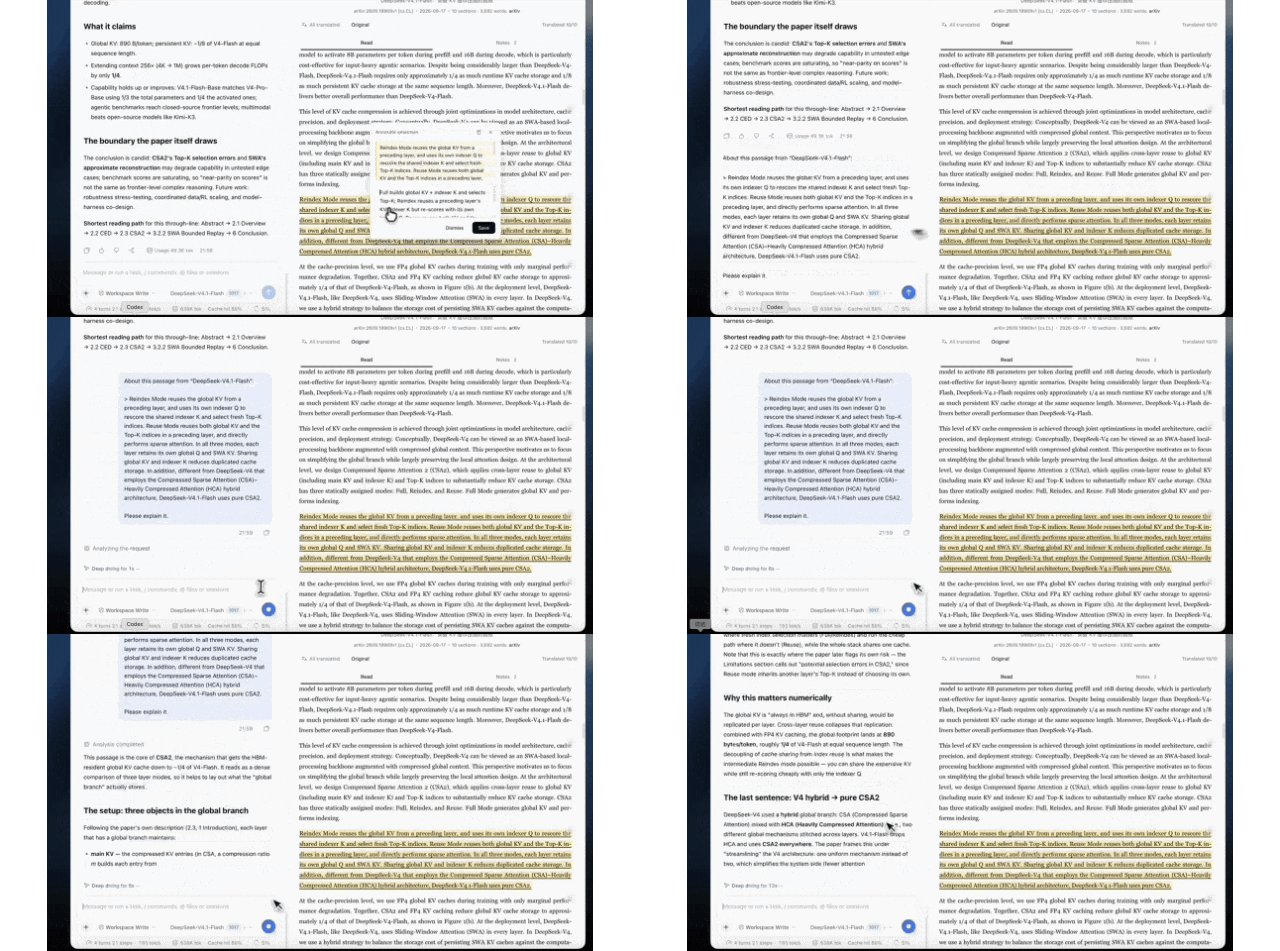
DeepSeek directly teaches you to handcraft an AI paper reader ——
Place the reader on the right sidebar of Harness. After uploading a PDF paper, the original font, images and layout will be preserved as completely as possible.
The original layout, images and fonts can all be retained. When you encounter something you don't understand, just select the text, and you can ask the AI for explanation, and you can also highlight and take notes at will.
In the future, you can even customize the reader you use to read papers. (doge)
Prompt: Create a paper reader accessible from the right sidebar. Let users upload papers and preserve the original layout, fonts, images, and all other content without any loss. When text is selected, show a floating menu with options to highlight it, add a note, or ask about it in the conversation. Match the default question prompt to the interface language.
Even the interface of DeepSeek Harness itself can be modified by the AI!
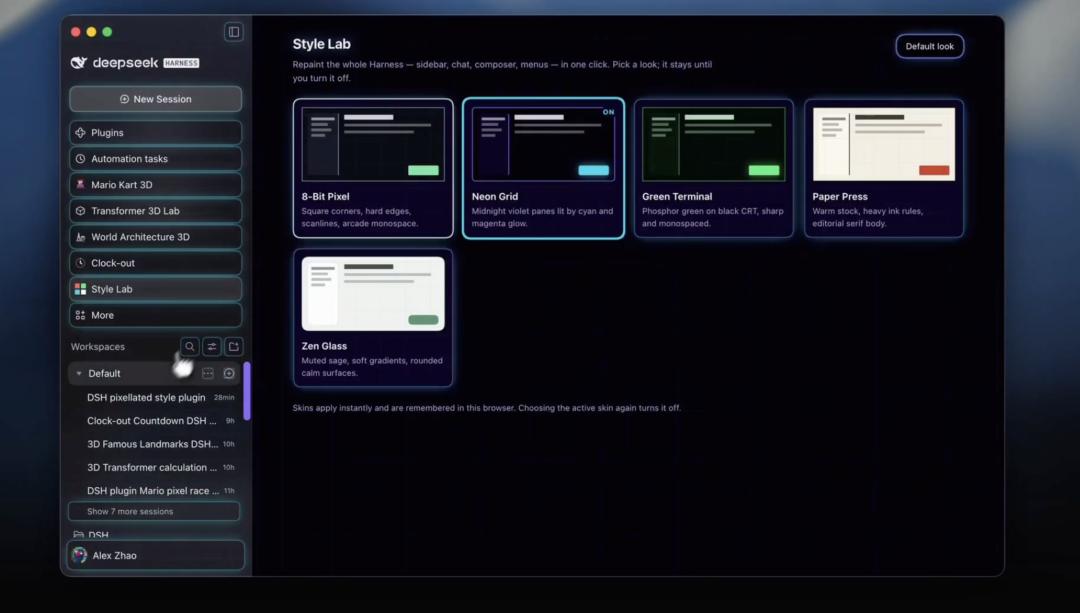
For example, if you are tired of the default interface, just ask it to develop a DSH pixelated interface.
Moreover, this modification covers the entire Harness application interface, even the Agent workbench that you use daily can be redesigned according to your own aesthetic ~
Prompt: Create a DeepSeek Harness plugin with a left sidebar entry that lets me change the look of the entire app. Offer five different styles to choose from, with a pixelated look as one option.
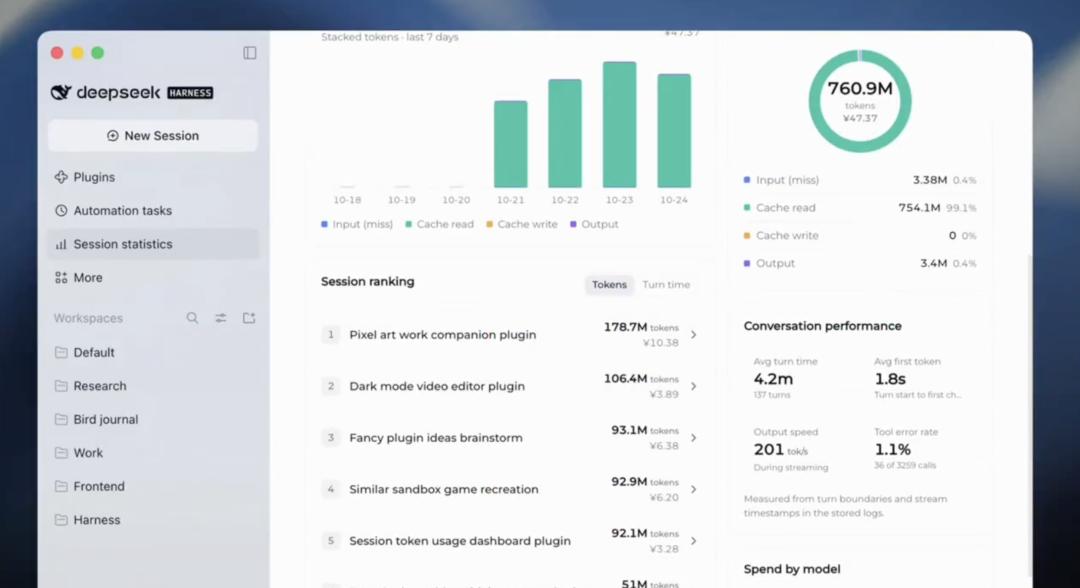
Of course, last but not least, let's talk about a very practical feature —— Token billing dashboard.
You can view total Token consumption, number of conversations, estimated cost, and CPU occupancy rate on one screen, and you can even check how much each chat costs.
This feature is really conscientious, but also makes people feel a little bit distressed about the cost...
Prompt: Create a statistics plugin based on my actual conversation data. Show total token usage, conversation count, and estimated costs and budget based on token usage. Include a token-usage timeline, usage and costs for individual conversations, and CPU activity and utilization.
Want to handcraft new features for AI? You can get started in just three steps!!!
After seeing these various gameplays, many friends must be eager to try. (doge)
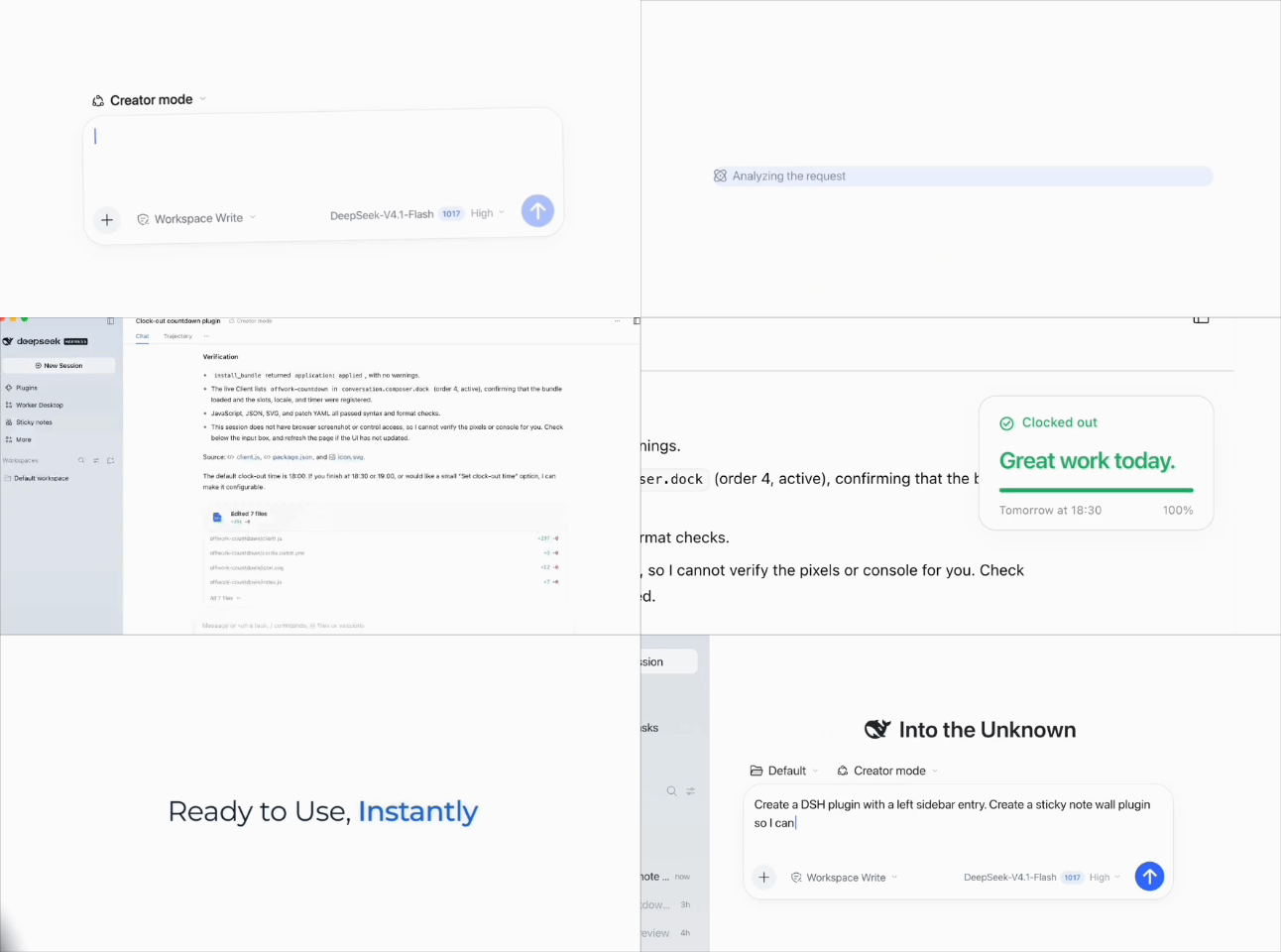
Don't worry, the operation is actually very simple. Open DeepSeek Harness, and you can get the AI to work in three steps ——
1. Open DeepSeek Harness, create a new session and select "Creator Mode".
2. Copy/fill in the prompt you want to try, paste the Prompt into the dialog box and send it, so that the Agent can read the development documentation, write the plugin and try to run it.
3. Check the generated result and installation permissions, and continue to put forward modification requirements as needed.
Of course, it needs to be added that the official also stated that ——
Some demonstration plugins have been modified and improved through multiple rounds of conversations, and a single Prompt may not be able to fully reproduce the effect in the video.
But in any case, being able to generate the plugins and functions you want with just a few sentences is already, really, very rare!!!
DeepSeek, you really make us feel so moved.

Reference links:
[1]https://x.com/DeepSeekHarness/status/2117256196227019194
[2]https://cdn.deepseek.com/harness/dsh-creator-mode-prompt-collection-en.html
This article is from the WeChat official account QbitAI, author: Meng Yao, published by 36Kr with authorization.