I use my iPhone Duo to scroll through Xiaohongshu, Taobao and Feishu, and I find that its value is far more than just a way to flaunt wealth.
I tested 8 apps that have been adapted for iPhone Duo one by one on the device, including Taobao, Amap, Xiaohongshu, Tencent Video, Feishu, WPS, XMind, and the basketball game *NBA Peak Showdown*. I went through the entire shopping journey on Taobao from the homepage to customer service messages; Amap splits routes and maps into left and right halves; Xiaohongshu notes are designed to display images on the left, and the main text plus comments on the right.
The first batch of reservations for the Chinese mainland version of this phone has been sold out. According to a report by *Global Times* on October 17, the estimated delivery time shown on Apple's official website has been scheduled to February next year. During these months of waiting for the device, there is only one question that everyone cares about the most:
Apart from its more "expansive" screen, what is the actual experience difference between it and the bar-type iPhone we have used for so many years?
For iPhone, the answer is that when closed, it behaves most like a regular iPhone, with the only difference being that the dock, status bar and Dynamic Island are moved to the side of the screen and arranged vertically. The real differences appear in the other two states: when fully unfolded, the app divides the entire screen into two left and right columns; when half-folded and propped up on the table, the upper half of the screen is for viewing and the lower half is for operation.
01
The inner screen is split into two columns
Taobao has received the most comprehensive adaptation this time. On a bar-type iPhone, when you view a product, you first see the main cover image, then swipe down to view the title and details. After the Duo is unfolded, the main image is on the left, and the title, price and details are on the right, so you can view the description while looking at the image. The closed state has also been optimized: the proportion of the cover image on the detail page is adjusted, so that you can see two images, the title and the price at the same time on one screen.
You can pinch with two fingers on the homepage and search results to adjust the display between 2 columns and 4 columns: zoom in to view large images, or zoom out to show more products on one screen. You can also see the full product title and discount information in the shopping cart.
The most practical optimization is on the message page: the merchant list is on the left, and the chat window is on the right. If you need to ask multiple stores about sizes and delivery information, on a bar-type iPhone you have to return to the list and re-enter each chat every time you switch stores; on Duo, just tap the store name on the left and the chat window on the right will switch immediately.
Taobao is currently testing two new features, AI virtual fitting and AI virtual makeup try-on, which are in the grayscale release phase and only accessible via the test version entry. Upload a half-body or full-body photo of yourself, select tops, pants, shoes and hats on the right, and Taobao says the effect of a single piece of clothing can be generated within one minute; the makeup try-on feature directly uses the front camera. However, the virtual fitting function itself has little connection with the foldable screen, and the large screen only provides the area on the right for selecting clothes.
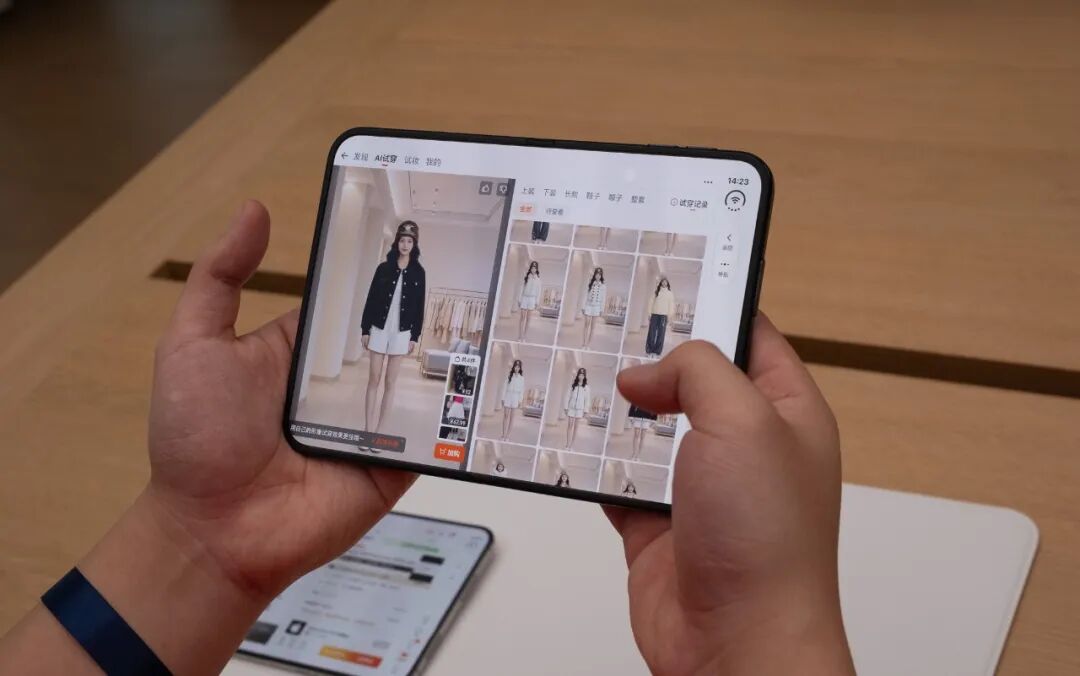
AI virtual fitting effect of Taobao optimized for horizontal screen scenarios | Image source: GeekPark
For users who are used to regular bar-type smartphones for daily use, it is enough to use the iPhone Duo when it is closed for casual orders. It is most suitable to unfold the device during the Double 11 shopping festival, when you need to compare prices and communicate back and forth with multiple customer service representatives.
Amap's advantages after adaptation are most prominent when you go out. When you search for a route on a bar-type iPhone, several schemes are arranged in a row on the screen, and you can only compare the time and distance; to check whether the road is congested or whether there is available parking near the destination, you have to tap into the details and zoom in and out on the map.
When unfolded on Duo, route schemes and estimated travel time are on the left, and the full map showing road conditions near the starting point, parking lots and gas stations at the destination is on the right.
The same applies to ride-hailing: the trip information is on the left, and the real-time position of the vehicle is always displayed on the right. For the street food ranking list, the ranking is on the left and the map is on the right, so you can see which nearby restaurant has a high rating and how far it is from you at the same time.
Car navigation is the core of Amap's adaptation for the iPhone Duo experience. Amap released a road test video demonstrating the dual-view mode: the left half of the screen shows lane-level navigation, telling you which lane to take and when to merge; the right half of the screen displays a map covering 3 to 5 kilometers ahead. The Amap team stated that zooming in and out and tapping the full view on a single screen while driving is dangerous. With the two perspectives displayed at the same time, users do not need to operate the screen manually.
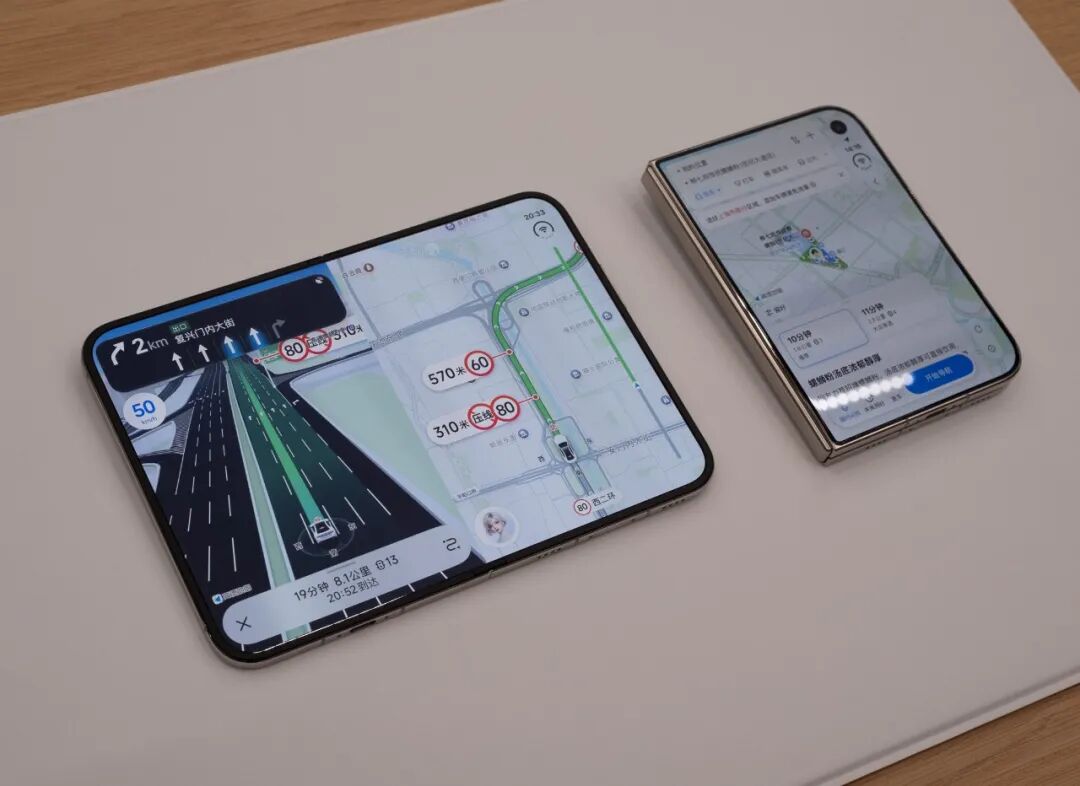
Dual-view navigation effect | Image source: Amap
Another feature is split-screen: you can open a chat app on the left, tap the restaurant location sent by a friend in the group chat, and Amap on the right will pop up the location and directly start navigation. Both features are only demonstrated in videos for now, and will be available in subsequent version updates.
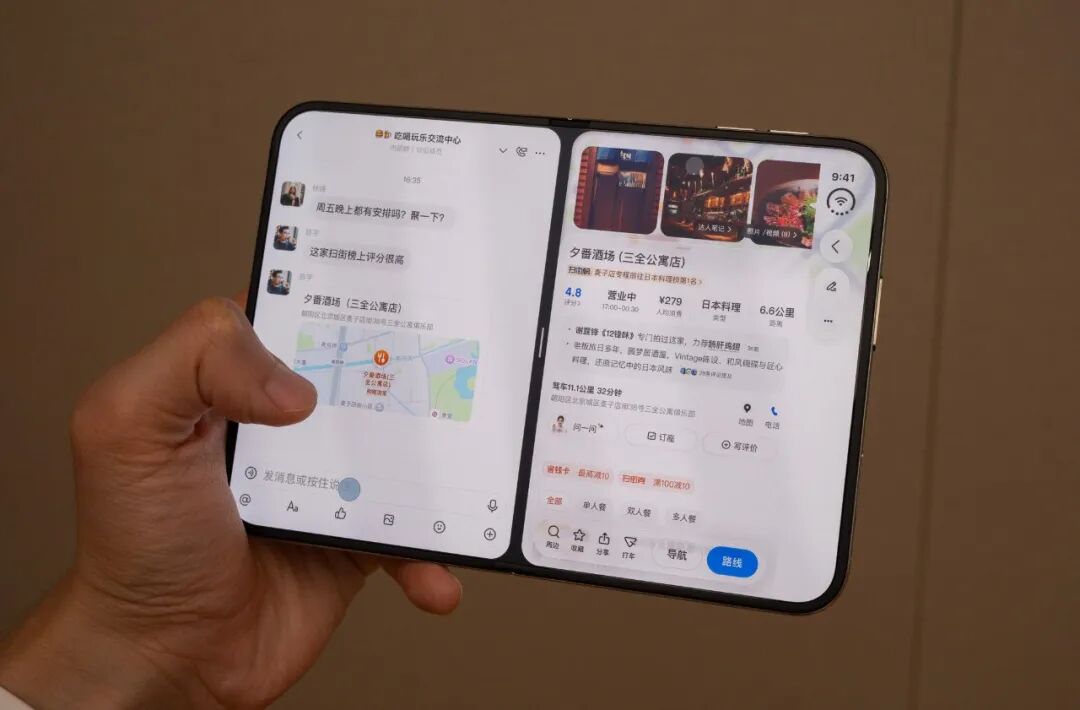
Feature developed by Amap for iPhone Duo: quickly share locations in Amap to conversations | Image source: GeekPark
The question that iPhone Duo needs to answer here is why special adaptation is needed when horizontal screen devices already support split-screen by default. The Amap team explained that this involves cross-app information transmission. The system's native split-screen only allows two apps to be displayed at the same time. To make a location in the chat directly trigger navigation on the right, the app needs to develop the corresponding connection support on its own. This is a brand new experience that has never existed on bar-type iPhones, and it is also the least developed feature at present.
In office scenarios, bar-type iPhones have long had three inconvenient pain points: you have to drag the screen repeatedly to view the full spreadsheet, you need to switch back and forth between files to compare two versions, and the keyboard blocks half of the screen when typing.
When WPS is unfolded, the sidebar is on the left and the main content is in the middle, with a layout almost identical to the desktop version. Many spreadsheets can be fully viewed on a single screen after unfolding.
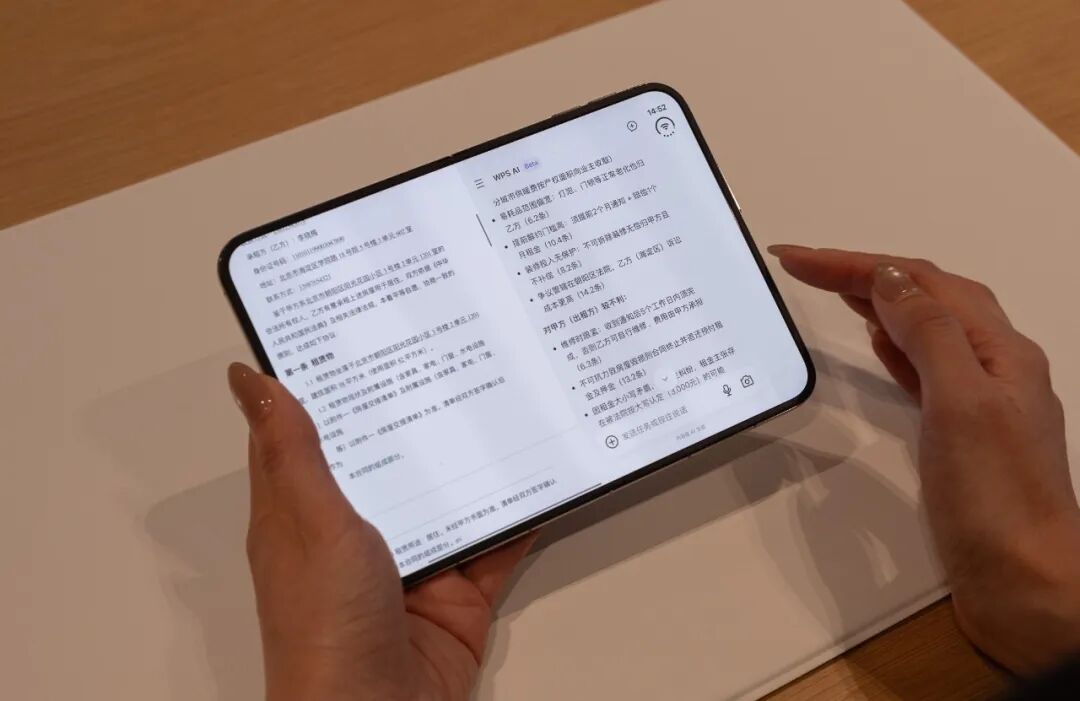
The revised document and the original manuscript can be opened side by side and scrolled synchronously for comparison, so you can spot the modified amount at a glance. WPS's smart assistant, which used to be a drawer pulled out from the bottom that would block the main content, is now adjusted to a left-right split layout, so you can edit the document while viewing the suggestions.
Feishu combines viewing and chatting together. When a colleague sends a video, you can use the split-screen mode: watch the video on the upper half and chat on the lower half, and the interface will automatically adjust according to the folding angle. When you watch the meeting replay with Miaoji, the meeting video is on the left, and the text records and meeting minutes are on the right.
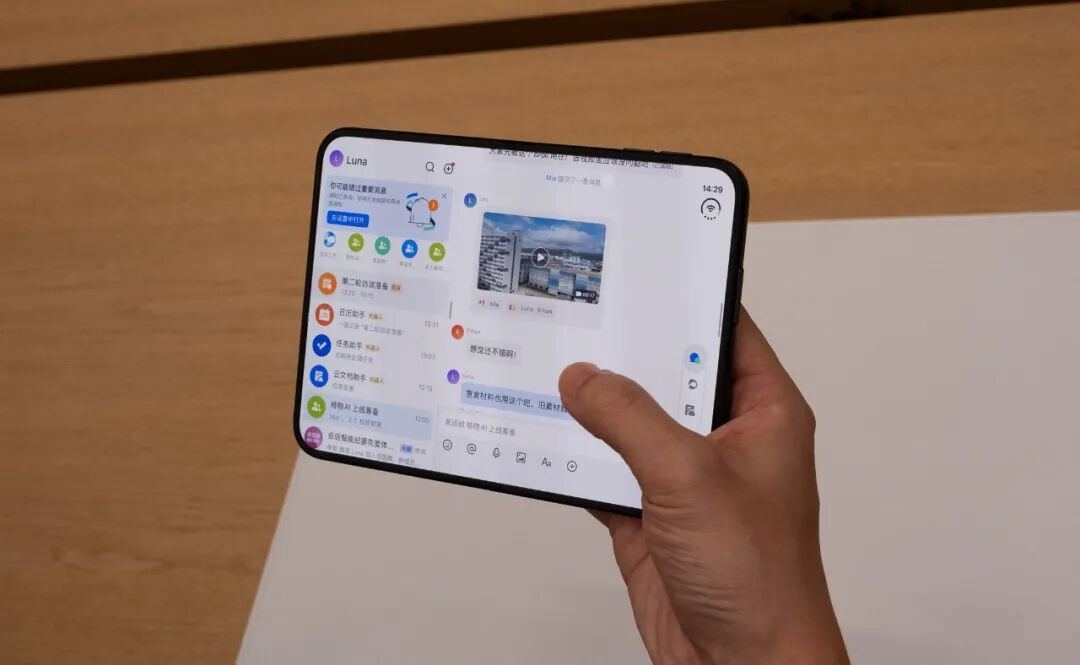
Adaptation effect of Feishu on iPhone Duo | Image source: GeekPark
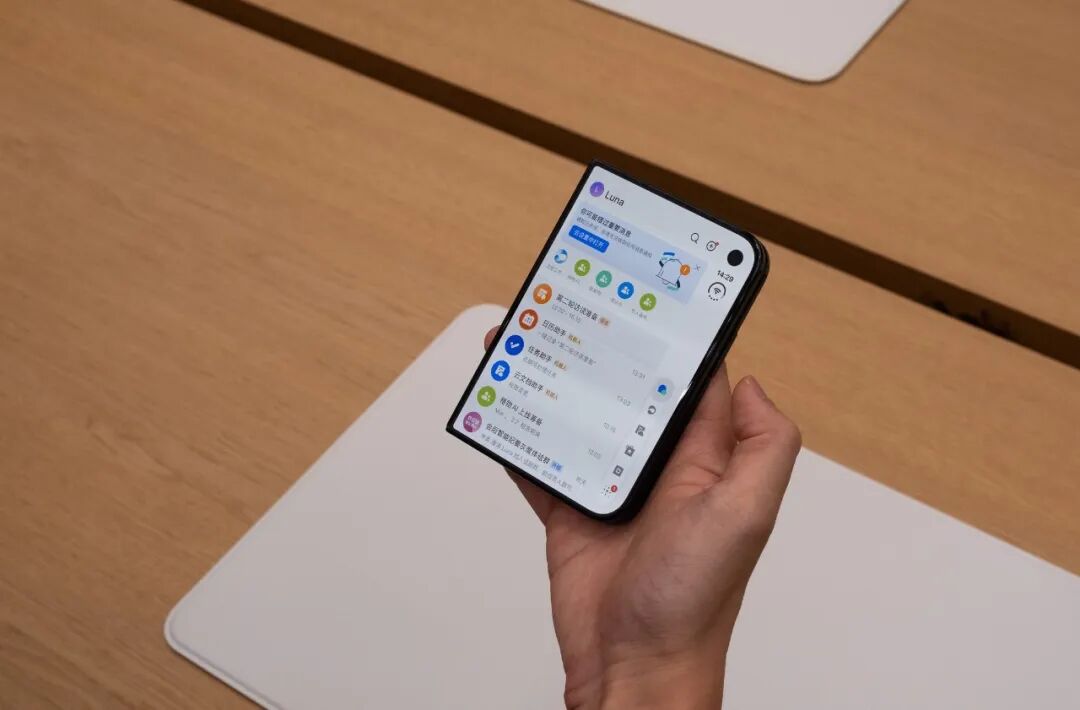
Demo effect of Feishu on the outer screen of iPhone Duo | Image source: GeekPark
XMind displays the outline and mind map side by side, and also supports opening two files at the same time, using one as a reference and editing the other.
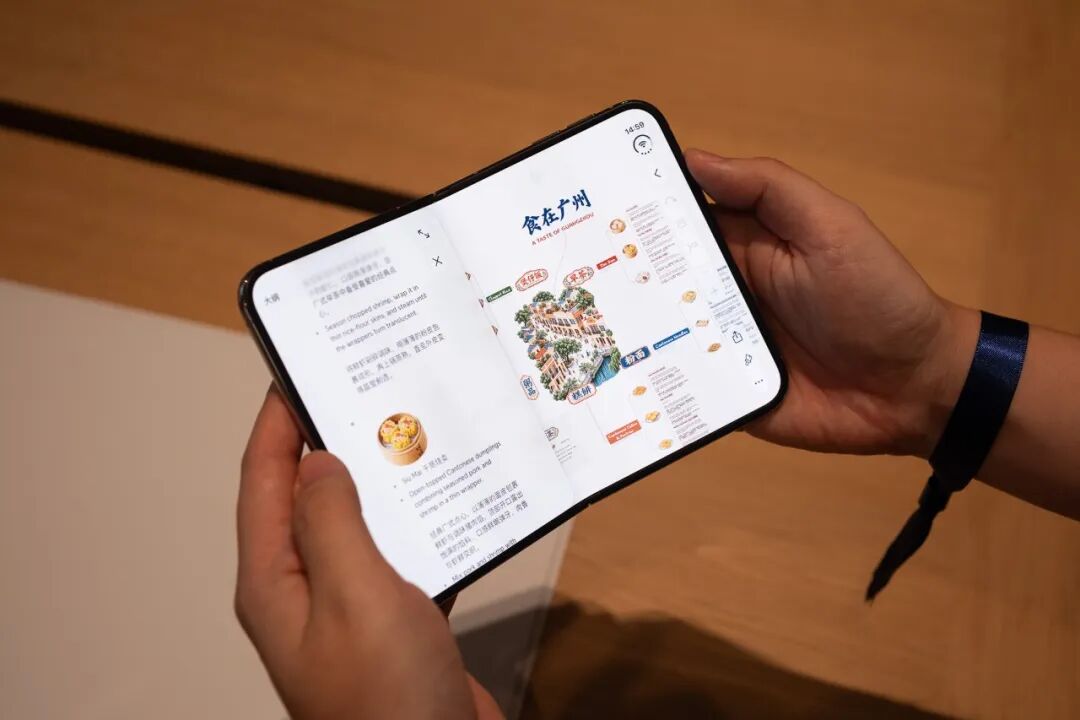
Optimized display interface of XMind for iPhone Duo | Image source: GeekPark
02
New perspective when propped up on the table
The biggest difference is in video playback. When you watch videos on a bar-type iPhone, you either view a small portrait screen, or switch to full landscape screen, with the progress bar and bullet comment input box overlaid on the picture, and you have to hold the phone all the time. Duo provides a new posture: half-folded and propped up on the table.
In this state, Tencent Video concentrates the video on the upper half of the screen, and the lower half is a streamlined operation area. You can drag the progress bar, take screenshots and send bullet comments in the lower area, and the picture will not be blocked when you send comments. Just prop the device into a small tent shape from the closed state, and you can start full-screen playback.
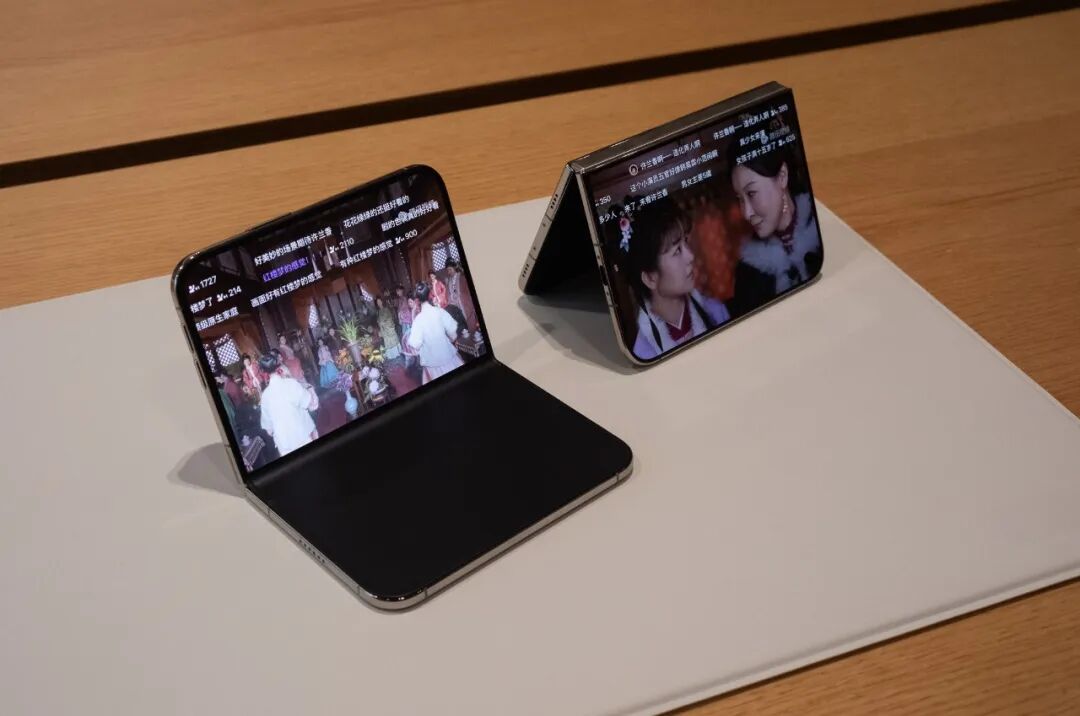
Playback effect of Tencent Video under different placement methods of the inner/outer screen of iPhone Duo | Image source: GeekPark
When Tim Cook visited China last week, he specially took time to visit iQiyi to check similar interactive designs. On October 14, Tim Cook, who stepped down as CEO and now serves as Apple's executive chairman, visited iQiyi's Beijing headquarters, where iQiyi demonstrated the half-folded mobile phone experience: the upper half of the screen plays the video, and the lower half adjusts the progress, playback speed, image quality and bullet comments. Cook later posted on social media praising the optimization of the app.
The change of Xiaohongshu lies in content scrolling. The outer screen still uses the familiar two-column layout, and more notes can be displayed on one screen after unfolding.
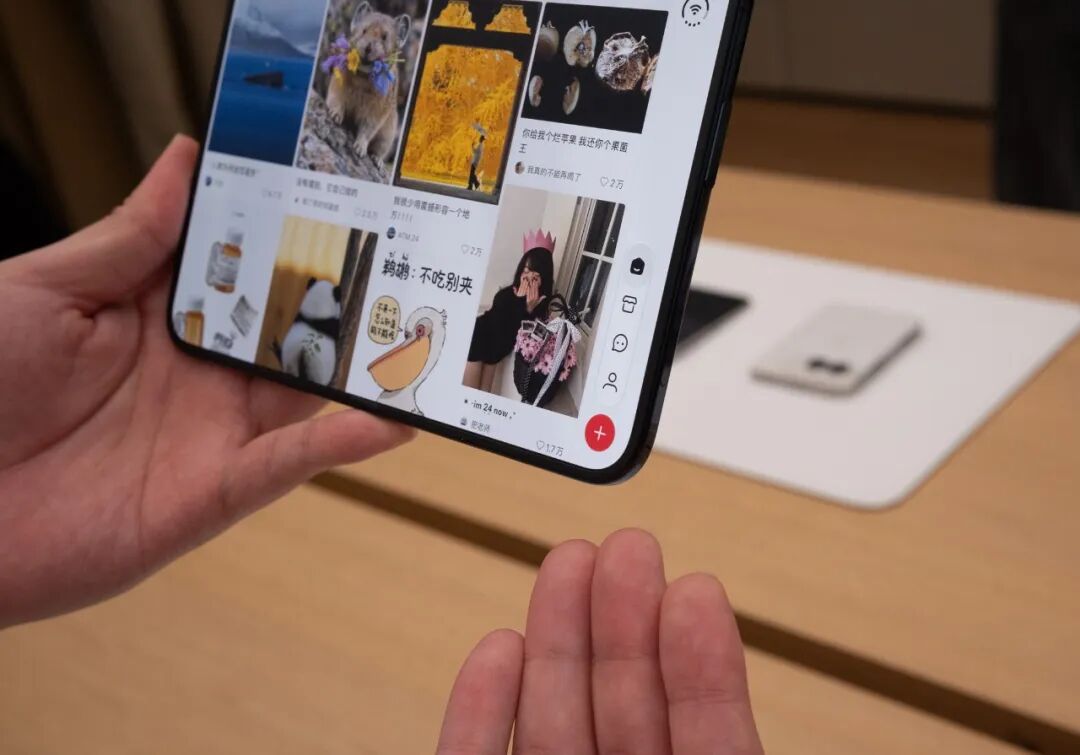
Xiaohongshu moves the function menu to the bottom right of the screen | Image source: GeekPark
Tap into a note, the image is on the left, and the main text and comments are on the right, so you don't need to finish viewing the image and then swipe down to read the comments. When watching a video note, close the phone and the outer screen will continue to play. Place the device slightly folded on the table, the video is on the top and the comments are on the bottom, so interactions will not block the picture.
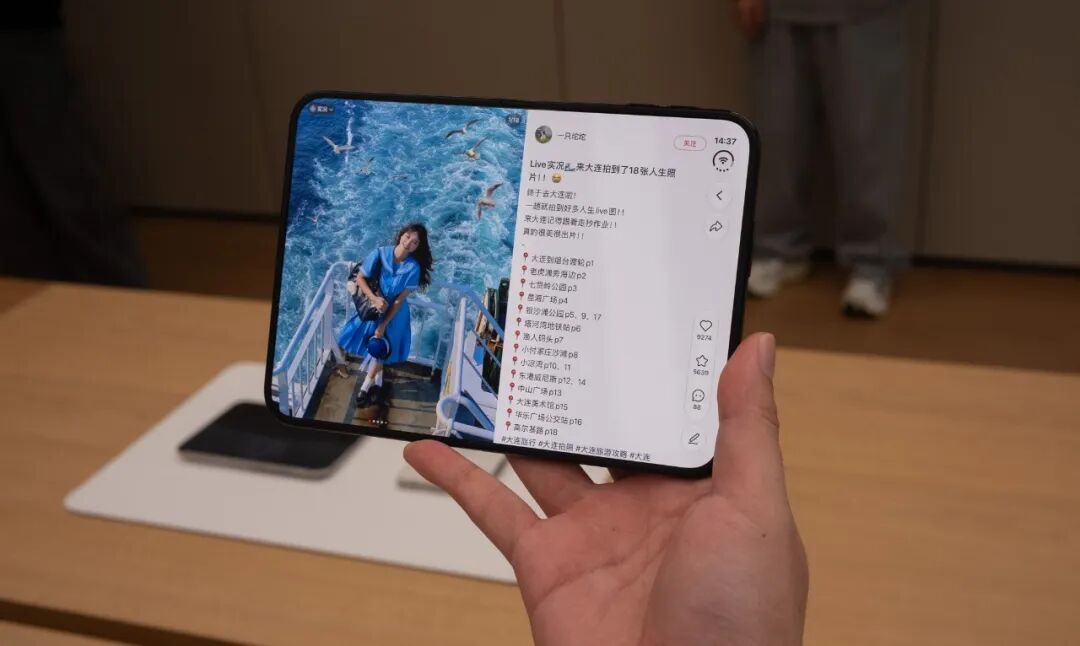
Horizontal screen display layout effect of Xiaohongshu | Image source: GeekPark
For the adaptation and optimization of foldable screens, games follow the same logic. When *NBA Peak Showdown* is half-folded, the upper half displays the full game picture, and the lower half is the operation area, where player data is directly displayed in the operation area, so you do not need to pause and open another page to check. The developer describes the experience as similar to playing a handheld game console.
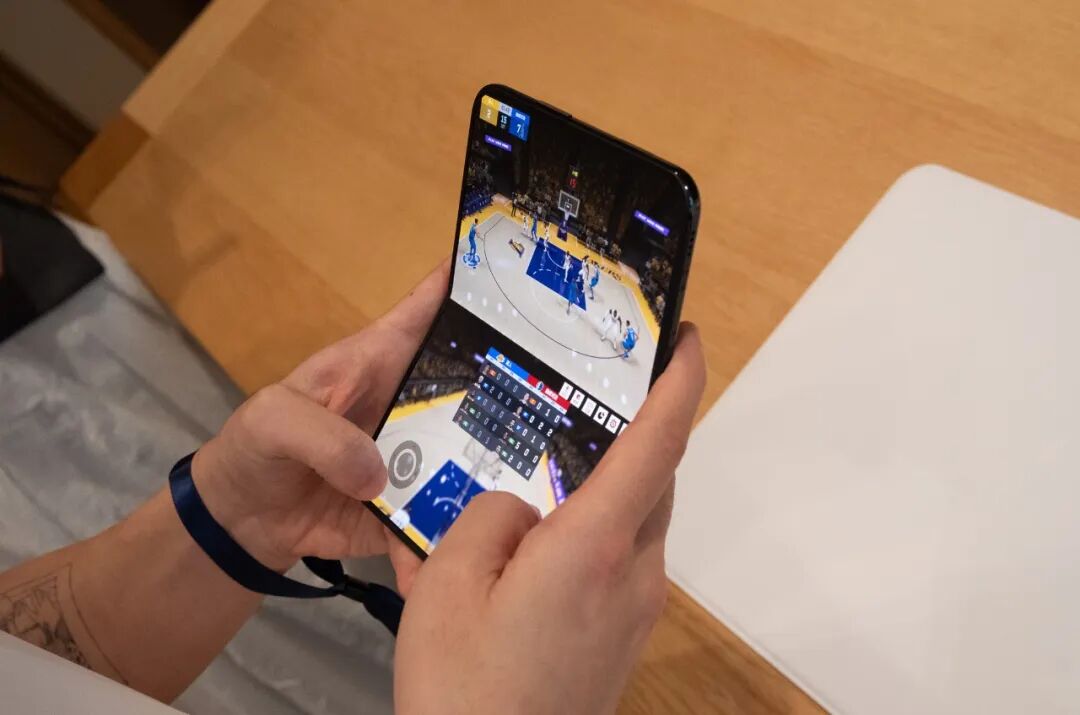
Display effect of the NBA game under the vertical screen of iPhone Duo | Image source: GeekPark
WPS reserves this posture for input: when half-folded, the lower half of the screen is a full-size keyboard. When recording voice to text, the transcribed text scrolls on the upper half, and the recording status is displayed on the lower half.
Traditional entertainment experiences such as watching dramas, scrolling Xiaohongshu, and playing games are where Duo is most different from bar-type mobile phones. Both Tencent Video and Xiaohongshu stated that the version released on the 23rd will be more complete than the current experience version.
Compared with bar-type iPhones, the difference of Duo does not lie in the closed state, but in three usage modes: unfolded two-column split, half-folded propped on the table, and two apps displayed side by side.
At the launch event of iPhone Duo, most people will first remember the unfoldable screen of iPhone Duo, which is very normal as