Just now, Apple HomeView was released, with more than 10 new Apple ecosystem products unveiled, and there is only one of them that you can actually purchase.
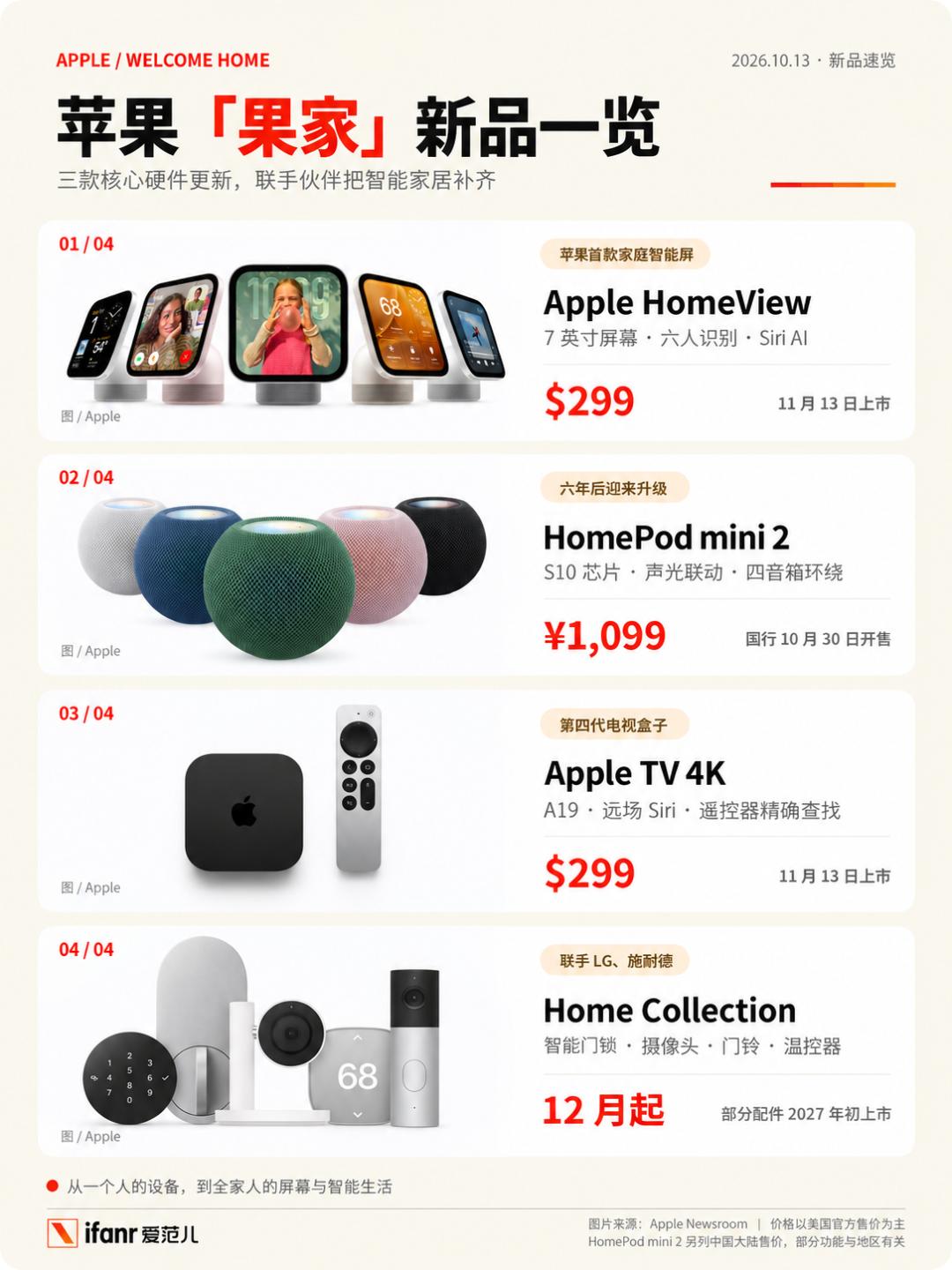
Just now, Apple released more than a dozen new products in one go. In addition to the long-rumored central control display Apple HomeView, the HomePod mini 2 and Apple TV 4K, which have not been updated for many years, have also received chip-upgrades.
Moreover, Apple has also partnered with LG and Schneider Electric to launch a full set of "Apple Home" smart accessories covering door locks, doorbells, cameras and thermostats.
At a time when personal portable devices have long hit their performance ceiling, Apple has finally freed up resources to redevelop the "living room", the shared public space for the whole family.
Not just phones and computers, the "Apple Home full ecosystem suite" is here
Apple HomeView: A "smart dashboard" for the whole family
The product that truly draws everyone's attention to the living room is Apple's first family device with a screen — Apple HomeView.
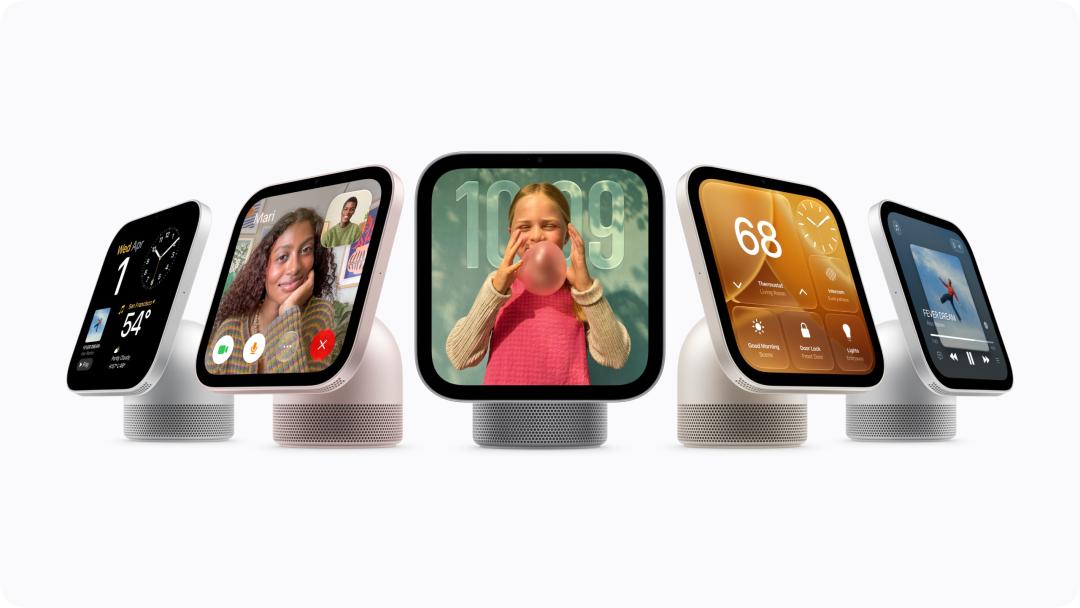
Photo | Apple
At first glance, its design is almost a tribute to the classic 2002 "desk lamp" iMac G4: a 7-inch Liquid Retina screen, supported by an angle-adjustable stainless steel hinge, stands on a hemispherical speaker base.
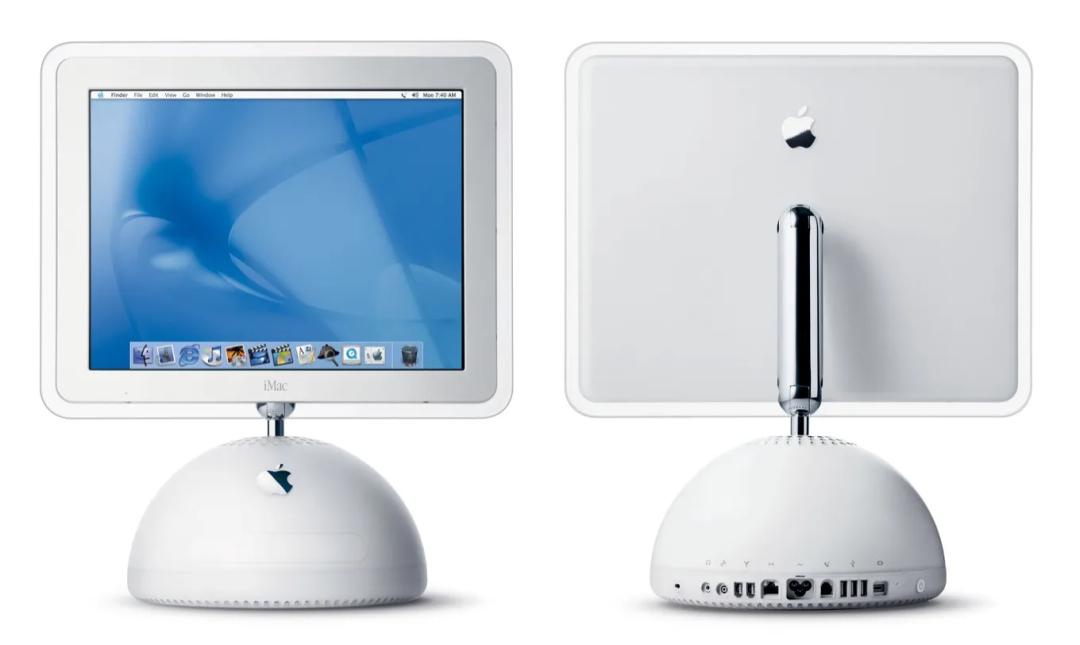
Photo | Six Colors
The desktop version comes in four color options: Silver, Starlight, Pink, and Space Gray, and even the woven power cord is color-matched to the device.
In addition to the desktop version suitable for placement on kitchen countertops or entryway cabinets, Apple has also prepared wall-mounted versions in Silver and Space Gray, which need to be used with Schneider's dedicated installation accessories.
The wall-mounted version with USB-C power supply accessory costs an extra $59.95, and the AC-powered model costs $79.95; the PoE model powered by Ethernet cable is priced at $129.95 and will be available in early 2027.
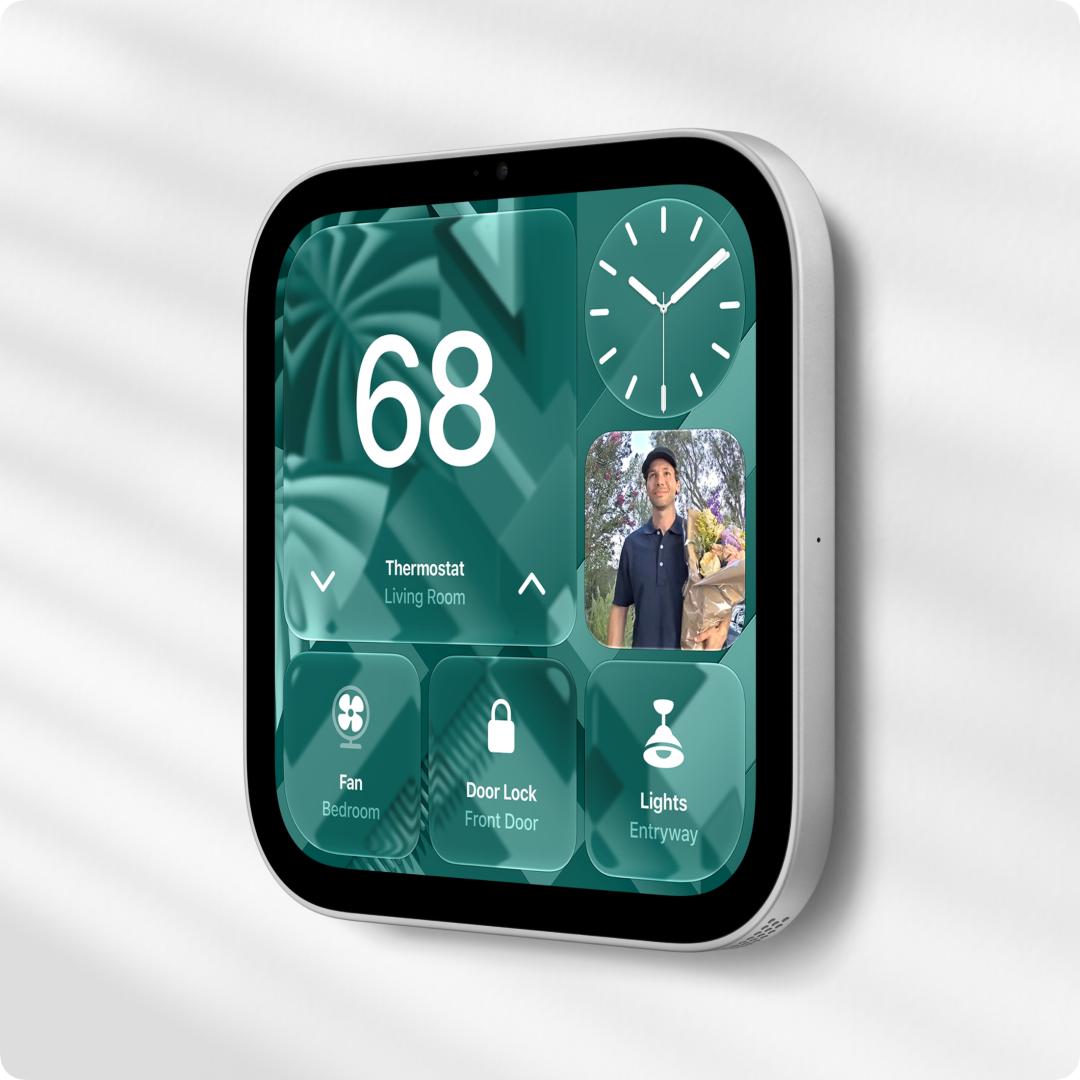
Photo | Apple, wall-mounted HomeView
Although the screen looks similar to an iPad, its usage is completely different from an iPad — you cannot use it to browse apps, watch dramas, or even hold instant noodles under it. It will quietly stay on the wall or entryway table, acting as an information dashboard for the whole family.
The device does not have a built-in battery, and it needs to be powered through a USB cable, so you need to reserve a power socket for it when placing it.
Standing a few meters away, it acts as a large-font clock and photo frame with a clean interface; but when you approach, detailed schedules and to-do items will expand. At night, the screen brightness can automatically drop to as low as 0.3 nits, so it will not glare even if you place it on the bedside table as a clock.
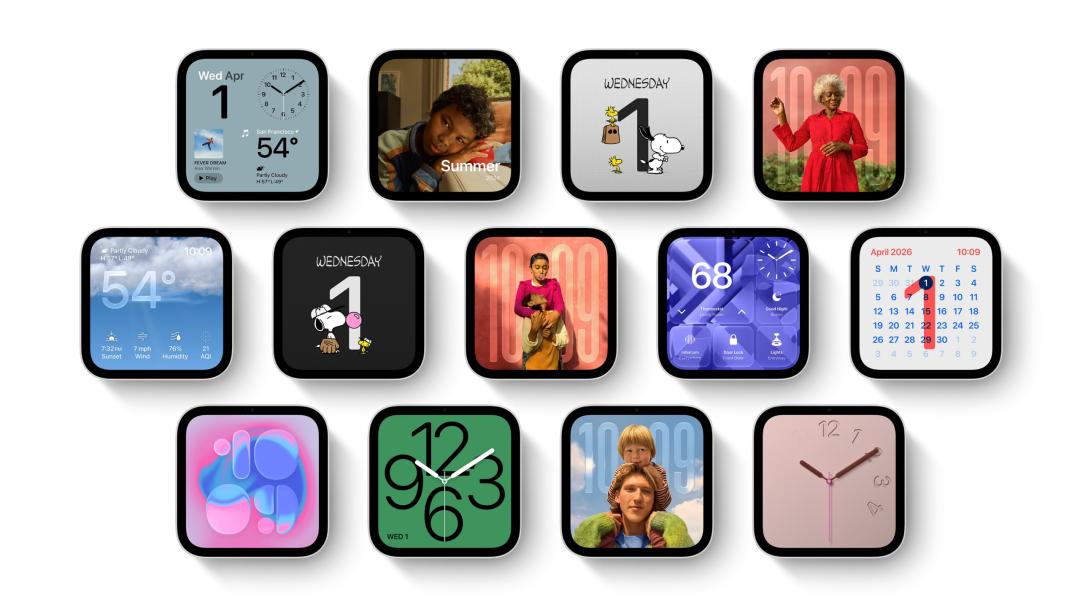
Photo | Apple
When watching the promotional video, colleagues from the ifanr editorial department raised a rather pointed question:
This product is great, but what's the difference between it and sticking an iPad on my refrigerator?
Indeed, an iPad can also act as a whole-house control dashboard, and can also display weather and switch songs. But there is actually a pain point with this usage: the iPad only recognizes one person.
After logging in to your Apple account, your personal schedules and memos are like being "exposed" directly in the living room; if you also log in to WeChat casually, any private messages you receive can be seen by the whole family. But if you don't log in to the account, no matter who walks over to check their own schedule, it can't pull up any relevant content.
HomeView is more like a family public dashboard that "recognizes people". When you lean close to it, the front camera can identify who you are, and switch to your schedules and to-do items; when a family member walks over, the interface will switch to their content.
HomeView can recognize up to six users, and each person can customize their own home screen, apps and widgets.
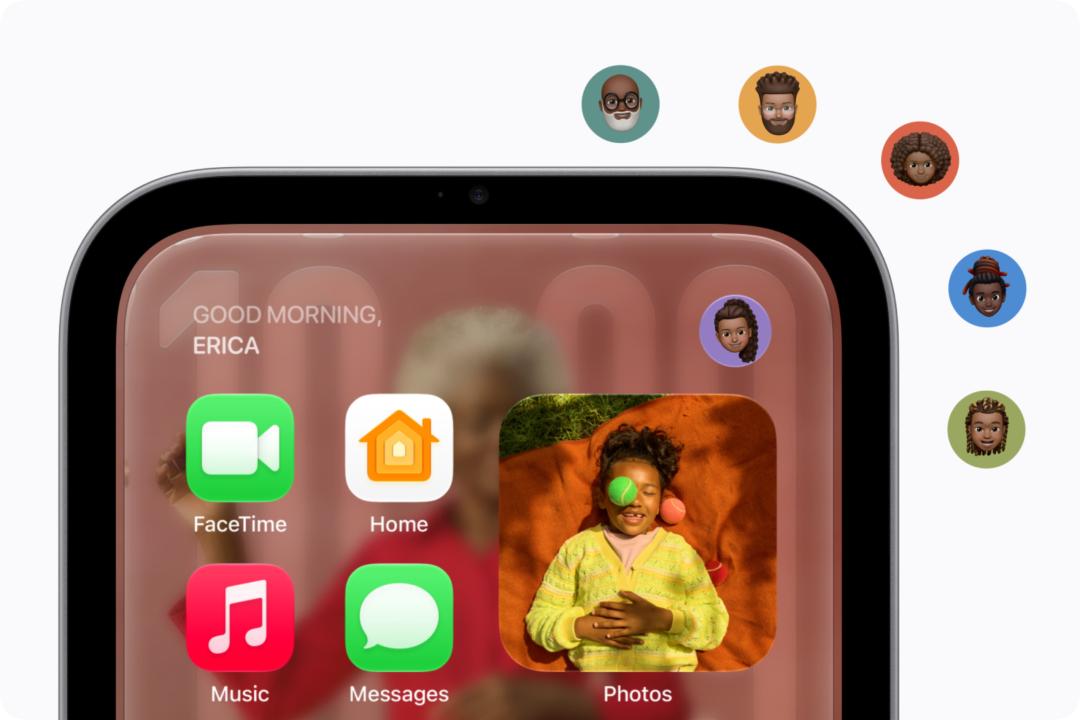
Photo | Apple, HomeView can recognize up to six users
Family members and guests can both view shared photo albums and listen to music, while personal content is only displayed to the corresponding user.
To view your own messages and calendar on it, the connected iPhone or iPad must also be nearby and have been unlocked recently. Only after it recognizes your face will it display the content.
When no one is interacting with it, it will quietly stand on the kitchen counter or entryway cabinet, acting as a clock and family photo frame. When your hands are covered with flour while cooking and you want to switch a song, you can just call out to Siri directly; when someone presses the doorbell at the door, you can also view the feed from the compatible camera on the screen.
When placed in the kitchen, it can split online recipes into step-by-step large-font cards, and you can directly call Siri to switch steps or set a countdown when your hands are covered with oil, salt and flour; when you make a FaceTime video call, the camera will automatically frame the shot to ensure the person is in the center of the picture.
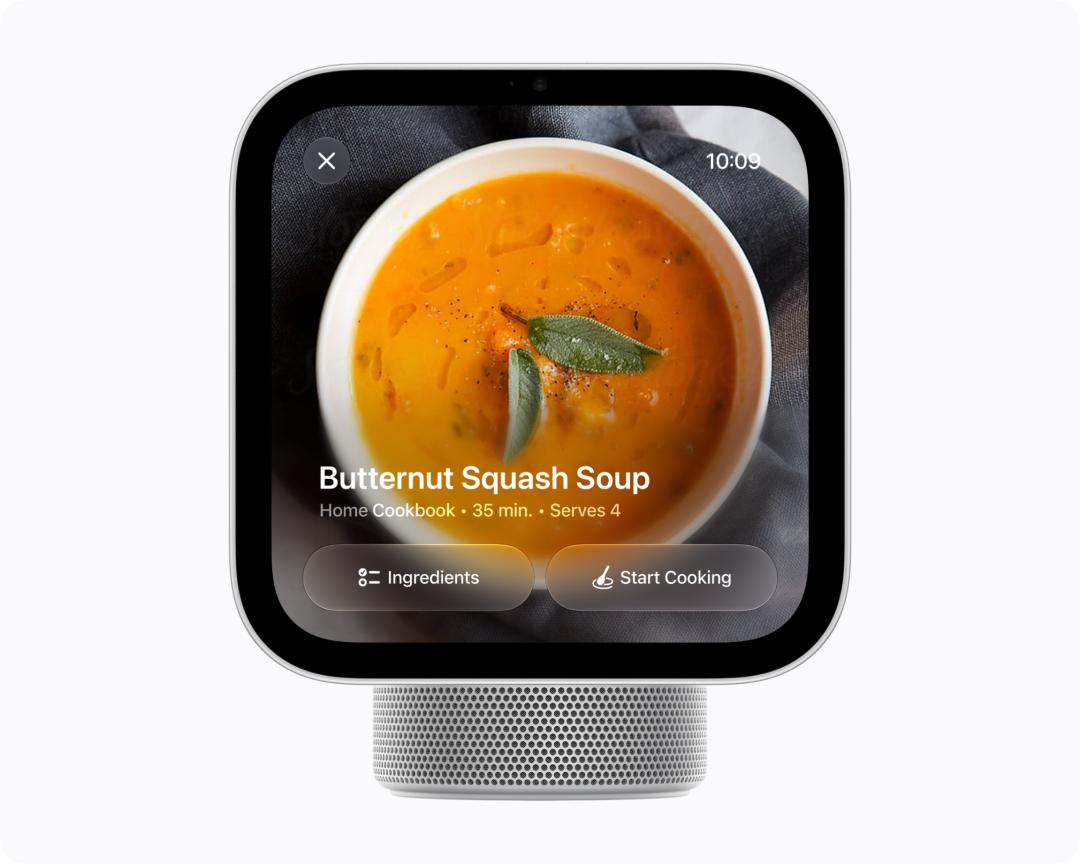
Photo | Apple, the recipe interface on HomeView
In terms of core configuration, HomeView is equipped with the A18 chip. The US price for both the desktop version and the wall-mounted version is $299, and it will go on sale on November 13; wall-mounted installation accessories are sold separately.
HomePod mini 2: The only new product available in the Chinese mainland market
The compact HomePod mini 2 has finally received an update after six years, equipped with the S10 chip. The doubled computing power is mainly reflected in more capable low-frequency performance and more sensitive far-field voice pickup response.
The new device comes in five color options: Pink, Green, Blue, White and Midnight. The price in the Chinese mainland market is 1,099 RMB, a small increase of 100 RMB over the previous generation. Pre-orders start today, and it will go on sale on October 30.
The top light effect also has new features this time. Sound Glow will beat along with the bass and treble of the music, and can also change the light color according to the color of the album cover; when playing ambient sounds such as rain, there are also corresponding animations.
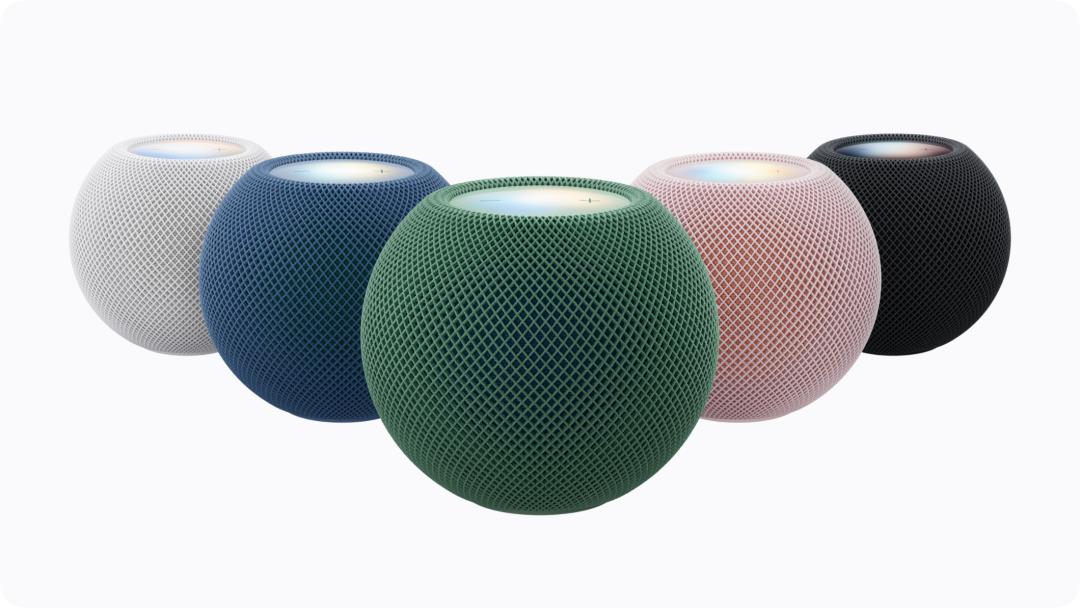
Photo | Apple, the five color options of HomePod mini 2
In addition to the original stereo pairing, the new model additionally supports four units to form a spatial audio setup. Place a pair of HomePod mini 2 or 2nd generation HomePod at the front of the TV and behind the sofa, paired with the 4th generation Apple TV 4K, and you can set up a home theater.
The front and rear pairs can use different models, but each pair needs to be two units of the same model; the system will recognize the position of the speakers and automatically calibrate the timing and volume.
Calculated at the price of 1,099 RMB per unit in the Chinese mainland, to get four HomePod mini 2 units, you need to spend 4,396 RMB just on the speakers.
But the more frustrating part is that this four-speaker spatial audio setup must be bound to the 4th generation Apple TV 4K — at a time when Apple TV is still not available in the Chinese mainland market, even if domestic users spend more than 4,000 RMB to buy all the mainland-version speakers, they cannot actually use this home theater system through official channels.
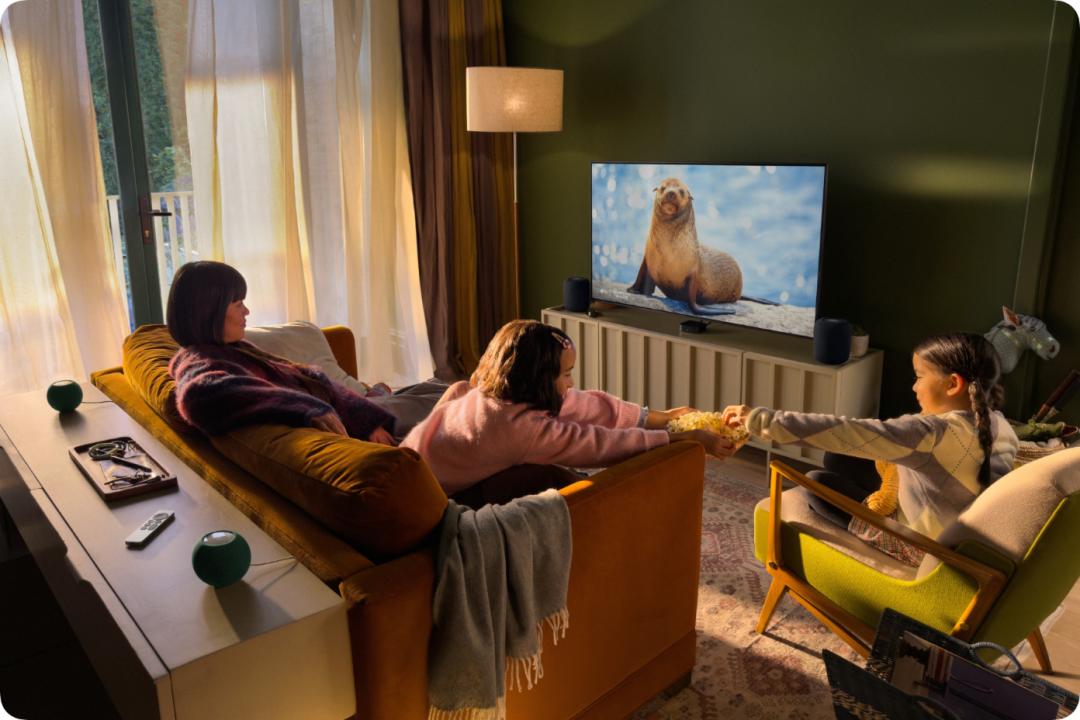
Photo | Apple, the 2nd generation HomePod at the front and HomePod mini 2 at the rear form a surround sound system
In addition, the new HomePod mini can also be used as the default speaker for Mac, supporting single unit or stereo combination, but the Mac needs to be equipped with Wi-Fi 6E or a newer wireless connection specification.

Photo | Apple, HomePod mini 2 paired with Mac
Apple TV 4K: You will never lose your remote control easily
As for the Apple TV 4K that has been silent for four years, which already had excess computing power, this time it is directly equipped with the more powerful A19 chip. Its CPU is 50% faster, the GPU performance is doubled, and it is also equipped with an independent AV1 hardware decoder, fully reserving performance for high-spec videos and TV games.
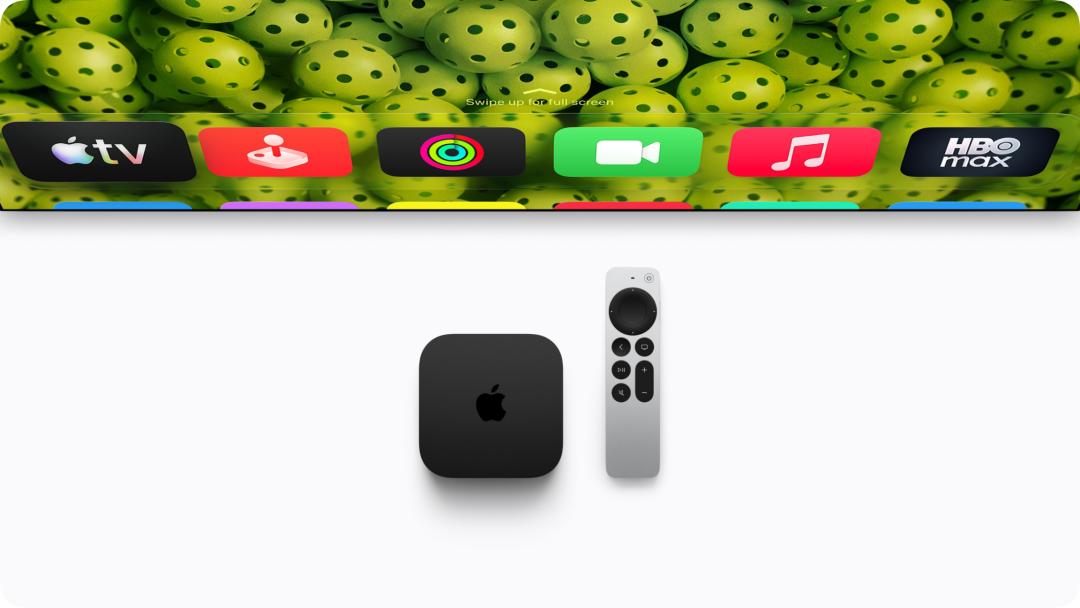
Photo | Apple, 4th generation Apple TV 4K and new Siri Remote
The device has three far-field microphones built in. When watching TV, you can directly call Siri to clip and search for shows. The echo cancellation feature can separate human voice from the playing audio, making recognition more accurate.
Even if the new Siri Remote slips into the deep gap of the sofa, the newly added speaker can make it emit a sound, so you can find it by following the sound. It also supports "Find My" and Precision Finding. You can use a compatible iPhone to search for it, which can display the distance and direction.
If you can't find the remote control, you can use your iPhone to make it make a sound; but what if you can't find the iPhone either? If you are wearing an Apple Watch on your wrist, you can raise your hand to call your phone, and the problem is solved.
The North American price for Apple TV 4K is $299. Pre-orders start today, and it will be launched on November 13. The new remote can also be purchased separately, and is compatible with Apple TV HD and Apple TV 4K. There is still no mainland China version.
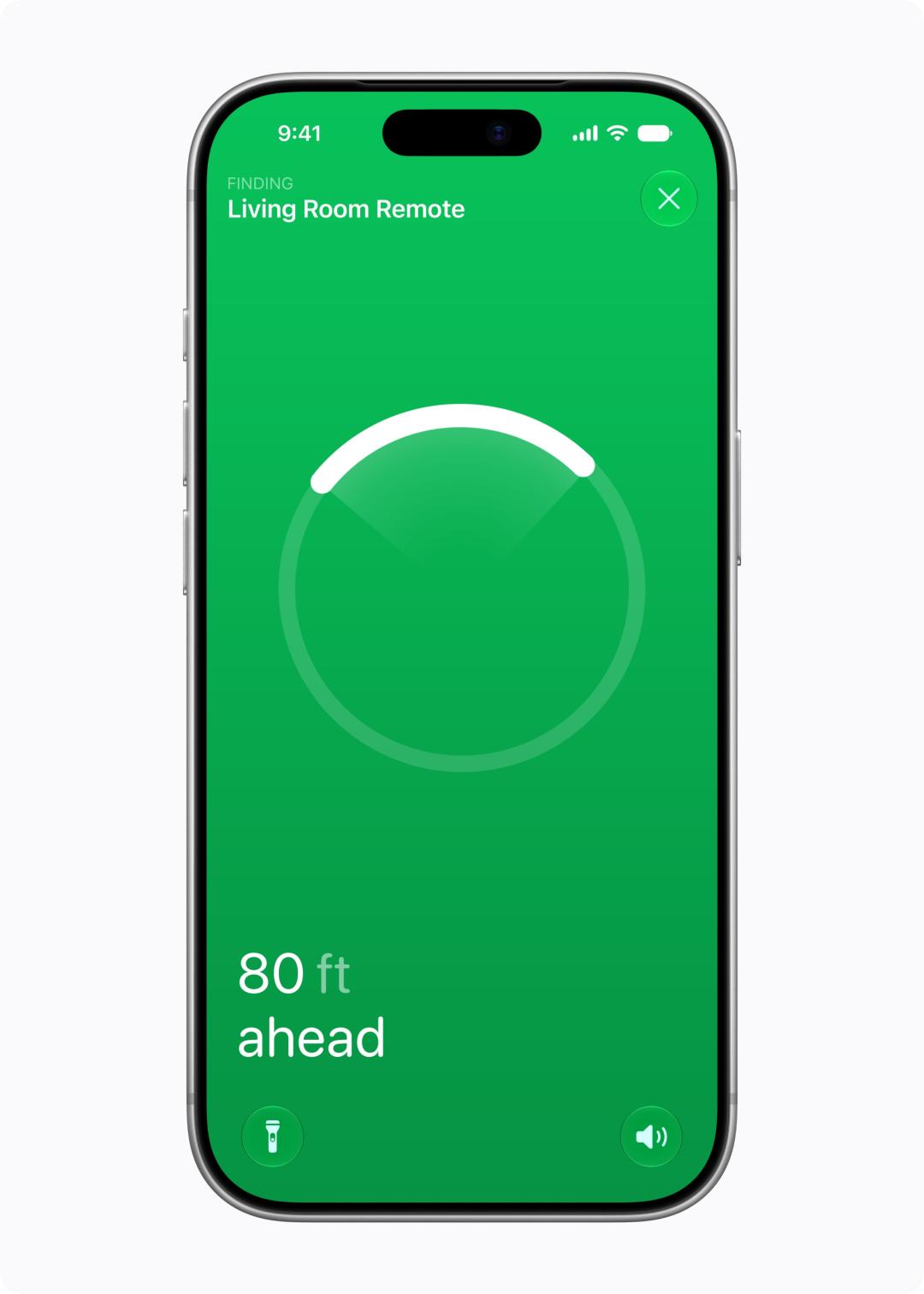
Photo | Apple, Precision Finding for Siri Remote via iPhone
Apple Home Collection: Apple's "Apple Home" ecosystem is here
Having only screens and speakers is not enough. Apple has also partnered with LG and Schneider Electric to launch the Apple Home Collection.
With these products, the door locks, cameras and thermostats in your home can all be set and managed from the "Home" app, no need to download separate apps and register accounts for each brand.
LG brings door locks, video doorbells, indoor and outdoor cameras, floodlight cameras, thermostats, and temperature and humidity sensors; Schneider Electric also launches thermostats and room sensors.
