Using AI to reverse-engineer software, how is that not the "ultimate plagiarism hack" designed for liberal arts majors?
If you see a highly practical feature in an app developed by others and want to build a similar one in your own product, there were roughly only two approaches in the past. You could either figure it out on your own and write the code from scratch, or find an engineer skilled in reverse engineering to spend several days disassembling and researching the feature.
This week, REA, an open-source project that has gone viral in developer circles, offers a third solution: leaving the "reverse engineering" work to AI.
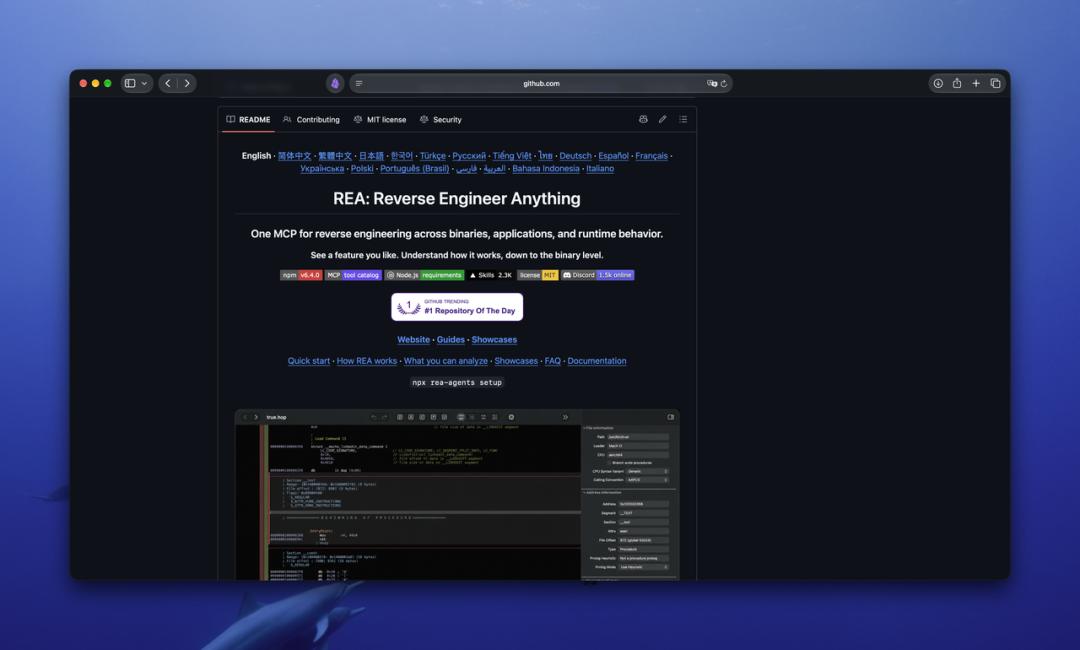
REA is the abbreviation of "Reverse Engineer Anything", which means to reverse-engineer everything. The introduction on its GitHub homepage reads:
"See a feature in an app that you want in your own product? Ask your agent to investigate it with REA."
"See a feature in an app that you want to add to your own product? Let your agent look into it with REA."
According to statistics from Star History, in the week from October 4 to 10, REA gained 78,800 new stars, ranking first among all GitHub projects in that week. By the time I wrote this draft, its total number of stars had reached nearly 100,000. (The "star" on GitHub is equivalent to developers' collection and like.)
In the same week, another developer announced that he had used Claude Opus 5.5 to "replicate" seven software programs in the Adobe Creative Suite.
AI can "reverse-engineer anything", even non-experts can get started
First, let's talk about what reverse engineering is.
The software we use in daily life is written by programmers as source code first, then "compiled" into machine code that computers can execute directly. Source code is readable for humans, while machine code is basically a long string of numbers. Reverse engineering refers to the process of inferring how a compiled program is written without having access to its source code.
This is a bit like getting a mechanical watch without a blueprint. If you want to know how its timing function works, you can only open the watch cover and check how each gear meshes with others. In the past, this was a skill only possessed by security researchers and crackers, who needed to switch back and forth between professional tools such as decompilers and debuggers. It was common to spend several days disassembling a single feature.
What REA does is connect these professional tools to AI programming agents such as Claude Code, Codex, and Cursor, and call them through the MCP interface (a general protocol that allows agents to call external tools).
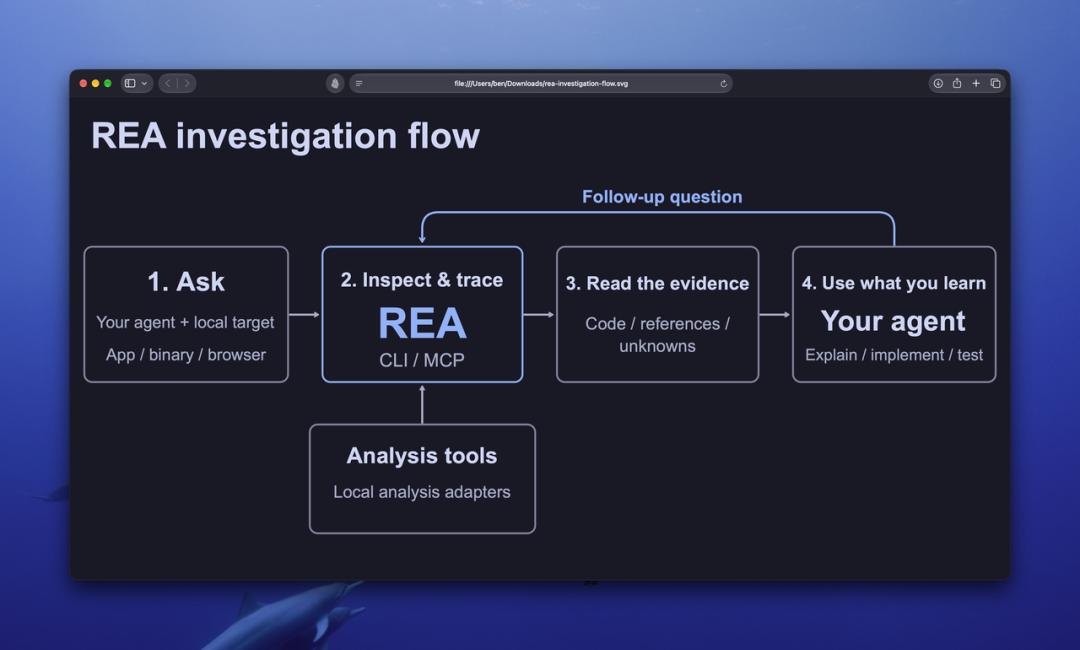
The agent is responsible for asking questions, and REA is responsible for collecting evidence 丨 REA
After the installation is completed, you only need to tell the agent "figure out how the search function of a certain app is implemented, show me the evidence, and then build a similar one in my project", and it will automatically call disassembly tools such as Ghidra, IDA, and Hopper to browse the machine code, and finally return the conclusions together with supporting evidence.
In fact, projects such as GhidraMCP and IDA Pro MCP have been working on connecting AI to reverse engineering tools since last year. The innovation of REA lies in lowering the threshold to a level that ordinary developers can get started with.
Elias Bachaalany, co-author of the reverse engineering textbook Practical Reverse Engineering, shared REA's promotion post on X with only one word of comment: "hype". This implies that he somewhat dismisses the project but still can't resist joining in the discussion.
There are several cases displayed on REA's homepage. One of them is the classic brick-breaking game DX-Ball: the agent traced from a sound playback call all the way to the function that calculates the left and right channels according to the position of the ball, and then restored it to C code. The restored code passed 3205 sets of tests, and the 63 bytes after compilation are exactly the same as the original version.
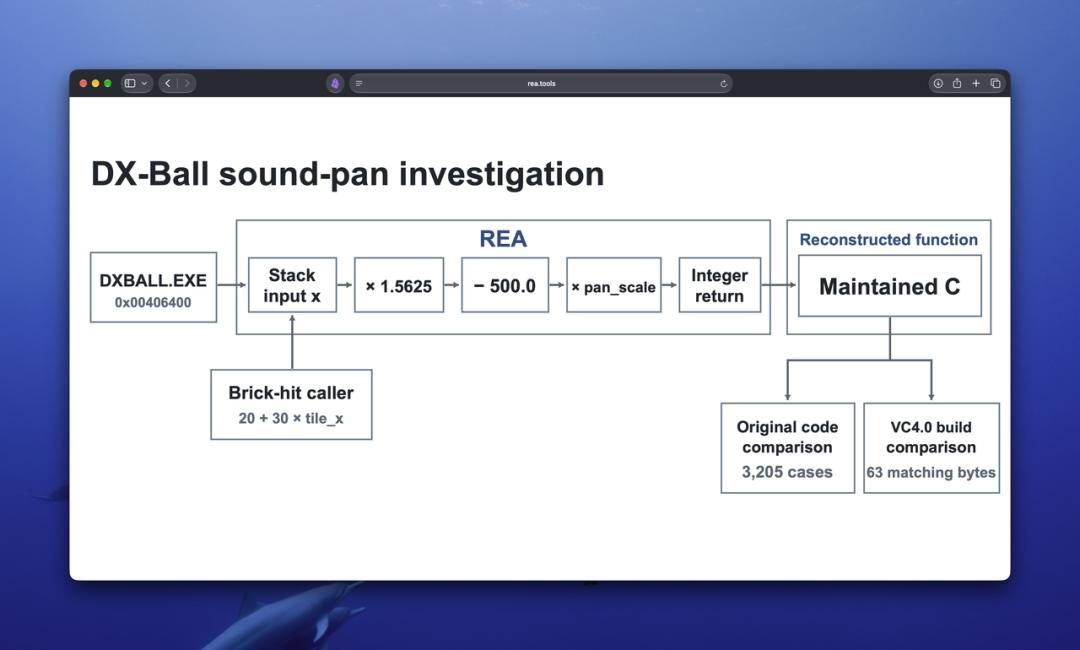
The reverse engineering case displayed on REA's homepage 丨 REA
AI's strong reverse engineering capability has been demonstrated earlier. On April 30, the UK's AI Safety Institute (AISI) released its evaluation of OpenAI GPT-5.5's cybersecurity capabilities. There was a reverse engineering question that took professional testers about 12 hours to solve. But without any human assistance, GPT-5.5 solved this question in 10 minutes and 22 seconds, with an API cost of 1.73 US dollars.
This evaluation has nothing to do with REA, and it used the test environment built by AISI itself. But it proves that the cost of letting AI read and disassemble programs written by others is decreasing rapidly.
When AI blogger Matthew Berman shared REA on X, he only wrote one sentence:
"Reverse Engineer Anything 😂 Software is done."
"Reverse engineer everything 😂 The software industry is finished."
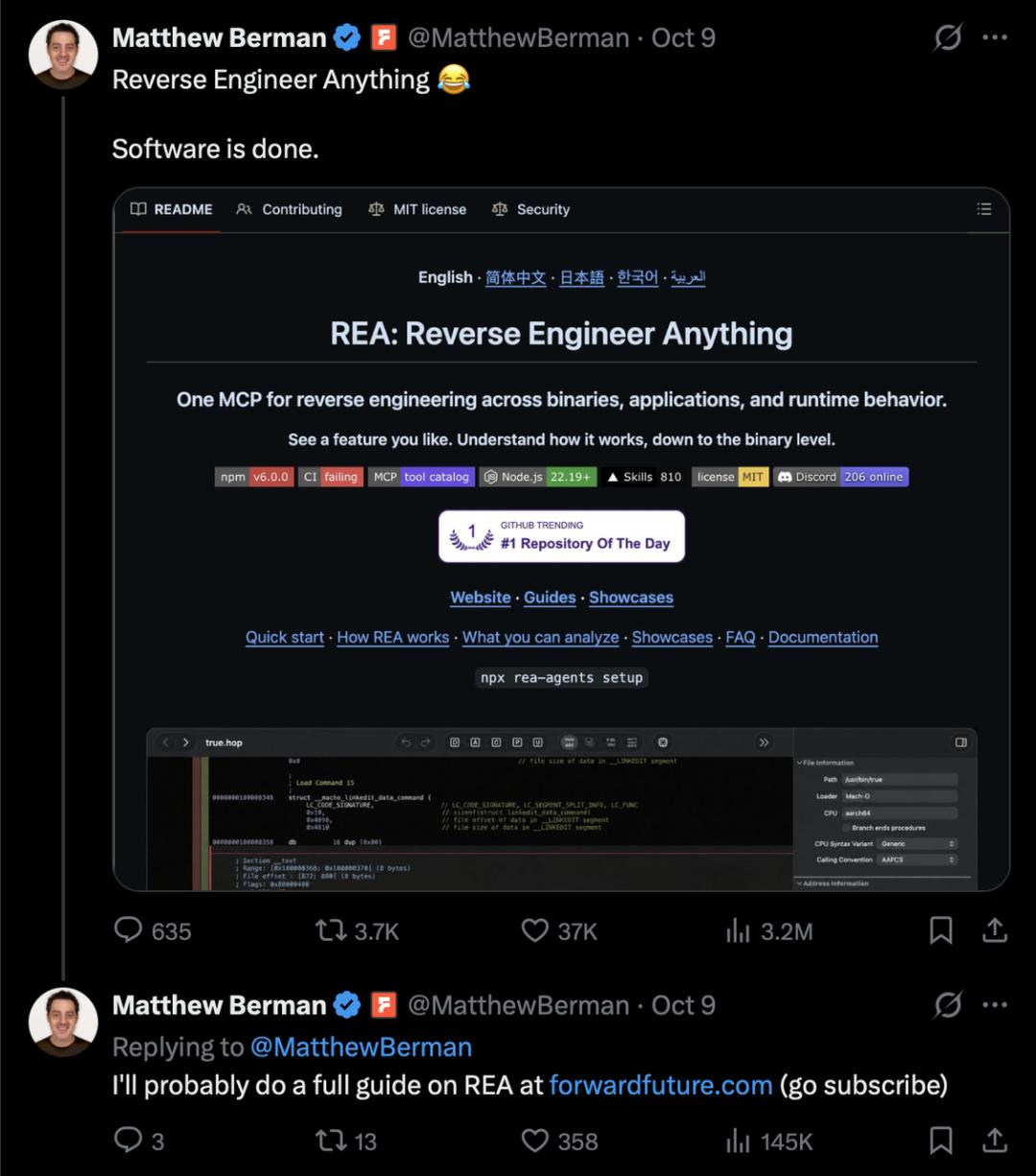
"The software business is over"
Of course, he is not the only one who thinks the software industry is coming to an end.
At the beginning of October, developer Brandon Thomas published seven open-source software under ArtCraft on Reddit, which correspond to Adobe's Photoshop, Illustrator, Premiere, Lightroom, After Effects, InDesign, and Acrobat Pro respectively.
According to him, these software are written in Rust with the help of Claude Opus 5.5, completely free of charge, and can run on Mac, Windows and Linux.
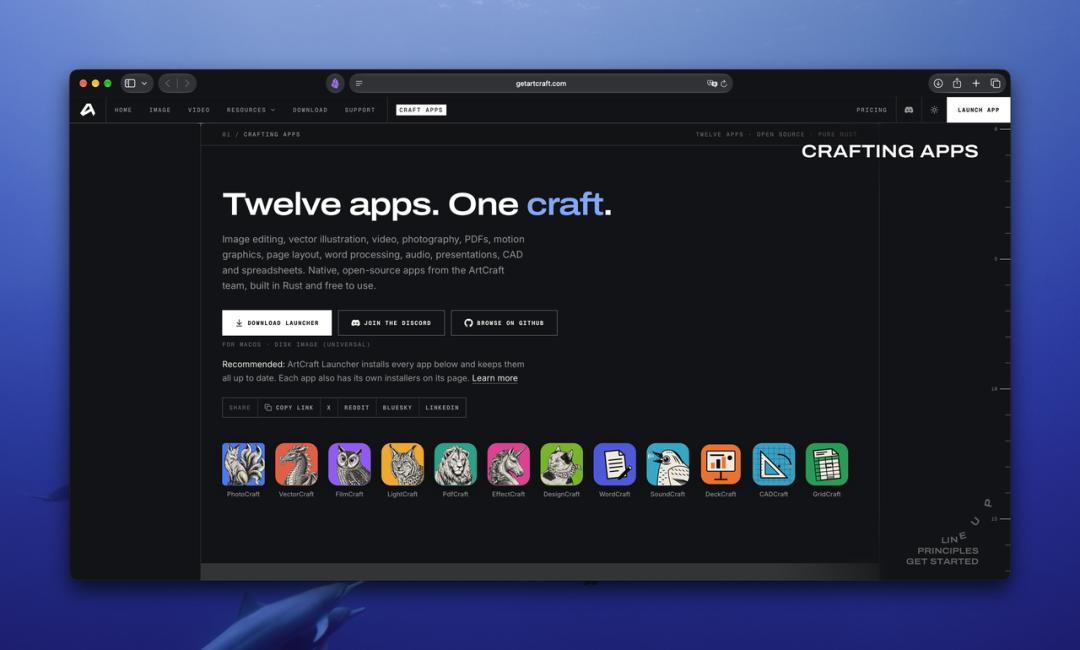
PhotoCraft, which looks very similar to Photoshop 丨 ArtCraft
In the Star History ranking of the same week, the second place after REA is PhotoCraft, the Photoshop counterpart in ArtCraft, which gained 42,900 new stars in a week.
Thomas said that the reason why he did this was that he had been troubled by Adobe's cancellation fees several times. In a comment on Hacker News, he wrote:
"Software is over."
"The software business is over."
In the same comment, he also said that he "successfully generated the entire Photoshop at one attempt".
ArtCraft and REA are two independent projects with no technical connection. Thomas calls his software "clean-room reimplementation", which means he did not copy Adobe's code and assets, but only rewrote it based on the corresponding features.
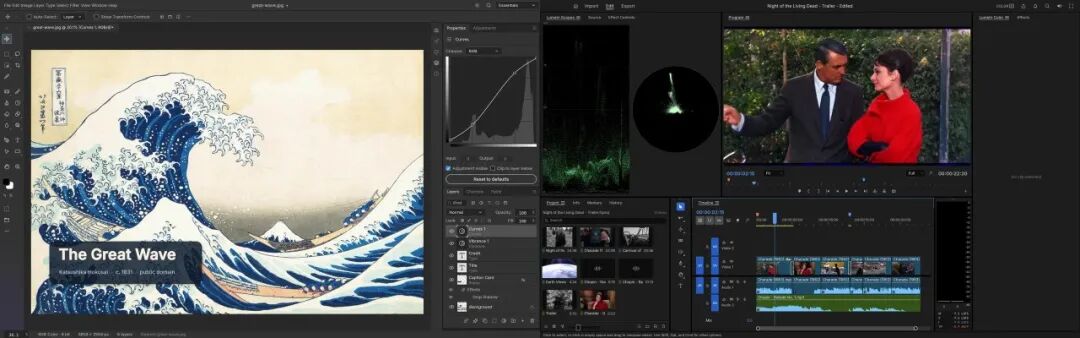
Left: Screenshot of PhotoCraft interface; Right: Screenshot of FilmCraft interface
However, there are many problems in actual use.
According to reports from PetaPixel, the interfaces of PhotoCraft (counterpart of Photoshop) and FilmCraft (counterpart of Premiere) are almost identical to the original versions. But user feedback collected by some media shows that PSD files with Smart Objects (a special type of layer that retains the original data and characteristics of the image, allowing non-destructive editing of the layer) will have problems after being opened. FilmCraft will crash when importing a large number of video clips. In the tests built into the PhotoCraft repository, only 5 out of 30 cases that require it to recalculate the Photoshop filter effect can match the original result, which shows that PhotoCraft can read and write such files, but cannot correctly calculate the corresponding internal results.
Thomas initially promised on Reddit that he would achieve 100% feature parity within a month. A few days later, he corrected his statement on Hacker News, saying that it would take some time to reach 99% parity, but it would definitely be counted in months, not years.
Obviously, AI programming (vibe coding) has greatly shortened the time for a software to achieve the state of "can be opened, can be operated, and can export" for the first time. But the most difficult part of mature software is often the special scenarios that are not listed in the requirement list.
I have a deep understanding of this when developing my own app.
Want to use it to rescue the stuck product
I am an independent developer without a technical background, and I have an app that I have developed halfway and temporarily put aside. Seeing these two events, I felt very excited, and then I thought of the stuck part in the development of that app.
I have always wanted a shooting app with a teleprompter. When shooting talking-head videos, the lines are displayed on the screen, so I don't have to take my eyes off the camera lens.
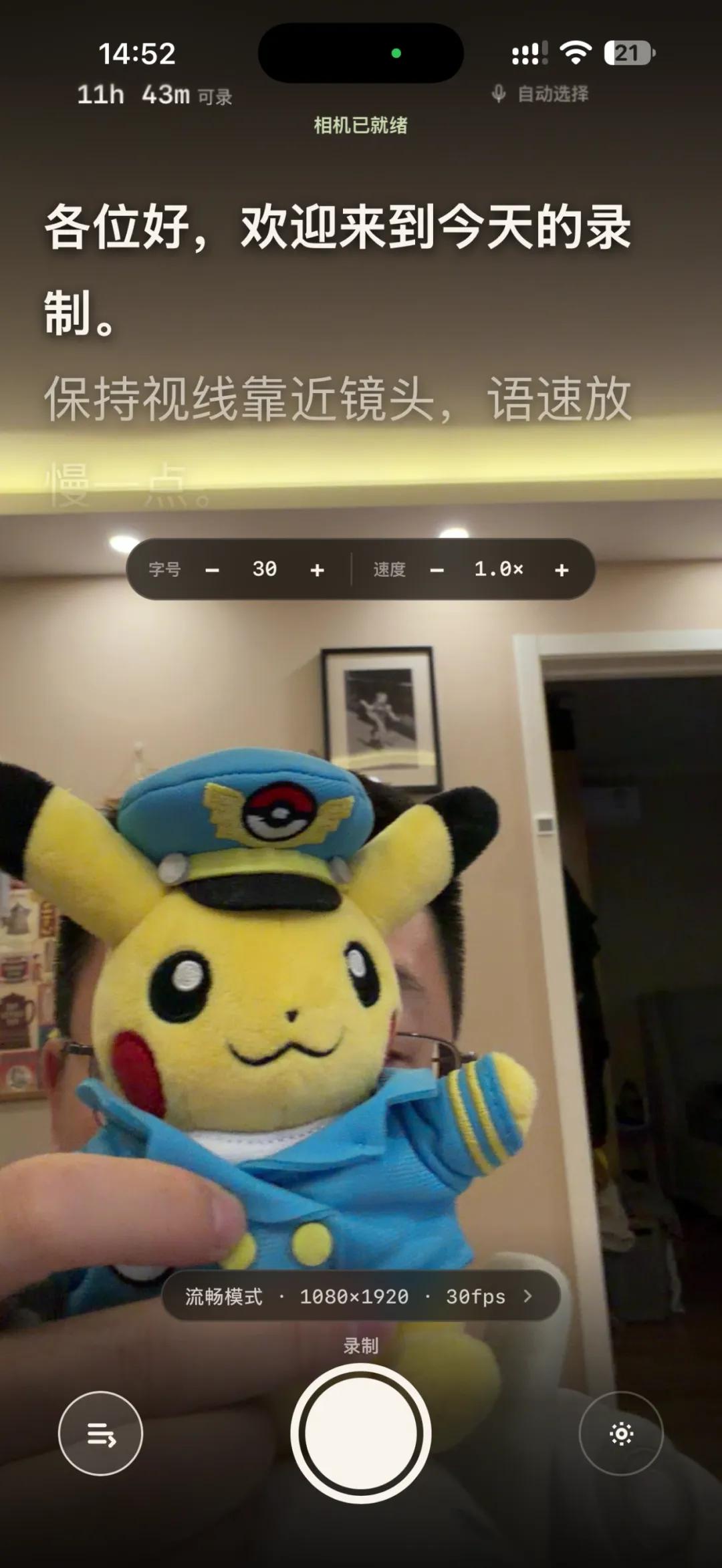
The teleprompter camera I developed 丨 Photo provided by the author
Coincidentally, the iPhone 17 series is equipped with a brand new square sensor for the front camera, which Apple officially calls the Center Stage front camera with 18 million pixels. Because the sensor is square, you don't need to rotate the phone to shoot portrait, landscape or square videos, you can just crop proportionally from the same sensor. It is perfect for making a teleprompter camera.

The updated Center Stage camera on Apple iPhone 17 adopts a square sensor design, which can switch between landscape and portrait aspect ratios without rotating the phone | Apple
Since I don't have a technical background, I developed it little by little with Codex. The UI interface refers to Blackmagic Camera and Hurricane Camera. These two professional shooting apps have excellent front-camera shooting experience and come with Lut filters. I wanted to move some of their features to my own app.
But with my current capabilities, what I made is only "barely usable". For example, it can support front 4K recording, but you need to switch to a separate tab to enter the corresponding mode, and the preview is very stuttering, which is completely not as smooth as the native camera, and it cannot automatically crop proportionally with one click like Blackmagic Camera.
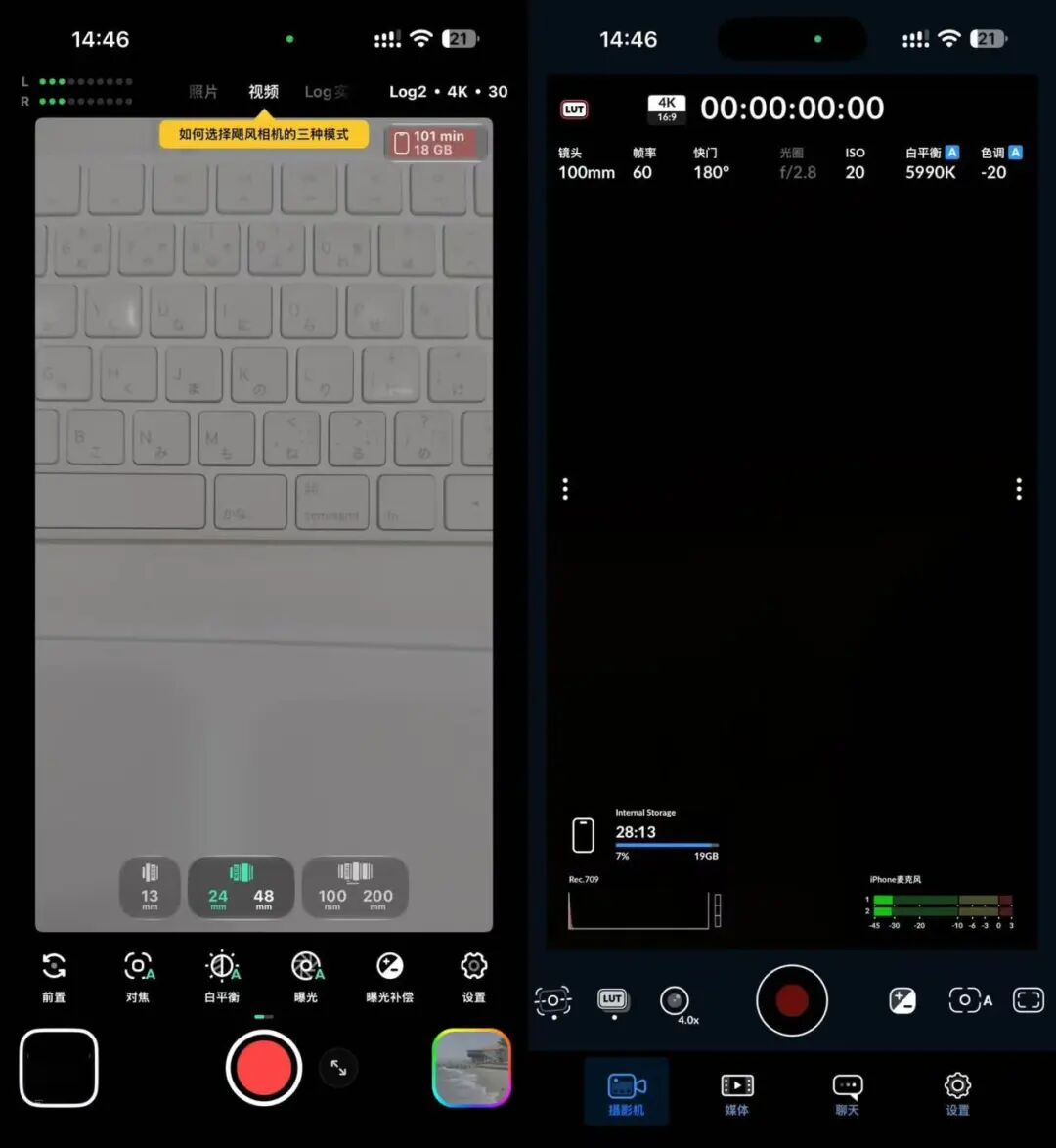
Left: Boot interface of Hurricane Camera (developed by Film Hurricane); Right: Boot interface of Blackmagic Camera
So I put this project aside for a while. Later, I saw QCam. It is almost exactly what I imagined a teleprompter shooting product should look like.
According to the introduction on the official website, it supports 4K front recording, and can directly record three aspect ratios of 1:1, 16:9, and 9:16 from the square sensor of iPhone 17. QCam calls this recording method Open Gate, a term used in film cameras, which means "full gate" - the full sensor area is used for the image, leaving enough margin for any cropping you want to do in post-production.
Its teleprompter scrolls following your voice: it keeps up when you read fast, and waits when you stop to catch your breath. All speech recognition is completed locally on the phone. It also supports teleprompter when shooting with the rear camera. Its UI is beautifully designed, and the experience of calling the iPhone front camera is very close to the native system. The price is a one-time payment of 49 US dollars for permanent access, no subscription required.
The Inspire Teleprompter developed by independent developer yihui is also closer to my original vision than my version.
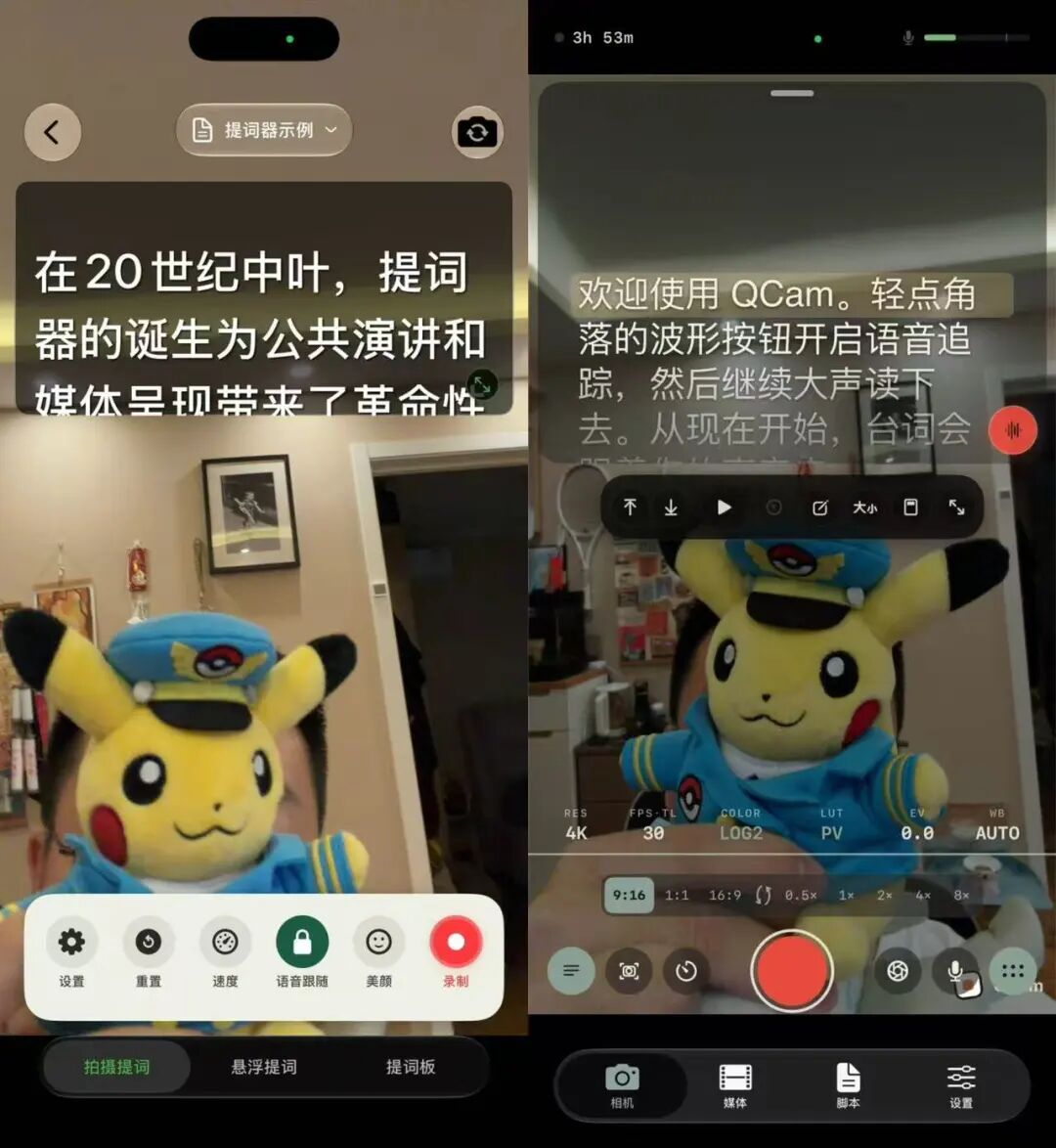
Left: Boot interface of Inspire Teleprompter; Right: Boot interface of QCam
(Probably influenced by Vibe Coding), I continued to modify the app with Codex and Claude.
I redesigned the UI with Claude Design, and also drew on some of QCam's design concepts and functional designs to make it as close as possible to the native iOS experience.
But I cannot replicate it one-to-one, because I don't know how their underlying camera pipeline is connected. Up to now, my app still does not have the voice-following teleprompter function, the lines can only scroll at a constant speed automatically, and the teleprompter function when shooting with the rear camera has not been added yet.
The first thought that popped into my mind when I saw REA was that with it, I might be able to get this part done (maybe I will try it later).