The holiday alarm clock feature has been added, and our in-depth hands-on experience with Apple iOS 27 shows that it is more similar to Android while also being more user-friendly.
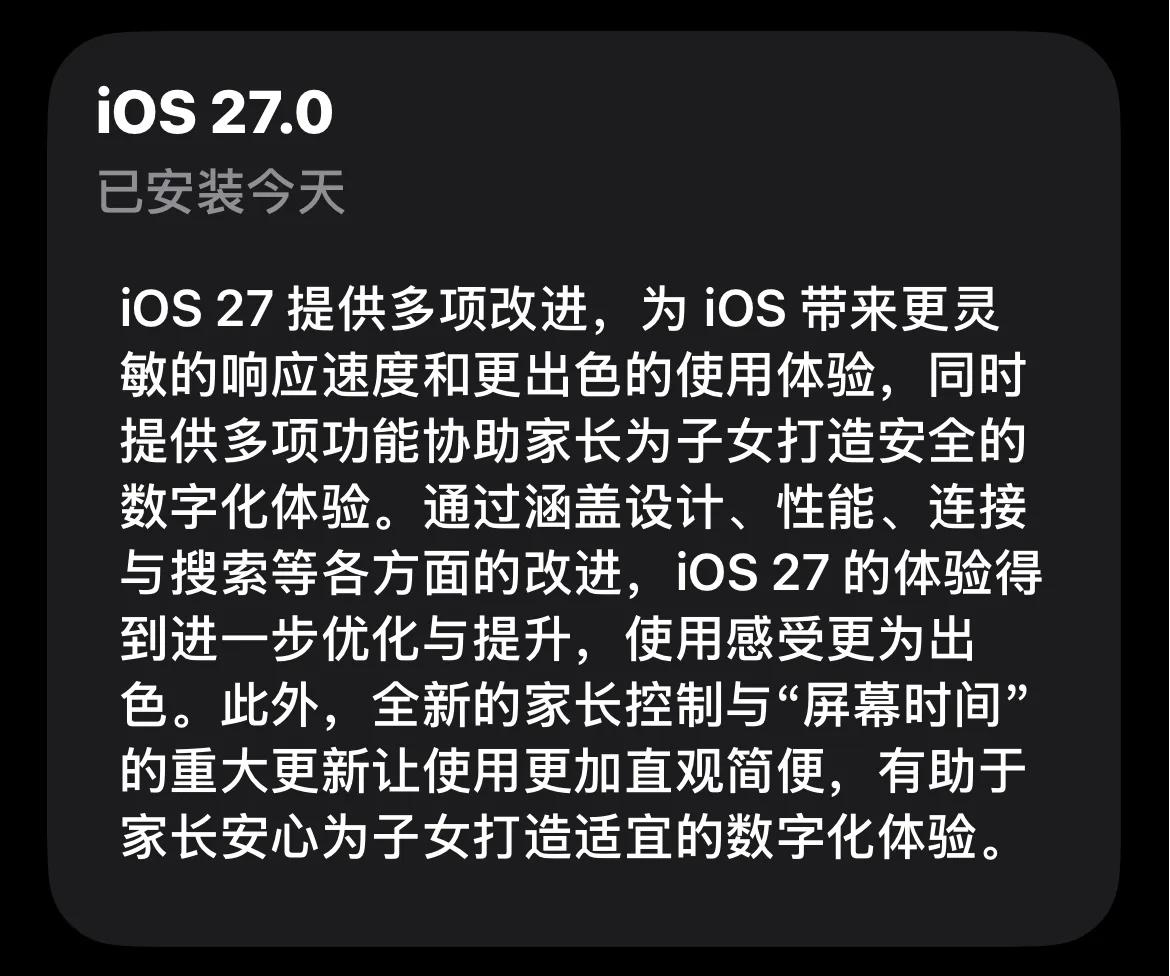
In the early hours of September 15 Beijing time, Apple pushed the official version of iOS 27, three months after its first appearance at WWDC. According to the official statement, iOS 27 brings a number of upgrades, including UI design, system fluency, and function optimization.
(Image source: Apple)
When iOS 26 was launched back then, Apple also promoted it heavily, but as everyone knows, iOS 26 was widely criticized for its numerous bugs and poor fluency. Since Apple Intelligence is still not implemented in the Chinese mainland version of iOS 27, after excluding AI features, there are actually very few major upgrades in iOS 27 worth mentioning. Our biggest expectation for it is simply that it runs smoothly and is easy to use.
So how does iOS 27 perform in actual use? Should you upgrade? Below is the detailed review from Lei Technology.
We have summarized 10 praiseworthy new changes in iOS 27
As mentioned at the beginning, one of the highlights of iOS 27 is the new Apple Intelligence, but it has not been launched in the Chinese mainland version yet. The new changes that ordinary users can perceive are mainly reflected in scattered function details. To this end, Lei Technology (ID: leitech) has summarized 10 notable changes on iOS 27, let's take a look below.
1. The long-awaited holiday alarm clock.
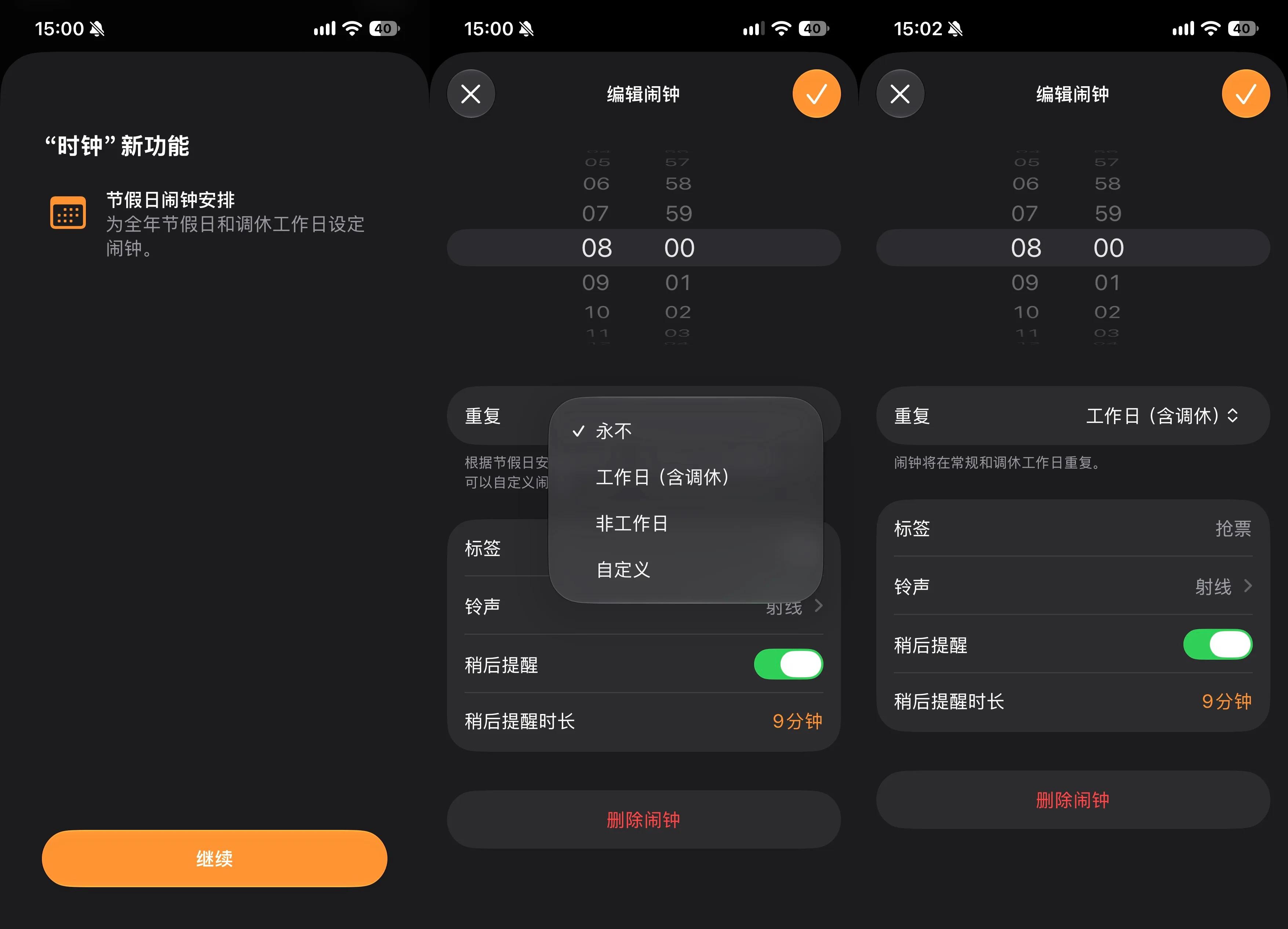
For a long time, domestic iPhone users have complained that the alarm clock does not support holiday schedules. During holidays, users often encounter situations where they are woken up while trying to sleep in on days off, or are late because the alarm does not ring on the working days adjusted for holidays.
On iOS 27, the small holiday alarm function is finally integrated into the system Clock App. The repeat options are changed to working days (including adjusted working days), non-working days and custom, which finally gives all the choices to users.
(Image source: Lei Technology)
2. You can now extract and save frames from videos, and custom options for the camera are increased.
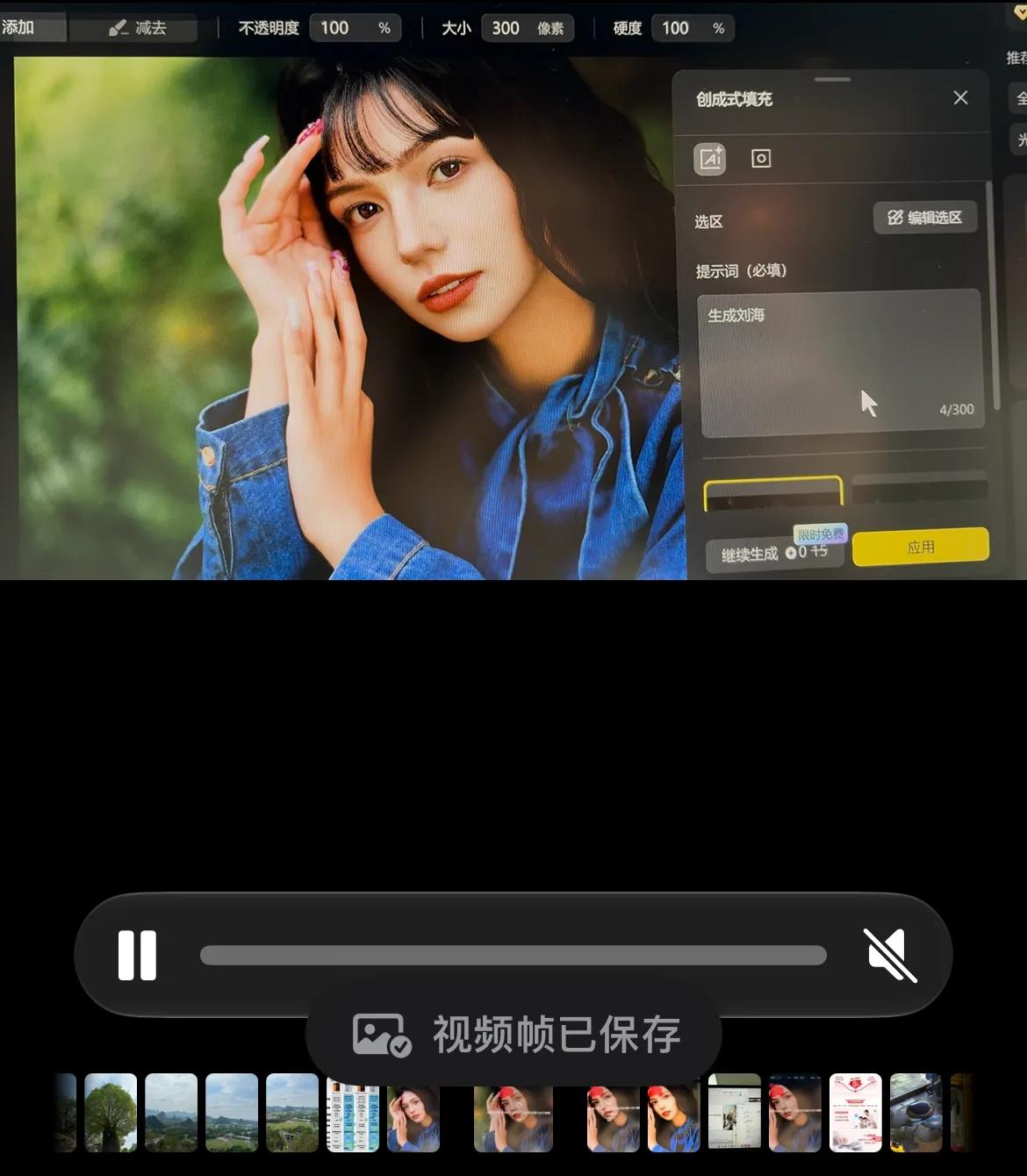
If you want to extract a frame from a video and save it as an image, the simplest and most straightforward way on a mobile phone is to take a direct screenshot. However, this method has many problems: on one hand, the screenshot may reduce the image quality, on the other hand, interfering elements such as buttons may appear when the video is paused.
A small change in iOS 27 appears in the Photos App: you can select a single frame from a recorded video and save it as an image, which solves the above problems.
(Image source: Lei Technology)
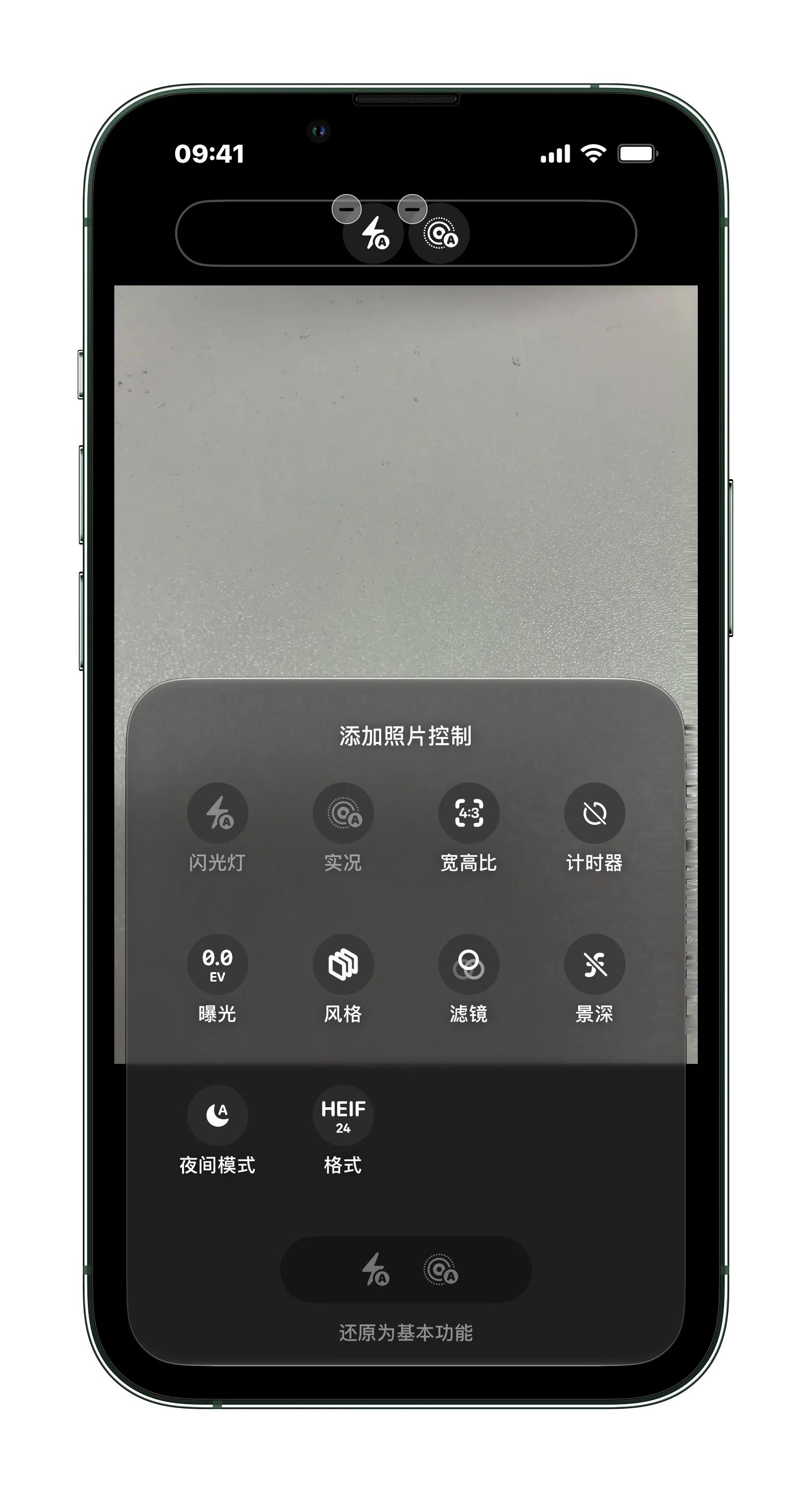
The main change of the system camera is that the shortcut keys can be customized. Users can pin functions such as filters, exposure, and timer to the top for convenient use when taking photos.
(Image source: Lei Technology)
3. Volume can be set separately, but it is still not as flexible as Android.
There has long been a small problem plaguing many people on iPhone: the volume of different Apps cannot be controlled independently. That is to say, when you adjust the volume of one App on iOS, the volume of other Apps and even the entire system will change accordingly.
iOS 27 optimizes this problem to a certain extent, allowing users to set the volume of alarm clocks and notification tones independently, which can be different from the ringer volume of phone calls.
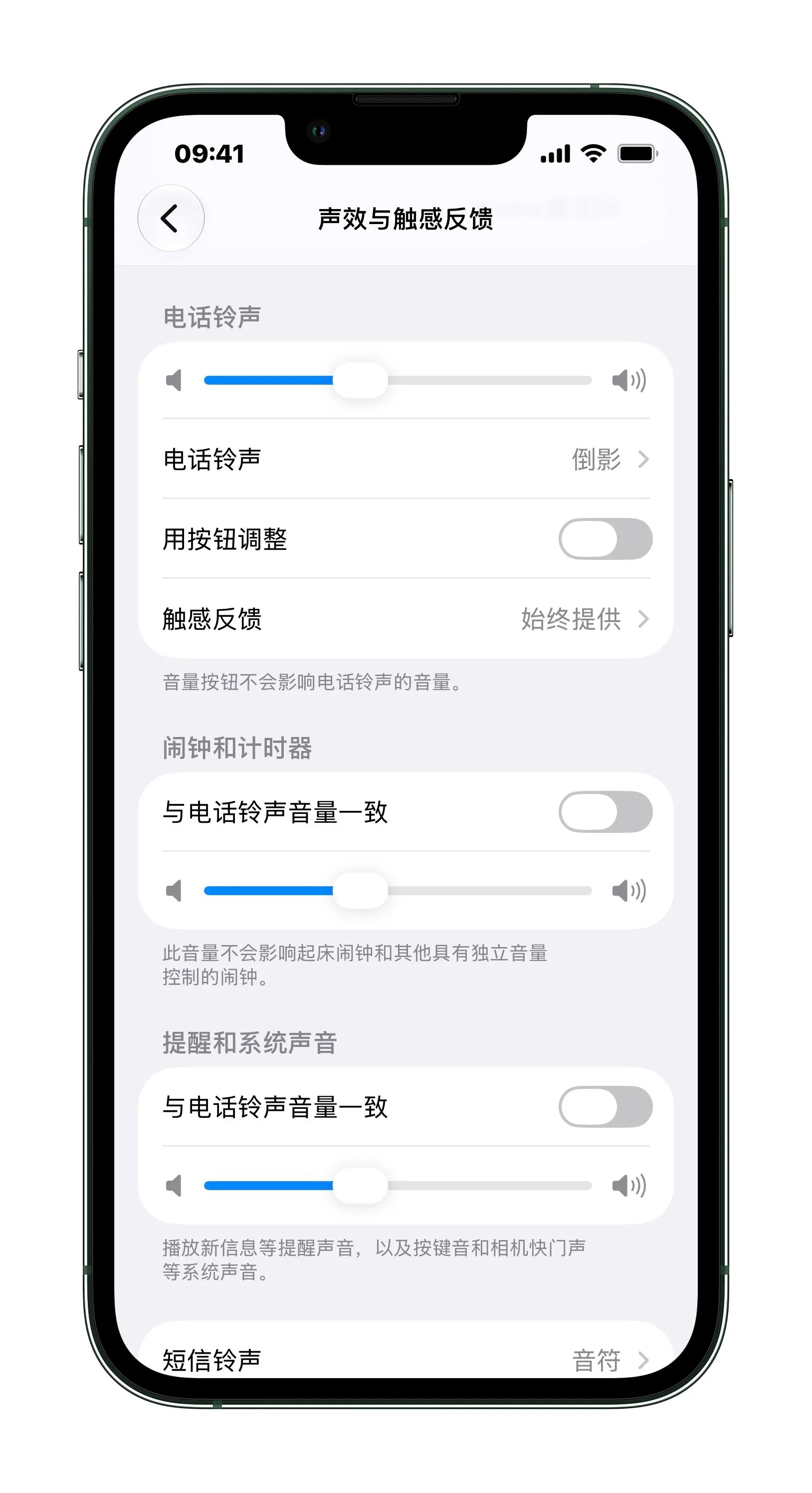
(Image source: Lei Technology)
However, it still does not support the independent volume control function for third-party Apps, which lags far behind Android. Of course, different people have different opinions on whether independent volume control should be fully opened, and Apple's approach can indeed avoid volume chaos.
4. Don't like Liquid Glass? You can adjust its transparency now.
A major change in the UI style of iOS 26 is the addition of the Liquid Glass design, but users have mixed opinions on it. People who like it love its modern visual effect, while people who hate it complain that it often interferes with the display of other elements. In addition, many people do not agree with the aesthetic of Liquid Glass, thinking that it looks like "melted acrylic board".
On iOS 27, Apple simply allows users to adjust the transparency of Liquid Glass by themselves. Users can set their desired effect between the transparent and opaque range, which is the optimal solution to satisfy different preferences.
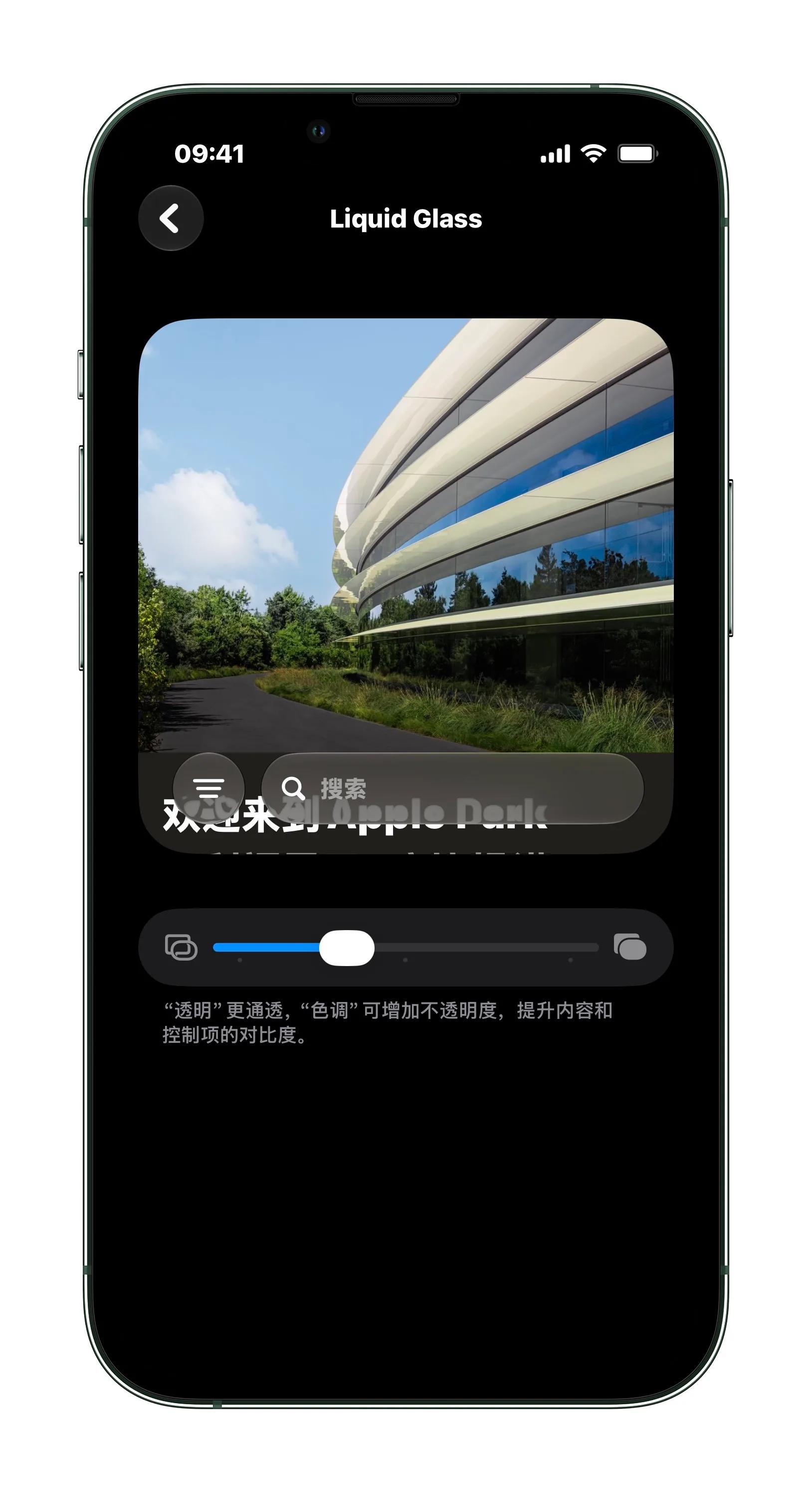
(Image source: Lei Technology)
5. Weather function is more detailed, with more time-shared information.
The function and UI of the system Weather App on iOS 27 have also changed. Specifically, the information display is more detailed and the functions are more complete. After entering the weather interface, you can see three sub-item buttons at the top: Weather, Precipitation and Wind. For example, after clicking into the precipitation interface, you can see the hourly precipitation probability of the day, and the precipitation conditions of the next few days will also be displayed in the form of a bar chart.
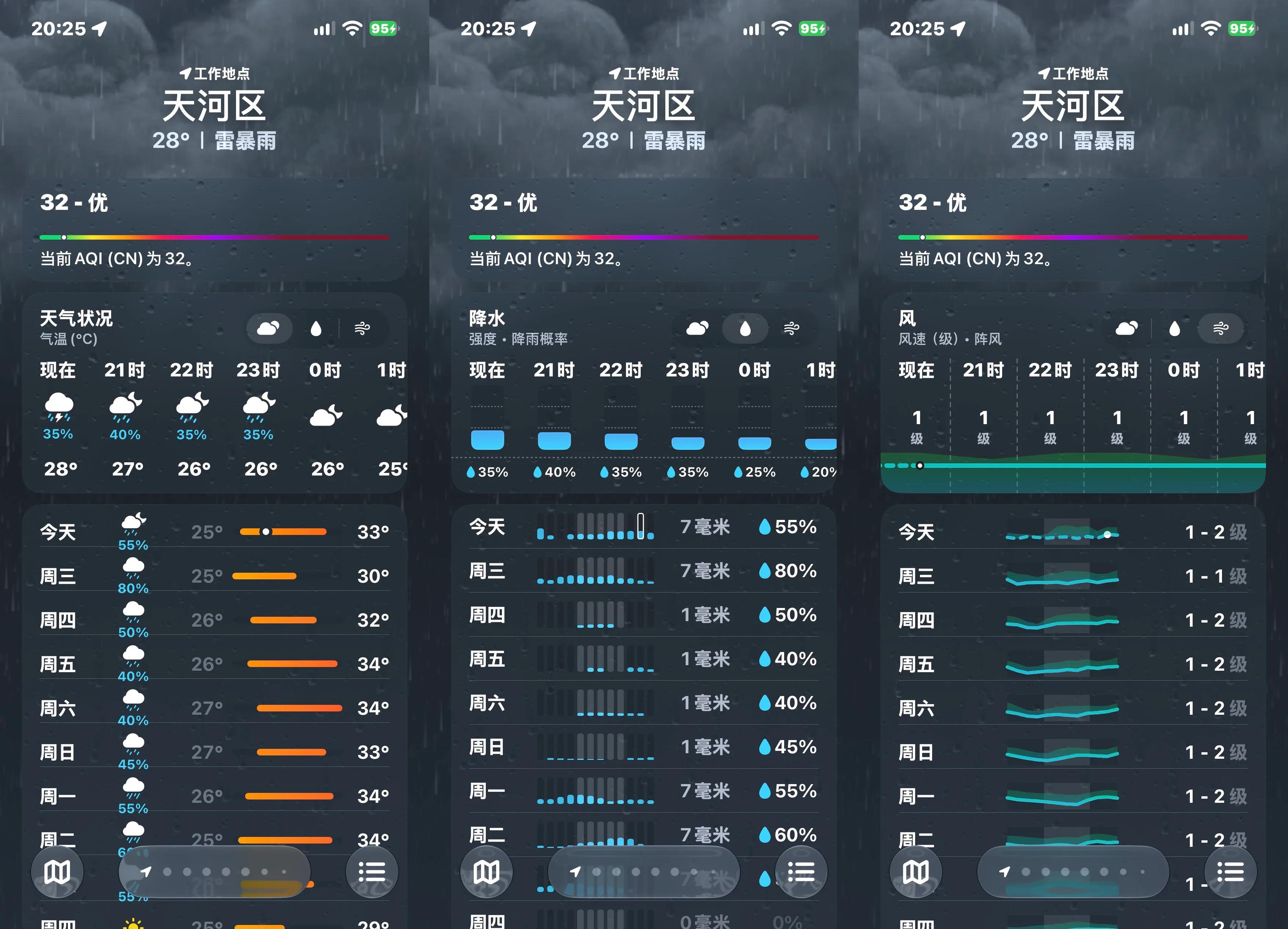
(Image source: Lei Technology)
In general, compared with the old version, the updates in the details of the new Weather App are quite practical. At present, several mainstream domestic weather Apps generally face problems such as large size, bloated functions, and too many advertising and marketing information. The official Apple Weather App is more concise overall and more comfortable to use.
6. The input method supports split-character input, making it easier to type rare characters.
This is another small function that Android and third-party Apps popularized long ago, and Apple is now catching up. The built-in Pinyin input method of iOS 27 supports split-character input. For example, if you want to type the character "ben" composed of three "niu" (cow) characters but don't know its pronunciation, you can directly input "niuniuniu" to get it.
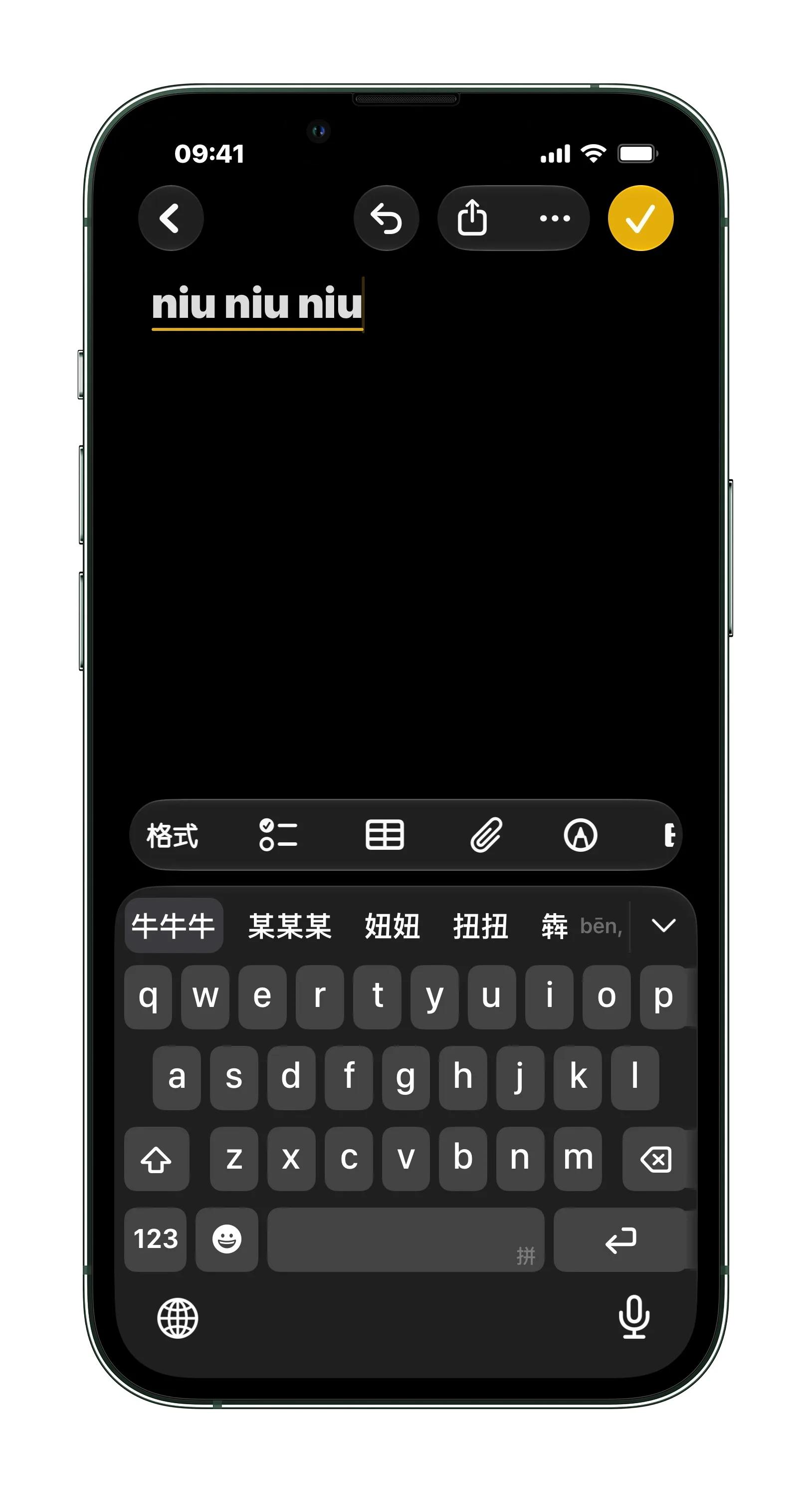
(Image source: Lei Technology)
However, this function is not perfect yet. Our test found that split-character input is only supported by the full-keyboard input method for the time being, and Apple's built-in 9-key Pinyin input method cannot use this function. In addition, some rare characters cannot be typed in this way. For example, for the character "zhe" composed of two "ji" (auspicious) characters, directly inputting "jiji" cannot get this character.
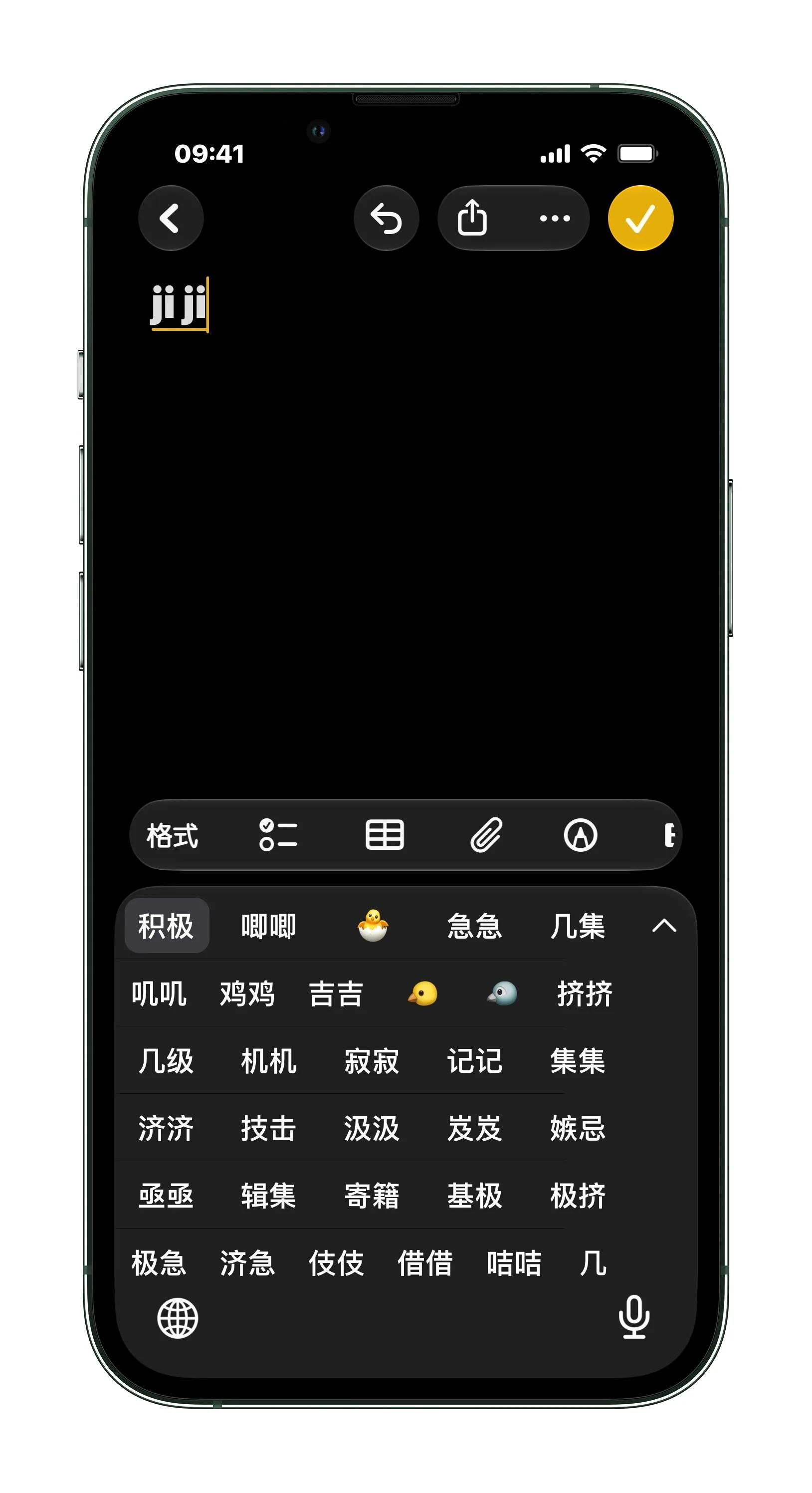
(Image source: Lei Technology)
We also found that this method does not work for common characters such as "lin" (forest) and "ming" (bright). But the key problem is that Apple judges whether a character is common or rare, and this judgment is not always accurate.
7. Wallet supports adding QR codes, can it store tickets now?
On iOS 27, you can add custom credentials to the iPhone Apple Pay Wallet, specifically for scenarios such as tickets and membership cards. In fact, you could add QR codes to Apple Pay before, but you had to jump through third-party Apps. Now iOS 27 supports manual addition, and any third-party QR code can be put into it.
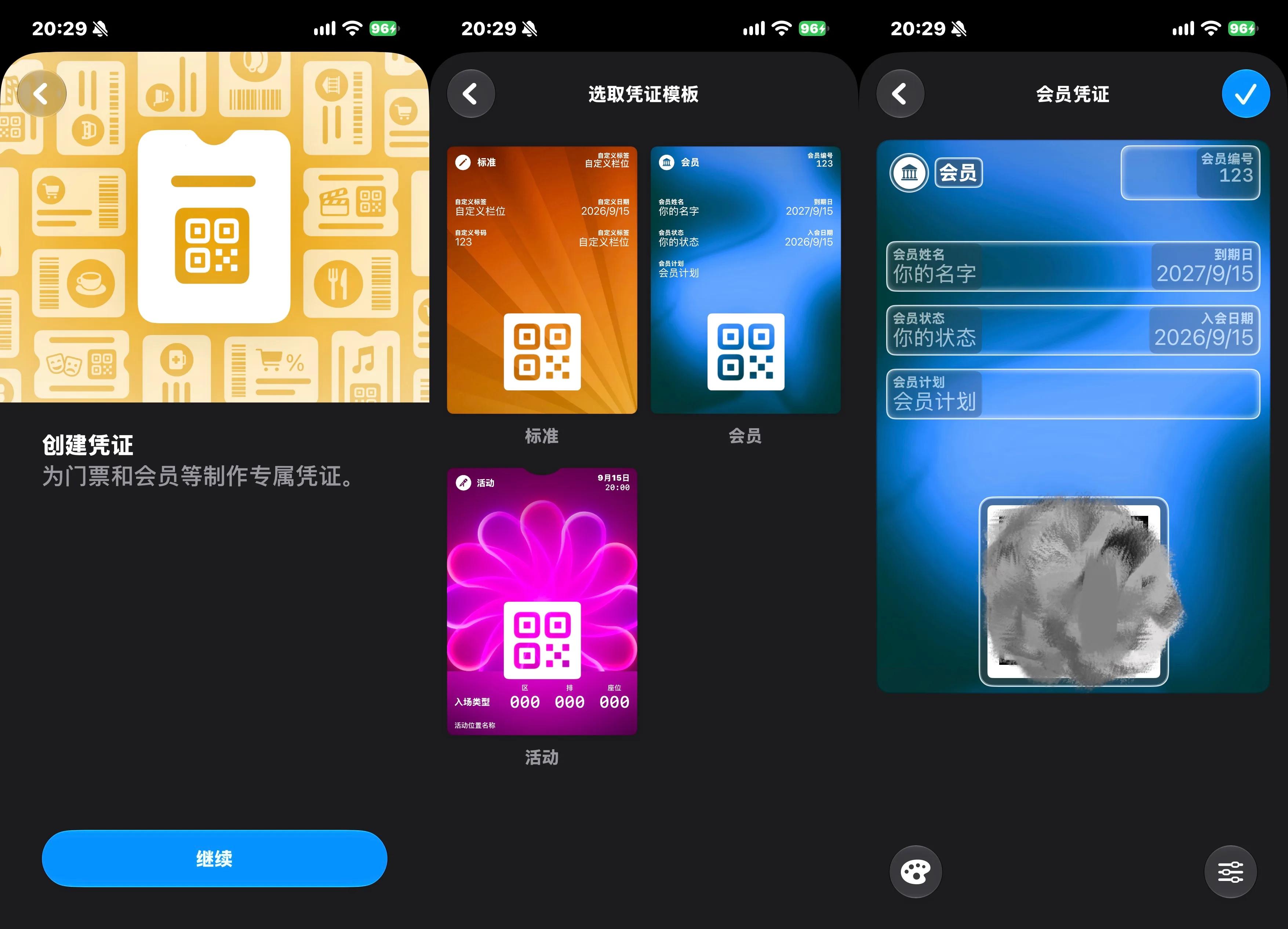
(Image source: Lei Technology)
Of course, this function is mainly for the convenience of storing QR code screenshots, and it can only embed static QR codes. In real scenarios, many credentials such as e-tickets and train tickets usually have dynamically refreshed QR codes, so this Apple function is not particularly practical.
8. Headphone functions are upgraded, and the noise cancellation mode can be fine-tuned.
Another inconspicuous change in iOS 27 is the upgrade of AirPods' noise cancellation function. Normally, there are only a few noise cancellation modes for AirPods: active noise cancellation, transparency mode, and adaptive mode, all three options are fixed.
But now, if users select the adaptive mode, they can further fine-tune it, making it lean more towards transparency mode or more towards noise cancellation mode. To put it simply, this function allows users to customize according to their own preferences, and find the balance between noise cancellation effect and clear perception of ambient sound.
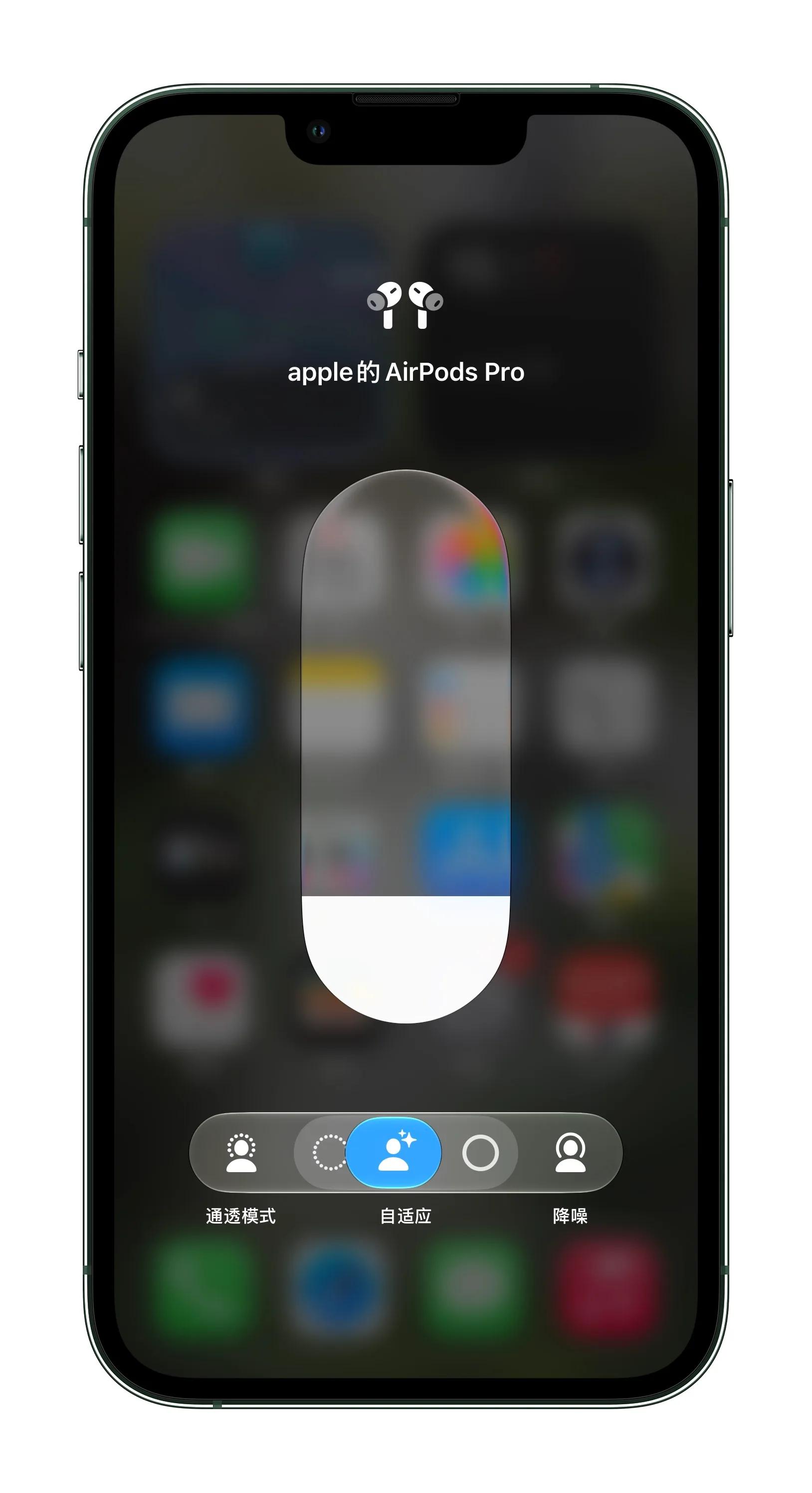
(Image source: Lei Technology)
In addition, AirPods can adjust EQ by themselves now, and you can adjust the bass, midrange and treble by yourself. For people who like listening to music, this is a useful new function.
9. The location sharing duration can be selected by yourself.
The Find My App on iPhone can not only track the Apple devices under your name, but also share your location with others. Previously, there were only two options for location sharing: always share and never share. Now this function is also upgraded, and users can choose to share for 1 hour, 1 day, or customize a specific time period.
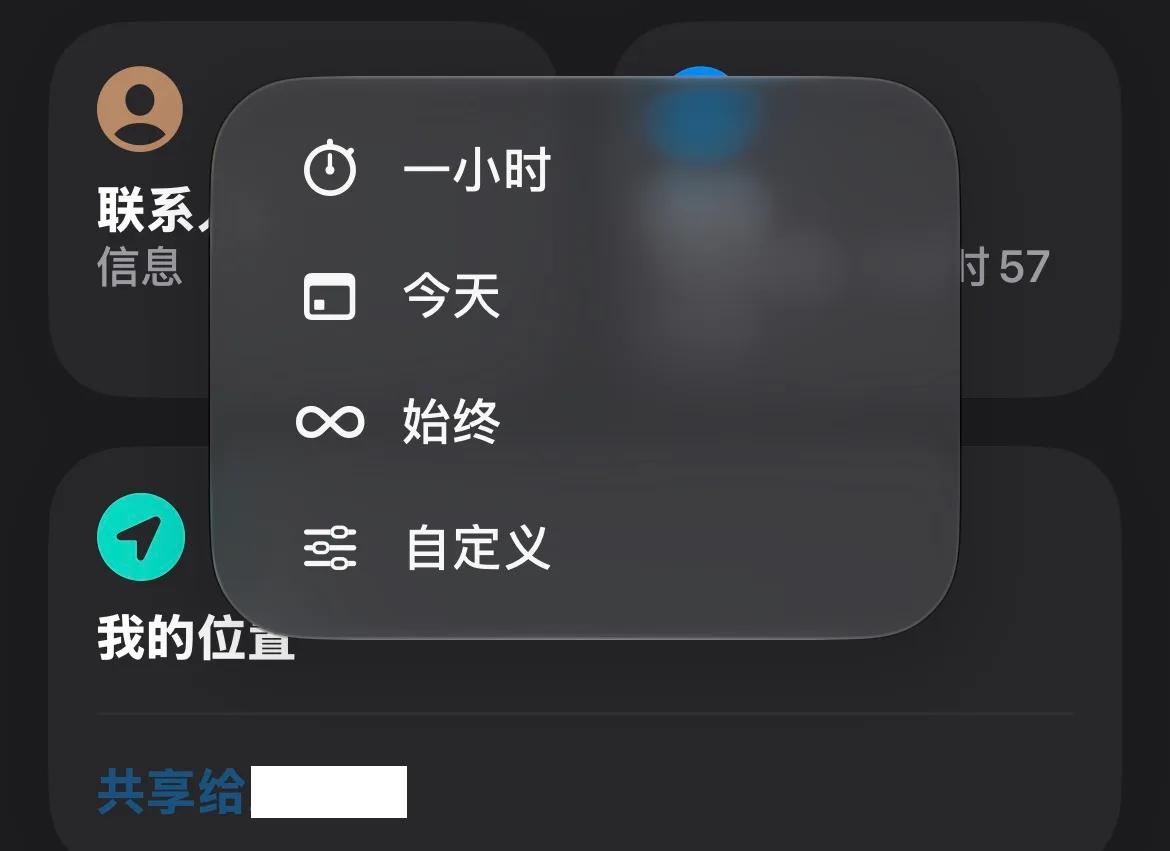
(Image source: Lei Technology)
This function is quite practical and very suitable for temporary scenarios. For example, when you can't find each other when meeting friends, you can temporarily share your location. Its function is basically the same as WeChat's location sharing, except that it has stronger customizability. It should be noted that to enable location sharing, you need to add the other party to the contacts on your phone.
10. Fluency is upgraded, and frame drop is reduced.
This is the most critical upgrade in our opinion. The official claims that the App startup speed of iOS 27 is increased by up to 30%, and the photo loading speed is increased by up to 70%. In terms of all-day use experience, compared with iOS 26, the fluency improvement of iOS 27 is quite obvious. App opening and animation transitions are very smooth, and the occasional frame drop that often occurs on iOS 26 is relatively rare.
Thinking back, we still feel a bit ironic. After all, system fluency should be the basic requirement for mobile phones and systems, but because iOS 26 performed too poorly in this aspect, iOS 27 received praise for its improved fluency.
Bugs are not many, but they have not completely disappeared
As mentioned at the beginning, one of the major reasons why iOS 26 was criticized is its large number of bugs. To be fair, iOS 27 performs much better in this aspect, but there are still