This AI guide to salvaging unusable discarded footage helps you create a viral hit on Xiaohongshu in just one minute.
An ordinary landscape, pet photo or casual snapshot, after re-cropping and rearranging, can be turned into a poster with a distinct magazine vibe, complete with paper texture, collage effects and ample white space.
You must have come across plenty of similar content on Xiaohongshu. The photos themselves may not be particularly impressive, and could even be considered "failed shots".
With some special image generation skills, it seems possible to turn mediocre content into something magical.
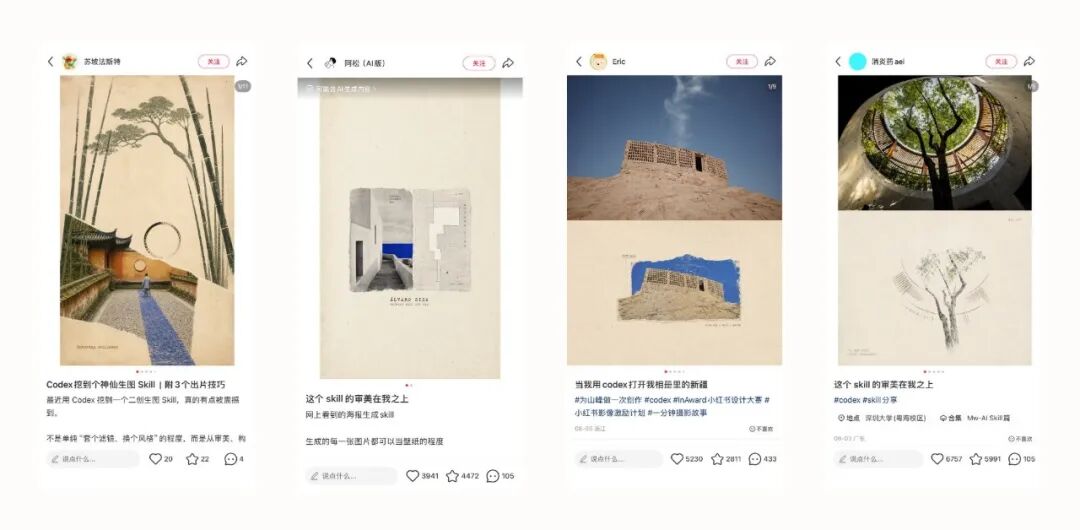
After seeing so many of these works, I couldn't wait to try it out myself.
I pulled out a photo I took in Hedongdaozi from my photo album.
The yellow-black height limit bar, pedestrians in the snow, and houses and mountains in the distance give the scene a certain atmosphere, but the tangled wires, buildings and road signs lack a clear visual focus.
According to my usual habit, this photo would probably stay forgotten in the corner of my album.
This time, I directly dragged it into the image Skill of Codex.
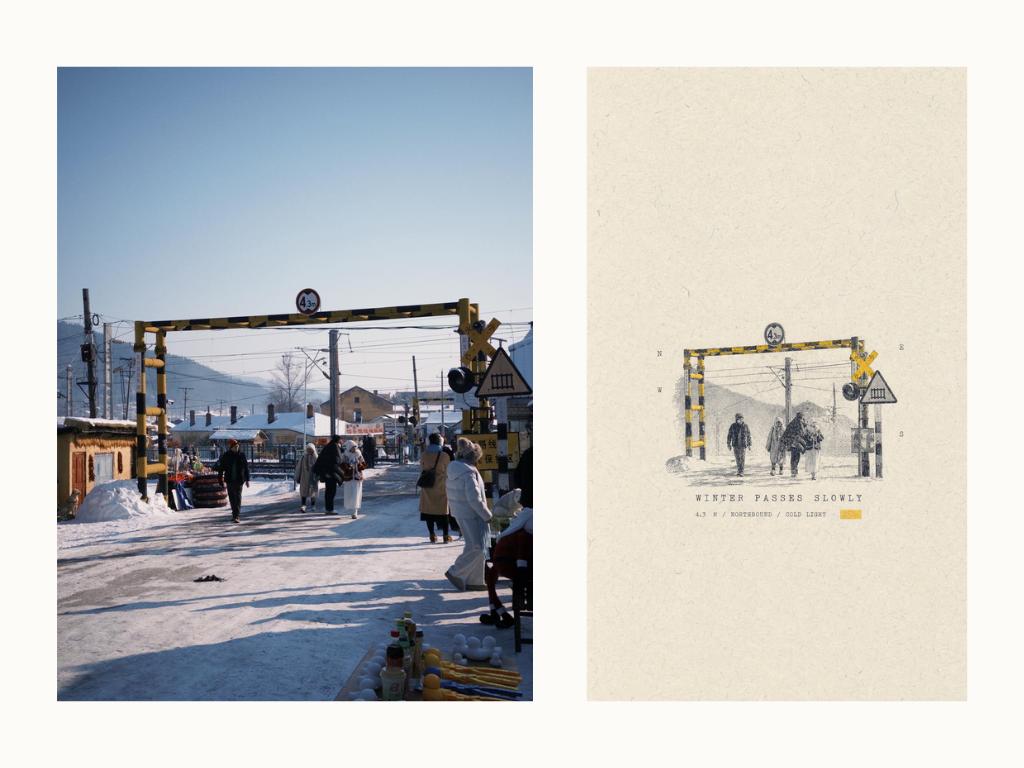
Left | Original photo Right | Skill generated result
A dozen seconds later, a poster appeared on the screen.
The original colorful street scene was processed to have the texture of a printmaking work. The houses, mountains and wires faded into the background, while the tourists on the right, street stalls and foreground clutter were removed directly. The yellow-black height limit bar became the only eye-catching color in the frame. The rest of the picture became an off-white paper surface with fiber texture, embellished with small text layouts.
The originally crowded and information-dense street scene of the snow town was thus recreated into a very quiet print-style poster.
AI Guide to Rescuing Failed Photos
In essence, Skill is a "workflow contract" running on Agent platforms like Codex.
When applied to image generation, the meaning is more straightforward: you are responsible for providing the original image, and Skill specifies how this image should be redesigned — what composition to use, what background color to choose, which elements to keep, where to place the text, and finally how to generate and inspect the output.
It's a bit like a designer constantly reminding the AI model: leave white space here, only keep one accent color there, don't copy the original image for this part, and that part must remain realistic. These choices that used to rely on the designer's on-the-spot judgment are now written into a set of reusable rules.
To see how different Skills interpret the same photo, I switched to another Skill that leans towards paper collage styles.
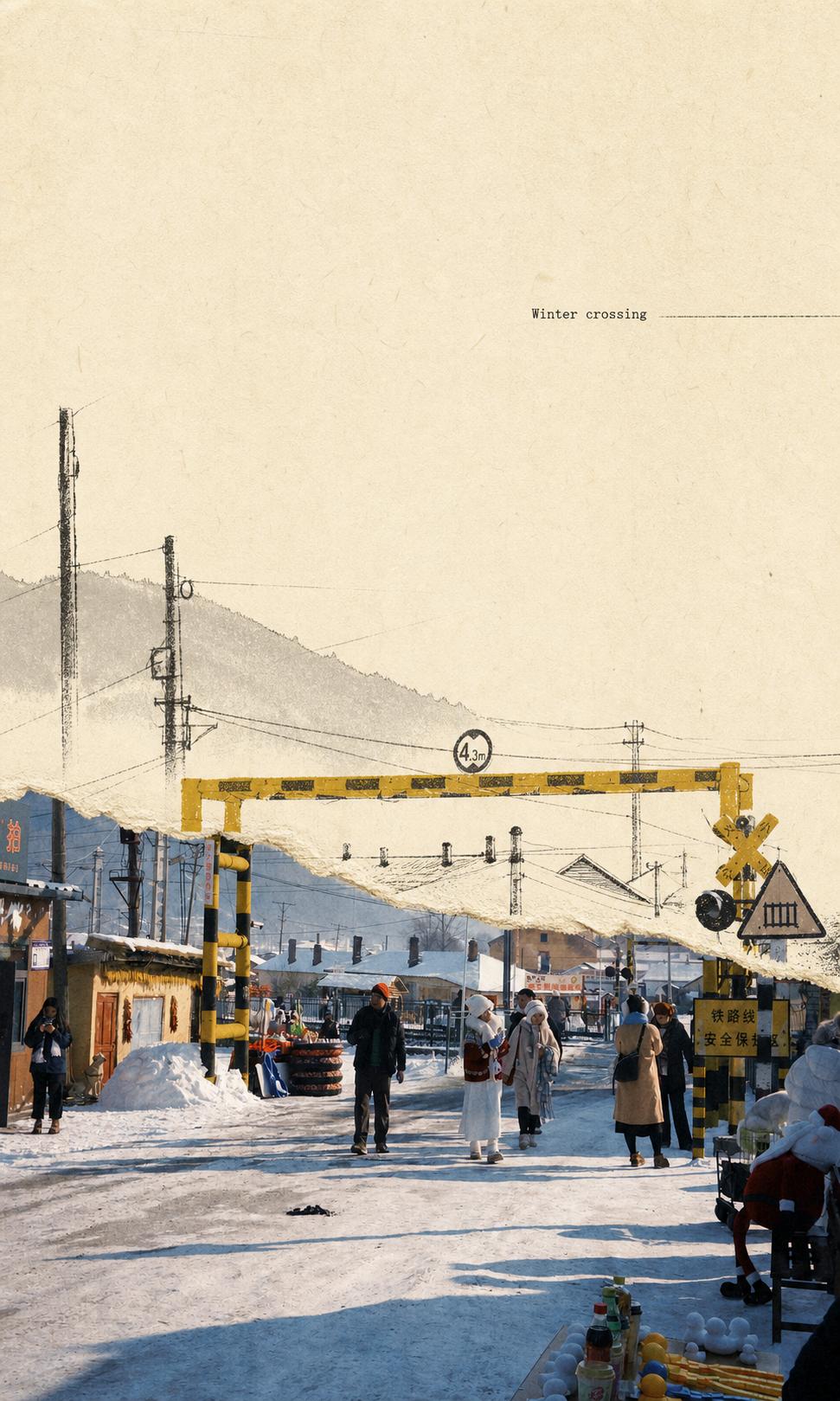
Compared with the first Skill, it retains more details in the lower half of the original image — the snow, houses, tourists, street stalls and height limit bar are kept as they are in the original photo, while changes mainly occur in the upper half of the frame.
The original blue sky is replaced by an off-white paper surface, and some elements are redrawn as light line drafts. An irregular torn paper edge in the middle connects the real photo area and the hand-drawn area.
This also shows that Skill is not just a fixed filter applied to images. What it actually determines is how the model understands the original image, and whether to delete, retain or reorganize elements when facing a complex scene.
I kept scrolling through my photo album and picked out several casual snapshots, wanting to see if the image Skill could help them find a suitable presentation form, and share several Skills of different styles with you all.
The usage is very simple:
Open Codex, send the GitHub link of the Skill to it and complete the installation. Then just upload the photo, call the corresponding Skill, and all that's left is to wait for the AI to generate the result.
I will also attach the GitHub link corresponding to each set of Skills below. If you are interested, you can directly install and try them out.
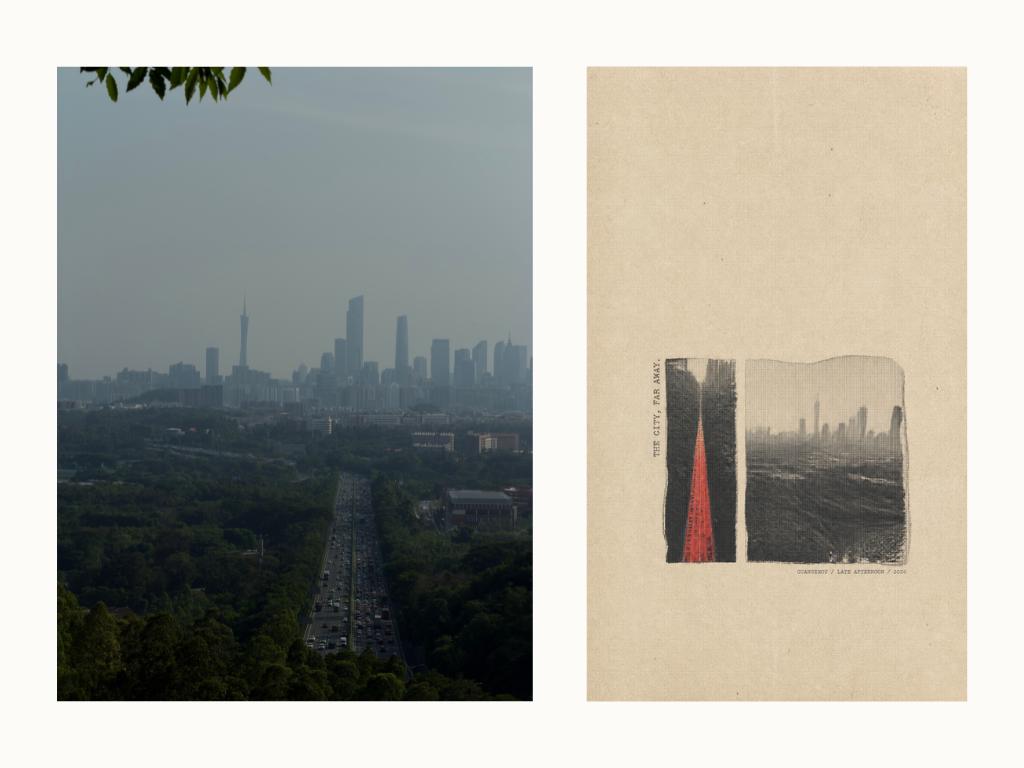
https://github.com/LiamGvchi/gc-minimal-zine-poster
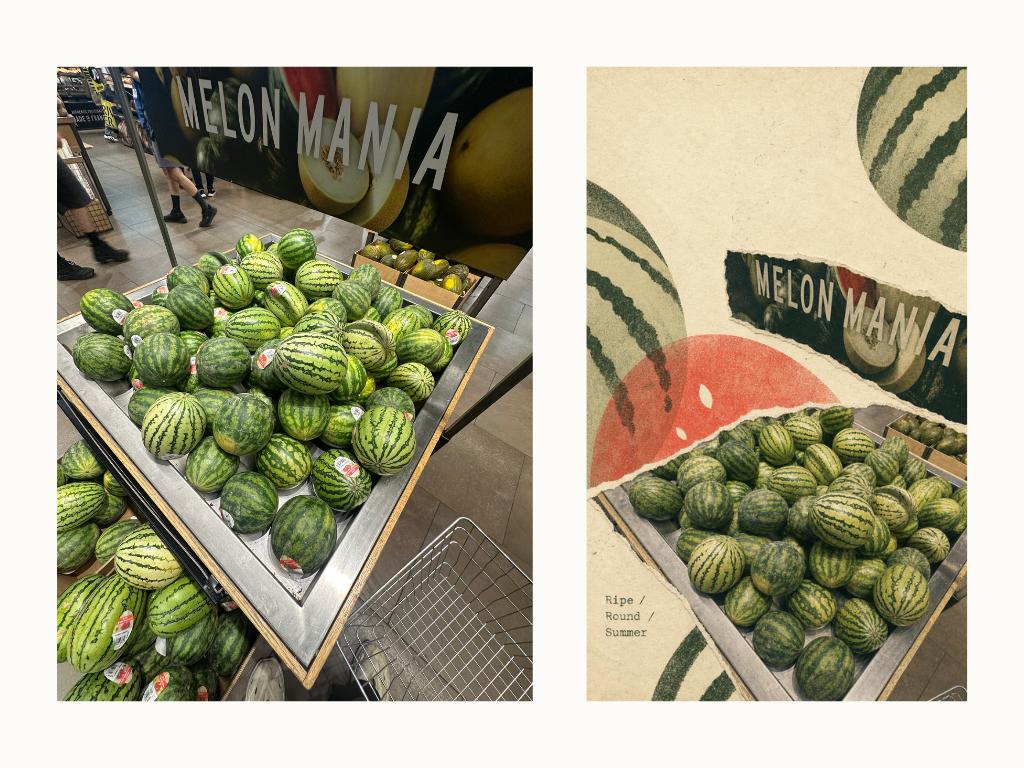
https://github.com/Zeejay0/gathered-scenes-zine-skill
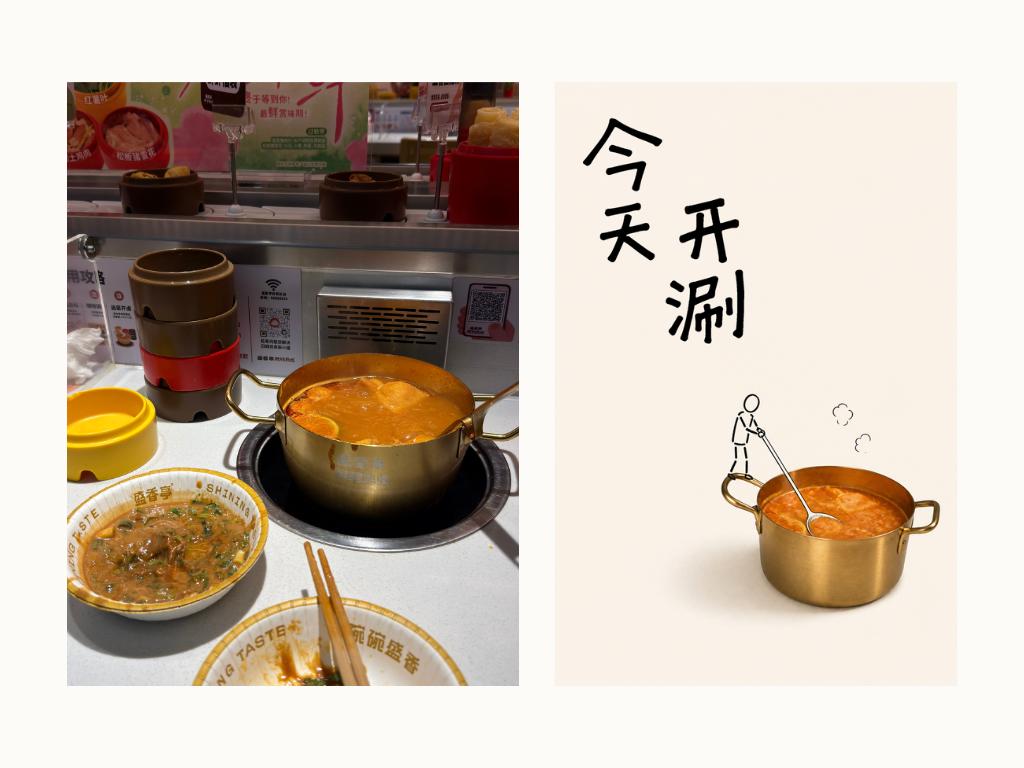
https://github.com/Hchen1218/heytea-style
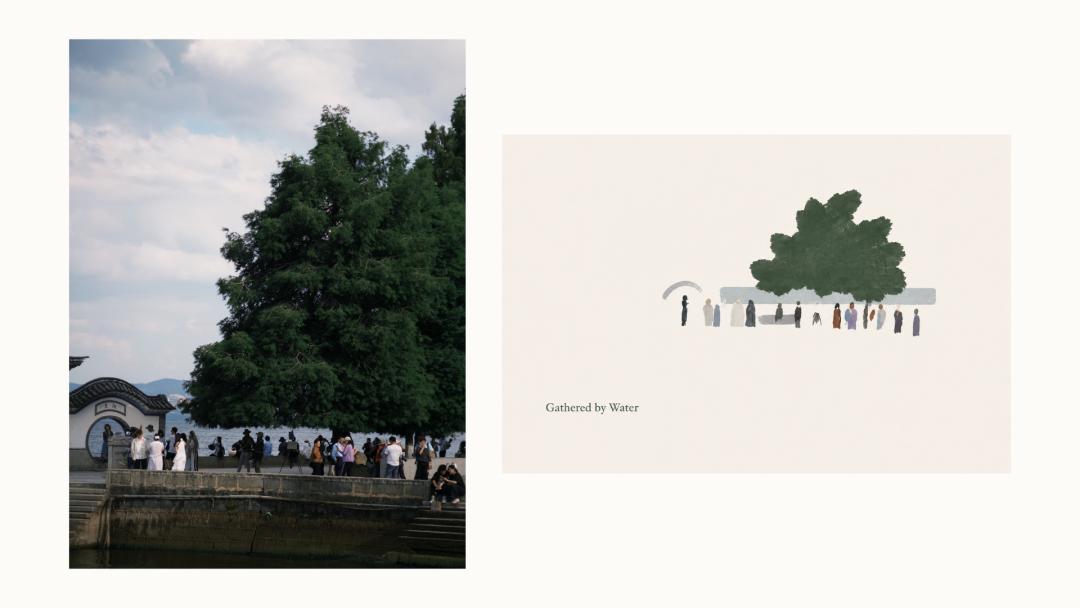
https://github.com/ZzzLc0405/photo-abstract-editorial
Different Skills process photos in different ways, and not every "failed shot" can be turned into a perfect work. By changing the presentation form, these photos at least get a chance to be seen again from the corner of the album.
To see what would happen if the same Skill was applied to different Agents, I gave these two Skills to the GPT chat version and Doubao Agent respectively, using the same original photo and default prompts for generation.
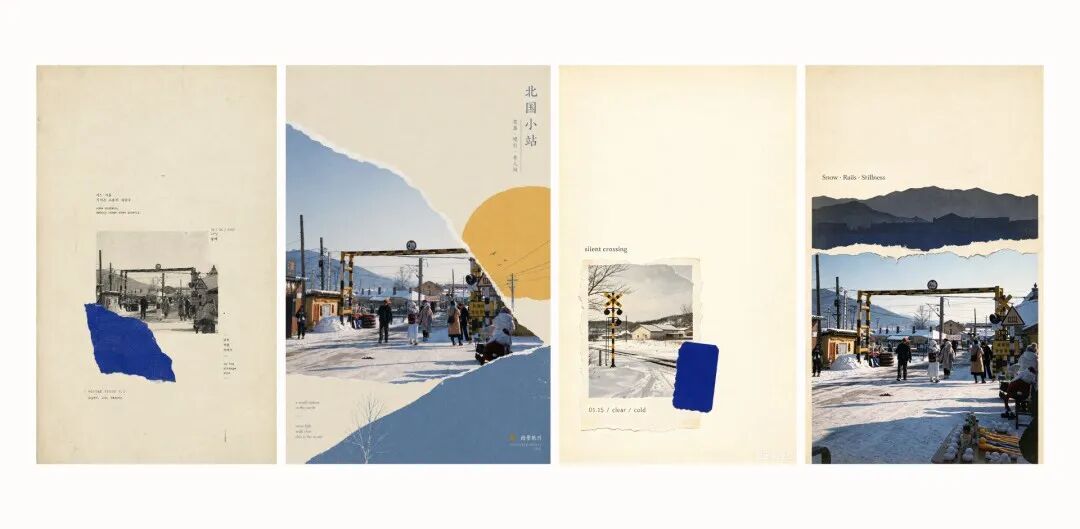
1st, 2nd from left | GPT generated 1st, 2nd from right | Doubao Agent generated
At least in this test, GPT has a higher overall completion level. It can understand the basic form specified by the Skill: large area of white space, paper texture, single accent color, and the relationship between real photos and collage areas.
Its understanding stays more at the overall visual form. It does not extract the height limit bar, characters, houses and wires from the original photo separately like Codex does, and the final result is more like putting the whole photo into a pre-understood layout.
Doubao has a weaker understanding of the Skill and the original photo. One of the generated works does not even use the original photo, but regenerates a similar snow railway scene; the other one retains the original photo, but the torn paper, mountain silhouette and photo are simply stacked together. It has the form of paper collage, but lacks the echo between the design and the original photo.
This difference also reveals the functional boundary of Skill: it provides a set of design rules that still need to be understood and executed by the Agent, and the final picture will vary depending on the interpretation of the Agent.
To figure out how these rules affect the final picture, I think we need to go back to the Skill itself.
Aesthetics Lies in Constraints
After opening the directory of the image Skill, I found that there are only SKILL.md, instruction documents and several sample pictures inside, no programs responsible for matting, cropping or typesetting. Those effects that look like they are processed layer by layer in Photoshop are not executed step by step by the code.
What Skill actually does is another thing: complete a round of design decisions for the model first, then write these decisions into the Prompt and hand it over to the image model for generation.
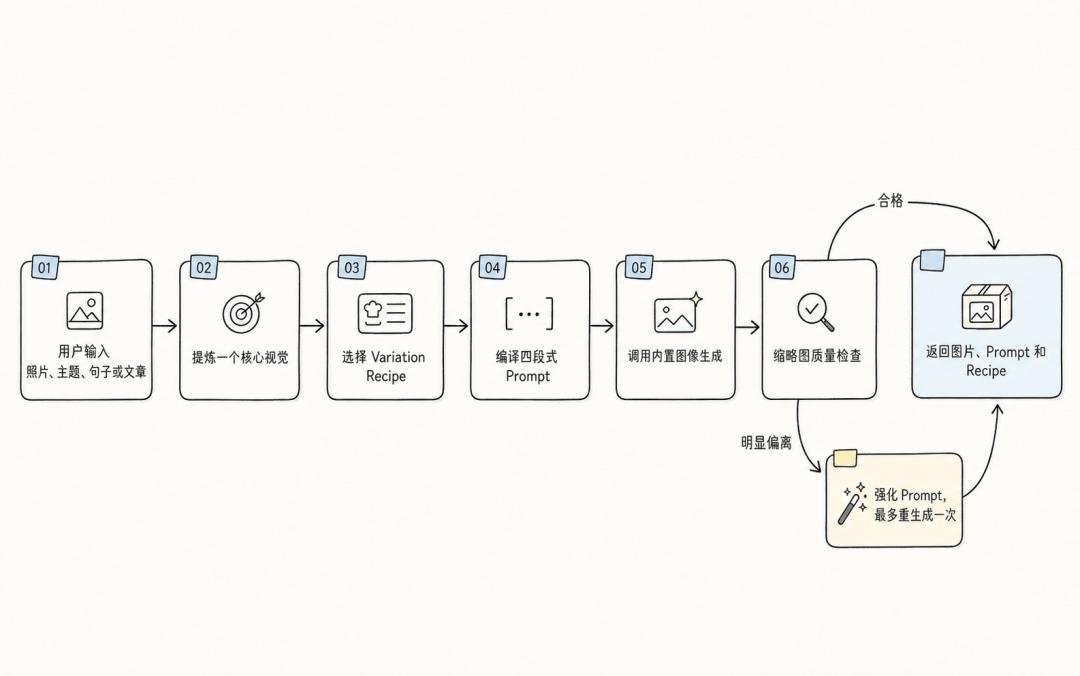
Why do these pictures make people feel aesthetic and textured?
After going through the entire Skill folder, I found that what really matters is not only which design elements it selects, but also how it specifies the position, proportion and relationship of these elements.
The first thing it does is not to beautify the photo, but to reduce information.
"Do not repeat all the information, only keep one core concept that can be visualized."
For this snow street scene, the original photo contains many elements: houses, stalls, tourists, wires, snowy roads and railway facilities. But Skill does not try to move all these contents into the poster, but compresses it into a simpler picture — under the height limit bar, several pedestrians walk slowly in winter.
This step seems to be just a summary, but in fact it has completed the first aesthetic judgment. Because from this moment on, there is a clear direction for which elements should be the protagonist and which can be deleted.
White space is the key to making the picture breathe and have texture. Skill makes very specific provisions on the proportion of white space and the main subject:
"70% to 90% of the picture should be blank paper surface, and the main visual cluster only accounts for about 8% to 25%."
This huge proportion difference gives the small subject weight in the large blank space, and also gives the originally crowded picture room to breathe.
The most intuitive embodiment of texture comes from the presentation of the material of the picture. In the original text of Skill, it also makes clear provisions on the material processing of the main subject:
"Grayscale photos and paper fragments can use low contrast, copy softening, torn edges, halftone dots, scan lines, Riso printing particles, copy wear, ink bleeding or slight registration deviation."
However, these materials will not be superimposed all at once in each generation. There is also a set of "Variation Engine" in the folder, which can be understood as a preset visual formula library.
After determining the core concept, the model will select one solution from each of several dimensions, and then combine them into a complete visual formula. For example, the composition can be a central fragment or a special-shaped torn paper, and the texture can choose copy softening, Riso particles or scan noise. The Prompt is generated through the combination of these elements.
This combination is not completed randomly by the program, nor does it have a fixed seed. Which set of formulas is finally selected is still decided by the model according to the current content and the previous generation records. Therefore, it is more like a "controlled randomness" with contextual memory.
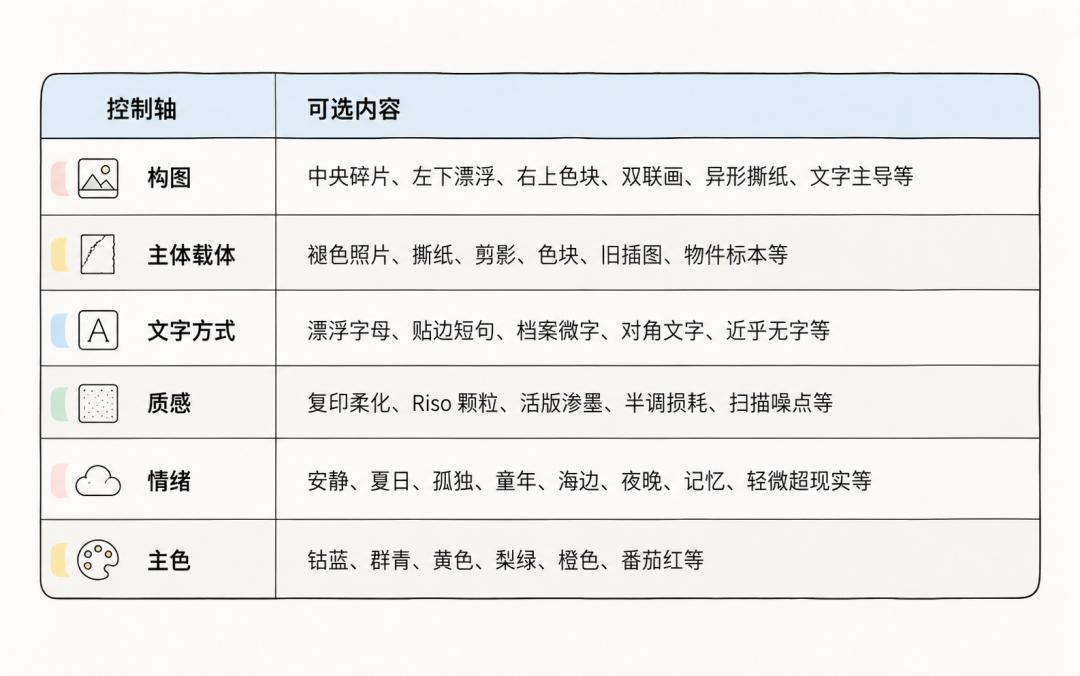
What's more interesting is that this Skill spends quite a lot of space telling the model "what not to do".
Don't let the subject or scene fill the whole picture, don't use the large title hierarchy of commercial posters, don't add product advertising layouts, logos, CTAs and brand promotion elements. In addition, it explicitly excludes the most commonly used visual routines of the model such as glossy mockups, cinematic lighting, 3D rendering, neon and cyberpunk.
It is not only defining what kind of aesthetic it wants to form, but also constantly preventing the model from sliding into those most common and easiest commercial templates.

The core of Skill is actually "constraint".
At this point you will find that when we usually judge a picture as "textured and aesthetic", it is often out of a perceptual cognition. On the contrary, Skill splits "beauty" into how large the main subject should be, how much white space the picture should leave, and how colors should appear.
In other words, making a Skill is to organize personal aesthetics into a set of repeatable choices and boundaries. It cannot guarantee that the same result will be generated every time, but it can keep the model changing within a relatively stable aesthetic range.
A Good Skill is the Starting Point of Aesthetic Training
In the past, if you wanted to turn an ordinary photo into a poster, you needed to understand composition, color matching and typesetting, and also be able to matting, color grading, and be familiar with various design tools.
Now, these experiences are written into the Skill in advance: where to leave white space, how large the main subject should be, what material to use for the background, how many colors to control, and even what elements should not appear in the picture, someone has made the first round of judgment for you.
When we examine the real value brought by image generation Skill, it may lie in lowering the threshold of turning aesthetics into works.
