Altman has released GPT-5.6 again, with 8 million users overwhelming ChatGPT and the usage quota resetting every day.
More free quota drops!
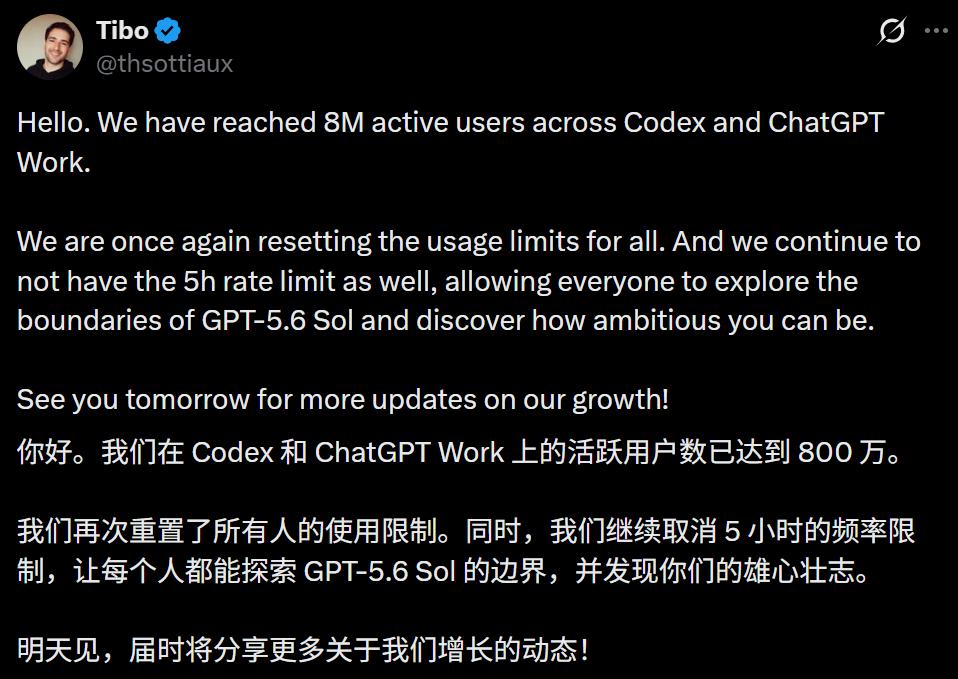
Just now, the combined active user base of Codex and ChatGPT Work has officially crossed the 8 million milestone.
OpenAI pulled a bold move and fully reset every user's usage limit across the board.
What kind of breakneck speed is this?
It has only been 6 full days since GPT-5.6 launched, and its active user count has been rocketing nonstop —
Hitting 6 million on the 12th, 7 million on the 13th, and surging straight to 8 million today on the 15th.
Every time the user base jumps by a million, the official resets all usage limits again.
Netizens have already turned this pattern into a catchy saying: "Daily reset, limits stay far away."

Rate limits torn down, the reset god hits full throttle
The person behind this wave of good news is none other than Tibo, the head of Codex and ChatGPT.
He kicked down the 5-hour rate limit barrier completely. Now the usage cap refreshes every single day, and even got reset twice over a single weekend.
Some users have stacked up 4 pending reset credits at once. Even running the most resource-heavy Sol Ultra plan, they haven't even come close to touching the old weekly usage limit.
The resets happen so frequently that this lead has been officially crowned by netizens as the "God of Resets".

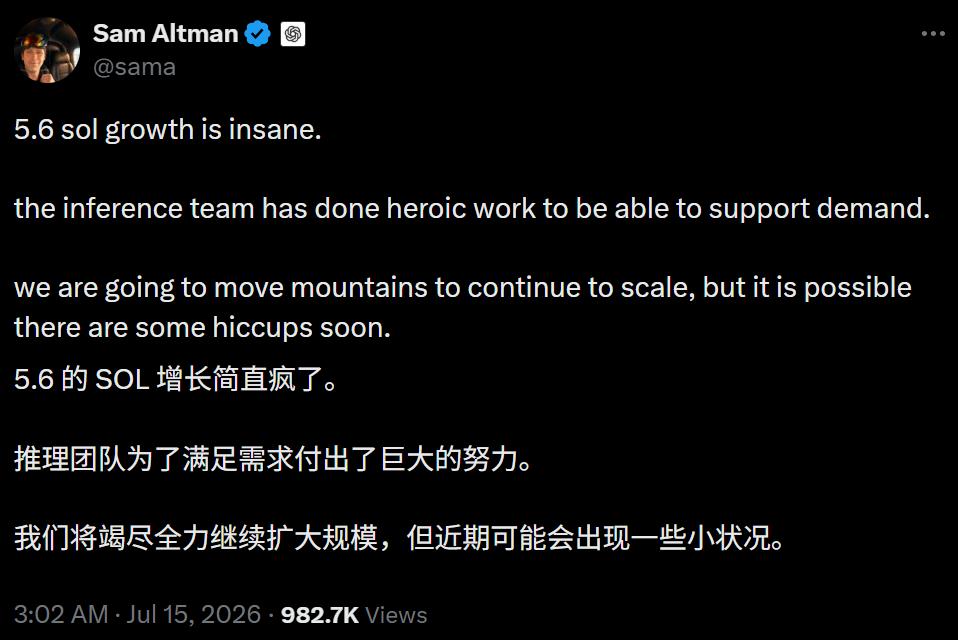
Sam Altman playfully chimed in: Sol's growth has been so explosive that the inference team is scrambling nonstop to scale up capacity. He half-jokingly warned that there might be some minor server turbulence ahead.
Most critically, Sol is priced at half the cost of its competitors. It delivers the same task results while consuming 50% fewer tokens. Combined, the total cost comes down to just a quarter of what rivals charge.
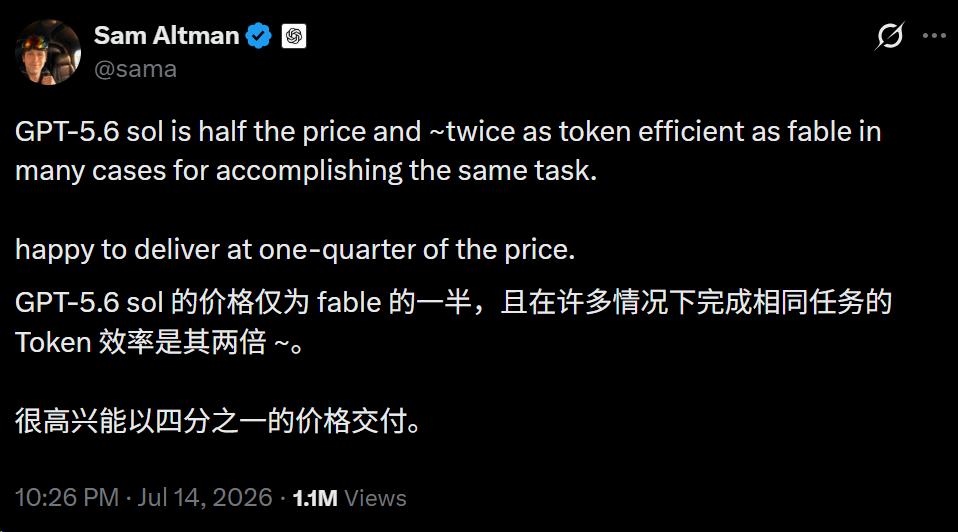
Lower prices are easy to understand, but how did token efficiency also double?
The answer lies not in how much "smarts" the model gained, but in how you actually use it.
Your carefully built prompt library is obsolete overnight
Let's cut straight to the point: The long, detailed prompts you refined over a full year across three generations of models may be completely useless on GPT-5.6.
The official guide to rewriting them is hidden in a newly released OpenAI prompt framework —
State exactly what outcome you want, draw clear hard constraint boundaries, provide your source materials, and define clear acceptance criteria. Let the model figure out the rest of the workflow on its own.
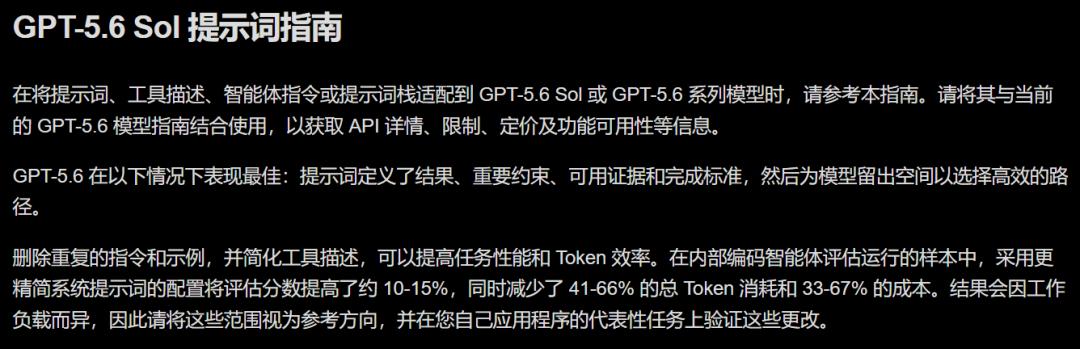
This ultimate prompt formula breaks down into four core parts: Outcome, Constraints, Evidence, Acceptance.
According to official real-world tests, drastically streamlining prompts improves task performance scores by 10% to 15%, cuts token usage by 41% to 66%, and slashes total costs by one to two thirds.
In short: The less you overcomplicate the prompt, the better the results and the more you save.
Take a real use case as an example: Asking the model to audit a codebase for security vulnerabilities.
In the past, you might start by telling the model it is a senior security engineer, then walk it through step-by-step: traverse all files first, check each one individually, then compile results into a table. You would also pile on extra reminders to keep responses concise, don't miss any edge cases, and return the final output as a table.
That entire wall of text treats the model like a helpless intern who can't be trusted to take a single step on its own, even pre-stepping over every possible pitfall for it.
Using the Sol prompt method, you can shrink that entire request down to just four sentences.
Outcome: Audit this codebase and identify all high-severity security vulnerabilities.
Constraints: Only focus on authentication and data validation modules; do not touch production configurations, and do not attempt to fix any issues you find. List each problem exactly once, no redundant restatements.
Evidence: Attach the architecture documentation and dependency manifest to avoid unnecessary guesswork.
Acceptance: For each identified issue, include the exact file location and a remediation plan. Double-check all results against these requirements before final delivery.
Let the model navigate the rest on its own. You don't need to micromanage whether it uses sub-agents, which file to open first, or if it needs to run test cases.
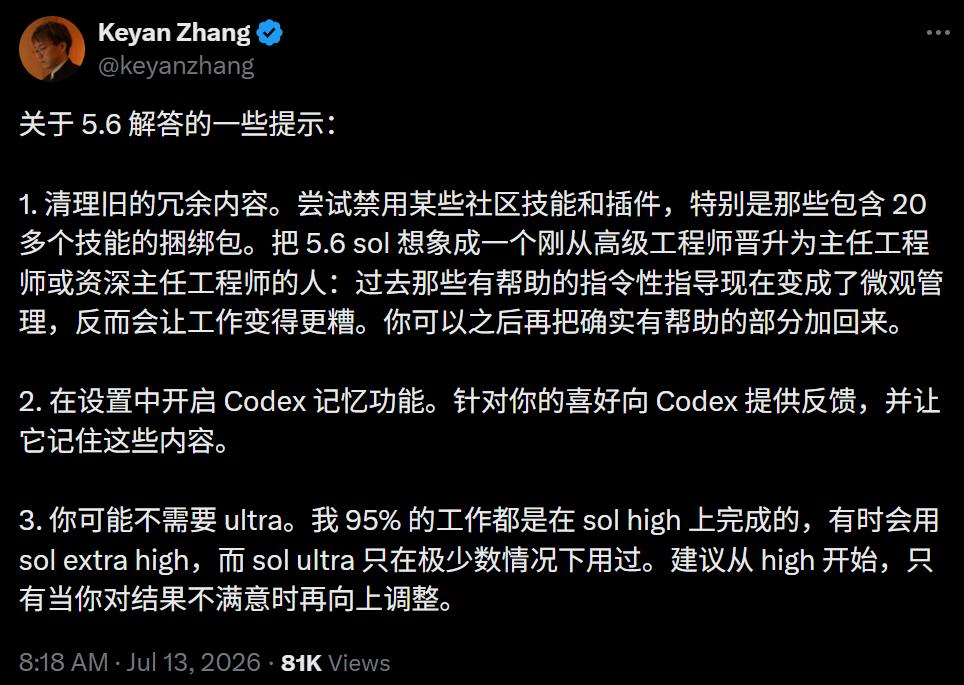
Of course, granting autonomy doesn't mean total abandonment. To keep tasks on track, set three guardrails:
1. Draw a clear stop line in advance. Specify under what conditions the model should pause and ask for clarification, instead of proceeding blindly. A simple line like "Stop and confirm if you are uncertain" saves far more time than fixing mistakes later.
2. Force it to self-audit. Add a line at the end of the prompt: "Cross-verify all outputs against the requirements before delivery". Letting the model act as its own quality checker is far more cost-effective than reworking outputs yourself.
3. Start small and iterate quickly. Launch with a minimal working prompt and the fewest necessary tools, adding extra details only when gaps appear. Building up incrementally is far easier than writing a bloated prompt and then deleting most of it.
One extra greedy line can make the AI lose its mind
How strictly does GPT-5.6 follow prompt instructions?
It takes every single line you write literally, including accidental contradictory instructions — if you just told it to "answer thoroughly" then immediately added "keep it as brief as possible", it won't pick one over the other.
It will treat both conflicting commands as absolute orders, resulting in total incoherent behavior.
And that's just one of the pitfalls of overwriting prompts. Even adding "just to be safe" extra reminders can backfire completely.
For example, repeatedly writing "Ask me first", "Do not modify anything", "Wait for my approval" will make the model second-guess even safe, allowed operations, turning it into a timid intern that refuses to make any independent moves.
At the end of the day, restraint is the key to mastering GPT-5.6.
To that end, the official team released a mandatory "cut list" for prompts: Duplicate rules, stylistic and workflow reminders that do not change outcomes, unnecessary examples, steps the model already knows how to perform, and descriptions of tools irrelevant to the current task — delete all of them.
What you should actually keep: The desired outcome, success and stop conditions, security and permission boundaries, and core rules that directly impact task direction.

The era has shifted: It's you that needs to be rebuilt
Today, the way humans collaborate with AI is evolving from the "hands-on babysitter mode" of micromanaging every step, to the "commander mode" of issuing high-level directives.
This transition is the real challenge.
Spending hours writing thousands of words of long, detailed prompts was essentially a way to trade control for a false sense of security. Holding onto every step tightly meant you could never be blamed if something went wrong.
But Sol proves that the tighter you grip, the more expensive, slower, and worse your results become.
Models are getting cheaper and more powerful with every generation.
But in this latest upgrade, the thing that most needs iteration isn't the code — it's you, the person still clutching the keyboard trying to control every detail.
References:
https://x.com/thsottiaux/status/2077114635308986427?s=20
https://x.com/sama/status/2077036999303999910?s=20
This article is from the WeChat public account AI Era, author: ASI Revelations, republished with authorization from 36Kr.