Six digital workhorses are working for me. Is Tencent's Marvis useful?

Every office worker has thought about whether they could find a substitute who doesn't slack off, talk back, and can do the job for them.
On May 20th, Tencent launched the AI assistant Marvis, which is available for download on Windows, Mac, and Android platforms simultaneously. It consists of six AI Agents. One supervisor Agent is responsible for understanding requirements and breaking down tasks, while five specialized Agents are in charge of file management, system settings, application control, web interaction, and information search respectively.
In terms of appearance, the six "employees" are all black ponies wearing horns and penguin scarves. There is also a virtual office in the application. When there is no work, they will doze off at their desks, go to the gym, or stroll around with coffee in hand, fully embodying the "working horse" persona.
The persona is well - established, but can these digital working horses really share the workload of office workers?
We decided to be cyber bosses and simulate six scenarios that office workers might encounter, then assign tasks to Marvis to see how it performs.
Next, let's take a look at a day in the life of a digital working horse.
01. Scheduled Tasks: Simple Push Works, Sending Files Fails
An office worker's day starts with reading the news.
Rather than browsing through websites one by one, it's better to let the digital working horse take over. We asked it to push the day's tech news hotspots at 9 a.m. every day. The setup process is very simple. Just tell it your requirements and the time interval.
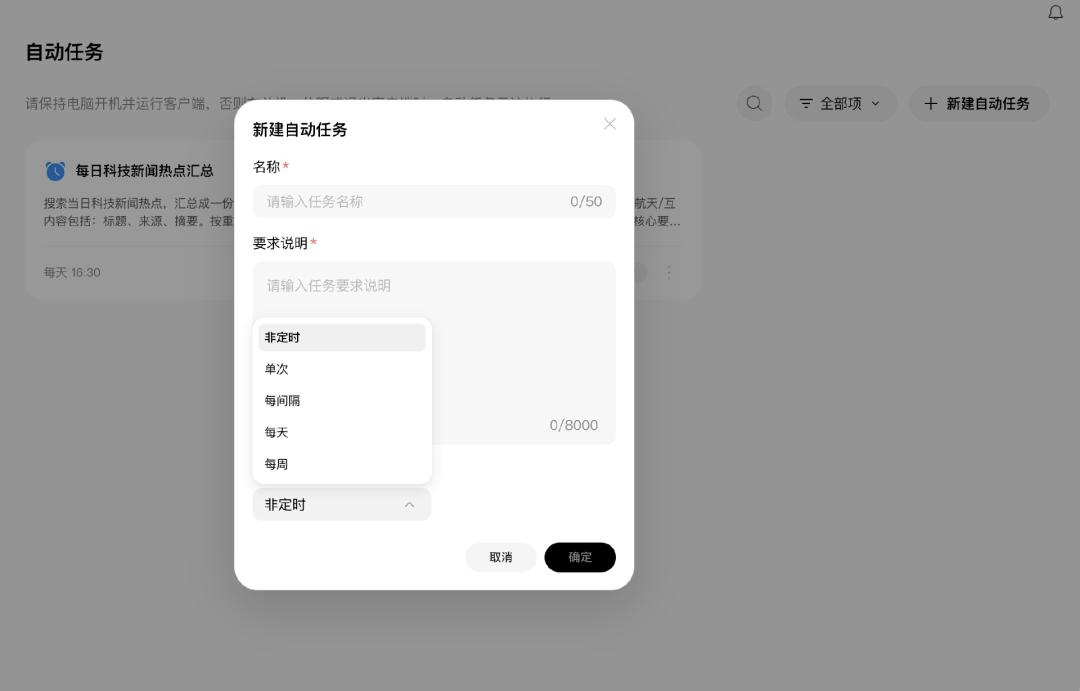
Scheduled task setup page
The visual presentation of the push is rather plain, but it has all the necessary elements, basically covering the day's hotspots. Each piece of news is accompanied by the source of information and a simple summary. As a tool to help you understand what's going on today in a few minutes, it's sufficient.

Animated image of the push situation
After experiencing some success, we decided to increase the difficulty. Besides pushing news, can it do some real work for me?
Scheduled tasks are very suitable for sending weekly reports, which is a must - have for office workers. Who wouldn't want their weekly report to "fly" out on its own on Friday afternoon?
So we asked it to send the work weekly report at 6:30 p.m. every Friday. Marvis requires multiple levels of authorization and confirmation before sending an email, which is reassuring.
When the time came, the weekly report was indeed sent on time. But problems followed. It not only failed to send the weekly report file on the computer desktop, but the file that was actually sent couldn't be opened at all.

The sent weekly report file has an error
It seems that simple scheduled pushes are no problem, but for tasks involving file operations, it's better to keep an eye on them yourself. Don't be a hands - off boss.
02. Search and Organization: Reliable for Document Search, "Fails" for Image Search
After browsing the news, it's time to start working.
When you open your computer and want to find a document saved last week, but can't find it after searching for a long time. Don't worry, let the digital working horse continue to help us.
We asked it to find Tencent's 2025 annual report stored in the computer and interpret the file, presenting the key data in the form of images.
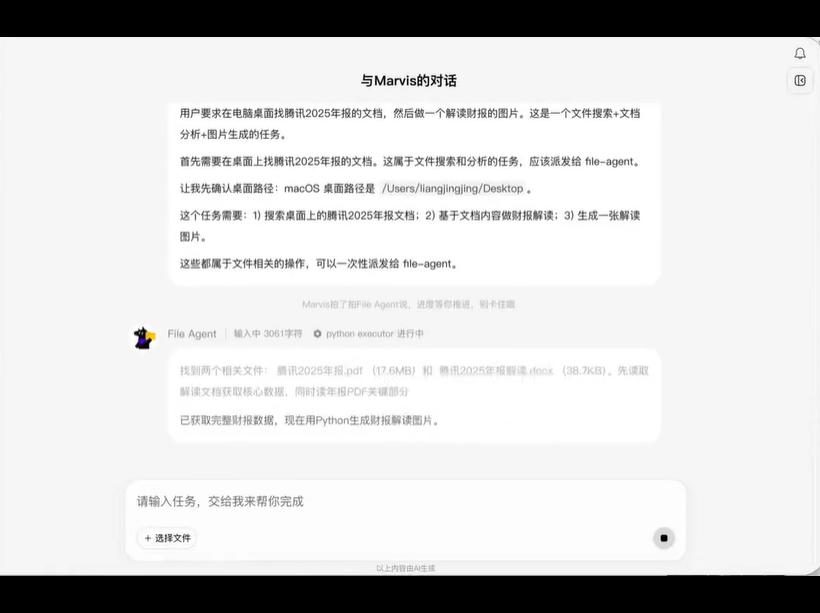
Animated image of the process of finding and interpreting the document
The overall quality of the generated content is okay. The key data is basically presented, but the text and numbers are crowded together, which doesn't look very good.

The text and numbers in the given image overlap
In addition to finding files, system information can also be queried. It can help you check information such as battery health and memory status, which is more convenient than looking through the settings yourself.
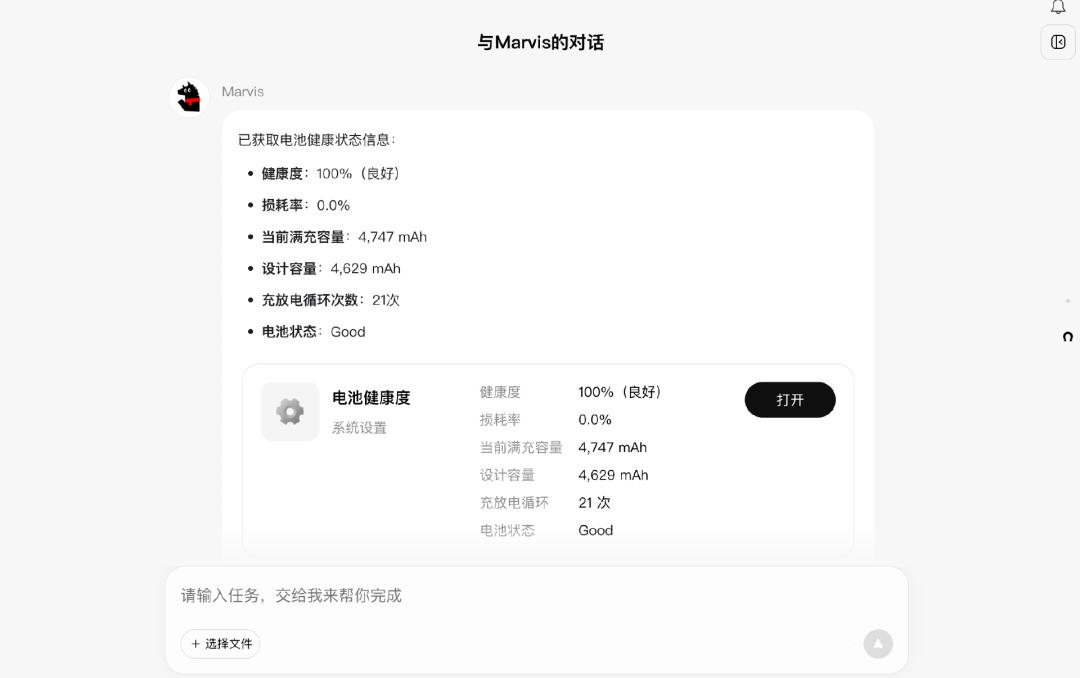
Querying battery health status
It performs well in the search aspect. Let's see how it does in organization.
We asked it to uninstall an infrequently used software. It first asks you to confirm whether you want to uninstall the application, and after confirmation, it requires you to enter the system password for secondary verification. It won't just delete it without asking.

Animated image of uninstalling the application
Regarding security, Marvis offers two operating modes. We used the efficiency mode, which processes tasks in layers. File recognition and retrieval are done locally, while complex understanding and planning are transferred to the cloud, which is both fast and saves tokens. If you need to process sensitive files such as financial statements and contracts, you can switch to the privacy mode, where all data is not uploaded to the cloud and can be used even without an internet connection.
Next, we asked it to organize the food and landscape photos in the computer and generate a web - based electronic photo album.
Problems occurred at this step. It failed to find the correct photos. After several reminders, it finally found the right photos and created the electronic photo album. It seems that the digital working horse's mind isn't always sharp.
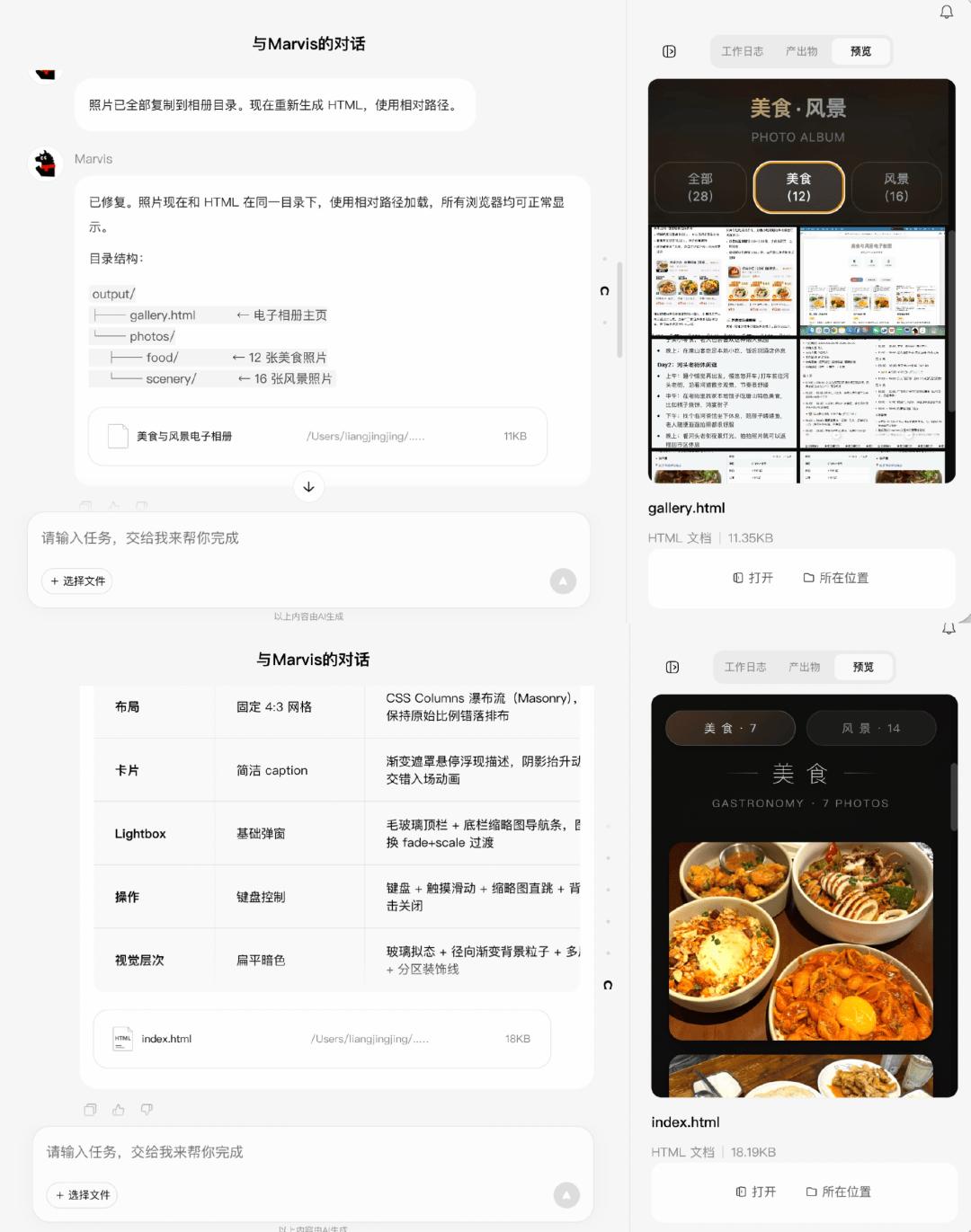
It found the correct photos after being reminded
Moreover, searching for photos consumes a large number of tokens. Marvis provides a free token limit of 10 million per day, and organizing the photo album alone can consume nearly one - tenth of it.
Marvis is quite efficient in text - based search and organization. However, when it comes to image recognition, its stability is significantly worse.
03. Competitive Analysis: Can Analyze, but Lacks Depth
Next, let's try a more challenging work scenario - competitive analysis.
Office workers should understand that this task is very time - consuming. You have to first find information about competitors' products, including product positioning, user profiles, pricing strategies, etc., piece by piece, and then analyze it in combination with your own products. Gathering and organizing information for analysis is exactly what AI is good at. Let's see how the digital working horse performs.
We asked Marvis to conduct a competitive analysis of Yuanbao. After receiving the task, it assigned it to the corresponding Agent. In this round, its performance was commendable. It listed a total of five competitors, conducted a detailed inventory in multiple dimensions, covered a relatively comprehensive range of information, and had a complete framework. At least you don't have to start from scratch.

Animated image of conducting competitive analysis
However, the overall analysis lacks depth. The analysis of each dimension is basically just a brief mention. It is more suitable as a first draft, and the real analysis and judgment still have to be done by yourself.
04. Multi - device Linkage: Controlling the Computer from the Phone, a Fresh but Time - consuming Experience
Office workers are not always at their desks, but work waits for no one.
Marvis supports connecting the mobile phone to the computer, which means you can remotely command the computer to work even when you're outside. We have to try this.
We gave instructions directly on the mobile app, asking it to find Tencent's 2025 financial report on the computer desktop, interpret the key points, and generate a document on the desktop. The computer and the mobile phone work synchronously. It generates the document a bit slowly, but the completion rate is high.

Animated image of the operation on the mobile phone and computer
Controlling the computer from the phone is really a fresh experience. You can assign tasks in advance, and when you come back, the document will be ready, which can save some time.
05. Skill Invocation: One - click Installation of Skills, but Limited Options
Next, let's try skill invocation.
To explain the background a bit, on most AI products, there is a threshold for invoking skills. You have to find the corresponding projects on developer communities such as GitHub, download them, and then manually upload and configure them. This process is not very user - friendly for ordinary users.
Marvis makes this process more worry - free. It has a built - in skill square that covers six major categories such as office efficiency and leisure entertainment. You can directly install any skill you like with one click and use it immediately.

Built - in skill square
We tried the recently popular WeChat Reading skill. After installation, it can be used right away, and the whole process is very smooth. The same is true for several other skills. They can run as soon as they are installed.

Animated image of using skills with one - click
However, the number of skills in the skill square is currently quite limited and cannot fully meet all needs. We may have to wait for future updates.
06. Task Planning: Can Run Smoothly and Save Effort
After a long day at work, you're very tired. For office workers who rely on the anticipation of the next trip to keep themselves going, it's time to plan a trip.
We asked Marvis to create a travel guide for Tianjin. Just a guide is not enough. Precautions, hotel recommendations, and transportation arrangements should all be included.
For easy future reference, we specifically asked it to generate separate files for different contents and then collect them all in a folder named "Tianjin Travel".

Completion status of the travel guide
The guide, hotel, and transportation files were all generated, and the folder was also created