Epic evolution: OpenAI launches Mac version of "Super Lobster": Codex evolves into a cyber colleague
Another day of envying Mac users.
Early this morning, OpenAI officially released a new version of Codex for macOS, accompanied by the following text:
Codex for (almost) everything.
It can now use apps on your Mac, connect to more of your tools, create images, learn from previous actions, remember how you like to work, and take on ongoing and repeatable tasks.
Codex can do (almost) anything.
It can now schedule applications on your Mac, connect to more productivity tools, and has the ability to generate images. In addition, Codex can learn from historical actions, remember your work preferences, and independently undertake continuous and repetitive tasks.
In a nutshell: The "native lobster" for Mac has been launched.
After recruiting the founder of OpenClaw (Lobster) into the company in mid-February, OpenAI has been working on integrating the capabilities of OpenClaw into Codex in the following two months. Now, the results are finally visible, and it's a real game-changer upon its launch.
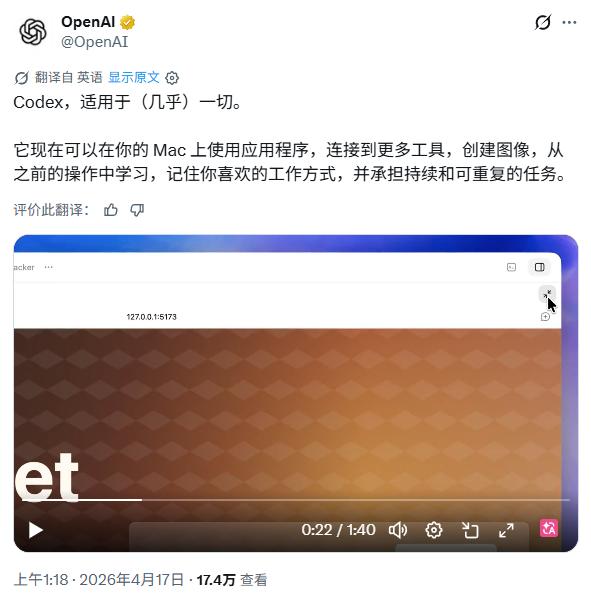
Image source: X
Next, let Lei Technology (ID: leitech) show you what the latest Mac version of Codex can do.
From developer to maintainer, Codex has achieved full automation
The demonstration video of Codex released by OpenAI first shows Codex's ability to develop and debug autonomously in the Mac environment.
The user gives Codex the instruction: Test a "Tic-Tac-Toe" application and fix all the bugs. After receiving the instruction, Codex autonomously opens the local Xcode project on the Mac, clicks on the grid of the Tic-Tac-Toe project in sequence, and finally locates the position of the program code and executes the startup instruction.
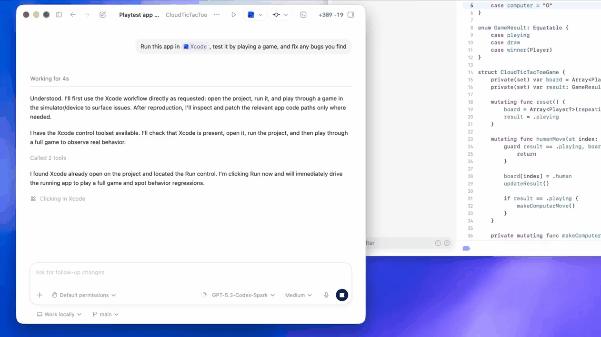
Image source: Lei Technology
From this, we can see that Codex does not directly call the test code through the backend API. Instead, it truly "uses" the application like an ordinary user through the graphical user interface (GUI). The difference between the two is: The former only means that it has solved the problems of instruction understanding and code execution, and essentially relies on the open API of the application itself; the latter can complete tasks through graphical recognition without calling the application's API.
This means that Codex has a true "general execution ability" because many third-party applications simply do not provide open APIs. For previous AIs, these applications were a "black box." They knew of their existence but could neither operate nor read them.
Moreover, this also demonstrates OpenAI's powerful multi-modal visual recognition and coordinate mapping capabilities. Codex can "understand" the UI elements on the simulator and decide which pixel coordinates on the screen the mouse should click to complete the chess-playing action.
Next, Codex automatically enters the testing phase and directly identifies the bug: "When the human player takes one step, the computer opponent takes two steps." This is the most amazing part of the entire demonstration because Codex did not refer to any error documentation but completely judged the bug in the application's behavior through visual observation and logical reasoning of the game rules.
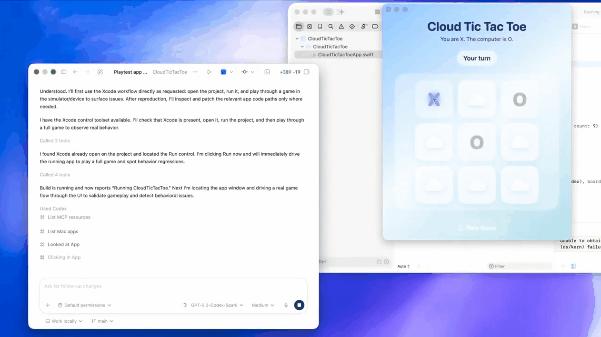
Image source: Lei Technology
To some extent, this shows that Codex already has a certain ability of autonomous decision-making and "human-like" reasoning. After identifying the problem, it starts to fix the Tic-Tac-Toe program, then recompiles and runs the program to confirm that the bug has been fixed. In another video, Codex also uses a code assistance plugin to independently explore a local front-end project without clear file path prompts and provides a code modification plan with the minimum scope of changes.
It can be said that OpenAI has intuitively demonstrated Codex's complete workflow ability from the front end to the back end through two simple cases. And all of this is accomplished through visual recognition of the graphical interface, indicating that it already has the full-process closed-loop development ability covering almost all development environments.
To be honest, this is really a bit scary. If you used to need to have some programming knowledge to solve problems such as API access when developing applications with Codex, now you can skip these processes directly and let Codex operate the computer like a "real person" and generate the program you want.
Not just a "producer," but also a "collaborator"
Another video shows Codex's execution ability at the multi-modal level. In this video, the user asks Codex to generate an image for the main visual area of a web page, and there isn't even a specific keyword indicating the image style in this request.
So what does Codex do? It doesn't directly generate an irrelevant image. Instead, it first reads the local project files, then combines the information read from the graphical interface to determine that the theme of the web page is "late-night fast food in Philadelphia," and generates an image of "hamburgers + fries + late-night lights" based on this.

Image source: Lei Technology
Moreover, Codex further analyzes the layout requirements of the "main visual area." To avoid covering the text on the left, the generated image needs to leave enough space on the left, and the visual focus should be on the right. This alone was difficult for previous AIs to achieve because most auxiliary development tools are still in the stage of "pure text code generation." They not only cannot understand the "visual elements" in the web page but also require users to manually specify image generation and path introduction.

Image source: OpenAI
After determining that the image meets the requirements, Codex automatically executes the instruction to move the generated image to the local project folder, then modifies the HTML file, replacing the original placeholder with a real image tag and the local path. At the same time, it fine-tunes the CSS style to ensure that the image can perfectly fit the size of the web page. Finally, it refreshes the web page in the built-in browser to display the final web page effect.
OpenAI also shows how Codex can completely autonomously build a web page. After receiving the user's development requirement for a "Lego tracking web application," Codex calls the development software to complete the code writing and automatically starts the development server locally, loading the page on the browser panel built into Codex.
Subsequently, the user can directly tell Codex any of their requirements, and it will adjust the corresponding elements of the web page based on the data obtained through graphical recognition. For example, in the video, when the user only gives the requirement of "reducing the font size" in the corresponding editing box, Codex automatically completes a series of steps such as reducing the font size and re-layout, truly achieving "what you see is what you get."
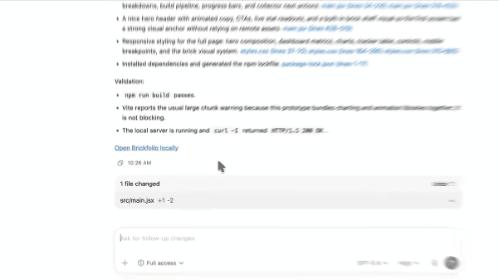
Image source: Lei Technology
For web developers, Codex's role has actually changed. In the past, people mostly regarded it as a "code producer" for debugging and building web page frameworks, and human intervention was still needed for the final integration.
Now, it has become your "collaborator," and you can hand over more work to it. Even when it comes to specific visual element modifications and UI fine-tuning - previously, AIs might have difficulty accurately understanding your intentions, but now it's different because it can also "see" the web page.
The exclusive personal assistant is online
In the demonstrations of the last two videos, OpenAI intends to make Codex your "personal assistant." In the video, the user only needs to say one sentence, and Codex can simultaneously search four different SaaS platforms, including Slack, Gmail, Google Calendar, and Notion.
Then, based on its semantic understanding ability, Codex independently analyzes the notifications and information on each platform, sorts them according to priority, and classifies the information into "urgent to handle" and "can be postponed." At the same time, based on the specific content of the information, it reminds the user that although some information may seem like daily reports, they involve matters that need approval and require extra attention.
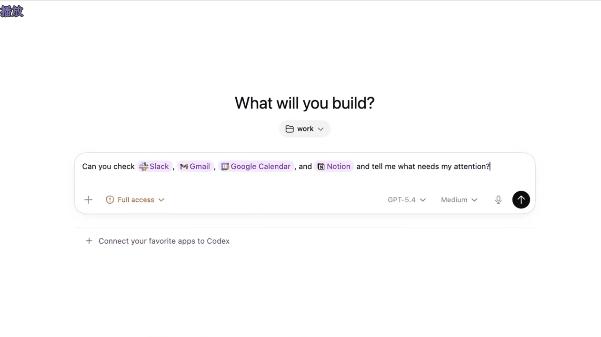
Image source: Lei Technology
After summarizing and classifying the information, the user gives a new instruction: "Keep an eye on it and notify me." Codex directly creates a background task named "Teammate - Hourly" and automatically sets the specific operating rules for this background task: Check each SaaS platform once an hour and only notify the user when there is a substantial increase in information (or when the latest information cannot be obtained).
This function is actually the reason why OpenClaw became popular before - a fully automated "employee" that works in the background. You only need to give an instruction, and Codex will continuously monitor and execute relevant tasks in the background without the user's active operation, thus transforming the AI from "passive response" to "active assistance."
Moreover, Codex's current automated operations can run in the same thread. You only need to open the corresponding chat box, and the AI can repeat or continue to execute the previous tasks without you having to arrange the work for it again. So, don't underestimate the video demonstration. In fact, as long as the instructions are detailed enough, Codex can also execute complex automated work processes like OpenClaw.
The video demonstration also shows that after Codex monitors a new email, it directly provides a summary of the email content and asks the user if they need help drafting a reply. This is also set by Codex through its own reasoning based on the user's different task requirements.
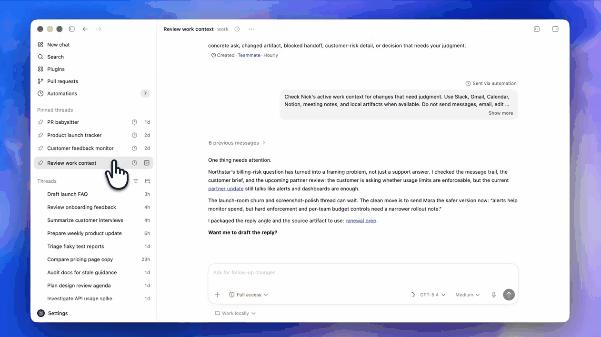
Image source: Lei Technology
In the last video, Codex, according to the user's request, accesses the enterprise's internal knowledge base through a plugin, finds the corresponding product report, and then generates a briefing for senior executives. Throughout the process, the user only provides the name of the product and what Codex needs to do, without mentioning where the product report is stored or how to find it.
It can automatically address, quickly search a large number of different documents and pictures, extract key information, and generate documents. The user only needs to say one sentence, and Codex will independently split and execute multiple steps. Moreover, it does not require the enterprise to provide a private API interface but only calls documents through the user's existing permissions, minimizing the risk of data leakage for the enterprise.
Of course, Codex now also has the ability to directly create corresponding documents. In the video, Codex directly organizes the recent issues of a GitHub project on the web into a spreadsheet by theme and then converts it into an Excel spreadsheet file for output. Combining the previously mentioned capabilities, you can actually regard it as an efficient "data collector." It can collect and summarize data from private libraries to public data into corresponding documents, which can then be directly used in other work.
Currently, Codex has integrated more than ninety mainstream office and development plugins, and users can call them at will in the chat box. What else can be said? Just do it.
Why Mac?
To be honest, OpenAI's latest version of Codex is more suitable for most users than OpenClaw. Because it does not require users to provide system-level permissions, sacrificing security and privacy for convenience. Instead, it uses the perfect assistive function API and underlying sandbox control of macOS to achieve stable and secure operation. This is something that the Windows version cannot do currently (due to complex permission management and chaotic APIs).
Moreover, Codex has clearly made a deep integration with Apple's official development tools. It can not only directly read the project structure of Xcode but also directly handle settings such as Swift package dependencies and simulator status. At the same time, it automatically calls Apple's official development documentation and API specifications for real-time error correction (which is crucial for Apple developers).
Another very important factor is the Apple ecosystem. Many people ignore the influence of the hardware ecosystem when discussing AI Agents. Imagine that if you forget to open the remote desktop program when asking an AI to perform a task on Windows, you basically have to go to the computer to operate it. However, the collaborative ecosystem between Mac, iPhone, and iPad allows users to easily view Codex's work results on mobile devices and easily give new instructions.

Image source: Apple
When you arrange for Codex to work at home while you go out to have fun, the experience of the native remote management function is undoubtedly better than that of third-party tools (although Apple Remote Desktop is really expensive).
All in all, the release of the Mac version of Codex basically marks that this AI tool has officially crossed the stage of a "passive assistant