The first domestic browser, "Lobster", is launched. You can use it for free by scanning the QR code with WeChat.
On April 8th, according to ZDXX, Tencent Cloud has just released China's first browser "Lobster" QBotClaw, which allows users to command QQ Browser to perform tasks with just one sentence.
Users can open QQ Browser, download and install QBotClaw from the sidebar, and then use it for free. It supports direct connection via WeChat Clawbot QR code scanning. The Mac version is already available, and the Windows version will be launched soon. Responses in the comment section below the QQ Browser official account indicate that the mobile version is in planning.
QBotClaw is compatible with OpenClaw skills and supports users to freely configure the API Keys of major mainstream large models in China.
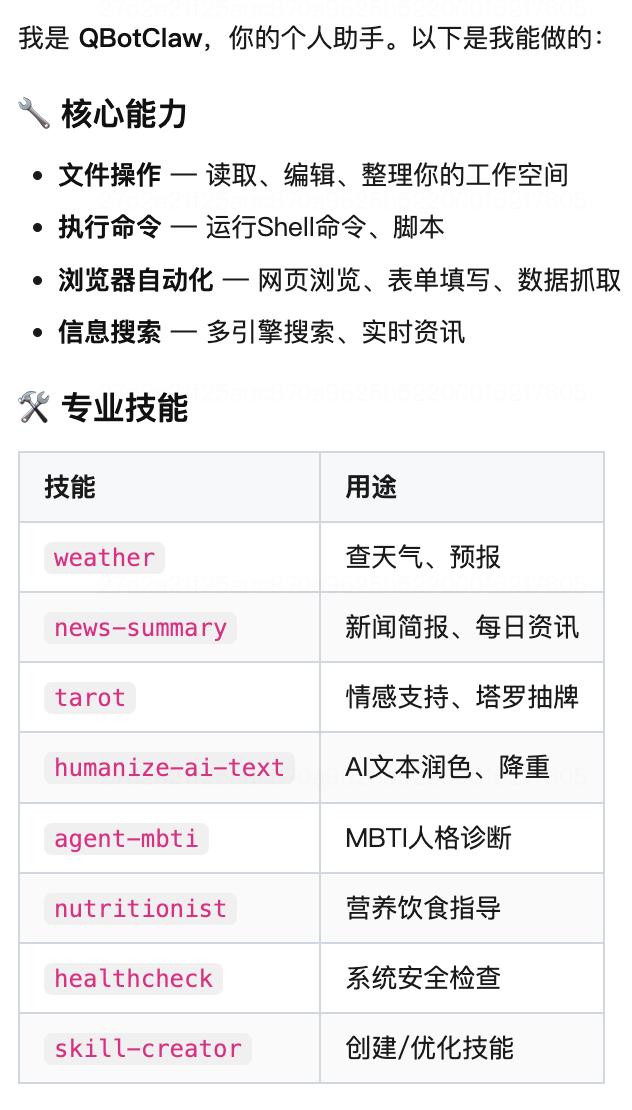
ZDXX quickly experienced QBotClaw. First, they asked what it could do. QBotClaw listed 8 professional skills and mentioned that it has 4 major capabilities: file operation, command execution, browser automation, and information search.
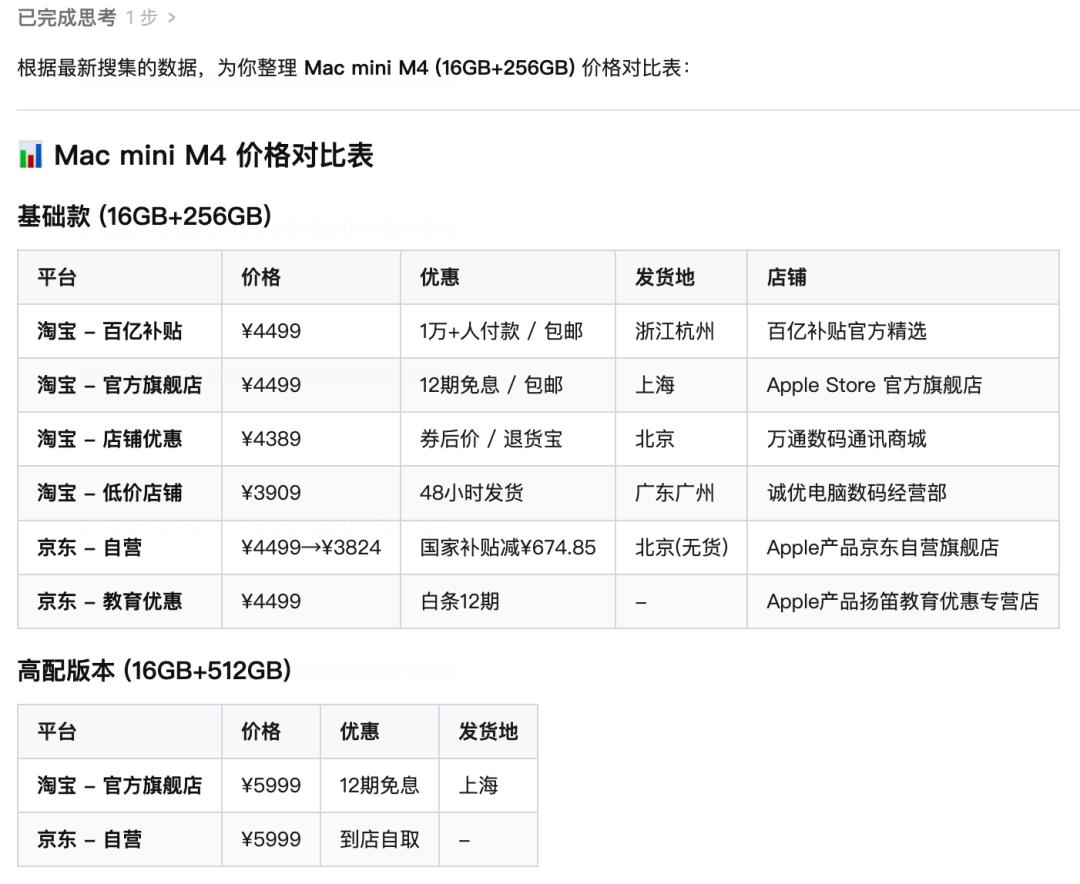
I first experienced QBotClaw's automatic price comparison ability. My requirement was "Help me compare the prices, discounts, and shipping locations of Mac mini on Taobao and JD.com and generate a comparison table."
QBotClaw will automatically open the Taobao and JD.com pages and search for Mac mini in the input boxes to generate a comparison table. However, during this process, users need to manually log in to their e-commerce platform accounts before QBotClaw will execute the next step.
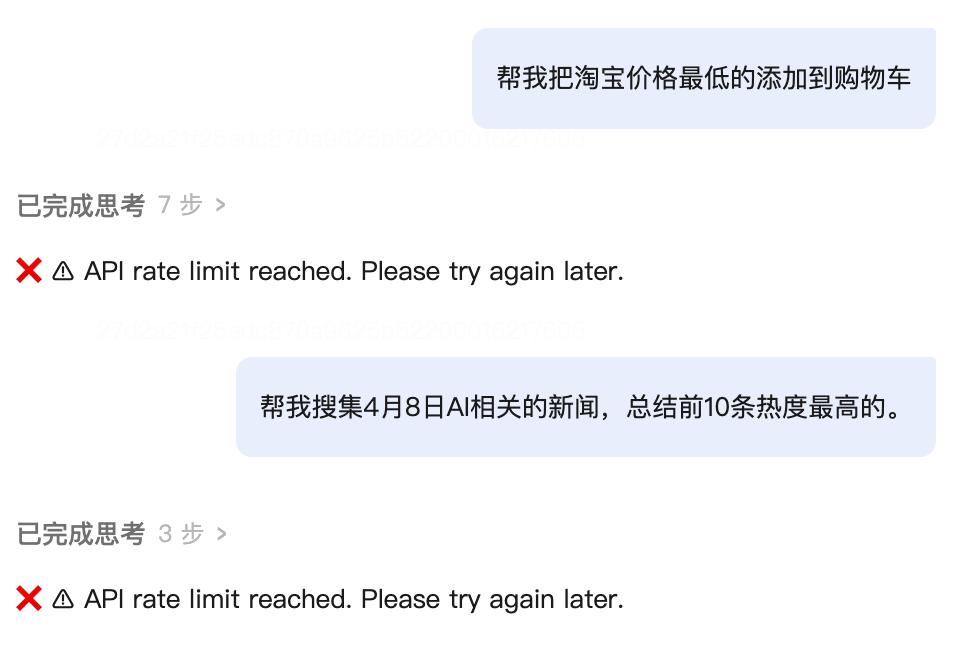
However, after I asked a few questions, QBotClaw displayed the message "The API call frequency has reached the limit. Please try again later."
Tencent Cloud official also released several use cases. One of them is helping users post content on multiple platforms. The instruction was "Attach pictures to the content of the current document and post a Weibo." QBotClaw will automatically collect information on the search engine, input text, and post the Weibo.
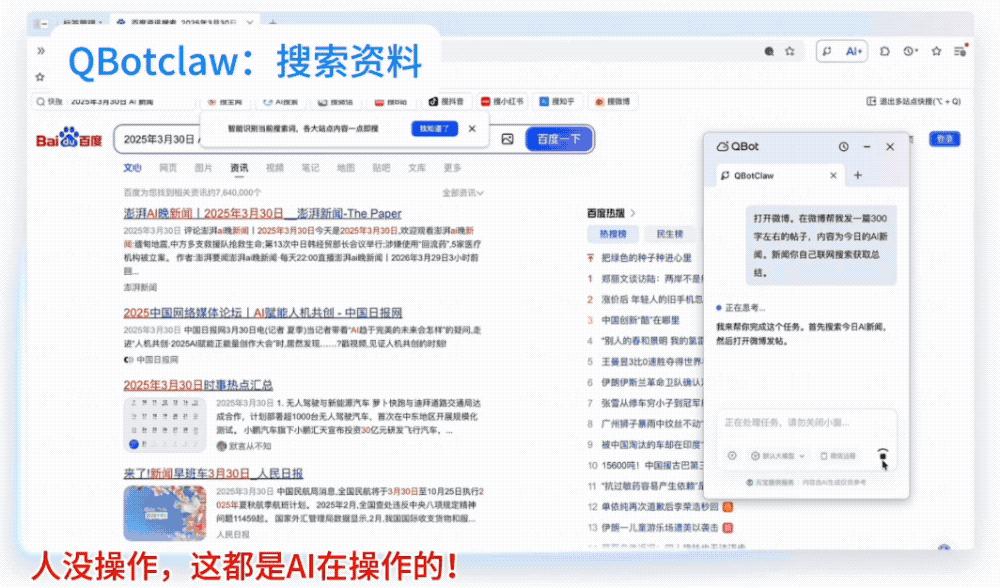
According to the official account, QBotClaw has several key capabilities:
Understand web page elements: It has the self-developed QQ Browser Skill built - in, which can understand elements on dynamic web pages.
Understand context: QBotClaw runs based on the entire QQ Browser and has in - depth memory capabilities. It can remember what web page the user is currently viewing, what accounts are logged in, and what files are opened, without the need for users to repeatedly provide background information.
Direct connection with WeChat: QBotClaw can be connected via WeChat Clawbot QR code scanning. Users can directly input instructions on the WeChat side to command their office computers to perform tasks.
Data security: QBotClaw has set up a security sandbox isolation, instruction Markdown constraints, and a SkillHub authentication mechanism. It also strictly enforces a blacklist and will not randomly access users' privacy and assets.
Conclusion: Commanding computers to work via WeChat, the era of low - threshold AI automation has arrived
Tencent has connected the "Lobster" ecosystem of WeChat and QQ Browser. QBotClaw enables ordinary people to drive their computers to complete complex automation processes with just one WeChat instruction. Meanwhile, end - side agents like QBotClaw, combined with products for remote control via WeChat, are reshaping human - computer interaction and the tool ecosystem.
The linkage between this browser "Lobster" and WeChat Clawbot also verifies the feasibility of a lightweight end - side agent + WeChat entry. It may mean that future AI tools will penetrate into users' daily life and work scenarios in a more lightweight and low - threshold way.
This article is from the WeChat official account "ZDXX" (ID: zhidxcom). Author: Cheng Qian, Editor: Yun Peng. Republished by 36Kr with permission.