Just now, TRAE SOLO launched its standalone version: Not content with just writing code, it's also venturing into other fields.
TRAE, I never expected you to play like this!
The newly released TRAE SOLO Standalone (available on both PC and Web) can now directly cross boundaries in its work.
For example, I have a bunch of files in different formats: a meeting transcript, a heap of unprocessed raw data, and several hand - drawn prototype sketches...
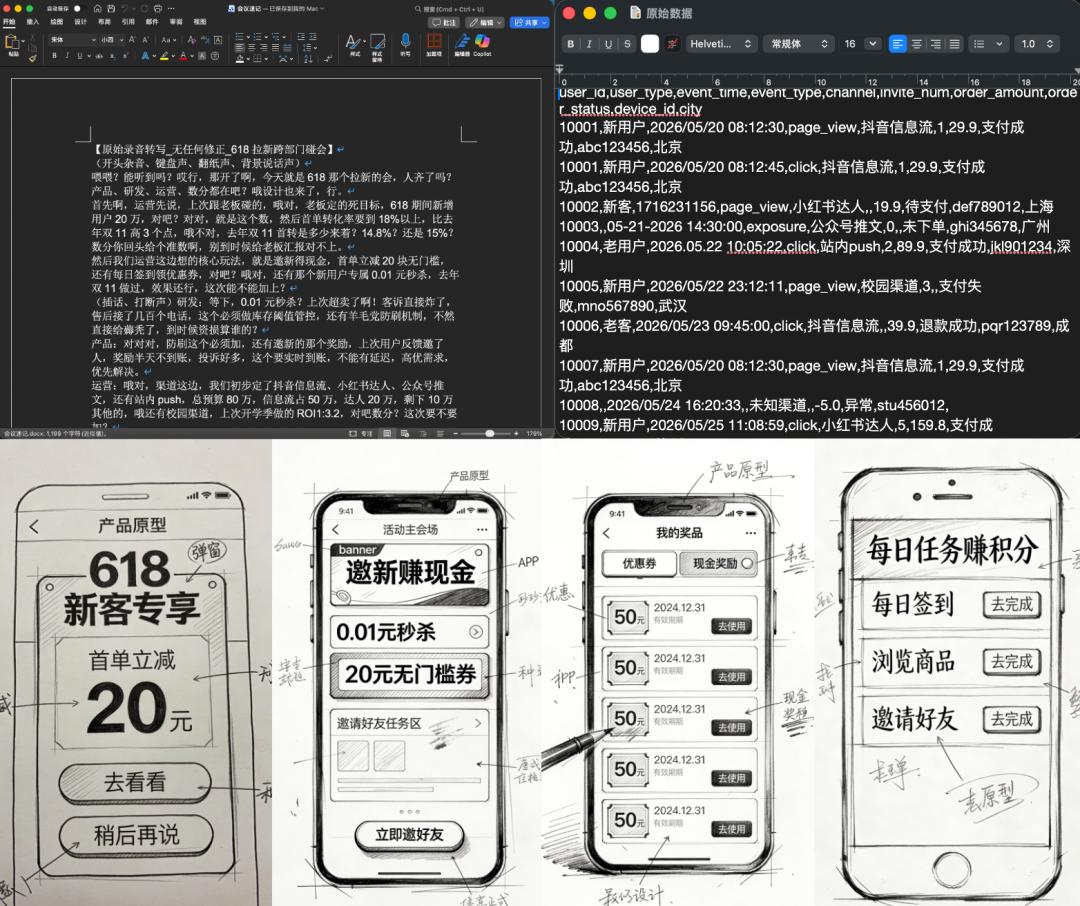
Now, all I need to do is dump them all into a folder and throw it to the SOLO Standalone, along with a Prompt:
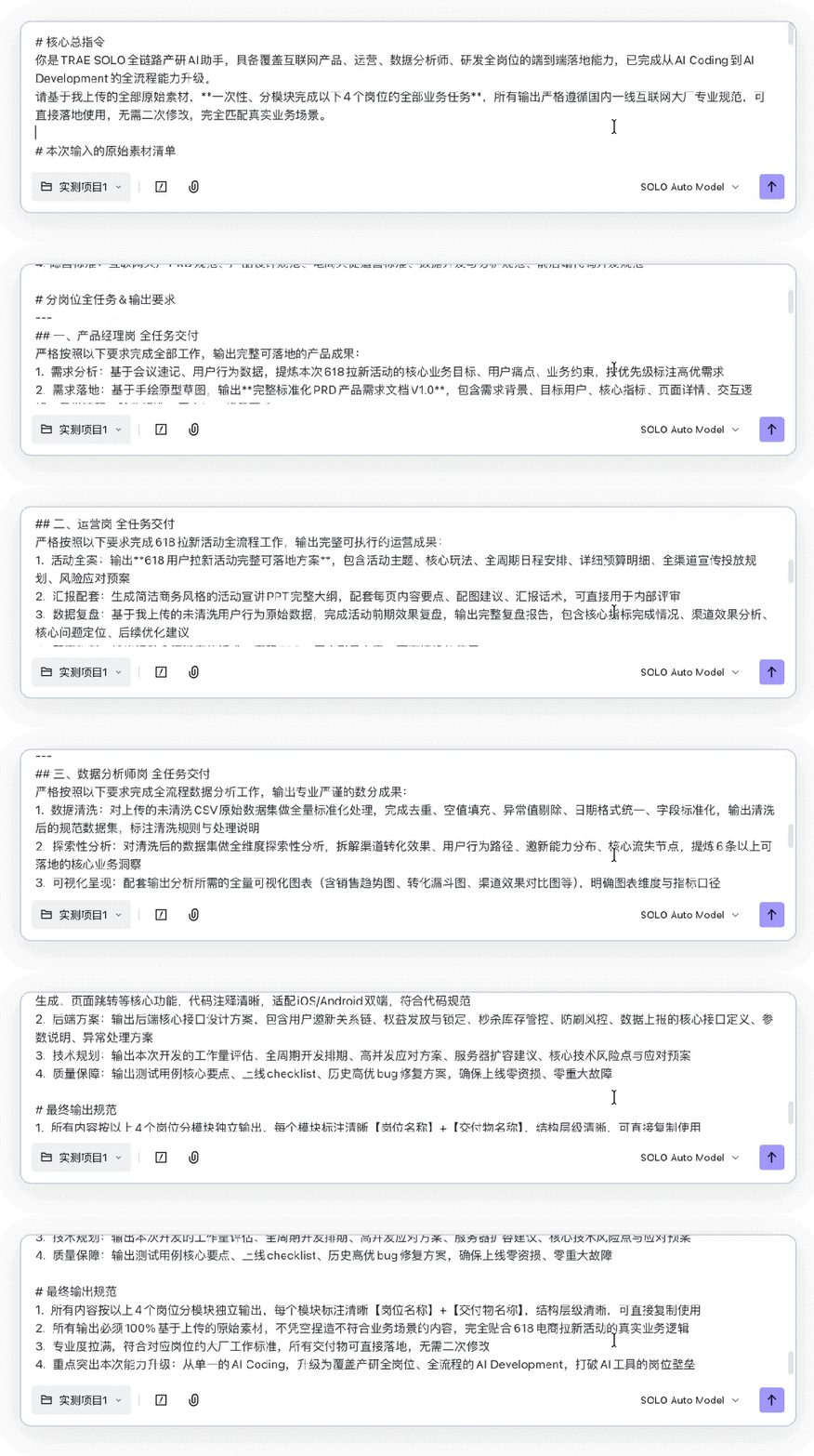
Just like that, the work of data analysts, product managers, operators, and developers related to this project is all done!
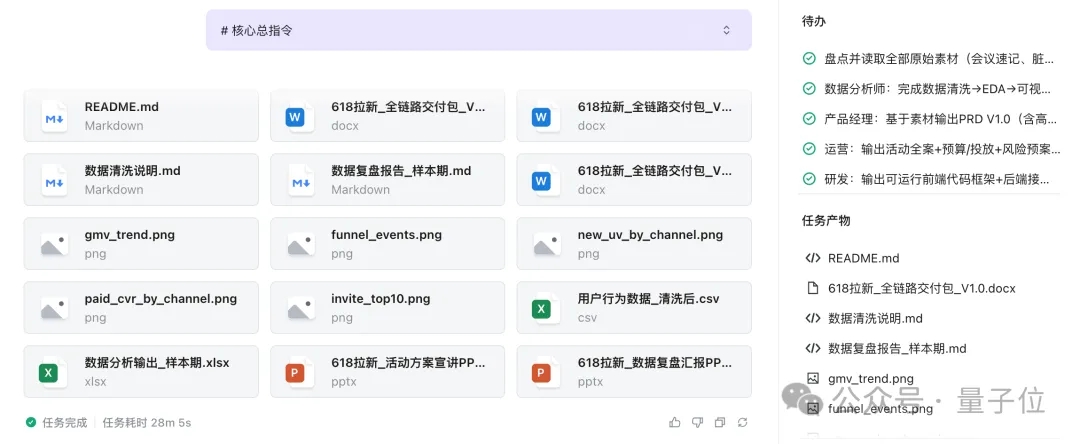
All the generated files can be opened, downloaded, and are ready - to - use:
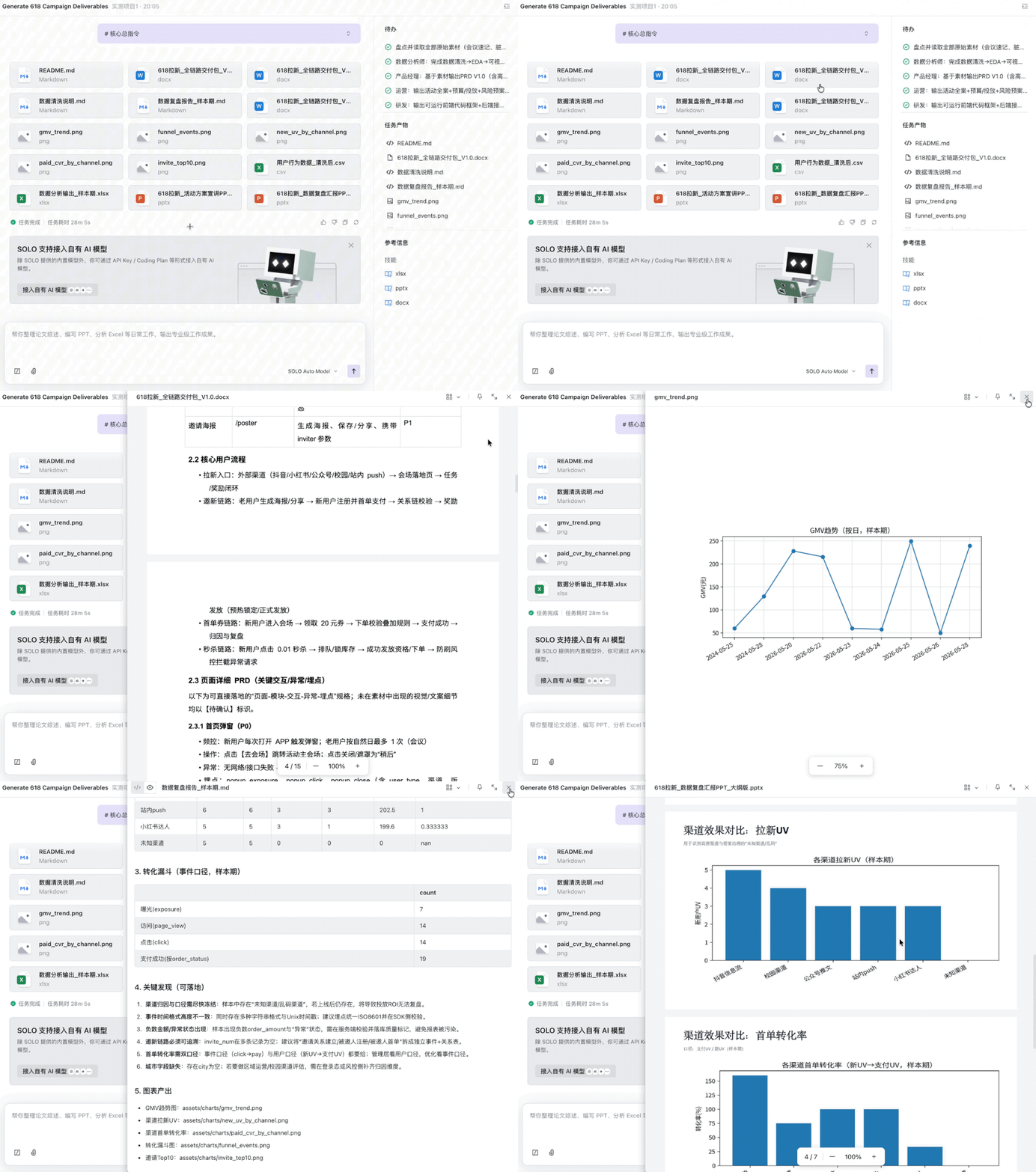
Let me tell you, the TRAE SOLO Standalone is no longer just for programming. People in positions such as requirements, design, data, and operations can also use it for office work.
In a nutshell, More Than Coding (MTC) has taken AI Coding to AI Development.
Maybe some friends are wondering, since there was already a SOLO mode in TRAE before, what's the difference now?
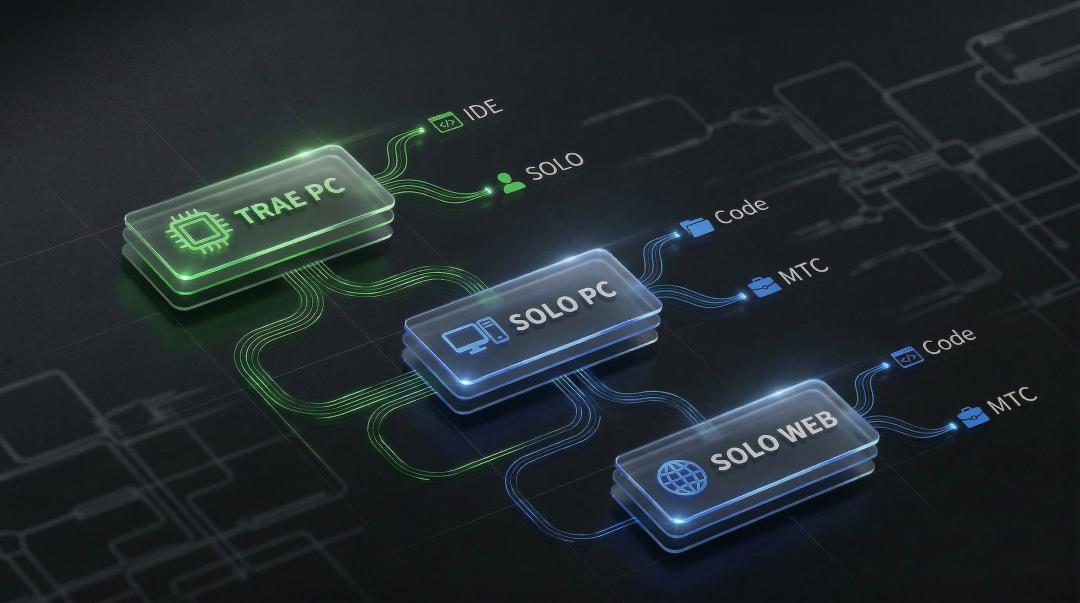
In terms of form, it has broken away from the traditional IDE architecture and is available in two versions: PC and Web. In terms of capabilities, it has generalized the AI Agent capabilities that were originally focused on code to the entire upstream and downstream of Internet product research:
△
TRAE PC version: It has the traditional IDE form and deeply integrates the SOLO mode (SOLO Agent) internally, targeting professional and intensive R & D scenarios.
SOLO PC version (newly added this time): It is an independent lightweight client with two modes, Code and MTC, targeting all product R & D personnel.
SOLO Web version (newly added this time): It is a browser - based version that can be used immediately. It also includes Code and MTC modes, emphasizing on - the - go use.
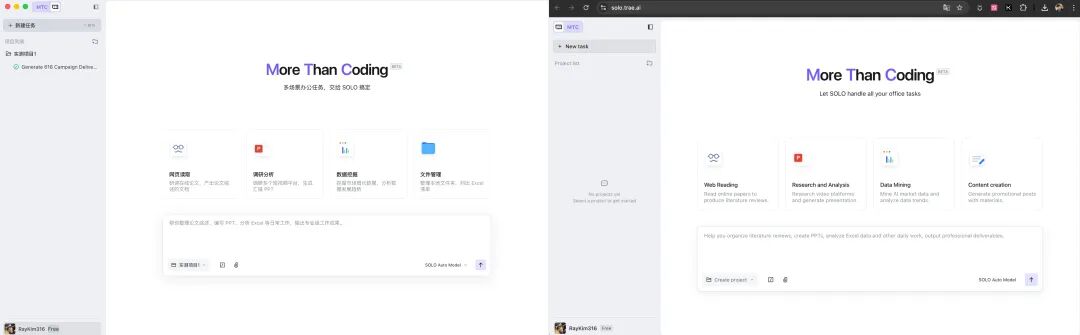
In short, the TRAE SOLO Standalone (hereinafter referred to as SOLO) aims to reduce the learning curve with a lighter and more intuitive interaction paradigm.
So, to what extent can it handle the work of the entire product R & D team?
Let's continue with an in - depth actual test.
Usable by product managers, operators, analysts... everyone
In our actual test, we will take the perspectives of product managers, operators, data analysts, and R & D engineers respectively to see how this standalone performs in real - world business scenarios.
Actual test for product managers: Extract PRD from a sea of noise
Product managers (PMs) are often inundated with a large amount of unstructured information in their daily work.
They need to process a large amount of user feedback from various channels, align with the requirements of previous versions, and finally write a logically rigorous PRD (Product Requirement Document).
This process involves frequent switching between different tools (from Feishu/DingTalk to Excel, and then to prototyping tools and document tools). It often takes 1 - 2 days to prepare a complete iteration plan.
Now, we have prepared five files in different formats related to the work of product managers:
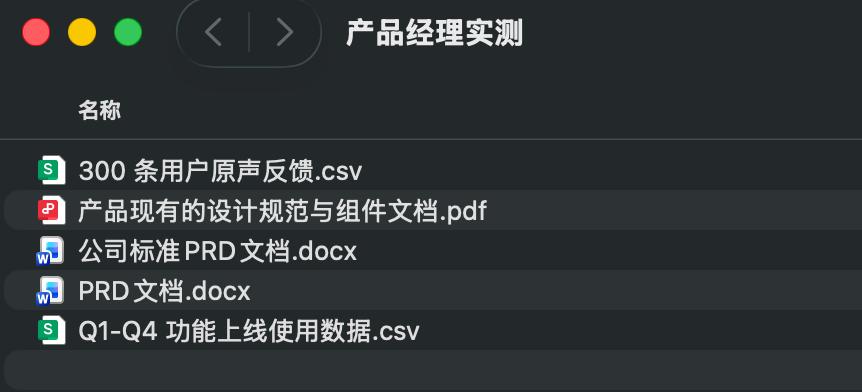
Next, we directly upload the above folder to the MTC mode of SOLO and attach the following Prompt:
Please read all the files in the workspace. First, cluster 300 pieces of user feedback by functional modules and extract the top 3 high - frequency core pain points. Second, locate the key issues affecting user retention based on the online data from Q1 to Q4. Then, strictly follow the PRD template I provided to produce the first draft of the functional iteration PRD for the next version. Finally, generate a description of the prototype page structure that conforms to the existing design specifications.
Then SOLO starts working on its own:
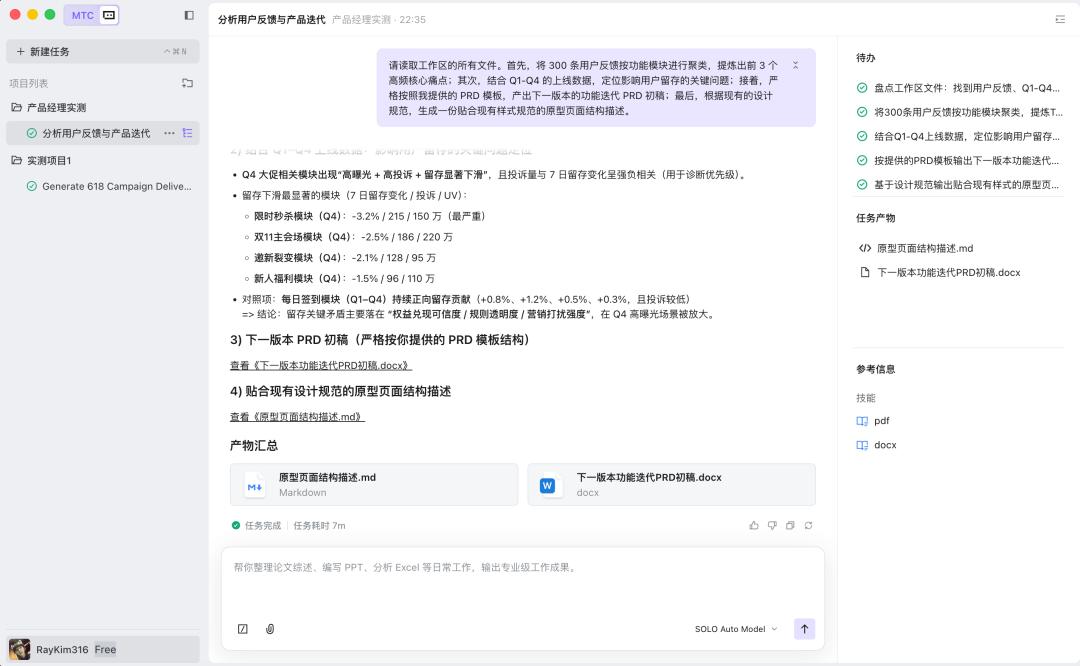
Finally, in just 7 minutes, SOLO produced a complete and lengthy first draft of the APP function iteration:
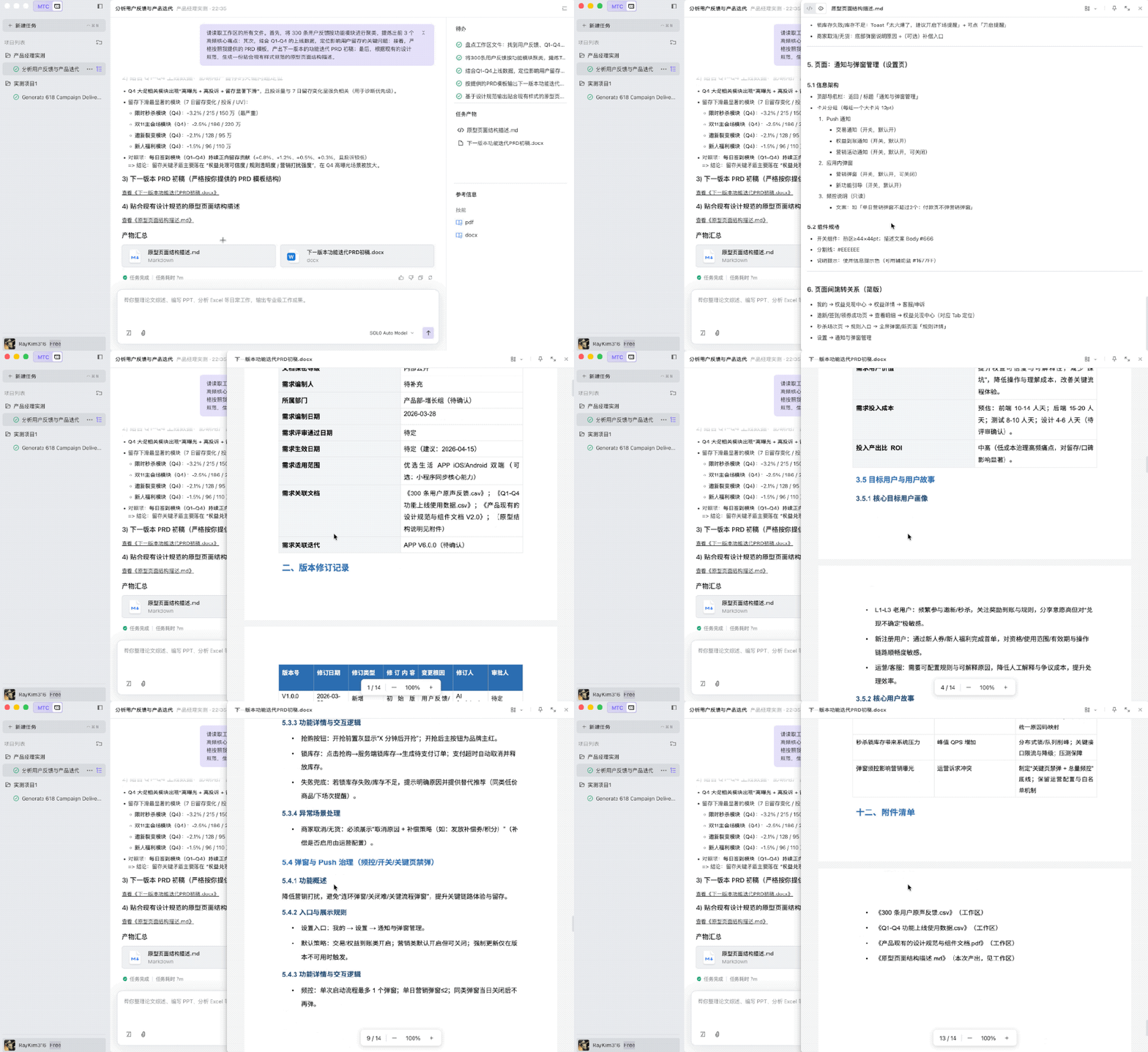
For PMs, the greatest value of SOLO lies in its continuous memory of context and the integrated processing of multi - format files. It has become a business assistant that can understand tables, documents, and design specifications at the same time.
Actual test for operation work: The full - link from event planning to review report
The work of the operation position is characterized by being miscellaneous and fragmented.
For example, when planning a major promotion event, one needs to write a plan, create a presentation PPT, and calculate the budget in the early stage. After the event is launched, one needs to configure pages and materials. After the event ends, one has to stay up late to clean data, draw charts, and write a review report...
In this actual test, we will divide it into two stages: before the event and after the event according to the actual work requirements.
Before the event, the Prompt for the actual test is as follows:
Help me plan a 618 user acquisition event from scratch and produce a complete and implementable plan (including event theme, core gameplay, schedule, budget details, and promotion channels). Then, generate a concise and business - style event presentation PPT based on this plan.
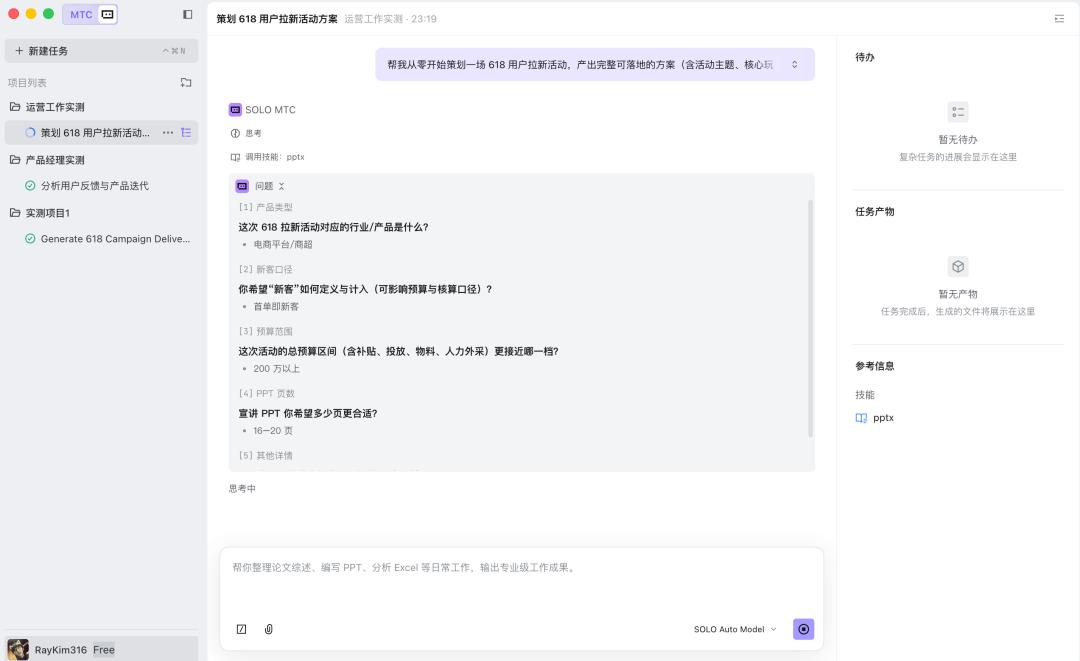
This time, before operating SOLO, we asked five questions, including the industry corresponding to the event, how to define new customers, the total budget, the number of PPT pages, etc., to precisely execute the task.
Again, in less than 7 minutes, an 18 - page PPT was born:
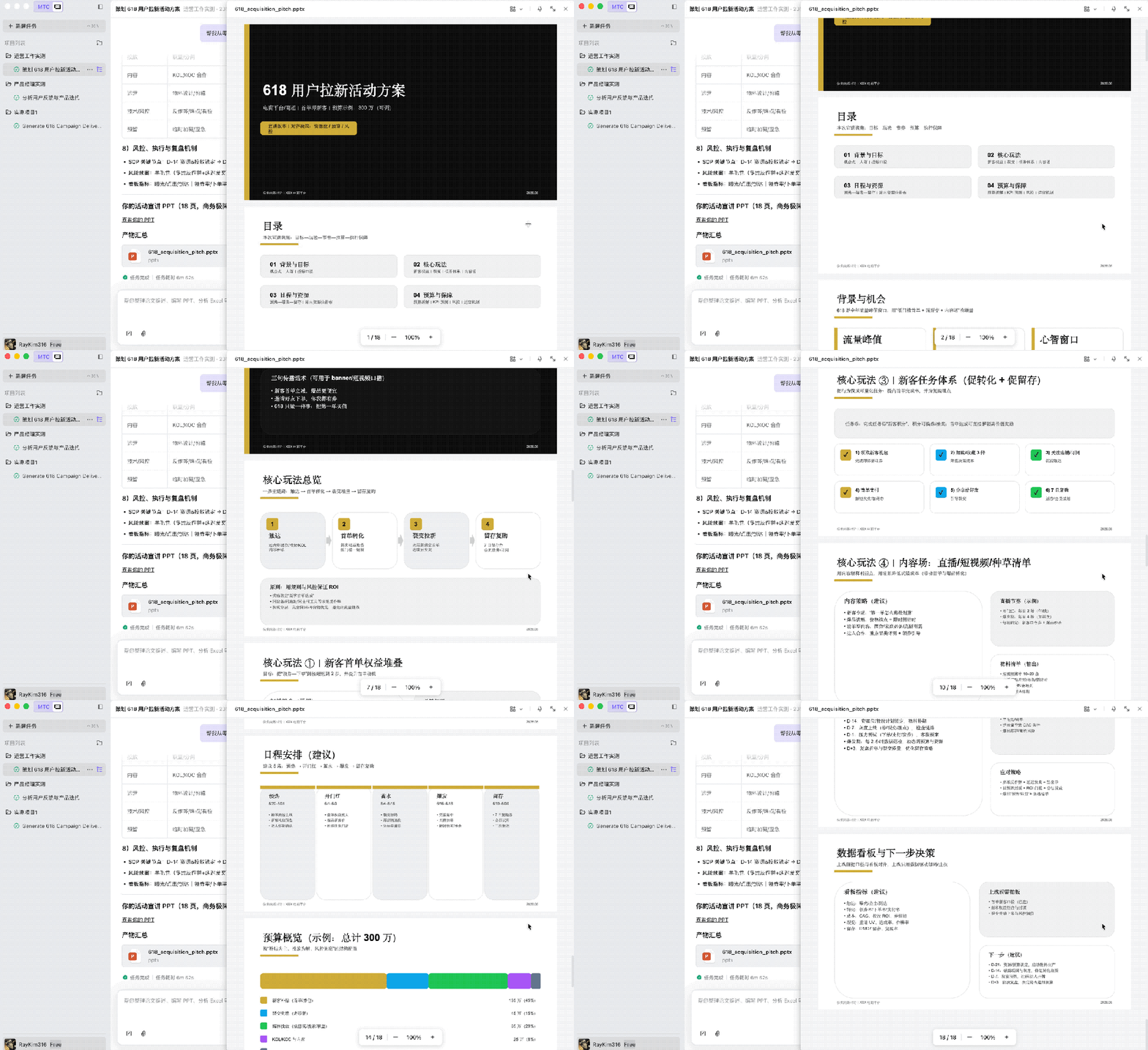
From the results, we can see that the produced event plan is logically clear. Although the gameplay (such as fission red envelopes and limited - time flash sales) is quite standard, the framework is complete, and the formula placeholders for the budget details are also set reasonably.
Moreover, the generated PPT is also ready - to - use. The page structure (cover, background, gameplay, schedule, back cover) corresponds 100% to the event plan, and it even automatically searches for and inserts pictures that match the theme.
Next, we continued to output the Prompt for the post - event data review:
Complete data cleaning, conduct data visualization analysis, and produce a complete review report (in Word format) including effect summary, problem analysis, and optimization suggestions.
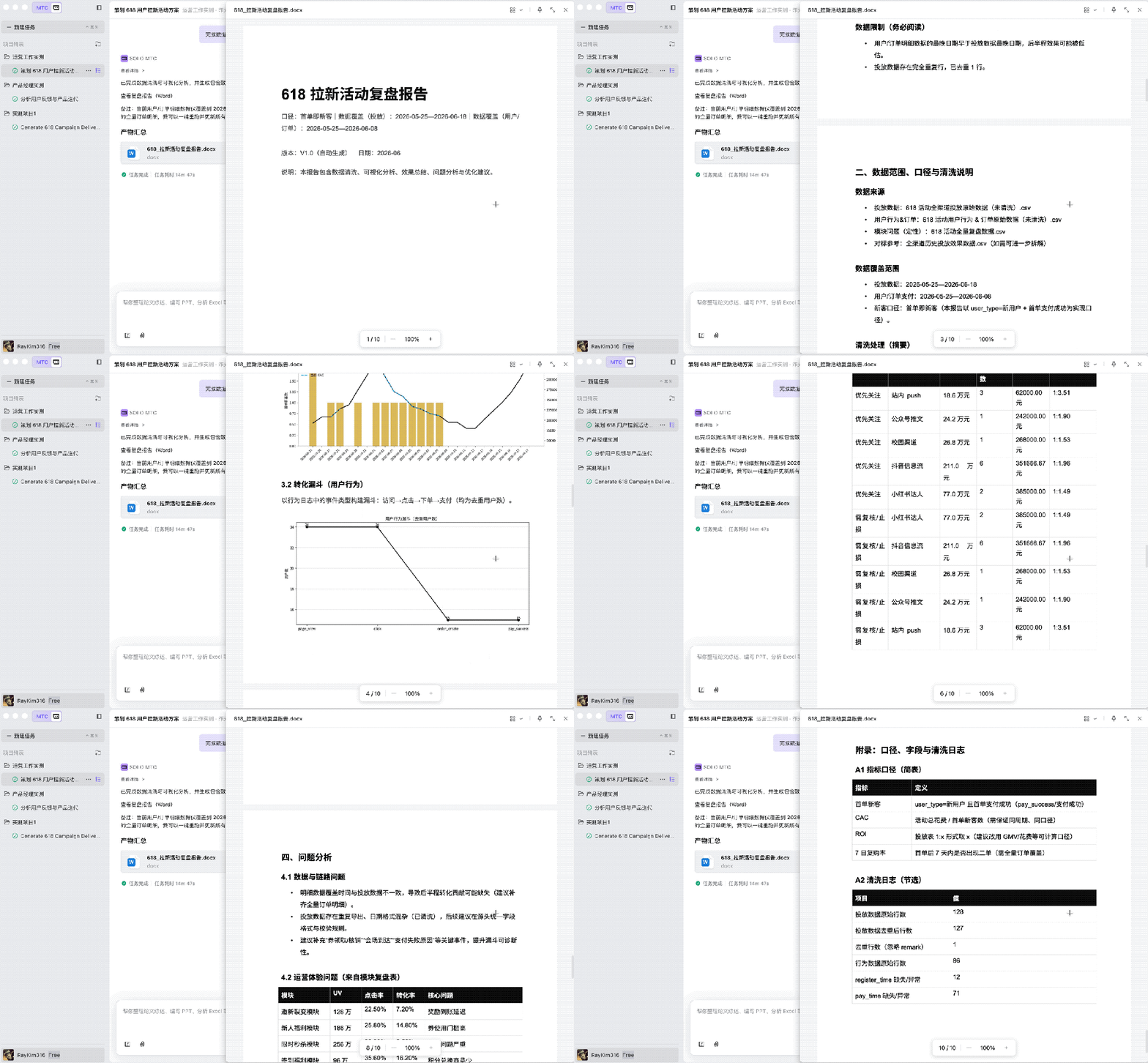
As we can see, when reading the operation data, SOLO automatically performed data cleaning (removing invalid brush - order data and null values) and output a Word review report with data charts (line charts, bar charts).
The conclusions in the report also pinpoint the problems in the operation experience and provide targeted channel optimization suggestions.
Data analysts: Automated scripts and visualization mining
The core value of data analysts (DAs) lies in insights. However, in actual work, they spend more than 60% of their time on pre - processing physical tasks: processing multiple tables in different formats, cleaning dirty data, and writing Python scripts for aggregation and merging.
For this reason, we prepared a very messy raw data set, including data stored in separate tables for 4 quarters, with inconsistent field names, inconsistent date formats, and all types of dirty data, completely restoring the scenario of multi - source heterogeneous raw data obtained from the business end in data analysis work.
And the raw dirty data of full - link user behavior, including duplicate rows, null values, garbled characters, inconsistent date formats, inconsistent user types, abnormal event types, abnormal values, etc., restoring the raw user behavior data exported from the buried point system in data analysis work.
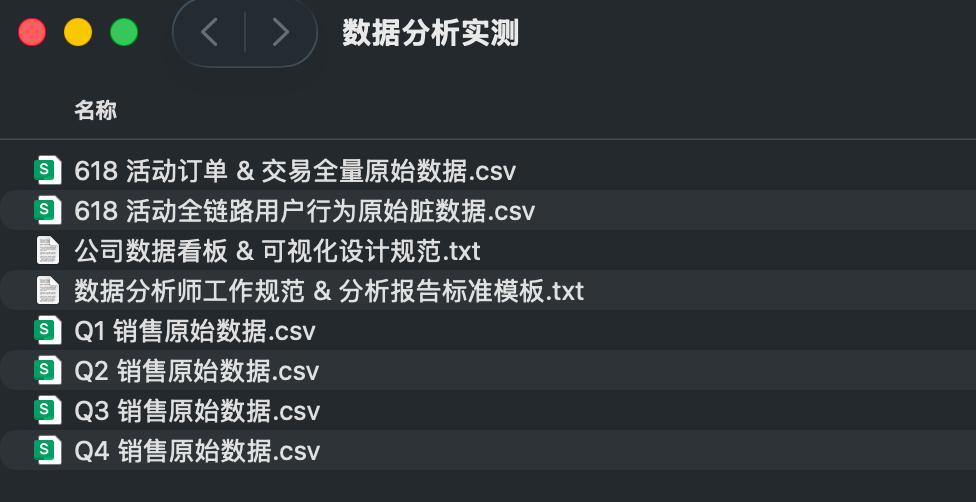
Then we gave the following Prompt:
Given the Excel sales data for 4 quarters and the CSV raw data set of user behavior, the following tasks are required: ① Merge the sales data for 4 quarters, clean duplicate values and null values, unify the date format, generate an annual summary table with a quarter column, and provide a bar chart of the sales trend. ② Conduct exploratory analysis on the user behavior data set and extract core business insights. ③ Generate an analysis report PPT with pictures and texts, use appropriate charts for visual presentation, and clarify the data conclusions and optimization suggestions.
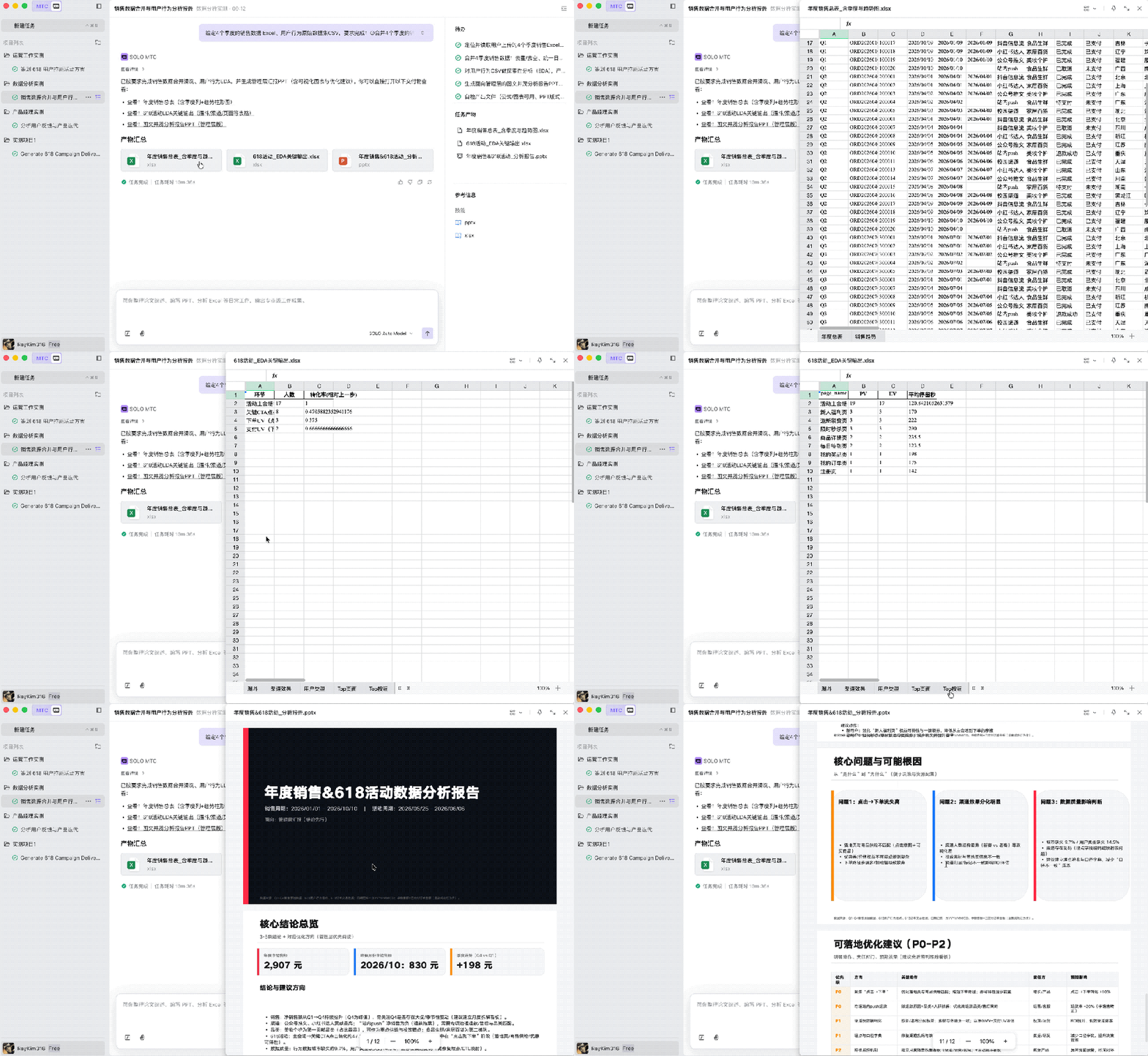
Facing multiple tables with different formats, SOLO didn't try to force a combination. The background log shows that it automatically wrote and ran a Python script, using the Pandas library to accurately complete deduplication, null value processing, date format unification, and table splicing.
In addition, it still stably generated a visual report containing multiple charts required for data analysis.
Therefore, analysts don't need to adjust the code environment themselves. They just need to issue instructions, and SOLO can ensure the accuracy and reusability of calculations through code, liberating the mechanical labor time of DAs.
Code actual test: Return to the old business
Finally, let's test the code capabilities of SOLO.
Even for professional R & D personnel, when dealing with the construction of some rapid prototypes, the writing of small scripts, or in mobile office/commuting scenarios, a lightweight but all - around environment is more important.
We switched to the Code mode of SOLO. The test task is not just simple code generation, but to test its engineering capabilities as an independent client.
This time, we directly fed a PRD requirement document to SOLO and simply said:
Develop according to the product requirements.
Soon, the application was developed:
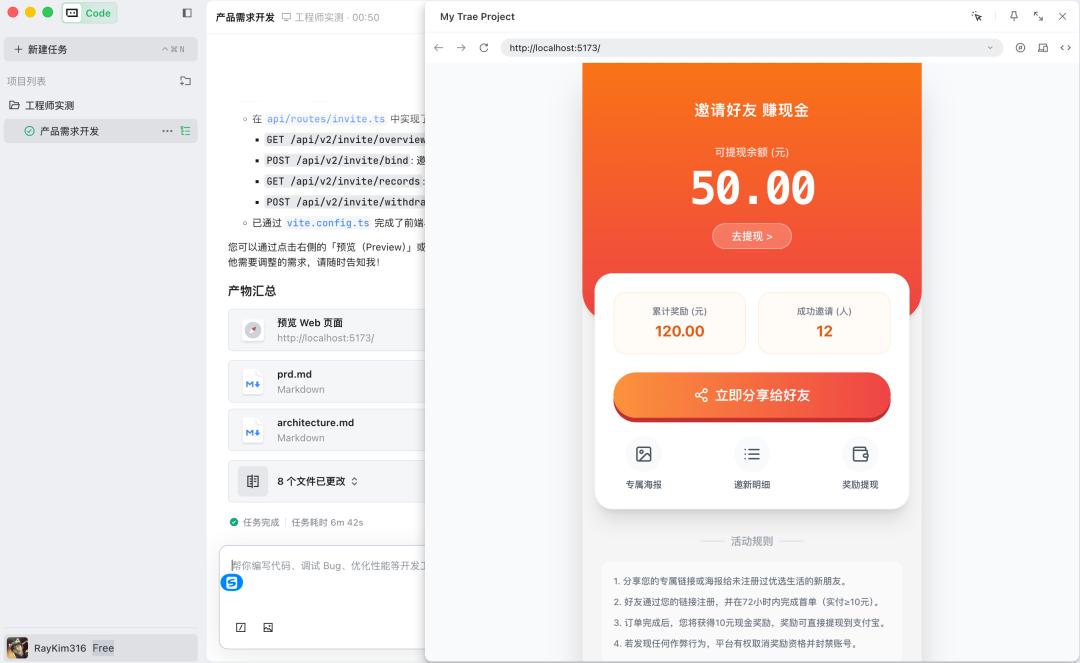
Moreover, the architecture design, API definition, data model, etc. were all produced at once:
