Just now, lobsters have learned to paint. Alibaba has played its trump card of Wan 2.7 raw images, with facial customization accurate to the bone structure.
Shrimp farmers are overjoyed! Today, the image generation model has finally mastered the art of creating realistic images.
It can refine facial shaping to the bone structure level, adjust color tones down to the HEX color code, and render text that can fill an entire A4 page at once. It can make revisions exactly as the editor requests, and even when fed with nine reference images, the facial features remain consistent.
Impressive, right? Let's take a look at this set first.
Using the same set of prompt words but only changing the appearance description, it produced five completely different faces -
Prompt:
A front-facing half-body portrait of a male band lead singer with [appearance settings] performing on stage. He holds a standing microphone with one hand, tilts his head slightly back and roars. Sweat slides from his forehead to his jawline, and his damp black short hair sticks to his forehead and temples. He is wearing a black vest soaked in sweat, with clear muscle lines on his collarbone and arms. The top light on the stage shines directly from above, creating a strong contrast between light and shadow. The background is a blur of colorful stage lights and smoke. It has a style of candid shots at a rock concert, with a high ISO grainy effect, and an 85mm lens.
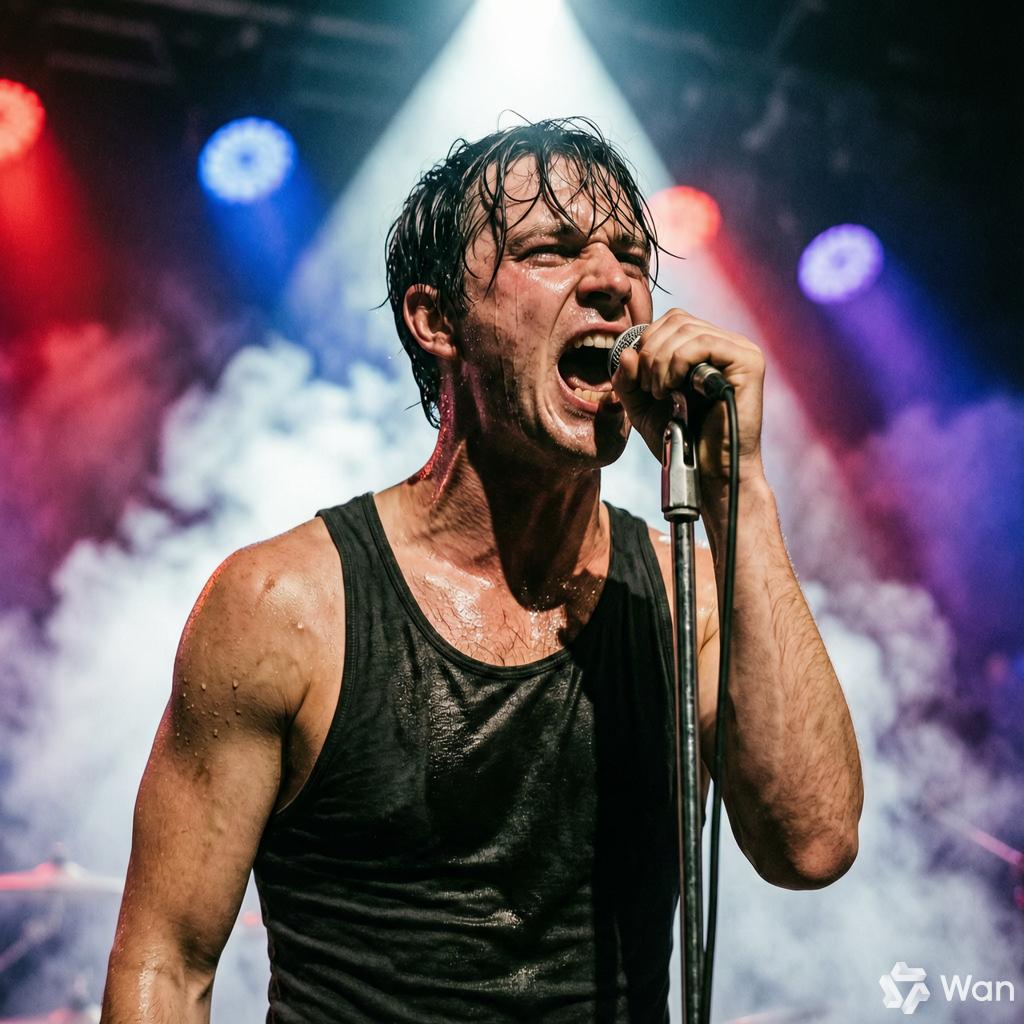
From a full beard and a young baby face to a slightly chubby figure and dark brown skin, the main subject maintains an amazing consistency.
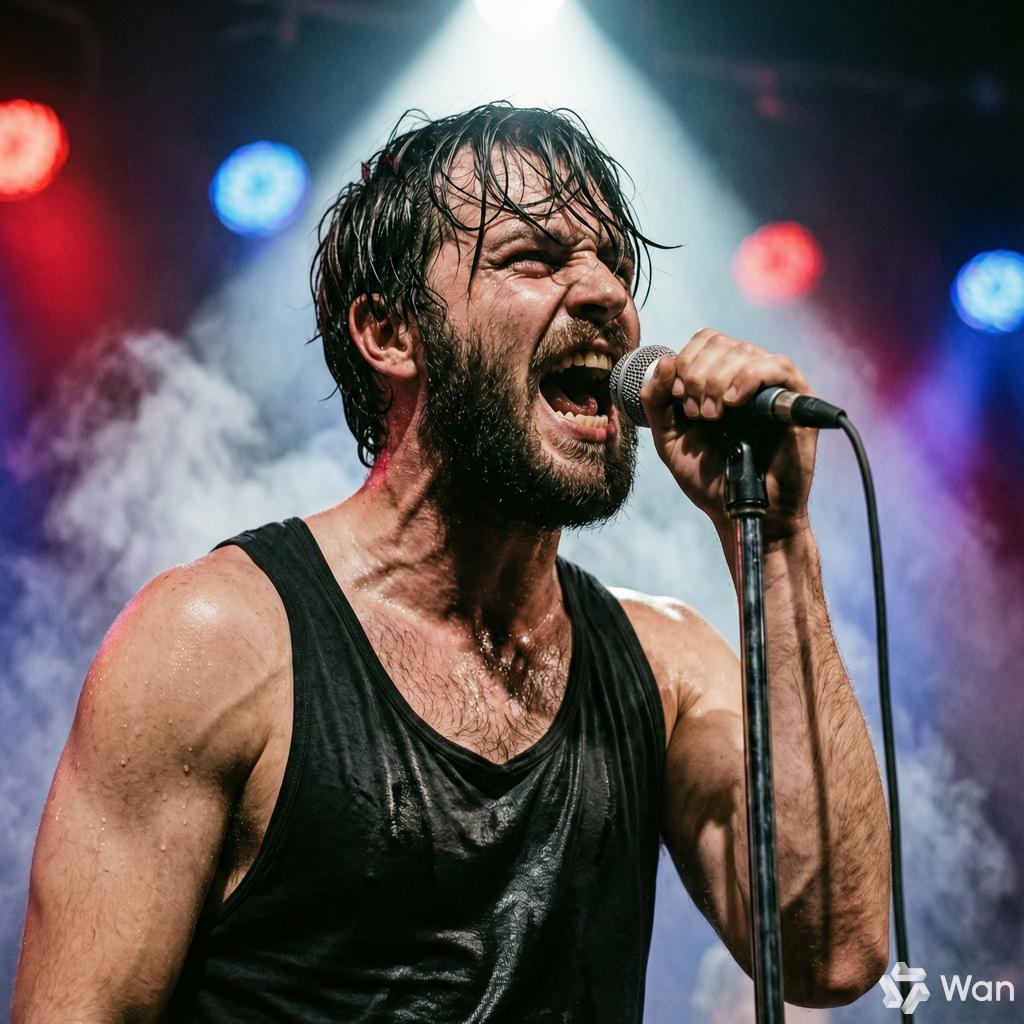
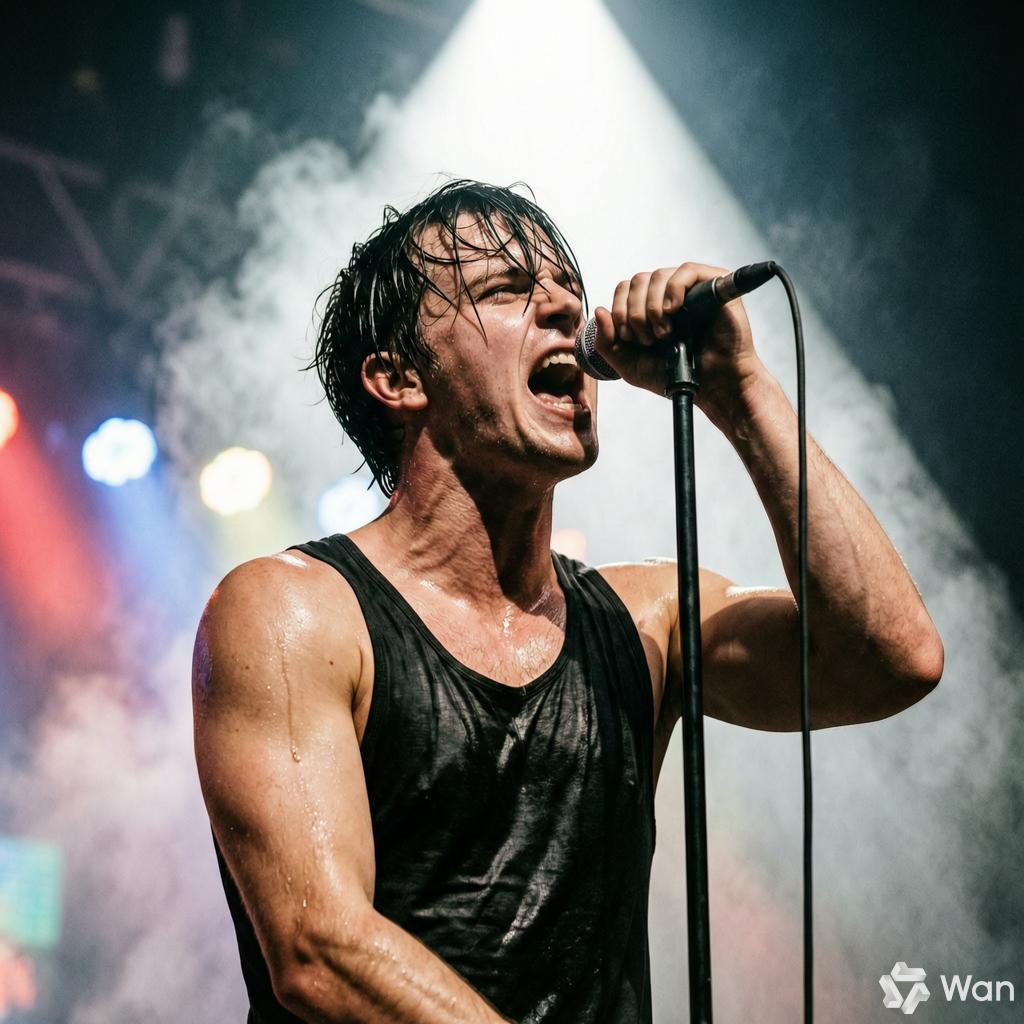
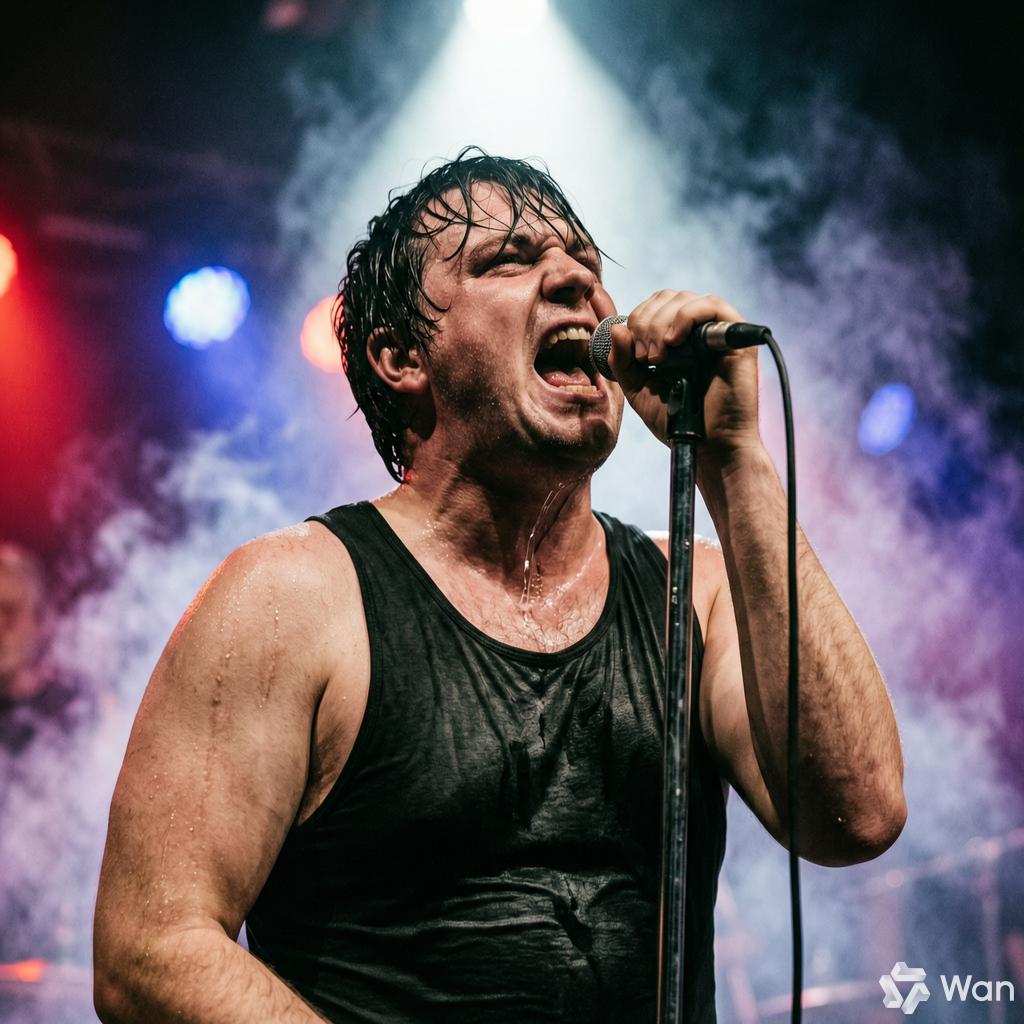
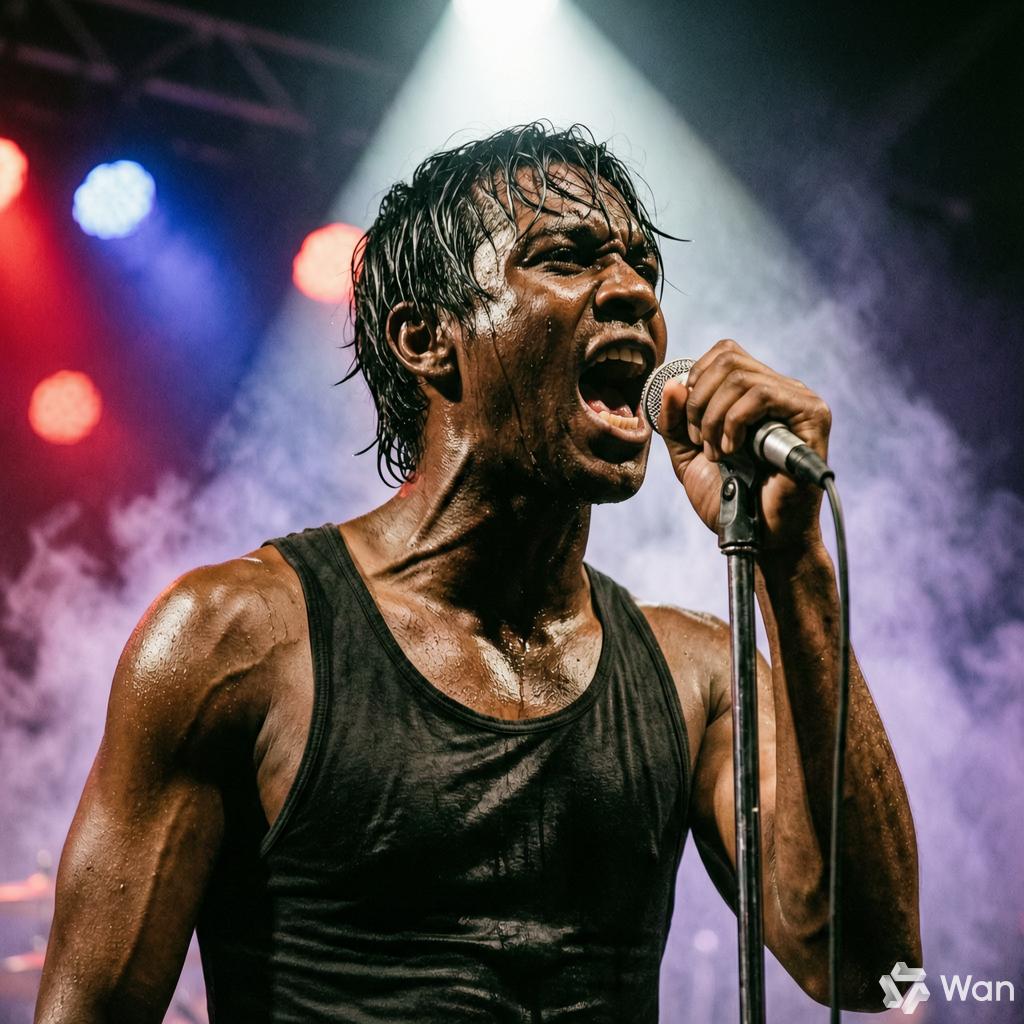
On the same stage, under the same top light, but five completely different faces!
Behind this is Wan2.7-Image, which was just launched by Alibaba on April 1st, a new model that integrates image generation and editing capabilities. It also supports being integrated into OpenClaw as Skills.
Put simply: Your AI assistant can now not only chat, write code, and automate tasks but also draw pictures. And it's really good at it.
Diverse Faces, Say Goodbye to AI-like Faces
The sense of "real human presence," a subtle form of authenticity, is precisely the most challenging aspect for AI image generation.
Open any image and text platform, and you'll be bombarded with homogeneous "plastic AI faces." Perfectly proportioned facial features, flawless egg-like skin, and a pair of empty and dull eyes.
These "standard faces" produced by algorithms are flawlessly beautiful but resemble idol trainees mass-produced on an assembly line.
All look the same, lacking in soul.
Wan2.7-Image's solution is to drill down the generation granularity to the microscopic levels of "bone structure" and "facial appearance." With a simple prompt, it can customize everything from the bone structure, the depth of the eyes to the subtle details of the facial features.
You can precisely request the generation of an oval face, a round face, a square face, or a rectangular face.
Prompt:
A front-facing half-body portrait of a 25-year-old East Asian woman with [face shape settings], natural light, looking directly into the camera, with long black straight hair falling over her shoulders, wearing a white round-neck T-shirt, against a solid light gray background. It has a realistic photography style, a 35mm lens, and a shallow depth of field.
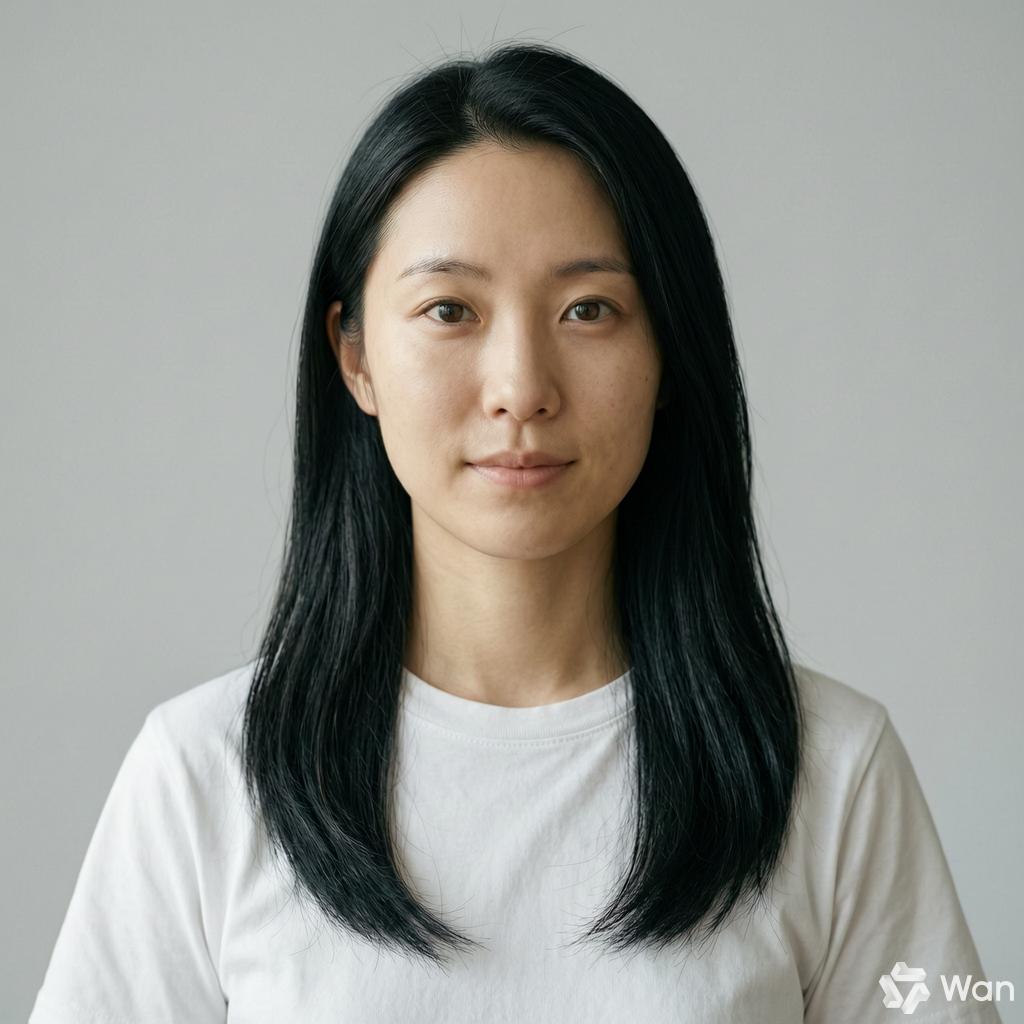
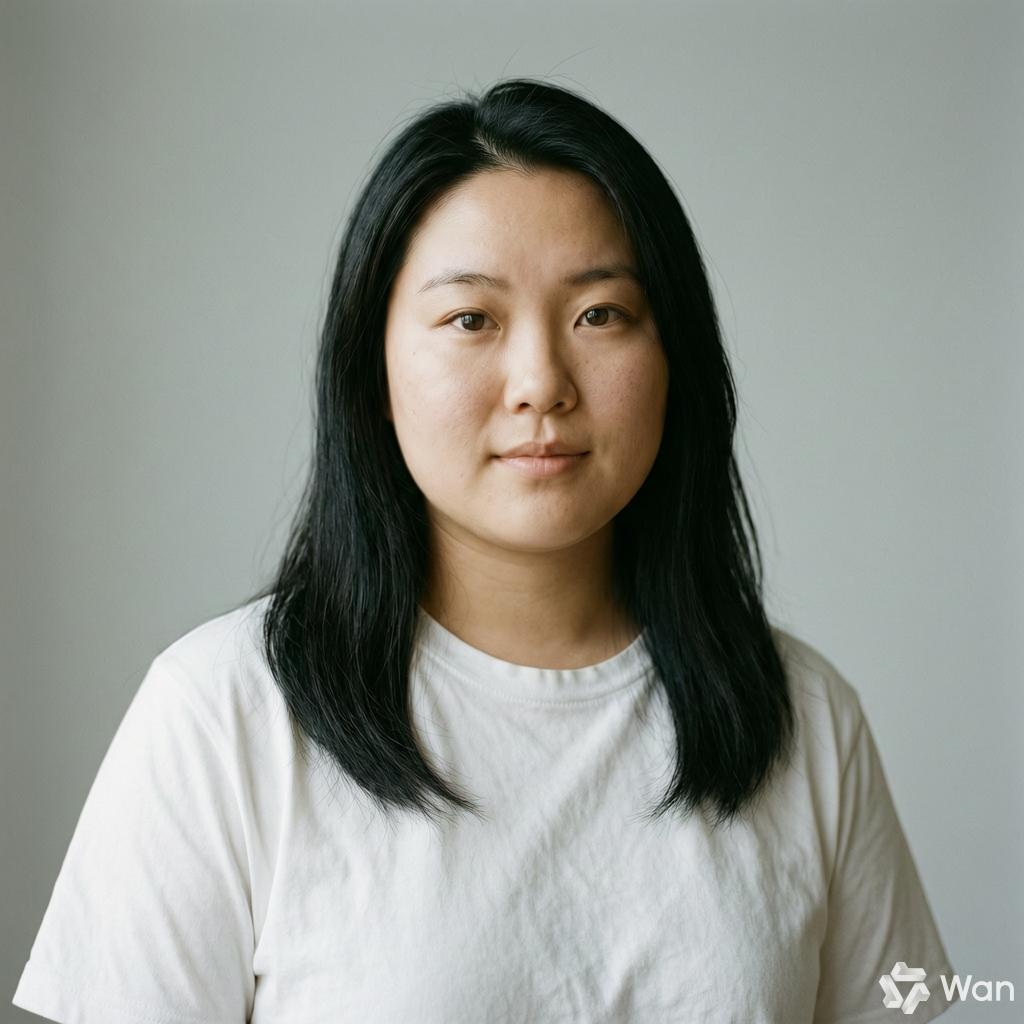
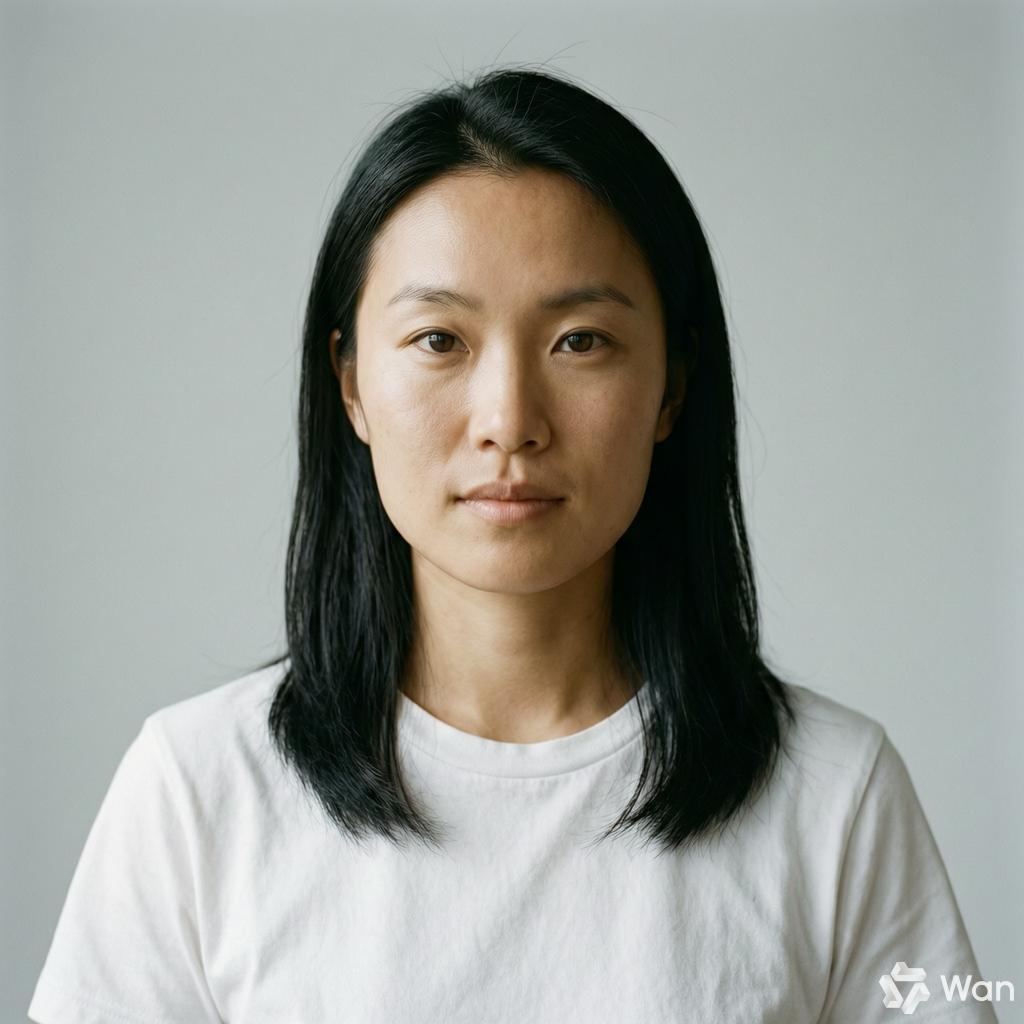
Oval face, round face, square face
This "facial shaping" can be further extended to fine-tuning the details of the eyes. You can customize almond eyes, round eyes, or phoenix eyes just by speaking.
Prompt:
A super-close-up facial shot, capturing only the area from the eyebrows to the tip of the nose. A 25-year-old East Asian woman with [eye settings], with delicate skin and a pore texture. Natural light shines gently from the front. She has no makeup, a natural face, with distinct eyelashes. The iris is dark brown with visible texture, and there is a small mole at the corner of her eye. The background is completely blurred into a milky white. It has a macro photography style, a 100mm macro lens, and ultra-high definition.
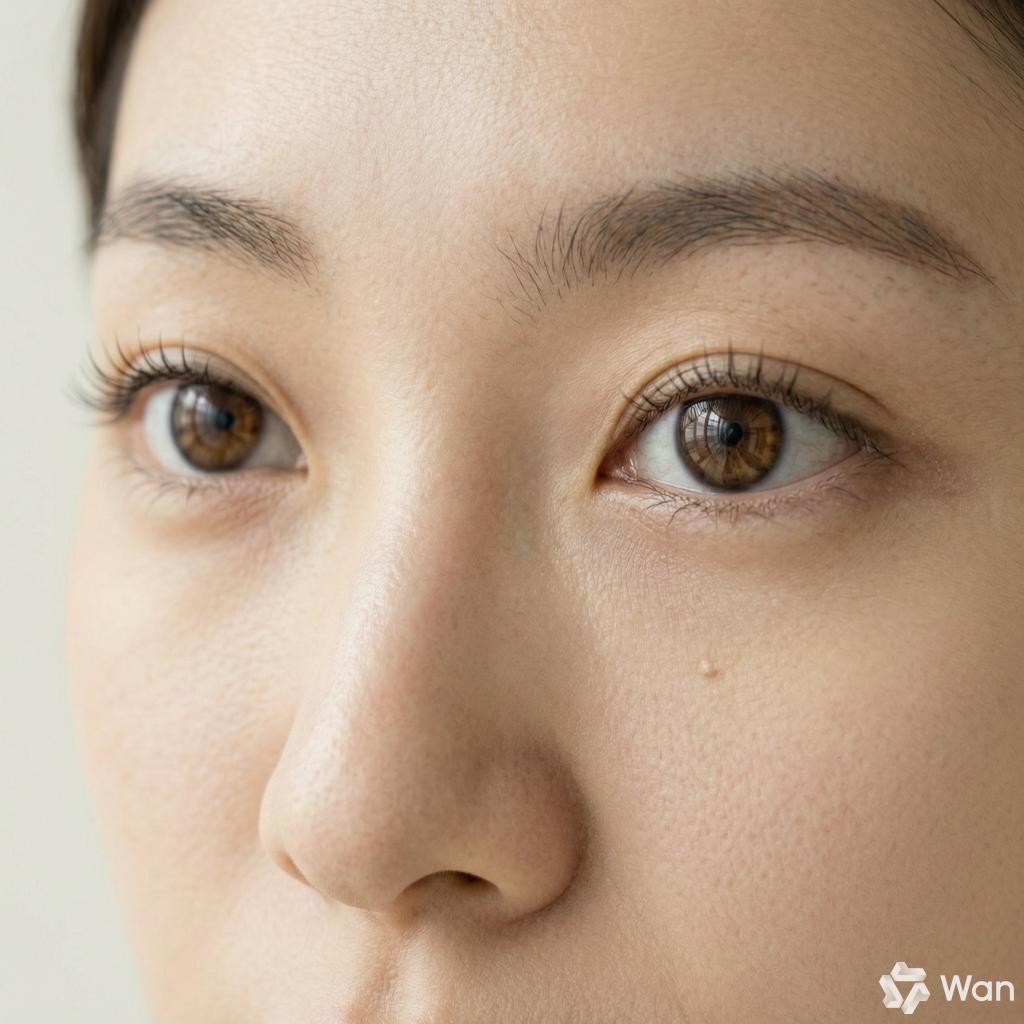
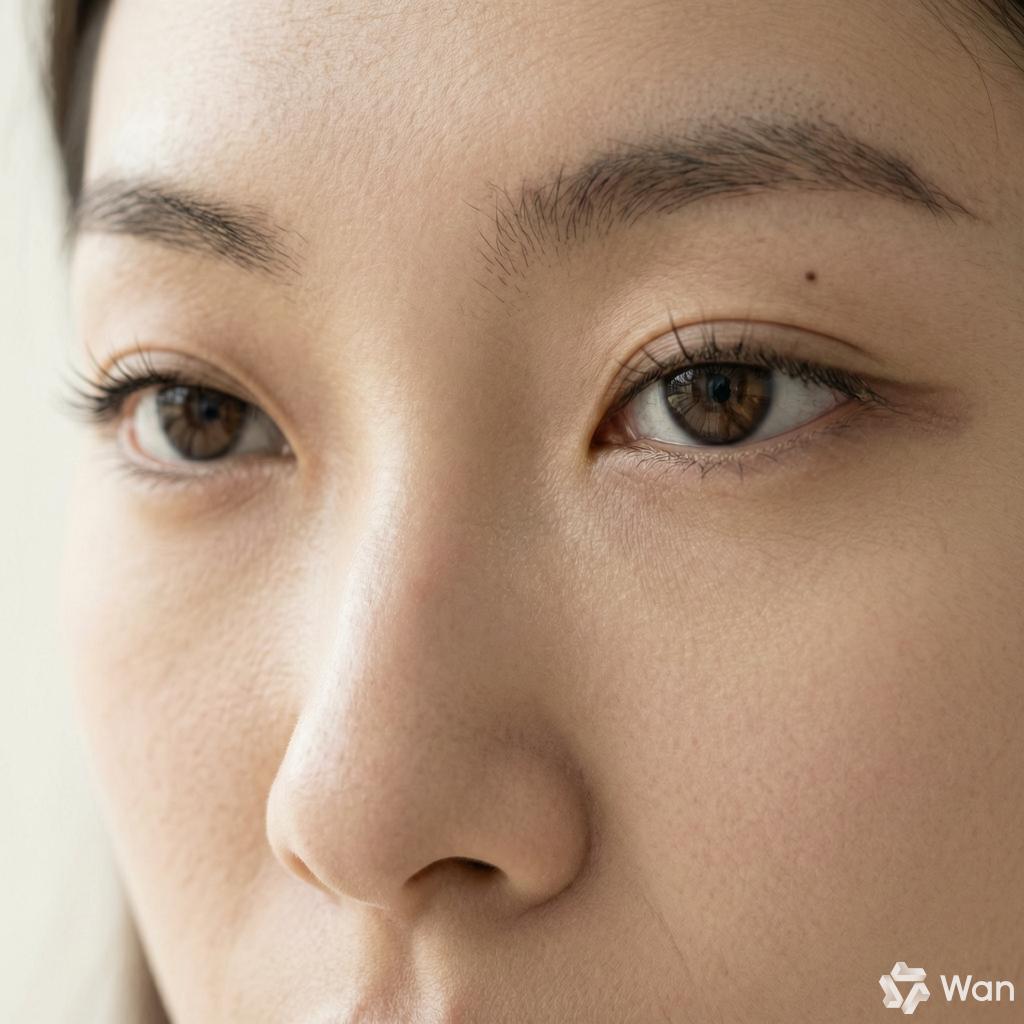
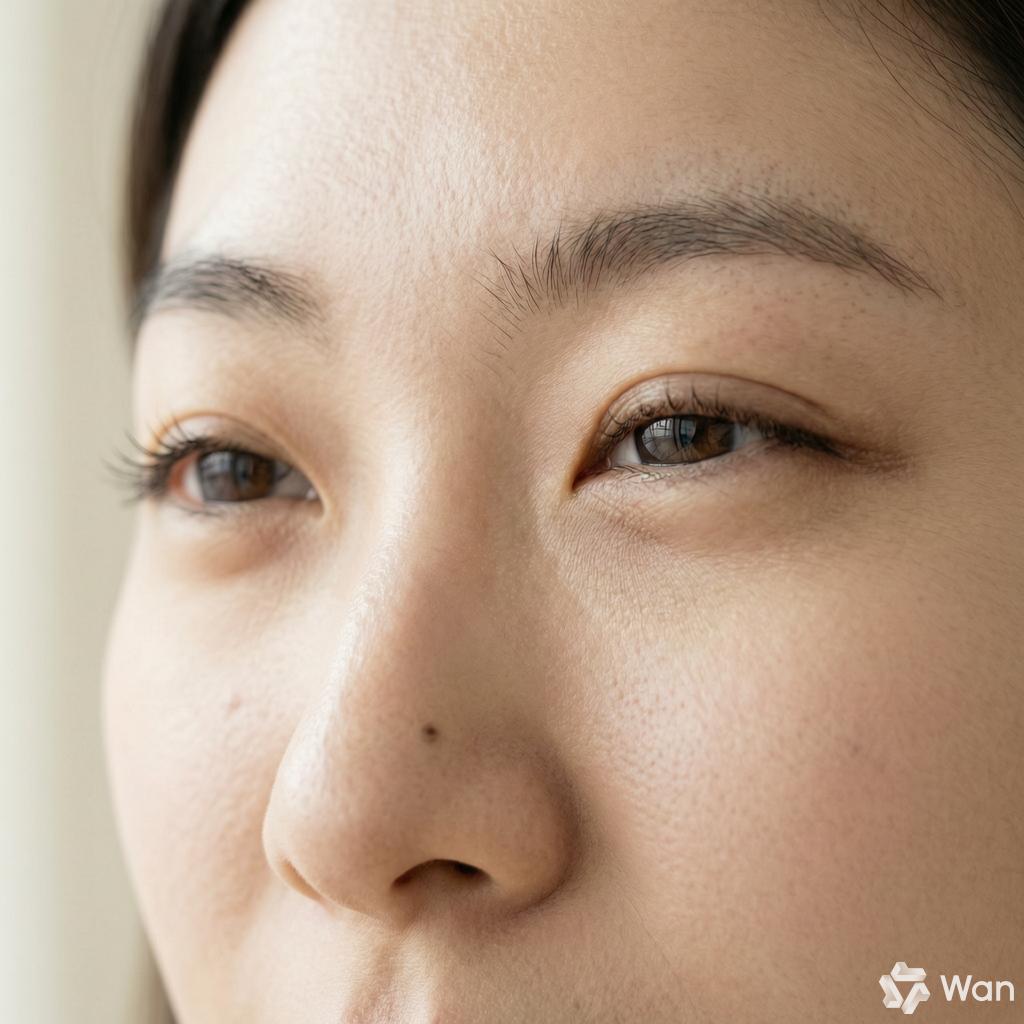
Almond eyes, phoenix eyes, slitted eyes
You can fully customize a person's face with just one sentence. Diverse faces can be achieved with a single phrase.
This is precisely the essence of the "real human presence": imperfect but real.
Pioneering the "Color Palette," Colors Are No Longer a Mystery
In the eyes of designers, colors are precise spatial coordinates.
A simple description like "warm orange tone" can produce vastly different results for different AIs: sometimes it's the earthy orange of Morandi, sometimes the bright yellow of Van Gogh's sunflowers, and sometimes it slides towards the deep red of an autumn sunset.
This kind of randomness in the "color blind box" makes it impossible for designers to deliver satisfactory work. In the face of a strict brand visual system, a 1% color difference means invalid output.
Therefore, Wan2.7-Image pioneered the "color palette" function in the industry, returning the control of colors to the creators.
Users can extract or input various colors and their proportions from a reference image with a single click using the HEX color code, freely adjust the number and proportion of colors, and customize color schemes.
From Matisse's rich red color scheme, Van Gogh's bright yellow color scheme to Picasso's cool blue color scheme, it can generate images in the same color family for reference.
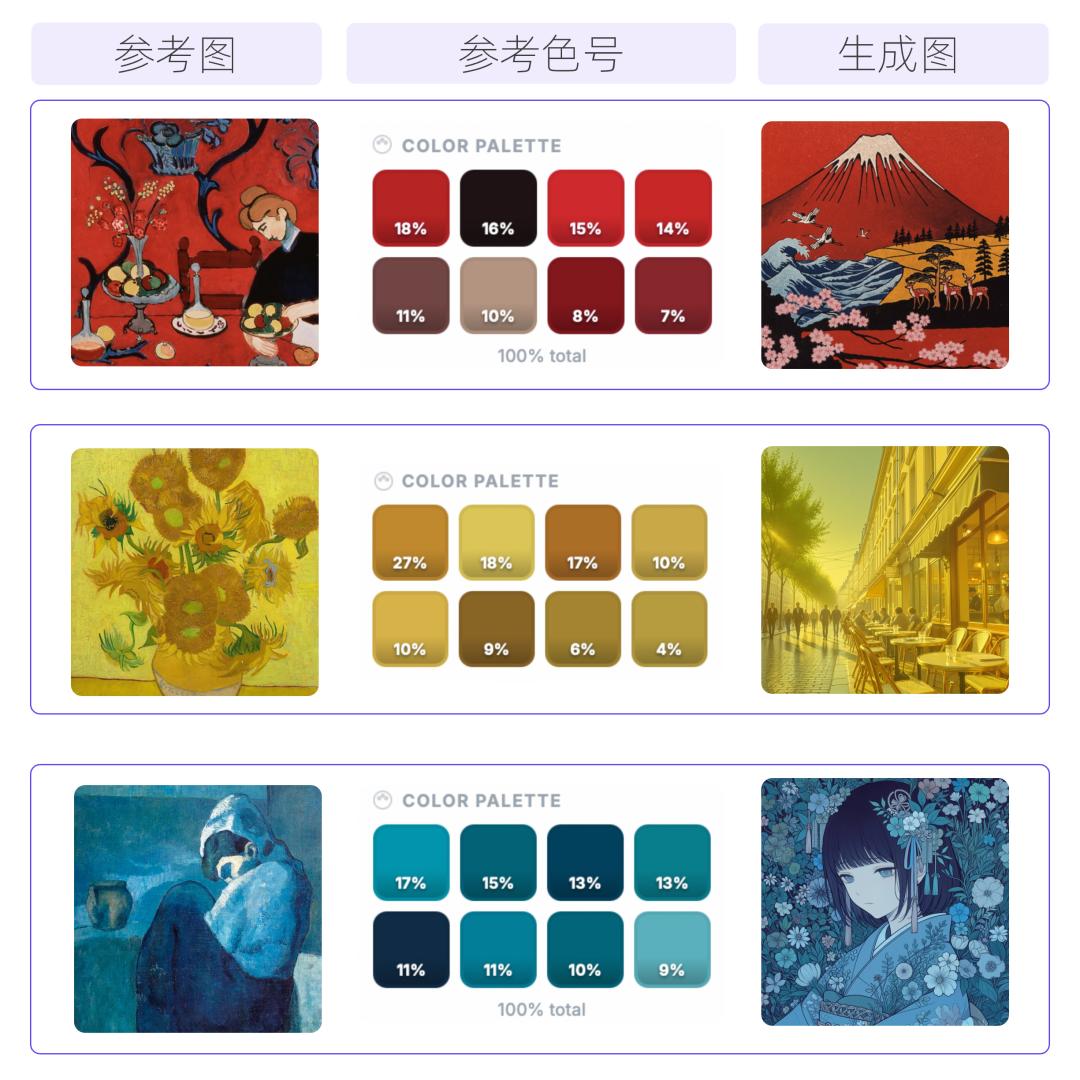
The web version of Wan already has a complete color palette interaction built-in. You can complete it in three steps:
Step 1: Click the "color palette" button on the bottom toolbar to pop up the color matching panel. The system has preset multiple recommended color schemes such as "blue tone," "passionate," "macaron," and "Morandi." You can choose one and use it directly.
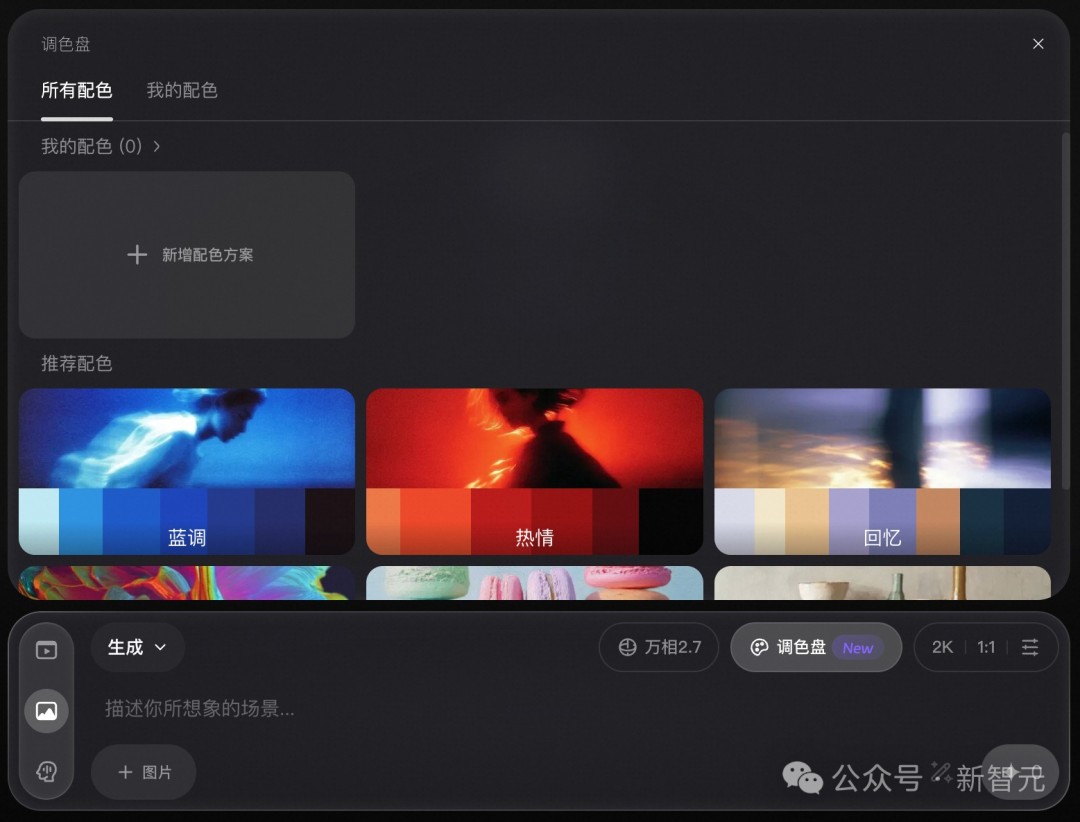
Step 2: Want to customize?
Click "Add a new color scheme," then click "Extract color scheme from image," upload any reference image, and the system will automatically extract the main colors and their proportions.
You can increase or decrease the number of colors using the plus and minus signs, and freely adjust the proportions by dragging the boundaries of the color blocks.
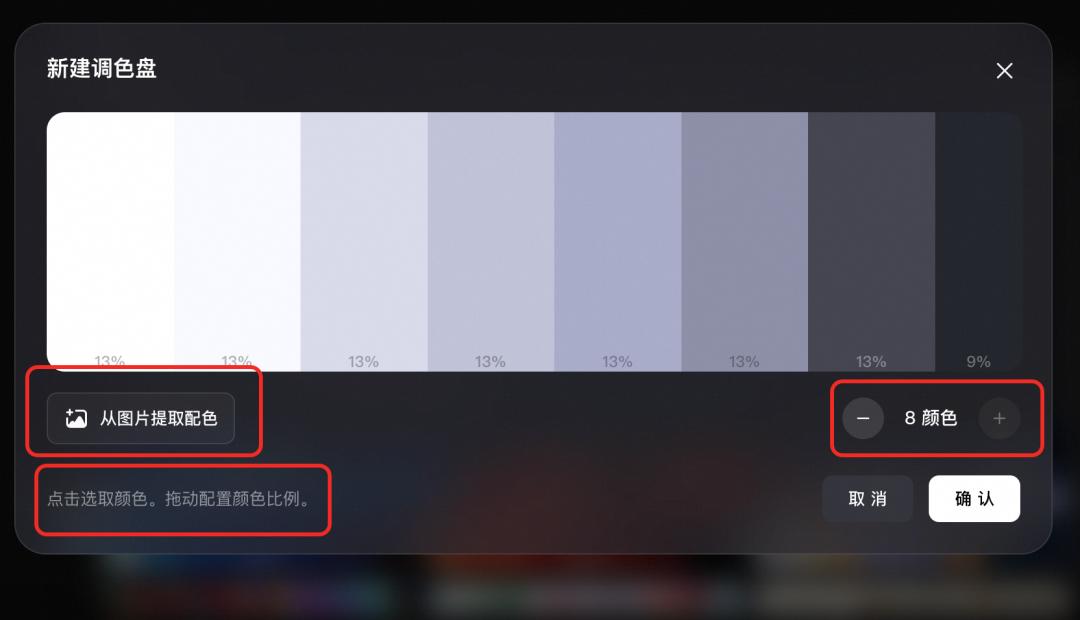
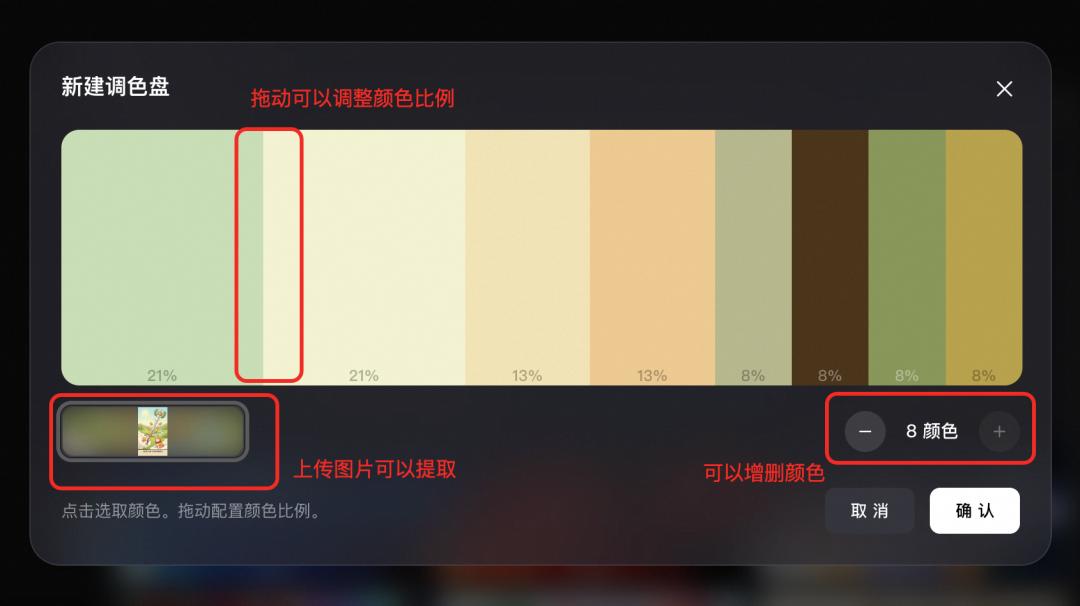
Step 3: After confirming the color scheme, return to the main interface. The color palette will be attached to the toolbar. Enter the scene description and click "Generate," and the generated image will strictly follow the color scheme you defined.
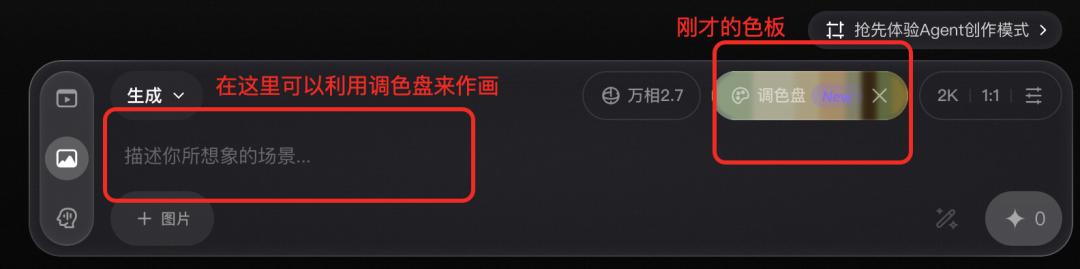
With this process, the soulful colors of world-famous paintings are now within reach.
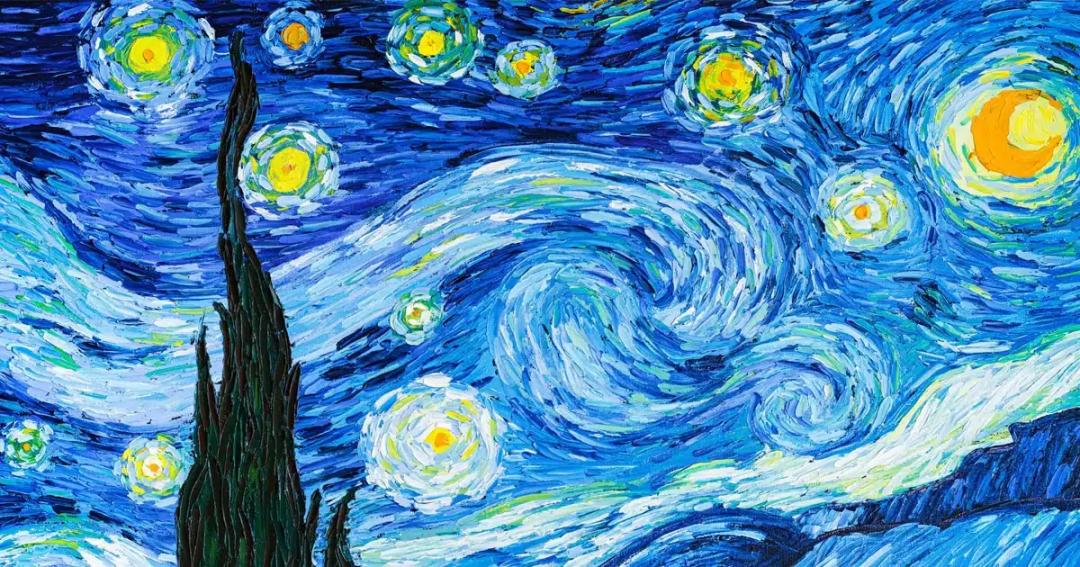
In Van Gogh's "Starry Night," the passionate and intertwined blue-yellow color contrast. Let Wan2.7-Image extract eight colors and reconstruct them in a modern city.
As you can see, in this brightly lit city, the colors from "Starry Night" are dotted everywhere.
Prompt:
A night view of the skyline of a modern city. The lights of the high-rise buildings are reflected on the calm river surface. There is a cross-river bridge in the distance. There are a few floating clouds in the sky. It has a cinematic composition, a wide-format frame, and an oil painting texture.