First-hand test of the domestic Apple AI: It's finally here after waiting for two years. Is it good to use?
On March 31, 2026, there was one day left until Apple's 50th anniversary. Quietly, a new option, "Apple Intelligence and Siri," appeared in the settings page of Chinese mainland iPhone users.
There was no product launch, no press release, and not even a single teaser from the official social media. Apple Intelligence landed on Chinese users' phones in an almost silent manner.
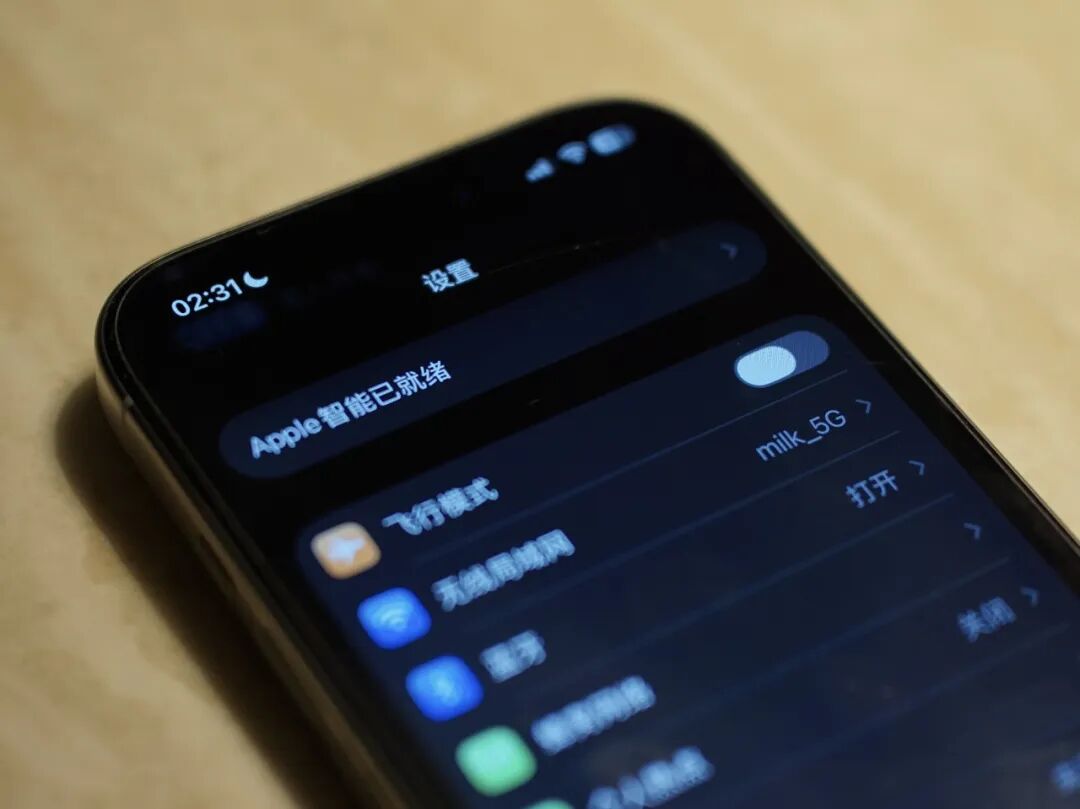
Since its high - profile debut at WWDC in June 2024, Chinese mainland users had waited a full 21 months for this moment.
ifanr completed the activation and comprehensive testing right away. Here's the conclusion:
The experience is very "Apple - like," but the results are just average.
However, if you're expecting an AI system that can compete head - on with Gemini or Doubao, this isn't what you're looking for.
How to activate Apple AI in the Chinese mainland?
First, you need to update your device to the iOS 26.4 system. Then, go to "Settings," and you'll find that the original "Siri" entry has been renamed to "Apple Intelligence and Siri."
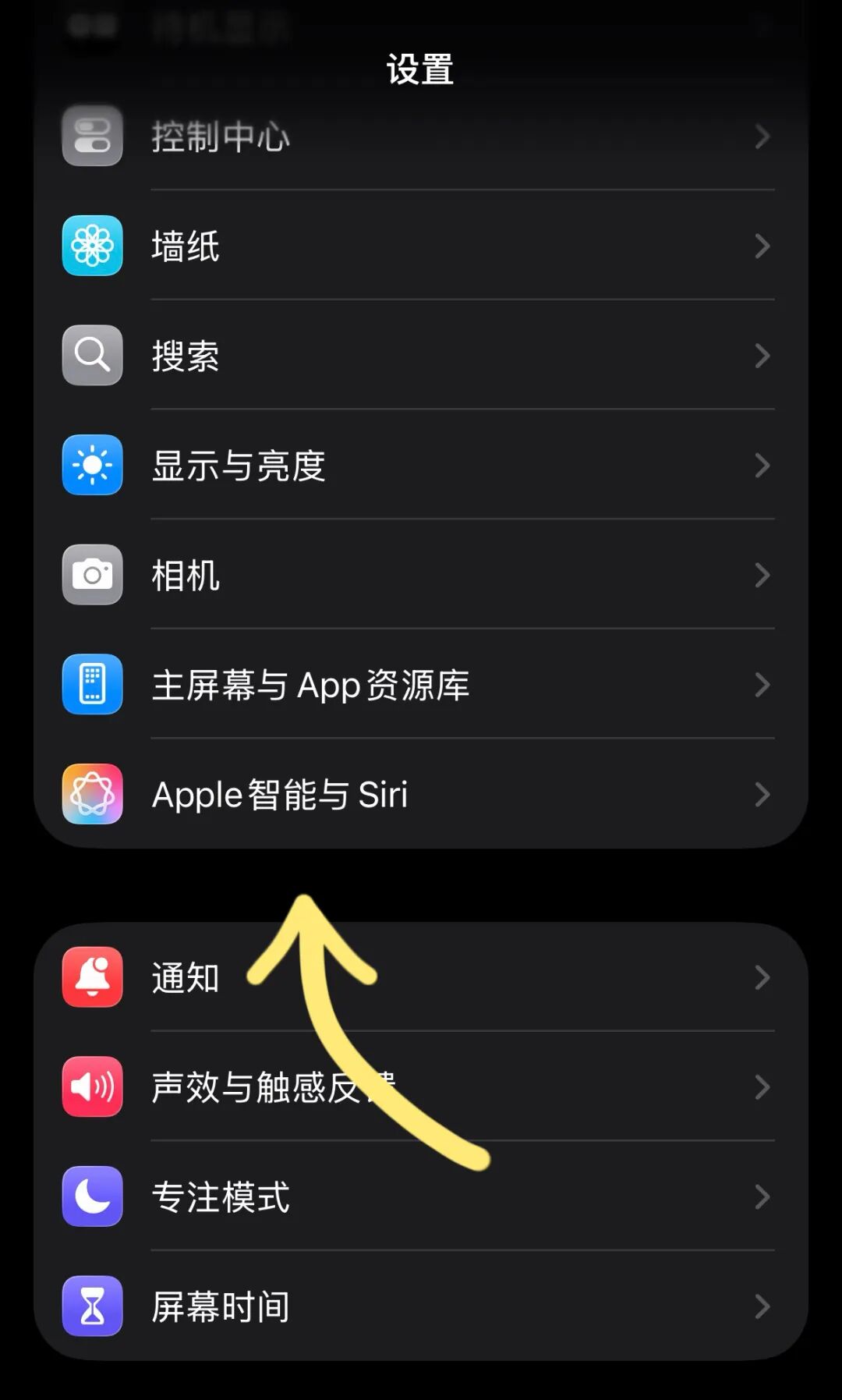
Click to enter, then turn on the switch for Apple Intelligence, and the system will start downloading the on - device model.
The whole process requires a Wi - Fi connection. The download time depends on the network conditions. In our test, it took about ten minutes. After the download is complete, a series of new functions will be unlocked.
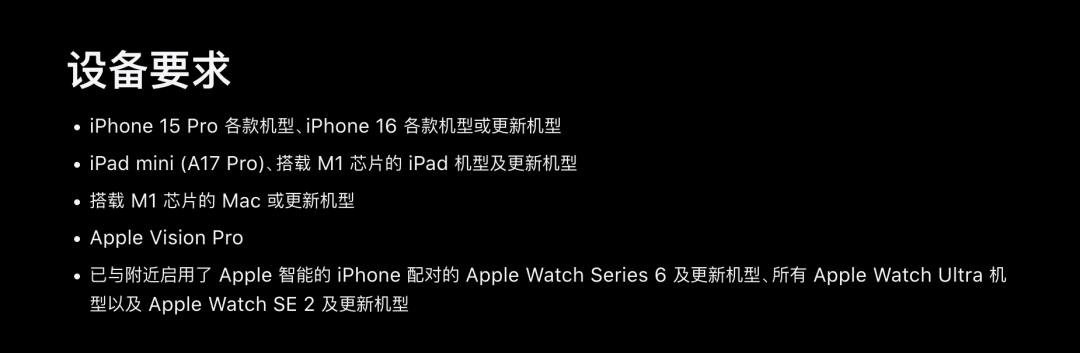
There are strict requirements for the device model: Only the iPhone 15 Pro and later models can run Apple Intelligence. The earlier standard iPhone 15 models are excluded due to chip and memory limitations.
It should be noted that some functions failed to activate in the first batch of push updates. During our testing, we encountered situations where individual functions couldn't be enabled properly, but they returned to normal after a restart, which wasn't unexpected.
Testing of new functions: Fast speed, average experience
When you open the new Siri, the most obvious change is at the visual level. The soft glow around the screen edge replaces the previous circular animation floating at the bottom, and the entire interaction rhythm is significantly smoother.
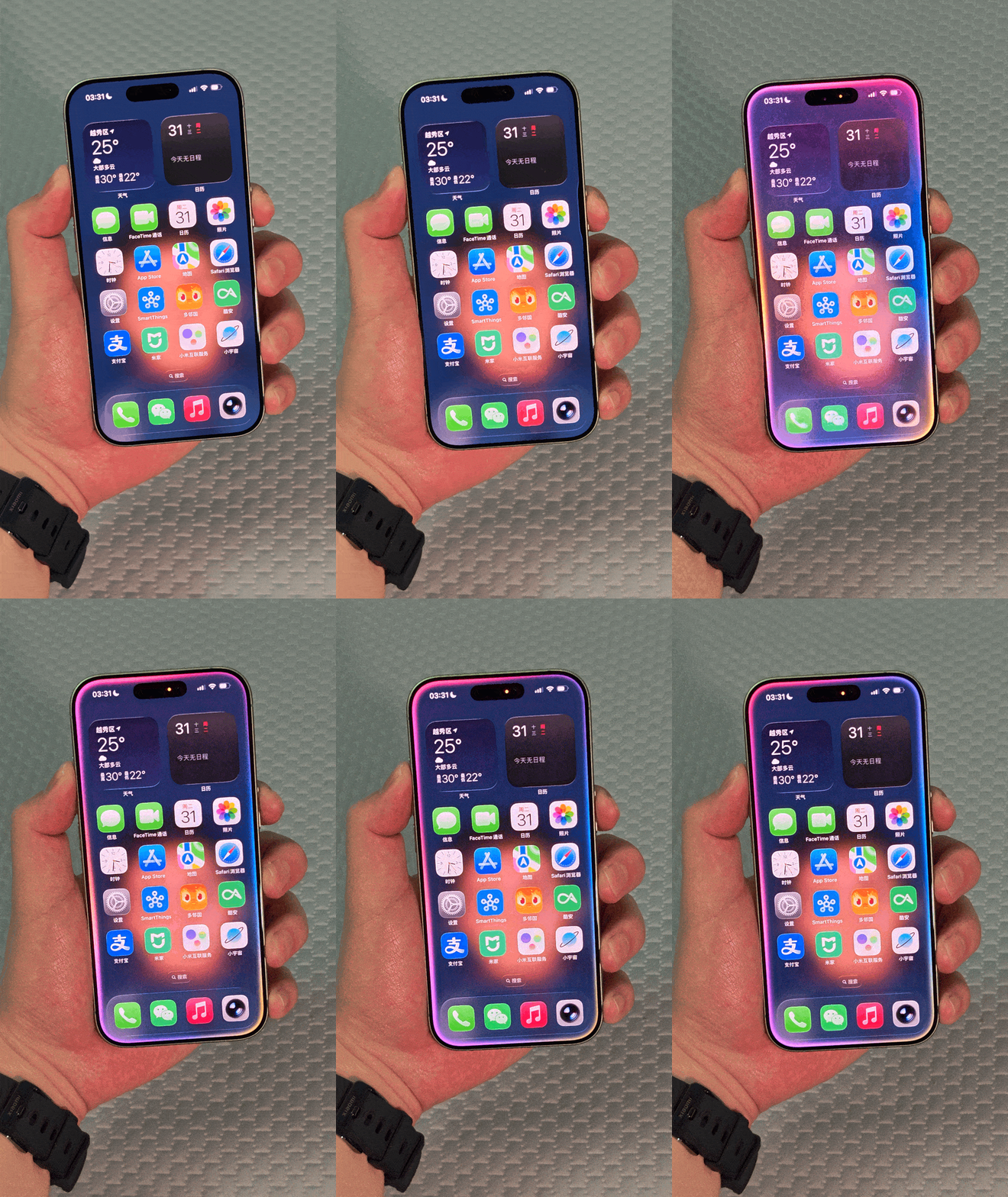
Siri now supports both voice and text input, which means you can communicate with it by typing in a meeting room or a quiet public place without worrying about the embarrassment of speaking out.
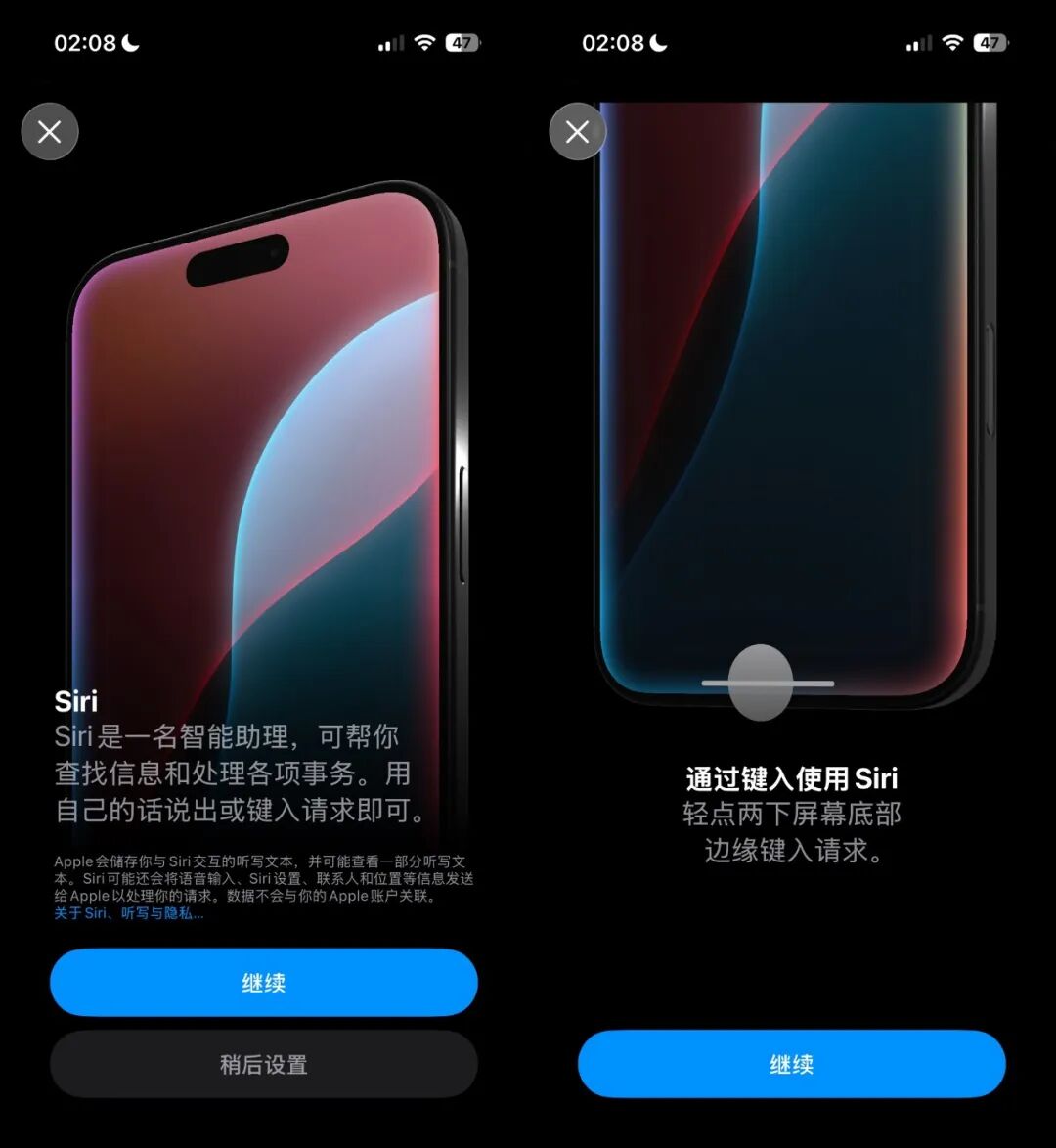
The semantic understanding ability has been improved, and it can handle some context - coherent conversations. However, in our tests, Siri's in - depth conversation ability still has a visible gap compared to ChatGPT or Doubao.
One thing worth noting is the issue of large - model invocation.
The situation of the backend models invoked by the Chinese mainland version of Apple Intelligence is quite complex. In terms of visual recognition AI, through the "Camera Control" button on the iPhone 16 in our test, the visual recognition engine that popped up should be from Google.
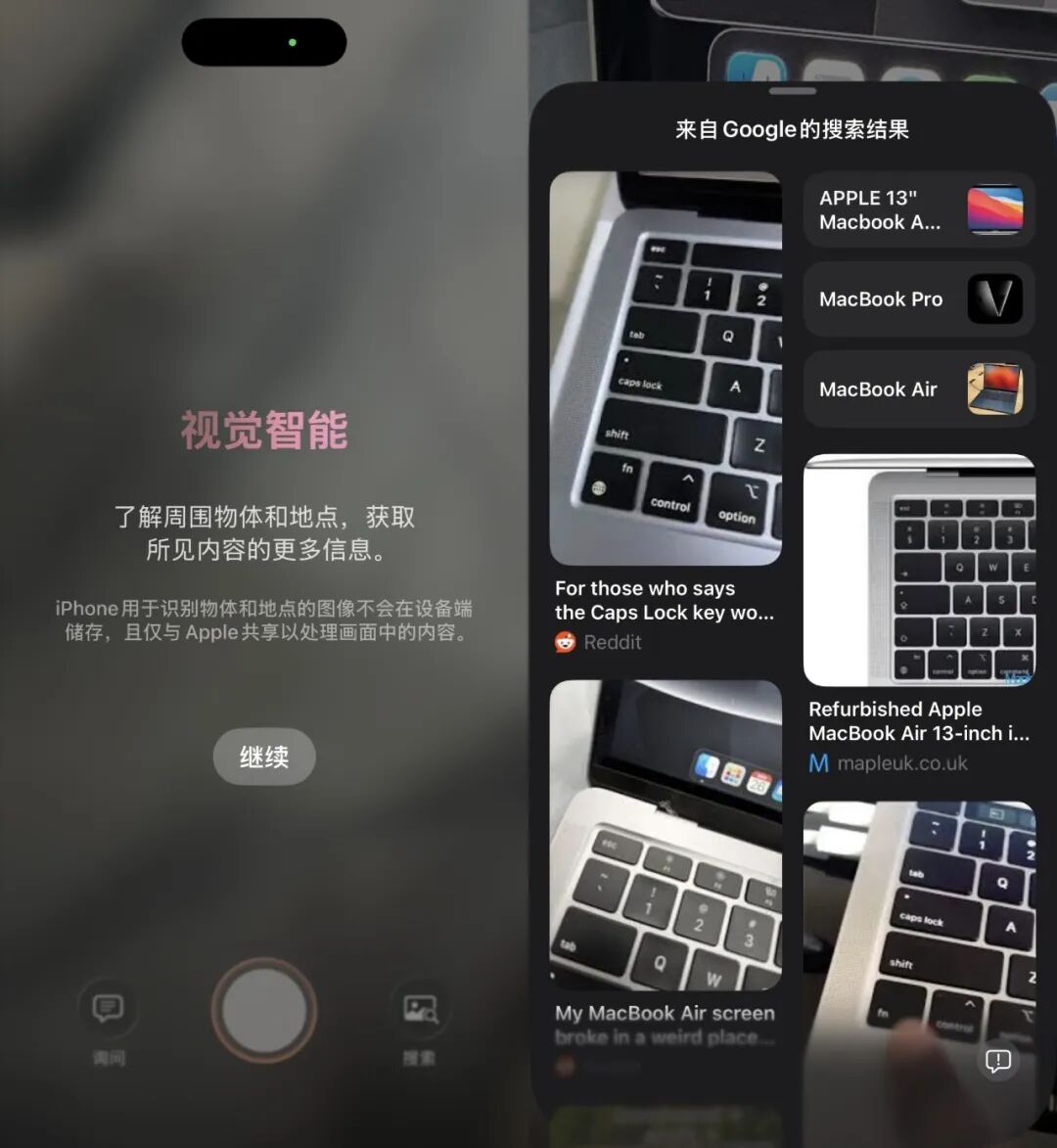
In the conversation and content generation process of Siri, ifanr's test found that it's possible to invoke GPT, and there are also reports of invoking Baidu's Wenxin Big Model online.
This is quite delicate because previously, the industry generally expected that the Chinese mainland version would only connect to the models of Baidu and Alibaba. Apple has not given a clear explanation on the specific model invocation strategy, and it may be highly related to the network environment.
The writing tool covers system - level text input scenarios, including native apps such as Notes, Mail, and Messages. After selecting a paragraph of text, you can invoke functions such as polishing, rewriting, and summarizing.
The speed is the most impressive aspect of the writing tool.
Since the model runs locally, there is almost no perceptible delay from the click to the result presentation. When we selected a 200 - word draft in the Notes app and clicked "Change to a professional tone," the complete result was output in less than two seconds. This instant feedback provides a very good experience for daily use.
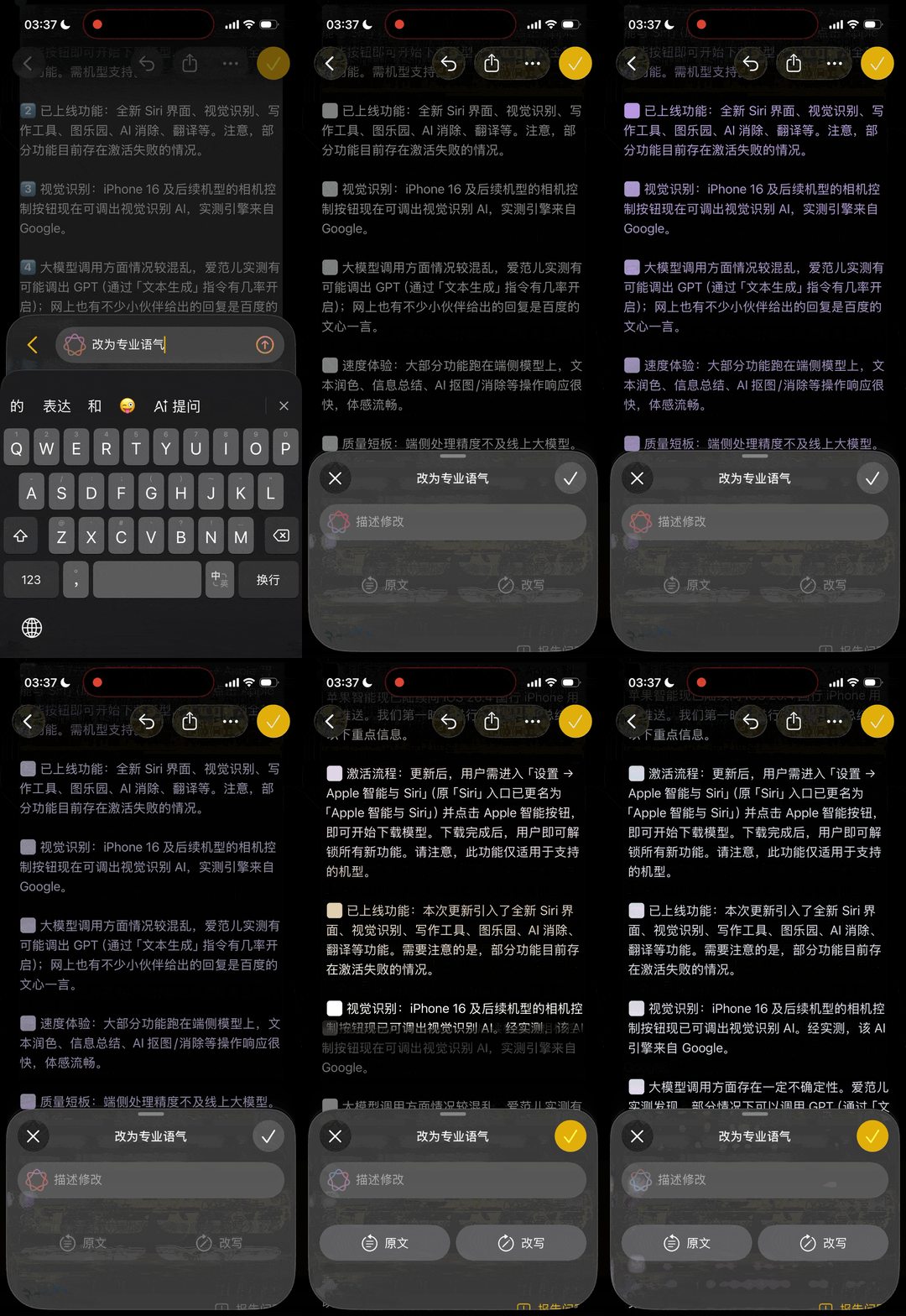
However, the limitations of the on - device model are also clearly visible.
The summary of complex long texts may sometimes miss key information, and tone rewriting may occasionally result in non - idiomatic expressions. Compared with writing tools that invoke online large models, it excels in speed and privacy but lags in accuracy and flexibility. In front of cloud - based models, Apple's AI writing tool is like a primary - school student.
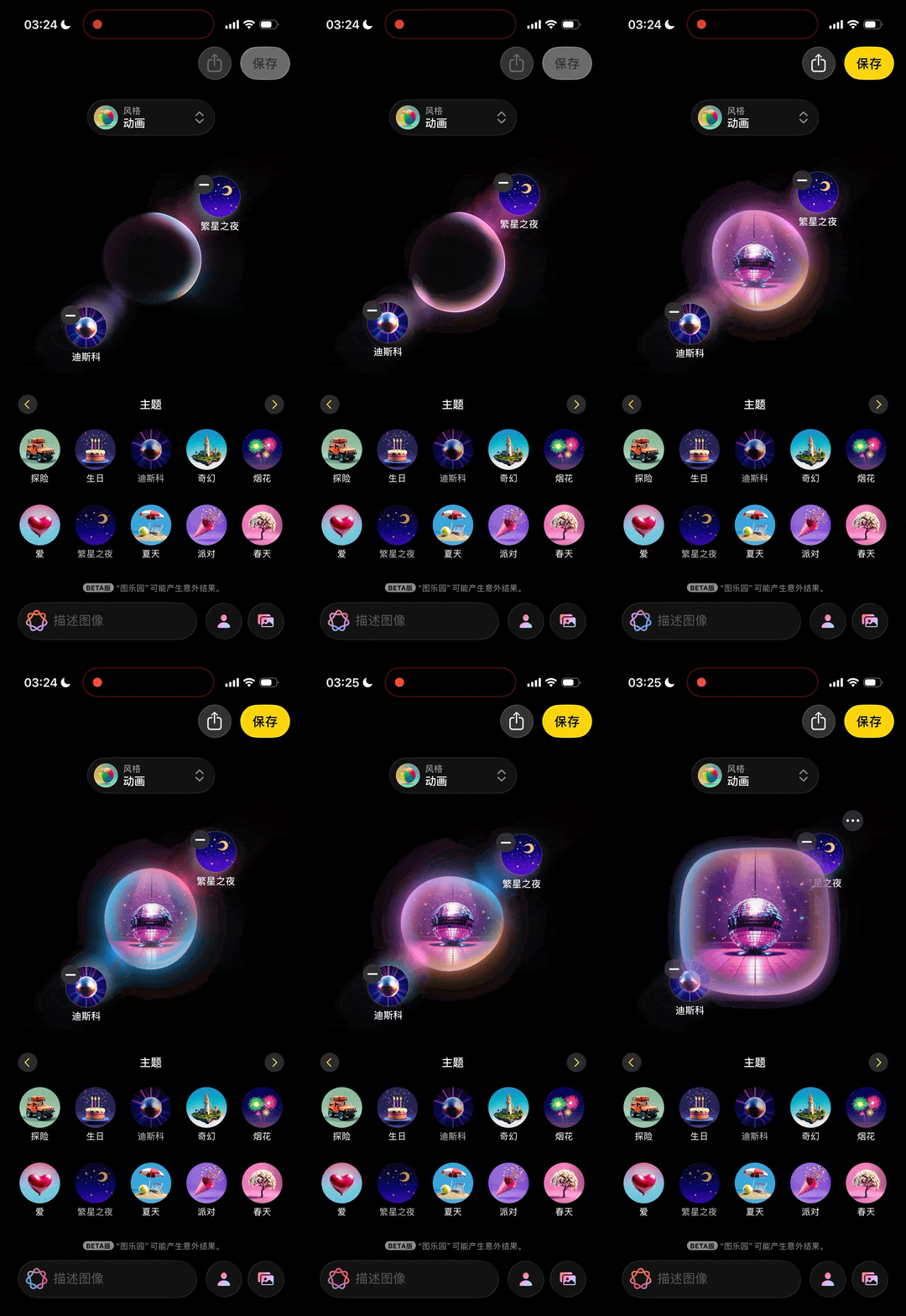
After the download of Apple Intelligence is complete, a new app called "Image Paradise" will appear on the desktop.
It supports generating images based on text descriptions and offers three styles: sketch, illustration, and animation. You can input descriptions or directly use faces from your photo library as materials to generate artistic - style images with your own features.
The generation speed is very fast, and an image can be generated in about three to five seconds. This is due to the optimization of the on - device diffusion model, but the phone will heat up significantly.
Apple clearly doesn't position Image Paradise as a professional creative tool. It's more like a fun system - level accessory. If you really want to do AI photo editing, you'd better choose Doubao.
The AI removal function is the most practical feature in this update.
Open a photo in the Photos app, select the removal tool, and use your finger to smear the subject you want to remove. The system will automatically recognize and complete the removal and background filling. The good news is that the speed is surprisingly fast.
Selecting, smearing, and removing the subject takes less than three seconds and is completely done locally. It's very efficient for removing distractions such as passers - by, utility poles, and trash cans from daily photos.
The bad news is that the accuracy is not high.
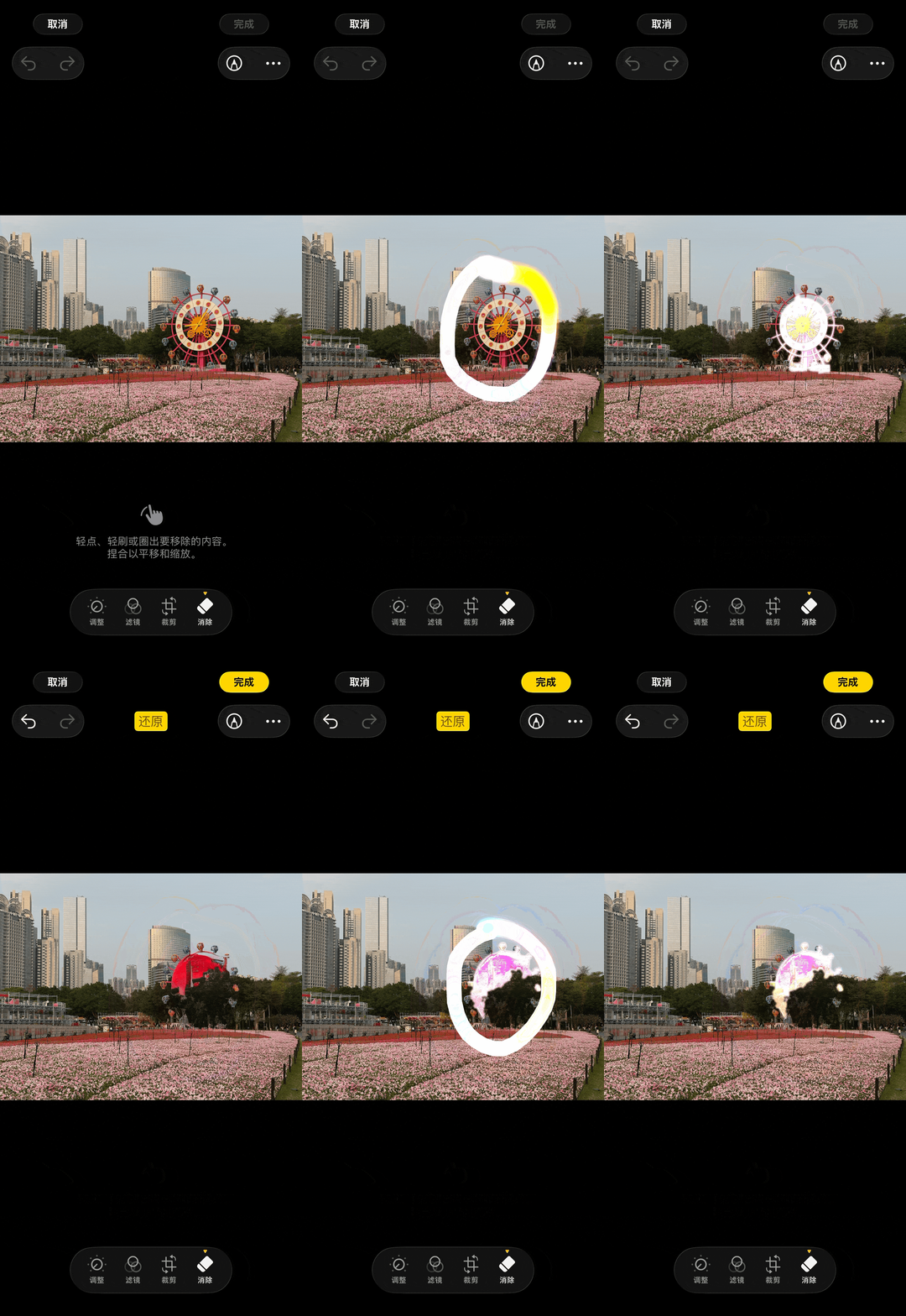
In our tests, the AI removal function can quickly recognize and remove the subject, but there are obvious flaws at the detail level.
When you zoom in on the photo, you can see problems such as residual shadows, blurred edges, and discontinuous filling textures.
If you're removing a small object with a simple background, the effect is acceptable. However, when faced with a complex background or large - area removal, the flaws in the image are obvious.
Compared with the removal functions of Gemini or Doubao, Apple Intelligence's AI removal has a significant gap. However, Apple chooses to do all the processing locally, which exchanges privacy and speed at the cost of quality.
For private photo materials, using the on - device model may be more reassuring.

The system - level translation function is now also included in the Apple Intelligence system.
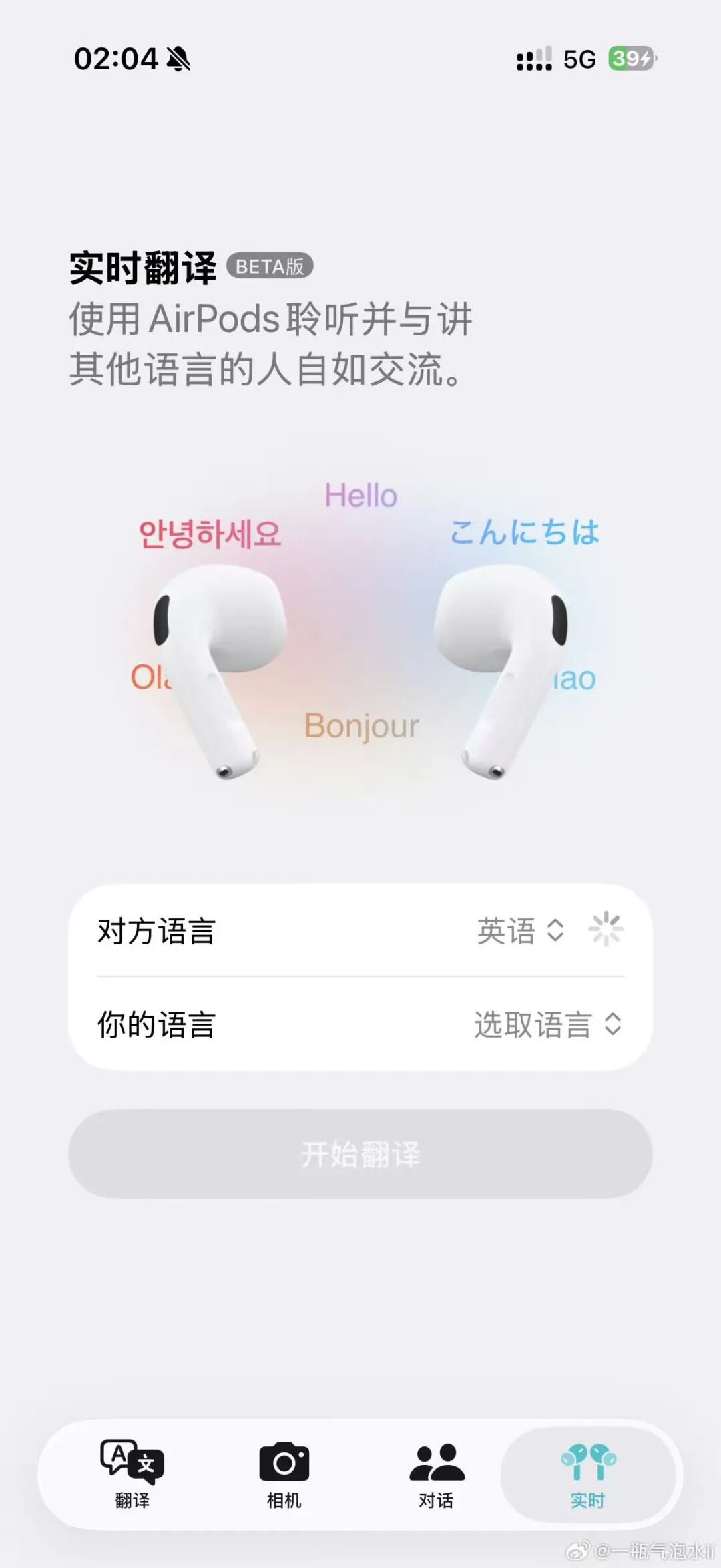
It supports real - time conversation translation and text translation and can be directly invoked in scenarios such as Messages and Safari. The response speed is very fast. You can download the language packs in advance, and it can be activated on both the iPhone and AirPods Pro 3 in our tests.
However, there is still a gap in translation quality compared to DeepL or Google Translate, especially in handling long sentences, professional terms, and context judgment. For Apple, the translation function is more like a practical system - level supplement rather than a competitor in the translation field.
Overall, the overall experience of the Chinese mainland version of Apple Intelligence can be summarized in two words: fast and secure. It's fast because most functions run on - device models.
Text polishing, information summarization, AI image matting, and removal all have very smooth response speeds, without the common waiting time when invoking cloud - based services. This "get what you think" interaction rhythm is indeed Apple's strength.
Security is reflected in the fact that all data processing is done locally and not uploaded to the cloud.
For domestic users with increasing privacy sensitivity, this is a non - negligible advantage. Your photos, texts, and conversation records won't leave your device, and Apple has achieved this.
However, the other side of "fast" and "secure" is the upper limit of the quality of on - device processing.

Compared with competitors that invoke online large models, Apple Intelligence has a perceptible gap in dimensions such as removal accuracy, text understanding depth, and image generation quality.
Apple has made a clear choice between privacy and performance, and users can feel the cost of this choice every time they use it.
Why did Apple's AI take so long to arrive?
Apple Intelligence made its debut at WWDC24 on June 10, 2024.
At that product launch, Apple did something unprecedented: it incorporated the letters "AI" into its core narrative.
Before that, Apple had always deliberately avoided this abbreviation and preferred to use terms like "machine learning" to describe its technological capabilities. However, the generative AI wave set off by OpenAI changed everything, and Apple had to face the challenge head - on.
Apple Intelligence is described as a "personal intelligence system." Its core architecture consists of a small on - device model with about 3 billion parameters and a large model invoked through Private Cloud Compute in the cloud, running on Apple Silicon at the bottom layer.
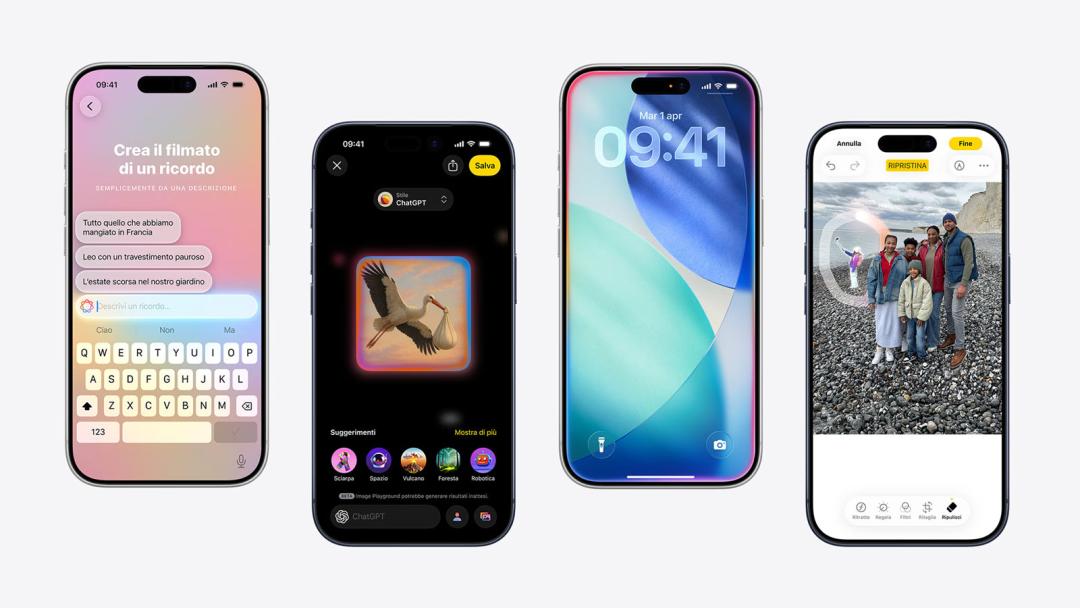
At that product launch, Apple reached an integration agreement with OpenAI for ChatGPT. When Siri encounters a problem beyond its local capabilities, it can invoke GPT.
In October 2024, Apple Intelligence was first launched in the United States with iOS 18.1 and then gradually expanded to English - speaking markets such as the UK, Australia, and Canada. In December, more English - speaking regions were supported.
On March 31, 2025, the iOS 18.4 update enabled Apple Intelligence to support multiple languages such as Simplified Chinese, Japanese, and Korean.
However, it took a long time to arrive in the Chinese mainland.
