Actual test: The Apple AIPC worth 50,000 yuan is even better than we thought | Review of the M5 Max MacBook Pro
If you have a budget of 50,000 yuan to build a personal computer, how would you make your choices?
In the past, you might have allocated the majority of your budget to the graphics card. After all, whether you're a gamer or just want to unwind with games after work, having a powerful GPU is never a bad thing.

▲ Image | Internet
However, nowadays, this question has become more complicated.
The budget that used to be evenly distributed among the CPU, GPU, motherboard, memory, hard drive, and peripherals has suddenly been disrupted by the "money - gobbling behemoth" that is memory.
Now, no matter what you plan to use the computer for, you'll encounter the problem of having to make trade - offs:
Large - capacity memory, high - end graphics memory, and large - capacity hard drives are all essential, but each will put a strain on your wallet.
Amid the chaos in the memory market, the Mac has emerged as the ideal solution to the above - mentioned problem.
The Most Powerful AI - Capable Mac to Date
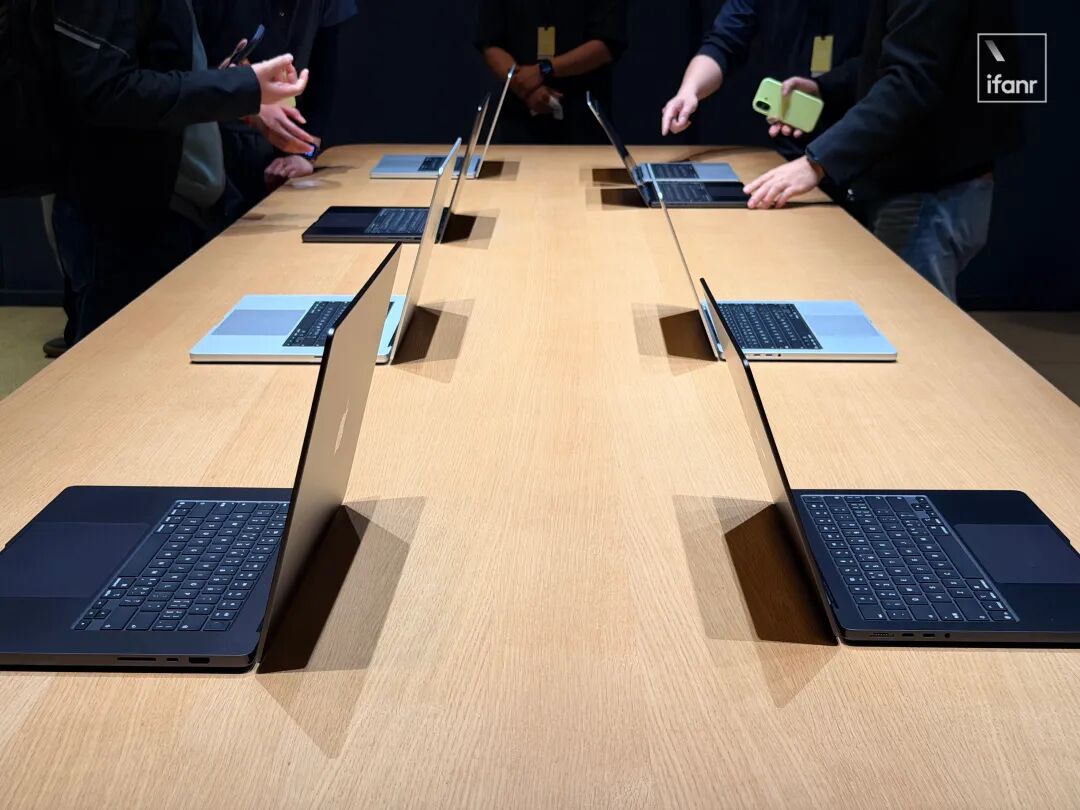
At the recent spring product launch event, Apple, as expected, introduced an upgraded version of the M5 MacBook Pro, along with the accompanying M5 Pro and M5 Max processors.
As a result of Apple Silicon's full adoption of TSMC's 3nm N3P process, the two new processors have indeed lived up to our expectations in terms of specifications.
Among them, the M5 Pro comes in two configurations: 15 + 16 cores and 18 + 20 cores. Both are equipped with the neural network accelerator from last year's M5, which is the so - called "Apple - version Tensor Core".
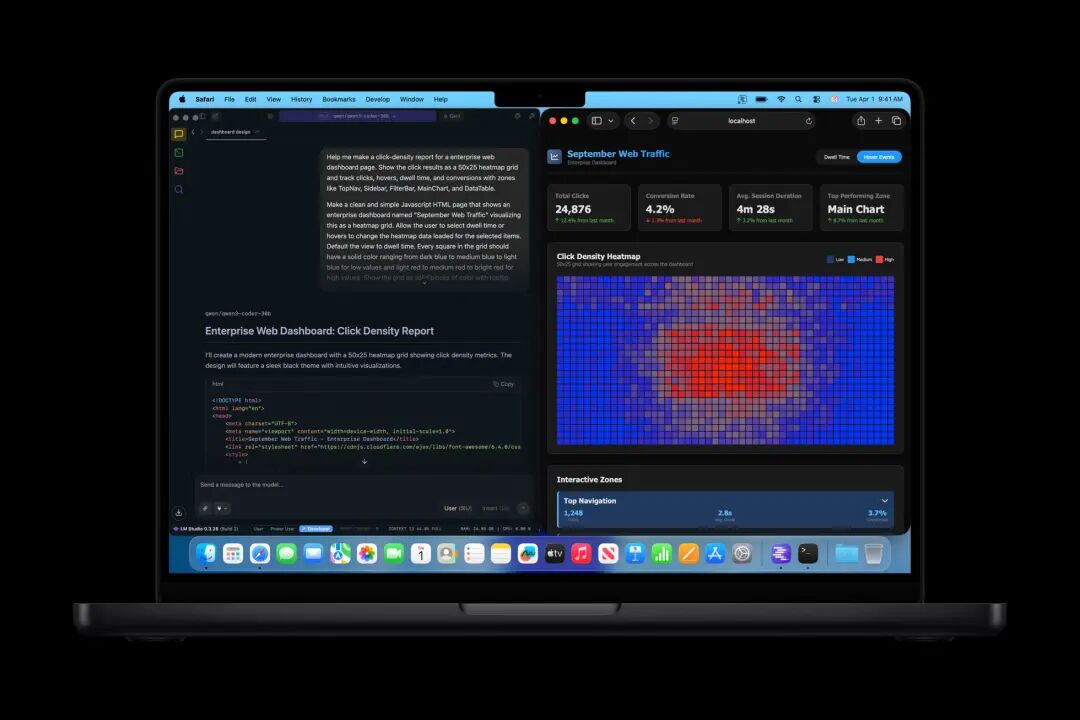
▲ Image | Apple
The M5 Max, on the other hand, offers options of 18 + 32 cores and 18 + 40 cores, along with a 16 - core neural network accelerator. Judging from the processor scale alone, both the M5 Pro and M5 Max are undoubtedly GPU - centric.
This preference is also reflected in the micro - architecture design of the new processors.
Currently, all processors in the M5 series are equipped with LPDDR5X 9600 unified memory. According to Apple, the maximum memory bandwidth of the M5 Pro is 307GB/s, while the M5 Max has 614GB/s:
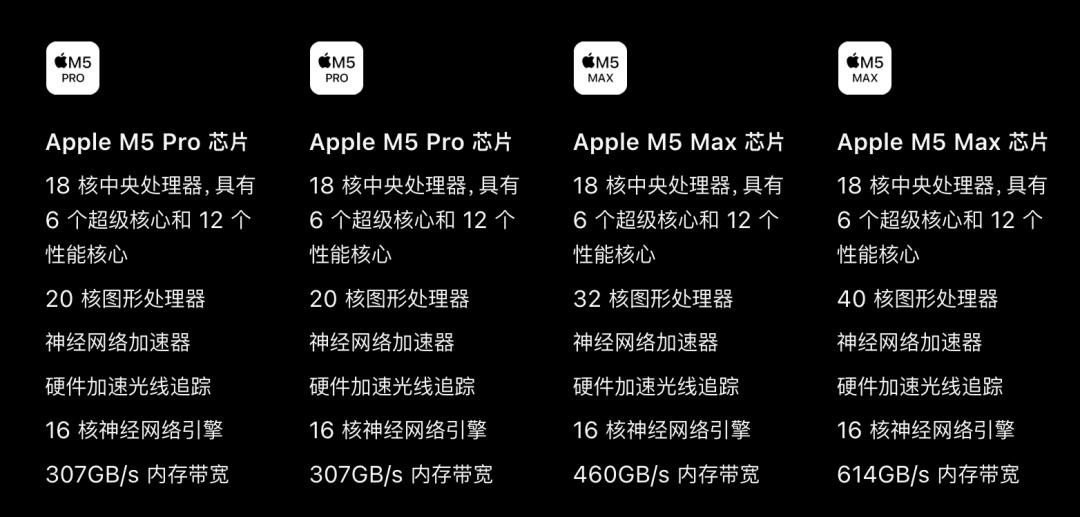
▲ Image | Apple
Since the M5 Pro and M5 Max come standard with an 18 - core CPU, the likely reason for the difference in memory bandwidth lies in the GPU specifications.
Combined with pre - launch predictions, this difference indirectly indicates that the memory controllers of the M5 series are probably located on the GPU core clusters.
This strategy is in line with the Panther Lake architecture that ifanr saw during a visit to the Intel factory last year:
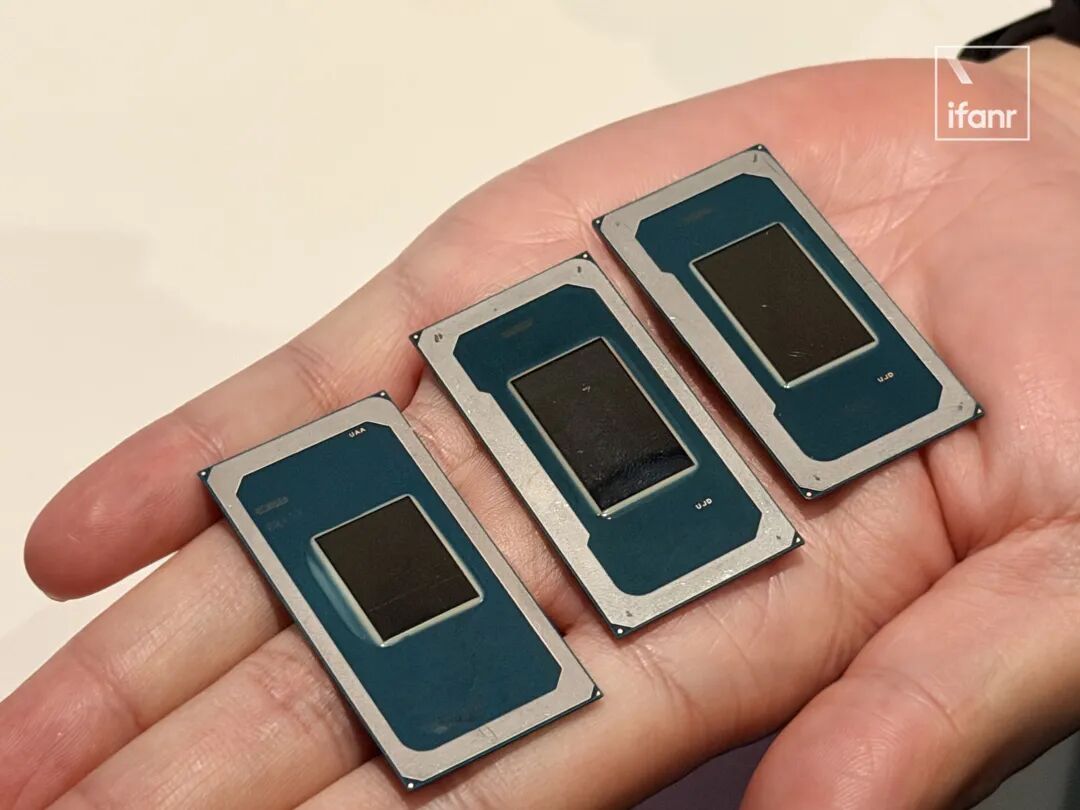
The benefits of this approach are obvious. Placing the GPU close to the memory controller can effectively reduce the latency of inter - core communication of memory data, thereby improving GPU efficiency.
So, what are GPUs with higher speed and larger VRAM best at? Of course, it's local AI applications.

This is also one of the reasons why Apple has frequently mentioned "AI" on its official website.
Take ifanr's 14 - inch MacBook Pro prototype as an example. We received the top - of - the - line 40 - core GPU M5 Max version this year, paired with 128GB of unified memory and an 8TB hard drive, a performance beast costing over 55,000 yuan.
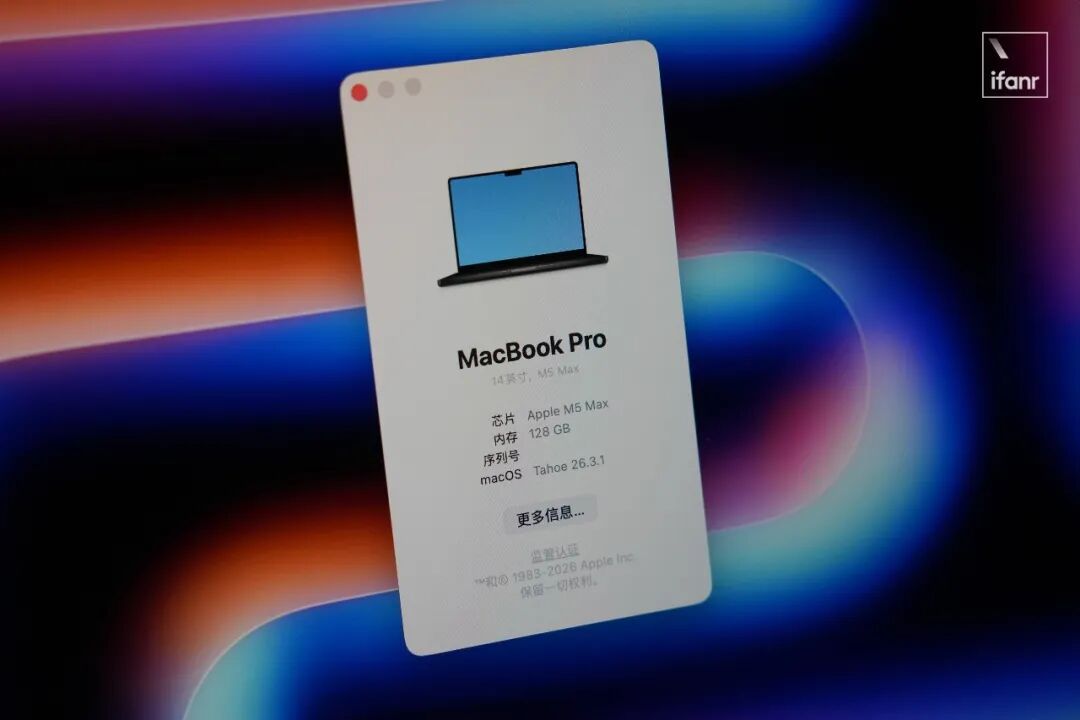
Generally speaking, when running local models on a Windows PC, the biggest bottleneck is often not the "motherboard memory" that comes with a sky - high price, but the VRAM inside the graphics card.
The greatest advantage of Apple's unified memory is that it can be directly accessed by the GPU.
For example, our 128GB M5 Max test machine can theoretically provide nearly 100GB of graphics memory space for the GPU:
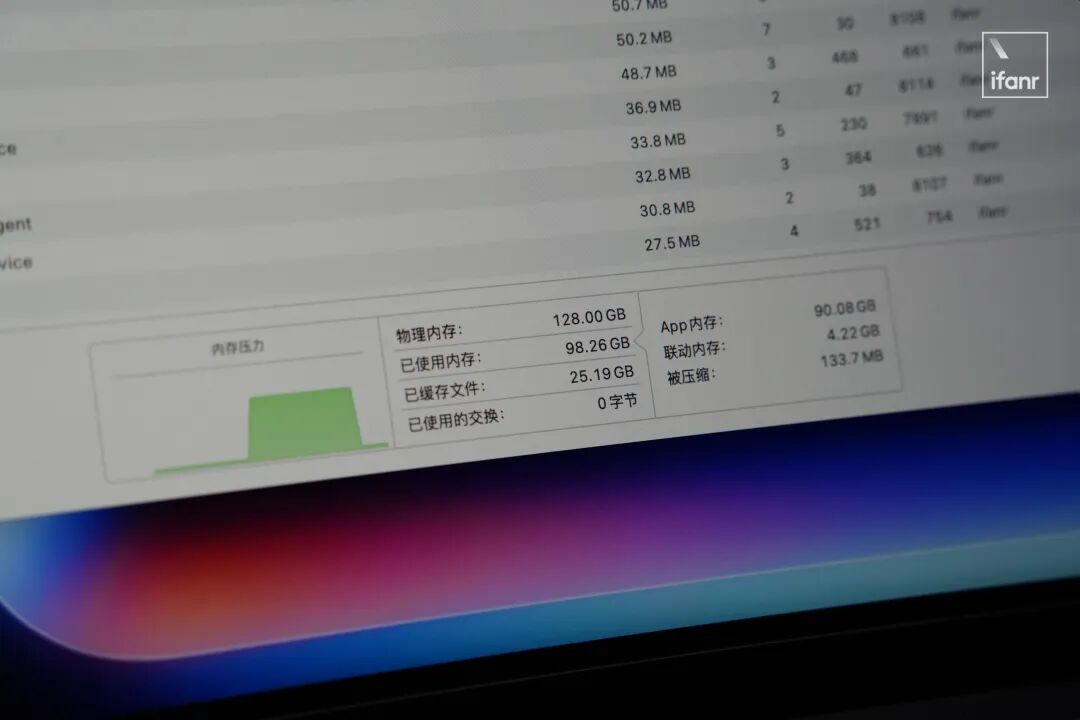
With such abundant memory, of course, we should run those large - scale local AI models that couldn't be run before, just as Apple has advertised.
In llmfit, it can be seen that a 128GB M5 Max can run all models with a size of no more than 125b "perfectly".
It's only when it comes to models like MiniMax M2.5, Qwen3, and DeepSeek v2.5 with a size of over 220b that the performance becomes "marginal":
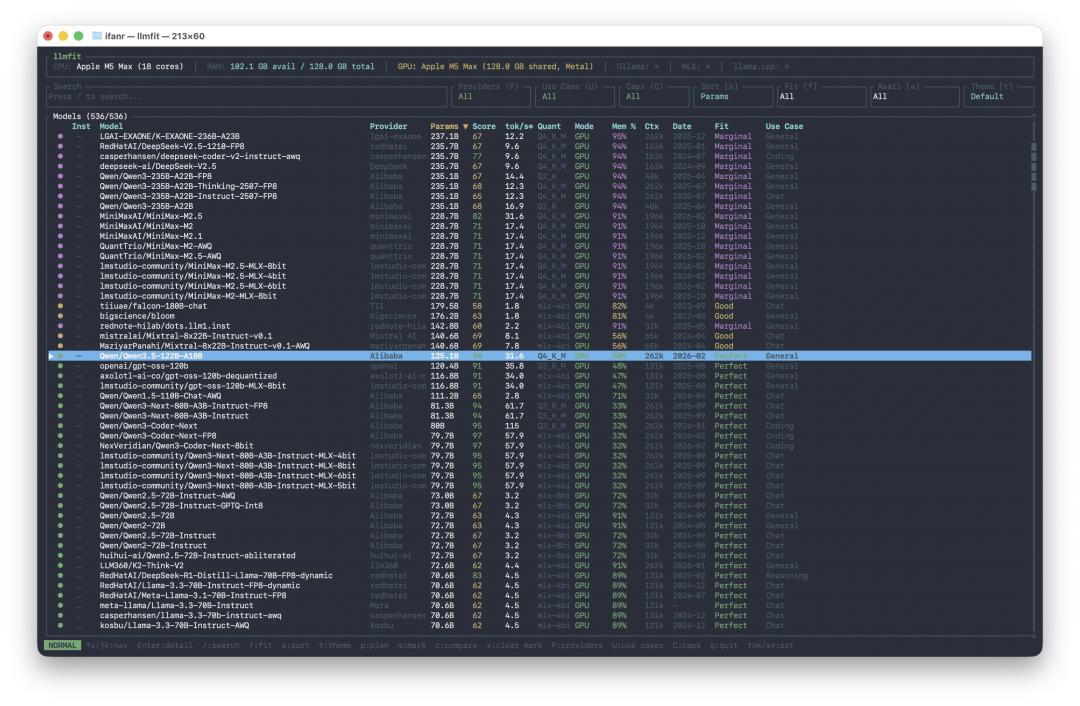
▲ M5 Max 128GB
In contrast, for the M1 Max with 32GB of memory, according to llmfit, it can only run models of around 35b with 2 or 4 - bit quantization at most:
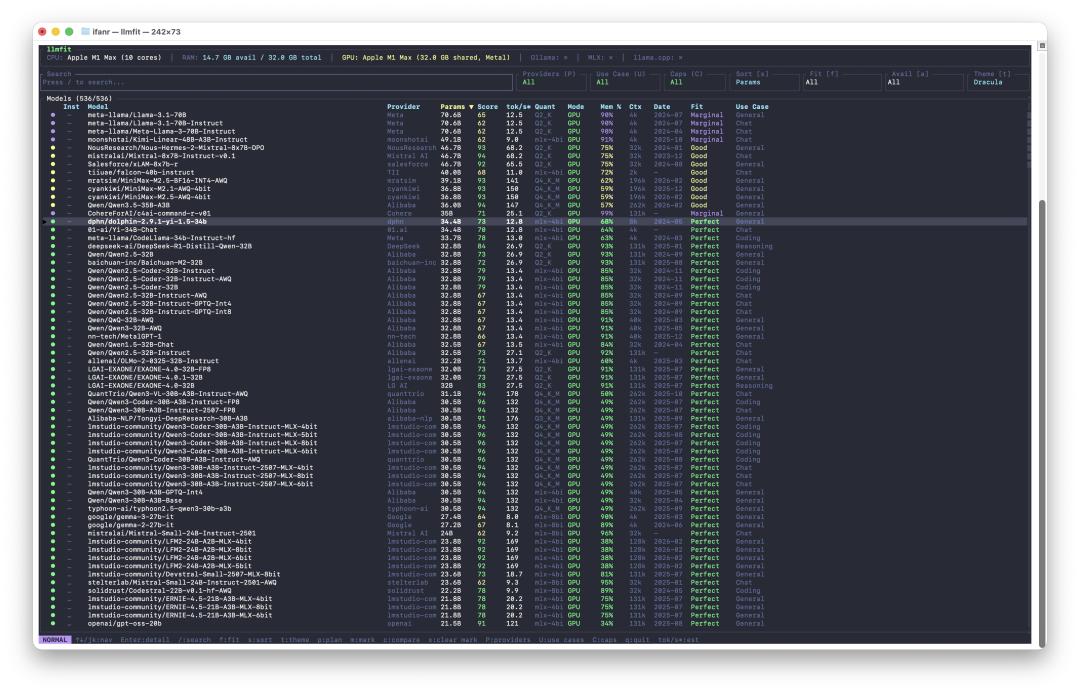
▲ M1 Max 32GB
Considering the ease of deployment and the context - understanding capabilities, we chose to test qwen3.5 - 35b - a3b through LM Studio, as well as qwen3 - next - 80b which supports MLX. Both are 8 - bit quantized MoE models:
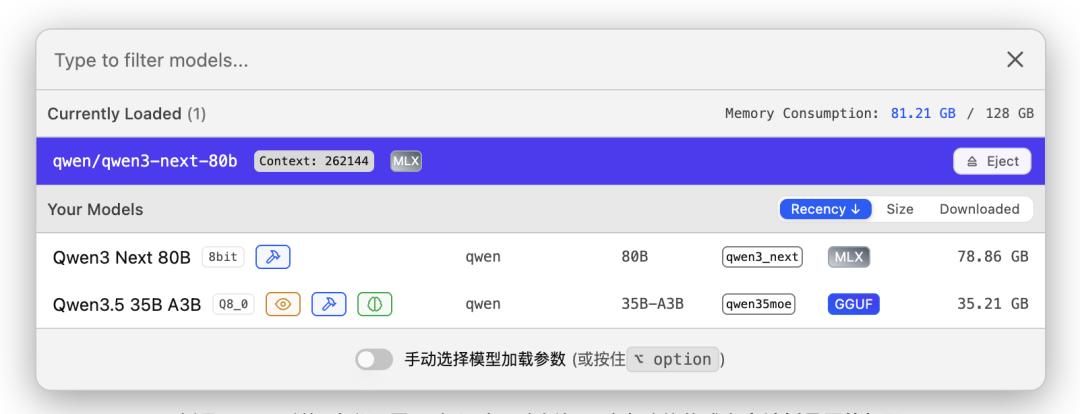
For MoE models like qwen3.5 - 35b - a3b with relatively small total size and inference volume, the M5 Max often finishes running before it even gets warm:
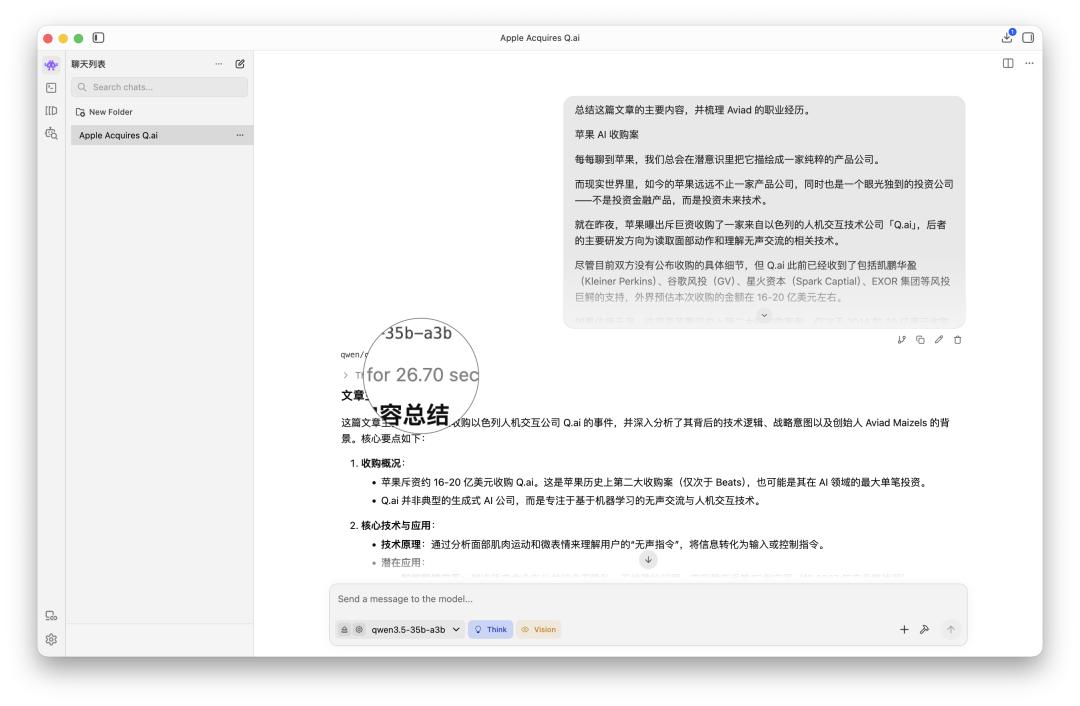
▲ qwen3.5 - 35b - a3b
Even when faced with an original text material of nearly 3000 words, after manually setting the maximum token limit of the model, the response time for the first token in each round of rewriting and paraphrasing on the M5 Max is around 30 seconds, and there is no overflow even when the total number of words thought and written accumulates to nearly ten thousand.
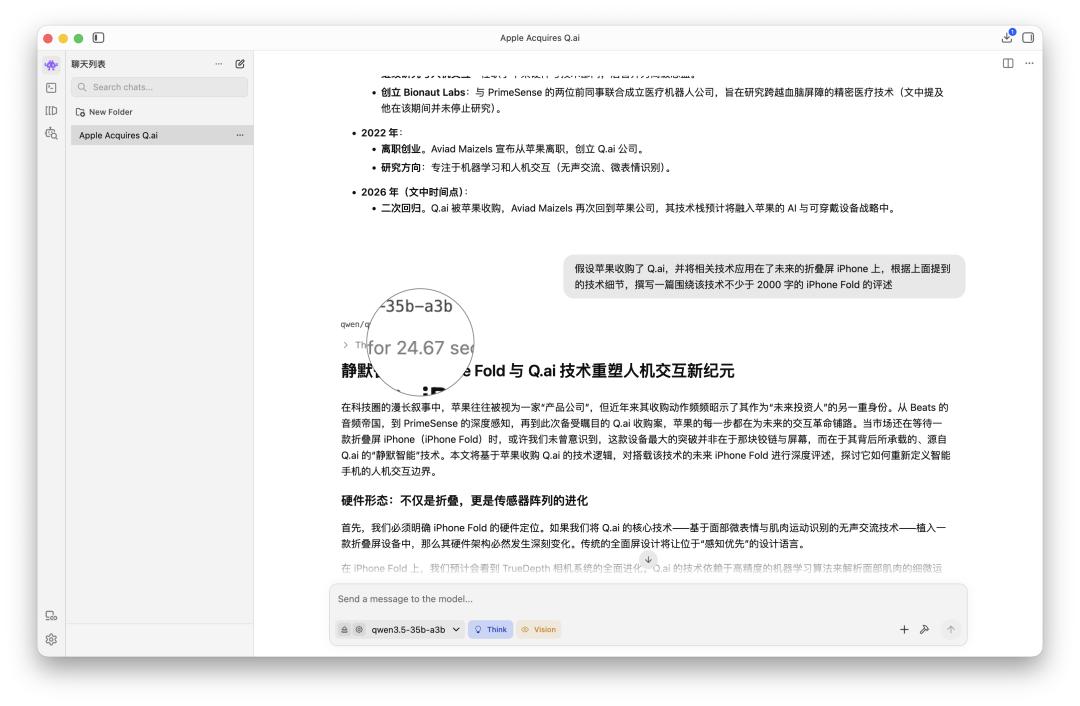
▲ qwen3.5 - 35b - a3b
The qwen3 - next - 80b, which is optimized with MLX, 8 - bit quantized, and has a larger number of parameters, performs even better on the M5 Max.
Although it requires manually loading a nearly 80GB model while ignoring the memory warning, the running effect is truly remarkable:
For the same prompt that takes 30 seconds to respond in qwen3.5 - 35b - a3b, qwen3 - next - 80b gives an instant response.
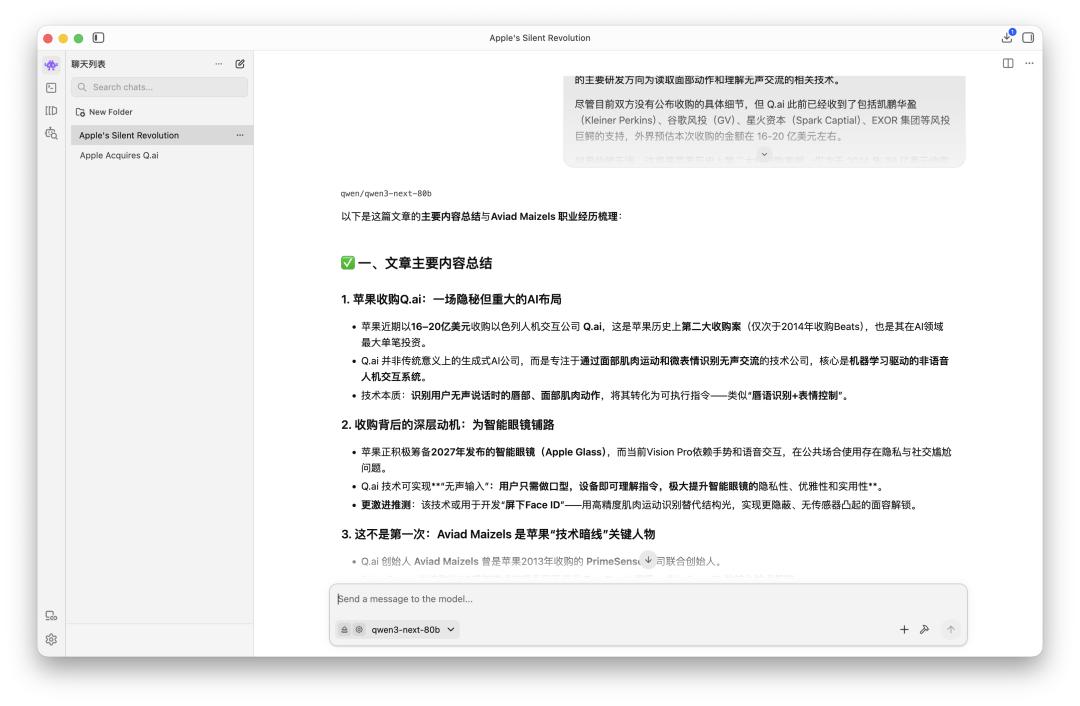
▲ qwen3 - next - 80b
On the one hand, this is because the 80b parameters are much larger than the 3b active parameters. On the other hand, it is because this is an optimized version based on Apple's open - source MLX framework, which can fully leverage the advantages of Apple Silicon.
How does the M5 Max perform when dealing with dense models like Llama 3.3?
▲ Image | Tom's Guide
Although the 8 - bit quantized Llama 3.3 70b model is only about 75GB in size, the huge KV cache required for a 128k context will cause an overflow, preventing LM Studio from loading it.
After switching to the smaller Llama 3.3 70b Q4_K_M, the M5 Max can finally load it normally. After executing the above prompt, the system load is about 95GB, and the generation speed is 9.95 tokens per second:
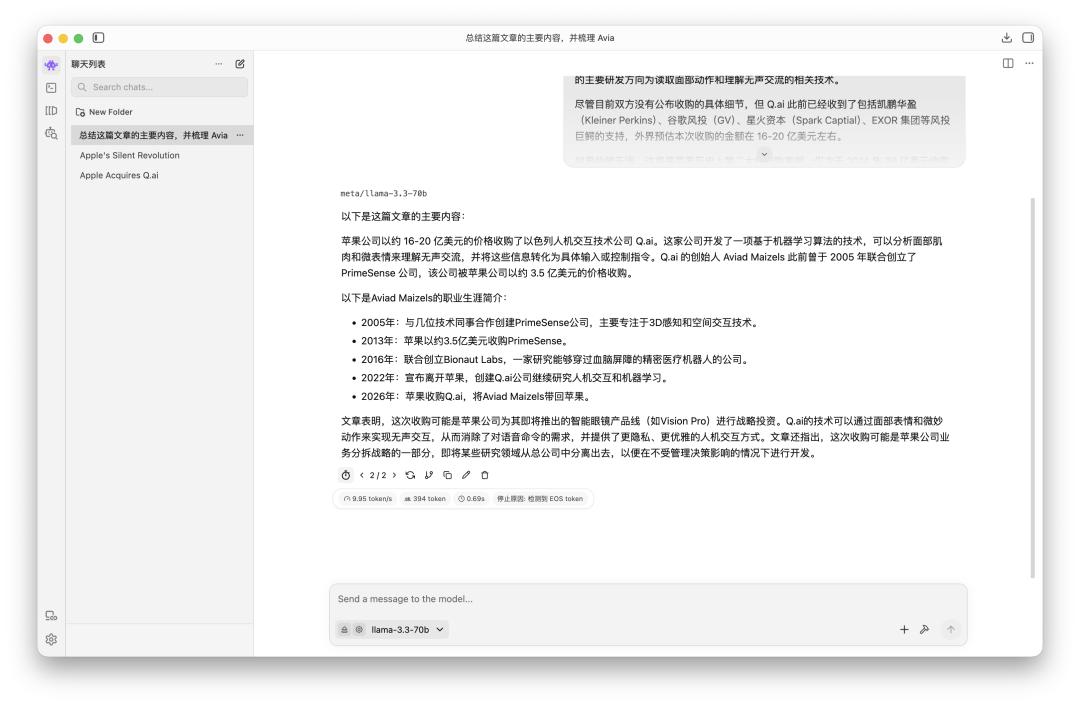
In other words, when dealing with dense models of a similar scale, the M3 Ultra with larger memory is still needed.
However, the largest memory occupation we observed on the M5 Max this time was not from the dense Llama 3.3, but from deepseeek - r1 running in Msty Studio:
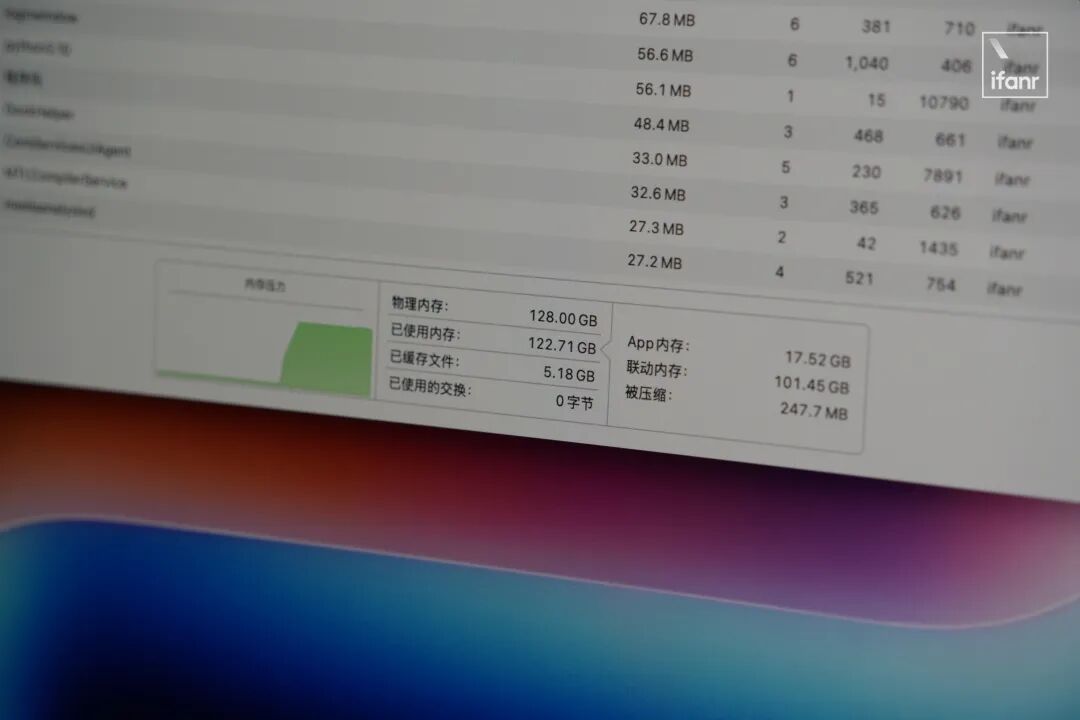
In Msty Studio, we loaded a 75GB deepseek - r1 70b - llama - distill - q8_0. It took two minutes to occupy 122GB of memory and wrote a haiku for you:
