Helping elders clean up their phones has become a common practice during the Spring Festival. Here is the latest guide for 2026.
Every Spring Festival, Xiaolei has a "fixed task" - not to grab red envelopes, let alone watch the Spring Festival Gala, but to help relatives and elders "clean up their phones".
Almost every time he goes home for the Spring Festival, some relatives will ask for help, saying, "Help me see why my phone is so slow?" When he takes the phone and looks, the screen is full of apps. You can't even finish scrolling through the notifications in the notification bar after swiping the screen five times. There are always red dots on the home screen. WeChat takes up dozens of gigabytes, and there are occasionally a few "cleaning masters" of unknown origin.
To be honest, when seeing such a scenario, Xiaolei's first reaction is usually to directly restore the phone to its factory settings and make the phone "start over". But the problem is that the photos, chat records, and bus cards in the elders' phones are usually not backed up. Randomly deleting data can easily turn "help" into an "accident".

Image source: Generated by ChatGPT
Therefore, instead of taking emergency measures, it's better to systematically help the elders do a "phone cleaning". To make it easier for everyone, based on our own experience, Leikeji has prepared a checklist for "cleaning up the phone". As long as you follow these steps, there generally won't be any major problems.
Step 1: Back up key data
Before doing any cleaning, the first thing is always to back up. Generally speaking, when backing up, we need to prioritize five types of data: WeChat, contacts and messages, photo albums, wallets, and account passwords.
Currently, there are mainly three ways to back up WeChat data:
1. Back up to a computer;
2. Back up on the phone;
3. Back up to an external storage device.
Among them, backing up to a computer and backing up on the phone actually both use Wi-Fi to synchronize data to another device. A computer can generate backup data separately, while the phone will directly migrate the chat records completely. In terms of stability, directly migrating the data to another phone, resetting the phone, and then migrating the data back is obviously the safest method, and it's also the method that Xiaolei recommends the most.
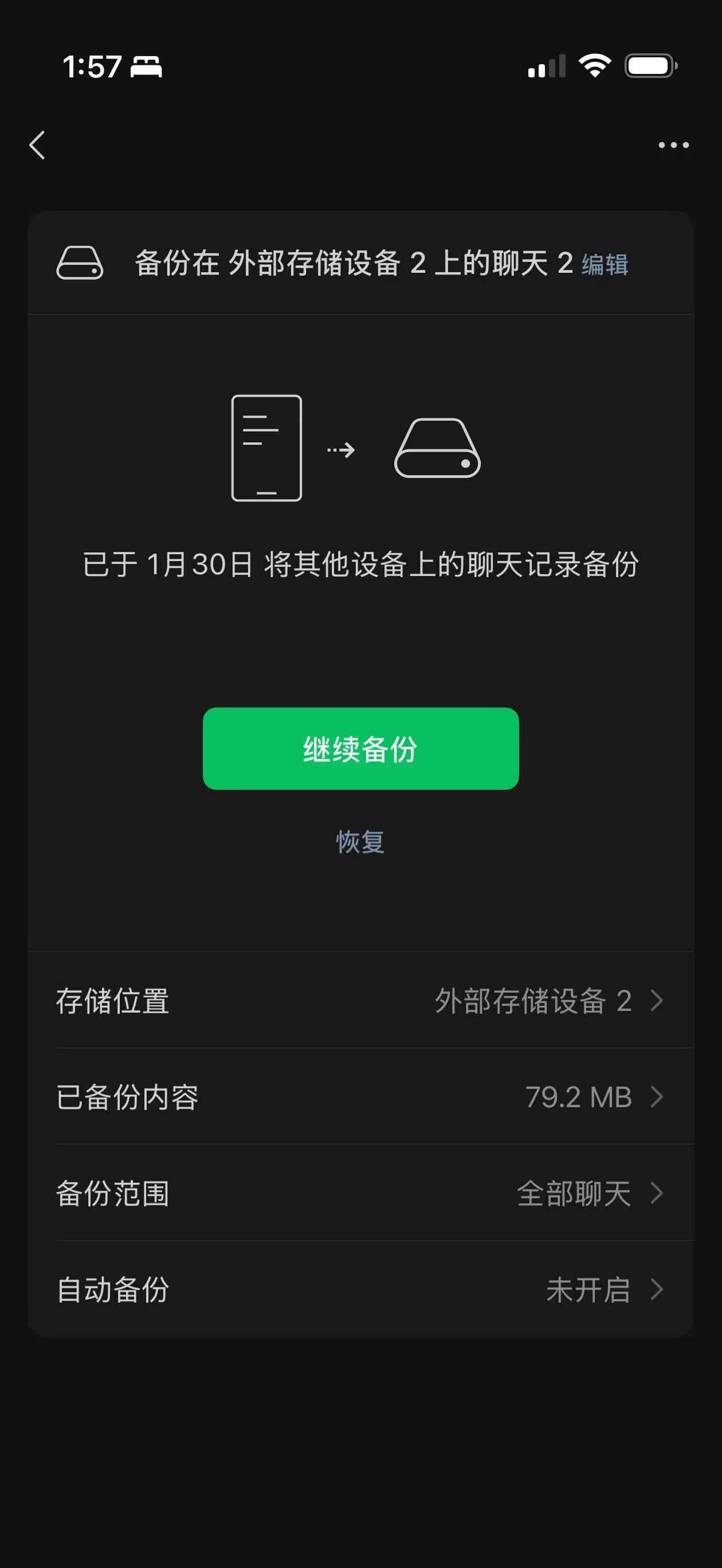
Image source: Leikeji
However, the problem is that for dozens or even hundreds of gigabytes of WeChat data, Wi-Fi transmission is obviously insufficient. A single migration may take several hours. If you don't want to waste time on transmitting WeChat data, you can also directly plug a USB flash drive (a USB-C flash drive or use a hub for connection) into the phone and back up the WeChat data to an external device such as a USB flash drive. For flagship phones with a USB 3.2 interface, the speed of backing up and restoring data to/from a USB flash drive is incredibly fast.
But it should be noted that backing up data to a USB flash drive is not as intuitive as migrating data on the phone. Not long ago, when Xiaolei changed his phone, he encountered a situation where WeChat prompted that the backup was completed, but the USB flash drive showed no files, and finally he lost all his chat records. If you also choose to back up to a USB flash drive, it's best to try restoring the data before wiping the phone to see if the relevant data has been properly backed up.
Regarding contacts and messages, currently, most phones have their own cloud synchronization space. The 5GB of free space is usually enough to back up the contact information of most people. It should be noted that although in most cases, contacts are stored in the phone, in rare cases, contact information may also be stored in the phone's SIM card. When backing up, it's best to check carefully to avoid data loss.
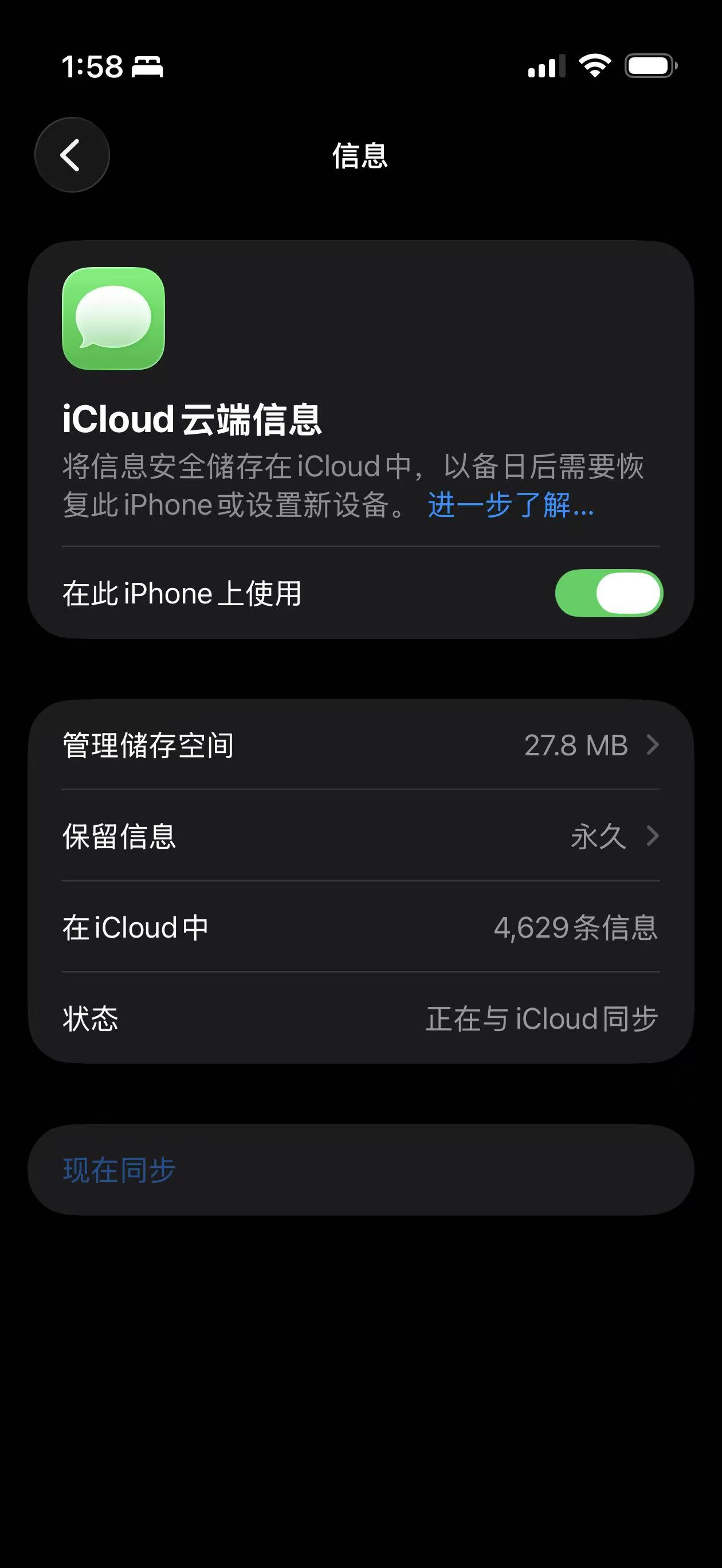
Image source: Leikeji
After talking about WeChat and contacts, the next thing to talk about is the photo album. Generally speaking, Xiaolei suggests using the cloud storage provided by the phone brand to back up photos and videos. As long as you confirm that all photos and videos have been uploaded before resetting the phone (you can check using the web version of the cloud storage), there generally won't be any problems. After resetting, connect to Wi-Fi and let the phone synchronize automatically, and then cancel the cloud storage subscription.
But if you don't want to spend money on cloud storage, photos and videos can also be "externally backed up" to a computer or a USB flash drive. iPhone users can directly connect their phones to a computer and make a full backup of all the data in the phone. Android users can also directly copy and paste the photo gallery to a USB flash drive.
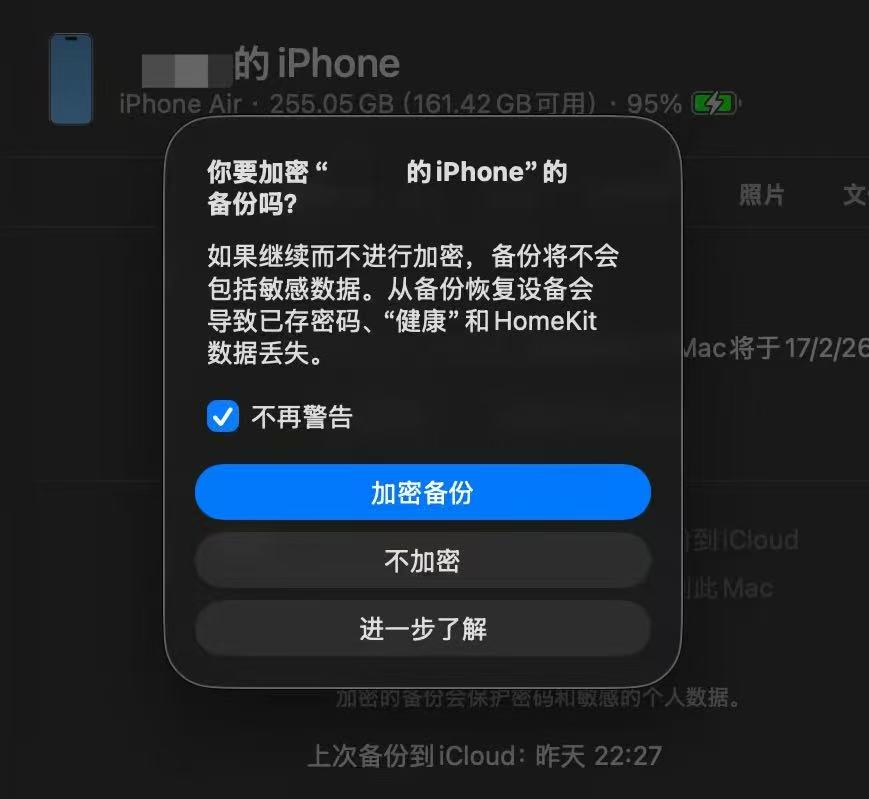
Image source: Leikeji
After dealing with the photos, it's time to check the payment cards, bus cards, access cards, and certificates in the wallet. Generally speaking, the cards in the wallet app are associated with the phone account and can be directly restored on the new phone.
But in rare cases, some cards must be manually removed in advance. In addition, some banks' credit cards also have their own background risk control systems, which limit the number of times you can open virtual cards (Apple Pay cards) within a certain period. Therefore, Xiaolei suggests that you manually remove the relevant cards first and then add them back after the new phone is initialized.
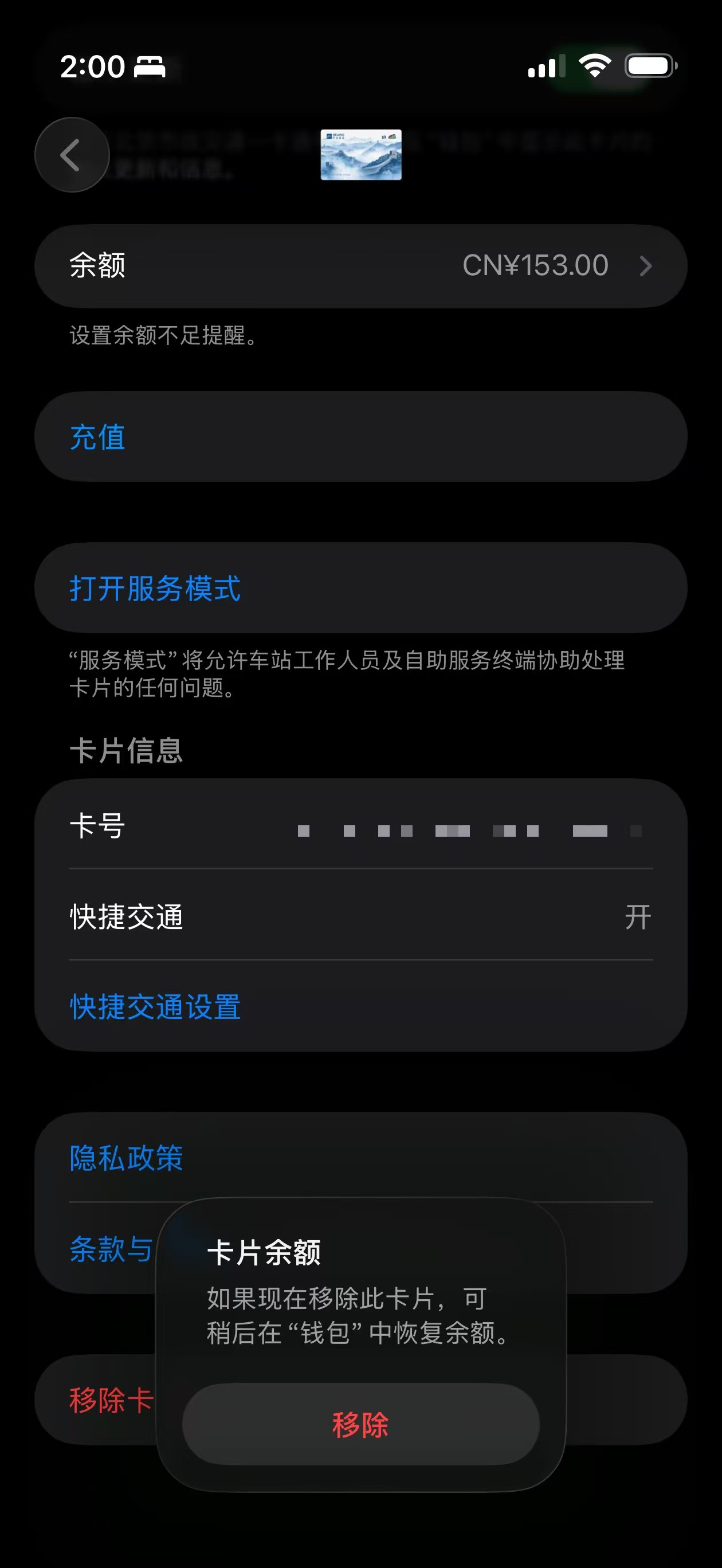
Image source: Leikeji
Finally, let's talk about a type of data that people rarely pay attention to - passwords. Based on Xiaolei's experience, it's almost certain that elders don't know or remember the passwords of their phone accounts, WeChat, and Alipay. Even if you ask them in advance, they'll probably say, "How would I know?" or "You/Someone else helped me set it up back then."
Of course, most apps can be logged in using SMS verification codes. But when logging in to an app for the first time on a new device (or a reset phone), some apps still require you to verify the account password. Therefore, Xiaolei strongly suggests that you confirm and reset the passwords while logged in to the apps before resetting the phone, and record them in a reliable way, such as writing them down on paper or sending them to another phone. Based on Xiaolei's experience, this can save a lot of trouble.
But it should be noted that if you choose to change the passwords before resetting the phone, you must first confirm that there are no malicious software such as Trojans or viruses on the phone. If the phone already has malicious software, directly resetting the phone is always the safest option.
Step 2: Delete junk software and malicious software
After backing up the data, we can start cleaning up the phone.
Many times, a slow phone is not due to an "aging" system but to third-party software problems. In this regard, Android users can try to enter safe mode and delete all unnecessary third-party apps in safe mode.
In safe mode, the phone only loads system apps, which can effectively prevent rogue apps from hijacking the interface and reduce notification interference. If the slow - down problem is significantly improved after deleting these apps, it can basically be confirmed that the problem is caused by third - party software.
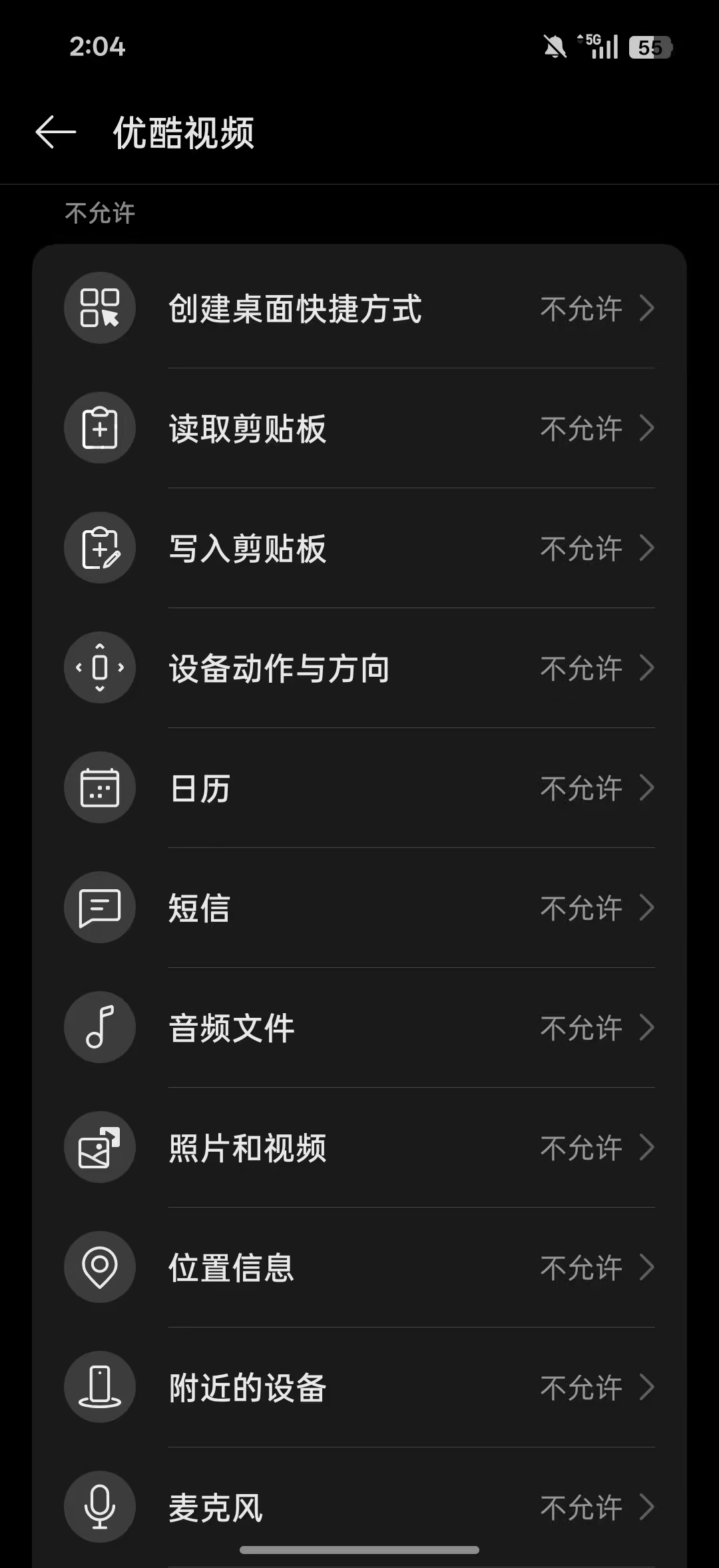
Image source: Leikeji
Subsequently, we need to check the auto - startup, background running, floating window (display on the lock screen or other apps), system setting modification, clipboard, and accessibility permissions of apps in safe mode. At the same time, be vigilant about all screen - sharing and remote - assistance apps. You should know that the Spring Festival is a high - incidence period for telecom fraud. If not necessary, it is recommended to directly uninstall such remote - control apps.
The iPhone is relatively closed. However, you need to check the subscription items to avoid long - term charging for unused apps.
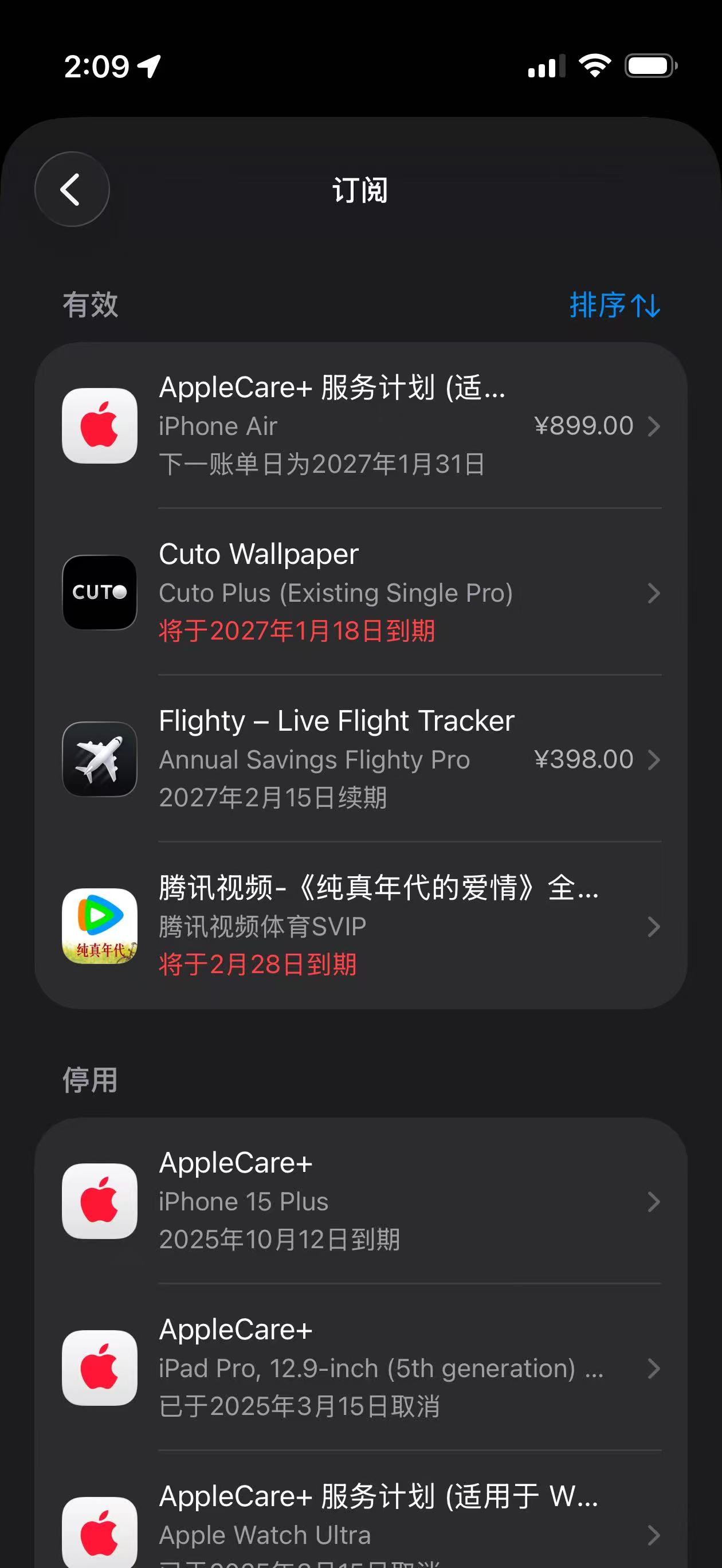
Image source: Leikeji
If the phone is still significantly slow after completing the above steps, Leikeji suggests considering restoring the phone to its factory settings. After the restoration is completed, it is recommended to upgrade the system to the latest version immediately and then restore the data.
In addition, if you really reach the step of "resetting the phone", don't forget to re - bind external devices such as bracelets, watches, headphones, and car infotainment systems.
If you don't take preventive measures after resetting the phone, the problems will soon recur. Here, Xiaolei suggests directly turning off unnecessary notification permissions. For Android phones, Leikeji suggests strictly controlling the auto - startup, background running, sensor, and system - setting modification permissions of apps, and only giving necessary apps the permission to install APKs. For iPhones, we also need to pay attention to notification and background refresh permissions.
Only after configuring all the permissions, setting the wallpaper and ringtone, and arranging the icons in familiar positions can the "general cleaning" of the phone be considered a complete success.
Conclusion: Companionship is the best way to solve phone problems
However, in fact, I believe you should have also noticed that many phone problems are not actually difficult to solve. It's just that the elders don't know where to start.
Our generation is used to system updates and account cloud synchronization. iPhone users know how to use configuration files to prohibit updates, and Android users know how to use Magisk to configure the system and freeze permissions... But for the elders, these are all knowledge blind spots, and at the same time, they are also opportunities for them to talk to us more.
After all, the so - called "helping to clean up the phone" is just a technical excuse for us to sit with them a little longer and have a chat. The core of the Spring Festival has never been to blame the elders for "randomly downloading apps", "answering off - topic", or "forgetting what they're told". Instead, it's about the whole family being reunited.
Being able to sit together and slowly set up the phone is itself a part of the reunion.